
Free Review Response Generator
Respond to customer reviews quickly with clear, empathetic replies tailored to your brand voice. Create responses for Google reviews, Yelp, TripAdvisor, ecommerce feedback, and social platforms while handling praise, complaints, refund requests, and service issues professionally.
Review Response
Your review response will appear here...
How the AI Review Response Generator Works
Get results in seconds with a simple workflow.
Paste the Customer Review
Add the review text (Google review, Yelp review, Facebook recommendation, app review, or product review). Include the star rating if you know it.
Choose a Response Style
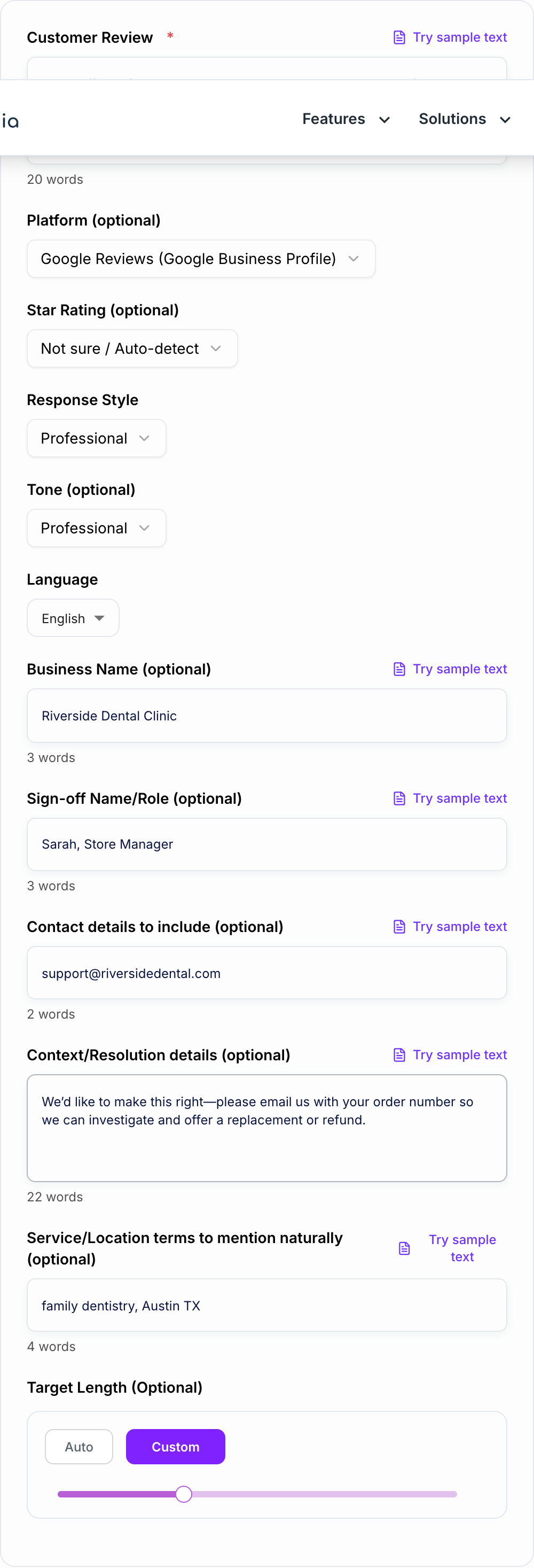
Pick a tone and style such as Professional, Friendly, Apology-First, or Public + Take Offline. Add optional business name, sign-off, and contact details.
Generate, Review, and Post
Generate a response, then quickly verify accuracy and policy compliance. Post it to your review platform and follow up privately if needed.
See It in Action
Example of a calm, professional response to a negative Google review with a clear resolution path.
The staff was friendly, but my order took 45 minutes and the food was cold when it arrived. Disappointing experience.
Thanks for the feedback, and we’re sorry your order took longer than expected and arrived cold. This isn’t the experience we want for our customers. If you’re open to it, please contact us at support@company.com with the date/time of your order so we can look into what happened and make this right.
Why Use Our AI Review Response Generator?
Powered by the latest AI to deliver fast, accurate results.
Instant Responses for Google Reviews and More
Generate publish-ready replies for Google Business Profile (Google reviews), Yelp, Facebook, TripAdvisor, app reviews, and ecommerce product reviews—without sounding templated.
Handles Positive, Neutral, and Negative Reviews
Create replies that match the review sentiment: thank-you responses for 5-star feedback, calm clarification for mixed reviews, and apology-first replies for 1-star complaints.
Brand-Safe, Policy-Safe Wording
Avoids arguing, blaming, or oversharing. Helps you respond professionally while protecting your business reputation and reducing risk in sensitive situations.
Optional “Take It Offline” Support Flow
Invite customers to contact you privately with clear next steps (email/phone) while keeping the public reply brief, respectful, and non-defensive.
Local SEO-Friendly Mentions (Optional)
Optionally include service and location context in a natural way (no keyword stuffing) to reinforce relevance for local search and Google Business Profile optimization.
Pro Tips for Better Results
Get the most out of the AI Review Response Generator with these expert tips.
Reply quickly (speed matters for trust)
Fast responses show you’re attentive. For Google reviews, consistent replies can improve customer confidence when they compare businesses in local search results.
Don’t argue in public—resolve in private
For negative reviews, keep the public reply calm and brief, then invite the customer to contact you offline to resolve details.
Acknowledge specifics without admitting liability
Reflect the customer’s concern (wait time, communication, quality) and offer help, but avoid legal language or over-committing if you need to investigate first.
Use a consistent sign-off for brand voice
Signing off with a name/role (e.g., “Alex, Customer Support”) improves authenticity and helps your replies feel less automated.
Use service/location terms sparingly
If you include terms like your service or city, keep it subtle and relevant—one natural mention is usually enough.
Who Is This For?
Trusted by millions of students, writers, and professionals worldwide.
How to Write Review Responses That Sound Human (and Actually Help Your Business)
If you have reviews coming in across Google, Yelp, Facebook, TripAdvisor, or your ecommerce store, you already know the real problem is not getting reviews. It’s keeping up with them.
And not just replying fast. Replying in a way that feels calm, specific, and brand safe. Because a sloppy response can do more damage than no response at all.
A good review reply does three things:
- Acknowledges what they said
- Matches the emotion (happy, neutral, annoyed, furious)
- Gives a clean next step when something went wrong
That’s basically what this AI Review Response Generator is built for. You paste the review, pick a response style, add optional details, and you get a ready-to-post draft.
Review Response Templates (Positive, Neutral, Negative)
You can think of review responses in three buckets. Here are simple frameworks you can reuse, even if you don’t copy these word for word.
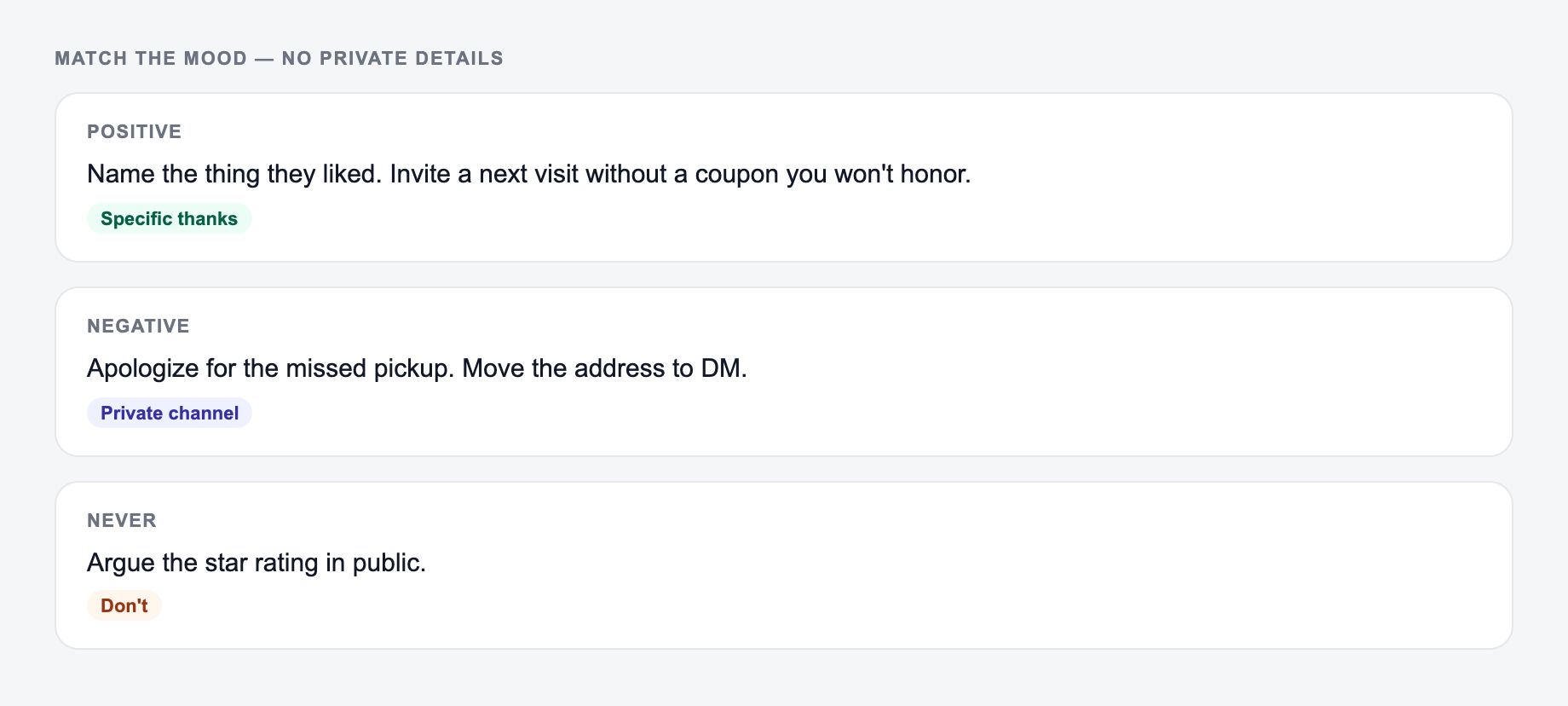
Paste the review and match the mood. Do not argue, and do not put private details on the form.
Campaign stub you can actually brief:
- One promise.
- Three assets (ad, email, on-site) that share the promise and change the ask.
- A kill list — offers you will not make this week.
If the AI Review Response Generator output ignores the kill list, the brief never made it onto the form.
Positive review response template (4 to 5 stars)
Use this when someone is happy. Don’t overdo it. Don’t turn it into a sales pitch.
Structure
- Thank them
- Mention one specific detail
- Invite them back (softly)
Example
Thanks so much for taking the time to leave this review. We’re really glad you enjoyed your visit, and we’ll be sure to share your kind words with the team. Hope to see you again soon.
Neutral review response template (3 stars, mixed feedback)
The goal here is to show you’re listening, without sounding like you’re panicking.
Structure
- Thank them
- Acknowledge the “could be better” part
- Ask for a quick follow up or offer a next step
Example
Thanks for the feedback, we appreciate it. We’re glad some parts of your experience went well, and we’re also taking your notes seriously so we can improve. If you’re willing, feel free to reach out and share a bit more about what we could have done better.
Negative review response template (1 to 2 stars)
This is where most businesses mess up by getting defensive. A good negative review reply is calm, short, and focused on resolution.
Structure
- Apologize and show empathy
- Acknowledge the issue without arguing
- Take it offline with contact info
- Optional: promise to investigate, not to “prove them wrong”
Example
We’re sorry to hear this, and we appreciate you bringing it to our attention. This is not the experience we want to provide. If you’re open to it, please contact us at [email/phone] so we can look into what happened and work toward a resolution.
Should You Respond to Every Google Review?
Mostly, yes.
Even quick replies help because when people are comparing options, they’re not only reading the reviews. They’re reading how you handle them. Especially the bad ones.
A consistent reply habit can also support your Google Business Profile performance indirectly, since it builds trust and improves engagement signals. Not magic SEO, just common sense. If you look responsive, more people click, call, and visit.
What Not to Say in a Public Review Response
A few easy mistakes to avoid:
- Don’t argue line by line. It never looks good to future customers.
- Don’t share private info. Order numbers, appointment details, full names, anything sensitive. Move it offline.
- Don’t admit liability. You can acknowledge the experience without making legal statements.
- Don’t sound copy pasted. Even small tweaks make it feel real.
If you want a safer workflow, generate the draft, then do a 10 second check. Is it accurate, polite, and not oversharing. Done.
How to Make Review Replies Feel Less Automated
This is the part people care about. The “human” feeling.
Try these small upgrades:
- Use their theme, not their exact words (wait time, cold food, delayed shipping, rude staff, confusing policy)
- Keep it tight. Most replies should be 2 to 6 sentences
- Add a simple sign off like “Sam, Store Manager” so it reads like a real person is there
And if you manage multiple brands or locations, consistency matters. A tool that keeps the tone steady helps a lot, which is why people use platforms like Junia AI to generate replies quickly without the generic, robotic vibe.
Quick Checklist Before You Post
A synonym is not a test. If you change “unlock” to “discover,” you did not run a variant — you changed the mood of the same fog.
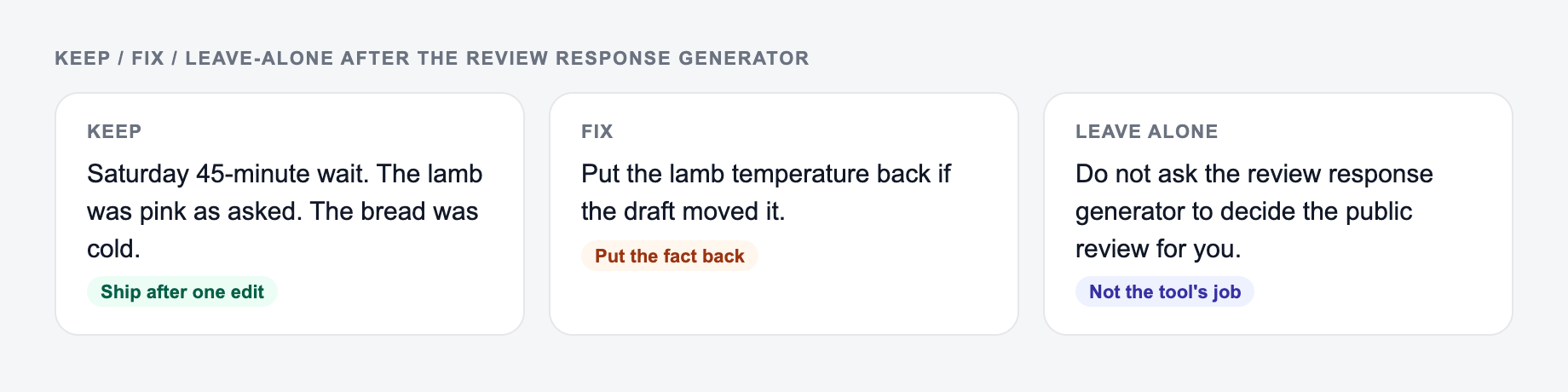
Keep the line you could publish. Put facts back. Do not outsource the judgment call.
- Does this response match the review’s mood?
- Did we acknowledge the specific issue?
- Did we offer a next step if needed?
- Are we avoiding sensitive details?
- Does it sound like our brand voice?
If you can check those boxes, you’re already doing better than most businesses replying to reviews today.
Frequently Asked Questions
What is a review response generator?+
A review response generator creates ready-to-post replies to customer reviews (positive, neutral, or negative). It helps businesses respond faster with a professional tone, clear next steps, and consistent brand voice across platforms like Google reviews, Yelp, and Facebook.
Does responding to Google reviews help local SEO?+
Responding to Google reviews can support local SEO indirectly by improving engagement and trust signals. Consistent, high-quality replies can increase conversions from your Google Business Profile and help customers choose you over competitors.
How do I respond to a negative review professionally?+
A strong negative-review response usually includes: (1) a brief apology and empathy, (2) acknowledgment of the issue, (3) a clear next step to resolve it, and (4) an invitation to continue privately—without arguing or sharing sensitive details.
Should I include keywords or my location in review responses?+
Only if it feels natural and relevant. Subtle mentions (like your service or neighborhood) can help context, but keyword stuffing can feel spammy. Use the optional service/location field to keep it natural.
Can I use this for Yelp, Facebook, TripAdvisor, or app reviews?+
Yes. You can generate replies for most review platforms. If platform rules differ, keep responses professional, avoid incentives that violate policies, and invite offline follow-up when needed.
Will the tool reveal private customer information?+
No. It is designed to avoid requesting or sharing sensitive information publicly. If you need details like an order number, the response should ask for it privately via email or phone.