
Free YouTube Video Script Generator
Write structured YouTube video scripts designed to improve watch time and audience retention. Generate hooks, talking points, scene transitions, B-roll suggestions, and CTAs for tutorials, explainers, reviews, Shorts, faceless videos, and creator-led content.
YouTube Video Script
Your YouTube script will appear here...
How the AI YouTube Video Script Generator Works
Get results in seconds with a simple workflow.
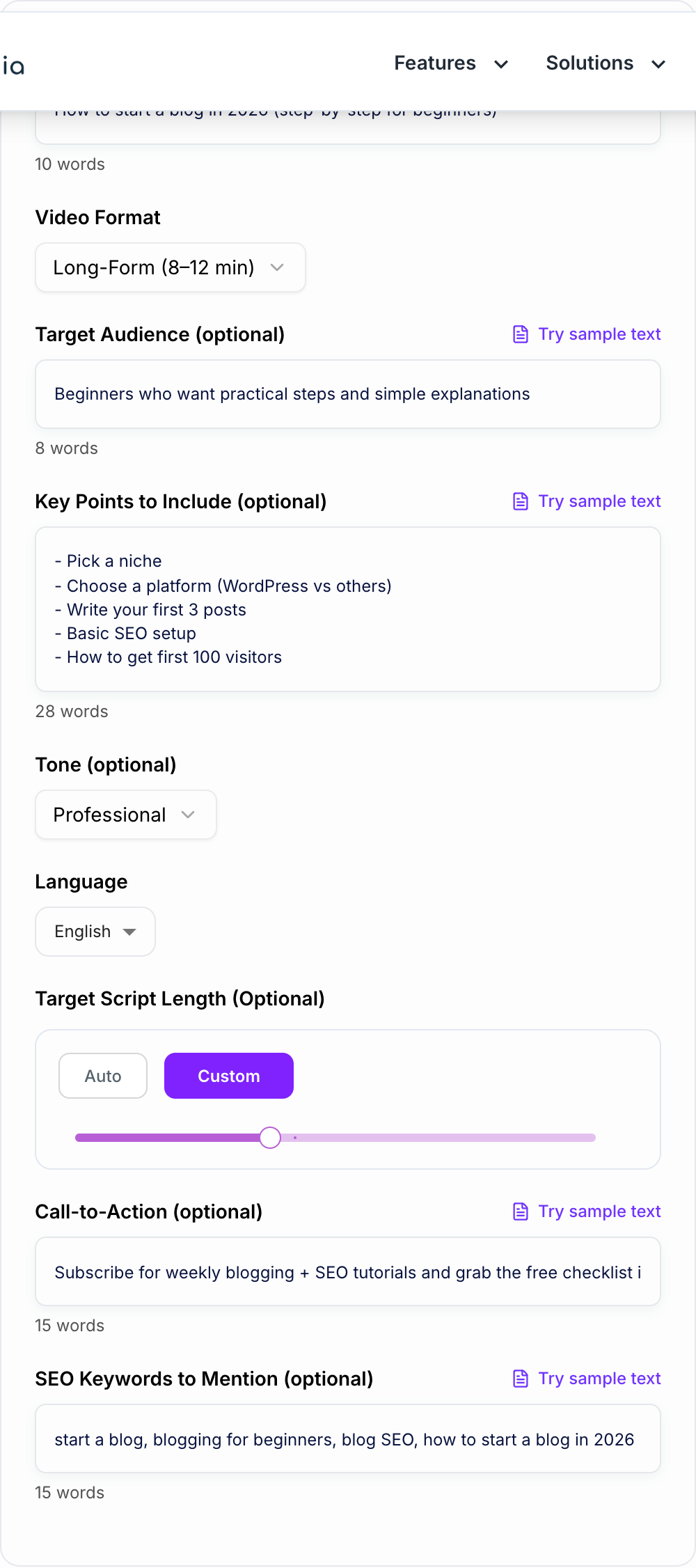
Enter Your Topic + Format
Add your YouTube video topic and choose a format (Long-Form, Shorts, Tutorial, Review, or Listicle) so the structure matches your content type.
Add Optional Notes (Audience, Key Points, Keywords, CTA)
Include must-cover points, target audience, optional YouTube SEO keywords, and your call-to-action. This helps the script stay aligned with your niche and goals.
Generate, Record, and Edit Faster
Get a complete script with a strong hook, section beats, and visual cues. Record voiceover (or on-camera) and use the on-screen text and b-roll suggestions to speed up editing.
See It in Action
Example of turning a vague idea into a structured, high-retention YouTube script opening.
Today I’m going to talk about keyword research and why it’s important. Keyword research can help your website. Let’s get started.
If your blog isn’t getting traffic, it’s probably not because your writing is bad—it’s because you’re targeting the wrong keywords. In the next 8 minutes, I’ll show you a beginner-friendly keyword research process you can do for free, how to pick keywords you can actually rank for, and the exact checks I use before I write a single post.
Why Use Our AI YouTube Video Script Generator?
Powered by the latest AI to deliver fast, accurate results.
High-Retention Hook + Structure (Intro → Value → CTA)
Generates a YouTube script with a scroll-stopping hook, clear section beats, and a natural call-to-action—designed to improve audience retention and watch time.
Multiple Script Formats: Long-Form, Shorts, Tutorials, Reviews, Listicles
Choose a proven YouTube script format that matches your content strategy—how-to tutorials, product reviews, top-X list videos, or fast-paced YouTube Shorts.
Voiceover-Ready Writing (Natural, Speakable Lines)
Outputs clean, conversational voiceover text with pacing cues and smooth transitions—ideal for creators, presenters, and faceless channels.
On-Screen Text + B-Roll/Visual Direction
Includes suggestions for on-screen text, visual beats, and b-roll ideas to make editing faster and improve viewer comprehension.
Keyword-Aware Mentioning (Optional, No Stuffing)
If you provide keywords, the script integrates them naturally where they fit—helpful for YouTube SEO, topic relevance, and consistent phrasing across title/description.
Pro Tips for Better Results
Get the most out of the AI YouTube Video Script Generator with these expert tips.
Hook first, context second
Open with a clear payoff: what viewers will learn, save, or achieve. Then give brief context. Strong hooks improve retention and reduce early drop-off.
Use pattern interrupts every 20–40 seconds
Add quick shifts like a question, a mini-example, a bold on-screen line, or a short recap. This keeps pacing tight and improves watch time.
Match your script to your edit style
If you do fast edits, keep lines short and add frequent on-screen text prompts. If you do slower, story-based videos, use longer transitions and fewer visual beats.
Keep your CTA aligned with the topic
A relevant CTA converts better (subscribe for more on the same niche, comment a keyword, download a checklist, watch the next related video).
Reuse the script for title + description + pinned comment
After generating the script, pull the hook into your title options, summarize sections for the description, and add a keyword-rich pinned comment to reinforce topic relevance.
Who Is This For?
Trusted by millions of students, writers, and professionals worldwide.
How to Write a YouTube Script That Actually Holds Attention
Most YouTube scripts fail for one simple reason. They read like notes, not like something a human would say out loud.
Choosing the format and running time keeps the script filmable. Then read the hook out loud.
A good script is pacing. Tiny decisions. When you reveal the payoff, when you pause, when you cut to a visual, when you repeat a point in a new way so it sticks. And yeah, structure matters too. A lot.
This generator helps you get the bones right fast, but if you want better outputs, it helps to understand what makes a script feel watchable.
The retention formula: Hook → Value → CTA (but with timing)
You already know the pattern. The difference is where people mess it up.
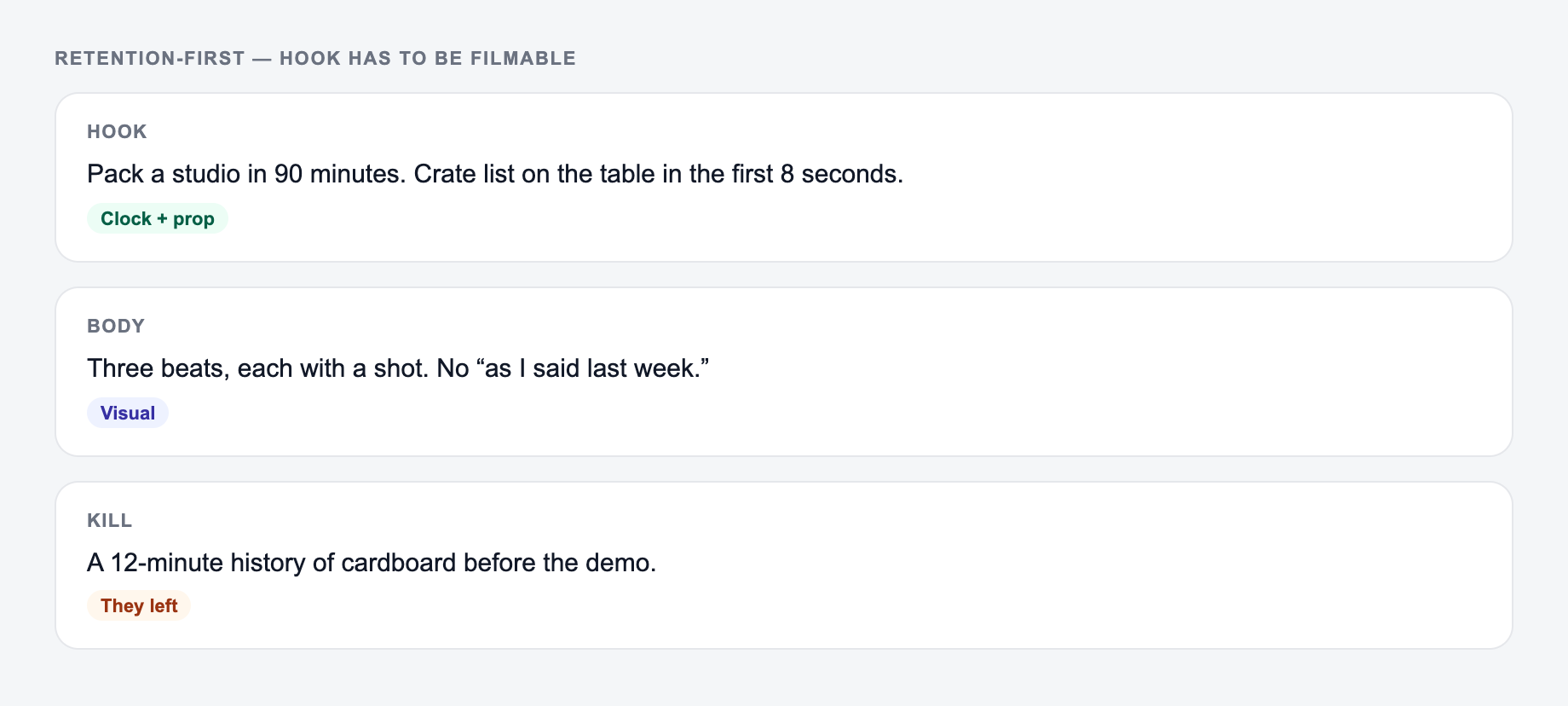
Hook (0 to 10 seconds) You are not introducing yourself here. Not really. You are proving the video is worth staying for.
What works:
- A specific outcome: “In 7 minutes you will know exactly what to do first.”
- A contrast: “Most people do X. That is why it fails.”
- A quick preview: 3 beats, no rambling.
What doesn’t:
- “Hey everyone welcome back…”
- A long backstory before the viewer even knows what they are getting.
Value (the middle) This is where you earn watch time. Make each section feel like a mini payoff, not just a transition to the next section.
Keep doing small resets:
- “Okay, now that you have that, here is the part that makes it work.”
- “Quick mistake to avoid before we move on.”
CTA (near the end, and sometimes earlier) If the CTA feels random, viewers tune out. If it matches the promise, it converts.
Better CTAs are specific:
- “Comment ‘checklist’ and I will send you the template.”
- “If you’re doing this in 2026, subscribe because I’m posting updates as the platforms change.”
Pick the right script format (and don’t force the wrong one)
Different formats create different expectations. If you mismatch the format, it feels off even if the info is good.
Long-form (8 to 12 minutes)
- Strong hook
- Clear chapters
- Pattern interrupts every 20 to 40 seconds
- A recap near the end that ties everything together
YouTube Shorts (30 to 60 seconds)
- One idea only
- Hook in the first 1 to 2 seconds
- Short lines, fast visuals
- No long setup, no “today we’re going to…”
Tutorial / How-to
- Step-by-step beats
- Quick checks: “If you see X, do Y”
- Micro recap after step 2 or 3 so people don’t drop
Product review
- Context first: who this is for
- Real-world use, not feature reading
- Pros and cons, then verdict
- A comparison line or two so it feels grounded
Listicle (Top X)
- Mini hook per item
- Keep the segments tight
- Vary the language so it doesn’t become repetitive
Faceless
- Voiceover lines that are easy to cut
- B-roll prompts that are actually filmable
- On-screen text that reinforces the point, not just repeats it
A simple script outline you can steal
If you want a quick structure that works for most topics, use this:
- Hook: the promise plus a quick “why most people fail”
- Credibility (optional): one line, keep it short
- Roadmap: “We’re covering A, B, C”
- Section 1: biggest win or easiest step first
- Section 2: the “this is where it clicks” part
- Section 3: mistakes, edge cases, or examples
- Recap: fast summary, tighten the takeaway
- CTA: aligned next step, then close
When you generate a script here, scan the output and ask: does each section feel like a payoff. If not, tighten.
Where to add pattern interrupts (without being annoying)
Pattern interrupts do not mean shouting or forcing jokes. It can be subtle.
Try these:
- Ask a direct question: “Which one are you doing right now?”
- Add an on-screen line that reframes: “Stop doing this.”
- Insert a 5 second example story
- Do a quick recap: “So far, you only need two things…”
In long-form scripts, aim for one every 20 to 40 seconds. In Shorts, basically every line is a mini interrupt.
Using SEO keywords in your script (without keyword stuffing)
Yes, mentioning your target phrases can help topic clarity. But YouTube isn’t rewarding awkward repetition.
Do this instead:
- Mention the main phrase once in the hook or early intro
- Use 2 to 4 natural variations across the video
- Put the strongest keyword in on-screen text once
- Use the same phrasing in the title and first lines of your description for consistency
If you want to go deeper into building content with AI without it turning generic, you can start from the templates on the Junia AI homepage and adapt the outputs into your own voice.
Quick checklist before you record
- Does the first 10 seconds promise a clear payoff?
- Can you read it out loud without running out of breath?
- Are there any paragraphs that should be broken into short lines?
- Do you have visual beats (b-roll, on-screen text, cuts) every few sentences?
- Is the CTA relevant to the topic, not just “subscribe”?
If you nail those, the script stops feeling like a script. It starts feeling like a video people actually finish.
Frequently Asked Questions
How do I generate a good YouTube video script?+
Enter a clear topic, pick a format (Long-Form, Shorts, Tutorial, Review, Listicle), and optionally add key points you want covered. The generator produces a structured script with a hook, main sections, and a CTA so you can record or edit faster.
Does this tool create scripts for YouTube Shorts?+
Yes. Choose the Shorts format to get a tight 30–60 second script with a fast hook, short lines, and on-screen text prompts designed for vertical video pacing.
Can I control the tone and style of the script?+
Yes. Use the optional tone field to guide the voice (professional, friendly, energetic, educational, etc.). You can also add audience context to match vocabulary and examples.
Can I include SEO keywords for YouTube SEO?+
Yes. Add optional keywords you want mentioned. The script will use them naturally where appropriate without awkward repetition or keyword stuffing.
Will the script include timestamps or chapters?+
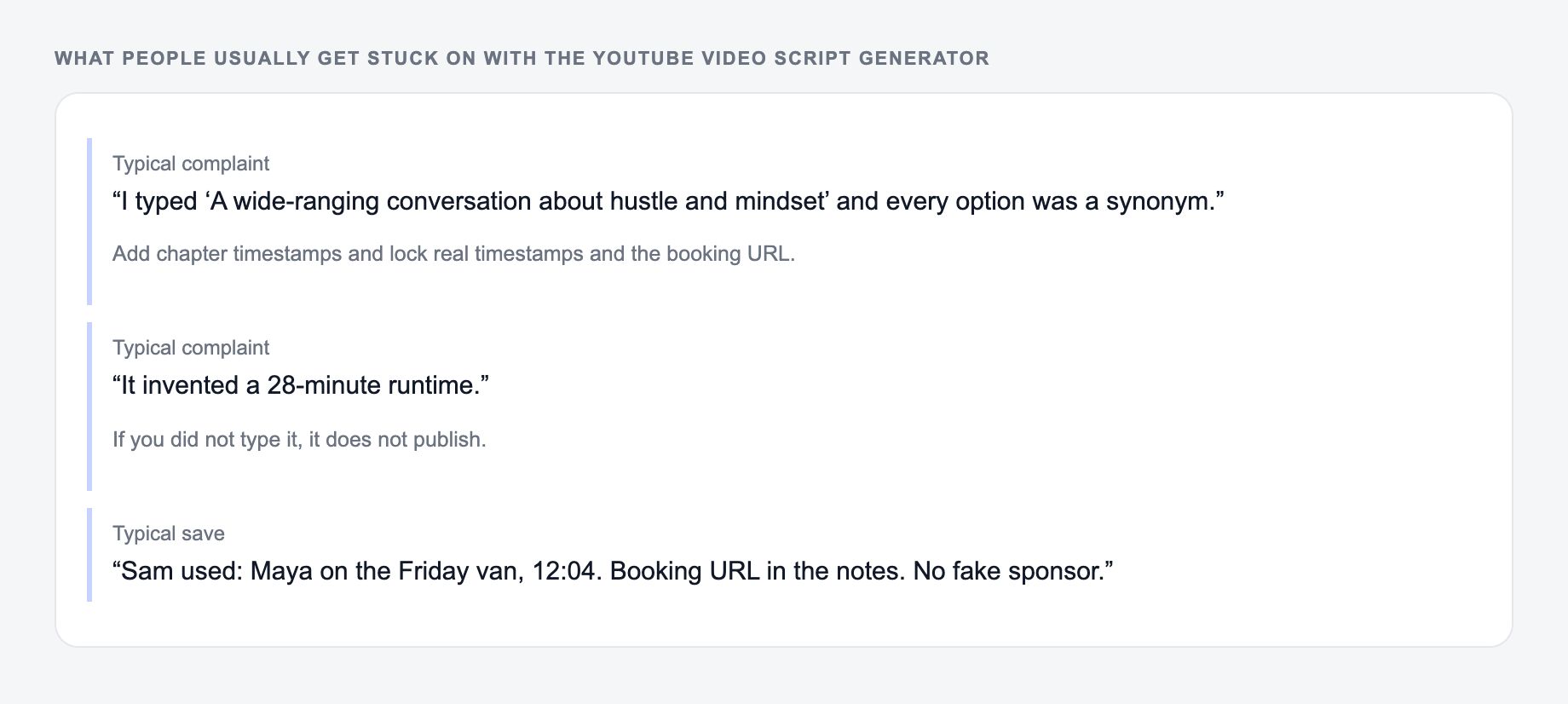
The script follows clear sections and beats. If you want explicit chapters or timestamps, add that request in Key Points and the structure will be written in a way that’s easy to convert into chapters.
Is the output ready to read as a voiceover?+
Yes. The generator writes in speakable, voiceover-ready language with natural cadence and transitions. You can still edit phrasing to match your personal delivery and brand voice.