
Free Passive To Active Voice Converter
Paste passive sentences or paragraphs and instantly rewrite them in clearer active voice. Choose standard, concise, formal, academic, or SEO clarity modes to improve essays, emails, reports, web copy, and AI-written drafts without changing the original meaning.
Active Voice Rewrite
Your active voice version will appear here...
How the Passive to Active Voice Converter Works
Get results in seconds with a simple workflow.
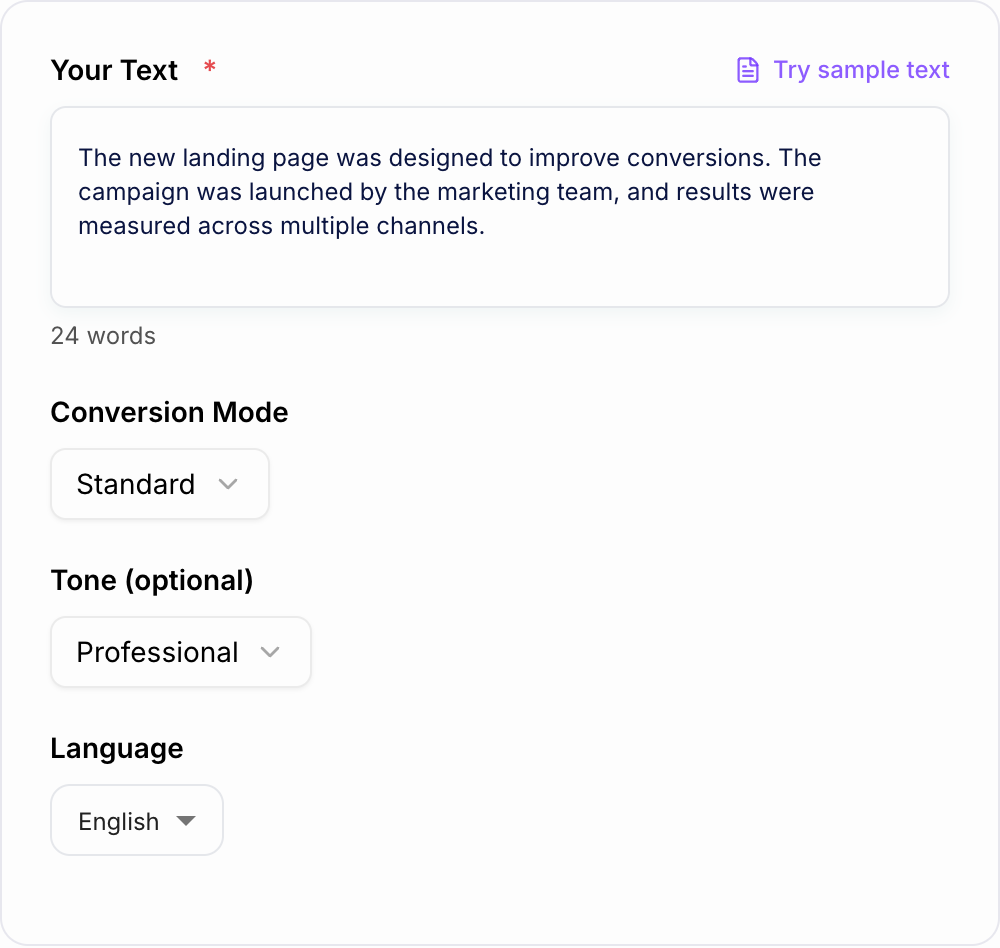
Paste Your Text
Add one sentence, multiple sentences, or a full paragraph that contains passive voice you want to rewrite into active voice.
Choose Mode, Tone, and Language
Pick a conversion mode (Standard, Concise, Formal, Academic, or SEO Clarity), then optionally set tone and output language to match your audience.
Generate and Review
Get an active voice rewrite instantly. Review for cases where the actor wasn’t specified and make quick edits if you want a specific subject.
See It in Action
Example of converting passive voice to active voice to improve clarity and directness for SEO and business writing.
The campaign was launched by the marketing team, and the results were measured across multiple channels.
The marketing team launched the campaign and measured the results across multiple channels.
Why Use Our Passive to Active Voice Converter?
Powered by the latest AI to deliver fast, accurate results.
Instant Passive to Active Voice Conversion
Rewrites passive sentences into active voice to improve clarity, confidence, and readability—ideal for essays, emails, reports, and SEO content updates.
Meaning-Preserving Rewrites (No Content Drift)
Keeps your original intent and facts intact while improving sentence structure, subject-verb clarity, and natural flow.
Cleaner, More Concise Writing
Reduces wordiness and awkward constructions often caused by passive voice, producing direct sentences that are easier to read on web pages.
SEO-Friendly Readability Improvements
Improves on-page readability and scannability by using stronger verbs and clearer subjects—helpful for blog posts, landing pages, and product pages.
Tone and Language Control
Choose tone and output language to match your audience—from professional business writing to academic edits and multilingual content.
Pro Tips for Better Results
Get the most out of the Passive to Active Voice Converter with these expert tips.
Add the actor for the best active voice rewrite
If your sentence doesn’t say who did the action, include the actor (person, team, tool, or company) to avoid vague rewrites and improve clarity.
Use active voice on landing pages and CTAs
Active voice tends to be more direct and persuasive, which can improve readability and conversions on marketing pages.
Keep passive voice when the actor isn’t important
In some contexts (policies, scientific writing, or when the actor is unknown), passive voice is acceptable. Use the converter selectively, not automatically.
Watch for tense changes and keep facts intact
After converting, double-check tense consistency and ensure numbers, names, and claims remain unchanged—especially in SEO and compliance-sensitive content.
Pair with a readability pass for SEO content
After converting to active voice, scan for long sentences and break them into shorter lines to improve web readability and user experience.
Who Is This For?
Trusted by millions of students, writers, and professionals worldwide.
Convert Passive Sentences into Clear Active Voice
The Passive to Active Voice Converter is built for a narrow but useful job: paste passive or sluggish sentences, choose the right rewrite mode, and get a clearer active-voice version without changing the meaning.
That matters because passive voice often hides the actor. A sentence like "The report was completed by the team" is not wrong, but "The team completed the report" is faster to read and easier to trust. The converter helps you make that switch consistently across essays, business emails, web copy, reports, product pages, and AI-written drafts.
Use the tool when you already have a sentence or paragraph and want a cleaner version. It is not meant to invent new claims, add missing facts, or rewrite the whole piece from scratch.
What to Paste into the Converter
You can paste one sentence, several sentences, or a full paragraph. For the best active-voice rewrite, include enough context for the tool to know who did the action.
Stronger inputs usually include:
- the sentence or paragraph you want converted
- the actor when the original sentence includes one, such as "by the team" or "by researchers"
- important names, metrics, product terms, or SEO keywords that must stay unchanged
- a short note about audience or tone when the rewrite has to sound formal, academic, concise, or web-friendly
Weak input:
The changes were implemented last week.
Better input:
The engineering team implemented the checkout changes last week. Convert to active voice and keep the tone professional.
The second version gives the converter the missing subject, so the output can stay accurate instead of guessing.
How to Choose the Right Conversion Mode
Use Standard when you want the active-voice rewrite to stay close to the original wording. This is the safest mode for emails, short edits, and sentences where meaning matters more than style.
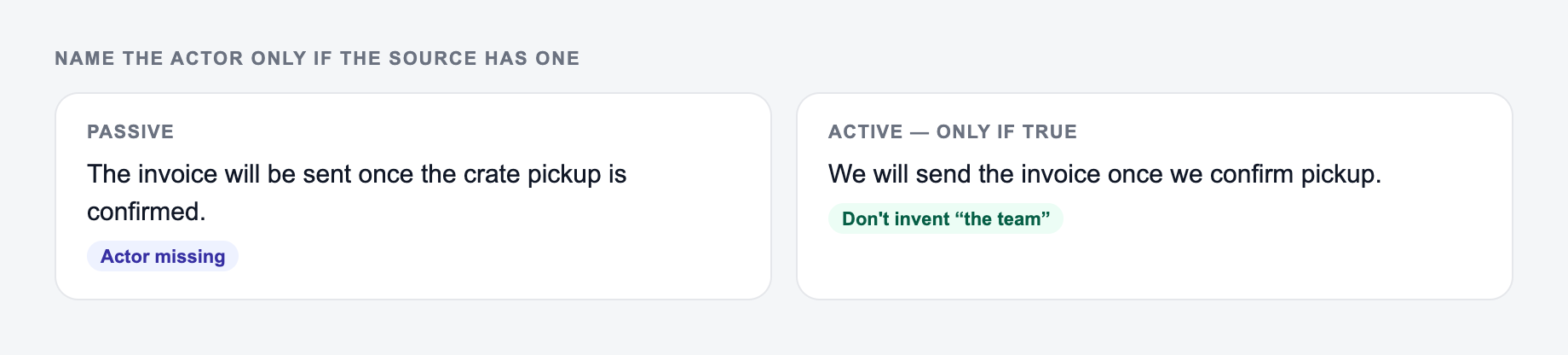
Use Concise when passive voice has made the sentence wordy. This mode is useful for landing pages, blog intros, product descriptions, feature copy, and other places where readers skim.
Use Formal for proposals, reports, policy-style language, client communication, or internal documents that need to sound polished but still direct.
Use Academic when the sentence needs to stay careful. In academic and technical writing, active voice can help, but the rewrite should not overstate certainty or remove needed precision.
Use SEO Clarity when you are tightening web content and want clearer subjects, stronger verbs, and easier scanning while preserving important search terms.
Example Input and Active-Voice Output
Input:
Paste the passive sentence here, then check that the rewrite does not invent an actor.
Preservation rules for the Passive to Active Voice Converter:
- Keep proper nouns and product names exactly.
- Keep numbers, dates, and “may/must.”
- Keep quotes inside quotation marks.
- If a sentence was a warning, the rewrite still has to warn.
The campaign was launched by the marketing team, and the results were measured across multiple channels.
Generated output:
The marketing team launched the campaign and measured the results across multiple channels.
What improved:
- the subject is clear
- the sentence is shorter
- the action feels more direct
- the meaning and tense stay intact
Here is a more sensitive example:
Mistakes were made during processing.
The converter may suggest a clearer version, but the best rewrite depends on who made the mistakes. If you know the actor, add it before converting. If you do not know the actor, keep the sentence neutral or revise it without inventing responsibility.
Review the Rewrite Before You Publish
Active voice is usually clearer, but it is not automatically better in every sentence. After generating the rewrite, check four things.
First, confirm the actor is accurate. If the original text did not say who performed the action, do not let the output assign blame or credit incorrectly.
Second, check tense and timing. "Was completed" may become "completed," but the date, sequence, and certainty should stay the same.
Third, protect key terms. Product names, legal wording, research terminology, and SEO keywords should not be softened or replaced by near-synonyms.
Fourth, decide whether passive voice still works better. Sentences like "Your data is encrypted at rest" are often fine because the actor is not the point.
When This Tool Helps Most
What should have changed after the Passive to Active Voice Converter: rhythm, order, or wording. What must not: names, numbers, quotes, and “may/must.”
The converter is especially useful when you are cleaning up drafts that feel vague, cautious, or overprocessed.
Use it for:
- blog intros that take too long to say the main point
- landing page copy that needs a stronger verb
- reports where responsibility should be clear
- essays with too many "was" and "were" constructions
- product updates that should sound more confident
- AI drafts that read grammatically correct but dull
For a broader editing workflow, you can use Junia AI after conversion to improve structure, transitions, and tone across the full draft. Keep this converter focused on sentence-level clarity, then handle larger content edits separately.
Final Active-Voice Checklist
Before using the rewrite, ask:
- Does the sentence now clearly say who did what?
- Did the converter preserve the original fact, tense, and level of certainty?
- Did it avoid inventing an actor?
- Is the active version actually easier to read?
- Should any passive sentence stay passive because the actor is unknown or irrelevant?
If the answer is yes, the active-voice rewrite is ready to use.
Actor-Recovery Worksheet
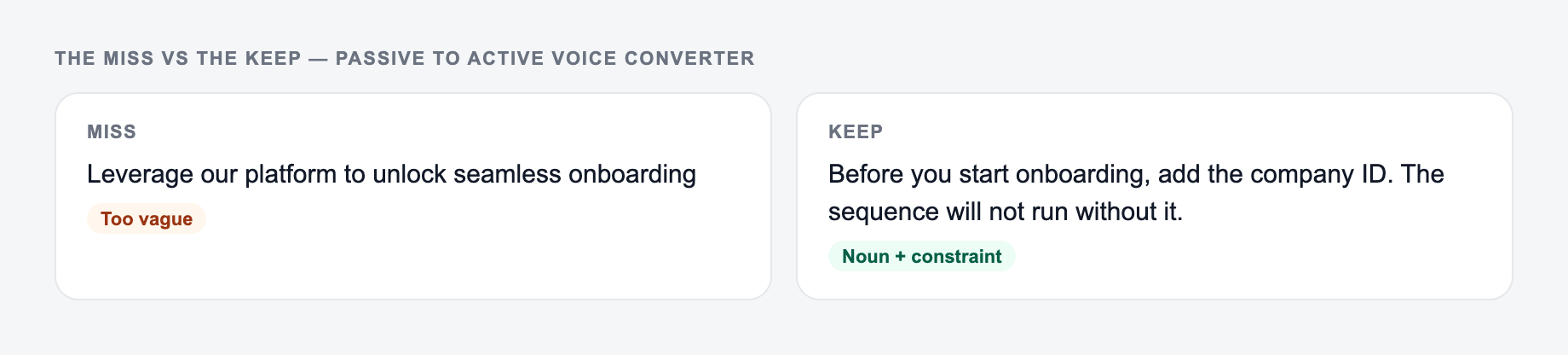
Use three labels before converting: known actor, unknown actor, and irrelevant actor.
- Known: “The final invoice was approved by Maya.” → “Maya approved the final invoice.”
- Unknown: “Two records were deleted during migration.” → do not write “The engineer deleted two records” unless evidence names the engineer.
- Irrelevant: “Passwords are hashed before storage.” → passive may be clearer because the process, not the software component, is the focus.
Then compare grammar beyond voice. Preserve tense (“will be reviewed” → “the panel will review”), modality (“may be denied” → “the agency may deny”), negation, quantities, timing, and attribution. Watch for dangling coordination: in “The campaign was launched and results improved,” only the first clause is passive and the second does not prove causation.
In incident, legal, academic, or employment writing, naming an actor can assign responsibility or overstate evidence. Keep the original attribution level and obtain appropriate review. Active voice is a clarity option, not a universal correction; methods sections, security descriptions, and unknown-actor reports may appropriately remain passive.
Frequently Asked Questions
What does a passive to active voice converter do?+
It rewrites sentences written in passive voice into active voice. Active voice typically makes writing clearer and more direct by putting the subject before the verb (who did what).
Will this tool keep the same meaning?+
Yes. The converter is designed to preserve meaning, intent, and factual claims while changing sentence structure to active voice. Always review for edge cases where the actor isn’t stated in the original.
Is passive voice always bad for SEO and writing?+
Not always. Passive voice can be useful when the actor is unknown or irrelevant. But overuse can make writing feel vague or wordy. Active voice often improves clarity and readability for web content and SEO pages.
What if the sentence doesn’t say who performed the action?+
If the actor isn’t stated (e.g., “Mistakes were made”), the tool may infer a generic actor when appropriate or restructure the sentence to improve clarity. If you want a specific actor, include it in your input.
Can it convert a whole paragraph or multiple sentences at once?+
Yes. Paste multiple sentences or an entire paragraph. The tool will convert passive constructions to active voice while keeping your message consistent.
Can I convert passive voice to active voice in different languages?+
Yes. Select an output language. Results can vary by language because grammar rules differ, so review the output for accuracy and naturalness.