
Free Twitter Reply Generator
Generate natural Twitter/X replies that match the context of a tweet or thread. Paste the post, choose a goal and tone, add your angle, and create concise replies for agreement, disagreement, questions, humor, networking, clarification, or value-first promotion.
Twitter Reply
Your Twitter (X) reply will appear here...
How the AI Twitter Reply Generator Works
Get results in seconds with a simple workflow.
Paste the Tweet You Want to Reply To
Add the tweet (or a relevant excerpt from a thread). The generator uses it as context to craft a reply that fits the topic and tone.
Choose Your Goal, Tone, and Length
Select whether you want to add value, agree, disagree, or ask a question—then pick a tone and reply length for a natural, on-brand response.
Generate, Edit, and Post
Get a ready-to-post reply. Optionally personalize with a quick example or detail (results, lesson learned, tool) to increase authenticity and engagement.
See It in Action
Example of turning a generic reply into a value-adding Twitter (X) reply that encourages engagement.
Totally agree. SEO fundamentals are important.
100%. The “unsexy” SEO work wins: map content to intent, tighten internal links, and refresh top pages quarterly. Curious—when you audit a site, which fundamental do you see neglected most: intent, links, or technical?
Why Use Our AI Twitter Reply Generator?
Powered by the latest AI to deliver fast, accurate results.
Engaging Twitter (X) Replies for Any Tweet or Thread
Generate context-aware replies that sound natural, add value, and fit the conversation—ideal for growing engagement and building community on Twitter (X).
Reply Goals: Agree, Disagree, Ask Questions, or Add Insights
Pick a reply intent to match your strategy—support the point, respectfully disagree with reasoning, ask a thoughtful question, or contribute a practical tip.
Tone and Language Control for Brand-Consistent Voice
Adapt your reply to your preferred tone (professional, friendly, witty, direct, etc.) and generate multilingual replies for international audiences.
Length Control That Fits Character Limits
Choose short, medium, or long replies designed to stay concise and skimmable—great for high-volume networking, creator growth, and daily posting.
Optional CTA Without Being Salesy
Add a subtle call-to-action (ask a question, offer a resource, invite a DM) to drive replies and conversions while keeping authenticity and value first.
Pro Tips for Better Results
Get the most out of the AI Twitter Reply Generator with these expert tips.
Add a specific detail to sound human
After generating, include a tiny real-world detail (a result, example, or constraint). Specificity boosts trust and increases replies in most niches.
Use a question to extend the thread
Ending with one focused question often increases conversation rate and keeps the thread active—great for creator growth and community building.
Disagree with framing, not with people
For respectful disagreement, focus on assumptions and trade-offs. Calm reasoning earns followers; dunking usually attracts the wrong audience.
Keep replies scannable
Short sentences and one clear point per reply perform well on Twitter (X). If you have multiple points, consider splitting into a mini-thread.
Use soft CTAs sparingly
If you add a CTA, make it optional and value-first (e.g., “If you want, I can share a checklist”). This converts better than hard selling.
Who Is This For?
Trusted by millions of students, writers, and professionals worldwide.
Generate Twitter/X Replies That Sound Human
A Twitter reply generator is useful when you want to respond quickly without dropping the same generic "Great point" under every post. The tool works by reading the tweet or thread context, then shaping a reply around your goal: agree, disagree, ask a question, add insight, make a joke, clarify a point, or offer a soft CTA.
The best replies still need judgment. The generator gives you a strong first draft. You make sure the reply fits the conversation, the account, and the moment.
What to Paste into the Twitter Reply Generator
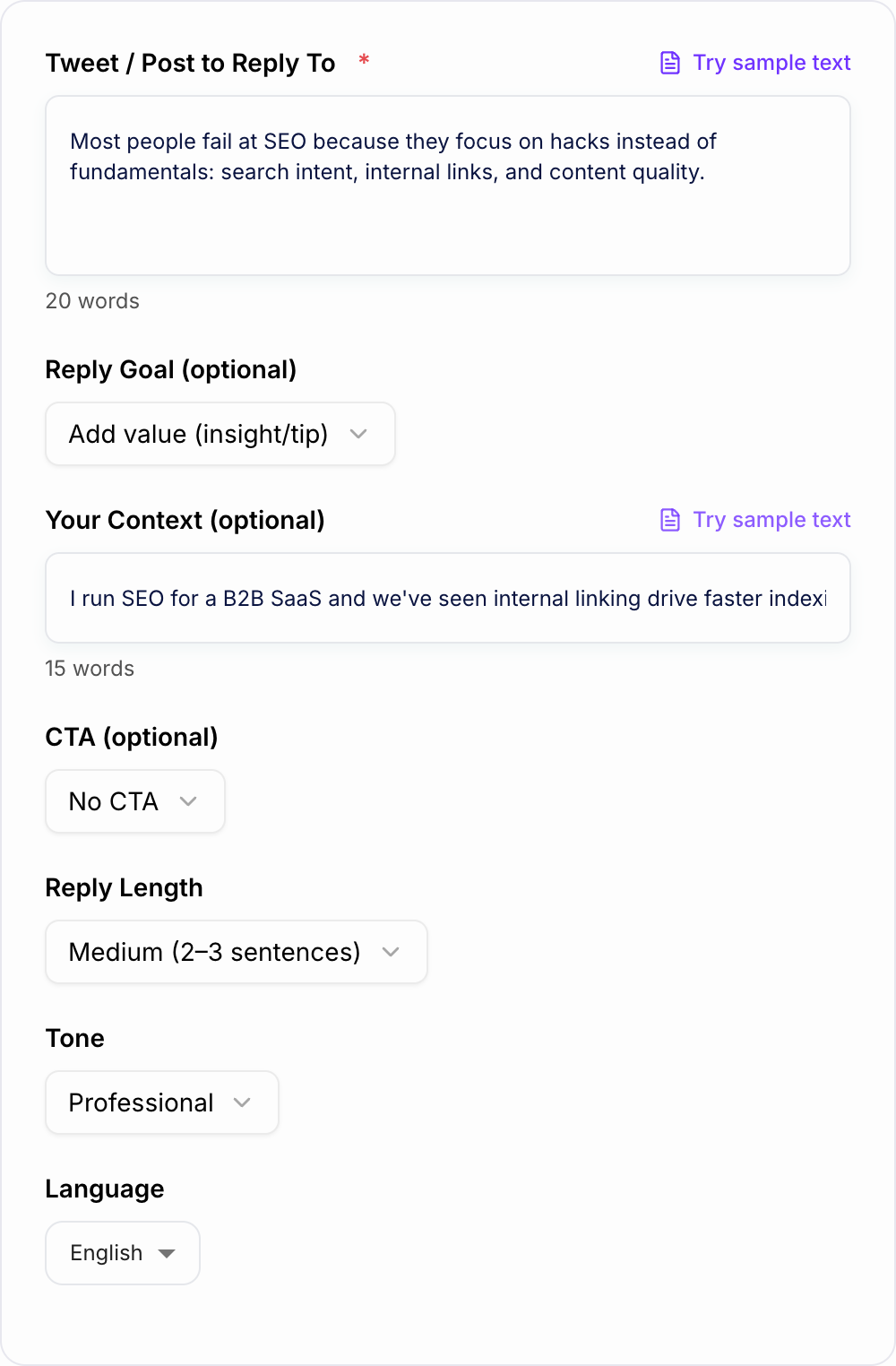
Paste the original tweet, thread excerpt, or the part of the conversation you want to answer. If the tweet depends on context, include that context too. A single sentence may be enough for a simple reply, but nuanced posts need more detail.
Then add your own angle. This is the difference between an AI-sounding reply and a reply that feels like it came from a real account.
Useful context includes:
- your role or niche
- the point you agree or disagree with
- a short example from your experience
- the tone you want to use
- whether the reply should be short, thoughtful, witty, or promotional
For example, instead of only pasting a tweet about SEO fundamentals, add: "I run content audits for SaaS sites. Emphasize internal links and search intent. Keep it concise and helpful."
Choose the Right Reply Goal
Use Agree and expand when the tweet is right but incomplete. Add one useful detail, not a second thread.
Use Disagree respectfully when the tweet is too broad or misses a trade-off. The safest structure is: acknowledge the point, add the constraint, then explain your view.
Use Ask a question when you want the original poster or other readers to respond. Make the question specific enough that people know how to answer.
Use Humor when the tweet's tone allows it. Avoid sarcasm if it could be read as hostile.
Use Soft CTA only when you have earned it with value first. A reply that jumps straight to "check my tool" usually looks spammy.
Example Input and Output
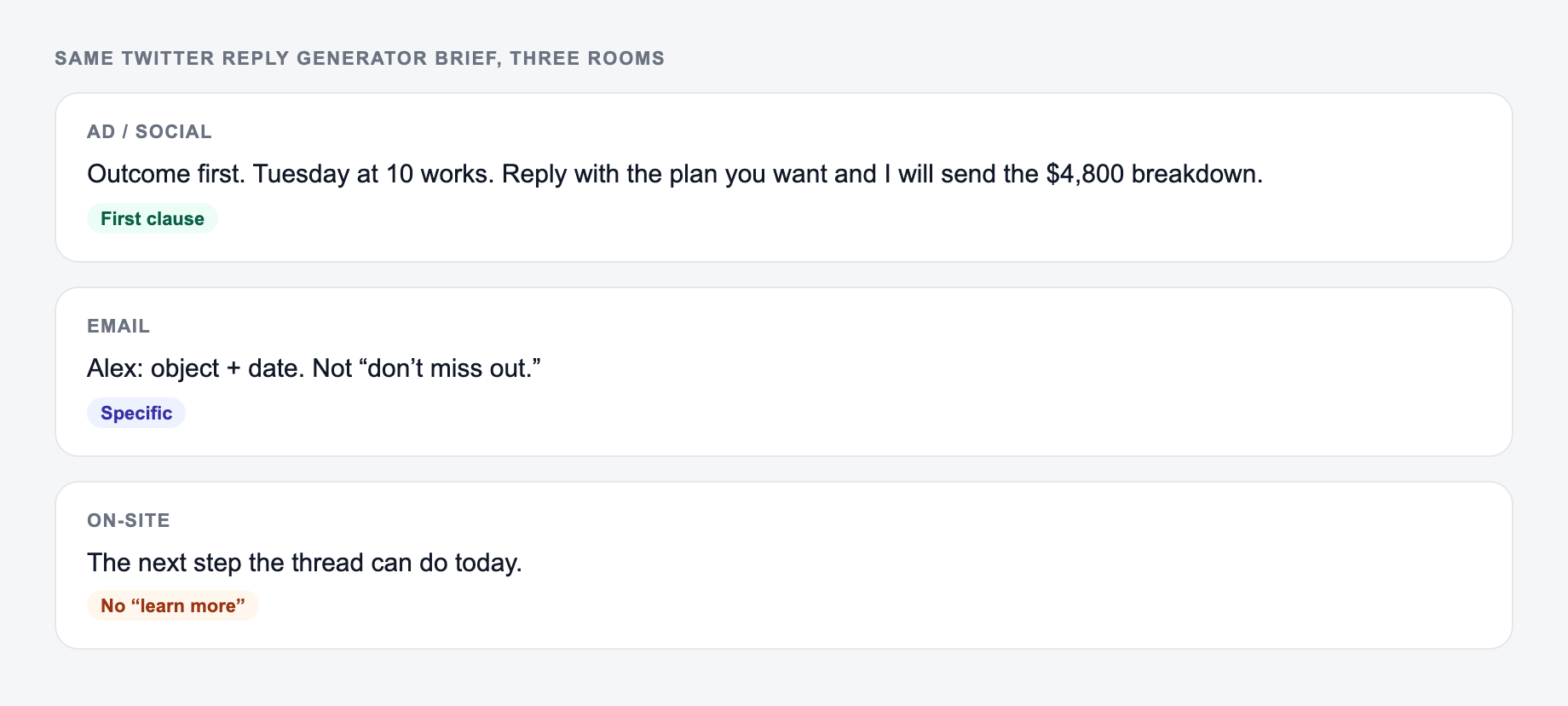
Channel check for this reply:
- Public — no order numbers, addresses, or account IDs
- Helpful — one fact that stands without a link
- Next step — a DM or email if anything private remains Tweet: "Most SEO problems are not advanced. They are basics ignored for too long."
Context: I agree. Mention intent, internal links, and stale pages. Ask a useful question at the end.
Generated reply direction: "100%. The unglamorous SEO work usually wins: match each page to intent, tighten internal links, and refresh pages that are slowly losing clicks. When you audit a site, which basic issue shows up most often: intent, links, or stale content?"
That reply works because it references the original point, adds detail, and gives people a clear question to answer.
How to Make Generated Replies Feel Less Robotic
After generating a reply, add one detail the tool could not know on its own. This might be a specific audience, constraint, example, or opinion.
Robotic reply:
"This is a great insight. Consistency is very important for growth."
More human reply:
"This is the part most founders underestimate. Posting more helps, but replying well is often where the first real conversations start."
The second version has a point of view. That is what you should look for before posting.
Review and Safety Checks Before You Reply
Do not use generated replies blindly on sensitive posts, personal stories, breaking news, legal topics, medical topics, or heated arguments. In those cases, either write the reply yourself or keep it very simple.
Also check for tone mismatch. A playful reply on a serious thread can damage the account more than silence. A promotional reply under a personal post can look careless even if the wording is polite.
A Simple Daily Reply Workflow
Use the generator as part of a repeatable engagement routine:
- Find a handful of fresh posts in your niche.
- Paste each tweet into the generator with your angle.
- Generate a few reply options with different goals.
- Add one specific detail from your experience.
- Post the best reply, then come back later to answer responses.
This keeps you from sounding like every other account chasing impressions. When the reply adds something useful, people have a reason to remember you.
For creators, marketers, and founders who write across more than just replies, Junia AI can also support the broader content workflow: posts, hooks, bios, outlines, and other short-form copy that needs to stay consistent with your voice.
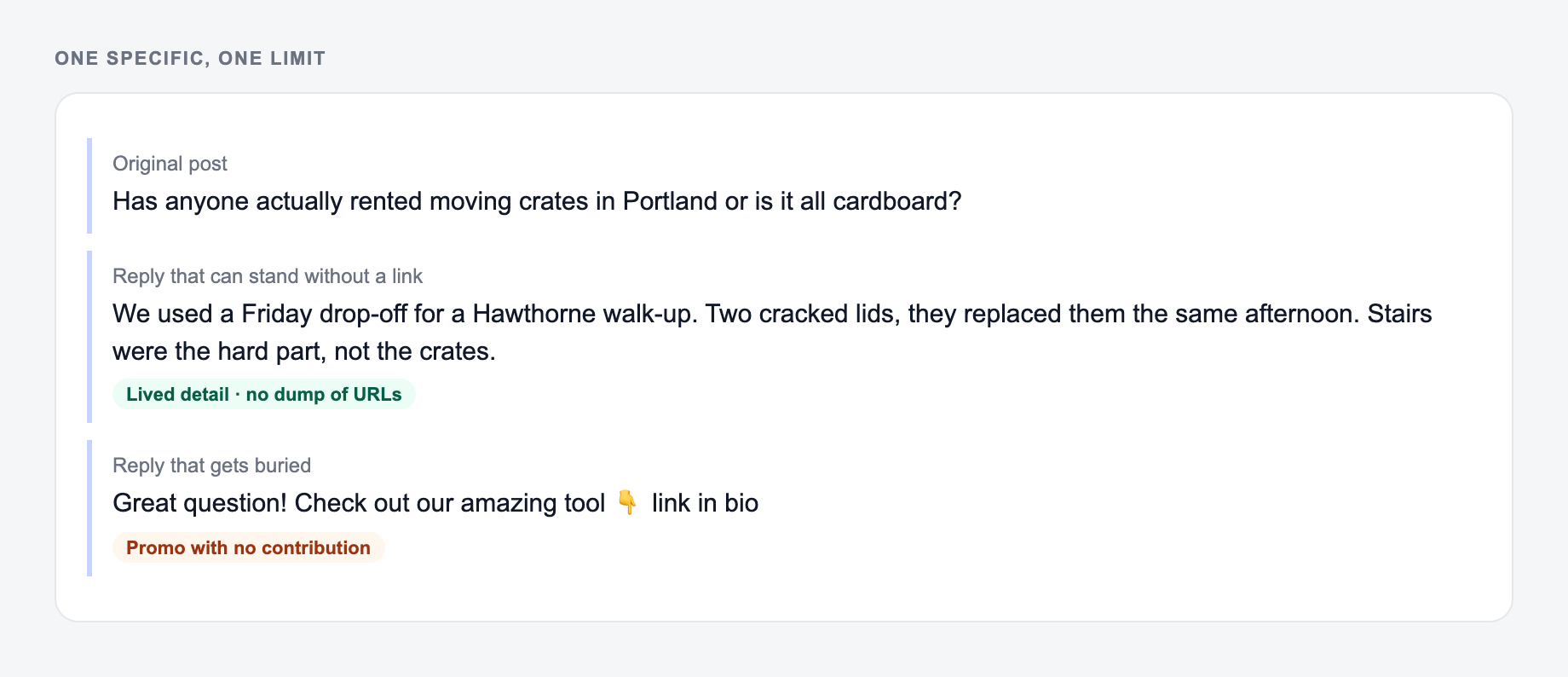
Reply Anatomy: One Specific, One Limit
A useful reply usually has two parts: a specific reaction to the original post, then one bounded contribution. Generic praise plus a follow-up question still reads as engagement bait.
Paste the original post, then one bounded contribution—not a pitch.
Worked example from a public product tweet about a new export feature:
- Original: “You can now export reports as CSV.”
- Weak: “This is huge! Can’t wait to try it 🔥”
- Stronger: “CSV export is the piece we needed for monthly client packs. Does the download keep the same column order as the on-screen table?”
The stronger reply names a real use, asks one answerable question, and does not pitch a competing product. Before posting, check the original author’s tone, whether the thread is already crowded, and whether your account would look like support, sales, or a peer. Do not invent that you used the feature. Do not quote private customer details. Do not reply to crisis, legal, or harassment threads with promotional copy.
Frequently Asked Questions
Is this Twitter reply generator free to use?+
Yes. You can generate Twitter (X) replies for free. Some advanced modes (like authority replies or soft-plug replies) may be marked as premium.
Can I generate replies that match my tone and brand voice?+
Yes. Choose a tone (for example: friendly, professional, witty, direct) and optionally add your context so the reply sounds like you and matches your audience.
Will the reply fit within Twitter (X) character limits?+
Replies are generated to be concise and appropriate for Twitter (X). If you need stricter limits, choose the Short length option and remove extra context.
Can it write a respectful disagreement reply?+
Yes. Select a disagreement goal/mode to produce a calm, constructive reply with a clear counterpoint—without sounding hostile or argumentative.
Can I use this for business and marketing replies?+
Yes. It’s useful for networking, community building, and lead generation—especially when you add value first and use a light CTA (like offering a resource).
Does it support different languages?+
Yes. Select your output language to generate replies in many languages for multilingual audiences and global communities.