
Best AI Humanizer Tools in 2026: 10 Options Compared for Real Editing Workflows

Thu
AI SEO Specialist, Full Stack Developer

The best AI humanizer tool is not the one that promises a perfect detector score. It is the one that turns a stiff AI draft into writing a real reader can trust without changing the meaning, flattening the voice, or introducing factual mistakes. After testing this category across blog drafts, academic-style paragraphs, and SEO copy, I care much more about meaning control than any "undetectable" badge.
That distinction matters because most AI humanizer comparisons still orbit around one anxious question: "Will this bypass AI detection?" I get why people ask it. But detector scores are inconsistent, and even Turnitin's AI writing detection release notes explain that false positives are a real risk in some score ranges. For publishing, SEO, academic, and professional work, the stronger goal is simpler: make the draft clearer, more specific, and easier to trust. If a platform's checker keeps flagging copy you wrote with AI help, a detector-focused rewrite can change the patterns those tools look for, but it will not fix vague claims or weak examples.
This guide compares AI humanizer tools by how they fit actual editing workflows: SEO articles, blog posts, academic-style drafts, brand voice cleanup, long-form content, and detector-sensitive review. My bias is clear: a tool that saves ten minutes but creates a new accuracy problem is not really saving time.
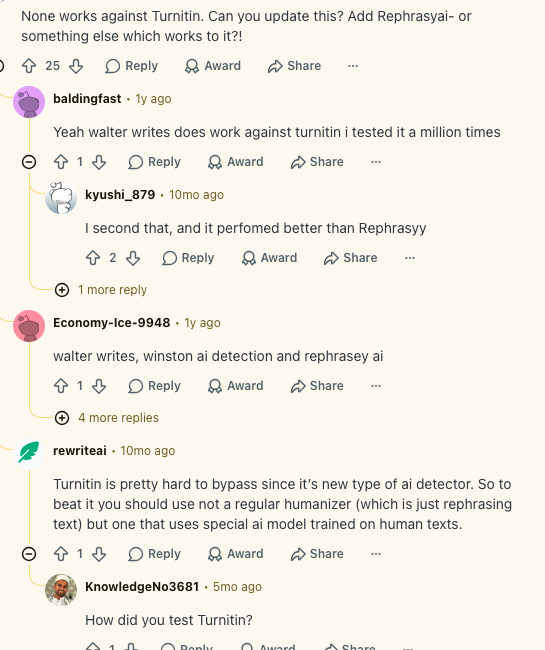
The demand is not theoretical. Public discussions around AI humanizer tools for natural writing quickly turn into questions about Turnitin, GPTZero, and whether "humanized" text still gets flagged, which is why this comparison puts meaning preservation and review risk ahead of detector promises.
I spent a weekend running the same 420-word SEO intro through six humanizers. The "undetectable" winner still changed a 2024 citation year to 2025 and softened a caveat into a promise. That is the failure mode I care about, not a dashboard score.
TL;DR: Best AI Humanizer Tools
If you want one practical answer, start with Junia AI Humanizer for SEO articles, blog posts, and brand content. It makes the most sense when humanization is part of a wider editing workflow, not a one-click attempt to disguise AI output.
| Use case | Best fit | Why it makes sense |
|---|---|---|
| SEO articles and blog posts | Junia AI Humanizer | Strongest fit when humanization needs to connect with readability, tone, grammar, brand voice, and final editorial review. |
| Academic-style drafts | Litero AI or Phrasly | Better fit when formal tone, citation discipline, and conservative paraphrasing matter more than marketing polish. |
| Heavy detector-sensitive rewrites | Undetectable AI or BypassGPT | Useful for deeper restructuring, but every changed claim needs manual review. |
| Brand voice cleanup | WriteHuman | Better when the source draft already has a recognizable voice that should not be overwritten. |
| Fast short-form cleanup | StealthWriter or AIHumanizer | Practical for low-risk drafts, emails, social posts, and simple marketing copy. |
| Long-form consistency | Humbot | Useful when a long document drifts between formal, casual, and obviously AI-written sections. |
My rule is simple: use a humanizer to reduce editing friction, not to avoid editing. If the source draft is thin, wrong, or copied from the same generic sources everyone else summarized, humanization will only make a weak draft sound smoother.
What AI Humanizer Tools Actually Do
AI humanizer tools rewrite AI-assisted text so it reads less mechanical. A good one can vary sentence length, remove stock transitions, smooth awkward phrasing, simplify dense passages, and make the tone fit the audience.
The weak ones mostly swap words. That creates a different problem: the text looks changed, but it still feels vague, over-polished, or weirdly formal. In the worst cases, aggressive rewriting changes the meaning, breaks citations, or turns a clear sentence into fluent nonsense.
A useful AI humanizer should do three things well:
- Preserve the original meaning.
- Improve rhythm, clarity, and tone.
- Leave the editor with less cleanup, not more.
That is why humanization is usually one step in an editing workflow. Sometimes the draft needs a paraphraser for alternate wording, a readability pass for dense sections, a grammar check for surface errors, or a tone review before the final edit. The humanizer should not carry all of that by itself.
How to Evaluate an AI Humanizer
I would not judge these tools only by the "human score" shown inside their own dashboard. That score can be a rough signal, but it is not enough. In my experience, the most revealing test is boring: put the original and rewritten version side by side, then check whether every claim, example, and source still says the same thing.
Use a meaning-first test instead:
| Criterion | What to check | Why it matters |
|---|---|---|
| Meaning preservation | Names, numbers, claims, citations, examples, and technical terms survive the rewrite. | A natural-sounding rewrite is useless if it changes the substance. |
| Readability | Sentences become clearer without becoming childish or over-simplified. | Most AI drafts need better pacing, not random synonym swaps. |
| Voice control | The tool can shift tone without making every draft sound the same. | Brand, academic, and personal writing need different levels of polish. |
| Rewrite intensity | You can choose light cleanup, medium rewrite, or deeper restructuring. | A LinkedIn post and a research paragraph do not need the same level of intervention. |
| Workflow fit | The tool supports your actual process, such as batch work, browser use, document editing, or SEO review. | A good output still loses value if the workflow is slow. |
| Risk handling | The tool is honest about detector limits and still encourages human review. | Detector-focused claims are easy to overstate. |
There is also a search-quality angle. Google's guidance on helpful content emphasizes original value, trust, clear sourcing, and people-first usefulness. A humanizer can improve the surface of a page, but it cannot add experience, examples, or judgment that were never in the draft. I have seen plenty of "humanized" copy that reads smoothly and still says almost nothing.
The 10 Best AI Humanizer Tools
1. Junia AI Humanizer
Junia AI Humanizer is the best fit for blog posts, SEO articles, and brand content where humanization is part of a larger editorial workflow.
The paste box is not the product. The modes are: Natural, Professional, Simple, Academic, plus SEO-friendly and brand-voice options if you need them. I care about that because a blog post usually does not fail because one sentence sounds robotic. It fails because the whole piece lacks specificity, flow, examples, and a consistent point of view.
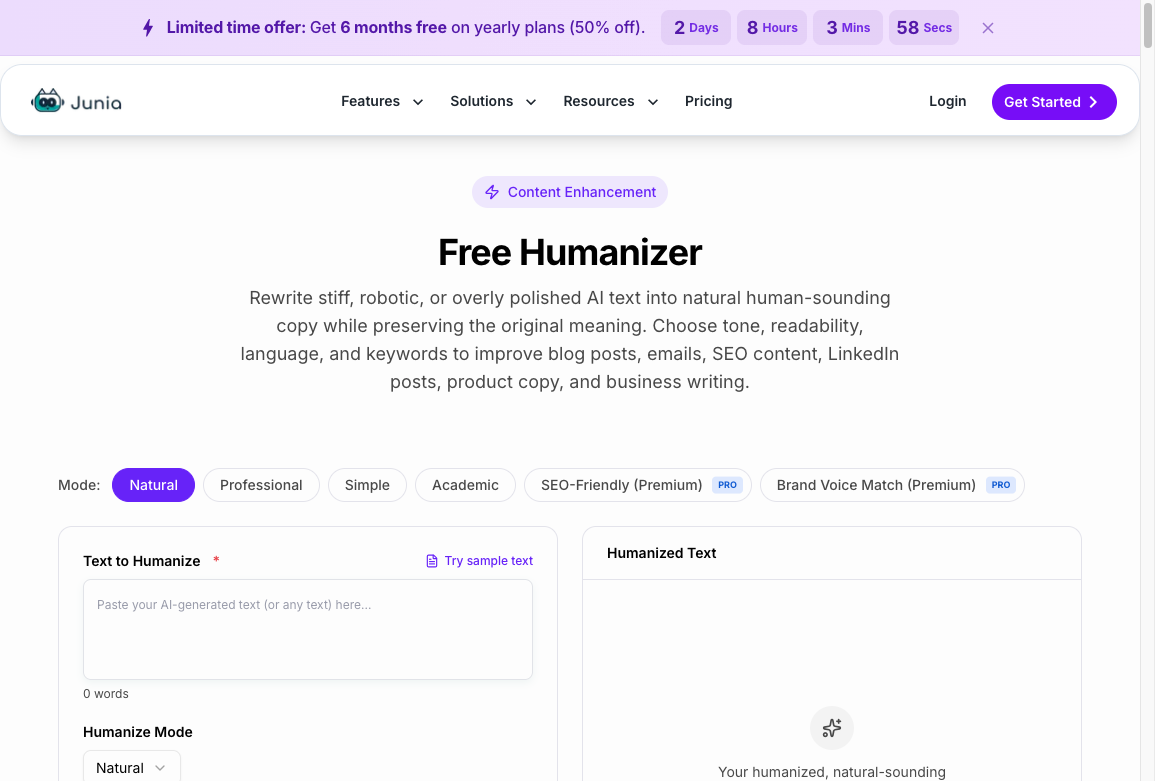
That is why I like Junia most for publishing teams rather than one-off rewrites. The humanizer is useful, but the surrounding workflow is the real advantage: you can clean the prose, check readability, tighten brand voice, and still keep the article connected to the original search intent.
Use Junia when you want to:
- Clean up AI-assisted blog posts before publishing.
- Make SEO copy sound more natural without losing search intent.
- Improve rough drafts that are clear but too repetitive.
- Keep humanization connected to brand voice and content quality.
The best workflow is to improve the structure first, then humanize the draft, then run a final pass with a readability improver and manual review. If the draft is weak at the idea level, humanize after you fix the outline, not before.
2. Litero AI
Litero AI is a stronger fit for academic-style writing than general marketing copy. Its value is conservative rewriting around formal language, citations, and scholarly structure. Personally, I prefer that restraint in academic contexts; the goal is usually cleaner argumentation, not a more colorful voice.
Academic humanization has a different risk profile. If a tool changes a claim, weakens a citation, or paraphrases a technical concept too loosely, the writing may sound smoother but become less accurate. For essays, literature reviews, and research-heavy drafts, careful editing is usually better than aggressive stylistic transformation.
Use Litero AI when you need:
- Academic tone cleanup.
- More natural sentence flow in essays or research drafts.
- Lower-risk paraphrasing around citations.
- Formal writing that still reads clearly.
Still, do not outsource citation judgment to any humanizer. After rewriting, check that every citation still supports the sentence beside it.
3. Undetectable AI
Undetectable AI is one of the better-known tools for heavier detector-sensitive rewriting. It is useful when a light edit does not change enough and you need deeper sentence restructuring.
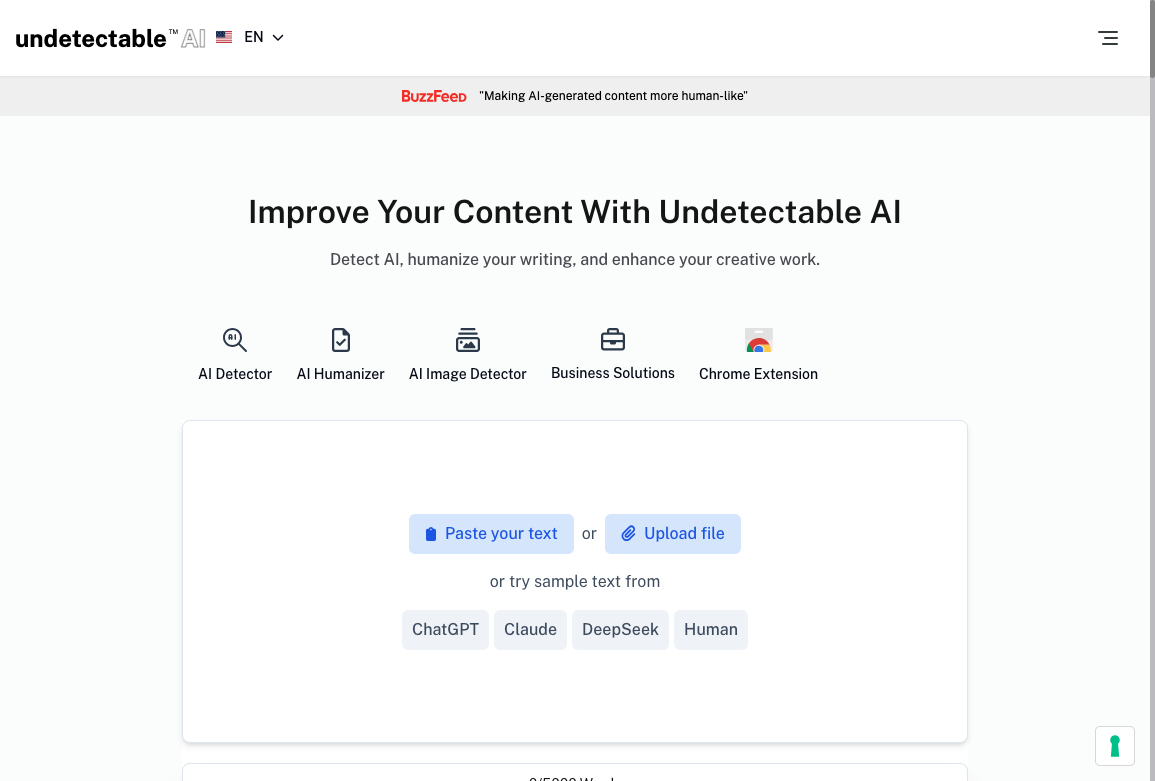
The tradeoff is predictable: the stronger the rewrite, the more carefully you need to review the output. Heavy humanizers can improve rhythm, but they can also blur nuance, add filler, or make a precise sentence too casual. The homepage makes the pitch obvious: paste, upload, or pull sample text from ChatGPT, Claude, DeepSeek, or a human draft. That convenience is the point. It is also why I treat the output as a second draft, not a cleared document.
Use Undetectable AI when:
- The draft still sounds obviously AI-generated after a normal edit.
- You need multiple rewrite modes for different contexts.
- You are comfortable reviewing every changed section manually.
I would avoid using it as a one-click final step for client, academic, or regulated content. Treat it as a restructuring assistant, not proof that the text is safe, original, or publication-ready.
4. StealthWriter
StealthWriter is useful for quick rewrites where speed and simplicity matter. It is a better fit for marketers, freelancers, and creators who need fast cleanup on short to medium-length content.
Its appeal is straightforward: paste text, choose the rewrite direction, and get a more natural version quickly. That makes it practical for social posts, short blog sections, email drafts, ad copy, and simple SEO copy. I would not overcomplicate this use case; sometimes the right tool is the one that gets a rough paragraph to "good enough" without turning it into a project.
Use StealthWriter when:
- You need fast sentence-level cleanup.
- The content is not highly technical.
- You want a lightweight tool without building a full editorial workflow.
For long-form articles, I would still pair it with separate checks for structure, factual accuracy, and internal links.
5. Humbot
Humbot is a good option when the problem is long-form consistency. Many humanizers can improve a paragraph. Fewer can keep tone stable across a long article, report, or multi-section draft.
This matters for blog posts, white papers, and guides where tone drift becomes obvious after a few thousand words. One section may sound casual, another overly formal, and another like untouched AI output. A long-form humanizer can help smooth that out.
Use Humbot when:
- You are cleaning up long drafts.
- You need the same tone across multiple sections.
- You want a simpler rewrite workflow for articles, reports, or guides.
The main limitation is that long-form humanization can hide structural problems. If the outline is weak, fix the outline first.
6. BypassGPT
BypassGPT is built for stronger rewriting and detector-sensitive use cases. It makes sense when you need more aggressive changes than a normal paraphraser provides.
The useful feature is rewrite intensity. A light setting can clean up obvious AI phrasing, while a stronger setting can reshape sentence rhythm more noticeably. That flexibility is helpful, but it also increases review risk.
Use BypassGPT when:
- You need stronger variation in phrasing and rhythm.
- You want to test different rewrite strengths.
- You are willing to compare the output against the original line by line.
Do not judge it only by whether the text scores better in a detector. Judge whether the text still says the right thing. When I test heavier humanizers, I usually find the first obvious problem in examples, numbers, or qualifiers rather than in grammar.
7. WriteHuman
WriteHuman is a good fit when voice preservation matters. Some humanizers make every draft sound like the same safe internet copy. WriteHuman is more useful when you want to keep the original writer's rhythm while smoothing obvious AI patterns.
That makes it helpful for creators, newsletters, personal brands, and founder-led content. In those cases, sounding too polished can be a downgrade. You want cleaner writing, not a completely different personality.
Use WriteHuman when:
- The source draft already has a recognizable voice.
- You want a lighter editorial pass.
- You care about preserving sentence feel and personal tone.
It is less ideal when the original draft has serious structure or argument problems. Voice preservation only helps when the underlying draft is worth preserving.
8. AIHumanizer
AIHumanizer is a flexible general-purpose option for quick rewriting across different content types. It is not always the most specialized tool, but it can be useful when you want a simple humanization pass without much setup.
The best use cases are short drafts, multilingual cleanup, and general-purpose paraphrasing where the stakes are moderate. It can help with awkward AI phrasing, overly formal sentences, and repetitive wording.
Use AIHumanizer when:
- You need a quick rewrite for everyday content.
- You work with multiple content formats.
- You want a low-friction tool for first-pass cleanup.
For SEO articles or brand content, I would still run the output through a more complete editorial workflow afterward.
9. Phrasly
Phrasly is strongest for students and academic-style writing where the output needs to stay formal, readable, and citation-aware.
Its value is similar to Litero AI, but with a clearer focus on student-friendly paraphrasing and academic polish. That can be useful for essays, assignments, summaries, and formal drafts where casual marketing language would feel wrong.
Use Phrasly when:
- You need academic tone rather than brand voice.
- You want careful paraphrasing around sources.
- You are editing essays, reports, or formal assignments.
The key caution is the same as with every academic humanizer: never assume the tool preserved the citation logic. Check quotations, references, and source-supported claims manually. This is the part students and busy writers are most tempted to skip, and it is usually the part that matters most.
10. PerfectEssayWriter.ai and EssayService.ai
PerfectEssayWriter.ai and EssayService.ai are less like standalone humanizers and more like essay-writing platforms with humanization features included.
That makes them useful when you need help across the full writing process: outlining, drafting, revising, paraphrasing, and polishing. They are not the first tools I would choose for a marketing team rewriting blog posts, but they can make sense for academic-style workflows.
Use these tools when:
- You want essay drafting and humanization in one platform.
- You need help structuring academic-style content.
- You prefer a guided writing workflow over a simple paste-and-rewrite box.
The final review still matters. A platform can help structure an essay, but the argument, sources, and integrity of the final submission are still your responsibility.
AI Humanizer vs Paraphraser vs Rewriter
These tools overlap, but they are not identical. I still see teams send every weak paragraph through the same box. The fix depends on whether the problem is wording, structure, tone, or substance.
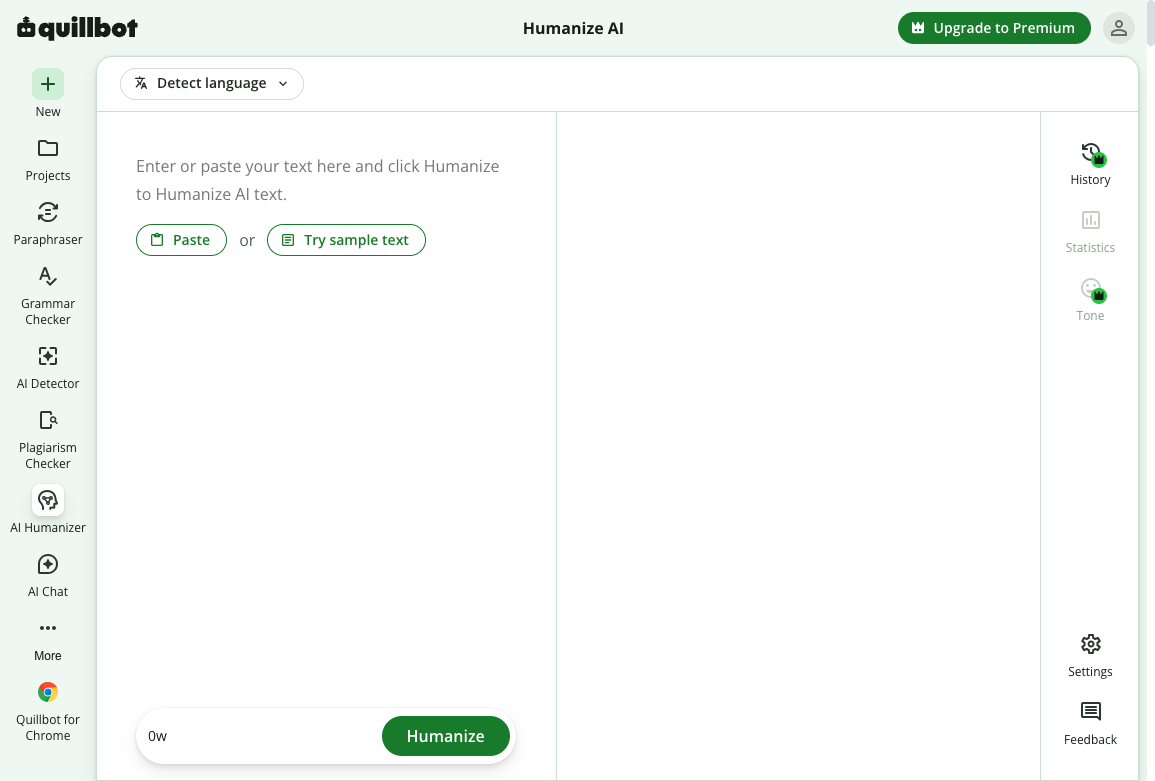
A typical paste-and-rewrite UI looks like QuillBot's Humanize screen: left pane for the draft, a Humanize button, language detection, and not much else. That is fine for a clunky paragraph. It is the wrong surface for a page with a broken outline.
| Tool type | Main job | Best used for | Skip it when |
|---|---|---|---|
| AI humanizer | Make AI-assisted text sound more natural and less patterned. | Smoothing tone, rhythm, and readability before publication. | The outline is wrong or the claims are unverified. |
| Paraphraser | Restate text in different words while keeping the same meaning. | Avoiding repetition or creating alternate phrasing. | You need a new angle, not new synonyms. |
| Rewriter | Improve or restructure a draft more broadly. | Reworking weak sections or adapting content for a new purpose. | You only needed a light rhythm pass. |
If you only need different wording, use a paraphrasing tool. If a sentence is understandable but clunky, a reworder can be enough. If the draft needs broader restructuring, fix the section first, then decide whether a rewriter is even the right next step. A useful comparison of humanizer vs paraphraser workflows is the same distinction in longer form: one tool should not pretend to be the other.
For many publishing workflows, the order looks like this:
- Fix the outline and missing information.
- Rewrite weak sections.
- Humanize the draft for rhythm and tone.
- Run readability, grammar, and factual checks.
- Add examples, internal links, and final editorial polish.
This is also where examples help. Before-and-after samples of humanized AI text make it easier to see the difference between genuine improvement and empty synonym swapping.
The final human pass should add judgment the tool cannot infer: a sharper example, a more honest caveat, a clearer opinion, or a line that sounds like the person or brand behind the page. That is the difference between merely rewriting AI text and actually adding a human touch.
Be Careful With Detector Claims
AI detectors can be useful signals, but they are not final proof. That is especially important if you are choosing a humanizer because you are worried about academic, hiring, compliance, or publishing consequences.
A detector score is not a publishing standard. I would not ship a page because GPTZero went from 92 to 18. I would ship it because the claims still match the sources, the examples are specific, and a human would actually finish the paragraph. Are AI content detectors accurate is the longer version of that warning: false positives happen, models change, and chasing a number usually makes the prose worse.
There are three reasons to be careful:
- False positives can happen. Turnitin has repeatedly documented score-threshold and false-positive concerns in its AI writing detection updates.
- Detection systems keep changing. Turnitin added detection categories for AI-paraphrased or bypassed text, which means old "undetectable" claims can age quickly.
- Bias and uneven performance remain research concerns. Stanford SCALE's BAID benchmark, published in 2025, evaluated AI detectors across more than 200,000 samples and found subgroup disparities.
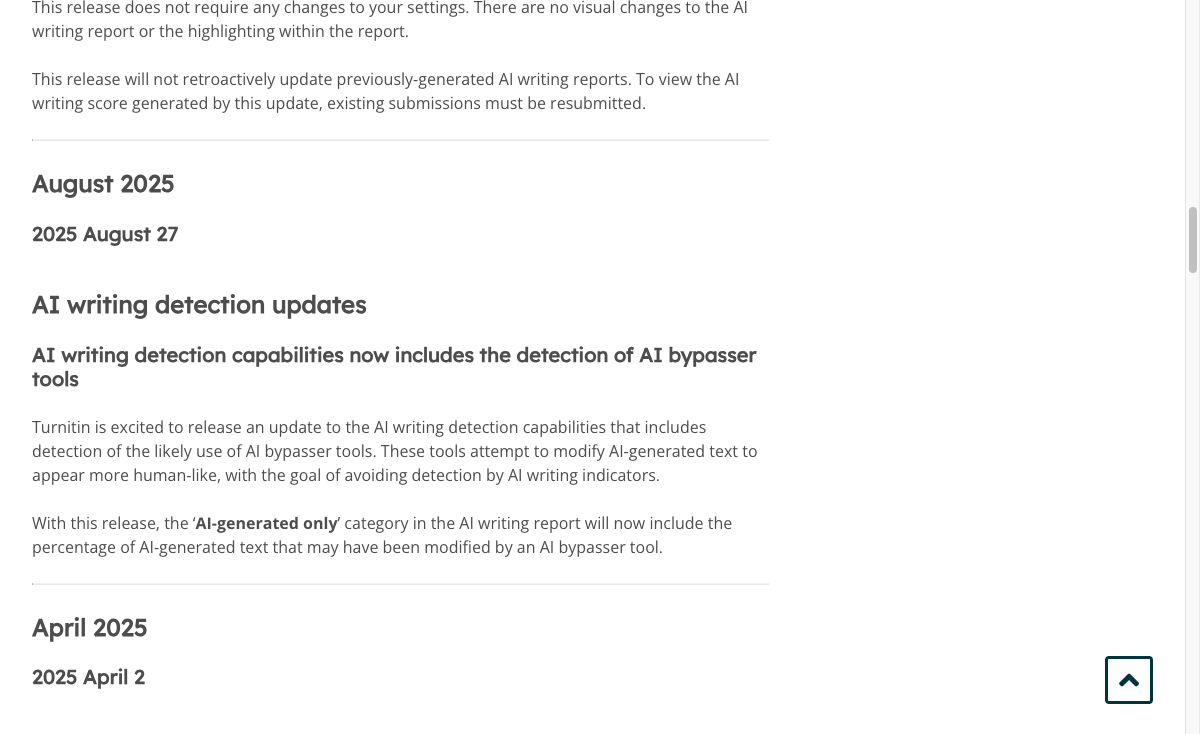
Turnitin's own release notes are a useful reality check here: detector vendors are actively updating models to identify bypasser-tool behavior, so a tool that looked reliable in one test can become much less reliable after a model update. That is why I distrust any humanizer review that treats one detector screenshot as proof.
For SEO, Google's guidance points in a different direction: helpful, reliable, people-first content matters more than how the text was produced. A detector score does not answer whether the page provides original value, clear sourcing, practical examples, or genuine expertise. Google's thin-content walkthrough is the cleaner standard here: if the page still has little added value after you "humanize" it, the rewrite did not do the job.
Thin content (and why quality content matters)
I would use an AI text detector as a warning light, not a publishing standard. Detector-sensitive rewriting can still be part of a review pass, but it does not replace source checks, citation checks, and a real edit.
Who Should Not Use an AI Humanizer
An AI humanizer is not the right tool for every problem.
Do not use one when:
- The draft contains unverified facts, invented sources, or unsupported claims.
- You are trying to hide prohibited AI use in a school, hiring, legal, or compliance setting.
- The text needs expert judgment, not smoother wording.
- The source draft is copied, thin, or structurally weak.
- The rewrite would misrepresent who did the work or how it was produced.
This is where the ethics are practical, not abstract. If the humanizer helps you express your own ideas more clearly, it can be useful. If it helps you disguise work you should not submit, publish, or claim as original, the tool is being used for the wrong job.
How to Test an AI Humanizer Before Paying
Do not test these tools with the provider's demo text. Use your own drafts. Demo text is usually chosen because the tool handles it well; your messy paragraph is the more honest benchmark.
Here is a simple test:
- Choose three samples: a blog intro, a technical paragraph, and a sales or email paragraph.
- Run each sample through the tool at light, medium, and strong settings if available.
- Compare the output against the original for meaning changes.
- Check whether the rewrite removed obvious AI habits, such as repetitive transitions and generic claims.
- Read the output aloud. If it sounds over-smoothed or strangely formal, it still needs work.
- Run a final manual edit for facts, examples, internal links, and brand voice.
For SEO content, I would add one more step: check whether the rewritten section still answers the search intent. A paragraph can sound more human and still become less useful if the rewrite removes specifics. My usual test is to ask, "Would this paragraph still help the reader make a decision?" If the answer is no, the rewrite went too far.
If the output keeps shifting between casual, formal, and salesy, run a separate tone analysis before the final edit. If the issue is mostly typos, punctuation, or small grammar slips, a grammar checker is a cleaner tool than another full humanization pass.
My Recommendation
If you are publishing SEO articles, blog posts, or brand content, start with Junia AI Humanizer. It fits the broader workflow better than tools that only chase detector scores, especially when you also need readability, tone, grammar, brand voice, and content quality checks.
If you are working on academic-style writing, test Litero AI or Phrasly first. If your draft needs heavier restructuring for detector-sensitive scenarios, try Undetectable AI or BypassGPT, but review the output closely.
The practical rule is simple: use AI humanizers to improve weak AI-assisted prose, not to avoid responsibility for the final text. The reader does not care which tool changed the sentence. They care whether the page is clear, accurate, useful, and worth trusting. If I cannot defend a line after humanization, I cut it. That is the standard I would use before publishing any humanized draft.