
How to Humanize AI-Generated Content: The 10-Minute Editing Checklist

Yi
SEO Expert & AI Consultant

To add a human touch to AI-generated content, do not start by asking another model to "make it sound human." Start by editing the draft like a person who knows the reader.
In my experience, the biggest difference is not a clever prompt or a detector score. It is the moment someone reads the draft and says, "This part is true, but no reader would care yet." That is where the human work starts.
The fastest pass is simple:
- Name the reader and what they need.
- Cut the obvious AI tells.
- Add proof, examples, or firsthand context.
- Rewrite the intro and transitions by hand.
- Check facts, links, and claims before publishing.
That is the whole job. Humanizing AI content is not about hiding AI use. It is about turning a generic draft into something specific, useful, and credible enough for a real reader to trust.
Google's own guidance is a useful guardrail here. Search systems care about quality and helpfulness, not whether a page used AI during production. See Google Search's guidance on generative AI content. In practice, the final page still needs judgment, accuracy, and value beyond a machine-shaped first draft.
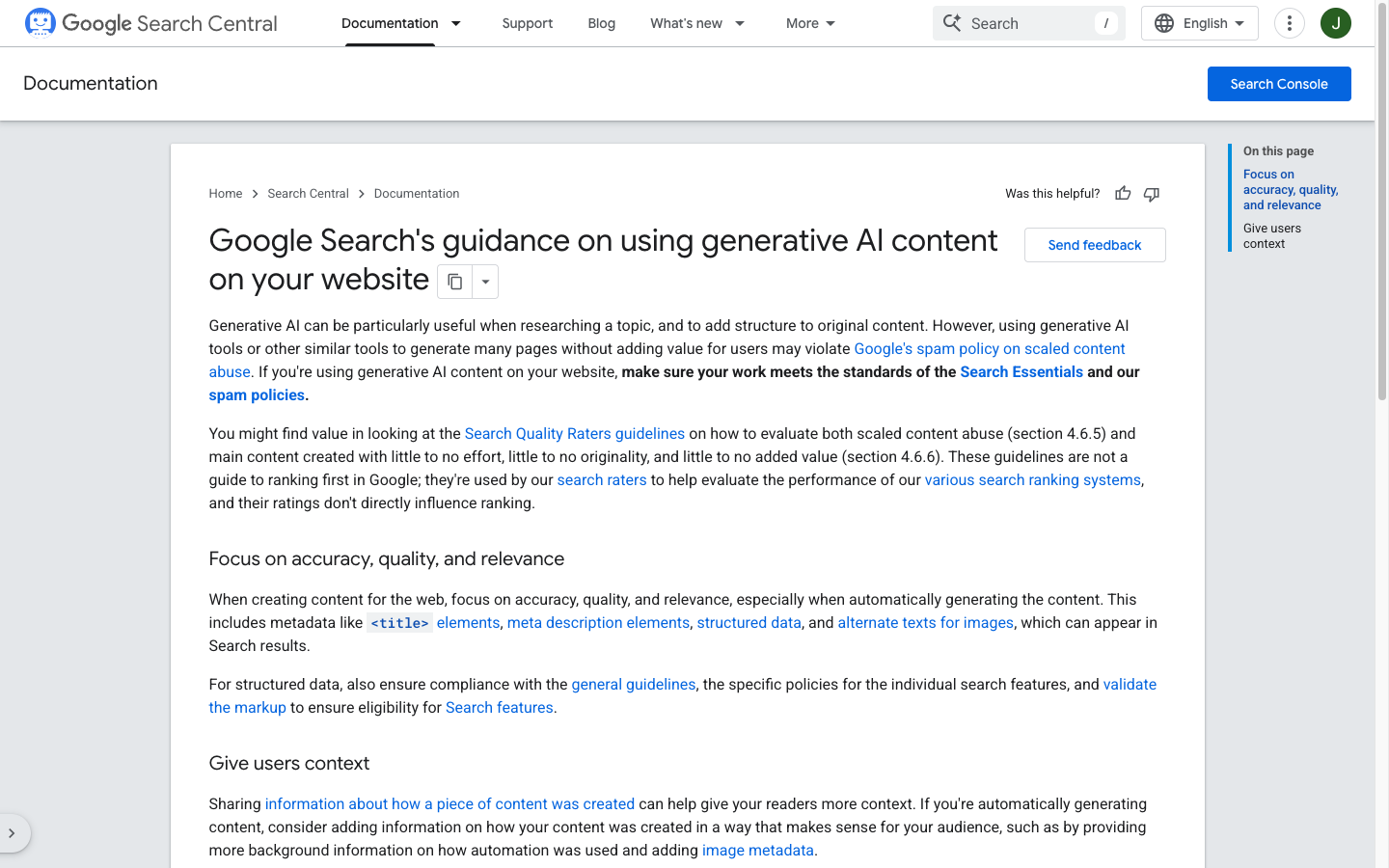
That is the bar I edit against. If a draft could have been generated for any company, in any year, for any reader, it is not ready. An AI text editor can clean structure and grammar. It cannot tell you whether the example is useful, the claim is true, or the tone fits the person who has to read this on a Tuesday afternoon.
The 10-minute workflow
Use this when you have a draft that is directionally useful but still sounds too polished, vague, or samey.
- AI draft
- Reader fit
- AI tell cleanup
- Proof and examples
- Voice pass
- Fact check
- Publish-ready draft
View diagram source
flowchart LR
    A[AI draft] --> B[Reader fit]
    B --> C[AI tell cleanup]
    C --> D[Proof and examples]
    D --> E[Voice pass]
    E --> F[Fact check]
F --> G[Publish-ready draft]| Minute | Editing pass | What to change |
|---|---|---|
| 0-1 | Reader fit | Add the reader's role, problem, knowledge level, and desired outcome. |
| 1-3 | AI tells | Remove repeated transitions, broad claims, filler, and robotic phrasing. |
| 3-5 | Specificity | Add examples, screenshots, quotes, observations, data, or concrete steps. |
| 5-7 | Voice | Match your brand voice, sentence rhythm, and point of view. |
| 7-9 | Structure | Rewrite the intro, improve headings, tighten transitions, and cut tangents. |
| 9-10 | Trust check | Verify facts, sources, links, and claims before publishing. |
This is deliberately short. If a draft needs an hour of repair, the prompt or source material was probably too weak. I would rather spend five extra minutes improving the brief than forty minutes rescuing vague output later.
Before you start the clock, decide what kind of edit this draft actually needs:
| If the draft... | Do this | Skip this |
|---|---|---|
| Has the right point, but sounds stiff | Voice pass and AI-tell cleanup | A full rewrite |
| Names the topic, not the reader | Rewrite the intro and add one specific example | Detector scores |
| Makes claims you cannot prove | Cut the claim, or add a source, screenshot, or first-hand note | Synonym swapping |
| Could fit any company in the niche | Start over with a tighter brief | Publishing a "humanized" version of the same generic draft |
I use AI for outlines, first drafts, and cleanup. I do not use it for the actual recommendation, the proof, or the last read-through. Those three are where trust is either earned or lost.
If you want Google's version of the quality bar, not another "make it sound human" walkthrough, this Search Central clip is the useful companion for the 10-minute pass:
Creating great content that performs well in Google search results

1. Give the draft a real reader
Most AI content sounds generic because the prompt was generic. "Write a blog post about email marketing" gives you safe advice. "Write for a solo SaaS founder whose welcome sequence has poor trial activation" gives you something you can actually edit.
This is the first thing I check when an AI draft feels oddly polished but empty. If I cannot describe the reader in one sentence, the draft usually cannot either.
Before rewriting anything, add a reader note above the draft:
| Reader detail | Bad input | Better input |
|---|---|---|
| Role | Marketers | B2B SaaS content leads publishing two articles per week |
| Problem | Needs better content | AI drafts sound plausible but thin and hard to trust |
| Knowledge level | Beginner | Knows SEO basics but needs a repeatable editing process |
| Desired outcome | Improve writing | Publish a draft that feels specific, useful, and brand-safe |
That context tells you what to explain, what to cut, and where to add proof. A founder shopping AI content humanization tools needs buying criteria. A writer staring at a limp paragraph needs a marked-up example. Same topic. Different job.
2. Remove the obvious AI tells
AI tells are not magic. They are usually editing problems: repetition, vague claims, too many symmetrical sentences, or phrases that sound like a product brochure.
| AI tell | Why it feels artificial | Better edit |
|---|---|---|
| "In today's fast-paced digital landscape..." | Opens with empty scene-setting. | Start with the reader's actual problem. |
| "It is important to note..." | Delays the point. | State the point directly. |
| "Unlock the power of..." | Sounds promotional without saying anything. | Explain the concrete outcome. |
| Repeated "Furthermore/Moreover/Additionally" | Creates a mechanical rhythm. | Use natural transitions or none at all. |
| Broad benefit claims | Feels unearned. | Add a specific example, test, or source. |
This is where simple tools can help. Use a sentence shortener to spot lines that are trying to do too much at once.
For dense or flat passages, simplify the wording and convert passive phrasing by hand where it makes the point clearer.
The goal is not to make every sentence casual. It is to make the writing sound chosen.
The edit that does not count: swapping "Furthermore" for "And," adding a contraction, and calling the draft human. If the paragraph still refuses to take a position, you polished the surface and left the problem.
Personally, I am more suspicious of a perfectly smooth paragraph with no decision in it than a slightly plain sentence that tells the truth.
3. Add proof where the draft makes a claim
Generic AI writing often says things that are true enough but unsupported. That is where trust leaks out.
Do not add citations everywhere. Add proof where it changes how much the reader can believe you.
| Claim type | Better proof |
|---|---|
| "This workflow saves time" | A before/after editing example, production log, or process screenshot. |
| "Readers trust this more" | Customer comments, survey data, expert quotes, or real objections. |
| "This improves SEO quality" | Search documentation, content quality guidelines, or examples of stronger pages. |
| "The tool works well" | Screenshots, test notes, limitations, and a use-case-specific verdict. |
| "This content is original" | Firsthand experience, internal data, interviews, photos, or observations. |
For SEO content, proof is especially useful because it creates value that a generic summary cannot easily replace. That can mean screenshots, original examples, named workflows, expert commentary, or a clear explanation of how you reached your recommendation. I like proof that shows the mess, not just the conclusion: a marked-up draft, a screenshot of the workflow, or a short note explaining why one angle was rejected. If you are improving AI-assisted content for search, pair this with E-E-A-T principles for AI writing so the draft is not just smoother, but more trustworthy.
4. Rewrite the intro by hand
The intro is where AI drafts usually lose readers. They spend too long defining the obvious and too little naming the actual problem.
Use this formula:
- Name the pain.
- Say what the reader will be able to do.
- Give the method.
- Remove the lecture.
Before:
In today's digital era, AI-generated content has become an essential part of modern content creation. However, it is important to humanize this content to improve engagement and authenticity.
After:
If your AI draft sounds polished but forgettable, the problem is probably not grammar. It is missing a reader, a point of view, and proof. This checklist shows you how to fix those issues before publishing.
The second version works harder. It names the problem, avoids filler, and tells the reader what they will get.
Here is the same idea at paragraph scale. The left side could sit in almost any marketing article. The right side could only sit in one:
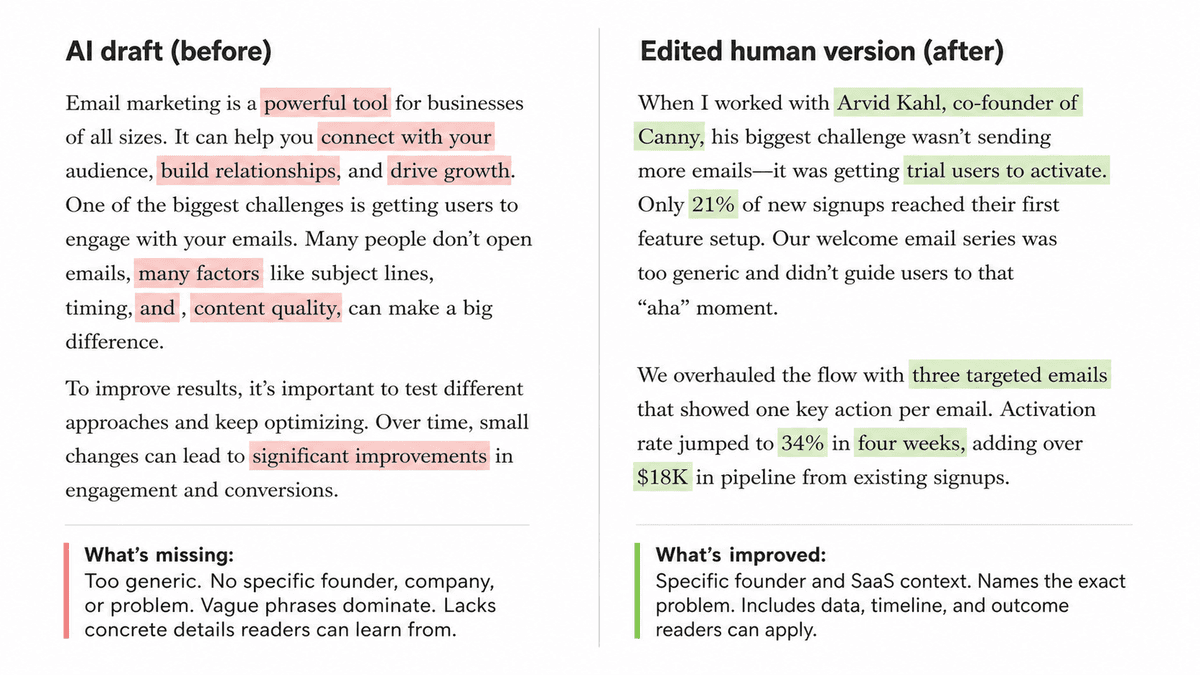
I built that as an editing example, not as a client case study. The numbers are there to show the shape of a useful rewrite: a named reader, a specific bottleneck, and a result you could actually check. If you cannot fill those three blanks from real work, do not invent them. Cut the paragraph or go find the proof.
If you want more marked-up samples, humanized AI text examples are useful after this pass, not instead of it.
5. Add point of view, not personality theater
Human writing does not need forced jokes, slang, or "relatable" filler. It needs judgment.
This is where many humanization passes go wrong. They add contractions, jokes, and a few "I think" phrases, but the article still refuses to take a position. That is not voice. It is decoration.
A point of view can be small:
- "I would rewrite the intro before touching the middle sections."
- "This claim needs proof, or it should be cut."
- "Do not use an AI detector as the final editor."
- "If the paragraph could fit any company, it is too generic."
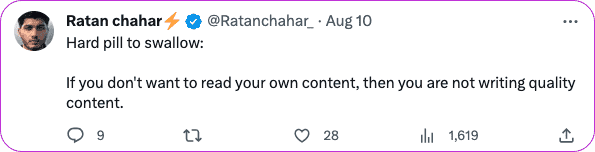
That is enough to make the article sound edited by someone with standards. You can still use AI to reshape sentences, but the priority call should come from a person.
6. Build a brand voice card
If several people or tools touch the same content, a short voice card prevents drift.
Use this as the minimum:
| Voice rule | Example |
|---|---|
| We sound like | A practical editor explaining what to fix and why. |
| We avoid | Hype, fake urgency, vague benefits, and corporate filler. |
| We prefer | Short paragraphs, direct verbs, concrete examples, and honest tradeoffs. |
| We never publish | Unsupported claims, invented statistics, or generic intros. |
| We link when | The link helps the reader take the next step. |
If you use Junia AI in your workflow, save this in Brand Voice and apply it when you generate or rewrite. Treat it as a constraint, not a costume. A voice card that says "friendly and professional" will still produce brochure copy. A voice card that bans unsupported claims and generic intros will not.
7. Use screenshots, comments, and examples carefully
Screenshots and user-generated content can help, but only when they support a real point. A random social screenshot does not make an article more credible. A screenshot that reveals a common objection, shows a product workflow, or proves firsthand research does.
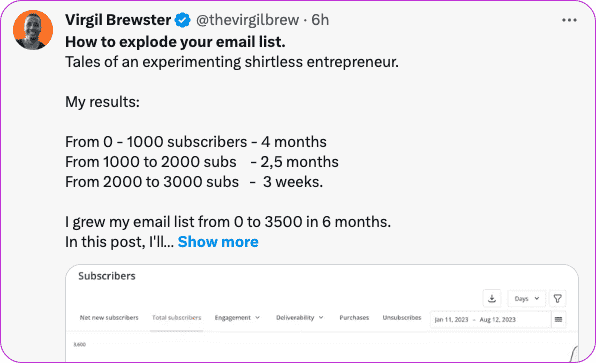
Good supporting material includes:
- a customer quote that explains the problem in the reader's words
- a screenshot of your editing notes
- a before-and-after paragraph
- a product workflow screenshot
- a short test log showing what changed
- a real example of a weak claim becoming a stronger one
Get permission when needed, crop irrelevant details, and do not use private customer material casually. The point is to make the article more grounded, not to decorate it. I would skip a weak screenshot before forcing one into the page just to make the article look "researched."
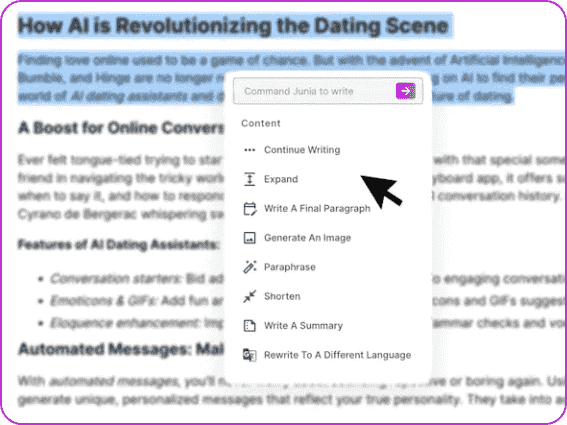
8. Do the editor pass after the tool pass
Tools are useful for cleanup. They are weak at deciding what the page should say.
My rule is simple: let tools find friction, then let an editor decide priority. Otherwise, you end up fixing grammar in paragraphs that should have been cut.
Run the draft through this final review:
| Check | Ask |
|---|---|
| Accuracy | Are facts, names, links, and examples correct? |
| Specificity | Could this advice apply to any article, or does it fit this reader? |
| Voice | Does it sound like your brand, not the model default? |
| Rhythm | Are sentence lengths varied enough to feel natural? |
| Repetition | Did the draft repeat the same idea in different words? |
| Usefulness | Does each section help the reader edit better? |
If a section fails the usefulness check, cut it or rebuild it. Do not keep a paragraph just because it sounds smooth. Smooth is cheap. Useful is not.
9. Be careful with AI detectors
AI detectors can be a rough signal, but they should not decide whether content is good, human, or publishable.
Turnitin's current guidance on using the AI Writing Report says reports below its 20% threshold are not surfaced to avoid a higher likelihood of false positives, and it advises reviewing the report rather than treating the score as a standalone verdict. That makes sense for content teams too: use detector feedback as one input, then rely on editorial review, evidence, and source checking.
However, detector scores are easy to overread, and very often they can be wrong.
Do not let a percentage become the editor. I have watched teams chase a lower AI score and accidentally delete the one sentence that made the article specific. If the draft is accurate, useful, and sounds like you, publish it. If you still want a rough signal, an AI content detector is a starting point, not a verdict.
If the real job is cleaner wording rather than "beating" a detector, a paraphraser is usually the better tool, because it keeps meaning instead of laundering it.
10. Use a better prompt next time
The best humanization workflow starts before the draft exists.
Use this prompt template:
Rewrite the draft for this reader: [role, problem, knowledge level]. Keep the tone [voice]. Remove generic AI phrasing, unsupported claims, and filler. Add specific examples where the draft is vague. Keep facts verifiable. Use short paragraphs. Explain tradeoffs. Do not invent statistics, quotes, screenshots, or sources. Flag anything that needs human proof.
That last sentence matters. A good AI draft should tell you where human input is needed instead of pretending it has firsthand knowledge. When I use AI for drafting, this is the instruction that saves the most cleanup time because it turns missing evidence into a visible editing task.
Final humanization checklist
Before publishing, make sure the draft passes these checks:
- The intro answers the real question within the first few lines.
- The reader is specific enough that examples feel relevant.
- Generic AI phrases have been removed or rewritten.
- Important claims have proof, examples, or a source.
- The article has at least one clear point of view.
- Links are useful and not stuffed into the copy.
- The tone matches the brand voice.
- The final draft has been fact-checked by a person.
If you want the faster path, run an AI humanizer for the first voice pass, then use this checklist like an editor. Do the fact check last, and do it yourself.
The strongest AI-assisted content does not pretend a machine never touched it. It shows that a person cared enough to make the final version accurate, specific, and worth reading.