
7 Best Backlink Analysis Tools for SEO Audits in 2026

Yi
SEO Expert & AI Consultant

The best backlink analysis tool depends on what you are trying to learn. If I need the deepest competitor link research, I start with Ahrefs or Majestic. If backlink data needs to sit inside a broader SEO workflow, Semrush or SE Ranking usually makes more sense. And if the real problem is simply knowing when important links appear or disappear, Linkody is often easier to justify.
That distinction matters because backlink analysis is not just a report of who links to your site. A useful tool should help you answer practical questions:
- Which pages are attracting links?
- Which competitors have links you could realistically earn?
- Are you gaining relevant referring domains or just collecting weak links?
- Which links disappeared, changed to nofollow, or started pointing at a broken URL?
- Is your anchor text natural enough to avoid looking manipulated?
Google's own spam policies warn against link schemes and other tactics meant to manipulate rankings, so the goal is not to chase every possible backlink. In my experience, the better move is quieter: understand your link profile well enough to build, recover, and protect links that support real search visibility.
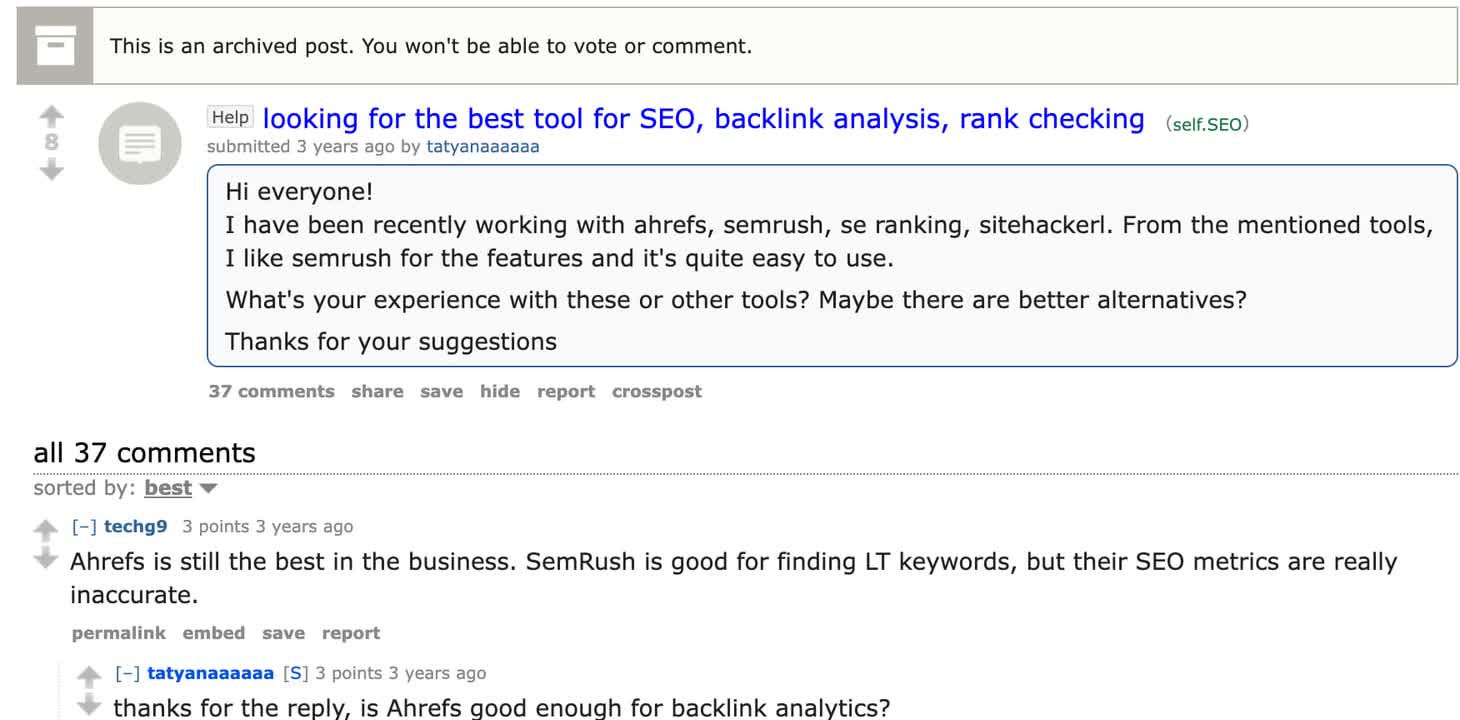
That is also why tool choice tends to become workflow-specific in real SEO discussions. Practitioners compare Ahrefs, Semrush, SE Ranking, and Moz around accuracy, ease of use, and what each tool is reliable enough to decide. That last part matters. A backlink export is only useful if you trust it enough to change a page, recover a link, or pitch a prospect.
TL;DR: Best backlink analysis tools
| Tool | Best for | Starting price | Why choose it |
|---|---|---|---|
| Ahrefs | Advanced competitor backlink research | $129/month | Strong link index, Link Intersect, broken backlink research, content-by-links reports |
| Semrush | Teams that want backlinks inside a full SEO suite | $139.95/month | Backlink Audit, Backlink Analytics, toxic-link review, keyword and content tools |
| Majestic | Link intelligence and authority benchmarking | $49.99/month | Fresh/Historic indexes, Trust Flow, Citation Flow, topical link context |
| Moz Pro Link Explorer | Beginners and content teams | $49/month | Domain Authority, Spam Score, simple link discovery, approachable reporting |
| SE Ranking | Small teams that need value across SEO tasks | $129/month | Backlink Checker, backlink monitoring, rank tracking, site audit, agency reporting |
| Linkody | Backlink monitoring and alerts | $14.90/month | Lost/new link alerts, competitor tracking, simple reports, disavow exports |
| Seobility Backlink Checker | Free and lightweight backlink checks | Free, paid from $50/month | Quick checks, backlink monitoring, competitor analysis, SEO audit tools |
If I had to make a simple recommendation: use Ahrefs for serious link prospecting, Semrush for a broader marketing team, Majestic when link metrics are the main job, and Linkody when you already have a tool stack but need reliable monitoring. I would not overthink the rest until you know whether you need research, reporting, or alerts.
How I compared the tools
I focused on the jobs backlink tools are actually hired to do. Not the flashiest dashboard, not the biggest marketing claim, but the work an SEO team needs to finish after opening the tool:
| Evaluation point | What I looked for |
|---|---|
| Link discovery | How useful the tool is for finding referring domains, new links, lost links, and competitor links |
| Competitive analysis | Whether it helps you see where competitors are earning links you do not have |
| Link quality signals | Metrics for authority, spam risk, link type, anchor text, topical relevance, and link placement |
| Monitoring | Alerts for new links, lost links, changed links, and campaign progress |
| Workflow fit | Whether it works better as a specialist backlink tool or part of a larger SEO suite |
| Price-to-usefulness | Whether the plan makes sense for freelancers, small businesses, agencies, or in-house teams |
One lesson from competitor research was clear: the strongest ranking pages do not just list tools. They explain which tool fits which kind of backlink work. Moz's competitive backlink analysis guide is more workflow-driven, Smart Insights emphasizes using multiple sources because no backlink index is complete, and Unleashed's expert roundup shows how often practitioners still default to Ahrefs while also using Semrush and Majestic for specific tasks.
That is the right way to think about this category. No backlink database sees the entire web. When I am looking at a link audit that affects budget, outreach, or cleanup decisions, I would rather compare at least two data sources than trust one export blindly.
1. Ahrefs
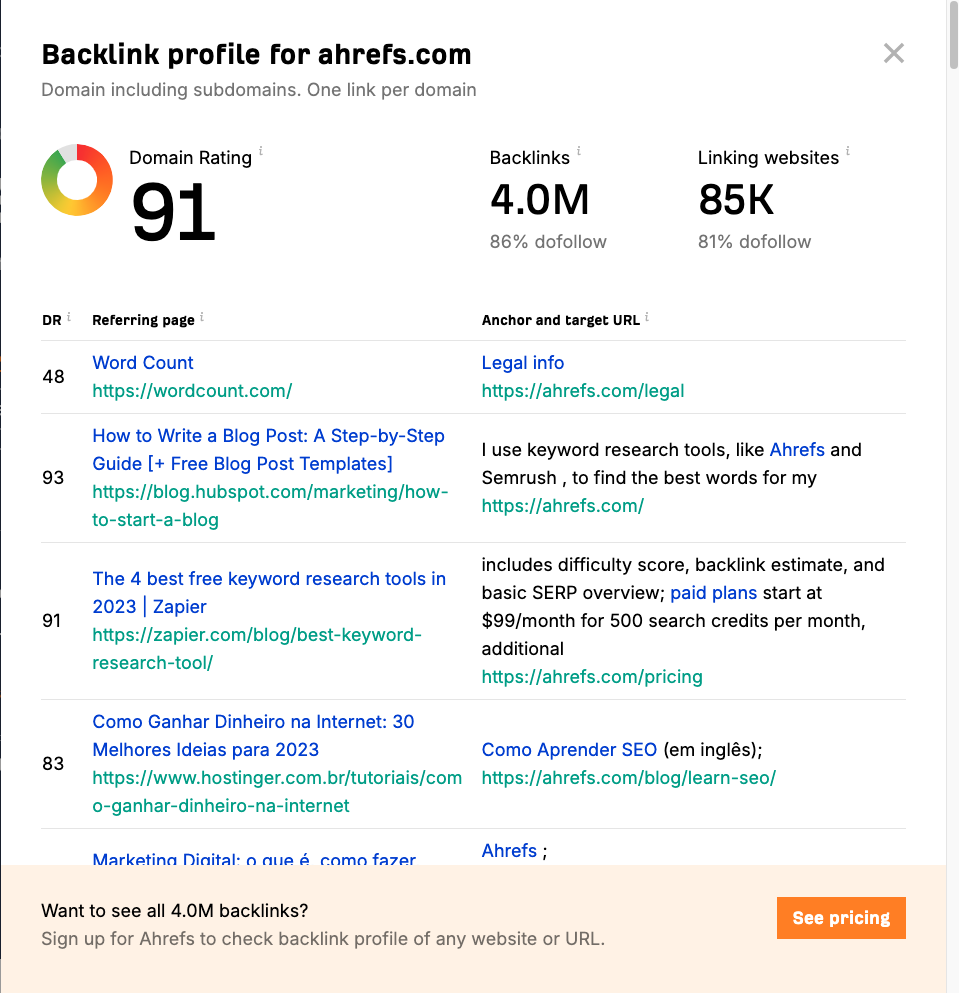
Ahrefs is the strongest pick for SEO professionals who care most about competitor backlink research. It is expensive, but the value becomes obvious when you need to reverse-engineer why a competitor page ranks, find domains that link to several competitors, or recover links pointing to broken URLs.
What I like most about Ahrefs is how quickly it turns link data into actions. You can check referring domains, filter by dofollow/nofollow, inspect anchor text, compare competing domains, and find pages that have earned the most links. I have found that especially useful when a team knows it needs links but has no clear idea which asset deserves the outreach. That makes it useful for both audits and link-building strategy.
The reports I would use first:
- Backlinks and referring domains: See who links to a site and how diverse the profile is.
- Link Intersect: Find domains that link to competitors but not to you.
- Best by links: Identify linkable pages, broken pages with backlinks, and content formats that naturally attract citations.
- Anchors: Check whether the anchor profile looks branded, natural, or over-optimized.
- New and lost backlinks: Monitor campaigns and catch important link losses before they sit unnoticed for months.
Ahrefs is not the tool I would buy for a tiny site that only needs occasional checks. Its current main paid plans start at $129/month, with a lower $29/month Starter option for lighter use. For serious SEO work, though, it is still one of the first tools I would test.
Best for: agencies, SEO consultants, affiliate sites, SaaS teams, and anyone doing serious competitor link research.
Watch out for: cost, usage limits, and the temptation to treat Domain Rating as the only quality signal. A relevant link from a niche publication can be more valuable than a random high-DR link that sends no useful context.
2. Semrush
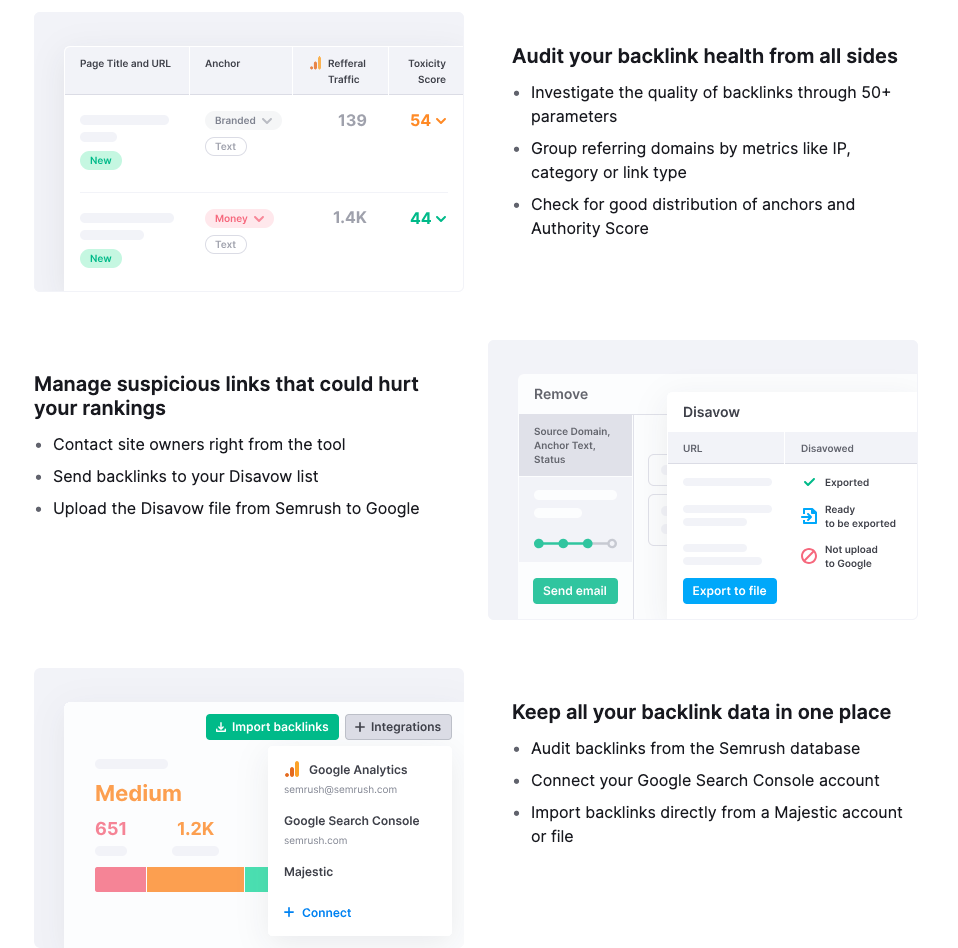
Semrush is the better choice when backlink analysis is one part of a wider SEO and marketing workflow. Its Backlink Analytics and Backlink Audit tools sit alongside keyword research, rank tracking, site audits, content tools, PPC research, and competitor analysis.
That broader setup is useful for teams because links rarely exist in isolation. If a competitor has more links to a page, you also need to know the keyword opportunity, page intent, content format, and technical health of your own page. I like Semrush most when the backlink conversation needs to turn into a full SEO plan rather than a separate spreadsheet.
The backlink features worth using:
- Backlink Analytics: Review backlinks, referring domains, authority signals, link types, and competitor profiles.
- Backlink Audit: Evaluate potentially risky links and organize outreach or disavow review.
- Backlink Gap: Compare multiple competitors and find domains linking to them but not to you.
- Link Building Tool: Turn prospect research into an outreach workflow.
- Authority Score and toxicity signals: Prioritize review, but do not treat the scores as final judgment.
Semrush's SEO toolkit pricing currently starts at $139.95/month for monthly billing, with lower effective monthly pricing on annual plans. That is not cheap, but it can be reasonable if your team would otherwise buy separate tools for keywords, audits, content, and links.
Best for: in-house marketing teams, agencies, and companies that want one platform for SEO planning and reporting.
Watch out for: feature sprawl. Semrush can do a lot, which is useful, but beginners can end up staring at dashboards instead of making decisions. I would start with backlink gaps, lost links, and pages that need better link support before wandering into every available report.
3. Majestic
Majestic belongs in this list because it is one of the few tools built around link intelligence first. Competitors mentioned it repeatedly for benchmarking, topical link quality, and historical link analysis, and I agree with that placement. It still has a place even when a team already uses Ahrefs or Semrush.
The main reason to use Majestic is its link-specific metrics. Trust Flow estimates link quality, Citation Flow estimates link volume or influence, and Topical Trust Flow helps you understand the topical neighborhood of links. Those metrics are useful when you are trying to separate relevant authority from noisy link volume, which is often where weaker audits get lazy.
Majestic is especially helpful for:
- Comparing Fresh Index and Historic Index data.
- Checking referring domains, referring IPs, and link neighborhoods.
- Reviewing topical trust signals before outreach.
- Benchmarking competitors at the domain level.
- Spotting link profile patterns that a general SEO suite may not make as obvious.
Pricing currently starts at $49.99/month for the Lite plan. That makes Majestic more accessible than Ahrefs and Semrush if your main need is link data rather than an all-in-one SEO suite.
Best for: SEOs who want specialist backlink intelligence, agencies doing link audits, and teams that want a second data source for important decisions.
Watch out for: narrower workflow coverage. Majestic is not trying to replace your content optimization, rank tracking, or technical SEO stack. It is best when you know you specifically need link intelligence.
4. Moz Pro Link Explorer
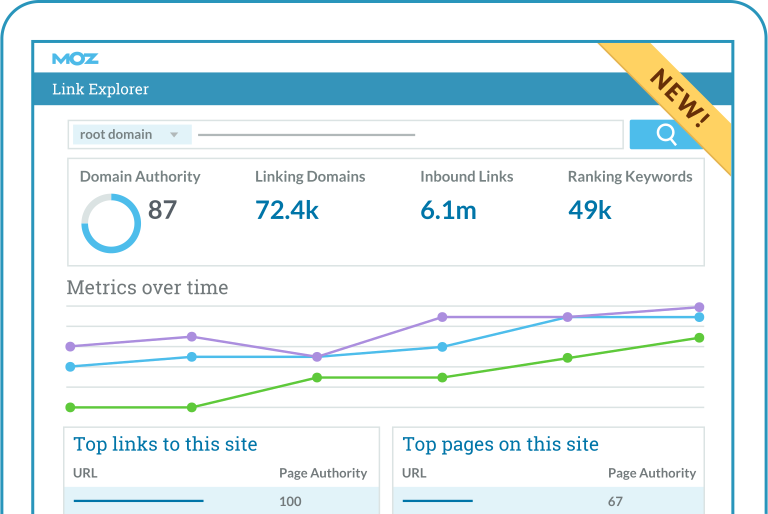
Moz Pro Link Explorer is a good fit when you want backlink analysis without a steep learning curve. Moz's Domain Authority and Spam Score are widely understood, which makes reports easier to explain to clients, editors, or non-technical stakeholders.
I would not choose Moz as the deepest backlink database for advanced link prospecting. I would choose it when clarity matters more than maximum data volume. For content teams, that can be enough. You can see top linking domains, inbound links, anchor text, discovered/lost links, and pages that attract links.
Useful Moz workflows include:
- Checking a site's Domain Authority and Page Authority.
- Reviewing Spam Score before deciding whether a link needs attention.
- Finding top linked pages to understand what content earns citations.
- Comparing competitor domains at a high level.
- Explaining authority gaps in a way clients understand.
Moz Pro pricing currently starts around $49/month for entry-level plans, though plan names and limits change over time. Confirm the latest limits before choosing a plan, especially if you need many backlink queries or campaigns.
Best for: beginners, content marketers, small teams, and agencies that need understandable authority reporting.
Watch out for: depth. If your work depends on finding every possible competitor link opportunity, compare Moz with Ahrefs, Majestic, or Semrush before committing.
5. SE Ranking
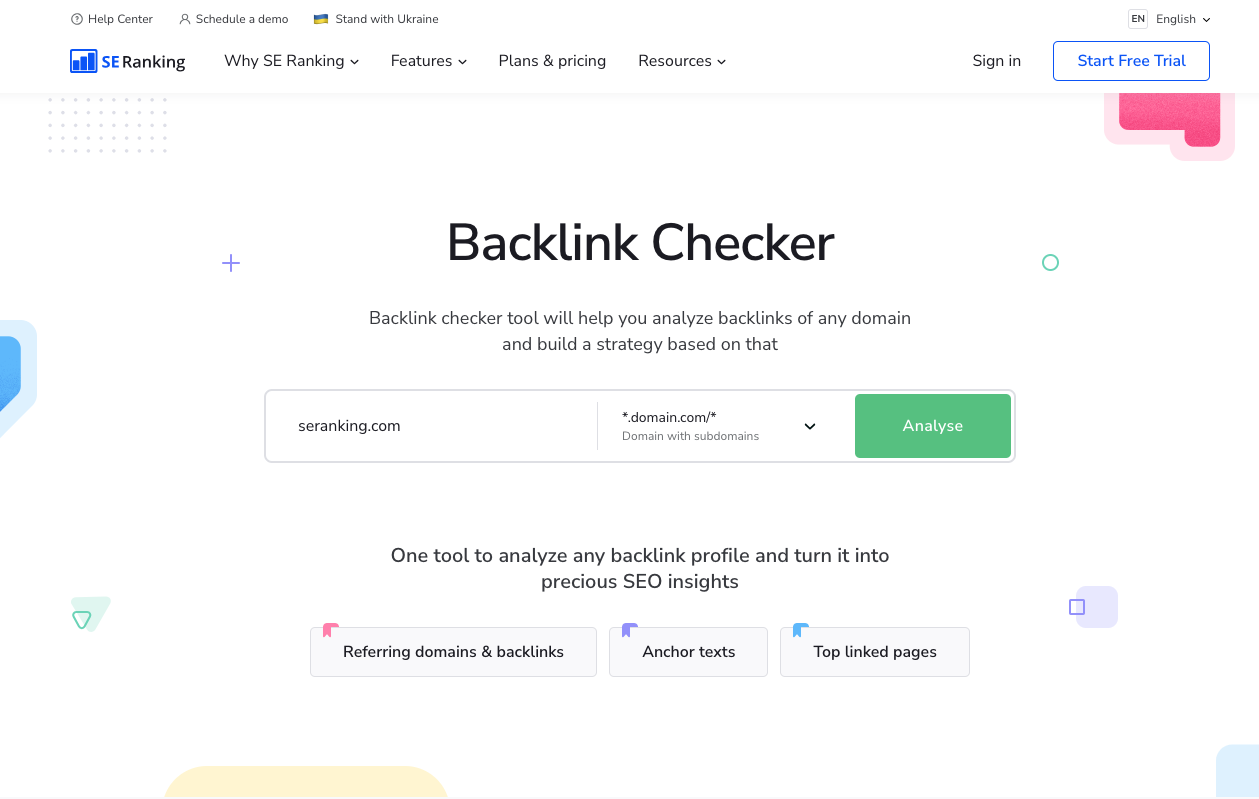
SE Ranking is a strong value pick for small teams that need backlink analysis, rank tracking, audits, and competitor research in one place. It is less famous than Ahrefs or Semrush, but I have a soft spot for tools like this when the alternative is paying for an enterprise-style suite and using only 20% of it.
Its backlink tools cover the basics well:
- Backlink Checker for domain and URL-level research.
- Backlink Monitoring for new and lost links.
- Anchor text, referring domain, and link type reports.
- Competitor backlink research.
- Site audit and rank tracking alongside backlink data.
The advantage is balance. You are not buying a specialist backlink database only, and you are not paying Semrush-level prices if you do not need the full marketing platform. For smaller teams, that balance can matter more than having the absolute deepest link index. SE Ranking's current Core plan starts at $129/month for monthly billing, or $103.20/month with annual billing.
Best for: freelancers, small agencies, local SEO teams, and businesses that want one practical SEO platform without enterprise pricing.
Watch out for: advanced link prospecting. SE Ranking is useful, but if backlinks are the core of your strategy, I would still compare its exports with Ahrefs or Majestic before making major campaign decisions.
6. Linkody
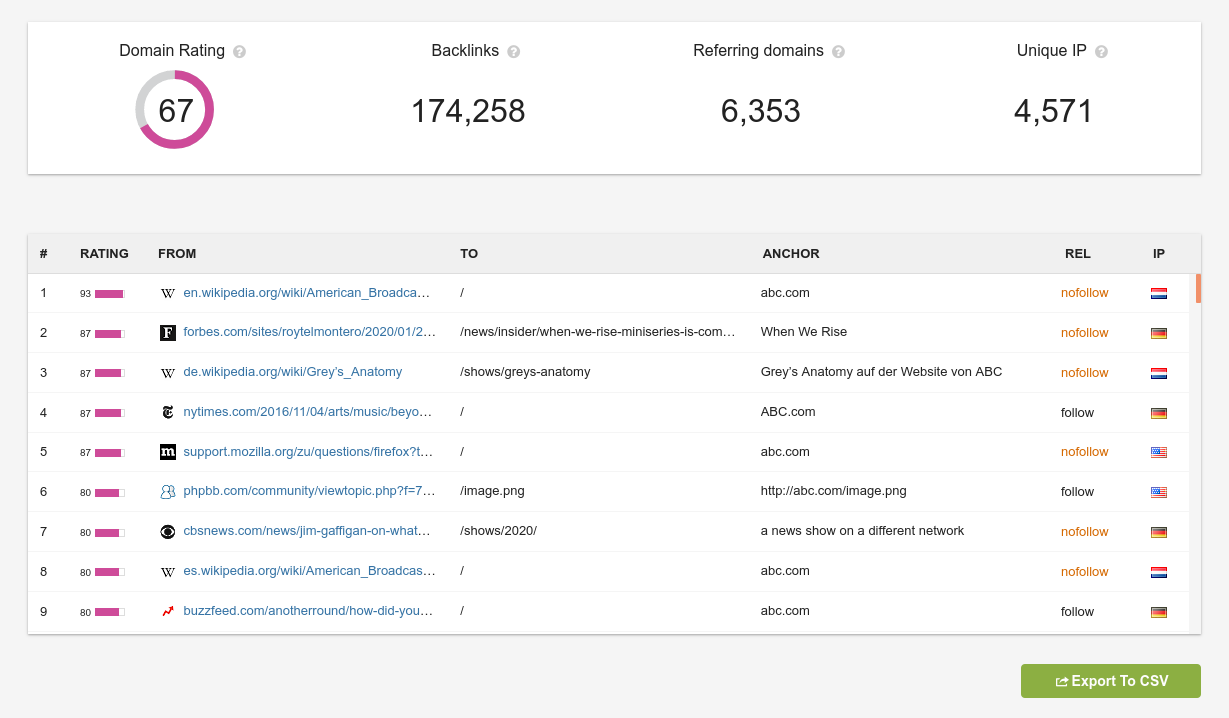
Linkody is not trying to be a full SEO suite. That is a good thing. It is best for monitoring backlinks after you already know what you want to track.
That makes it useful after outreach, digital PR, guest posting, HARO-style campaigns, or partnerships. If a link goes live, disappears, changes anchor text, or switches from dofollow to nofollow, you want to know. I have seen teams miss easy reclamation wins simply because nobody was watching old wins decay. Linkody is built for that kind of watchlist work.
Use Linkody for:
- New and lost backlink alerts.
- Competitor backlink monitoring.
- Anchor text and status tracking.
- Simple PDF and Excel reports.
- Disavow file preparation when a manual review supports it.
The current Webmaster plan starts at $14.90/month, which is why Linkody works well as an add-on. You can use Ahrefs, Semrush, or Majestic for heavier research, then use Linkody to monitor the specific links and competitors that matter.
Best for: site owners, freelancers, outreach teams, and agencies that need affordable monitoring.
Watch out for: research depth. Linkody is not the first tool I would use to build a whole prospect list from scratch. It is better for tracking known links and changes.
7. Seobility Backlink Checker
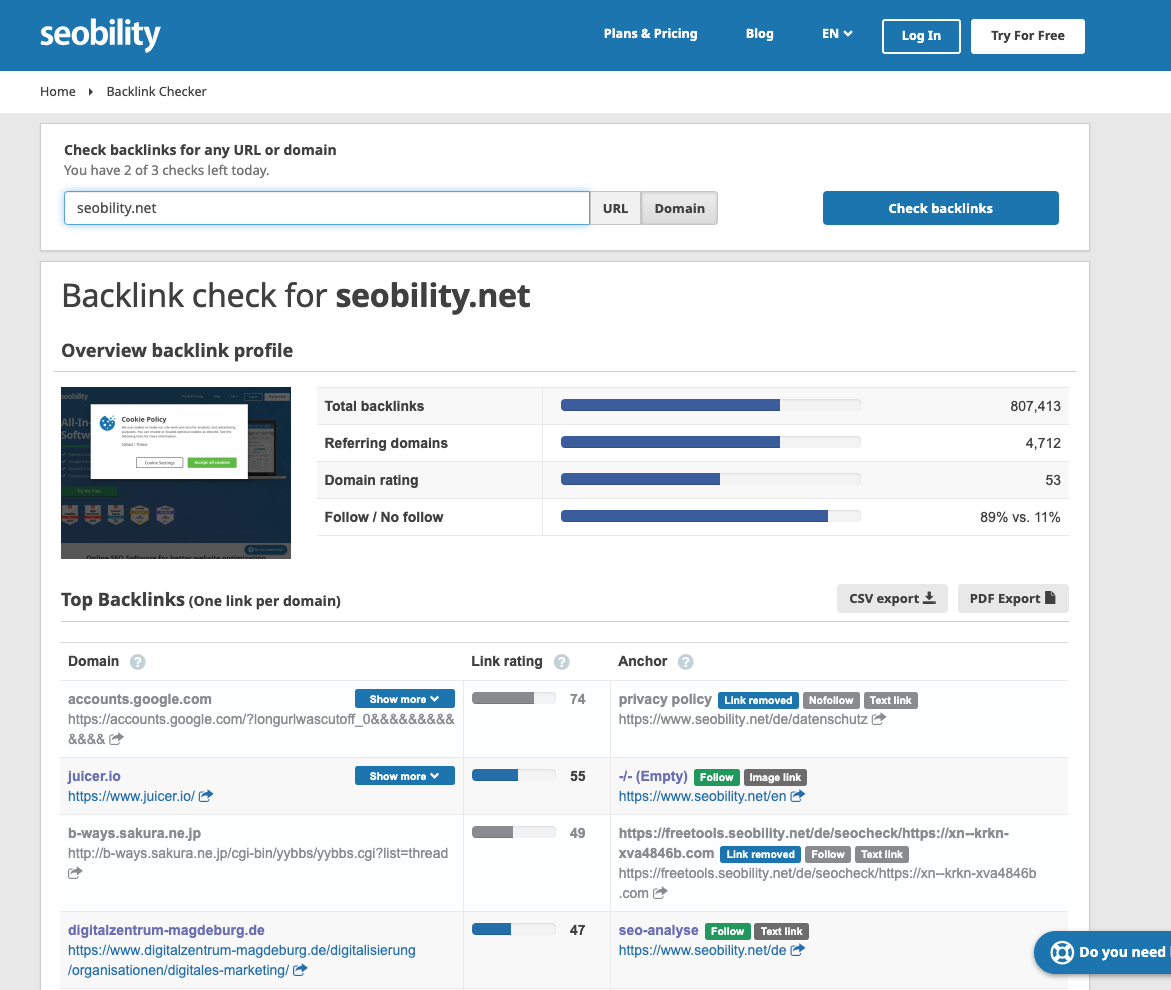
Seobility Backlink Checker is the best option here for quick checks and beginner-friendly backlink audits. It has a free tier for limited daily checks, and paid plans currently start at $50/month.
The free checker is useful when you want a quick look at a domain or URL without opening a full suite. The paid product adds backlink monitoring, competitor analysis, link-building ideas, and broader SEO audits.
Seobility is useful for:
- Small sites checking backlink basics.
- Beginners learning how referring domains, anchor text, and link quality work.
- Quick competitor checks before deeper research.
- Lightweight monitoring inside a broader SEO audit workflow.
I would not use Seobility as my only backlink tool for a competitive national SEO campaign. But for a small business, early-stage blog, or occasional audit, it is a sensible entry point.
Best for: beginners, small businesses, and anyone who needs a free or low-commitment backlink check.
Watch out for: limits. Free backlink tools are helpful for orientation, not complete strategic decisions.
Which backlink analysis tool should you choose?
| If your main goal is... | Choose this tool |
|---|---|
| Deep competitor link research | Ahrefs |
| Full SEO platform with backlink tools | Semrush |
| Specialist link intelligence and trust metrics | Majestic |
| Simple authority reporting | Moz Pro Link Explorer |
| Affordable all-in-one SEO workflow | SE Ranking |
| Backlink monitoring and alerts | Linkody |
| Free or lightweight backlink checks | Seobility |
For most serious SEO teams, the practical choice is not one tool forever. It is a primary tool plus occasional validation from a second source. Personally, I trust a decision more when two imperfect datasets point in the same direction.
For example, an agency might use Semrush for everyday SEO reporting, Ahrefs for deeper competitor link prospecting, and Linkody for ongoing monitoring. A smaller site might use SE Ranking as the main SEO suite and Seobility for occasional quick checks. A link-focused consultant might pair Majestic with Ahrefs because each tool surfaces link data differently.
Free backlink analysis tools
If you only need to check links pointing to your own site, you may not need a paid tool at all.
- Google Search Console: the Links report shows which sites link to you, your most-linked pages, and the anchor text used. It is the only source that comes directly from Google, though it does not cover competitors.
- Ahrefs Free (formerly Ahrefs Webmaster Tools): free for sites you can verify. Site Explorer shows your own backlinks and referring domains, and Site Audit checks for technical issues.
- Majestic's free backlink checker: a quick look at any domain's link profile and Trust Flow without a subscription.
- Seobility: a free backlink checker for quick lookups, with paid plans when you need monitoring.
The limit of free tools is competitor research. Once you need to see who links to the sites outranking you, a paid index like Ahrefs, Semrush, or Majestic becomes worth it.
A simple backlink audit workflow
The tool matters, but the workflow matters more. When a backlink audit feels messy, I use this sequence before making link-building decisions:
- Export referring domains first. Backlinks can be inflated by sitewide links, repeated links, and technical noise. Referring domains give you a cleaner first view.
- Separate strong, weak, and suspicious links. Do not disavow links just because a tool labels them toxic. I review relevance, placement, anchor text, and whether the page looks legitimate before treating a warning as real.
- Check anchor text patterns. A natural profile usually has a mix of branded, URL, topical, and generic anchors. Too many exact-match commercial anchors can be a warning sign.
- Find top linked pages. Pages with links are assets. If they are outdated, redirected poorly, or returning errors, you may be wasting link equity.
- Compare competitors. Look for domains that link to several competitors but not to you. Those are often better prospects than random high-authority sites.
- Recover lost links. Lost links from relevant sites can be easier to regain than brand-new links are to earn.
- Turn insights into outreach. A backlink report only matters if it leads to better assets, better pitches, or better relationship building. A backlink outreach email generator can help draft first-contact emails, but I would never send the draft until the reason for the outreach is specific and credible.
Keep Google Search Console in that loop even if you pay for Ahrefs, Semrush, or Majestic. Paid indexes are useful for prospecting. GSC still shows the links Google is willing to show you, plus the queries and pages those links sit next to.
Google Search Console performance and how to use Search Console
This is also where AI can help without taking over the work. AI is useful for clustering referring domains, summarizing competitor link patterns, drafting outreach angles, and spotting repeated anchors. But I would not let it be the final judge of link quality. If you use AI competitor analysis, check the actual linking pages before you act on the summary.
Backlink analysis for AI Search visibility
Backlinks are not the only visibility signal in AI answers, but they still matter because AI search systems tend to surface brands, pages, and sources that are easy to corroborate across the web. I would not frame backlinks as an AI Search trick. I would frame them as corroboration: other relevant sites reference your content, and that makes your brand easier to verify.
For AI Search, I would look beyond raw link counts and pay attention to:
- Entity relevance: Are the sites linking to you actually related to your category?
- Citation-worthy pages: Do your most linked pages contain original data, examples, tools, comparisons, or clear explanations that other sites would cite?
- Brand mentions near links: Do links appear in meaningful context, or are they buried in low-quality directories?
- Topical authority: Do links cluster around the topics you want to be known for?
- Recoverable link equity: Are old linked pages redirected cleanly, updated, and still useful?
This is why backlink analysis should connect to content planning. If competitors keep earning links to original research, calculators, glossaries, or comparison pages, that is a clue about what your market cites. A good link-building with AI workflow uses those patterns to plan stronger assets instead of sending more generic outreach.
Common mistakes to avoid
Picking a tool only because it advertises the biggest index is the usual trap. Index size matters, but freshness, filtering, workflow, and export quality matter too. I would rather use a slightly smaller dataset that helps me decide faster than a giant export nobody reviews.
The cheapest index is not the best audit. A $15 monitor can tell you a link appeared. It cannot tell you whether that link is relevant, whether the page still exists, or whether Google even counted it. Pay for depth when you are making cleanup or outreach decisions. Pay for alerts when you already know what you are watching.
Toxic-link scores are another trap. Tools are good at flagging patterns. They are not perfect judges of intent. Before disavowing anything, review the link manually.
Lost links get ignored for the same reason new prospect lists feel more exciting. I think reclamation is one of the most underrated backlink tasks, because a strong page that changed URLs is often easier to recover than a cold outreach win.
Separating backlink analysis from content quality is how teams burn months of pitches. If competitors earn links with better data, clearer comparisons, or more useful tools, outreach alone will not close the gap.
Buying links because a competitor has more referring domains is the last mistake I would make. More links do not automatically mean safer or better links. If you are tempted by marketplaces, understand the risks around buying backlinks before spending money.
How I would choose from this list
Ahrefs is still the tool I open first for competitor research and link prospecting. It is expensive, and it is usually worth it when the job is finding domains that already link to several rivals.
Semrush is the cleaner pick when backlink analysis has to live next to keywords, content planning, audits, and reporting. Majestic earns a seat as a second source when you care about trust metrics, topical context, and historic link data.
For a lower-cost or simpler setup, pick by the job: SE Ranking as an all-in-one, Moz when you want understandable authority metrics, Linkody for monitoring, Seobility for quick free checks.
Backlinks are not the only way to rank. Some pages do fine through topical authority, internal links, and search intent matching, which is why SEO without backlinks is still a real path. When links are part of the strategy, a good analysis tool just helps you stop guessing.