
We Tested AI Text Editors: 7 Winners (and 3 You Should Skip)

Yi
SEO Expert & AI Consultant

AI text editors do more than catch typos. The better ones help you tighten weak sentences, improve readability, keep tone consistent, and speed up editing without flattening your voice.
That matters whether you're polishing blog posts, marketing copy, emails, or longer articles. Instead of manually fixing every awkward sentence, you can use AI to handle first-pass edits and spend more time on structure, clarity, and ideas.
When I compare these tools, I care less about how many suggestions they produce and more about whether those suggestions make the draft easier to publish. A busy editor does not need more noise. They need cleaner decisions, and I tend to trust editors that remove friction instead of adding another review layer.
If you want to try that workflow directly, Junia's AI text editor is built for full-draft editing rather than simple typo correction.
What are AI Text Editors?
AI text editors are writing tools that use machine learning and natural language processing to improve drafts as you write or edit. Depending on the product, they can help with:
- Grammar and spelling correction
- Clarity and readability suggestions
- Tone adjustments
- Sentence rewrites and vocabulary alternatives
- Plagiarism checks or citations
- SEO recommendations
- Collaboration and version history
Some tools focus on proofreading. Others are closer to full writing assistants that help you draft, rework, and optimize content for search.
What an editor should actually change
A good AI text editor can help you:
- Save time on revisions by surfacing issues early
- Improve readability with cleaner sentence structure and stronger word choice
- Maintain a consistent tone across longer documents and teams
- Reduce repetitive editing work when handling large content volumes
- Strengthen SEO content with structure and optimization suggestions
- Improve long-form content quality by catching drift, repetition, and weak transitions
If readability is your main problem, this guide on how to improve readability of a blog post is a useful companion.
You can also use a dedicated readability improver when a draft is accurate but too dense for web readers.
Best AI Content Editors: Our Top Picks
Here’s a quick side-by-side view of the tools in this list.
| Rank | AI Text Editor | Best For | Standout Strengths |
|---|---|---|---|
| 1 | Junia AI's AI Text Editor | SEO-focused content teams and marketers | Rich text editing, SEO suggestions, internal linking, structured data |
| 2 | Grammarly | Everyday editing and proofreading | Grammar, clarity, tone, cross-platform support |
| 3 | Microsoft Editor | Business and academic writing | Strong Microsoft integration, refinement controls |
| 4 | Isaac Editor | Academic workflows | Citations, templates, plagiarism support |
| 5 | Asterix Writer | Summarization and formatting | Summaries, paragraph formatting, light design help |
| 6 | Jenni AI's AI Content Editor | Research-heavy drafting | Citation help and real-time feedback |
| 7 | Wordtune | Rewriting and phrasing help | Context-aware rewrites and vocabulary suggestions |
If you're comparing broader writing tools rather than editors specifically, see our guide to the best AI text generators.
3 AI Text Editors I Would Skip
Before the winners, here is the pattern I would walk away from.
| Skip this kind of editor | What it looks like | Why I would not pay for it |
|---|---|---|
| Voice flatteners | Every sentence comes back in the same polished-but-generic tone | The draft looks cleaner and loses the point of view that made it useful |
| Dashboard-first "AI workflows" | Templates, extras, and setup before you can fix a paragraph | You spend more time managing the tool than editing the draft |
| Uninspectable citations or SEO claims | Suggestions without sources, diffs, or an easy way to check them | Automation is useful. Blind trust is not. |
I would rather use a grammar checker honestly than an "editor" that quietly rewrites my argument.
1. Junia AI's AI Text Editor
.png?token=eyJhbGciOiJIUzI1NiIsInR5cCI6IkpXVCJ9.eyJ1cmwiOiJ1c2VyLWdlbmVyYXRlZC1pbWFnZXMvZjJmOThkNWUtNjNjNC00MTJiLTkyY2QtZjgyNDI5NTE3YWRkL3VubmFtZWQgKDIpLnBuZyIsImlhdCI6MTY5ODMwMjQ3MiwiZXhwIjoxODU1OTgyNDcyfQ.7-fFLKGGx--C3lmeIJ50u3iOruXj6K8nNHXzUqZgB0s)
Out of the tools in this list, Junia AI's AI Text Editor is the strongest fit for people editing long-form content with SEO in mind. It does more than clean up grammar. It helps you improve readability, strengthen structure, and work on content that needs to perform in search.
If you already publish blog posts, landing pages, or product-led content, that combination matters more than basic proofreading alone.
What Makes Junia AI's Text Editor the Best?
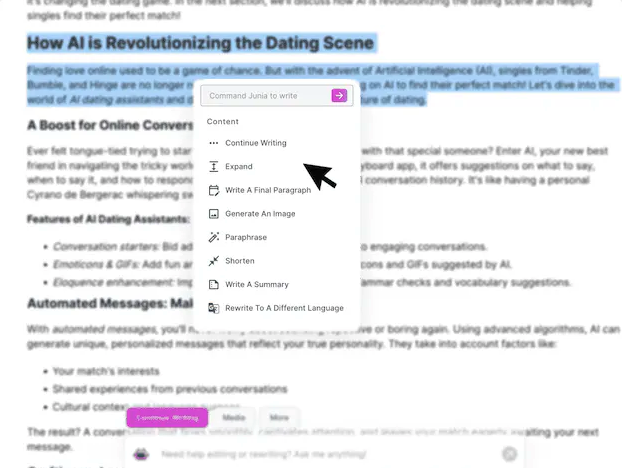
Junia AI stands out because it combines editing help with content optimization. Instead of only correcting grammar, it helps you shape drafts for readability, search performance, and on-page structure.
In my experience, this is where many general editing tools fall short. They can polish a paragraph, but they rarely help you decide whether that paragraph belongs, supports the search intent, or needs a stronger internal link.
Here are the features that matter most:
- Contextual understanding: Suggestions take the surrounding paragraph into account, which makes rewrites feel less robotic.
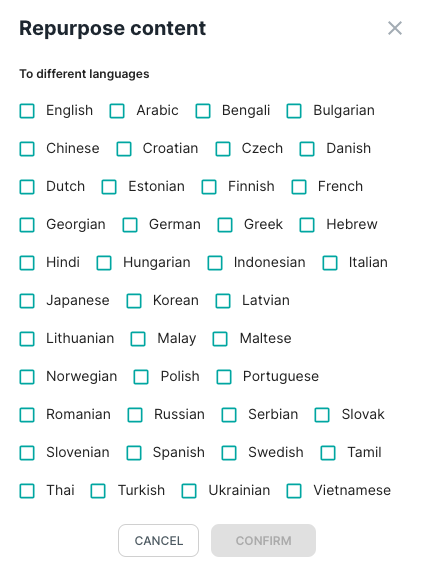
- Multilingual support: You can work across 30+ languages without switching between separate tools.
- Rich text editing: Formatting, expansion, and cleanup happen in the same editor, which is useful for long-form content workflows.
- Real-time SEO optimization: You get keyword and readability guidance while drafting, which pairs well with a broader strategy for choosing AI writing tools for SEO.
- Built-in internal linking: The editor can suggest relevant internal links, which helps strengthen topic clusters and site navigation.
- Structured data support: Adding AI-assisted structured data can make pages easier for search engines to interpret.
How Junia AI's Text Editor Benefits You
A strong AI text editor should reduce editing friction without flattening your voice. Junia AI does that especially well for teams handling long-form content.
Key benefits include:
- Cleaner long-form drafts: It helps fix awkward phrasing, weak transitions, and repetitive sections faster.
- More efficient optimization: You can improve structure and readability without jumping between separate SEO and editing tools.
- Better workflow continuity: Drafting, formatting, and cleanup happen in one place, which is easier to manage at scale.
- Broader audience reach: Multilingual support helps teams localize or adapt content more easily.
Is Junia AI's Text Editor Right for You?
Junia AI's Text Editor is a strong choice for marketers, content teams, and publishers who need more than basic proofreading.
Pros:
- Strong for SEO-focused editing
- Helpful contextual suggestions
- Useful for long-form workflows and internal linking
Cons:
- May be more tool than casual users need
- Subscription cost may not suit every budget
My Experience with Junia AI's Text Editor
What stands out most is that the editor is built for content improvement, not just error correction. I like it most for drafts that are structurally close but still need tighter flow, clearer language, and better search-focused refinement.
The difference is especially noticeable on long articles. A basic proofreader can fix surface issues, but Junia is more useful when I need to ask, “Does this section actually help the page rank and read better?”
Who Should Consider Using Junia AI's Text Editor?
This tool makes the most sense for people working on:
- blog posts and long-form articles
- SEO content updates
- landing pages and website copy
- broader publishing workflows where editing and optimization overlap
If that is your use case, Junia AI is one of the strongest AI text editors in this category.
2. Grammarly's AI Content Editor
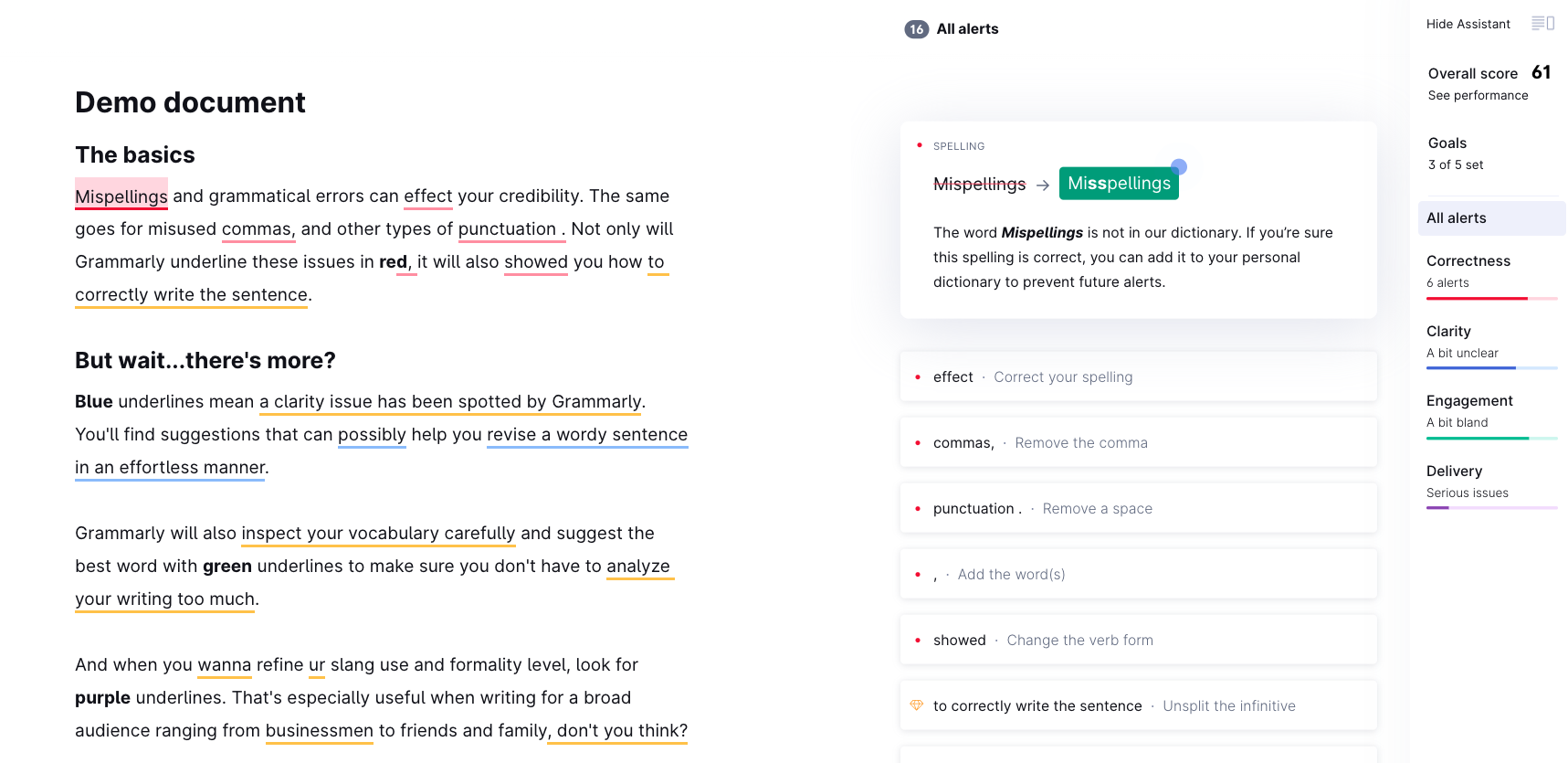
Grammarly is still one of the easiest AI text editors to recommend if your main goal is cleaner everyday writing.
It is not as SEO-focused as Junia AI, and it is not as specialized as academic tools like Isaac Editor. What it does very well is give fast, accessible feedback across email, docs, browser writing, and team communication.
Overview and Features
Grammarly works best as a day-to-day editing layer. Its strongest features include:
- Grammar and spelling correction for quick cleanup
- Clarity suggestions that shorten or simplify awkward phrasing
- Tone and readability feedback for more polished messaging
- Cross-platform support through browser and app integrations
That combination makes it useful for users who write in many places and want consistent feedback without changing tools.
Suitability for Personal and Casual Writing
One reason Grammarly remains popular is that it works for both low-stakes and professional writing.
You can use it for email, docs, notes, or social posts without needing a complex setup. That makes it especially practical for freelancers, students, and knowledge workers who want cleaner writing with minimal friction.
Pros and Cons
Pros:
- Fast, familiar, and easy to use
- Helpful across many apps and websites
- Strong for general proofreading and sentence cleanup
Cons:
- Premium features are where much of the value lives
- Suggestions can sometimes overcorrect or flatten intent
- Less useful than SEO-first tools for search-driven content work
Recommendation
Use Grammarly as a fast editing assistant, not as an autopilot.
The suggestions are most useful when you review them selectively instead of accepting everything. I usually treat Grammarly as a second set of eyes for small mistakes and clunky phrasing, not as the final editor of a serious draft.
If your bottleneck is grammar, clarity, and everyday editing speed, Grammarly is still one of the strongest options in this category.
3. Microsoft Editor
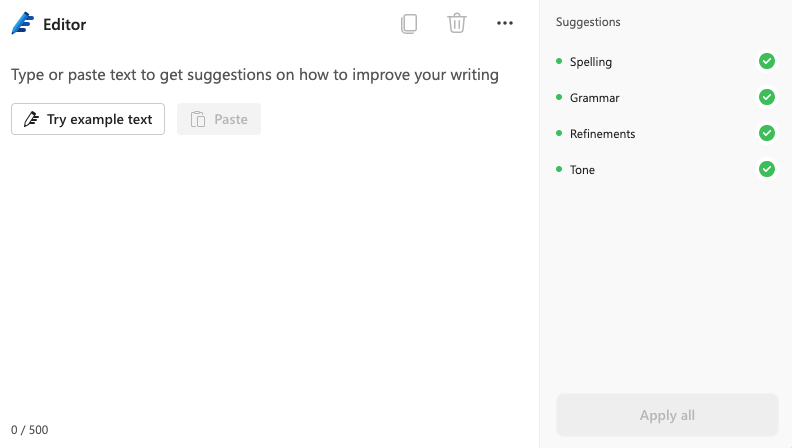
Microsoft Editor is a practical choice if you already write inside Word, Outlook, or the Microsoft 365 ecosystem. It is not the most exciting editor on this list, but that is part of the point: it is built for steady business and academic writing where clarity, consistency, and professionalism matter more than creative rewrites.
Features and Integration Options of Microsoft Editor
The biggest advantage is convenience. If you're writing an email in Outlook, preparing a report in Word, or cleaning up a short LinkedIn post, Microsoft Editor is already close to the work.
It also works beyond Microsoft products, including platforms like Gmail and Google Docs. That flexibility matters if you move between apps throughout the day and want the same editing layer following you around.
The most useful features are:
- Spelling and grammar checks: Catches common mistakes before they make it into emails, reports, or shared documents.
- Writing style suggestions: Flags passive voice, wordiness, clichés, and awkward sentence structure.
- Refinement options: Lets you decide which writing issues deserve the most attention.
- Language support: Supports more than 20 languages, which is useful for global teams and multilingual workflows.
Suitability of Microsoft Editor for Business and Academic Writing
Business writing needs precision. Academic writing needs discipline. Microsoft Editor is useful because it nudges both kinds of writing toward cleaner, more controlled language.
Its spelling and grammar checks handle the obvious cleanup, while the style suggestions help reduce filler, repetition, and unclear phrasing. Those issues are easy to miss when you have read the same document too many times.
For academic work, the refinement settings become more important. You can tune the tool toward the issues that matter most for formal writing, which makes it more useful than a simple spell checker.
Customizable Refinement Options Offered by Microsoft Editor
Microsoft Editor gives you more control than many lightweight proofreading tools. You can decide whether to emphasize concision, formality, inclusiveness, punctuation, vocabulary, or other refinement areas.
I find this especially useful for repetitive habits. If you know you overuse passive voice or write sentences that run too long, you can make those checks more visible and turn the editor into a targeted cleanup tool.
Comparative Analysis, Pros and Cons
Microsoft Editor's edge is not depth. It is integration. It works best for people who want consistent editing support inside tools they already use.
The tradeoff is that some of the stronger features require a subscription, and it will not replace a full SEO or long-form content editor.
Pros:
- Seamless integration with multiple platforms
- Customizable refinement options
- Supports more than 20 languages
Cons:
- Advanced features require a subscription
- Limited offline capabilities
- Not built for SEO content strategy or deep long-form editing
Personal Experience and Recommendations on Using Microsoft Editor Effectively
I like Microsoft Editor most for routine professional writing: emails, internal docs, meeting notes, and formal drafts that need a cleaner finish. It is good at catching small issues that become invisible after you have been staring at a document for too long.
To get more value from it, spend a few minutes adjusting the refinement settings instead of leaving everything on default. That small setup step makes the suggestions feel more relevant.
Choose Microsoft Editor if your writing lives inside Microsoft 365 and your main goal is cleaner, more professional communication. I would not reach for it when the draft needs strategic reshaping, but for steady workplace writing it does the quiet cleanup well.
Choose something more specialized if you need SEO guidance, citation-heavy research workflows, or full-draft content optimization.
4. Isaac Editor
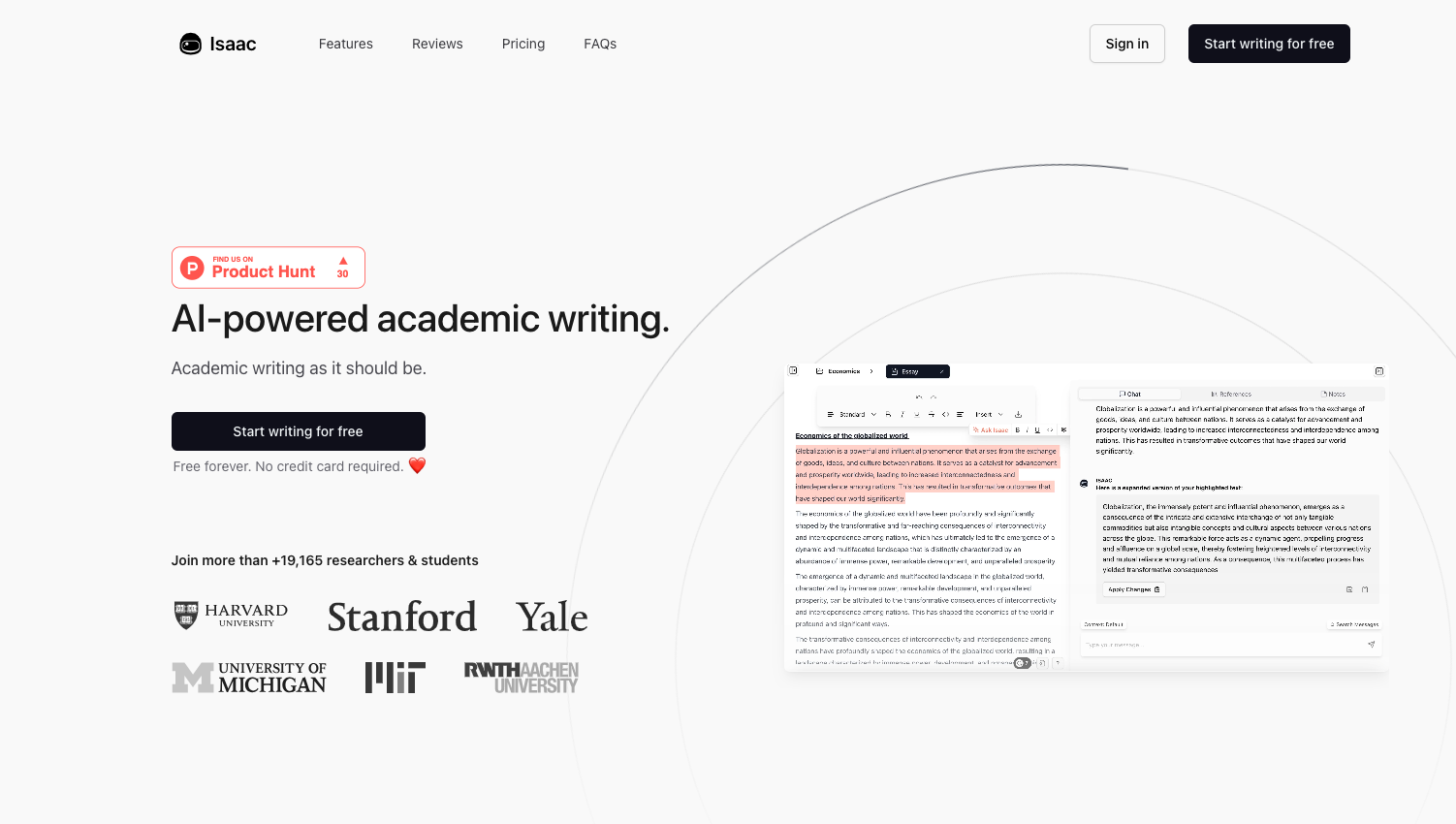
Isaac Editor is built specifically for academic writing. That focus makes it a better fit for researchers, students, and scholars than for marketers or casual writers.
How Isaac Editor Enhances Academic Writing
Isaac Editor helps with the parts of academic writing that tend to slow people down: structure, clarity, references, formatting, and revision. It is less about making prose sound flashy and more about helping a draft meet academic expectations.
That is the right priority. In academic writing, a smoother sentence is useful only if the argument, citation, and structure still hold up.
Unique Features of Isaac Editor for Academic Writers
The features that matter most are:
- AI-powered proofreading: Helps catch grammar, typo, and sentence-structure issues during revision.
- Reference management: Formats citations in styles such as APA, MLA, and Chicago, reducing the time spent checking small citation rules.
- Plagiarism checks: Helps academic writers spot originality risks before submission.
- Document templates: Offers templates for research papers, dissertations, essays, and other academic documents.
Pros and Cons of Using Isaac Editor
Isaac Editor is strongest when the writing task has academic rules attached. For a regular blog post or marketing draft, it may feel too narrow.
Pros:
- Focused feature set for academic writing
- Easier reference management
- Built-in plagiarism support
- Templates for common academic formats
Cons:
- Learning curve for first-time users
- Subscription cost may not work for every student or researcher
- Less useful for SEO, marketing, or creative writing
Tips for Using Isaac Editor Effectively
Use Isaac Editor throughout the drafting process, not only at the end. I would especially use the proofreading and reference-management features while building the draft, because citation mistakes are much easier to prevent than fix in a rushed final pass.
My opinion here is simple: academic tools are most valuable before the document gets messy. Waiting until the last hour turns citation support into damage control.
Beyond Academic Writing: Who Can Benefit from Isaac Editor?
Isaac Editor can also work for detail-heavy writing outside academia. Technical writers, educational content developers, and policy teams may benefit from the structure and citation support.
Standing Out in the Landscape of AI Text Editors
Compared with broader AI text editors, Isaac Editor wins by staying narrow. That makes it less flexible, but more credible for writers who need academic support rather than general sentence polishing.
5. Asterix Writer
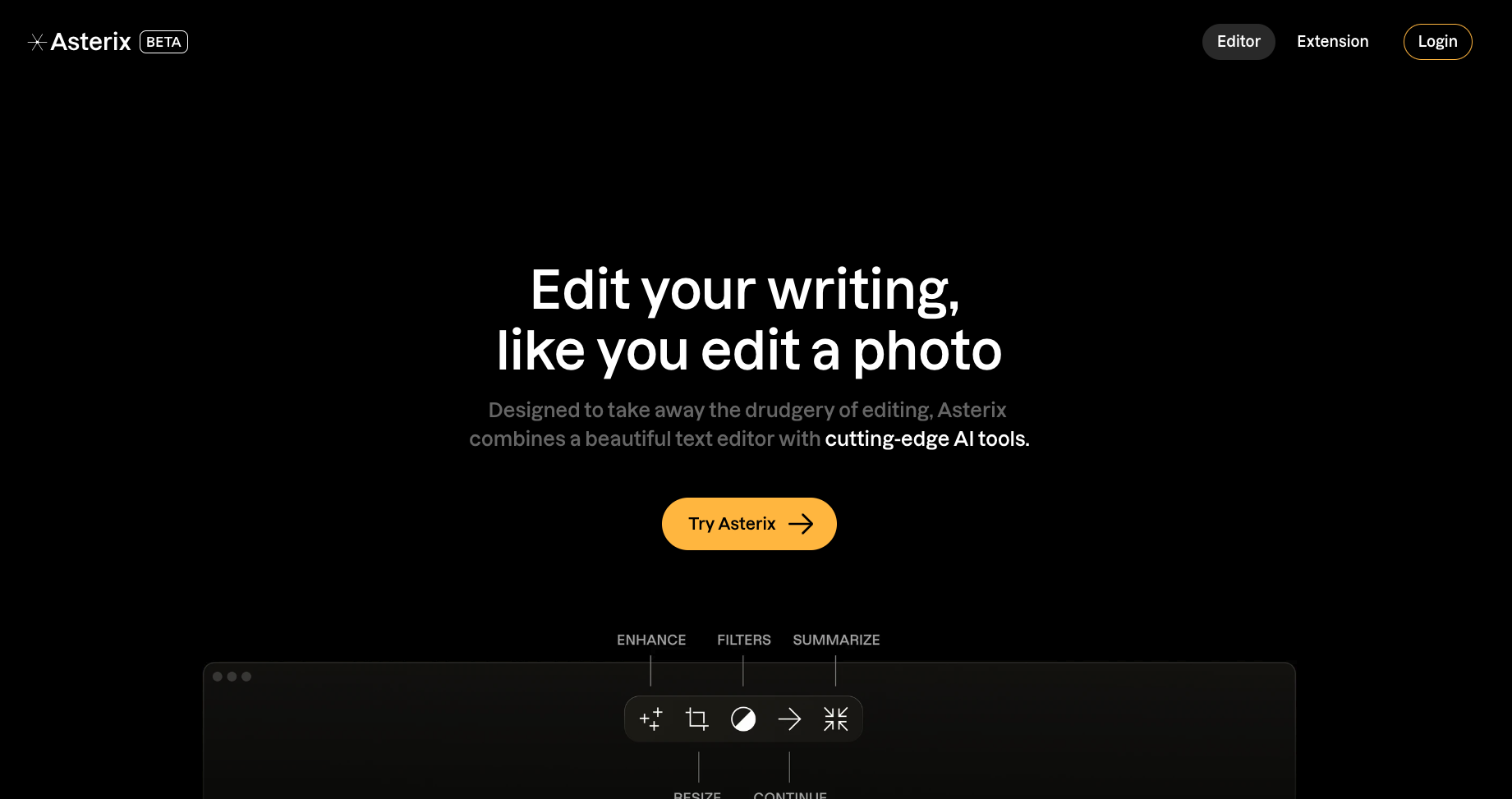
Asterix Writer is best understood as a lightweight editing and formatting assistant. Its strongest use cases are summarization, paragraph cleanup, tone changes, and simple document refinement.
Features Offered by Asterix Writer
- Automatic summarization: Condenses long text into shorter summaries without forcing you to rebuild the whole document.
- Paragraph formatting: Helps organize loose ideas into a more readable structure.
- Tone changes: Adjusts formality depending on whether you are writing business copy, casual content, or something in between.
- Design editing: Adds light support for editing photos and designs inside the same workspace.
The appeal is convenience. Asterix Writer is not trying to be the deepest editor in the list, but it can help when a document needs to be shorter, neater, and easier to scan.
Use Cases for Automatic Summarization and Paragraph Formatting
Asterix Writer is most useful when a draft has too much material and not enough shape. For example:
- Research papers: The automatic summarization can turn long findings into a cleaner abstract or overview.
- Business reports: Paragraph formatting can break dense updates into sections that readers can scan quickly.
Enhancing Photos and Designs with Asterix Writer
The design-editing angle is useful if you regularly combine text and visual materials. I would not choose Asterix Writer only for design work, but having light visual editing beside text cleanup can reduce tool switching for simple content tasks.
Recommendations on Using the Tool Effectively
To get the most from Asterix Writer, use it for specific cleanup jobs:
- Use automatic summarization when a document is too long for the reader's needs.
- Use paragraph formatting when a draft has useful ideas but weak structure.
- Test tone changes when the audience or channel changes.
- Use design editing for simple content assets, not complex design production.
The limitation is clear: Asterix Writer is more of a formatting and summarization helper than a full editorial system. If you need strategic SEO editing, deep rewriting, or detailed research support, another tool will probably fit better.
Pros:
- Useful summarization and formatting features
- Supports both text and light design editing
- Practical for dense documents that need cleanup
Cons:
- Not suited to every writing workflow
- May take time to learn all features
- Beta status means some rough edges are possible
My take: Asterix Writer is worth considering if your biggest problem is turning long, messy material into something shorter and better organized. I would not put it ahead of Junia AI for SEO content or Grammarly for everyday proofreading, but it has a useful lane.
Use Asterix Writer when summarization and formatting are the job. Skip it if you need a more complete editing, research, or optimization workflow.
6. Jenni AI's AI Content Editor
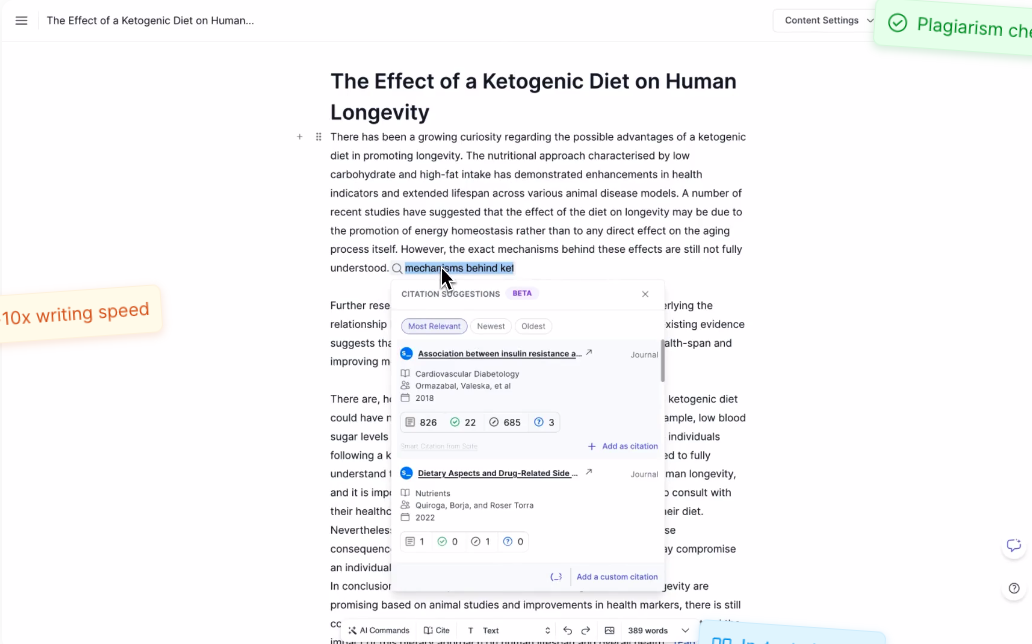
When you're working on research-heavy writing, the editor needs to do more than improve sentences. It also has to help you manage sources, citations, and claims. That is where Jenni AI's AI Content Editor fits best.
Features and Capabilities
Jenni AI is built around research writing support. Its useful capabilities include:
- Generating factual citations automatically while you type, so you don’t have to keep stopping
- Making the content editing process smoother with AI-assisted drafting and revision
- Giving you real-time feedback on your writing as you go
- Improving the overall quality of your text by finding and fixing grammatical errors
Stand-Out Qualities
Jenni AI's main advantage is citation-aware writing support. Automatic citation generation is useful for researchers and serious writers because it keeps the drafting process moving without pushing source management completely to the end.
The real-time feedback is also helpful, especially when a draft needs clearer phrasing without losing the academic or research-driven tone. The key is to keep checking the substance yourself. Citation tools can help, but they should not replace source review.
Comparative Analysis: Pros and Cons
Jenni AI is strong for research writing, but it is not the broadest editor on this list.
Pros:
- Efficient citation generation
- Real-time feedback mechanism
- Context-aware assistance
Cons:
- May require a learning curve for first-time users
- Limited features outside research-focused editing
- Citations can still require manual verification
That last point matters. I would never treat automatically generated citations as publication-ready without checking them. I have seen citation helpers save time, but the moment they invent confidence around a weak source, the writer still owns the problem.
Personal Experience and Recommendations
I would use Jenni AI when the draft depends on sources and citations, not when the job is simply to make copy sound smoother. Its citation workflow can save time, but the best results still come from reviewing every source and keeping control of the argument.
Start with shorter drafts until you understand how the suggestions behave. Then move into longer research pieces where the citation and real-time feedback features can actually carry more weight.
Jenni AI is especially useful for academic writing, research-heavy articles, and any content workflow where references need to stay organized from the start.
7. WordTune's AI Content Editor
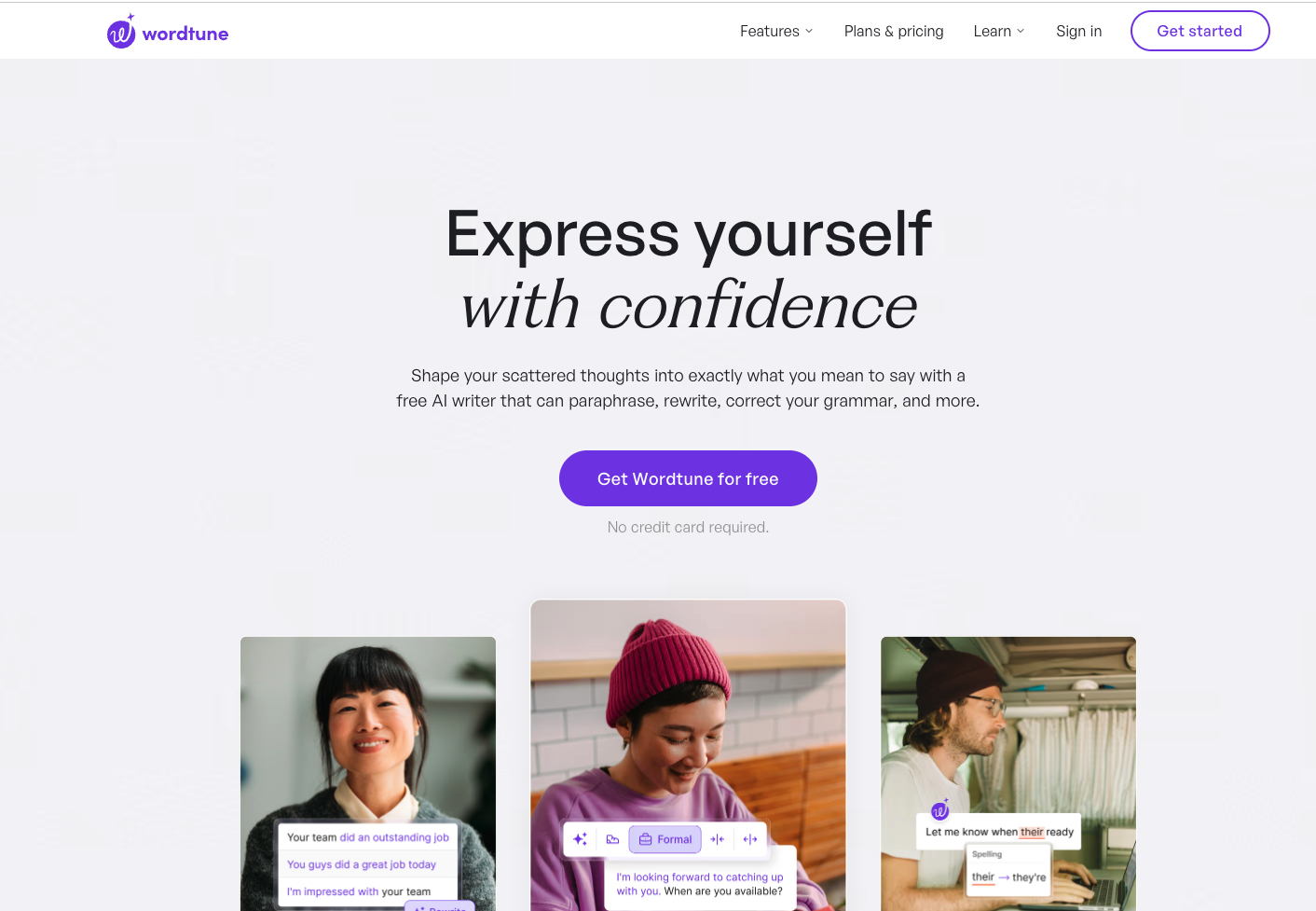
WordTune is a strong option when your draft already says roughly what you mean, but the phrasing feels flat, awkward, or repetitive.
Instead of acting like a full content workflow, it focuses more narrowly on sentence-level rewriting. That makes it useful for polishing emails, intros, transitions, and shorter sections that need a cleaner read.
What Makes WordTune Stand Out?
Its strongest features are straightforward:
- Context-aware rewrites that offer alternate phrasings
- Sentence simplification when a draft feels too dense
- Vocabulary variation to reduce repetition
- Tone adjustments for slightly different levels of formality or directness
A Personalized Writing Experience
WordTune works best when you use it selectively.
It is helpful for exploring better phrasing, but the strongest results usually come from treating its suggestions as options rather than final answers. I find it most useful when I already know what a sentence should do but want three or four cleaner ways to say it. That is especially true if you want to preserve your own voice instead of smoothing everything into the same generic style.
If sentence rewriting is your main bottleneck, WordTune is one of the better tools here. If you need broader help with structure, SEO, or long-form editing, a more full-featured platform will make more sense.
How I actually choose an AI text editor
The best AI text editor depends on the kind of writing you do most, not on who has the longest suggestion list.
A grammar tool is not an editor. Catching commas is useful. It does not tell you the section is in the wrong order, the claim is unsourced, or the intro could sit on anyone else's blog.
That distinction is the whole job. Proofreading is cleanup. Editing is judgment: what to cut, what to prove, and what to leave in your own voice.
Google's walkthrough of creating useful content is a good reminder of that standard. I would watch it as an editing checklist, not as a tool roundup:
Google: Creating useful, people-first content
- For SEO and long-form content: Junia AI is the strongest fit if you want editing help inside a workflow that also supports optimization and internal linking.
- For proofreading and everyday writing: Grammarly is still one of the easiest tools to recommend, especially if you want fast feedback across email, docs, and browser-based writing. If you want a deeper breakdown, read our Grammarly expert review.
- For business and academic writing: Microsoft Editor is a practical choice if you already work inside Microsoft 365.
- For citation-heavy research writing: Isaac Editor and Jenni AI are more specialized options.
- For sentence rewrites and phrasing: WordTune is useful when your draft is clear but needs smoother wording.
If your choice is specifically between editing, proofreading, and rewriting, this comparison of an AI text editor vs grammar checker vs paraphraser explains which tool fits each job.
The main thing is to choose the tool that removes your biggest editing bottleneck. Some users only need better proofreading. Others need help with structure, internal links, and long-form cleanup. Personally, I would rather use a narrower tool that solves the real bottleneck than a feature-heavy editor that adds more decisions. The right editor is the one that makes your next draft meaningfully easier to publish.