
Traffic Tanked After a Google Update? Here’s the Recovery Triage

Thu
AI SEO Specialist, Full Stack Developer

If your organic traffic dropped right after a Google update, do not start deleting posts, changing every title, or disavowing links on day one.
Start with diagnosis.
Google says a Search traffic drop can come from several causes: an algorithmic update, a technical issue, a security issue, a spam/manual action, seasonality, changing search demand, a reporting anomaly, or a migration problem. Its own guidance is pretty clear: use Search Console and Google Trends first, then look for patterns before you make changes.
So the recovery plan is not “write more content” or “build more backlinks.” It is:
- Confirm the drop is real.
- Identify what type of drop it is.
- Find the pages and queries that lost the most visibility.
- Compare them against what now ranks.
- Fix the highest-impact problems first.
- Track changes long enough for Google to recrawl and reassess the site.
That sounds slower than panic-fixing, but it is usually faster in practice because you stop wasting weeks on guesses.
First, Confirm What Actually Dropped
| Triage step | Do | Don’t |
|---|---|---|
| Confirm the drop | Segment by page type in GSC | Panic-edit everything |
| Wait for rollout | Note update windows | Change strategy mid-update |
| Pattern hunt | Compare winners vs losers | Assume one magic tweak |
Recovery is pattern-matching, not random publishing. Fix the pages that match the new winners’ substance.
Does Google see automatically generated content as a bad thing?
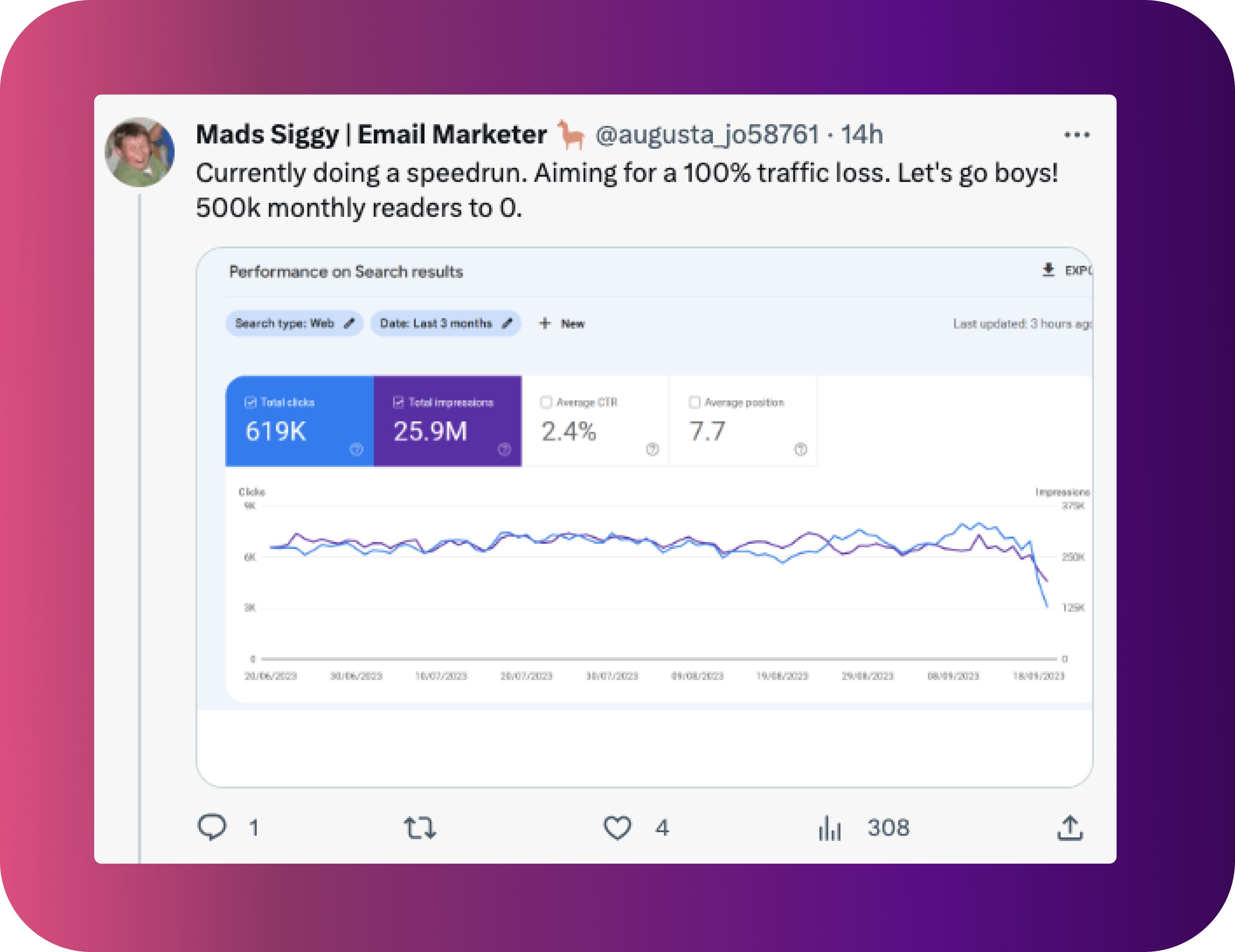
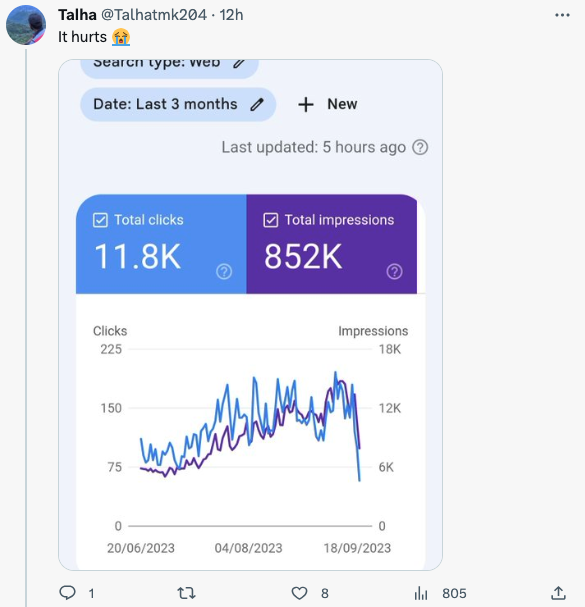
A sudden traffic drop feels personal, but the chart needs to be read coldly.
Open Google Search Console and check:
| What to check | Why it matters | What it usually means |
|---|---|---|
| Clicks dropped, impressions stayed stable | Your pages may still show up, but fewer people click | Title, snippet, SERP features, or stronger competitors |
| Clicks and impressions both dropped | Visibility changed | Ranking loss, indexing issue, demand shift, or algorithmic reassessment |
| Average position dropped a little | Normal ranking movement | Usually not worth drastic action |
| Average position dropped heavily across many queries | Real visibility loss | Needs deeper page and site-level review |
| Only one page or folder dropped | Localized issue | Content, intent, indexing, or template problem |
| The whole site dropped | Broader issue | Algorithmic, technical, security, spam, migration, or site quality signal |
Google recommends using the Performance report, comparing date ranges, checking different search types, and looking for affected pages and queries. If the change lines up with a confirmed update, check the Google Search ranking updates dashboard, but do not assume the update is the only cause.
Also check whether the drop happened in Web Search, Images, Video, Discover, or News. A site can lose Discover traffic while regular organic search is mostly stable. Treat those as separate problems.
Manual Action, Algorithmic Drop, or Something Else?
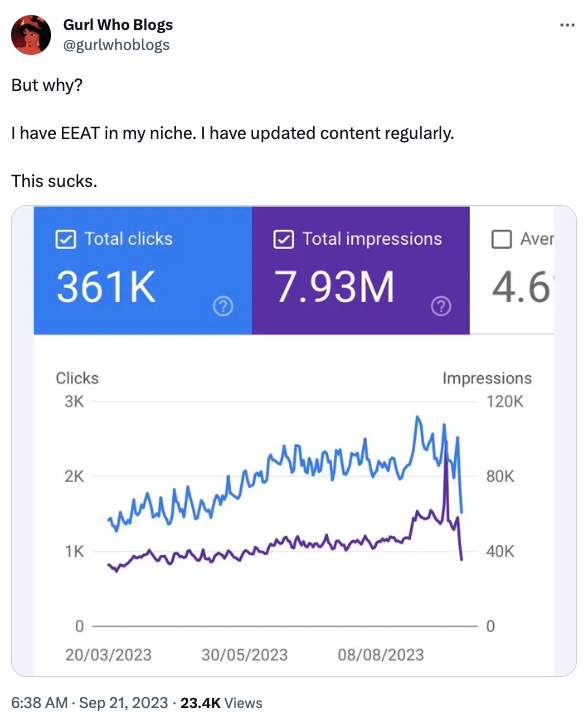
Not every post-update drop is a penalty.
This distinction matters because the recovery path is different:
| Cause | Where to check | What to do first |
|---|---|---|
| Manual action | Search Console > Manual Actions | Fix the violation, document the cleanup, submit reconsideration |
| Security issue | Search Console > Security Issues | Remove malware/phishing issue, validate the fix |
| Technical/indexing issue | Page Indexing report, URL Inspection, server logs | Fix crawl blocks, noindex mistakes, canonicals, redirects, 404s, server errors |
| Algorithmic update | Search Console + Google update dates | Compare affected pages against current ranking pages and improve the site meaningfully |
| Search demand change | Google Trends + query data | Adjust content to current demand or accept seasonal decline |
| SERP layout change | Manual SERP review | Improve titles/snippets, add structured data where relevant, target adjacent queries |
If Search Console shows a manual action, handle that first. If there is no manual action, stop calling it a penalty. You may still have lost rankings, but Google’s broad core update guidance says core updates do not target specific pages or sites. They reassess content across the web as search expectations and competing pages change.
That is frustrating, but it also gives you a more useful recovery question:
What does Google now appear to prefer for the queries we lost, and where are our pages weaker than the pages that replaced them?
Wait Until the Update Finishes Before Making Big Calls
During a core update rollout, rankings can bounce around. Google recommends confirming the update has finished and then waiting at least a full week before doing serious Search Console analysis.
That does not mean you sit still if you find a broken noindex tag or a server problem. Fix obvious technical failures immediately.
But for content strategy, wait for cleaner data.
Use this timeline:
| Timing | What to do |
|---|---|
| During rollout | Monitor, document, fix obvious technical/security issues only |
| 1 week after rollout ends | Compare affected week vs. the week before the update started |
| 2-4 weeks after rollout | Identify page, query, folder, template, and device patterns |
| 1-3 months after fixes | Track whether changes are being crawled, indexed, and reflected in rankings |
| Several months later | Reassess if recovery is slow; Google says some improvements can take months |
This is one of the hardest parts of recovery. You want movement now. But a messy analysis often creates a messy recovery plan.
Find the Pattern Behind the Drop
A good recovery audit is not just a list of “bad pages.” It is a pattern hunt.
Export the pages with the largest click and impression losses. Then tag them by type:
- Blog posts
- Programmatic pages
- Product or category pages
- Affiliate pages
- Old news posts
- Thin glossary pages
- AI-generated pages
- Pages with outdated statistics
- Pages with weak author or source signals
- Pages that rely heavily on embeds, quotes, or summaries of other sources
Then look at the queries that dropped. Did you lose commercial queries, informational queries, branded queries, long-tail queries, or image traffic?
This is where many sites make a mistake. They see “Google update” and start rewriting everything. But a post-update drop can be narrow. Maybe only review pages fell. Maybe only an old subfolder fell. Maybe pages with outdated titles lost clicks while rankings barely moved.
Your recovery plan should match the pattern, not the fear.
Compare Your Pages Against the New Winners
Open the current top-ranking pages for your lost queries and ask practical questions:
- Do they answer the query faster?
- Are they more recent?
- Do they show first-hand experience?
- Do they include original examples, data, screenshots, or templates?
- Are they better organized?
- Are they more focused on one search intent?
- Do they have stronger internal links from relevant pages?
- Do they cite primary sources?
- Do they make the next step clearer?
This is not about copying competitors. It is about understanding what the SERP now rewards.
For example, if the new ranking pages are mostly checklists, your essay-style explainer may be too slow. If the winners include specific product testing, your generic roundup may look weak. If they have updated 2025/2026 data and your page still cites old examples, freshness may be part of the problem.
Fix Content That Can Actually Be Saved
Google’s core update guidance specifically warns against quick fixes and says deleting content should be a last resort. That advice matters.
Plenty of sites hurt themselves by pruning too aggressively. A page with low traffic is not automatically low quality. It may support a topic cluster, earn links, satisfy a narrow query, or help users who arrive from another page.
Use this decision table:
| Page situation | Best action |
|---|---|
| Useful page, outdated details | Refresh facts, examples, screenshots, titles, and internal links |
| Good topic, weak execution | Rewrite around search intent and add missing proof |
| Duplicate or overlapping pages | Merge into the strongest URL and redirect where appropriate |
| Thin page with no unique purpose | Consolidate, noindex, or remove if it cannot be salvaged |
| Page blocked by technical issue | Fix indexing/crawling before rewriting |
| Old news page with historical value | Keep if it serves users; avoid deleting just because it is short |
When rewriting, improve the substance first:
- Add original explanation, not just more words.
- Use current examples and screenshots where they help.
- Clarify who wrote or reviewed the content.
- Cite primary sources for claims that need support.
- Remove filler intros and repeated advice.
- Make the answer visible early.
- Improve headings so readers can scan the page.
Google’s helpful content guidance asks whether content provides original information, a complete description of the topic, and insight beyond the obvious. That is a better editing standard than “add 500 words.”
Strengthen E-E-A-T Without Turning the Page Into a Resume
E-E-A-T is often explained badly.
Google says E-E-A-T itself is not a single ranking factor, but its systems use many signals to identify content that seems helpful and trustworthy. Trust is the most important part.
For a recovery project, that means you should make trust easier to see:
- Add clear author names and bios where readers expect them.
- Show first-hand experience when the page depends on it.
- Cite original sources instead of repeating second-hand claims.
- Update old screenshots, examples, and tool details.
- Add review notes for YMYL topics where accuracy matters more.
- Remove fake expertise, inflated claims, and unsupported certainty.
Do not add an author bio box and call the page fixed. Trust has to show up in the actual content.
Rebuild Internal Links Around the Pages You Want to Recover
Internal linking is one of the most practical recovery levers because it helps both users and search engines understand which pages matter.
Start with your affected pages and ask:
- Which stronger pages should link to this page?
- Which related pages should this page link to?
- Is the anchor text specific enough to explain the relationship?
- Are important pages buried too deep in the site?
- Are there orphan pages that still deserve to be indexed?
For Junia users, this is where an AI internal linking tool can speed up the audit. You still need editorial judgment, but automation can surface relevant link opportunities you might miss manually.
If you are rebuilding a topic after a traffic drop, use clusters instead of isolated posts. For example, a recovery cluster might include:
- A main SEO recovery guide
- A technical SEO checklist
- A guide to SEO best practices
- A guide to why your SEO is not working
- A guide to E-E-A-T principles
- A guide on whether search engine-first content still works
- A link building guide if authority is the issue
- A readability guide if user experience and content clarity are weak
That cluster is more useful than one giant post trying to cover everything.
Check Indexing, Crawling, and Page Experience
Content changes will not help much if Google cannot crawl, index, or serve the page properly.
Before you spend weeks rewriting, check:
- Accidental
noindextags - Canonicals pointing to the wrong URL
- Robots.txt blocks
- Broken redirects
- 404s on important URLs
- Duplicate title tags
- Slow templates
- Mobile layout issues
- Pages excluded from the sitemap
- Crawl spikes or drops in server logs
If a page was updated and should be re-evaluated, use an indexing workflow carefully. Junia’s indexer can help submit priority URLs, but indexing tools are not a substitute for fixing weak content or blocked crawling.
Improve Titles and Meta Descriptions When Clicks Dropped More Than Rankings
Sometimes the ranking loss is not the main problem. Your page may still rank, but the SERP changed around it.
Maybe a featured snippet appeared. Maybe competitors now have fresher titles. Maybe your title sounds generic next to pages with clearer promises.
If impressions stayed stable but clicks dropped, review:
- Meta title clarity
- Meta description usefulness
- Date freshness where relevant
- Search intent match
- Whether the page answers the query in the first screen
- Structured data opportunities
Useful resources:
Do not over-optimize titles into keyword soup. A good title should make the page’s value obvious.
Use Backlinks Carefully, Not Desperately
Backlinks still matter, but link panic creates bad decisions.
If competitors now outrank you and they have stronger authority, you may need better links. But start by separating three questions:
| Question | What it tells you |
|---|---|
| Did we lose links to affected pages? | Lost authority may explain ranking drops |
| Do competitors have stronger page-level links? | You may need digital PR or better linkable assets |
| Are we relying on weak internal links only? | Internal authority flow may be part of the issue |
If links are genuinely part of the gap, build assets worth citing: original data, templates, calculators, benchmarks, expert commentary, or genuinely useful guides. Junia’s link building guide is a better starting point than chasing random guest posts.
And if your site has little authority, read this alongside the recovery work: how to approach SEO without backlinks.
Use AI to Speed Up Recovery, But Keep a Human Editor in Charge
AI can help with recovery, but it should not be used to mass-produce replacement content without review.
The useful jobs are more specific:
- Summarizing Search Console exports
- Grouping lost pages by topic or intent
- Finding internal link opportunities
- Creating content briefs from SERP gaps
- Improving readability
- Drafting better title and meta description options
- Turning dense paragraphs into tables or checklists
Junia AI is useful here because it is built around SEO workflows, not just generic text generation. You can use Junia AI for recovery briefs, content refreshes, keyword research, SEO improvement, and page-level optimization. If you are using AI heavily during the refresh, this guide on adding a human touch to AI-generated content is worth pairing with a broader review of AI article writers.
But the final decision still needs a human editor. The editor should check facts, remove filler, add first-hand detail, and make sure every section helps the reader do the job they came to do.
A 7-Day Google Update Recovery Plan
Here is a practical first-week plan you can use before turning the work into a longer SEO roadmap.
| Day | Focus | Output |
|---|---|---|
| Day 1 | Confirm the drop | Search Console export, update date notes, affected search type |
| Day 2 | Rule out emergencies | Manual action, security, indexing, crawl, redirect, and noindex checks |
| Day 3 | Segment affected pages | Lost pages grouped by folder, topic, template, content type, and query intent |
| Day 4 | Review current SERPs | Notes on what replaced you and what those pages do better |
| Day 5 | Prioritize fixes | Top 10-30 pages ranked by traffic value, business value, and fixability |
| Day 6 | Update the first batch | Refresh content, links, titles, sources, examples, and technical issues |
| Day 7 | Set monitoring | Change log, rank tracking, Search Console annotations, next 30-day plan |
The key is to keep a change log. If you update 80 pages, change templates, delete tags, rewrite titles, and alter internal links in the same week without notes, you will not know what helped.
What Not to Do After a Google Update

Avoid these moves unless your data clearly supports them:
- Deleting entire categories because someone said topical focus matters
- Noindexing old posts only because they have low traffic
- Rewriting every page with the same “helpful content” template
- Disavowing links without evidence of a link spam problem
- Changing URL structures during an active ranking drop
- Publishing a large batch of generic AI content to “make up” lost traffic
- Ignoring technical SEO because the timing looks algorithmic
- Chasing every rumor from social media before checking your own data
Some sites do need deep pruning, major rewrites, or a narrower focus. But those are expensive moves. Make them after analysis, not as a reflex.
How Long Does Recovery Take?
There is no guaranteed recovery timeline.
Google says some improvements can affect Search in a few days, while others may take several months as its systems learn whether the site is producing helpful, reliable content over time. It also says there is no guarantee that changes will produce a noticeable impact if other content is more deserving.
That sounds blunt, but it is useful. Recovery is not just about reversing one update. It is about making your pages more useful than the pages now ranking above you.
Track leading indicators while you wait:
- Googlebot recrawls updated URLs
- More affected pages return to the index
- Impressions stabilize
- Average positions improve for long-tail queries
- Internal links drive more engagement
- Updated pages earn new links or mentions
- Titles improve click-through rate
Traffic is the final result. These earlier signals tell you whether the recovery work is starting to move in the right direction.
The Bottom Line
Recovering from a Google algorithm update is not one magic fix. It is a disciplined audit followed by targeted improvements.
Start with Search Console. Separate manual actions, technical problems, demand shifts, and algorithmic movement. Then rebuild the pages that still deserve to rank: clearer answers, better evidence, stronger internal links, cleaner technical signals, and more obvious trust.
If you use AI, use it to speed up the boring parts and sharpen the editorial work. Do not use it to replace judgment.
The sites that recover are usually not the ones that react fastest. They are the ones that diagnose the drop honestly, improve what matters, and keep enough discipline to measure the results.