
Free Dating App Message Generator
Create personalized dating app messages that feel natural, confident, and conversation-friendly. Generate first messages, witty replies, flirty follow-ups, and casual date invites tailored to your tone and the other person’s profile.
Generated Messages
Your dating app messages will appear here...
How the AI Dating App Message Generator Works
Get results in seconds with a simple workflow.
Add Profile Details (Optional, but Helps)
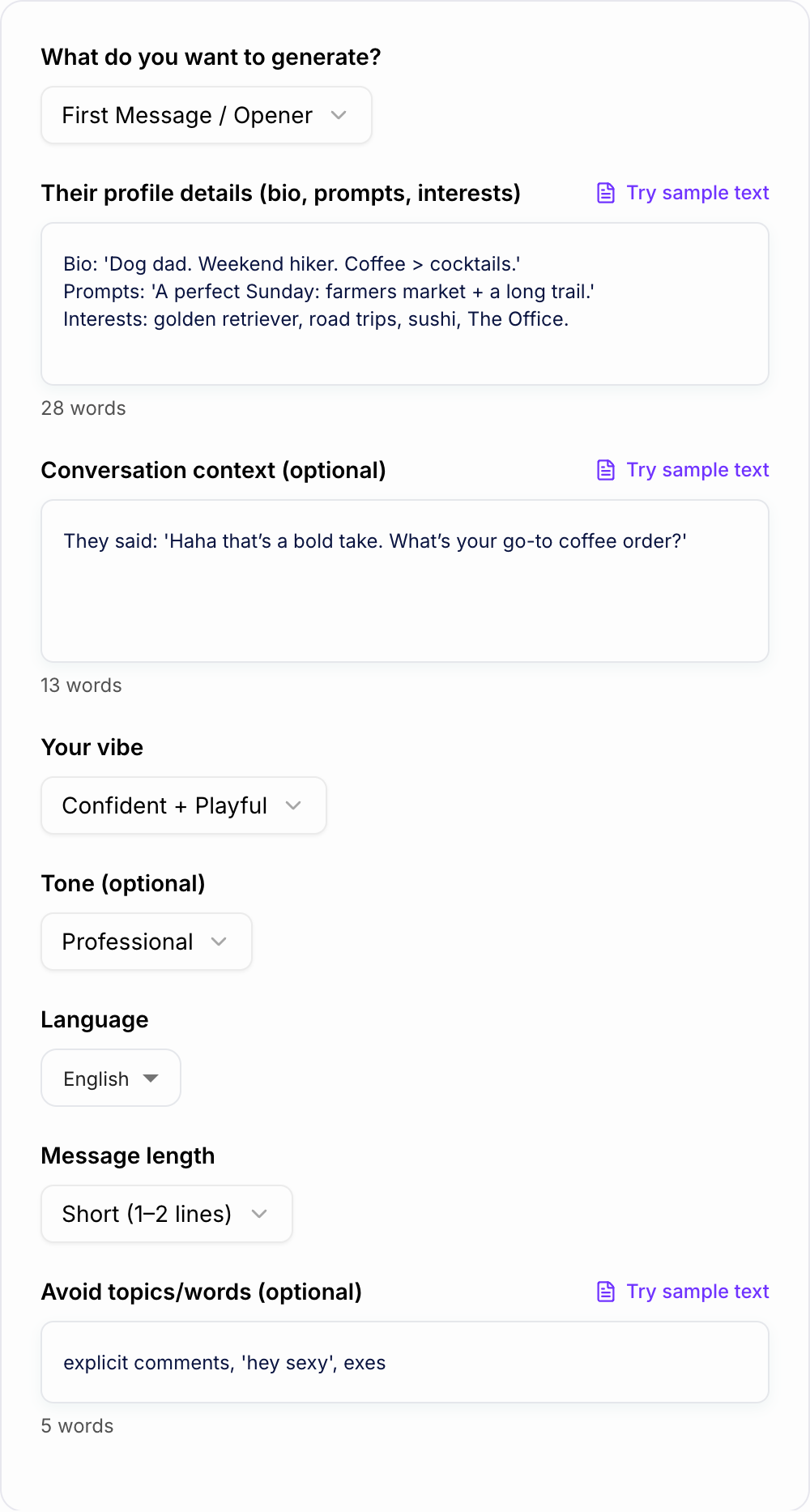
Paste their bio, prompts, or a few interests. The more specific the detail, the more personalized the opener and replies will be.
Pick Your Goal + Vibe
Choose what you want (opener, reply, follow-up, ask them out) and select a vibe like funny, flirty, classy, or direct.
Generate, Choose, and Send
Get multiple message options. Pick one that feels like you, tweak a word or two if needed, and send it with confidence.
See It in Action
Example of turning a generic opener into a personalized, high-response dating app message.
Hey, how’s your day going?
Your perfect Sunday sounds elite—farmers market then a long trail. What’s your go-to find at the market: pastries, fresh fruit, or the random fancy hot sauce stand?
Why Use Our AI Dating App Message Generator?
Powered by the latest AI to deliver fast, accurate results.
Personalized Dating App Openers (Not Generic)
Generate dating app first messages that reference their bio, prompts, and interests—so you don’t sound like you copy-pasted the same opener to everyone.
Better Replies That Keep the Conversation Going
Create natural replies to their last message with the right balance of humor, curiosity, and momentum—plus a good question to make responding easy.
Flirty, Funny, Classy, or Direct (You Choose the Vibe)
Pick a style that matches your personality and the app context (Tinder, Hinge, Bumble) and get messages that sound like you—confident, playful, warm, or polished.
Low-Pressure Date Invites That Don’t Feel Awkward
Generate smooth date invitation messages with a clear plan and an easy opt-out—so you can ask them out without sounding pushy or desperate.
Respectful, Non-Creepy Compliments
Write compliments that focus on personality and interests, avoid weird comments, and feel natural—great for first messages and early conversation.
Pro Tips for Better Results
Get the most out of the AI Dating App Message Generator with these expert tips.
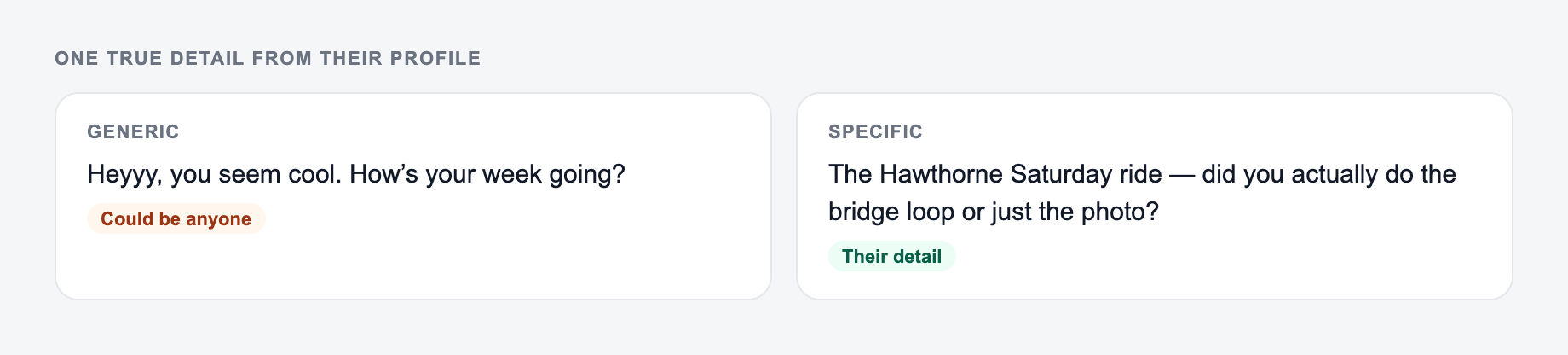
Reference one specific detail (then ask a simple question)
The best dating app openers include a concrete detail (a hobby, prompt, photo clue) and an easy question—so it feels personal and effortless to reply.
Keep early messages short and skimmable
Short messages get read. Start with 1–2 lines, avoid paragraphs, and save deeper stories for later once the conversation is flowing.
Avoid interviews—trade questions for playful takes
Instead of rapid-fire questions, add a light opinion or joke. It creates chemistry and makes your message feel less like small talk.
Use date invites with an easy opt-out
A confident, low-pressure invite works best: suggest a simple plan and include a soft out (e.g., “No worries if not”).
If the vibe gets awkward, reset quickly and move forward
A brief, light reset beats over-apologizing. Acknowledge, add a little humor, and pivot to a new topic or question.
Who Is This For?
Trusted by millions of students, writers, and professionals worldwide.
How to Write Dating App Messages That Get Replies (Without Sounding Try Hard)
Most dating app conversations die for boring reasons.
A generic opener. A reply that doesn’t go anywhere. A follow up that feels a little… tense. Or the classic, you finally ask them out and it comes out weirdly formal.
The fix usually isn’t “be funnier” or “be smoother”. It’s more basic than that.
You need messages that feel specific, easy to respond to, and aligned with your vibe. That’s it. And yes, you can do it even if you’re not naturally witty.
This AI Dating App Message Generator is built to help you do exactly that. Openers, replies, follow ups, compliments, date invites, even profile prompt answers. You give it a few details, it gives you options you can actually send. Your messages also land better when your own profile gives people something to reply to. If it does not, rewrite your Tinder bio first so matches have an easy opening.
If you’re already using other writing tools, you’ll probably like how this fits into the bigger set of templates on Junia AI. Same idea: quick inputs, clean outputs, less second guessing.
What to Say on Dating Apps (By Situation)
1) First message openers that feel personal
Your opener should do two things:
- Prove you looked at their profile.
- Make replying feel effortless.
A simple structure that works more than it should:
Specific detail + light reaction + one easy question
Example:
- “Coffee over cocktails is a strong stance. What’s the go to order, are we talking iced latte loyalist or espresso purist?”
If you can reference something real (their dog, a hobby, a prompt answer), you instantly stop sounding like copy paste.
2) Replies that keep momentum (and don’t turn into an interview)
A reply should move the chat forward, not just answer.
Try this: Answer + tiny extra detail + question that opens a lane
Example:
- “I’m an iced oat latte person, year round. I know, I’m predictable. What’s your ‘this place is worth going to’ coffee shop?”
Notice how it gives them something to grab. It’s not just Q and A.
3) Follow ups after no reply that don’t sound needy
The best follow ups are light and low pressure. No guilt. No “guess you’re busy”.
Good pattern: Playful nudge + easy out
Example:
- “I’m choosing to believe you got distracted by a surprise croissant situation. If not, I’ll accept a coffee rec as an apology.”
If they’re interested, they’ll come back. If not, you didn’t burn your dignity.
4) Compliments that aren’t creepy
Compliments work when they’re about vibe, taste, or energy. Not body. Not anything overly intense.
Examples:
- “You seem like you’d be fun to be stuck in an airport with. That’s a rare compliment, by the way.”
- “Your profile feels oddly calm in a good way. What’s the secret, are you just naturally chill?”
Specific. Human. Not a Hallmark card.
5) Asking them out without making it awkward
A date invite is easiest when it’s simple and has an opt out baked in.
Try: Plan + time window + easy out
Example:
- “You seem like you’d be fun to talk to in real life. Want to grab coffee this week, maybe Thu or Sat? No worries if you’re not feeling it.”
Clear. Confident. Not pushy.
Little Tweaks That Make Your Messages Sound More Human
A few small things change everything:
- Use contractions (you’re, it’s, that’s). Formal writing makes chats feel stiff.
- Keep early messages short. If it needs scrolling, it’s too long for most app convos.
- One message, one idea. Don’t stack three questions and a mini autobiography.
- Avoid heavy compliments early. “You’re stunning” is common. A specific vibe based compliment stands out more.
- Match their energy. If they’re sending one line, don’t send a five line paragraph.
Also, if you feel like you’re overthinking… you probably are. Pick the best option, tweak one word, hit send.
Good Inputs = Better Outputs (What to Paste in the Tool)
You don’t need a full transcript. Even quick notes help.
Mention something from their profile. A generic opener is exactly what you are trying to avoid.
Try adding:
- Their bio + one prompt answer
- 2 to 4 interests
- Their last message (if you’re generating a reply)
- Anything to avoid (pet names, explicit stuff, certain topics)
The generator works best when it has one or two unique hooks to reference. That’s usually all it takes to make a message feel like it was written for them, not for “a person on an app”.
Quick Examples You Can Copy (And Adjust)
If they like hiking:
- “Weekend hiker is a green flag. Are you more sunrise trail person or ‘let’s start at noon and pretend it was the plan’?”
If they mention sushi:
- “Sushi opinion test: are you a simple salmon roll person or are we ordering the scary sounding chef special?”
If they like The Office:
- “Important question. Are you a ‘rewatch forever’ Office person or do you claim you’re done and then somehow it’s on again?”
Short, specific, playful. And each one invites an easy reply.
The Point of This Tool (Honestly)
It’s not to make you sound like someone else.
It’s to help you show up as you, but with fewer awkward drafts, fewer dead end chats, and fewer moments where you stare at the keyboard thinking, “ok but what do I say now”.
Frequently Asked Questions
How does the dating app message generator work?+
You add optional profile details and conversation context, choose your vibe and goal (opener, reply, follow-up, ask them out), and the tool generates multiple message options you can send or tweak.
Will the messages sound natural (not like AI)?+
Yes. The generator focuses on short, specific, conversational messages that reference real profile details and avoid overly formal phrasing, clichés, and scripted lines.
What should I paste from their profile?+
Their bio, prompt answers, interests, or anything unique (pets, travel, hobbies, job). Even a few bullet points is enough to generate a personalized opener.
Can it generate replies to their last message?+
Yes. Paste their last message in the context field and select “Reply to Their Message” to get response options that match your vibe and keep the conversation moving.
Can I ask someone out without sounding pushy?+
Yes. The “Ask Them Out” mode suggests low-pressure invites with a simple plan and an easy opt-out so it feels confident and respectful.
Does it support different languages?+
Yes. Choose your preferred output language and it will generate messages in that language while keeping the same vibe and intent.