
Free Meta Title Generator
Generate SEO title tags for blog posts, landing pages, product pages, category pages, local service pages, and content refreshes. Create keyword-aligned meta title options that match search intent, protect the core promise from truncation, and improve click-through potential in Google results.
Meta Titles
Your SEO meta title ideas will appear here...
Fixing titles on pages that are already live? The SEO Improver audits an existing page and recommends fixes for its title, headings, and content.
How the AI Meta Title Generator Works
Get results in seconds with a simple workflow.
Enter Your Topic (and Optional Keyword)
Add your page topic or working headline. Optionally include a primary keyword to guide on-page SEO relevance and help with natural keyword placement.
Choose Page Type, Intent, and Brand (Optional)
Select a page type (blog, product, service, etc.) and search intent. Add a brand name or location if you want branded or local SEO title tags.
Generate Variations and Pick the Best Title Tag
Get multiple meta title ideas. Choose one that’s accurate, fits snippet limits, includes the keyword naturally, and feels most clickable for your audience.
See It in Action
Turn a vague page topic into multiple SEO title tag options that are keyword-aligned, readable, and optimized for click-through rate.
Title: Keyword Research
I need a meta title for a blog post about keyword research for beginners.
Meta Title Options:
- Keyword Research for Beginners: Step-by-Step Guide
- How to Do Keyword Research (Beginner-Friendly Checklist)
- Keyword Research: Find SEO Keywords That Actually Rank
- Keyword Research for a New Website: Easy Method + Tools
- Keyword Research Guide: Pick Keywords, Match Intent, Get Traffic
Why Use Our AI Meta Title Generator?
Powered by the latest AI to deliver fast, accurate results.
SEO Title Tags That Fit Google Snippet Limits
Generates meta titles designed to stay within common SERP display limits (roughly 50–60 characters) so your primary keyword and message don’t get truncated.
Intent-Aligned Title Ideas (Informational, Commercial, Transactional)
Adapts meta title phrasing to match search intent—guides and how-tos for informational queries, evaluation keywords for commercial intent, and action-oriented titles for transactional pages.
Natural Keyword Placement (No Keyword Stuffing)
Uses your primary keyword in a human-sounding way—front-loaded where it makes sense—while avoiding repetition and over-optimization that can hurt click-through rate.
Multiple Variations for A/B Testing CTR
Creates a list of distinct title tag variations (modifiers, benefits, formats, and angles) so you can test what improves organic CTR in Google Search Console.
Support for Brand + Local SEO Title Patterns
Optionally includes brand names and locations (city/region) for local SEO title tags, helping service pages communicate relevance to nearby searches.
Pro Tips for Better Results
Get the most out of the AI Meta Title Generator with these expert tips.
Put the core promise early to reduce truncation risk
Google may cut off long title tags. Lead with the main keyword + benefit so the most important part remains visible in the SERP.
Match modifiers to intent (don’t force 'Best' everywhere)
Use 'How to' and 'Guide' for informational queries, 'Best'/'Top' for commercial investigation, and 'Buy'/'Pricing' for transactional intent—only when it matches the page content.
Avoid clickbait and claims you can’t prove
Overpromising can hurt trust and increase pogo-sticking. Use strong, specific wording but keep titles accurate and aligned to on-page content.
Use Search Console to iterate on CTR
After publishing, monitor impressions and CTR by query and page. Test new title tag variants on pages with high impressions but low CTR for quick wins.
Keep branding consistent, but not at the expense of relevance
Add your brand name at the end when it helps trust. For non-branded queries, prioritize keyword relevance and clarity first.
Who Is This For?
Trusted by millions of students, writers, and professionals worldwide.
Generate meta titles that fit the SERP and match search intent
The Meta Title Generator helps you turn a page topic, keyword, and intent into title tag options built for search results. A strong meta title is not just a keyword with punctuation around it. It needs to tell Google what the page is about and give the searcher a clear reason to click.
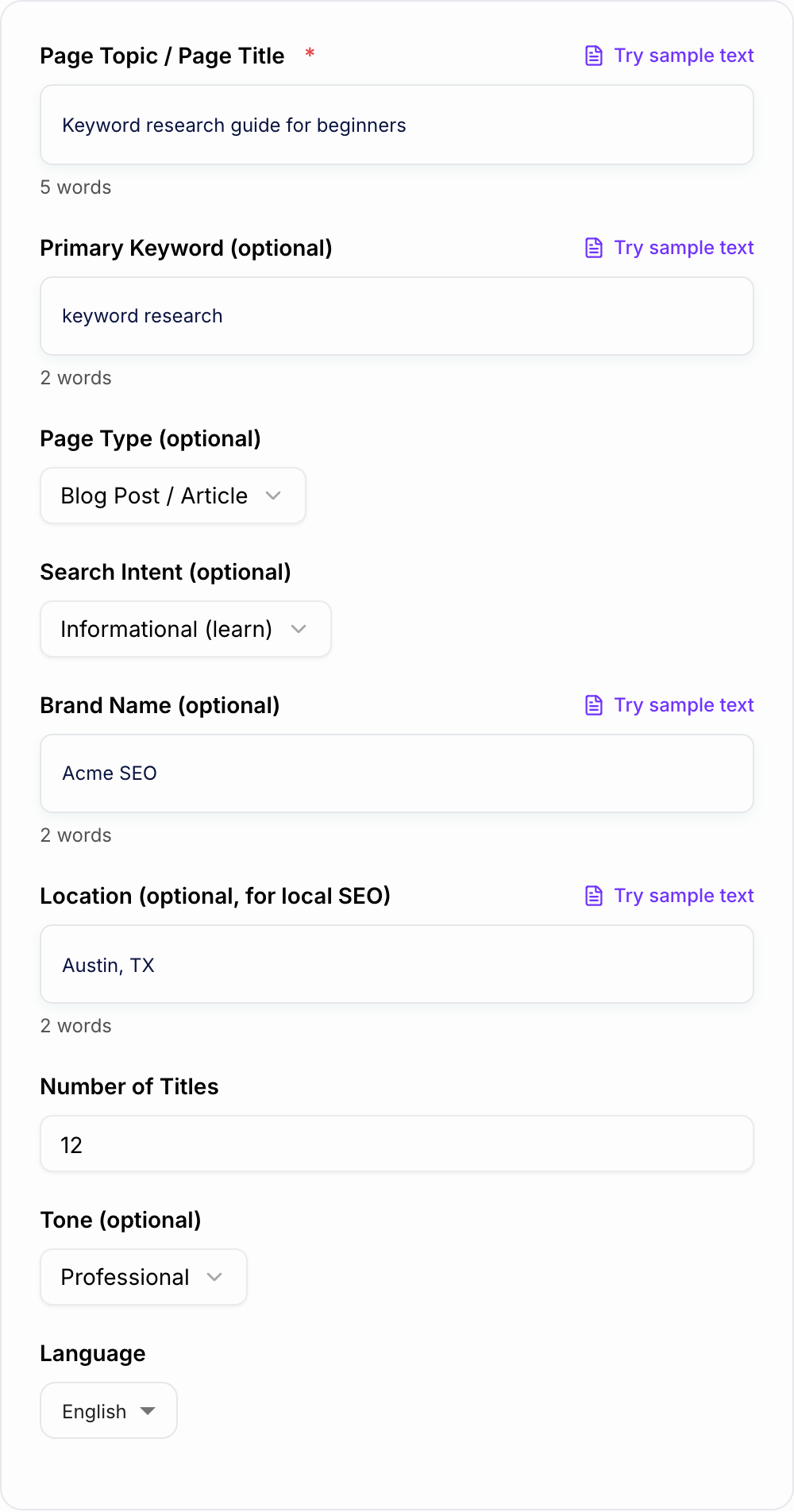
Use the tool when you are writing title tags for blog posts, landing pages, product pages, category pages, local service pages, comparison pages, and refreshed content that needs better CTR.
What to enter into the Meta Title Generator
Better inputs produce better title tag options. Include:
- Page topic: the actual page subject or working headline.
- Primary keyword: the main query the page should satisfy.
- Search intent: informational, commercial, transactional, local, or navigational.
- Page type: guide, checklist, tool, product page, service page, category page, comparison, template, or homepage.
- Audience or use case: beginners, agencies, ecommerce teams, local customers, SaaS buyers, creators, or another clear group.
- Brand or location: only when it matters for recognition, local SEO, or branded searches.
Weak input sounds like “write a title for SEO.” Better input sounds like “title tag for a beginner guide to keyword research; primary keyword keyword research; include simple workflow; informational intent; no brand needed.”
How to choose the right title format
The generator can produce multiple title angles. Pick the one that matches why the searcher typed the query.
- How-to or guide titles: best for informational searches.
- Checklist or template titles: best when the page gives a practical asset.
- Best, top, vs, alternatives: best for commercial investigation.
- Pricing, quote, buy, demo: best for transactional intent.
- Service + city: best for local SEO pages.
- Brand + page descriptor: best for navigational or product-led queries.
Do not force “best” into a title unless the page actually compares options. Do not force a location unless the page is truly local. The best title tag feels obvious for the query and honest for the page.
Length, truncation, and keyword placement
The common 50 to 60 character guideline is useful, but Google truncates by pixel width, not exact character count. Wide letters and separators can shorten what appears.
A practical rule:
- Put the keyword and core promise early.
- Keep the title readable out loud.
- Add brand at the end when it helps trust.
- Remove filler words before removing useful detail.
- Avoid repeating the same keyword variation twice.
Front-loading helps when the keyword reads naturally. If it makes the title robotic, use a benefit-first version and make sure the keyword still appears clearly.
Example input and generated title options
Input:
Page type: blog post
Primary keyword: keyword research
Intent: informational
Audience: beginners starting a new website
Angle: simple workflow with examples
Brand: none
Generated options:
Keyword Research for Beginners: Step-by-Step Guide
How to Do Keyword Research for a New Website
Keyword Research Checklist: Find Better SEO Topics
Keyword Research Guide: Match Intent and Plan Content
Review the options against the page. If the article does not include a checklist, do not choose the checklist title just because it sounds clickable.
A rough SERP line to judge against, not a live Google capture:
Keyword Research for Beginners: Step-by-Step Guide
example.com › blog › keyword-research
If the generated title only works when you already know the site, it is too vague for that snippet.
| Field | Why it changes the title | Limitation |
|---|---|---|
| Page type | Guide vs comparison vs local | “Best” titles need a real comparison |
| Intent | How-to vs buy vs near me | Wrong intent gets rewritten by Google |
| Brand / location | Trust or local pack | Do not invent a city the page does not serve |
How to review generated meta titles
Before publishing, check:
- Does the title match the actual page content?
- Is the primary keyword included naturally?
- Is the main promise visible early?
- Does the format match search intent?
- Would the title still make sense if Google shortened the end?
- Is it distinct from similar pages on the site?
- Does it avoid clickbait, fake urgency, or unsupported claims?
The title tag should also work with the meta description. The title earns attention; the description gives the searcher one more reason to choose your result.
For blog workflows, create or refresh the draft with the blog post generator, then pair the final title tag with the meta description generator so the SERP result feels consistent.
Do you need a meta keywords generator?
Many people searching for a meta title generator also look for a meta keywords generator. Google has ignored the meta keywords tag for ranking for many years, and Bing treats it as a weak signal at best, so generating a list of keywords for that tag will not improve your rankings.
The keyword still matters, just in other places:
- Title tag: put the main keyword near the front, which is exactly what this generator does.
- Meta description: include the keyword naturally so it appears in bold in search results when it matches the query.
- H1 and first paragraph: confirm the topic for readers and search engines.
- Image alt text and URL slug: short, descriptive, and keyword-relevant.
If you want a list of keywords to target, use AI keyword research instead of a meta keywords tag. Then write the title and description around the one keyword each page is meant to rank for.
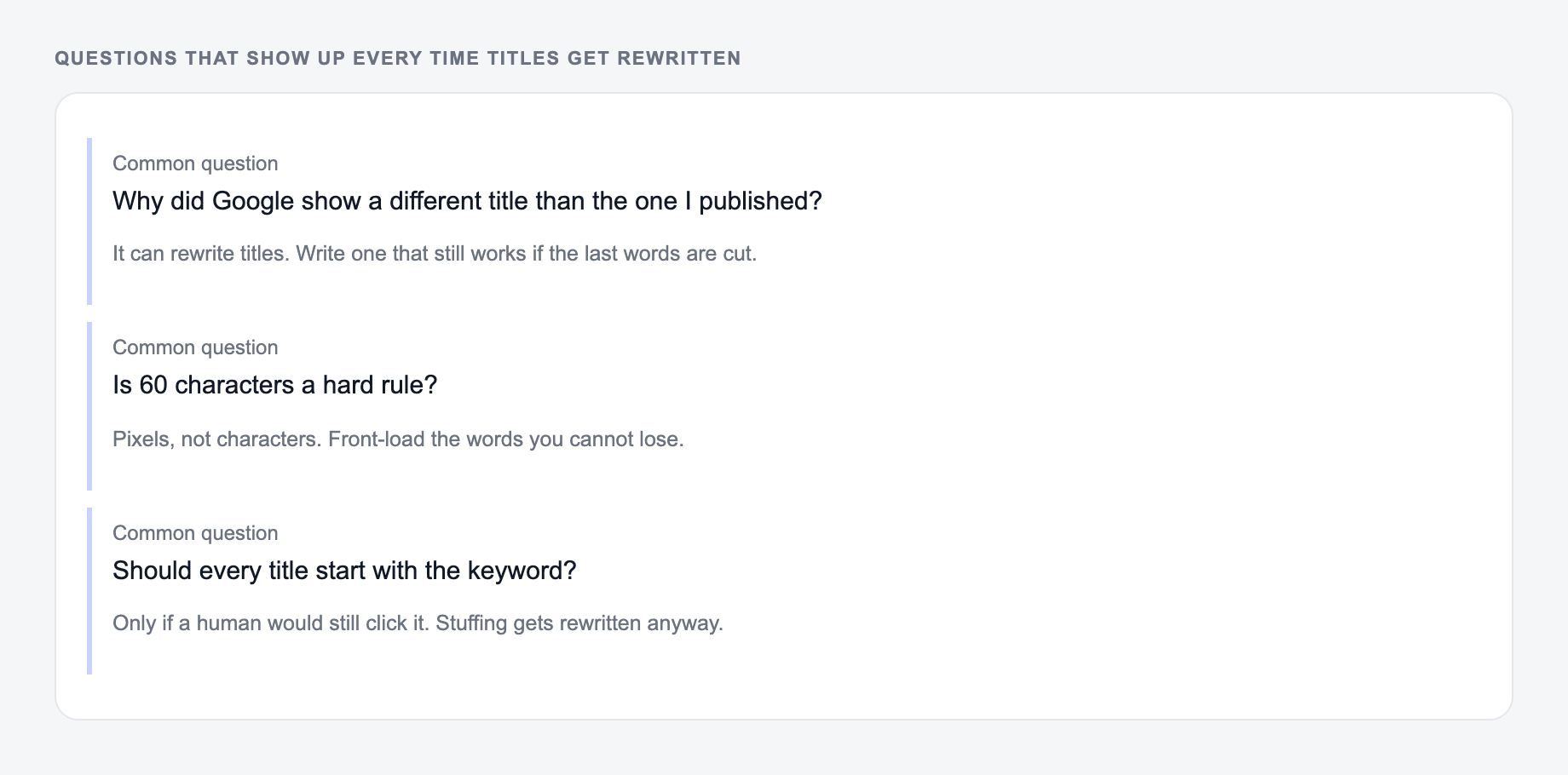
Why Google rewrites title tags
Google may rewrite a title tag when it is too long, stuffed with repeated keywords, vague, mismatched with the page, or less useful than another on-page heading. It can pull from the H1, anchor text, or visible content.
You cannot prevent rewrites completely, but you can reduce the risk:
- Keep the title accurate.
- Match the H1 and page topic without copying them blindly.
- Avoid keyword repetition.
- Use clear modifiers only when the page supports them.
- Keep the most important words near the front.
If Google repeatedly rewrites a title, compare the generated title to the H1 and top section. The mismatch is often inside the page, not just the metadata.
Final checklist before publishing
- The title is specific enough to beat a generic result.
- The keyword is present without stuffing.
- The intent format is correct.
- The title and H1 support the same promise.
- Brand or location is included only when useful.
- Similar pages on the site do not use nearly identical titles.
For a broader publishing pass, add the title tag to your blog post editing checklist along with headings, intro, internal links, and snippet copy.
SERP Comparison Exercise
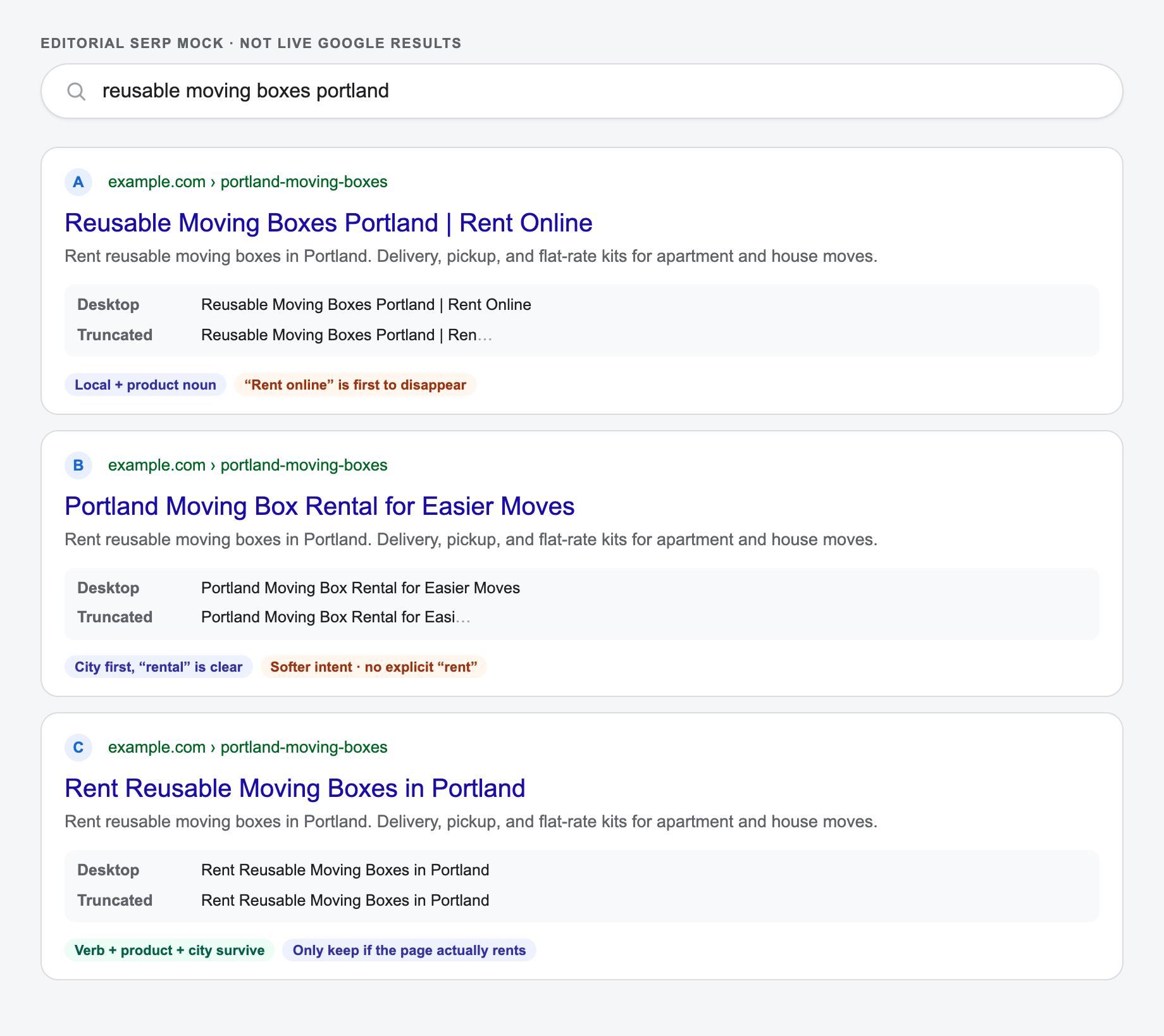
For a page selling reusable moving boxes in Portland, compare: Reusable Moving Boxes Portland | Rent Online, Portland Moving Box Rental for Easier Moves, and Rent Reusable Moving Boxes in Portland. Inspect what survives if the ending is truncated, whether local and transactional intent are clear, and whether the page actually supports “rent online.” The best candidate depends on the real offer and competing results.
The mock below is the same three titles in a search-results shape. Read the desktop line, then the truncated line, then decide whether the page can honestly support “rent online.”
SEO Improver
Fix the titles and content of pages that are already live
- Audits any existing page against what ranks today
- Recommends fixes for titles, headings, and content
- Shows exactly what to change to rank higher
Frequently Asked Questions
What is a meta title (title tag) in SEO?+
A meta title—also called a title tag—is the clickable headline shown in Google search results and browser tabs. It’s a major on-page SEO signal and strongly influences organic click-through rate (CTR).
How long should an SEO meta title be?+
A common best practice is ~50–60 characters (or roughly 500–600 pixels), though Google may rewrite titles. Keeping your main keyword and core message early helps even if truncation occurs.
Should my primary keyword be at the beginning of the title tag?+
Often yes—front-loading can improve perceived relevance and CTR. However, readability matters. A natural-sounding title that matches search intent usually performs better than forced keyword placement.
Do title tags affect rankings or only clicks?+
Title tags can influence both. They help search engines understand the page topic and can impact rankings, but their biggest measurable impact is often improving CTR, which can indirectly support performance.
Why does Google sometimes rewrite my meta title?+
Google may rewrite titles to better match a query or improve clarity. This tool aims to produce clear, accurate, query-aligned titles to reduce the chance of rewrites, but rewrites can still happen.
How can I write better meta titles for higher CTR?+
Match search intent, include the primary keyword naturally, add a clear benefit or modifier (e.g., 'Guide', 'Checklist', 'Best', '2026'), keep it readable, and avoid clickbait or excessive punctuation.