
Free Welcome Email Generator
Create welcome emails for subscribers, customers, and new users with personalized messaging, subject lines, preview text, and onboarding CTAs. Useful for ecommerce brands, SaaS onboarding flows, newsletters, and automated email sequences.
Welcome Email
Your welcome email will appear here (subject lines, preview text, and email body)...
How the AI Welcome Email Generator Works
Get results in seconds with a simple workflow.
Add Your Offer (Optional) and Pick a Welcome Email Type
Enter what the user signed up for (newsletter, free trial, lead magnet, discount) and select the email type so the message matches your funnel and audience intent.
Set CTA, Tone, and Language
Choose an optional tone and language, then add your CTA text/link if you have them. The tool will structure the welcome email around one primary action.
Generate, Review, and Send
Generate the welcome email, then quickly review key details (links, offer, brand name). Consider A/B testing subject lines and preview text to improve email marketing performance.
See It in Action
Example of a generic welcome email improved into a clearer, more conversion-focused welcome email with benefits and a single CTA.
Hi there,
Welcome to our newsletter. We will send you emails sometimes. Thanks for joining.
Best, Team
Subject: Welcome — here’s what you’ll get each week Preview: 5-minute SEO tips, templates, and a quick next step.
Hi {{first_name}},
Thanks for joining Junia AI. Each week you’ll get practical SEO and content optimization tips you can apply right away—no fluff.
Here’s what to expect:
- Actionable keyword and content planning frameworks
- On-page SEO checklists and examples
- Writing templates to publish faster with higher quality
Start here: our quick SEO starter guide (5 minutes).
CTA: Read the Starter Guide
You’re receiving this because you signed up on our site. Unsubscribe anytime.
Why Use Our AI Welcome Email Generator?
Powered by the latest AI to deliver fast, accurate results.
High-Converting Welcome Email Copy (Subject + Body + CTA)
Generate a complete welcome email with subject lines, preview text, and a clear call-to-action—built to improve open rates, click-through rate (CTR), and early engagement.
Welcome Email Templates for Newsletter, SaaS, Ecommerce, and Lead Magnets
Choose a welcome email style that matches your funnel: newsletter onboarding, SaaS activation, ecommerce first purchase, community invites, or lead magnet delivery.
Tone and Brand Voice Control
Set an optional tone (friendly, professional, formal, playful, direct) so your welcome email sounds on-brand while staying concise and readable.
CTA-Focused Structure (One Primary Action)
Outputs a scannable welcome email that guides readers to one primary action—reading your starter guide, completing setup, shopping, or downloading a resource.
Multilingual Welcome Emails
Create welcome email copy in many languages for global audiences, international newsletters, and multilingual onboarding flows.
Pro Tips for Better Results
Get the most out of the AI Welcome Email Generator with these expert tips.
Optimize for the first click
A welcome email should drive one clear next step (read, download, shop, complete setup). Use one primary CTA and remove extra competing links.
Confirm expectations to reduce unsubscribes
Add a simple line about what you’ll send and how often. Setting expectations early improves trust and list quality.
Deliver the promised value immediately
If they signed up for a lead magnet, include direct access instructions. If it’s a trial, link to the first setup step. Fast value builds momentum.
Write preview text on purpose
Preview text is an extension of the subject line. Use it to add a benefit, reduce uncertainty, or reinforce the CTA—this can lift open rates.
Personalize lightly
Use {{first_name}} once in the greeting or first line. Over-personalization can feel spammy and doesn’t reliably improve conversions.
Who Is This For?
Trusted by millions of students, writers, and professionals worldwide.
Welcome Email Generator: How to Write a Welcome Email That Converts
A welcome email is the highest-leverage message in most email marketing funnels. It reaches people at the exact moment they’re most interested—right after signup—so it’s your best chance to build trust, set expectations, and drive the first click.
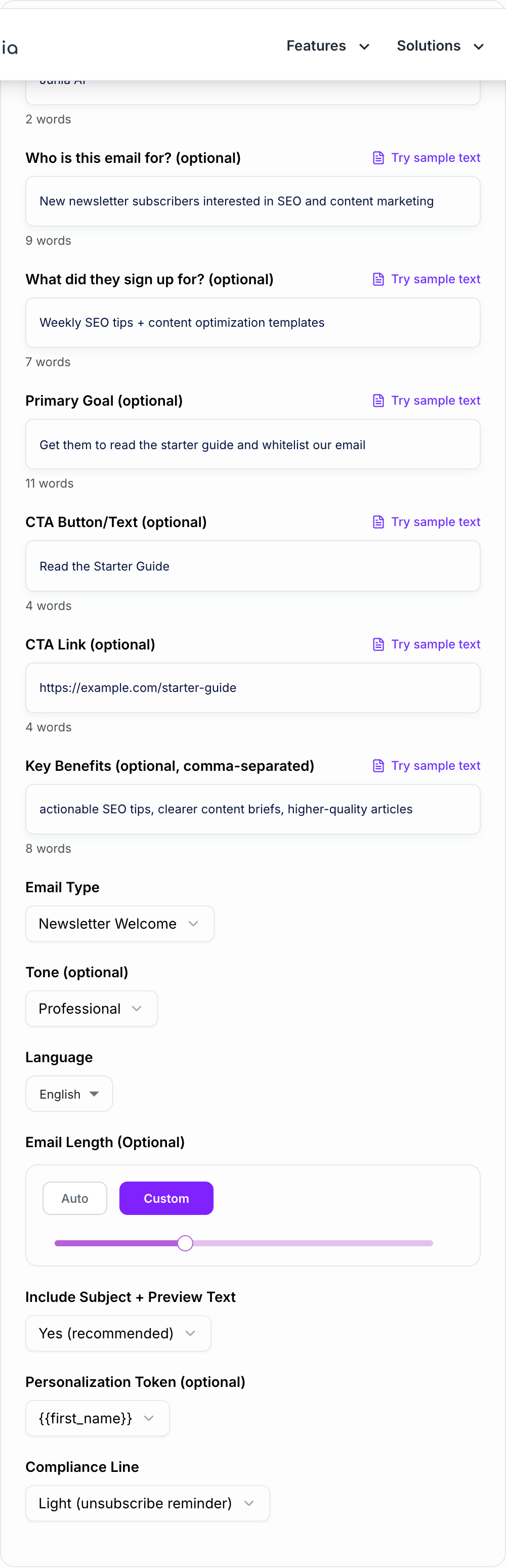
This free welcome email generator helps you create a publish-ready welcome email for newsletters, SaaS onboarding, ecommerce, communities, and lead magnets—without sounding generic.
What a High-Converting Welcome Email Includes
Most great welcome emails share the same core structure:
- A clear subject line that matches the promise of the signup
- Preview text that adds a benefit or reduces uncertainty
- A quick reminder of why they’re receiving the email
- 2–4 benefits that explain what they get from staying subscribed
- One primary CTA (read, download, shop, complete setup)
- A short expectation setter (what you’ll send and how often)
Best Welcome Email Types (Pick the One That Matches Your Funnel)
Newsletter welcome email
Use this to build trust fast: explain what you send, how often, and share a “start here” link.
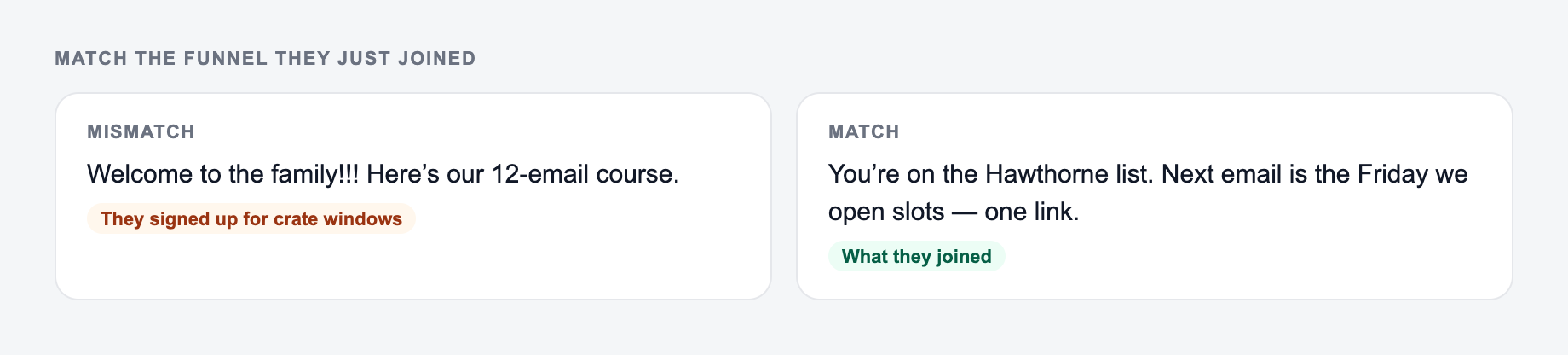
What they just signed up for and the next step belong on the form.
Channel check for ai welcome email generator copy:
- Ad / social — outcome first; clever-but-vague loses.
- Email — specific object + date beats “don’t miss out.”
- On-site CTA — the next step this page can do. “Learn more” is a shrug.
SaaS onboarding welcome email
Your goal is activation. Keep it action-first with 1–3 quick-start steps and a single setup CTA.
Ecommerce welcome email
Introduce your brand value props, show what’s popular, and make the first purchase easy with one clear shopping CTA.
Lead magnet delivery email
Deliver the resource immediately and use one next-step CTA to move them deeper into your funnel.
Community welcome email
Point people to the best first action: introduce yourself, read guidelines, and join a thread.
Tips to Improve Open Rates and Click-Through Rate (CTR)
- Write preview text intentionally. It’s a second headline.
- Avoid multiple competing CTAs. One email = one primary action.
- Use benefits, not buzzwords. Be specific about outcomes.
- Keep it skimmable. Short paragraphs and simple bullets.
- Personalize lightly. A first name token once is enough.
Welcome Email Subject Lines (What Works)
Keep the line you could publish. Put facts back. Do not outsource the judgment call.
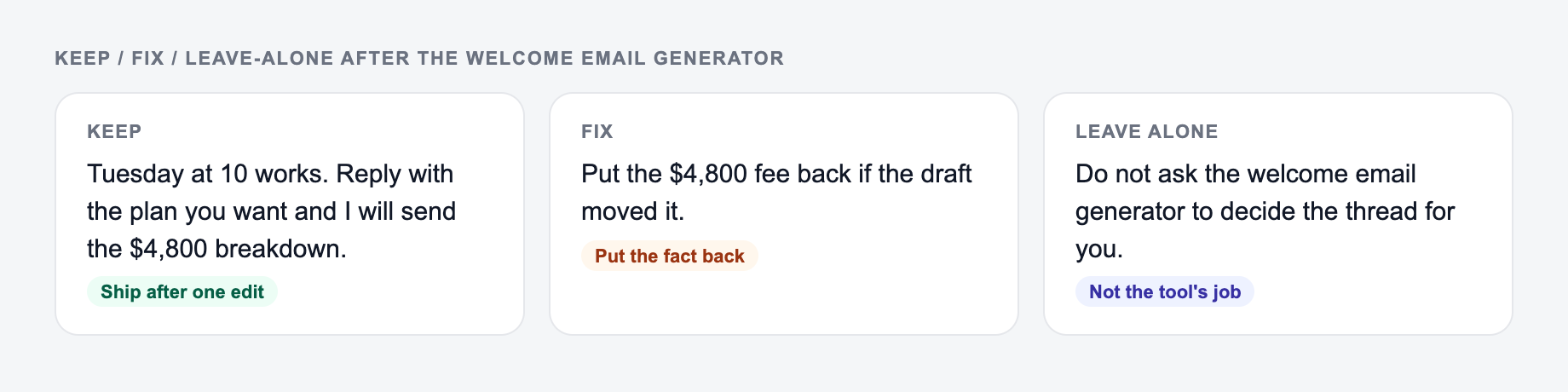
Subject lines that tend to perform well:
- Clear value: “Welcome—here’s your first [resource]”
- Expectation setting: “What to expect each week”
- Quick start: “Your next step (takes 2 minutes)”
The best subject line is the one that matches the signup promise and reduces uncertainty.
Use This Generator for Faster Email Marketing Workflows
If you’re building a welcome series, generate the first email here, then create follow-ups based on your goal: onboarding steps, best content, case studies, product education, or an offer sequence.
A great welcome email doesn’t just say “thanks for joining.” It starts a relationship—and it earns the first click.
Frequently Asked Questions
What is a welcome email?+
A welcome email is the first email a new subscriber, customer, or user receives after signing up. It confirms the signup, sets expectations, introduces your value, and guides the reader to a clear next step (CTA).
How do I write a high-converting welcome email?+
A strong welcome email typically includes: a clear subject line, a warm greeting, a reminder of why they signed up, 2–4 benefits, one primary CTA, and a simple expectation (what you’ll send and how often). Keep it skimmable and specific.
Should I include a subject line and preview text?+
Yes. Subject line and preview text help improve open rates. This generator can output multiple subject line options plus preview text so you can test what works best for your audience.
How long should a welcome email be?+
Most welcome emails perform well around 120–200 words. If you need a quick activation or a simple resource delivery, shorter emails can work best. For onboarding, you can include 1–3 steps, but keep the email easy to scan.
Can I use this for SaaS onboarding welcome emails?+
Yes. Use the SaaS Onboarding mode to generate an activation-focused welcome email with quick-start steps, a primary CTA, and a helpful tone that reduces drop-off.
Can the generator include personalization like a first name?+
Yes. You can choose a personalization token (like {{first_name}}) and the generator will place it naturally without overusing it.