
Free Art Prompt Generator
Generate model-ready prompts for Midjourney, DALL·E, and Stable Diffusion with detailed subject descriptions, lighting, composition, camera angles, art styles, aspect ratios, and optional negative prompts to improve image quality and consistency.
AI Art Prompt
Your AI art prompt (and optional negative prompt) will appear here...
How the AI Art Prompt Generator Works
Get results in seconds with a simple workflow.
Describe Your Subject
Enter a subject (character, product, landscape, scene idea). Keep it specific—include key traits like era, materials, colors, or environment for more accurate images.
Choose Model + Style Details
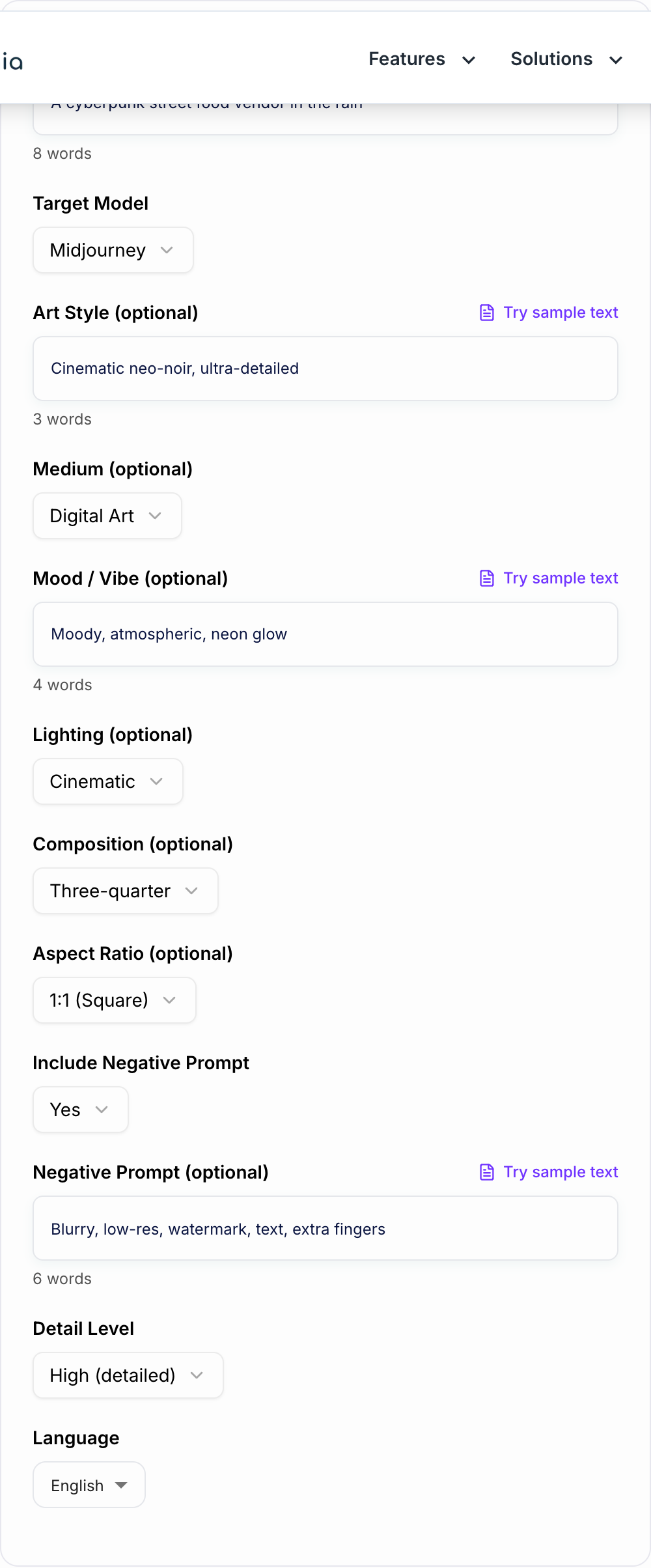
Pick Midjourney, DALL·E, or Stable Diffusion, then optionally add style, medium, mood, lighting, composition, and aspect ratio to guide the look and framing.
Generate and Iterate
Copy the prompt into your image generator. If needed, refine one variable at a time (lighting, lens/shot, or style) to quickly converge on your best result.
See It in Action
Turn a simple idea into a detailed, model-ready AI art prompt with clear art direction and optional negative prompts.
A wizard in a forest at night.
MAIN PROMPT: A lone wizard standing in an ancient mossy forest at midnight, bioluminescent mushrooms glowing around twisted roots, mist drifting through tall pine trees, cinematic neo-noir atmosphere, dramatic rim light, volumetric fog, detailed robes with embroidered runes, staff emitting soft blue light, shallow depth of field, three-quarter composition, ultra-detailed, high contrast, crisp focus, 1:1
NEGATIVE PROMPT: blurry, low-res, noisy, watermark, text, logo, extra fingers, deformed hands, bad anatomy, overexposed, jpeg artifacts
Why Use Our AI Art Prompt Generator?
Powered by the latest AI to deliver fast, accurate results.
Model-Optimized Prompts (Midjourney, DALL·E, Stable Diffusion)
Generates AI image prompts tailored to popular generators, balancing clarity and creative detail so you get more consistent results and fewer rerolls.
Stronger Composition, Lighting, and Camera Direction
Adds practical art-direction cues (shot type, lighting style, composition) that improve prompt adherence and produce more professional-looking images.
Optional Negative Prompts for Cleaner Outputs
Includes a negative prompt to reduce common issues like blur, artifacts, text, watermarks, or extra limbs—especially useful for Stable Diffusion workflows.
Style + Mood Modifiers Without Keyword Stuffing
Uses tasteful style and mood descriptors to guide aesthetics while keeping prompts readable and precise—ideal for prompt engineering beginners and pros.
Aspect Ratio Guidance for Social, Ads, and Thumbnails
Supports popular aspect ratios for Instagram posts, stories, banners, YouTube thumbnails, and product shots so your generated images fit real-world layouts.
Pro Tips for Better Results
Get the most out of the AI Art Prompt Generator with these expert tips.
Be concrete: nouns > adjectives
Instead of stacking vague adjectives, specify tangible details (materials, location, time of day, wardrobe, props). Concrete prompts improve model adherence and reduce randomness.
Control the frame with composition + lens cues
Add shot type (close-up, wide), angle (top-down), and lens terms (35mm, macro) to get consistent framing—especially helpful for thumbnails and product visuals.
Use negative prompts to remove common defects
If you see artifacts like text, watermarks, blur, or extra fingers, include them in a negative prompt and keep it focused on the problems you actually observe.
Iterate one variable at a time
Change only one element (style or lighting or background) between generations. This makes it easier to identify what improved (or hurt) the result.
For consistent characters, lock defining traits
Reuse the same core descriptor block (hair, face, clothing, colors, age, distinctive accessories). Consistency comes from repeating the same anchors.
Who Is This For?
Trusted by millions of students, writers, and professionals worldwide.
Generate Better AI Art Prompts with an Art Prompt Generator
The fastest way to improve AI image results is to give the model cleaner art direction. A vague prompt like "a futuristic city" leaves too many choices open. A stronger prompt names the subject, setting, lighting, composition, style, and anything the model should avoid.
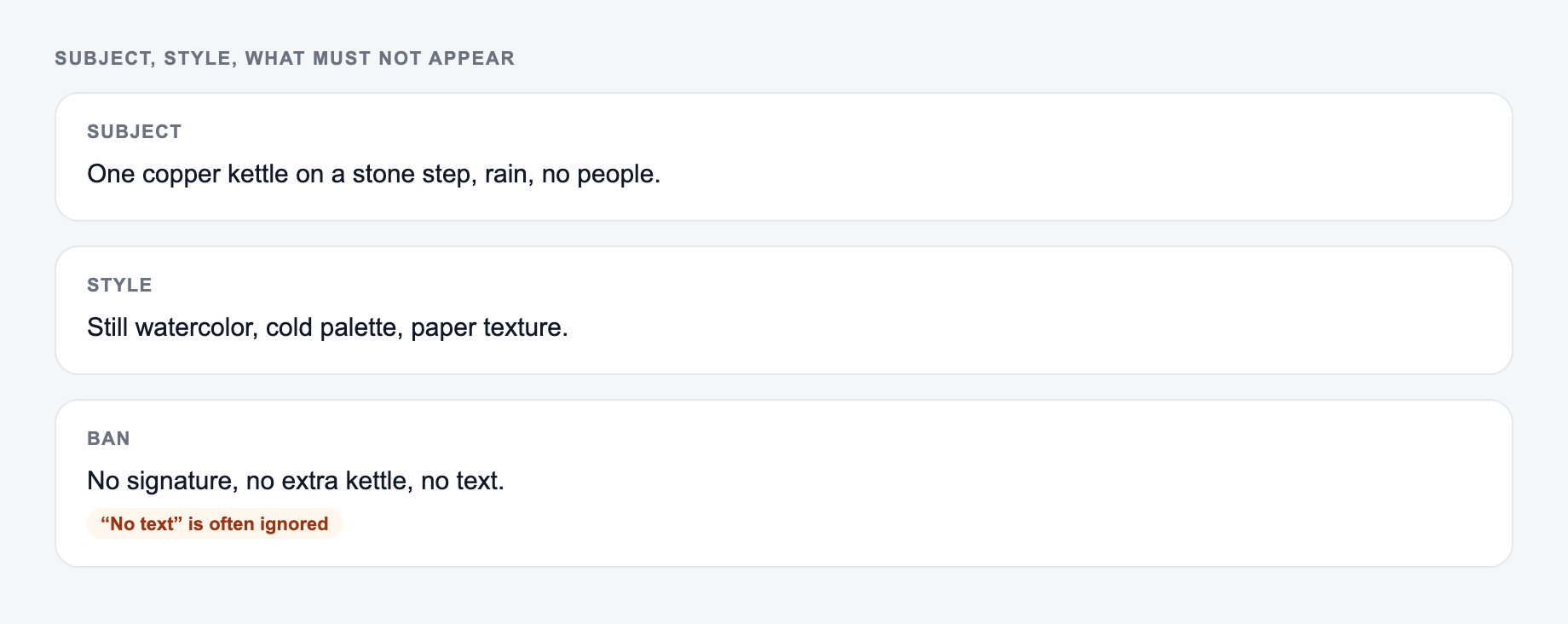
Subject, style, and what must not appear belong on the form.
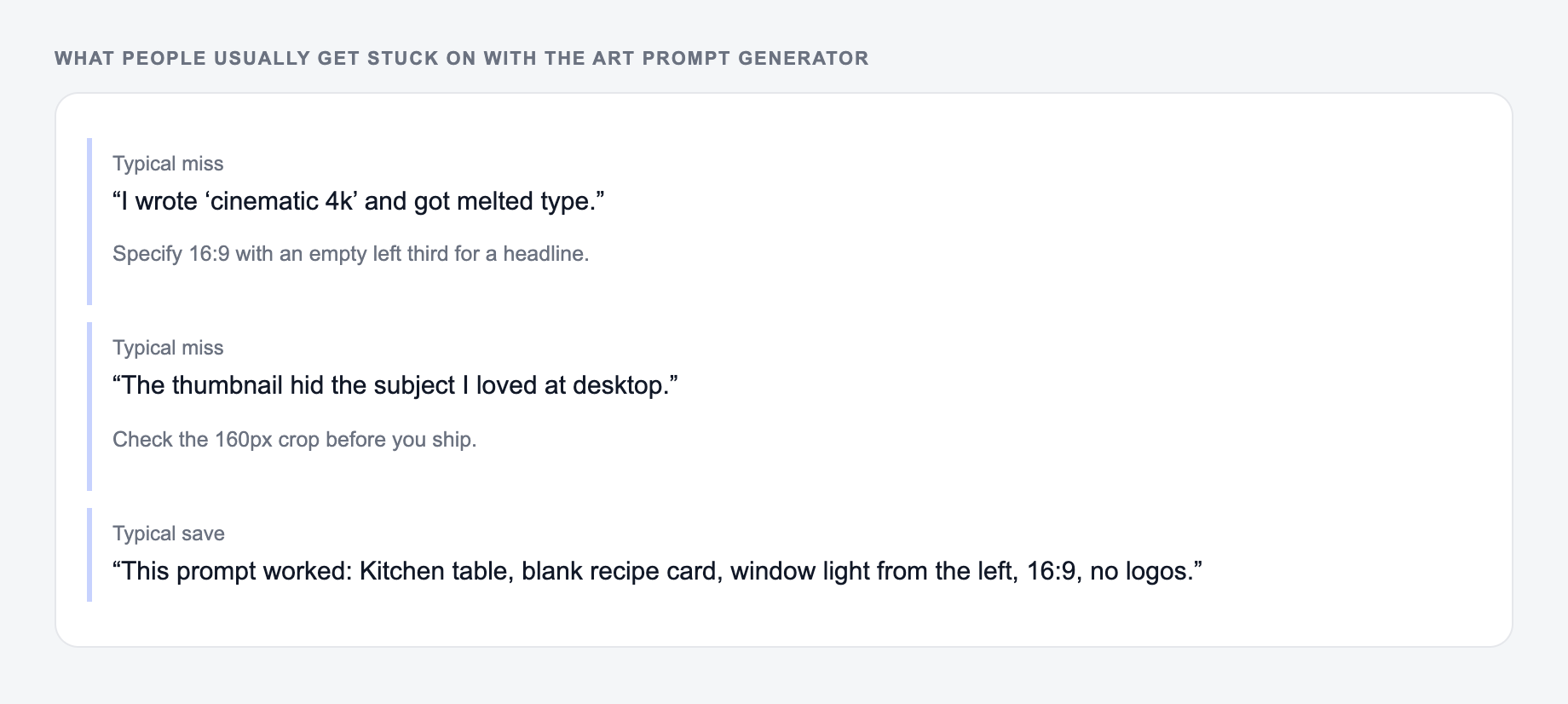
If the output felt generic, it is usually one of these three misses.
Prompt that wastes a credit
stunning professional blog hero, cinematic, 4k
Prompt to imitate
Kitchen table, blank recipe card, window light from the left, 16:9, empty left third, no logos.
Prompt to imitate: A brief the AI Art Prompt Generator can use: who it is for, where the output will appear, and what must stay true.
Prompt that wastes a credit: A one-line request like “run the art prompt generator” with no audience, channel, or constraint.
Use the AI Art Prompt Generator when you have the idea but need a model-ready prompt for Midjourney, DALL-E, Stable Diffusion, or another image tool. It turns rough visual notes into copyable prompt text you can test, adjust, and reuse.
For non-image tasks, use a general prompt generator instead. If you want to compare image prompts with marketing, SEO, writing, and productivity prompts, these AI prompt examples give you broader patterns to adapt.
What to Enter Into the Generator
Start with one clear focal point. The subject should be obvious before you add style words or quality cues.
Useful input details include:
- Subject: who or what the image is about
- Setting: location, time of day, weather, era, or scene context
- Style: cinematic, watercolor, anime, editorial, photoreal, 3D render, concept art
- Lighting: golden hour, neon, soft studio light, low key, backlit, overcast
- Composition: close-up, wide shot, isometric, top-down, macro, centered, rule of thirds
- Materials and textures: brushed metal, wet pavement, velvet, frosted glass, smoke, paper grain
- Things to avoid: text, watermark, blur, extra fingers, clutter, wrong colors, logos
You do not need a perfect creative brief. Two or three concrete visual details are usually enough for the generator to build a stronger prompt.
Choosing the Right Prompt Style
Different image models respond better to different wording.
For Midjourney, vivid visual language usually works well. Give it a strong subject, mood, composition, style, and any platform parameters you plan to use later.
For DALL-E, natural language often works better than long keyword chains. Write as if you are briefing an illustrator or photographer.
For Stable Diffusion, a more keyword-forward main prompt plus a separate negative prompt can help. Use the negative prompt for problems you actually want to reduce, such as watermarks, text artifacts, blur, distorted hands, or unwanted clutter.
The generator gives you a clean starting point, but you should still adapt the final prompt to the model you are using. For reusable structures beyond image prompts, these AI prompt templates show how to turn one good prompt into a repeatable formula.
Example Input and Generated Prompt
Input:
- Subject: astronaut florist on Mars
- Style: cinematic sci-fi product photography
- Mood: soft fog, warm rim light, reflective red dust
- Composition: wide hero shot
- Avoid: text, watermark, extra limbs
Generated prompt:
A lone astronaut florist arranging glowing alien flowers inside a glass greenhouse on Mars, reflective red dust outside, soft fog, warm rim lighting, cinematic sci-fi product photography, wide hero shot, detailed suit fabric, translucent petals, shallow depth of field, high clarity, dramatic atmosphere. Negative prompt: text, watermark, extra limbs, blurry, low detail.
That prompt gives the image model a subject, environment, visual mood, camera framing, and cleanup constraints in one pass.
How to Review the Generated Prompt
Before you paste the prompt into an image model, scan it for conflicts.
- Does it have one main subject?
- Are the style cues compatible?
- Is the composition clear?
- Are the lighting and mood specific enough?
- Did the prompt add anything you do not want?
- Is the negative prompt practical instead of overloaded?
If the first image is close but not right, change one variable at a time. Keep the subject and setting stable, then test lighting, composition, style, or negative prompts separately. That makes it much easier to understand what improved the output.
When to Use the Generator Instead of Writing From Scratch
The tool is most useful when you need several prompt directions quickly: ad visuals, thumbnails, concept art, social graphics, product scenes, album covers, or character portraits.
It is also useful when you are building a larger creative workflow. For example, you can generate a visual prompt, then keep captions, descriptions, landing page copy, and content ideas aligned in Junia AI so the final assets feel like they belong to the same campaign.
Final Prompt Checklist
Before generating the image, make sure the prompt has:
- one obvious focal point
- a defined setting or scene
- a clear style or medium
- lighting that supports the mood
- composition or camera direction
- concrete materials, colors, or textures
- a short negative prompt if the model supports it
That structure will not guarantee a perfect image, but it gives the model clearer instructions and gives you a much better base for iteration.
Frequently Asked Questions
What is an AI art prompt generator?+
An AI art prompt generator helps you write detailed text prompts for image models like Midjourney, DALL·E, and Stable Diffusion. A good prompt describes the subject, style, lighting, composition, and key details so the model produces more accurate images.
Are prompts different for Midjourney vs Stable Diffusion vs DALL·E?+
Yes. Midjourney often responds well to vivid descriptive phrases and optional parameters (like aspect ratio). Stable Diffusion typically benefits from keyword-forward prompts plus negative prompts. DALL·E tends to work best with clear natural language and explicit scene instructions.
What should I include for the best AI image results?+
Start with a clear subject and setting, then add mood, lighting, composition, and a specific style or medium. If you want consistency, specify colors, materials, and camera angle. If you want fewer artifacts, include a negative prompt (especially for Stable Diffusion).
What is a negative prompt and when should I use it?+
A negative prompt lists what you don’t want in the image (e.g., blurry, watermark, text, extra fingers). It’s most useful in Stable Diffusion and can also help guide other models when they support negative instructions.
Will this help me learn prompt engineering?+
Yes. The generated prompts show a repeatable structure you can reuse: subject → environment → style/medium → lighting → composition → details → (optional) negative prompt. Over time you can tweak the modifiers to match your preferred aesthetic.
Can I generate prompts in different languages?+
Yes. Choose an output language if you want the prompt written in another language. Note that many image models perform best with English prompts, so English is recommended unless you have a specific reason to localize.