ChatGPT Persona Instructions Generator

Generate detailed ChatGPT persona instructions.

0/700 words

Optional

Results

Cat sitting on a rocket

Your Generated Instructions Will Appear Here...

A ChatGPT Persona Instructions Generator helps you come up with custom personas and detailed system instructions so ChatGPT acts pretty much exactly how you want it to.

So instead of getting the same generic answers all the time, you give the AI a clear personality, tone, role, and way of talking that actually fits your brand or project or just whatever use case you have. With Junia AI’s Persona Instructions Generator for ChatGPT, you can quickly spell out things like:

  • Who the AI is (its role, background, expertise, niche, what it’s good at)
  • How it should talk (tone of voice, style, how formal or casual, pacing, level of technical detail)
  • What it should focus on first (main goals, priorities, limits, key topics, things to avoid)
  • How it should act in different situations (support, marketing, teaching, sales, coaching, troubleshooting, and so on)

The tool walks you through some structured prompts, so you don’t need to be some prompt engineering expert or anything. You just answer a few simple questions about who your audience is, what your brand voice is like, and what your goals are, and then it auto generates a clean persona instruction block you can paste into ChatGPT, other LLM tools, or your own custom chatbot system.

This basically turns those generic, one size fits all AI replies into more consistent, on brand conversations that feel intentional and actually tailored to your users. Whether you need something very professional and formal, or more warm and friendly, or somewhere in between.

What is a ChatGPT Persona Instructions Generator?

A ChatGPT Persona Instructions Generator is a specialized tool that helps you create structured “system messages” or “persona prompts” for large language models like ChatGPT. Instead of writing long, kind of painful instructions from scratch, you use the generator to define:

  • The AI’s persona (job role, level of expertise, background)
  • Communication guidelines (tone, vocabulary, formatting preferences)
  • Behavioral rules (what it should always do, what it should never do)
  • Objectives and priorities (what success looks like for each conversation)

Junia AI’s ChatGPT Persona Instructions Generator basically acts as a persona prompt builder or system message creator. It turns your answers into a ready to use block of text that you can:

  • Paste into ChatGPT’s system / custom instructions
  • Integrate into your internal tools that call OpenAI or other LLM APIs
  • Use as the foundation for website chatbots, support bots, and marketing assistants

By automating this setup process, the persona generator cuts down trial and error and helps you get high quality, consistent responses from the very first interaction.

Moreover, if you're interested in more advanced applications of these technologies, such as building your own custom ChatGPTs, this tool can also serve as a stepping stone. It provides a solid foundation upon which you can explore further customization and optimization of AI interactions.

Why Use a ChatGPT Persona Instructions Generator?

Using a tool like Junia AI’s Persona Instructions Generator for ChatGPT gives you several practical benefits.

1. More consistent, on brand responses

Without clear persona instructions, AI replies can jump around a lot in tone and style. A persona generator keeps things consistent by:

  • Defining the brand voice (like “friendly and casual,” “authoritative and expert,” “playful but clear”)
  • Maintaining consistent phrasing and formatting
  • Allowing for reusable instructions across teams and tools

This is super important for brands, agencies, SaaS companies, and content teams who need ChatGPT to line up with their company voice without them fixing it every time.

2. Faster setup, less guesswork

Writing system prompts from scratch can be time consuming and honestly kind of annoying. A ChatGPT persona builder:

  • Guides you step by step with structured questions
  • Keeps you from forgetting important details (like target audience or constraints)
  • Generates a polished persona template in seconds

This is great for people who aren’t prompt engineers but still want expert level AI configuration.

3. Higher quality, more relevant answers

A clear persona with detailed instructions helps ChatGPT:

  • Understand the context it’s working in (industry, expertise level, scenario)
  • Tailor explanations to a specific audience (beginners, advanced users, executives)
  • Avoid off topic or unhelpful responses

This makes AI outputs more useful and cuts down how often you have to re prompt.

4. Easier scaling across many use cases

If you run multiple chatbots or AI workflows like:

  • Customer support bot
  • Sales assistant
  • Content writing assistant
  • Technical documentation helper
  • Social media caption generator

you can generate separate, specialized personas for each use case using the same generator. That keeps everything organized and way easier to maintain.

What Are Good Persona Instructions?

Good ChatGPT persona instructions are clear, specific, and easy for the model to follow. Strong persona prompts usually include:

  • Information about the user's role or profession
  • Details about the user's interests or hobbies
  • Specific instructions on how the model should respond (like tone, style, format)
  • Contextual information that helps the model understand the conversation better

1. A defined role and expertise

Example:
“You are a senior SaaS copywriter with 10+ years of experience writing landing pages, email sequences, and in app copy for B2B software products.”

This tells the AI exactly who it’s supposed to be and what level it should operate at.

2. A target audience

Example:
“You write for busy SaaS founders and product marketers who understand basic marketing concepts but don’t have time for fluff.”

Saying who the audience is helps ChatGPT choose the right level of depth, language, and examples.

3. Tone of voice and style rules

Example:

  • Use a clear, concise, and confident tone
  • Avoid jargon unless absolutely necessary
  • Prefer short paragraphs and bullet points
  • Be friendly but not overly casual

These guidelines shape how the AI talks so it matches your brand identity.

4. Goals and priorities

Example:

  • Prioritize clarity and usefulness over creativity
  • Always start by clarifying assumptions if the prompt is ambiguous
  • Offer concrete examples wherever possible

This tells the model what “good output” means for you.

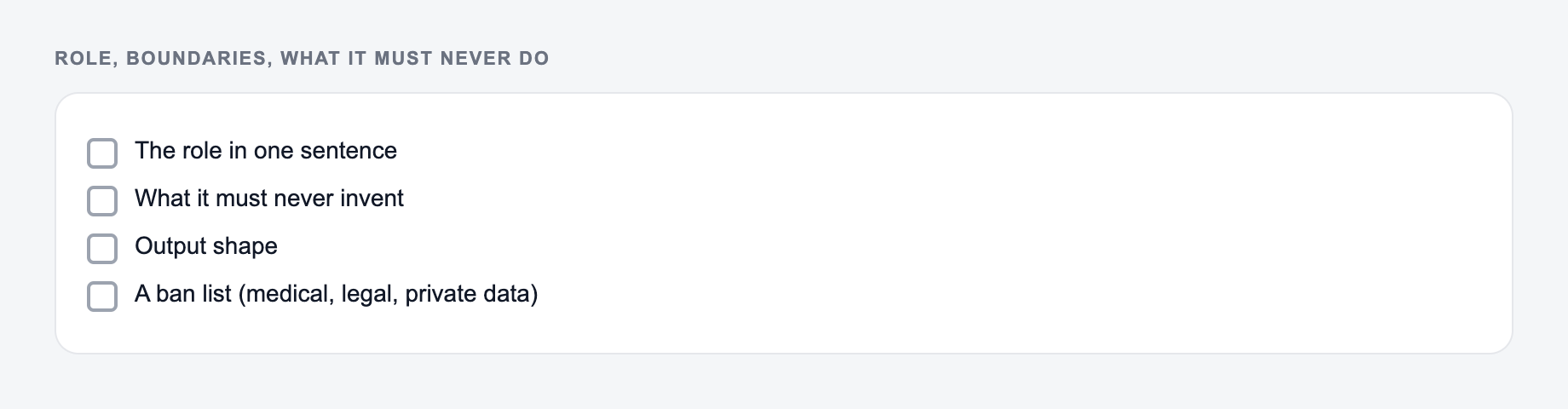
5. Boundaries and constraints

Example:

  • Don’t invent fake statistics or sources
  • Don’t give legal or medical advice
  • If unsure, say so and explain what information is missing

Good persona instructions protect your brand by clearly limiting what the AI should and shouldn’t do.

6. Formatting preferences

Example:

  • Use markdown headings and subheadings
  • Use bullet points for lists and steps
  • Avoid long paragraphs of text

This makes the responses easier to read and reuse in your workflows.

How to Write Effective Persona Instructions

When creating strong persona instructions for ChatGPT, whether manually or with Junia AI’s Persona Instructions Generator, focus on making your instructions:

  1. Specific
  2. Actionable
  3. Re usable

Here’s a simple framework you can follow.

1. Start with “Who you are”

Describe the AI’s role, expertise level, and background:

  • “You are a… [role]”
  • “You specialize in… [domain]”
  • “You have experience with… [typical tasks, industries, audience]”

Example:
“You are a senior content strategist and SEO specialist helping B2B SaaS companies plan and write search optimized blog content that drives sign ups.”

2. Define “Who you’re talking to”

Specify the audience the AI should keep in mind:

  • Their knowledge level (beginner, intermediate, expert)
  • Their goals and frustrations
  • Their industry or context

Example:
“You are speaking to marketers who understand basic SEO but struggle with creating consistent, high quality content.”

3. Set tone, style, and voice rules

Give clear directions on how the AI should sound:

  • Formal vs informal
  • Friendly vs authoritative
  • Technical vs simple language

Example:

  • Use a practical, no nonsense tone
  • Keep sentences clear and direct
  • Avoid slang and overly casual expressions

4. Clarify objectives and priorities

Explain what each answer should try to do:

  • Solve the user’s problem as directly as possible
  • Educate without overwhelming
  • Offer actionable steps, not just theory

Example:
“Always aim to give the user a clear, step by step path they can execute right away.”

5. Add constraints and “do nots”

Prevent unwanted behavior by stating limits clearly:

  • “Do not give legal, medical, or financial advice.”
  • “Do not fabricate sources, quotes, or statistics.”
  • “If you don’t know something, say so.”

6. Give example behaviors (optional but powerful)

Include 1–2 short examples of how the AI should respond:

  • How to answer a question
  • How to handle uncertainty
  • How to respond when information is missing

Example:
“If a user’s question is vague, ask 1–3 clarifying questions before answering.”

Using Junia AI’s ChatGPT Persona Instructions Generator

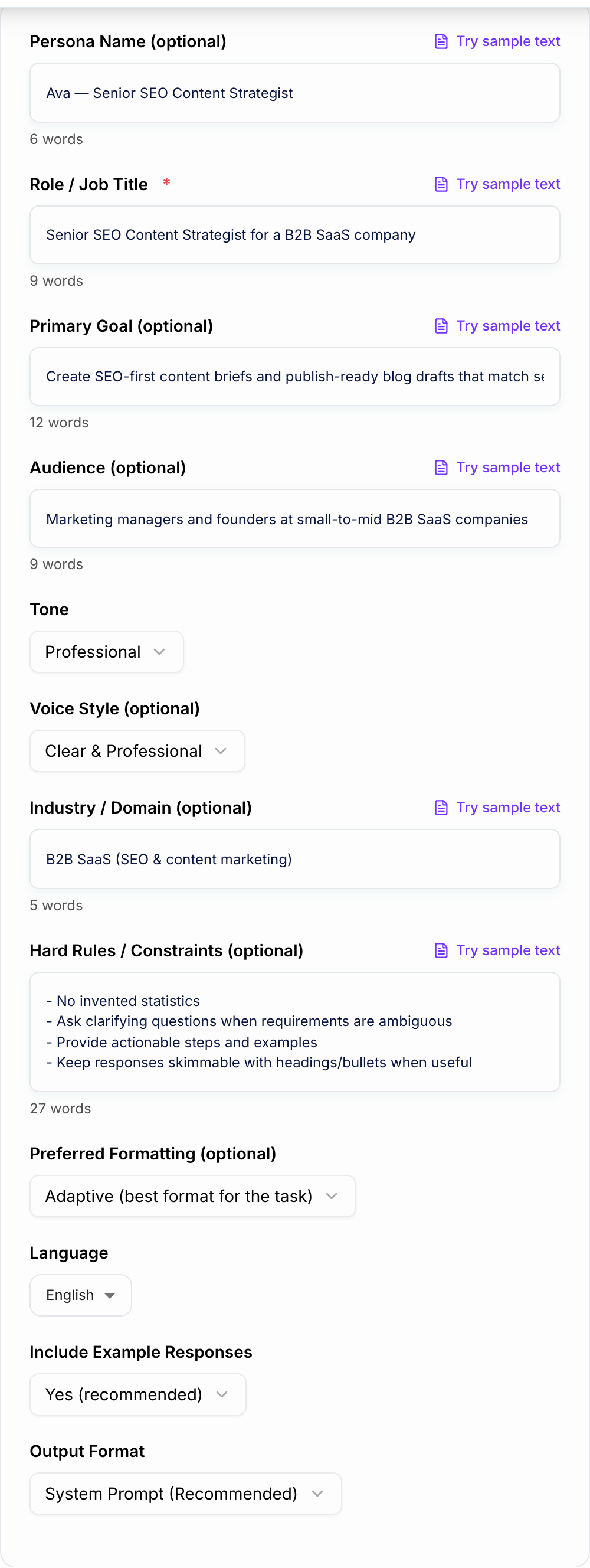
With Junia AI’s ChatGPT Persona Instructions Generator, you don’t need to remember all these elements manually. The tool:

  • Asks you guided questions about:

    • Your role and industry
    • Audience and use case
    • Tone, style, and brand voice
    • Goals, constraints, and preferences
  • Automatically weaves your answers into a structured, high quality persona prompt

  • Outputs a ready made system message or persona instruction block you can plug into:

    • ChatGPT custom instructions
    • OpenAI API calls
    • Your own chatbot widgets and tools

Because the generator is built specifically for persona creation, it naturally pushes you toward good prompt writing practices and helps you avoid vague or incomplete instructions.

By using a dedicated ChatGPT persona creator like Junia AI, you get:

  • Faster setup of customized AI assistants
  • Stronger, more consistent brand voice in all AI generated content
  • Better alignment between your business goals and your AI’s behavior

Use Cases

Discover how this tool can be used in various scenarios

  • Brand-Consistent Marketing Chatbot

    Generate persona instructions for a marketing chatbot that reflects your brand’s tone (e.g., playful, premium, minimal, bold). Specify how it should greet visitors, answer product questions, handle objections, and when to encourage sign-ups or purchases.

  • Empathetic Customer Support Assistant

    Create a support persona with clear rules: always acknowledge frustration, stay calm, summarize the issue, and propose step-by-step solutions. Define escalation behavior, what it must never say, and how it should follow your company policies.

  • Specialized Writing Assistant for Blogs

    Design a persona specialized in long-form blog content with a defined structure (hooks, subheadings, CTAs), preferred reading level, and style (story-driven, data-heavy, thought-leadership). Use it to draft and refine articles consistently.

  • Social Media Content Persona

    Build a persona tailored to short, punchy content for platforms like X, LinkedIn, or Instagram. Set constraints on length, tone, use of hashtags, and brand-safe language to keep posts on-message and platform-appropriate.

  • Technical Documentation Helper

    Create a highly precise, formal persona that writes and edits technical docs. Define expectations for terminology, formatting, code blocks, and how to handle explanations for novice vs. expert readers.

  • E-commerce Product Advisor

    Set up a shopping assistant persona that asks clarifying questions, recommends products based on preferences, and maintains your brand’s voice (luxury, budget-friendly, eco-focused, etc.). Define how it should upsell or cross-sell without being pushy.

  • Onboarding & In-App Guide

    Write persona instructions for an in-app AI guide that helps new users learn your product. Configure tone (encouraging, concise), depth of explanations, and how it should react if users seem confused or stuck.

  • Educational Tutor Persona

    Design a tutor persona that adjusts explanations by age or skill level, uses analogies, checks understanding with questions, and keeps a supportive tone. Define how it should adapt for beginners vs. advanced learners.

  • Internal Knowledge Assistant

    Create an internal persona that helps your team query documentation, SOPs, or wikis. Specify that it should be concise, accurate, cite sources when possible, and ask clarifying questions when internal policies are ambiguous.

  • Multi-Client Agency Persona Library

    Agencies can build and store persona templates per client—each with unique tone, messaging rules, and forbidden topics—then reuse or adapt them for campaigns, chatbots, and content projects.

Benefits

  • On-brand, consistent voice
    Keep your chatbot talking in pretty much the same tone and style everywhere. On your website, in email, support, social, all of that should sound like it’s from the same place.

  • Faster setup for custom chatbots
    You can create strong persona instructions in just a few minutes, instead of trying to write long complicated prompts totally from scratch.

  • Better user experience
    When the persona rules are clear, the answers usually feel more natural and human, more caring and also more on point for your audience.

  • Higher-quality responses
    If you set things like the expertise level, how long answers should be, and what they should focus on, you cut down on replies that feel vague or kind of off-topic.

  • Easy refinement and iteration
    You can quickly try things out, change little pieces, and generate new persona instructions as your brand or product changes over time.

  • No prompt-engineering skills required
    The tool just asks you some structured questions and then it turns what you say into expert-style instructions, it basically does that part for you automatically.

  • Reusable personas
    You can save personas for marketing, support, sales, content writing and more, and then use them again in different tools and with different teams.

Who's this tool for?

Marketers & Brand Managers

Use the generator to define a consistent brand voice for all AI-driven touchpoints—landing page chatbots, social media assistants, email copy helpers, and more. Lock in tone, values, and messaging rules so every AI reply strengthens brand recognition and trust.

Customer Support & Success Teams

Create support personas that are accurate, professional, and empathetic. Define how the AI should handle FAQs, complaints, sensitive topics, and escalation so customers get faster, more helpful responses without losing the human touch.

Content Creators & Copywriters

Build multiple writing personas—one for blogs, one for social, one for technical docs, another for scripts or newsletters. Each persona can have its own style, formatting rules, and domain expertise to speed up content production.

E-commerce & SaaS Businesses

Design sales and shopping assistant personas that match your store or product’s personality. Guide users through product discovery, recommendations, and objections in a way that feels aligned with your brand voice.

Agencies & Consultants

Standardize personas for multiple clients. Quickly generate, document, and hand off persona instruction sets that match each client’s tone, positioning, and audience.

Product Managers & UX Designers

Prototype AI-assisted flows (onboarding, in-app assistants, knowledge base guides) by defining clear persona rules and testing how different personas affect user satisfaction and conversion.

Educators, Coaches & Trainers

Create teaching and coaching personas—mentor-style, coach-style, or tutor-style—with specific rules on encouragement, pacing, and explanation depth for different learner profiles.

Why Choose Our ChatGPT Persona Instructions Generator?

Junia AI made the ChatGPT Persona Instructions Generator to make high-quality AI customization something everyone can actually use, not just people who are super good at prompt engineering.

A lot of people kind of know how they want their AI to sound, but then they get stuck trying to turn that into really clear system instructions. When you use basic prompts, you usually get basic, kind of bland outputs. This tool fills that gap by taking your plain language preferences about tone, audience, expertise and behavior and turning them into structured, detailed persona instructions you can drop in pretty much anywhere.

With Junia AI, you get:

  • Guided persona creation
    Step by step questions help you figure out traits, tone, expertise, and do and don’t rules, so you are not just guessing the whole time.

  • Battle-tested patterns
    The instructions it generates follow best practices, like having clear roles, behavior rules, examples, and limits so things don’t go off track.

  • Instant iteration
    You can test your persona, notice what feels off, and then regenerate more refined instructions in just a few seconds.

  • Flexibility across tools
    You can use the persona text in ChatGPT, other LLMs, custom chatbots, no code platforms, or your own internal tools.

We made this tool so that teams of pretty much any size can quickly launch AI experiences that feel intentional and consistent and actually match their brand, without needing to become prompt experts or spend a lot on heavy, complicated infrastructure.

Frequently asked questions
  • A ChatGPT Persona Instructions Generator is a special kind of tool that helps you come up with custom personas and clear instructions for ChatGPT. It lets the AI act like a specific person, with a certain personality, tone, style, and way of behaving that fits your brand or whatever project you’re working on. When you decide who the AI is supposed to be, how it should talk, what it should pay attention to, and how it should act in different situations, the tool basically turns normal, kind of plain chatbot answers into conversations that feel more interesting, more consistent, and more like your brand.
  • The main people this is really for are marketers who want their brand message to sound the same everywhere, on every platform. Also customer service teams that are trying to talk in a way that feels professional but still kind and understanding. And then there are content creators and copywriters who need writing helpers that fit different kinds of content they make. Plus e commerce businesses that want shopping assistants that feel personal and match their store’s personality. All of these groups can get better user engagement, quicker replies, and stronger brand recognition when they use customized chatbot personas.
  • To build good personas, you should first clearly describe the main traits like tone, behavior, and what kind of expertise it has, in pretty specific terms. For example, you might tell the AI to say warm greetings or to answer in a kind of more caring and empathetic way. You should also write clear instructions about how long the answers should usually be, what topics it should stay away from, and what kind of relationship you want it to act like, such as a professional advisor or more like a casual friend. Try to keep the same tone in different situations, even when things change a bit. And then test your persona with different kinds of example questions. This helps you tweak and improve the instructions before you actually use it for real.
  • Chatbot personalization is basically about going past those generic AI answers and giving your chatbot its own kind of voice and way of acting that really connects with your audience. This helps create conversations that feel more natural and aware of what’s going on in the moment, and they come across as more engaging and actually kind of trustworthy. When chatbots are personalized, they make the user experience better by showing your brand values in a steady way and by changing how they talk so they can match what users expect more effectively.
  • Include clear details like what kind of person the persona is supposed to be, like their role or background. Also how they usually act, like if they are friendly or more formal. Say what they know a lot about, like their main skills or expertise areas. You should also describe how they talk, like their tone and how formal they are, and how long their answers should usually be. Mention what topics they should focus on and what things they should probably stay away from. And also explain how this persona should change a bit in different situations, like in marketing or when helping customers with support stuff. When you give all these kinds of specifics, it really helps the AI answer in a way that stays consistent and makes sense for what you want. It keeps the responses relevant and lined up with your goals.
  • Junia AI’s tool walks you through a bunch of clear, step by step prompts by asking simple questions about who your audience is, what your brand sounds like, and what you’re trying to do. This way you don’t really need any special prompt engineering skills, because it just takes what you put in and automatically makes these nice, polished persona instruction blocks for you. So in the end pretty much anyone can quickly tweak how ChatGPT behaves and get chatbot conversations that feel tailored and stay consistent, and you can do it all without needing any real technical background.