
Free Excuse Generator
Use the AI Excuse Generator to write believable, privacy-friendly excuses for work, school, clients, meetings, appointments, cancellations, late arrivals, and missed deadlines. Choose the situation, tone, and format to get a concise text, email, or call script with a clear next step.
Excuse
Your believable excuse will appear here...
How the AI Excuse Generator Works
Get results in seconds with a simple workflow.
Choose the Situation and Format
Select whether it’s for work, school, personal plans, or a client—and choose the format (text, email, or call script).
Add Optional Context and Constraints
Optionally describe what happened and add constraints like “keep it vague,” “no medical details,” or “sound professional” to control the output.
Generate and Send (or Customize)
Get a believable excuse with the right tone and length. Copy it as-is or tweak details like ETA, date, or reschedule time.
See It in Action
Turn a vague, risky excuse into a believable, privacy-friendly message with a clear next step.
Sorry I can’t make it. Something came up and it’s really bad. I’ll explain later.
Hi — I’m really sorry, but I need to reschedule today. An unexpected conflict came up and I won’t be able to make it on time. Can we move it to tomorrow morning or later this afternoon?
Why Use Our AI Excuse Generator?
Powered by the latest AI to deliver fast, accurate results.
Believable Excuses That Sound Human
Generates realistic excuses with natural phrasing, appropriate levels of detail, and a consistent story—so your message sounds credible and not over-scripted.
Work, School, Personal, and Client-Ready Options
Create excuses tailored to workplace situations, academic deadlines, personal plans, meetings, and client communications—aligned with the context and expectations.
Tone and Professionalism Controls
Match your tone (polite, apologetic, formal, casual, confident) so the excuse fits your relationship to the recipient and your communication style.
Short Messages or Full Email Templates
Generate a quick text excuse for chat apps or a structured email with subject line, apology (when appropriate), and a clear next step like a revised ETA or reschedule.
Vague-by-Design (Avoid Oversharing)
Produces concise excuses that protect privacy by avoiding unnecessary personal details—useful for professional settings and sensitive situations.
Pro Tips for Better Results
Get the most out of the AI Excuse Generator with these expert tips.
Keep it short and consistent
Believable excuses avoid overexplaining. A simple reason + next step (ETA/reschedule) is usually more credible than extra details.
Use accountability language for professional settings
For work and client messages, combine a brief apology with a solution (updated timeline, next steps, or alternatives) to maintain trust.
Avoid high-stakes claims
Skip dramatic emergencies unless true. Neutral reasons (schedule conflict, unexpected delay, tech issue) tend to sound more realistic.
Offer a clear next step
Add a reschedule window, revised deadline, or ETA. It reduces back-and-forth and signals reliability even when plans change.
Match tone to the recipient
Use formal language for managers/clients and a lighter tone for friends. Tone mismatch is a common reason messages feel suspicious.
Who Is This For?
Trusted by millions of students, writers, and professionals worldwide.
Write Believable Messages with an AI Excuse Generator
A good excuse is usually not dramatic. It is short, calm, and clear about what happens next.
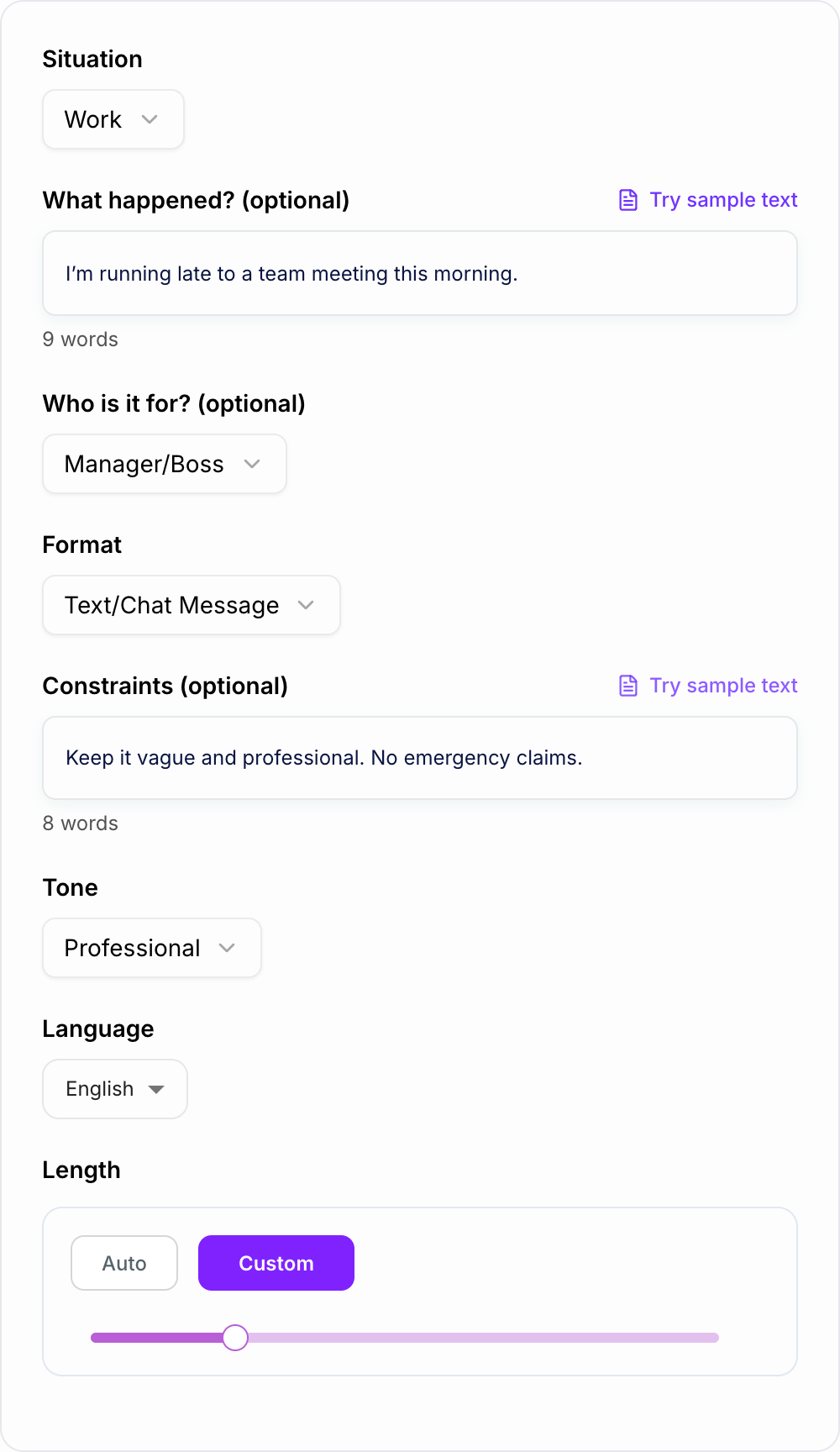
This AI Excuse Generator helps you write believable excuses for work, school, meetings, clients, appointments, cancellations, late replies, and missed deadlines. You choose the situation, tone, and format, then review the message before sending it.
What to Enter into the Excuse Generator
The tool works best when you give it the real communication problem, even if you want the final message to stay vague.
Useful inputs include:
- Situation: late to work, missed class, delayed project, cancelled plan, client delay
- Recipient: manager, teacher, client, friend, interviewer, appointment contact
- Format: text, email, chat message, or call script
- Tone: professional, apologetic, casual, formal, calm, direct
- Next step: ETA, new deadline, reschedule window, partial update, follow-up time
- Constraints: keep it vague, no medical details, no emergency claims, do not over-apologize
For example, instead of entering "I need an excuse for being late," try: "Late to a team meeting, manager is waiting, keep it professional, say I will join in 10 minutes, do not mention personal details."
How to Choose Tone and Format
Use a professional email when the recipient needs a record, such as a manager, client, teacher, or project stakeholder. Include a subject line only when the context calls for one.
Use a short text or chat message when the issue is immediate: running late, rescheduling, delayed reply, or missing a casual plan.
Use an apologetic tone when your delay affects someone else. Keep the apology brief and move quickly to the next step.
Use a calm, factual tone when oversharing would make the message weaker. In many work and school situations, "an unexpected scheduling issue" is enough.
Example Input and Generated Excuse
Filled shape to imitate
The ask, the date, the deliverable, and the thing you will not promise — in that order. If the draft buries the uncomfortable sentence, put it back on the first screen.
Input
- Situation: Need to reschedule a meeting today
- Recipient: Client
- Tone: Professional and apologetic
- Constraints: Keep it vague, do not mention health, include two new time options
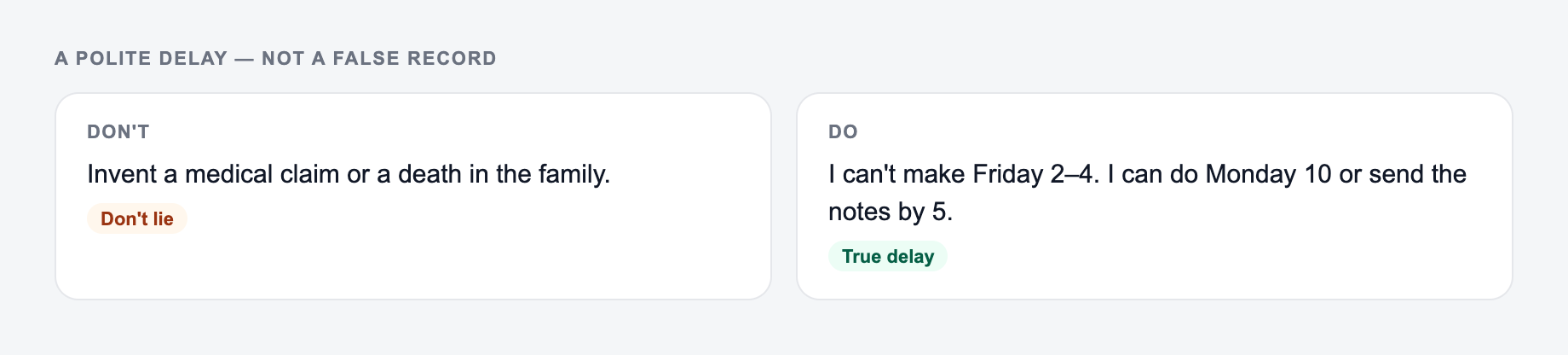
Use this for a polite delay note, not a false record. The form should not invent a medical claim.
Decision criteria before you send anything the AI Excuse Generator drafted:
- Can you point to the number in a spreadsheet or a contract?
- Would you sign it if your name were the only one on it?
- What happens if the optimistic date slips?
This is a draft aid, not legal, medical, or HR advice.
Generated message
Hi [Name], I am sorry for the short notice, but an unexpected scheduling conflict came up and I need to reschedule our meeting today. Would tomorrow morning or Thursday afternoon work for you? I apologize for the inconvenience and appreciate your flexibility.
That message works because it does not overexplain. It gives a reason, acknowledges the inconvenience, and offers a practical next step.
How to Review the Generated Excuse Before Sending
Do not copy the first draft blindly. Check it for four things:
- Truth: remove anything that is not accurate.
- Specificity: add real dates, times, names, or deadlines where needed.
- Tone: make sure it sounds like you, not a customer service template.
- Promise: only offer an ETA or deadline you can actually meet.
The easiest way to make an excuse suspicious is to add too many details. The easiest way to make it useful is to include the next step.
Common Excuse Patterns That Work
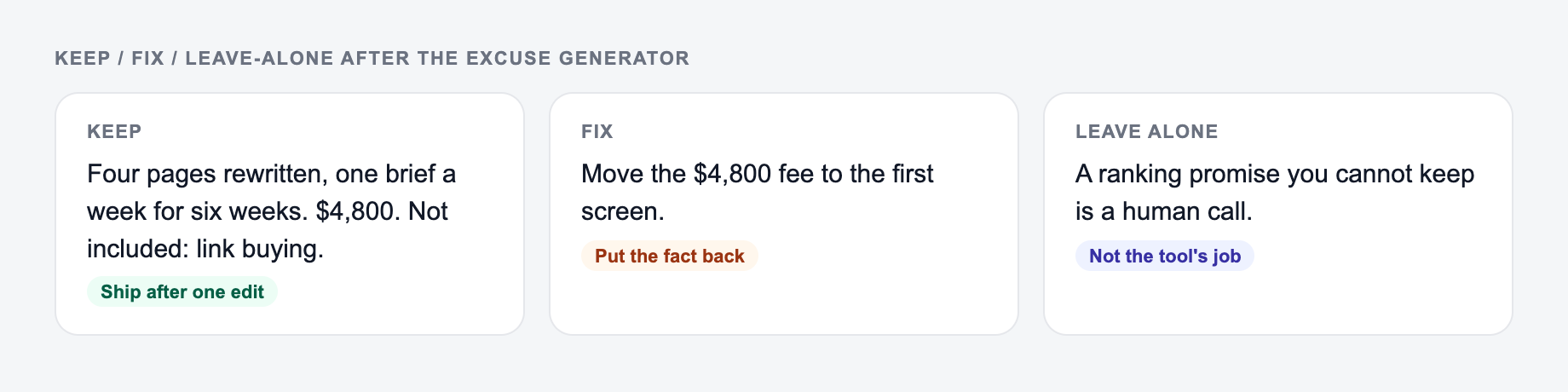
Keep the line you could publish. Put facts back. Do not outsource the judgment call.
For running late:
I am running about 10 minutes behind because of an unexpected delay. I will join as soon as I can. Sorry for the inconvenience.
For a missed deadline:
I am sorry, I will not be able to send the full version by the original deadline. I can send a partial draft today and the completed version by Friday morning.
For a cancellation:
I am sorry for the short notice, but I need to reschedule today. Are you available tomorrow afternoon or later this week?
For a client delay:
Quick update: we hit a small delay on our side, so the deliverable will move to Thursday. The scope is still on track, and I will send the next update tomorrow by noon.
If you need to polish the final wording further, Junia AI can help shorten, soften, or rewrite the message so it matches your normal voice.
Responsible Use Checklist
Before sending, ask yourself:
- Is the message accurate enough to stand behind?
- Does it avoid unnecessary personal details?
- Does it avoid dramatic claims that are not true?
- Does it include a clear next step?
- Would the recipient understand what happens now?
Use the generator to reduce awkwardness, not to create complicated stories. Simple, respectful communication usually works better.
Frequently Asked Questions
Is this excuse generator free to use?+
Yes. You can generate believable excuses for common situations for free. Some advanced modes (like extra-polished or more detailed variants) may be marked as premium.
Can it generate professional excuses for work or clients?+
Yes. Choose a work or client situation and a professional tone to get a credible message that stays calm, concise, and action-oriented (with a next step like ETA, reschedule, or updated deadline).
Will it avoid oversharing personal details?+
By default, it keeps details minimal and privacy-friendly. You can also add constraints like “keep it vague” or “no medical details” to control what the excuse includes.
Can I generate an excuse as an email or text message?+
Yes. Select the format (text/chat, email, or phone call script) and the tool will generate an excuse in that style, including an email subject line when needed.
Can I choose the tone (formal, casual, apologetic)?+
Yes. Pick a tone to match your situation—formal for managers and clients, casual for friends, or apologetic when you need to acknowledge inconvenience.
How do I make an excuse sound believable?+
Keep it short, avoid dramatic claims, don’t add unnecessary specifics, and include a reasonable next step (ETA, reschedule time, or updated plan). This tool follows those best practices by default.