
Free AI Text Generator
Generate original text for blog sections, emails, product descriptions, ad copy, social posts, landing pages, and quick explanations. Add your topic, audience, tone, format, length, and optional keywords to create a cleaner first draft in seconds.
Generated Text
Your generated text will appear here...
How the AI Text Generator Works
Get results in seconds with a simple workflow.
Describe What You Need
Enter a clear prompt (what to write, for whom, and why). The more context you provide—topic, goal, constraints—the more accurate and usable the generated text will be.
Choose a Mode, Tone, and Length
Pick a mode (General, SEO Paragraph, Product Description, Ad Copy, Email) and optionally set tone, language, and target word count to match your format and audience.
Generate, Review, and Personalize
Generate your text, then refine it with specifics like internal links, real examples, accurate details, and stronger CTAs to make it publish-ready and aligned with your brand.
See It in Action
Turn a quick instruction into clean, publish-ready text that matches your goal (SEO, marketing, product, or email).
Write something about local SEO for plumbers so they can get more customers.
Local SEO helps plumbers show up when people search “plumber near me” in their area. Start by optimizing your Google Business Profile with accurate service areas, categories, and photos, then build trust with a steady stream of customer reviews. Combine that with location-focused service pages on your website and consistent listings across directories, and you’ll increase qualified calls from nearby customers who need help now.
Why Use Our AI Text Generator?
Powered by the latest AI to deliver fast, accurate results.
All-Purpose AI Text Generator for Any Format
Create paragraphs, introductions, descriptions, emails, ad copy, and more from a single prompt—ideal for fast content creation, quick drafts, and everyday writing tasks.
SEO-Friendly Output With Natural Keyword Placement
Optionally include target keywords to generate search-friendly text that maintains readability, matches intent, and avoids keyword stuffing—useful for blog sections, landing pages, and on-page SEO.
Tone and Language Controls for Brand Consistency
Generate text in your preferred tone (professional, friendly, persuasive, etc.) and language to keep messaging consistent across marketing channels and multilingual content workflows.
Multiple Modes for Marketing, Product, and Email Writing
Switch between focused templates like SEO Paragraph, Product Description, Ad Copy, and Email Draft to get structure and formatting that fits your exact content goal.
Fast First Drafts You Can Edit Into Final Copy
Get clean, coherent drafts quickly—then customize with your examples, proof points, internal links, and calls-to-action to publish faster without sacrificing quality.
Pro Tips for Better Results
Get the most out of the AI Text Generator with these expert tips.
Add constraints to get tighter output
Include details like format (1 paragraph vs 5 bullets), must-include points, and what to avoid. Constraints reduce rambling and make the text more usable on the first try.
For SEO, use one primary keyword + a few variants
Add a main keyword and 2–6 closely related terms. This improves topical relevance while keeping the writing natural and helpful (and avoids keyword stuffing).
Specify the audience and intent for better conversions
Tell the tool who the reader is and what action you want (learn, compare, buy, sign up). Intent-aligned copy usually reads clearer and performs better.
Generate 2–3 variations and combine the best parts
Create multiple drafts to compare hooks, structure, and phrasing. Merge the strongest lines into a final version that sounds more human and on-brand.
Always verify facts and add real proof points
If your text mentions numbers, claims, or policies, verify accuracy. Add real examples, testimonials, and links to strengthen trust and E-E-A-T for SEO.
Who Is This For?
Trusted by millions of students, writers, and professionals worldwide.
Generate Usable Text From a Better Prompt
Most AI text generators can produce a paragraph. The real question is whether the paragraph fits the audience, format, tone, and job you need it to do.
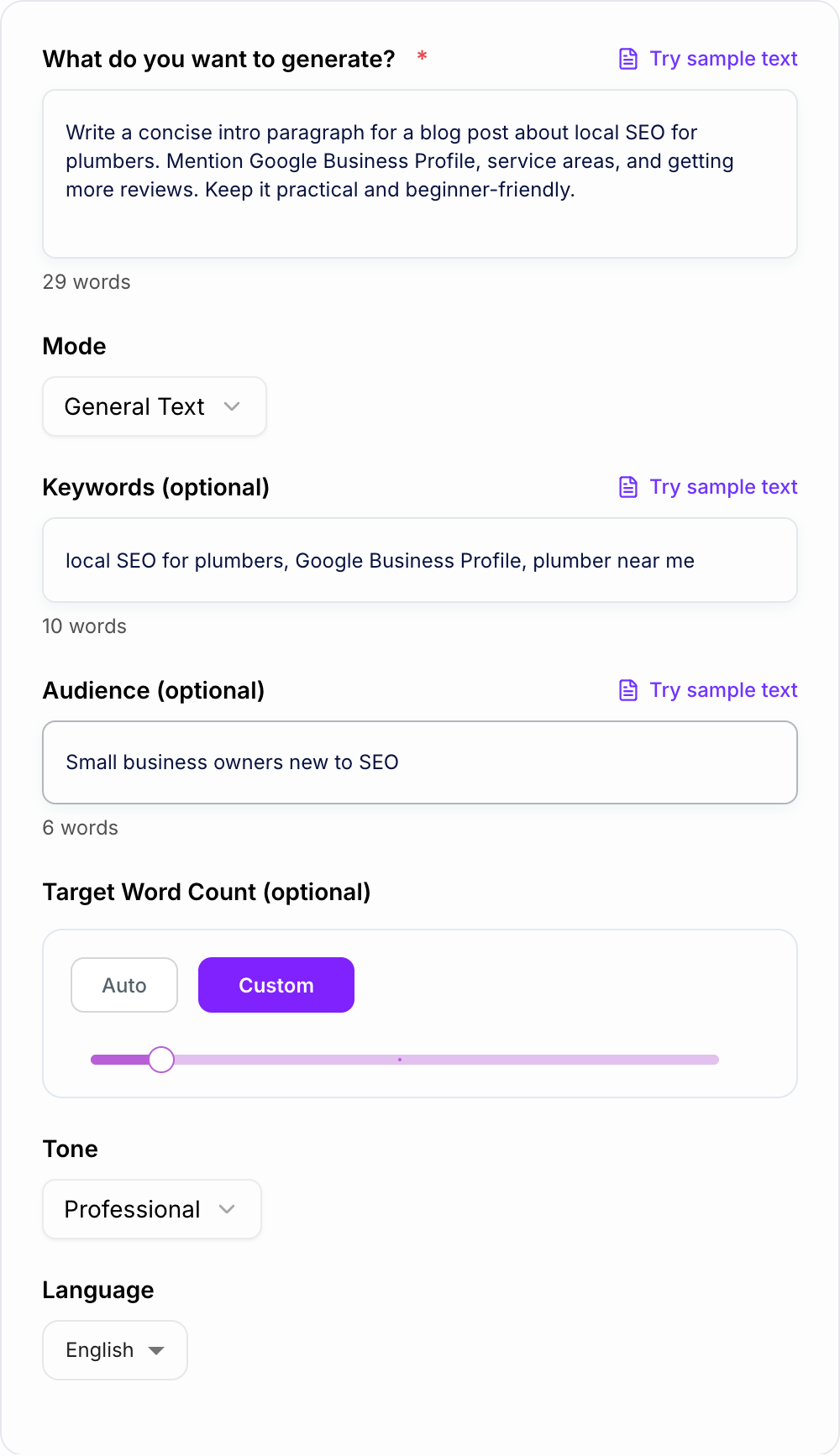
This AI Text Generator is built for everyday writing tasks: blog sections, product descriptions, email drafts, ad variations, social posts, landing page copy, short explanations, and SEO paragraphs. You give it the writing goal and constraints. It gives you a draft you can edit instead of a blank page.
If you want the broader workflow, Junia's AI writing tools can help with prompts, expansion, editing, humanizing, and long-form content after the first draft exists.
What to Include in Your Prompt
A strong prompt gives the generator a job, not just a topic. Include:
- Format: paragraph, email, product description, ad copy, intro, caption, CTA, FAQ answer
- Audience: beginners, buyers, executives, students, local customers, existing users
- Goal: explain, sell, reassure, compare, get a reply, introduce, summarize, convert
- Tone: professional, friendly, direct, persuasive, simple, technical, warm, playful
- Must-include details: features, location, examples, objections, keywords, offer, deadline
- Constraints: word count, avoid hype, no statistics, no emojis, do not mention pricing
A weak prompt is:
Write about project management tools.
A stronger prompt is:
Write a 150-word landing page section for small agencies comparing project management tools. Audience is agency owners. Goal is to explain why client approvals and workload visibility matter. Professional tone. Avoid hype.
That second version gives the generator enough structure to write something you can actually use.
Which Mode Should You Choose?
Use general text for short explanations, paragraphs, summaries, and everyday writing where you already know the topic.
Use SEO text when the copy needs to support a search page. Add the primary keyword, related terms, audience, and search intent so the output stays natural.
Use product description for ecommerce, SaaS features, app listings, and marketplace copy. Include real features and the buyer problem.
Use email draft for outreach, follow-ups, internal updates, support replies, and short sales messages. Include the recipient and next step.
Use ad copy or variation mode when you need multiple hooks or angles. Generate several options before polishing one.
If you are stuck on the instruction itself, build a clearer brief with an AI prompt generator, then paste that prompt into this tool. For ready-made wording patterns, these AI text generation prompts are useful starting points before you customize the task.
Using the Generator for SEO Text
SEO text should answer intent, not just include keywords. Give the tool enough context to understand the searcher.
Example input:
Generate a paragraph for a service page about local SEO for plumbers. Primary keyword: local SEO for plumbers. Related terms: plumber near me, Google Business Profile, plumbing service areas, reviews. Audience: small plumbing companies. Goal: explain the first steps in plain language. Avoid keyword stuffing.
The generated paragraph should mention the topic naturally, explain what the reader should do, and leave room for your own proof points. After generating, add real examples, internal links, service details, and any location or customer evidence that only you can provide.
If a section needs more depth after the first draft, expand it with the AI text expander instead of asking the generator for a vague longer version.
Example Prompts That Produce Better Drafts
Blog intro
Write a short intro for a blog post about onboarding remote employees. Audience is HR managers at growing startups. Goal is to explain why the first week needs structure. Mention documentation, manager check-ins, and async communication. 120 words. Practical tone.
Product description
Write a product description for a compact standing desk converter. Audience is remote workers in small apartments. Highlight easy setup, stable height adjustment, and space saving. Include 4 bullets. Avoid exaggerated claims.
Email follow-up
Draft a polite follow-up email to a lead who requested a demo last week and has not replied. Goal is to book a time this week. Include a subject line and two time options. Keep it concise.
Ad variations
Create 8 ad copy variations for a meal prep service for busy professionals. Each option should include one headline and one short primary text line. Focus on convenience, high-protein meals, and taste. Avoid the word “revolutionary.”
For more sample workflows, these AI text generator examples can help you adapt prompts for blogs, ads, emails, and product copy.
Review the Generated Text Before You Use It
Treat the output as a draft. Before publishing or sending, check:
- Specificity: Does it mention real details, examples, or constraints?
- Accuracy: Are there claims, numbers, policies, or facts you need to verify?
- Redundancy: Does the same idea appear more than once?
- Voice: Does it sound like your brand or like generic AI copy?
- Fit: Does the format match where the text will appear?
When the draft is accurate but too polished, use a tool to humanize AI-generated text and then edit manually for your actual voice.
Avoid Generic AI Text
Generic output usually comes from generic instructions. Add examples, constraints, audience details, and proof points before generating.
Instead of:
Write a product description for a backpack.
Use:
Write a product description for a 22L commuter backpack for cyclists. Audience is urban commuters. Mention waterproof fabric, separate laptop sleeve, reflective strip, and compact profile. Tone: practical, not hype. Include a short paragraph and 5 bullets.
That level of detail gives the tool useful boundaries. It also makes your edit faster because the first draft is closer to the real use case.
When You Need More Than a Short Draft
This generator is best for focused pieces of text. If you need a full article structure, headings, SEO optimization, and long-form drafting, use an AI article writer instead. If you need a deeper explanation of prompting and editing, this guide on how to use an AI text generator walks through the workflow in more detail.
The simple rule: generate the smallest useful draft first, then improve it with human context, examples, and review.
From Source Pack to Channel Drafts
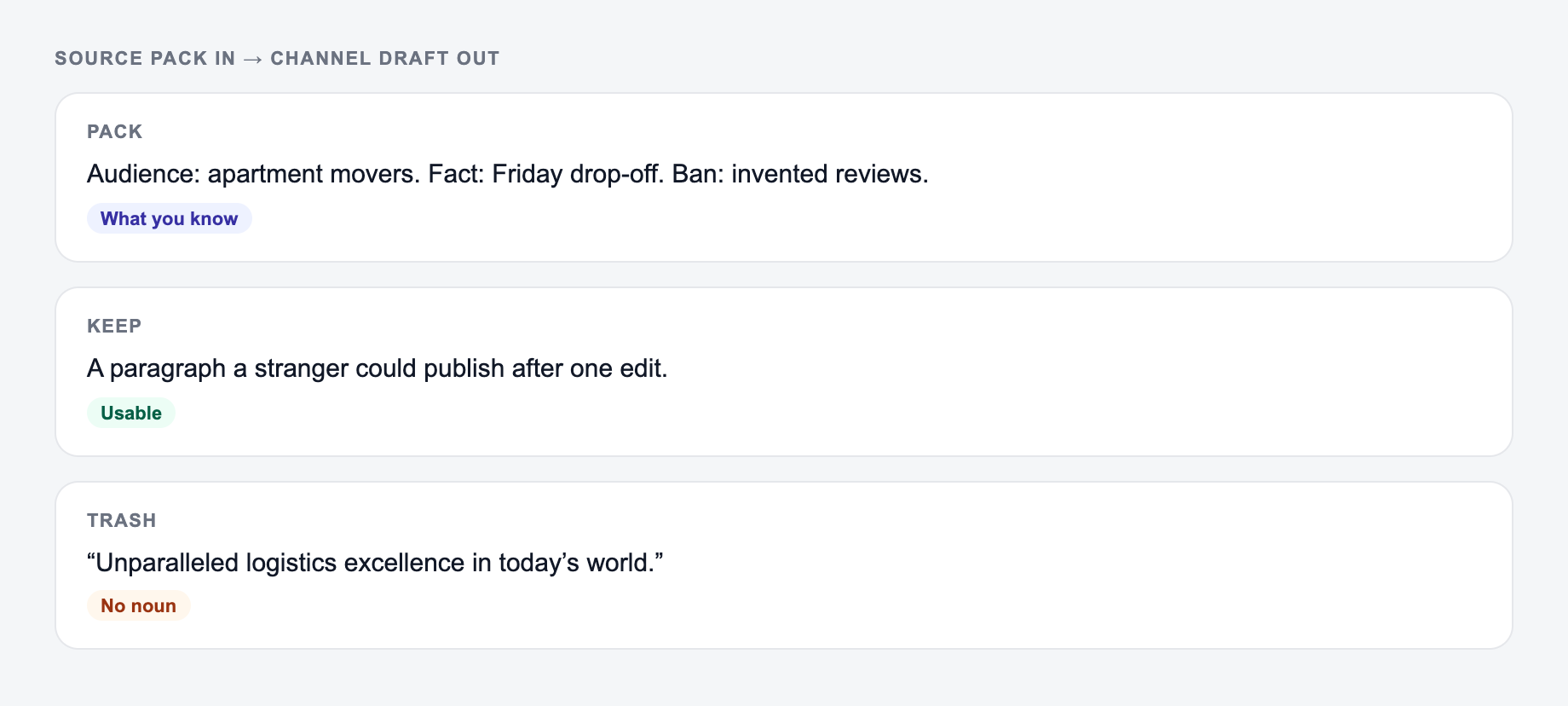
Do not ask the generator to fill factual gaps. Build a source pack first:
Give it what you already know, who the text is for, and the shape of draft you want back.
Product: 22L commuter backpack. Verified details: recycled nylon shell; padded sleeve fits devices up to 14 inches; reflective strip; 780 g measured sample. Unknown: waterproof rating and warranty. Audience: bicycle commuters using public transit. Tone: practical. Prohibited: “waterproof,” “ultralight,” and unsupported environmental impact claims.
From that same pack, request distinct outputs: a 90-word product page paragraph, five specification bullets, a 40-word marketplace description, and a customer-service answer about laptop fit. Compare them field by field. The product page may explain use; the specification bullets should stay literal; the support answer must not generalize beyond “up to 14 inches” without fit guidance. Channel adaptation means changing structure and emphasis, not changing facts.
Annotate every sentence as source-backed, editorial inference, or needs verification. Delete unsupported superlatives and synthetic testimonials. For SEO pages, map each section to a user question and add firsthand evidence only when it truly exists. The generator cannot establish originality, factual accuracy, legal compliance, or search performance; those require review and, where relevant, current platform guidance.
AI Article Writer
Turn one keyword into a complete, SEO-optimized article
- Researches the topic and outlines the article for you
- Writes headings, images, FAQs, and internal links in one go
- Publishes to WordPress, Webflow, Shopify, Ghost, and more
Frequently Asked Questions
What is this Free Text Generator?+
It’s an AI text generator that creates original text from your instructions. You can generate general-purpose writing, SEO paragraphs, product descriptions, ad copy variations, and email drafts—then edit the output to match your brand and context.
Can I use it as an SEO text generator?+
Yes. Add optional keywords and choose an SEO-focused mode to produce search-friendly text with natural keyword placement. For best results, include your search intent, audience, and any must-include terms—then add internal links and unique expertise before publishing.
Do I need to provide keywords?+
No. Keywords are optional. If you don’t add them, the tool will generate text based on your prompt and will avoid awkward keyword stuffing. If SEO matters, providing 1 primary keyword and a few related terms can help guide relevance.
How do I avoid generic AI-generated text?+
Add specifics: audience, constraints, examples, differentiators, and context (product details, location, features, pricing model, or outcomes). After generating, refine with original insights, data you can verify, and your brand voice.
Can I generate text in different languages and tones?+
Yes. Choose a language and tone to generate localized, audience-appropriate writing—useful for multilingual websites, international SEO, and consistent brand messaging.
Is the content plagiarism-free?+
The generator creates original text, but you should still review, edit, and run checks if needed—especially for compliance, sensitive topics, and highly competitive SEO content where uniqueness and accuracy are critical.