
Build a Custom GPT: No-Code GPT Builder Guide + Examples

Yi
SEO Expert & AI Consultant

A custom GPT is a saved version of ChatGPT built for a specific job. Instead of rewriting the same prompt every time, you define its role, instructions, knowledge, tools, and conversation starters once, then reuse or share it.
The short version: go to GPTs in ChatGPT, click Create, describe what you want, tighten the configuration, test it in Preview, then share it with the right audience. The better version, and the one I trust more, is to treat the GPT like a small product rather than a one-off prompt.
TL;DR: The Custom GPT Build Plan
| Step | What to Do | Why It Matters |
|---|---|---|
| 1 | Choose one narrow job | Broad GPTs drift. Narrow GPTs are easier to test and trust. |
| 2 | Write clear instructions | Instructions define behavior, tone, workflow, limits, and output format. |
| 3 | Add knowledge only when needed | Uploaded files give the GPT reference material; they should not replace instructions. |
| 4 | Enable only useful capabilities | Web search, image generation, data analysis, apps, and actions should support the task, not decorate it. |
| 5 | Test in Preview | Real prompts reveal missing context, weak formatting, and safety issues quickly. |
| 6 | Share carefully | Public GPTs should not contain private, proprietary, or sensitive material. |
If you just want a fast first version, use the conversational builder. If the GPT will support a business workflow, client process, internal team, or repeatable content system, use the configuration view and write the instructions yourself. In my experience, that extra control is where most of the quality difference comes from.
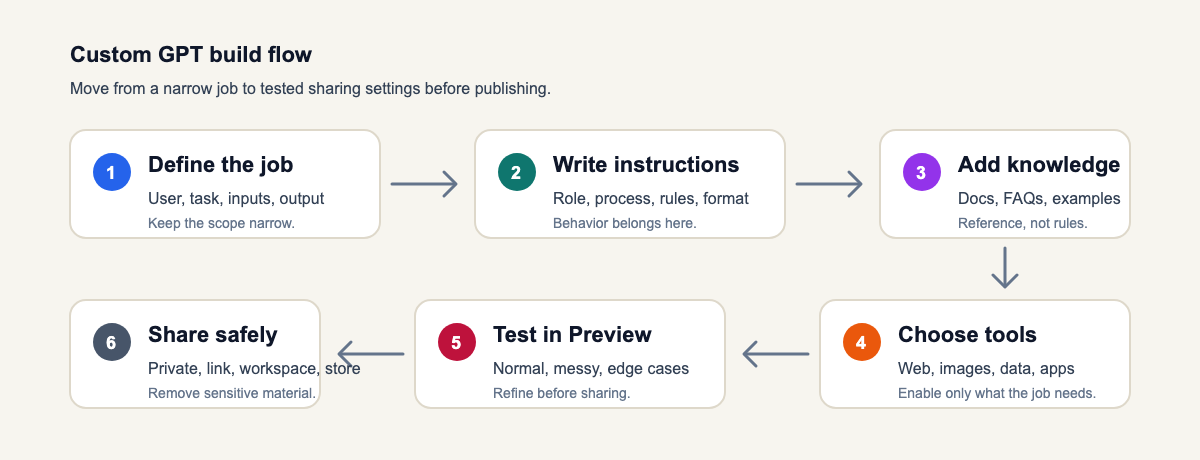
Use this sequence as the build map: define the job first, then configure behavior, reference material, tools, testing, and sharing in that order.
What Is a Custom GPT?
A custom GPT is a no-code assistant you build inside ChatGPT for a repeatable task. It can have a name, description, conversation starters, custom instructions, uploaded knowledge files, selected capabilities, and in some cases external actions or connected apps.
That makes it different from a normal ChatGPT conversation. A normal chat forgets your ideal setup unless you keep pasting the same prompt. A custom GPT carries the setup forward, so every new conversation starts with the same purpose and rules.
Good custom GPTs usually have a clear sentence like this behind them:
This GPT helps [specific user] complete [specific task] using [specific process or reference material], and it should avoid [specific failure mode].
For example, "This GPT helps a SaaS marketer turn customer interview notes into homepage messaging, using the company's positioning document, and it should avoid inventing product claims."
Before You Open GPT Builder, Define the Job
Most weak GPTs fail before the builder opens. The creator starts with "make me a marketing assistant" or "make me an SEO expert," then wonders why the answers feel generic.
Start with a one-page spec instead:
| Field | Example |
|---|---|
| User | Freelance content strategist |
| Main task | Turn raw client notes into a content brief |
| Inputs | Call transcript, target keyword, product notes, competitor URLs |
| Output | Structured brief with angle, outline, search intent, examples, and risks |
| Tone | Direct, editorial, plain English |
| Boundaries | Do not invent stats, pricing, case studies, or product features |
| Success test | Can it produce a useful brief from messy notes in under five minutes? |
This may feel like extra work, but it usually saves time. When I skip this step, I end up debugging vague behavior later: missing inputs, loose formatting, invented details, or a GPT that tries to do five jobs at once.
This is also where prompt tools help. A good prompt generator can turn a loose idea into a structured role, context, constraints, examples, and output format. For GPTs that need a consistent personality, a persona instructions generator can help define tone without making the assistant sound over-scripted.
How to Create a Custom GPT in ChatGPT
Open ChatGPT on the web, go to Explore GPTs or the GPTs area, then choose Create. OpenAI's current GPT creation documentation says creating and editing GPTs is available on the web experience for paid ChatGPT users and managed workspace users who have permission to build or edit GPTs.
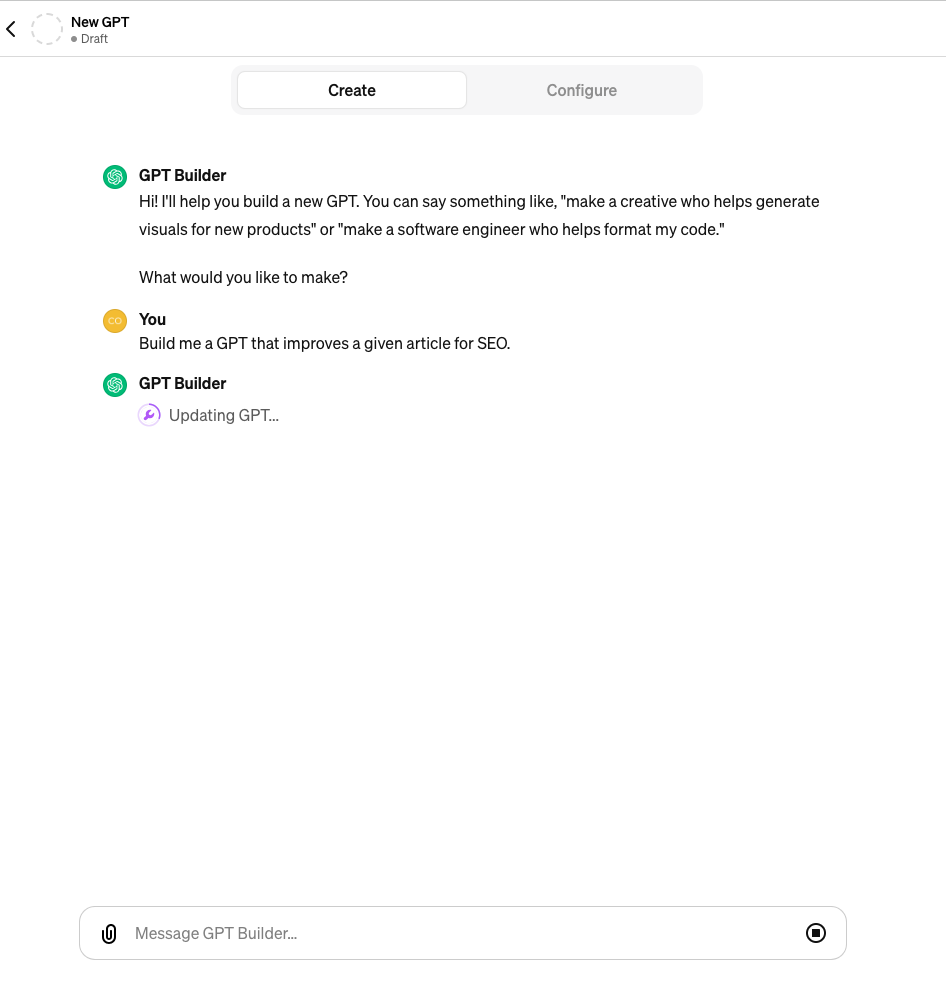
You will usually see two ways to build:
- Create tab: describe the GPT conversationally and let ChatGPT draft the setup.
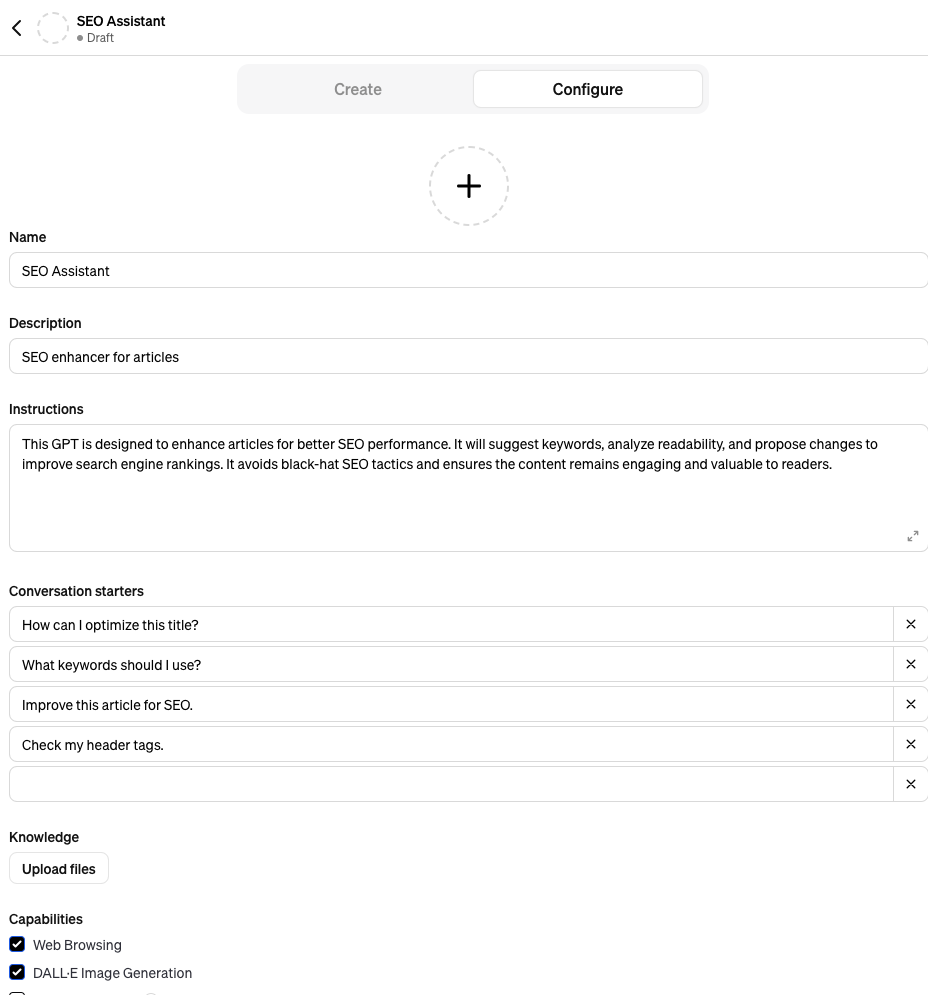
- Configure tab: edit the name, description, instructions, knowledge, capabilities, actions, and conversation starters directly.
The Create tab is fine for quick experiments. The Configure tab is where I would spend most of the time when the GPT needs reliable behavior, a multi-step workflow, or a repeatable output format.
1. Name the GPT for the Job, Not the Category
The name and description appear in search results, shared links, GPT Store previews, and the top of the chat. Make them specific.
Weak names:
- Marketing GPT
- Writing Helper
- Business Assistant
Stronger names:
- SaaS Homepage Messaging Reviewer
- Blog Brief Builder
- Customer Support Reply Coach
The description should answer three questions quickly: who it is for, what it does, and what kind of output it produces.
2. Add Conversation Starters That Teach Users What to Ask
Conversation starters are not filler. They shape the first interaction, and I think they are one of the most underrated parts of the setup.
Instead of:
- "How can you help me?"
- "Write something for me."
Use prompts like:
- "Turn these customer interview notes into a homepage messaging brief."
- "Review this blog outline and flag missing search intent."
- "Create three support replies for this refund request, each with a different tone."
These starters help users understand the GPT's real job before they type anything.
3. Write Instructions Like a Workflow
Instructions tell the GPT how to behave in every conversation. This is where the real build happens.
For most GPTs, I would use this structure:
Role:
You are [specific role] helping [specific user] complete [specific task].

Goal:
Produce [specific output] that helps the user [specific outcome].

Inputs to request:
Ask for [input 1], [input 2], and [input 3] if missing.

Process:
1. Confirm the task and constraints.
2. Review the user's source material.
3. Identify gaps, risks, or missing context.
4. Produce the final output in the required format.
5. End with the next best action.

Output format:
Use [headings/table/bullets/template]. Keep the answer [concise/detailed].

Rules:
Do not invent facts, quotes, pricing, legal claims, medical claims, or private details.
If information is missing, say what is missing and make a clearly labeled assumption only when useful.
OpenAI's own guidance emphasizes concrete, positive instructions and clear step structures. That matches what I see in practice: "Do X, then Y" works better than a long defensive list of "don't do this, don't do that." Negative rules still matter, but they work best after the desired workflow is already clear.
Knowledge Files: Use Them for Reference, Not Behavior
Knowledge lets your GPT use uploaded files as reference material. OpenAI says GPTs can attach up to 20 files, with each file up to 512 MB, though supported file types and behavior can depend on the model and settings.
Use knowledge for:
- Brand guidelines
- Product documentation
- Internal playbooks
- FAQ documents
- Research notes
- Examples of approved work
Do not use knowledge for:
- Secret credentials
- Private customer data
- Rules the GPT must always follow
- Anything you would be uncomfortable exposing if the GPT behaved unexpectedly
The cleanest setup is simple: put behavior in Instructions and reference material in Knowledge. If you need the GPT to quote or cite uploaded files, say that directly in the instructions and define the format.
For content workflows, I would usually upload one well-organized knowledge file instead of ten messy ones. If your source material is scattered, condense it first. A clean brief gives the GPT a better chance than a folder full of half-overlapping notes.
Capabilities and Actions: Only Turn On What the GPT Needs
Capabilities extend what the GPT can do. Depending on your plan, workspace, and region, these may include web search, image generation, Canvas, Code Interpreter & Data Analysis, apps, or external actions.
Here is the practical decision table:
| Capability | Turn It On When | Leave It Off When |
|---|---|---|
| Web search | The GPT needs current information | The task should rely only on provided docs |
| Image generation | Visual output is part of the job | The GPT only writes, reviews, or analyzes text |
| Code Interpreter & Data Analysis | The GPT must calculate, analyze files, or build charts | The workflow is conversational only |
| Apps | The GPT needs user-connected services | You do not want third-party tool access |
| Actions | The GPT must call a specific API or trigger a workflow | You cannot maintain schemas, auth, and safety rules |
Actions are powerful, but they raise the stakes. Once a GPT can call an external API, it is no longer just answering questions; it may be retrieving data or triggering operations. OpenAI's actions documentation notes that actions require API details, authentication information, and an OpenAPI schema, so I would keep the first version text-only unless the external action is central to the job.
Test the GPT Before You Share It
The Preview panel is where you find out whether the GPT actually works. I do not count a custom GPT as finished until it has failed a few useful tests and been corrected.
| Before you share | Pass if… |
|---|---|
| Job statement | A stranger knows what this GPT is for in one sentence |
| Instructions | Steps are ordered; banned behaviors are explicit |
| Knowledge files | Reference material only — not a substitute for instructions |
| Capabilities | Only tools the job needs are enabled |
| Red-team prompts | Jailbreaks, off-topic asks, and private-data requests fail safely |
Tip: Name the GPT for the job (“SEO brief checker”), not the category (“Content assistant”). Users learn faster from the title alone.
How to Create Custom GPT | OpenAI Tutorial
Test with at least four prompts:
- Normal use case: the clean example you expect most users to ask.
- Messy input: incomplete notes, unclear wording, or missing context.
- Edge case: a request that touches a boundary or risky claim.
- Adversarial request: a prompt asking it to ignore its instructions or reveal internal setup.
Then check:
- Did it ask for missing information instead of guessing?
- Did it follow the output format?
- Did it use uploaded knowledge correctly?
- Did it stay within the intended role?
- Did it refuse or redirect unsafe requests clearly?
- Did it avoid exposing private instructions or sensitive source material?
This is where many creators stop too early. A GPT that works on the first perfect prompt is not finished. It is finished when it handles normal messiness without falling apart.
Real Custom GPT Examples
The easiest way to understand custom GPTs is to look at concrete use cases. These examples are not the only possibilities, but they show the kinds of focused jobs where custom GPTs are useful.
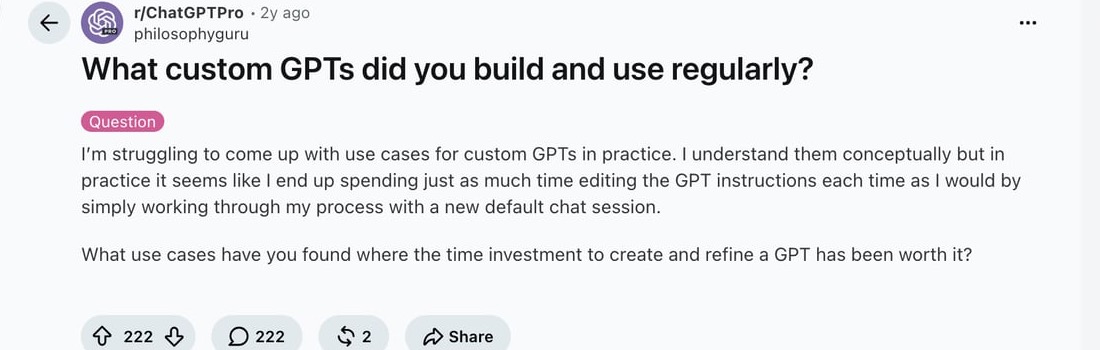
The real test is whether the setup saves time after the first version. My rule of thumb is simple: if I keep rewriting the same instructions every session, the GPT is not narrow or stable enough yet.
1. Blog Content Generator GPT
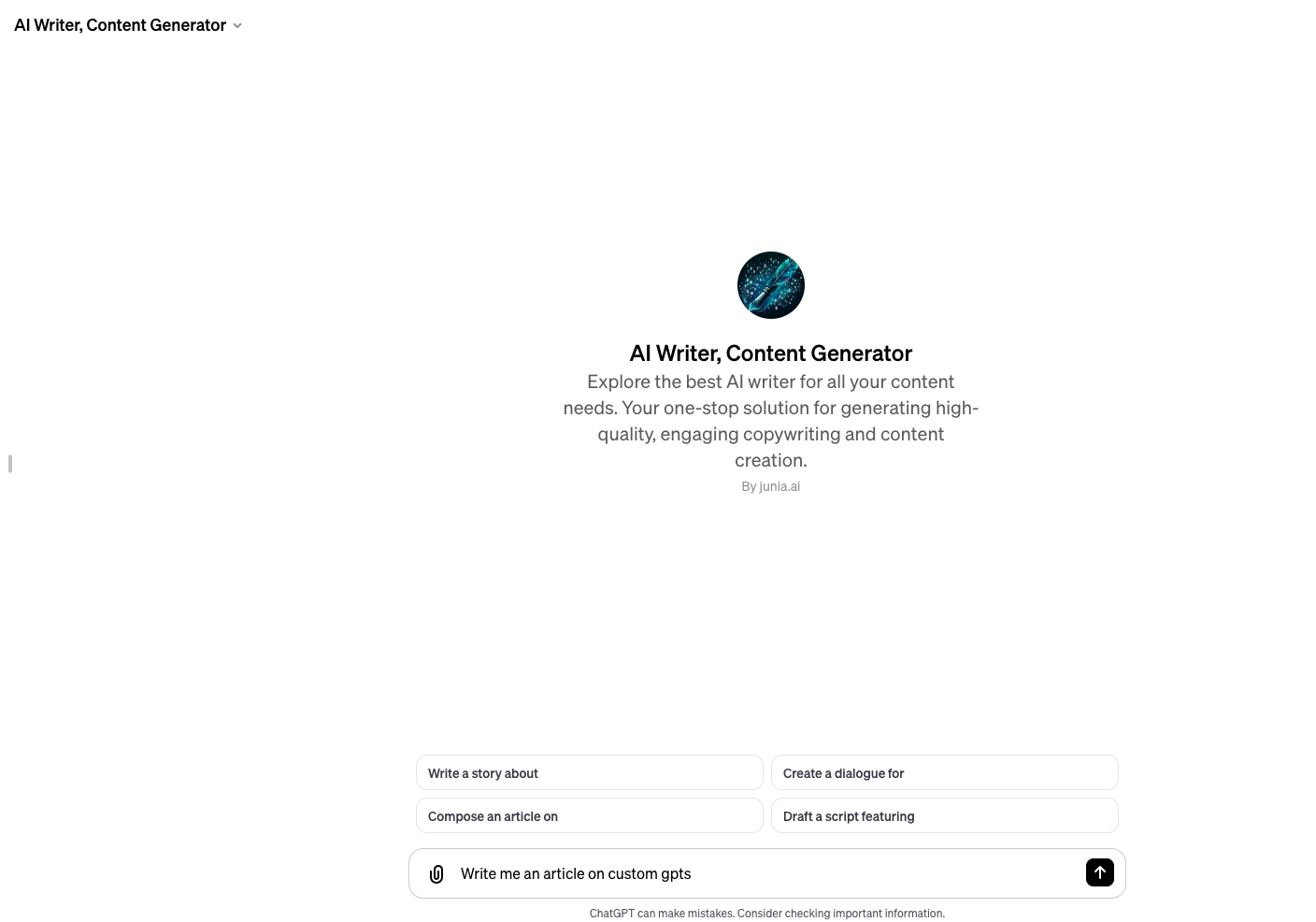
A blog GPT should not just "write a blog post." That is too broad, and it usually produces the kind of draft that looks complete before anyone checks the substance.
A stronger version would ask for the keyword, audience, search intent, product angle, competitor notes, and internal links before creating an outline. That ask-before-you-write pattern is the backbone of most prompt engineering templates. If you publish content regularly, connect the GPT to your actual process: brief first, draft second, edit third. Junia's blog content generator is useful when you want that structure without building the whole workflow yourself.
For SEO-focused teams, the important part is not speed alone. The GPT should make the article easier to plan, verify, and edit. If you are building around search, study how AI text generation prompts change output quality before you lock the prompt into a reusable GPT.
2. Article Rewriter GPT
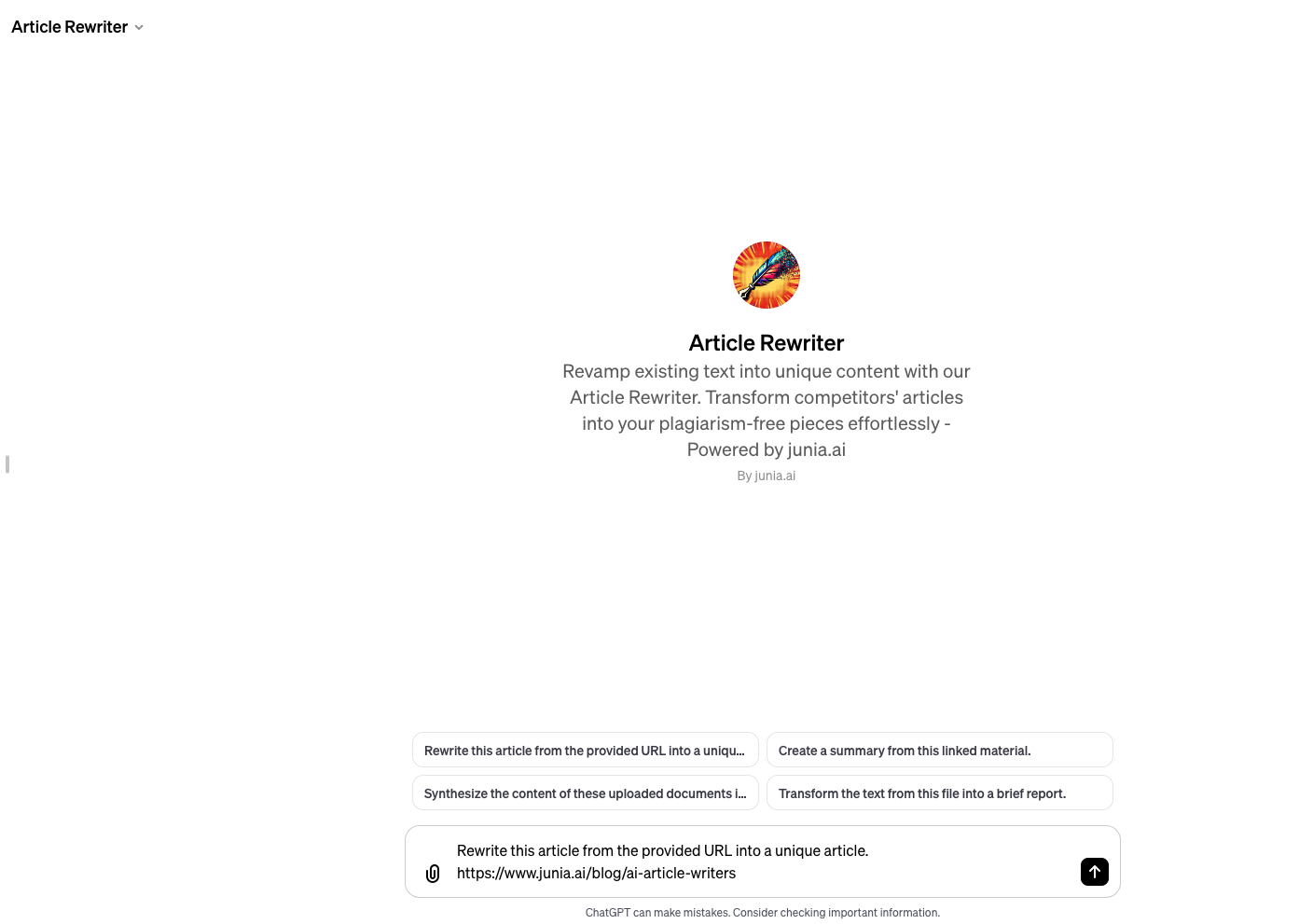
An article rewriter GPT is helpful when the input is already true but unclear. The instructions should tell it what to preserve, what to improve, and what not to change.
For example:
- Preserve facts, names, links, quotes, and original claims.
- Improve structure, transitions, specificity, and rhythm.
- Flag unsupported claims instead of smoothing them over.
- Keep the author's point of view intact.
This kind of GPT pairs well with a final human review. You can use an AI text detector as one signal during QA, but the better test is editorial: does the draft say something specific, accurate, and useful?
3. LogoGPT

A logo GPT should collect brand context before generating anything: industry, audience, mood, colors, typography preference, symbols to avoid, and where the logo will be used. Personally, I would rather see three well-explained directions than one polished image with no rationale.
The useful output is not just one image. A better GPT might produce three concept directions, explain the visual logic behind each one, then create prompts for a designer or image model.
4. Relationship Guide GPT
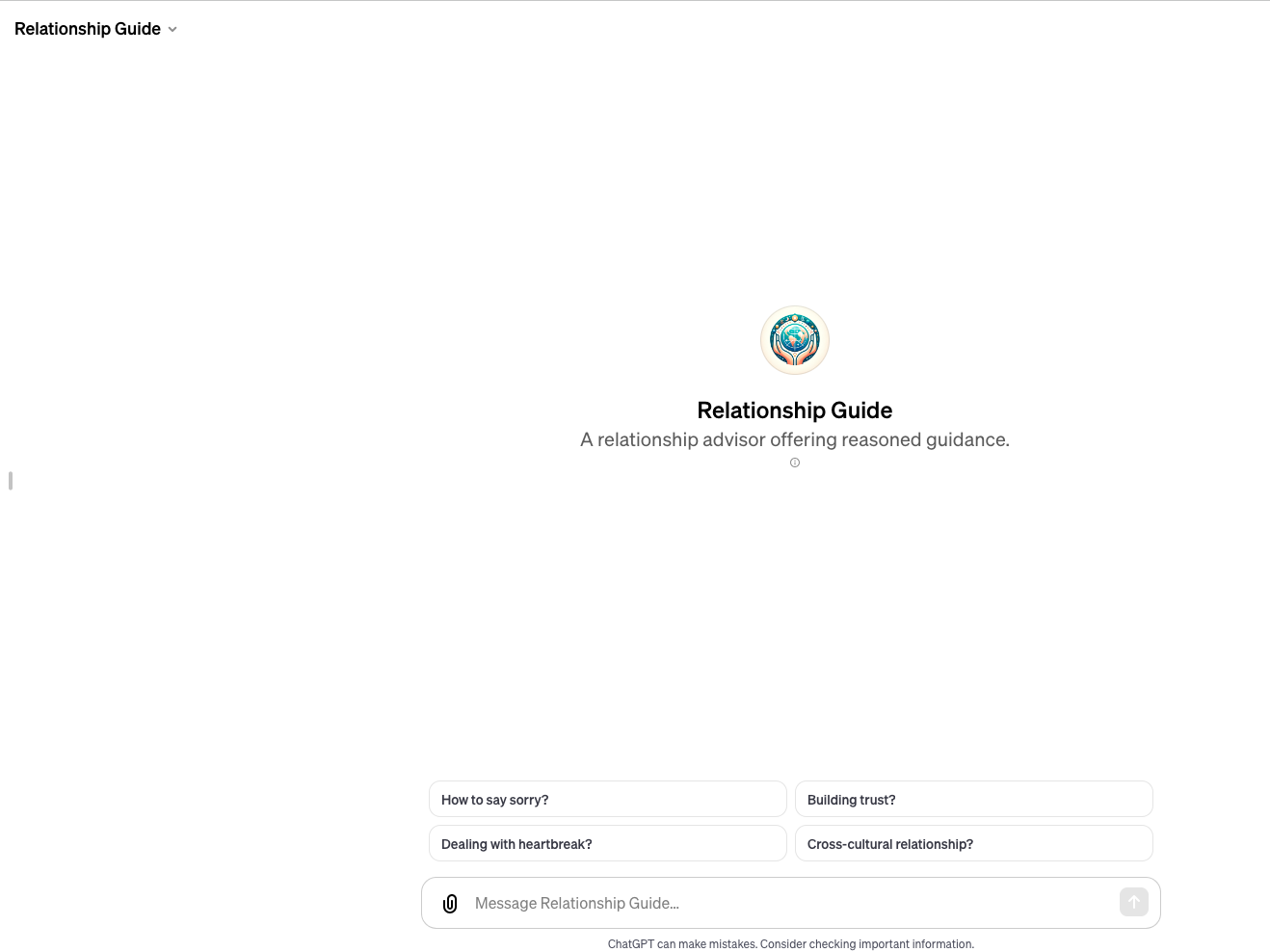
A relationship GPT needs stricter boundaries than a writing GPT. It can help users think through communication, conflict, and reflection, but it should avoid pretending to be a therapist, diagnosing people, or giving advice for unsafe situations without escalation.
This is the pattern to remember: the more sensitive the topic, the more important the safety instructions and refusal behavior become.
Sharing, Publishing, and the GPT Store
The GPT Store is no longer a future idea. GPTs can be shared through GPT links, workspace access, or public/store visibility depending on your plan, settings, and permissions. OpenAI's sharing documentation recommends choosing a sharing level and permission level before saving access changes.
Before you publish, check these fields:
| Field | What to Check |
|---|---|
| Name | Does it clearly say what the GPT does? |
| Description | Does it tell the right user why to open it? |
| Conversation starters | Do they show realistic use cases? |
| Instructions | Are private notes removed? |
| Knowledge | Are sensitive files excluded? |
| Capabilities | Are unnecessary tools turned off? |
| Preview tests | Did it handle messy and risky prompts? |
If your goal is visibility, do not think of a GPT link as a shortcut around quality. A public GPT still needs a useful promise, clear positioning, and a reason for people to return. I would rather publish one narrow GPT people actually reuse than ten generic GPTs that get opened once.
Can Custom GPTs Help With SEO?
Custom GPTs can support SEO in two ways.
First, they can improve your internal workflow. You can build GPTs for content briefs, title options, schema drafts, internal link suggestions, SERP notes, product descriptions, and content refreshes. Teams working in SEO may also want specialized assistants for topic research, technical checks, or workflow QA. If that is your goal, review proven GPTs for SEO and notice how narrow the useful ones are.
Second, public GPT pages may create discoverable brand surfaces. Some marketers call this parasite SEO because the GPT lives on a strong platform rather than your own domain. Be careful with that framing. A GPT should not exist just to push links or mentions. It should solve a real user problem, and any brand mention should be natural, useful, and honest.
A better SEO-minded approach is:
- Build a genuinely useful GPT for a narrow audience.
- Give it a name and description people can understand quickly.
- Use conversation starters that match real queries.
- Mention your brand only where it helps the user.
- Link back to your site only when the destination gives deeper context.
That is slower than spam, but it is also more durable.
Privacy and Safety Checklist
Treat every custom GPT as something another person may test in unexpected ways. That sounds cautious, but it is the right mindset once files, tools, or public sharing are involved.
Before sharing it, check:
- Do the instructions include anything confidential?
- Do knowledge files contain customer data, private contracts, passwords, API keys, or unpublished strategy?
- Could the GPT reveal internal prompts, source material, or proprietary process details?
- Are actions or apps able to send data to third-party systems?
- Does the GPT know how to respond when asked for legal, medical, financial, or unsafe advice?
- Does the GPT ask before making assumptions on sensitive topics?
OpenAI's GPT privacy notes say GPT builders cannot see individual conversations people have with their GPTs, but that does not make uploaded material harmless. If the GPT has actions or connected tools, data may move into other systems depending on the integration. I would keep sensitive material out unless you fully understand the access model.
Common Mistakes to Avoid
The first mistake is making the GPT too broad. "Marketing assistant" sounds useful, but it usually produces generic answers. "LinkedIn post editor for B2B founder drafts" is easier to guide and evaluate.
The second mistake is putting everything in knowledge files. Knowledge is reference material. Instructions are behavior. If the GPT must always follow a rule, put that rule in the instructions.
The third mistake is enabling every capability. More tools create more ways for the GPT to drift, slow down, or expose information. Start with the minimum set.
The fourth mistake is skipping examples. A few strong examples of good and bad output can teach the GPT more than another paragraph of abstract rules. This is especially true for brand voice work, where customizing AI brand voice depends on concrete samples rather than adjectives like "friendly" or "professional."
The fifth mistake is sharing too early. Test the GPT with the kinds of prompts real users will actually send, including unclear requests and edge cases. I have more confidence in a GPT that handles one messy real example than one that looks perfect on a polished demo prompt.
Final Takeaway
A good custom GPT is not just ChatGPT with a custom name. It is a small reusable workflow with a clear job, useful instructions, relevant knowledge, limited tools, and enough testing to trust it.
If you want the fastest path, use the Create tab and let GPT Builder help you draft the first version. If you want a GPT people can actually rely on, write the configuration yourself, test it with messy inputs, and keep refining until the answers are consistently useful.
The best GPTs are usually boring in the right way: narrow, predictable, specific, and easy to use.