
Free Backlink Outreach Email Generator
Generate personalized backlink outreach emails for guest posts, broken link building, skyscraper campaigns, resource page outreach, and unlinked mentions. Create subject lines, outreach templates, and polite follow-ups designed to increase reply rates.
Outreach Email
Your backlink outreach email will appear here...
How the AI Backlink Outreach Email Generator Works
Get results in seconds with a simple workflow.
Choose a Link Building Campaign Type
Pick the outreach style that matches your goal—resource page inclusion, broken link building, unlinked brand mentions, skyscraper updates, guest post pitch, or a follow-up email.
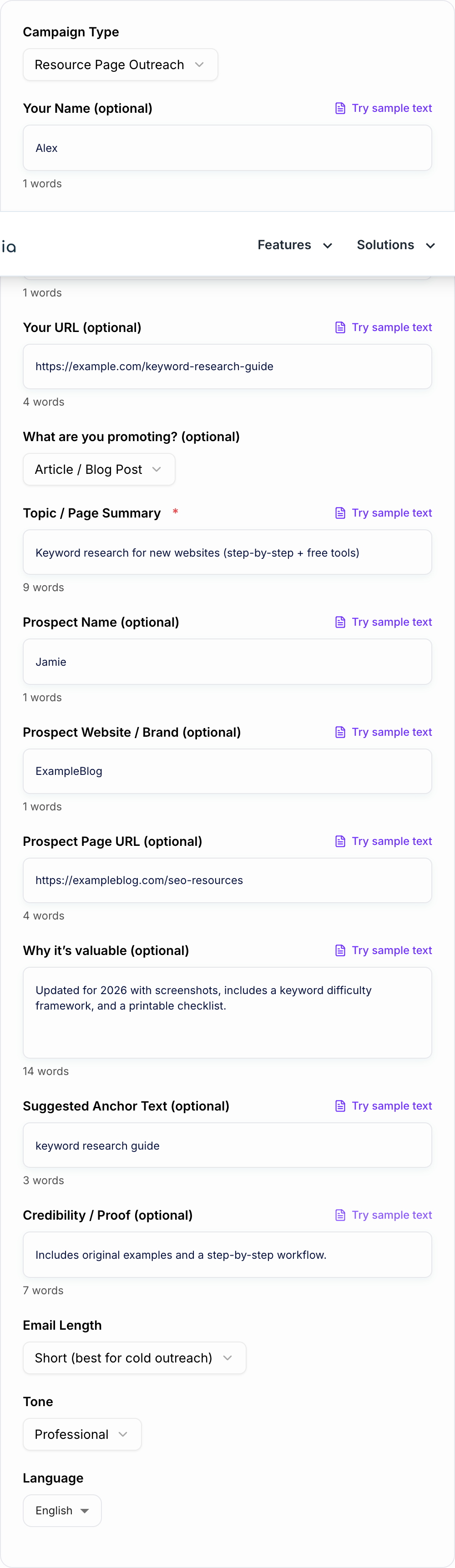
Add Your Topic and Optional Details
Enter the topic (required), then optionally add your URL, suggested anchor text, value proposition, and prospect details to generate a more personalized backlink outreach email.
Generate, Personalize, and Send
Get a ready-to-send email with a strong subject line and clear CTA. Replace placeholders with specifics (page title, exact section, broken link URL) before sending for best results.
See It in Action
Turn a generic, spammy link request into a personalized, value-first backlink outreach email that’s easy to act on.
Subject: Backlink request
Hi, Can you add my link to your page? It will help your readers. Thanks.
Subject: Quick suggestion for your SEO resources page
Hi Jamie — I was reading your SEO resources list here: https://exampleblog.com/seo-resources.
Noticed you link to a few keyword research guides. We recently published a step-by-step keyword research guide for new websites (updated for 2026, includes a checklist + free tools): https://example.com/keyword-research-guide.
If you think it’d help your readers, would you consider adding it to the keyword research section? Suggested anchor: “keyword research guide”.
Thanks either way, Alex GrowthStack
Why Use Our AI Backlink Outreach Email Generator?
Powered by the latest AI to deliver fast, accurate results.
Personalized Backlink Outreach Emails by Campaign Type
Generate link building emails tailored for resource pages, broken link outreach, skyscraper updates, unlinked brand mentions, guest posts, and follow-ups—so your message matches the tactic and intent.
High-Reply Subject Lines + Clear CTA
Creates multiple subject line options and a low-friction call-to-action that’s easy for editors and site owners to respond to (review, add, update, or confirm).
White-Hat, Non-Spammy Outreach Templates
Keeps outreach ethical and relationship-focused: value-first positioning, polite wording, and no manipulative language—aligned with sustainable SEO link building best practices.
Built-In Personalization Tokens
Includes natural spots to personalize (prospect name, page reference, topical fit, specific compliment) to improve deliverability and response rates in cold email outreach.
Follow-Up Sequences that Don’t Burn Bridges
Produces polite follow-ups that add a small extra value point, reduce back-and-forth, and keep your link outreach campaigns professional and brand-safe.
Pro Tips for Better Results
Get the most out of the AI Backlink Outreach Email Generator with these expert tips.
Keep cold outreach short and specific
Aim for 60–120 words for first-touch emails. Mention the exact page, the exact fit, and a simple ask. Editors respond when the action is obvious and low effort.
Use one suggested anchor text (not a list)
Provide a natural, non-spammy anchor suggestion (often branded or partial-match). Too many anchor options can feel SEO-driven and reduce trust.
Make it easy to verify your claim
If you say the content is updated, include what’s new (year, tools, screenshots, checklist). For broken link outreach, include the dead URL and where it appears.
Don’t over-follow-up
Send 1–2 follow-ups max, spaced a few business days apart. Each follow-up should add value (extra context, alternative angle), not just ‘bumping this.’
Segment prospects by relevance
Higher topical relevance beats higher domain metrics. Outreach to pages that already link to similar resources increases success rates and produces more contextual backlinks.
Who Is This For?
Trusted by millions of students, writers, and professionals worldwide.
Generate Backlink Outreach Emails That Feel Personal
Most backlink outreach fails because the email looks like a template. It asks for a link without proving the sender looked at the page, understood the audience, or had a useful reason to reach out.
The Backlink Outreach Email Generator helps you draft campaign-specific emails for resource pages, broken links, content updates, unlinked mentions, guest posts, and follow-ups. The goal is not to make the email louder. It is to make it more specific, useful, and easy to answer.
What to Enter Into the Generator
Better outreach starts with better inputs. Add the details an editor would expect from a real person.
Include:
- Prospect page: URL, page title, or section you are referencing
- Your target URL: the page you want them to consider
- Campaign type: resource page, broken link, skyscraper, unlinked mention, guest post, or follow-up
- Fit: why your page helps their readers
- Proof: what is new, more complete, easier, fresher, or more useful
- Ask: the exact action you want them to take
- Recipient name: if you have it
Avoid vague inputs like "please link to my article." The generator can only personalize the email if you provide a real reason the link belongs on that page.
Choose the Right Outreach Mode
Resource Page Outreach
Use this when a page already lists useful resources and your guide, tool, checklist, or template fits a section naturally. Mention the section and why your resource adds something the current list does not.
Broken Link Outreach
Use this when you found a dead link. Include the broken URL, where it appears, and your replacement URL. Keep the tone helpful, not smug.
Skyscraper or Content Update Outreach
Use this when a page links to an older or thinner resource and your asset is fresher, clearer, or more complete. Do not just say "better." Say what changed: new data, screenshots, examples, templates, or steps.
Unlinked Mention Outreach
Use this when the site already mentioned your brand, product, or content but did not link. Keep it short: thank them, provide the correct URL, and ask if they can add the link.
Follow-Up Email
Use this after a first email when you have one small extra detail to add. A follow-up should not be a guilt trip. Make it easy to answer yes or no.
Example Input and Generated Email
Input:
- Prospect page: Best SEO Tools list
- Your URL: SEO audit template
- Fit: free checklist with 2026 screenshots and issue examples
- Campaign type: resource page
- Ask: add it to the site audit section
Generated email:
Subject: Quick suggestion for your SEO tools list
Hi Maya, I was reading your Best SEO Tools page and noticed the section on site audits. We just published a free SEO audit template with 2026 screenshots, issue examples, and a copyable checklist, so it may be useful for readers who want a practical next step after choosing a tool.
Would you be open to adding it to that section? Here is the URL: https://yoursite.com/seo-audit-template
That email works better than a generic pitch because it references the page, explains the fit, and makes one clear ask.
How to Review Before Sending
Do not send the generated email blindly. Check it like an editor would.
- Is the prospect page named correctly?
- Is the reason for the link specific?
- Is there only one main ask?
- Is the email around 60 to 120 words?
- Does it avoid keyword-stuffed anchor text?
- Would the page genuinely help their readers?
- Does the subject line sound like a real person wrote it?
If the email feels too polished or salesy, cut it down. Outreach usually performs better when it is direct, specific, and low pressure.
Deliverability and Reputation Notes
Good copy cannot save a weak prospect list or a page that does not deserve the link. Before you send outreach, make sure your asset has clear structure, useful examples, fresh data, screenshots, templates, or another reason it is worth adding.
If you are creating both the linkable asset and the outreach copy, keep them in the same workflow. Drafting the page, subject lines, and follow-ups in Junia AI can help keep the pitch aligned with what the page actually offers.
Final Outreach Checklist
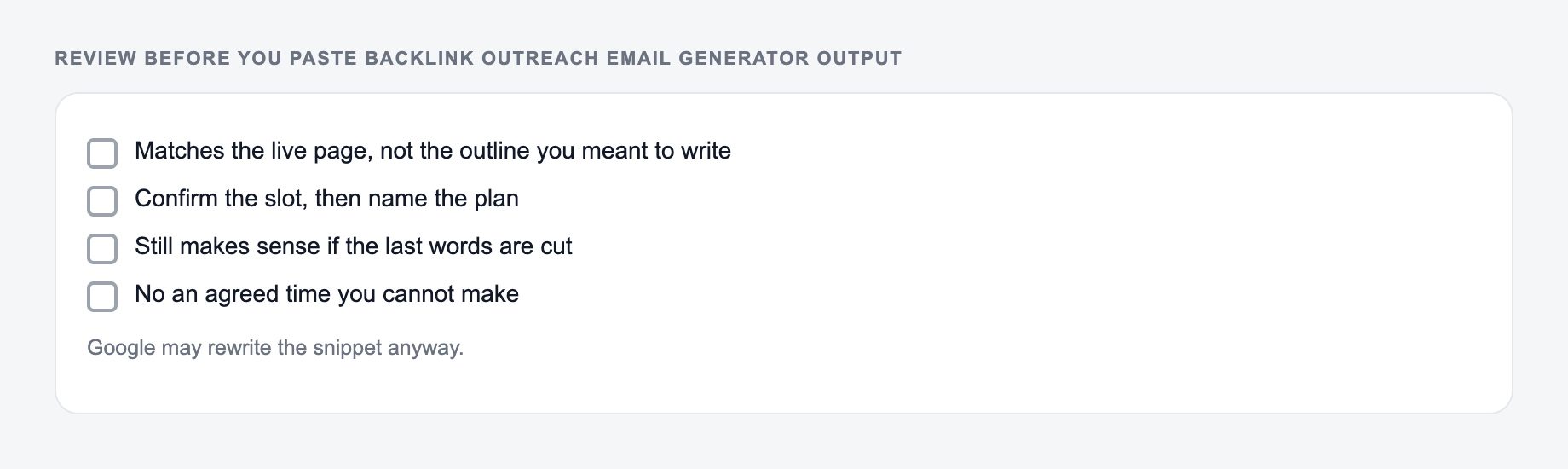
Before sending, confirm:
- the recipient and page details are correct
- the pitch references something real
- your value prop is one sentence
- the CTA is easy to answer
- there is only one link unless a second is necessary
- the tone is helpful, not entitled
The generator gives you the draft. Your final job is to make sure the email deserves to land in someone else's inbox.
Why Them, Why This Page, Why Now
Outreach that could be mailed to 200 domains will be treated as spam. The draft is usable only if a human could not swap the recipient name and keep the email true.
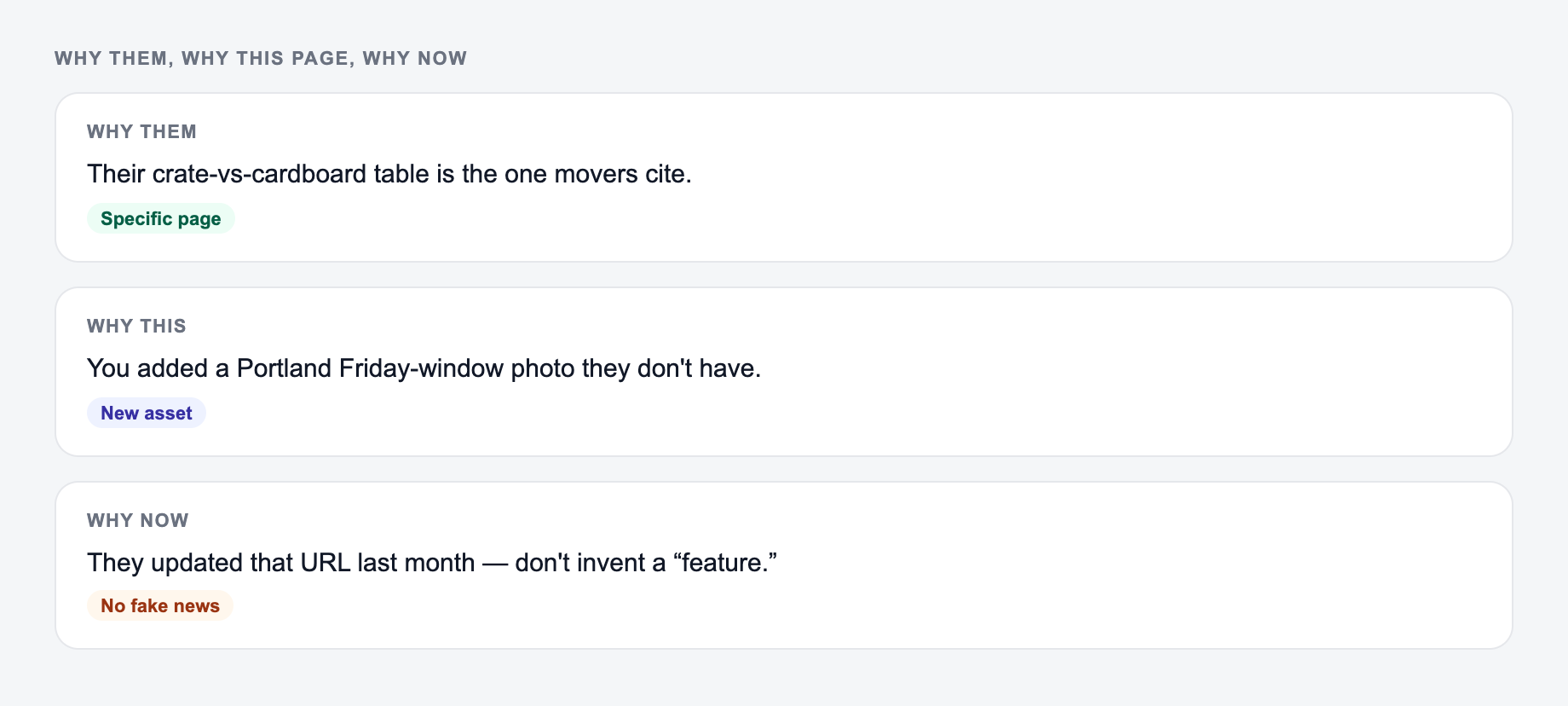
Name the page you want linked and why that site would care. A cold email cannot fake a relationship that does not exist yet.
Publish checklist for ai backlink outreach email generator output:
- Still makes sense if the last 12 characters are cut
- Distinct from the other URLs in the same folder
Required inserts:
- Their page URL and the specific sentence or resource you are complementing
- Your page URL and the unique asset (data, tool, template) they might actually want
- One easy reply: “worth a look?” not “please add 3 links and share”
Worked pitch: their article lists invoice reminder templates; yours adds a collections-tone vs reminder-tone table. Mention that table. Do not claim a friendship you do not have. Do not attach files in the first email. Do not scrape personal emails in violation of the site’s terms or applicable law. One follow-up, then stop.
Deliverability still depends on domain reputation, list quality, and honest identification. This tool drafts copy; it does not make unsolicited bulk email a good idea.
Frequently Asked Questions
Is this backlink outreach email generator free?+
Yes. You can generate outreach email templates for common link building campaigns for free. Some advanced modes (like guest post pitch variations) may be marked as premium.
What types of link building emails can I generate?+
You can generate templates for resource page outreach, broken link outreach, skyscraper/content update pitches, unlinked brand mention requests, guest post pitches, and follow-up emails.
How do I personalize outreach emails for higher response rates?+
Include a specific reference to the prospect’s page, explain why your resource fits their audience, and keep your ask simple. Adding a suggested anchor text and the exact URL reduces friction and improves conversions.
Do these templates work for white-hat SEO?+
They’re designed for ethical, value-first outreach. You’re asking for an editorial link because your content helps their readers, not because you’re offering payment or manipulative incentives.
What should I avoid in backlink outreach emails?+
Avoid generic mass emails, aggressive language, fake compliments, keyword-stuffed anchor text, and vague asks. Also avoid sending multiple follow-ups too quickly—space them out and keep them helpful.
Should I include my URL in the first email?+
Usually yes—include the URL and a one-line reason it’s useful so the recipient can quickly evaluate it. For highly sensitive niches, you can keep it minimal and ask if they’d like the link first.