
Free Event Plan Generator
Use the AI Event Plan Generator to turn a rough event idea into a structured planning document. Generate timelines, checklists, budget outlines, vendor and logistics notes, marketing tasks, contingency plans, and a day-of run of show for corporate events, webinars, weddings, fundraisers, parties, and workshops.
Event Plan
Your event plan will appear here...
How the AI Event Plan Generator Works
Get results in seconds with a simple workflow.
Choose Your Event Type and Format
Select whether your event is in-person, virtual, or hybrid and pick an event type (corporate, wedding, webinar, fundraiser, and more) to tailor the plan structure.
Add Key Details (Optional)
Enter what you know—goal, date/timeframe, location, guest count, and budget. Leave anything blank and the tool will generate a usable plan with placeholders.
Generate Your Plan and Customize
Get a planning timeline, checklist, budget outline, vendor/logistics plan, and a run of show. Then personalize owners, deadlines, and vendor quotes for execution.
See It in Action
Turn a quick event idea into a structured event planning document with timeline, checklist, budget, and run of show.
I’m planning a client appreciation event next month for around 60 people. I need a plan and checklist.
Event Overview: Client Appreciation Night (60 guests) — in-person Goal: Strengthen relationships + generate follow-up meetings
H2: Key Details
- Date/Timeframe: Next month (finalize date by Friday)
- Location: Shortlist 3 venues; confirm by Week 2
- Budget: $5,000 target (adjust after venue quote)
H2: Planning Timeline + Checklist H3: 6–4 Weeks Out
- Confirm venue + contract
- Catering quotes (3 vendors) + menu selection
- Invite list + RSVP landing page
- Program outline (welcome, short keynote, networking)
H3: 3–2 Weeks Out
- Finalize headcount checkpoint
- Order signage + name badges
- Confirm AV needs (mic, speakers, background music)
H3: Week Of
- Final headcount to catering
- Print materials + check-in setup
- Staff briefing + run of show review
H2: Budget Outline (Categories)
- Venue, Catering, AV, Rentals, Decor, Photography, Printing, Misc/Buffer (10%)
H2: Vendor + Logistics
- Catering: buffet + dietary options
- Check-in: 2 staff, QR list, name tags
- Accessibility: entrances/restrooms confirmed
H2: Run of Show (Day-Of)
- 5:00 Setup / AV check
- 6:00 Doors open + check-in
- 6:30 Welcome (5 min)
- 6:40 Short keynote (10 min)
- 6:55 Networking + demos
- 8:00 Closing + next steps
H2: Contingency Plan
- AV backup mic, rain plan, late catering buffer, speaker backup notes
Why Use Our AI Event Plan Generator?
Powered by the latest AI to deliver fast, accurate results.
Complete Event Planning Template (AI-Generated)
Creates a structured event plan with goals, audience, timeline, checklist, logistics, staffing, and contingency planning—ideal for corporate event planning, weddings, parties, and virtual events.
Planning Timeline + Task Checklist by Deadline
Generates a step-by-step event planning timeline (weeks out to day-of) with clear owners, dependencies, and what to do next—so nothing falls through the cracks.
Budget Outline with Cost Drivers and Savings Ideas
Produces practical budget categories (venue, catering, AV, decor, marketing, rentals, staffing) plus cost-saving tips and a tracking table you can copy into Sheets.
Run of Show / Event Agenda That Keeps the Day On Track
Builds a detailed run of show with timestamps, roles, transitions, AV cues, and contingency notes—useful for conferences, webinars, workshops, and programs with speakers.
Vendor, Venue, and Logistics Coverage
Identifies vendor needs (catering, AV, photographer, rentals), logistics (parking, check-in, accessibility, signage), and operational requirements tailored to your event type and format.
Pro Tips for Better Results
Get the most out of the AI Event Plan Generator with these expert tips.
Start with outcomes, not activities
Define 1–3 measurable event goals (e.g., attendee satisfaction, leads generated, funds raised). Your agenda, staffing, and budget should support those outcomes.
Build in decision deadlines
Add clear cutoffs for venue, catering headcount, speaker confirmation, and print deadlines. Decision checkpoints prevent last-minute costs and operational risk.
Plan for the guest experience end-to-end
Map the attendee journey: invitation → arrival/check-in → seating → program → networking → departure → follow-up. Small improvements here often matter more than extra decor.
Create a contingency plan for the top 5 risks
Identify likely issues (speaker no-show, AV failure, weather, low attendance, catering delays) and write a Plan B so the team can respond fast.
Use a run of show with owners and cues
A run of show should include timestamps, who is responsible, and AV/lighting cues. This is the single most effective tool for smooth execution on event day.
Who Is This For?
Trusted by millions of students, writers, and professionals worldwide.
Generate a Complete Event Plan with an AI Event Plan Generator
An event plan is only useful if it can be executed. A pretty checklist is not enough when you still need deadlines, owners, vendors, budget assumptions, logistics, promotion steps, and a day-of run of show.
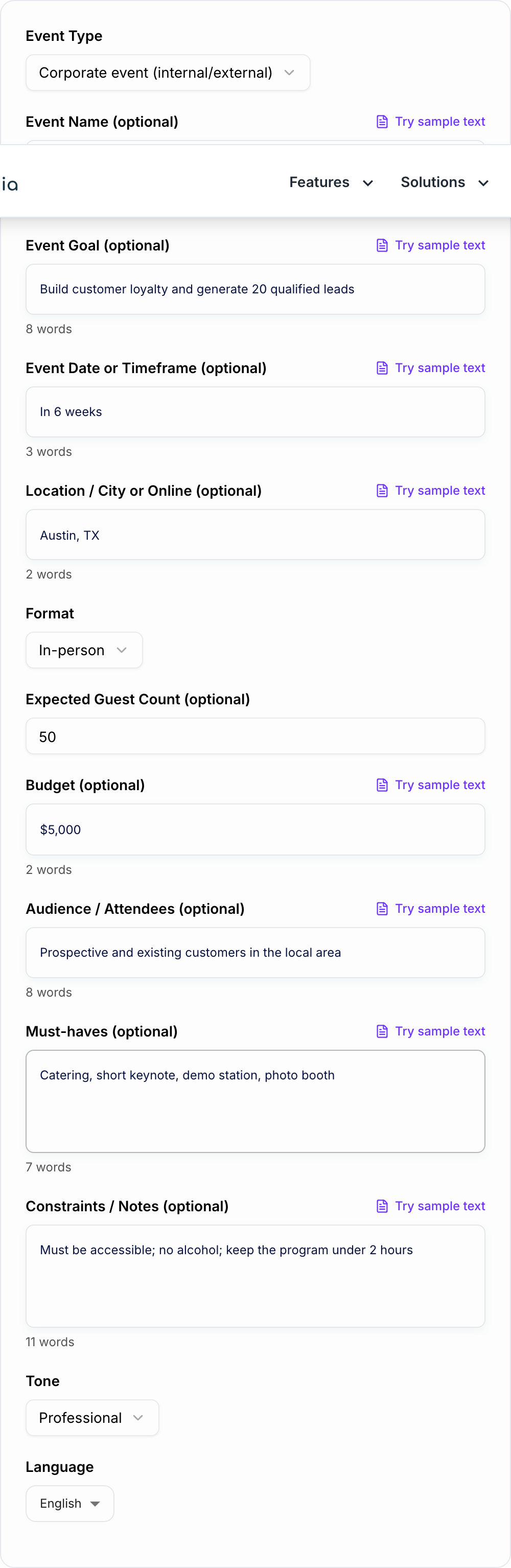
This AI Event Plan Generator turns a rough event idea into a structured planning document. It can create a full plan, a timeline and checklist, a budget outline, a promotion plan, or a detailed run of show depending on what you need next.
What to Enter Before You Generate
You can leave fields blank, but better inputs produce a more useful plan. Start with the decisions that shape everything else:
- Event type: corporate event, webinar, wedding, fundraiser, workshop, conference, party
- Format: in-person, virtual, or hybrid
- Goal: leads, training, celebration, donations, community building, launch awareness
- Date or timeframe: exact date, month, or "in six weeks"
- Location: venue, city, online platform, or undecided
- Guest count: even a rough estimate helps with budget and logistics
- Budget: a number, range, or simple note like low budget or not set yet
- Must-haves: speaker, catering, sponsors, live music, breakout sessions, recording
- Constraints: accessibility needs, short setup window, venue rules, no alcohol, limited staff
The generator can work with partial information, but include any non-negotiables. A plan for 50 people in a private room is very different from a plan for 500 people in a hybrid conference setup.
How to Choose the Right Planning Mode
Use Full Event Plan when you are at the beginning and need the broad structure: overview, goals, timeline, checklist, budget, vendors, logistics, risk plan, and run of show.
Use Timeline + Checklist when the idea is already clear but the work is scattered. This mode is best for turning anxiety into a deadline-based task list.
Use Run of Show when the event is close and you need the day-of operating script: timestamps, owners, cues, transitions, AV notes, and backups.
Use Budget Plan when cost is the blocker. The output can help you separate must-have costs from nice-to-have items and create a simple spreadsheet structure.
Use Promotion + Communication Plan when attendance, RSVPs, reminders, or post-event follow-up are the main concern.
Example Input and Generated Plan Structure
A useful prompt can be short:
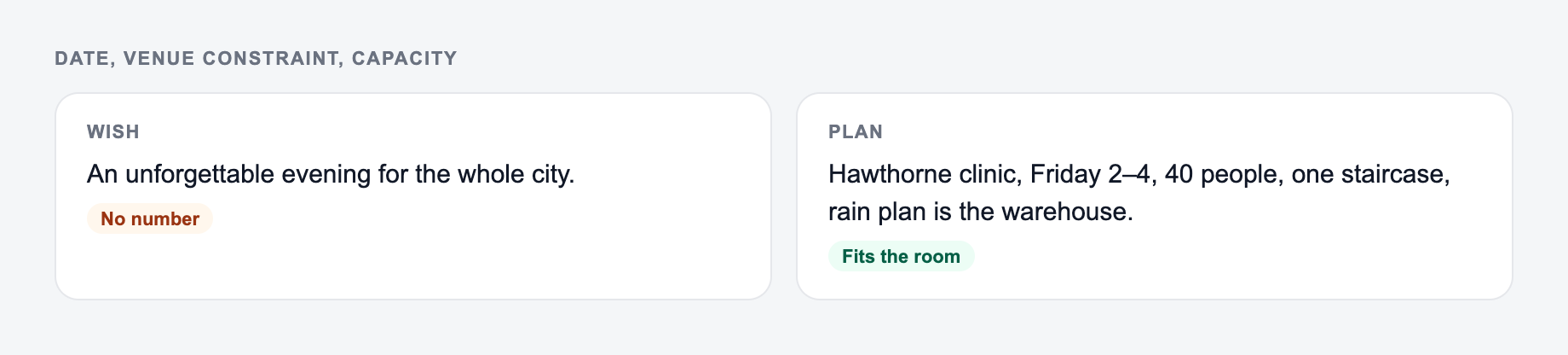
Date, venue constraints, and capacity belong on the form before you generate a plan.
Framework: write the uncomfortable sentence first (fee, last day, exclusion, jurisdiction). Then generate. If the AI Event Plan Generator output buries that sentence, put it back in the first screen.
This is a draft aid, not legal, medical, or financial advice.
Input
- Event type: Client appreciation event
- Format: In-person
- Guest count: 60
- Goal: Build customer loyalty and generate 20 qualified follow-up conversations
- Date: Next month
- Budget: $5,000
- Must-haves: catering, short remarks, product demo table, name badges
Generated plan sections
- Event overview and success metrics
- Planning timeline by week
- Task checklist with decision deadlines
- Budget categories and assumptions
- Vendor and venue needs
- Guest experience and check-in flow
- Promotion and reminder schedule
- Staffing roles
- Risk and contingency plan
- Day-of run of show
- Post-event follow-up tasks
That structure gives you a working document instead of a pile of notes.
How to Refine the Generated Event Plan
Treat the generated plan as the first draft. Before you share it with a team, make these edits:
- Add owners beside each task.
- Replace estimated dates with real deadlines.
- Add vendor names, quotes, and contact details.
- Mark decisions that are still unresolved.
- Cut anything that does not support the event goal.
- Put the run of show on one clean page for event day.
The most important upgrade is ownership. A checklist without owners is just a reminder that work exists.
Turning the Plan into a Shared Workflow
Walk the Event Plan Generator like a template, not a finished filing. Names, dates, and amounts have to be ones you can prove.
After generating the plan, move it into the system your team already uses. That might be Google Docs, Notion, Asana, Trello, Airtable, or a spreadsheet.
Keep one source of truth. If the budget lives in one place, the run of show in another, and vendor notes in chat, details will drift.
For broader event content, Junia AI can help turn the same planning brief into email invitations, landing-page copy, social posts, speaker blurbs, sponsor outreach, and follow-up messages so the event stays consistent across every touchpoint.
Final Review Checklist
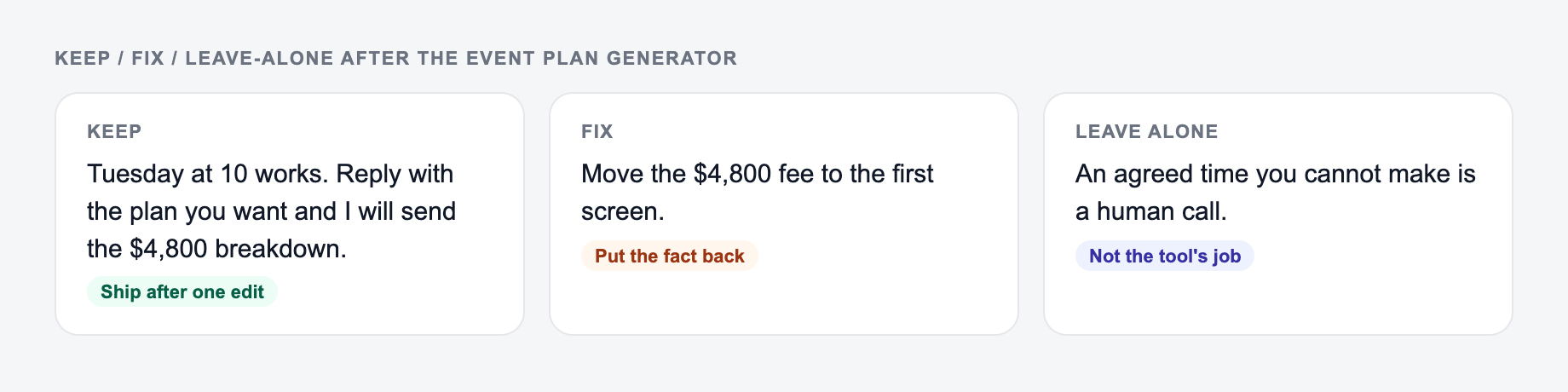
Keep the line you could publish. Put facts back. Do not outsource the judgment call.
Before you call the plan ready, check for the usual gaps:
- Does the timeline include decision deadlines, not just task deadlines?
- Does the budget include a contingency buffer?
- Does the run of show include owners and AV cues?
- Is the guest journey clear from invite to follow-up?
- Are accessibility, check-in, signage, and parking covered?
- Is there a backup plan for the most likely failures?
A strong event plan does not make the event complicated. It makes the work visible early enough that you can fix problems before guests notice them.
Frequently Asked Questions
What does the AI Event Plan Generator create?+
It generates a complete event planning document tailored to your event type and format, including an overview, goals, audience, planning timeline, checklist, budget outline, vendor needs, logistics, staffing roles, contingency plan, and a day-of run of show.
Can I use this for corporate events and professional event planning?+
Yes. The tool works well for corporate events, conferences, client events, product launches, team offsites, workshops, and webinars by producing an operations-focused plan with clear tasks and timelines.
Does it work for weddings and private events?+
Yes. You can generate an event plan for weddings, birthday parties, and celebrations, including vendor checklists, budget categories, guest experience details, and a day-of schedule.
How do I make the plan match my budget?+
Add a budget number or describe your budget level (low/medium/high). The plan will prioritize high-impact items, suggest cost-saving options, and outline budget categories so you can adjust line items.
What if I don’t know the date, venue, or guest count yet?+
That’s fine. You can leave those fields blank. The tool will make reasonable assumptions and provide placeholders and decision checkpoints so you can finalize details later.
Will the generator include a run of show or agenda?+
Yes. In Full Plan mode it includes a run of show section. You can also choose Run of Show mode to generate a detailed agenda with timestamps, roles, and AV cues.