
Free Google My Business Product Description Generator
Generate Google Business Profile product descriptions for products, services, packages, and local offers. Add features, benefits, price, location, keywords, and a CTA to create clearer listings that help customers decide faster.
Google Business Profile Product Description
Your Google Business Profile product description will appear here...
How the Google Business Profile Product Description Generator Works
Get results in seconds with a simple workflow.
Enter Your Product Name (Optional Details Help)
Add your product or service package name. Optionally include features, benefits, price, and any differentiators like warranty, turnaround time, or what’s included.
Add Keywords and Location (Optional)
If you have them, enter a primary keyword and a few related keywords plus your city/service area. The tool will integrate them naturally for local SEO context.
Generate and Publish to Your Google Business Profile
Choose a mode (Standard, Local SEO Focus, Conversion-Focused, Short), then generate. Review for accuracy and paste into your Google Business Profile product listing.
See It in Action
Example of turning basic product info into an optimized Google Business Profile product description with local SEO context and a clear CTA.
Product: Ceramic coating
We offer ceramic coating. It makes your car shiny and protected. Contact us for pricing.
Ceramic Coating Package (Austin, TX) Protect your paint and keep a deep, glossy finish with our professional ceramic coating package. This service adds a durable, hydrophobic layer that helps repel water, road grime, and light contaminants—so your car stays cleaner and is easier to wash.
What’s included: paint decontamination, 2-layer ceramic coating application, and a final inspection for even coverage and shine. Pricing starts at $499.
Book your appointment today to get long-lasting paint protection and a showroom-ready finish.
Why Use Our Google Business Profile Product Description Generator?
Powered by the latest AI to deliver fast, accurate results.
Google Business Profile (GMB) Product Copy That Converts
Generates clear, benefit-led product descriptions designed for Google Business Profile product listings—helping you earn more calls, clicks, and in-store visits from local searchers.
Local SEO Keyword Placement (No Keyword Stuffing)
Naturally weaves in your primary keyword, related terms, and service area/location signals to improve local relevance while keeping the description readable and customer-first.
Highlights Features, Inclusions, and Differentiators
Turns raw details (features, materials, inclusions, warranty, turnaround time) into persuasive copy that answers buyer questions and reduces friction.
Mobile-Friendly Variations and CTAs
Creates concise, scannable descriptions with strong calls-to-action (book, call, visit, get a quote) optimized for customers browsing on mobile in Google Maps and Search.
Works for Products, Services, and Local Offers
Useful for retail items, service packages, seasonal specials, and bundles—ideal for restaurants, salons, contractors, clinics, and multi-location businesses.
Pro Tips for Better Results
Get the most out of the Google Business Profile Product Description Generator with these expert tips.
Lead with the #1 outcome customers want
Start with the main benefit (faster, safer, longer-lasting, better-looking, more reliable) before listing specs. Benefit-first copy improves clicks from Google Maps and local search.
Use one primary keyword + 2–6 related terms
Keep keywords natural. A single primary term plus a few close variants usually reads better and still supports local relevance.
Add trust signals when possible
If true for your business, mention warranty/guarantee, certifications, materials, or what’s included. Trust signals reduce hesitation—especially for higher-ticket services.
Clarify what’s included to reduce back-and-forth
List inclusions (e.g., delivery, installation, consultation, aftercare, materials) so customers know what they’re paying for and you avoid mismatched expectations.
End with a specific CTA
Use a clear next step like “Call to confirm availability,” “Book online,” or “Request a quote.” Specific CTAs outperform generic “Contact us.”
Who Is This For?
Trusted by millions of students, writers, and professionals worldwide.
Generate Google Business Profile product descriptions that get clicks and calls
Google Business Profile product listings are weirdly powerful. They show up right where people are ready to act, inside Google Maps and local search. But the descriptions themselves? Most businesses either leave them blank, or write something that sounds like a catalog line. No benefit, no context, no reason to choose you.
A good GBP product description does a few jobs at once.
It explains what the product or service package is, quickly. It signals local relevance without forcing the city name 12 times. It answers the basic questions people have in their head. And it nudges them toward the next step.
This is exactly what this Google Business Profile Product Description Generator is built for. You feed it the raw product, service, package, price, feature, benefit, keyword, and location details. It turns that into clean, customer-friendly copy you can paste into your listing.
What to enter into the GBP Product Description Generator
If you are staring at the form and thinking, what do I even put here, this checklist helps.
The essentials
- Product name: what you want customers to recognize instantly.
- Main outcome: the real reason they want it. Not the feature list.
- Inclusions: what they get, what is covered, what is part of the package.
- Price or price range: even “from $X” reduces friction a lot.
- CTA: call, book, request a quote, visit, whatever fits.
The optional but high impact details
- Warranty or guarantee (only if it is real)
- Turnaround time or availability
- Materials, brands, or quality markers people care about
- Who it is best for (great for busy families, small offices, new homeowners, etc.)
You do not need everything every time. But the more you give the generator, the less generic the output becomes.
Local SEO without keyword stuffing (the version that reads like a human wrote it)
GBP descriptions can support local relevance, but you have to keep it natural.
Here is a simple pattern that works:
- Use one primary keyword once, maybe twice if it fits.
- Sprinkle 2 to 6 secondary terms where they make sense.
- Add one location signal naturally, like “serving Austin, TX” or “available in Orange County”.
That is it. If you start listing neighborhoods or repeating cities, it stops sounding helpful and starts sounding like you are trying to game Google. Users notice that fast.
How to choose the right mode
Depending on what you are posting, different styles win.
- Standard: best default. Clear, benefit led, not too salesy.
- Local SEO Focus: use when you have a defined keyword and service area you want to reinforce.
- Conversion Focused: use for higher ticket services, packages, or anything people hesitate on.
- Short (Mobile Friendly): perfect when you want quick scanning and punchier phrasing.
- Competitive Differentiation: useful if your market is crowded and you need to sound meaningfully different.
- Bundle or Offer: great for seasonal promos, limited time packages, or multi item deals.
If you are unsure, generate Standard first, then generate Short. Compare them side by side. You will usually see what fits your listing better.
Example input and generated structure
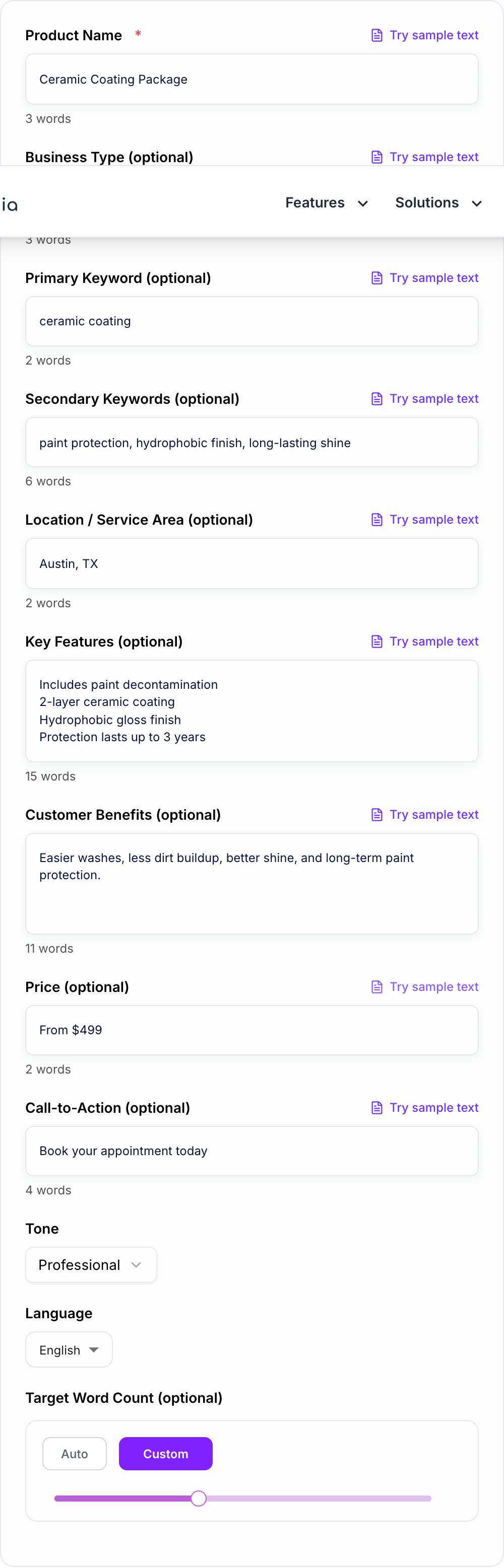
Here is a simple input pattern that gives the generator enough to work with:
Product, city, and the real offer belong on the form. Hours and price still need a human check.
A SERP-shaped check (not a live capture): title, path, and one line a searcher would still believe after the click.
If the Google Business Profile Product Description Generator line only works when you already know the brand, it is too vague for that snippet.
A useful SERP-shaped check (not a live Google capture): title, URL path, and one line a searcher would believe after the click.
Product name: Ceramic Coating Package
Business type: Auto detailing shop
Primary keyword: ceramic coating
Location: Austin, TX
Features: paint decontamination, 2-layer coating, hydrophobic finish
Benefits: easier washes, longer-lasting shine, paint protection
Price: From $499
CTA: Book your appointment today
The generated description should then do three things: explain the result, list the most important inclusions, and end with the next step. If it spends too much space on generic adjectives, regenerate with more concrete features.
A simple mini template to compare against the generated copy
If you prefer a structure you can reuse across multiple products, try this:
[Product or Service Package Name] (Optional: Location)
Start with the main benefit in one sentence.
Add 3 to 5 key inclusions or features.
Add price or “from” pricing if relevant.
Finish with a specific CTA.
It is simple, but it works because it matches how people skim in Maps.
How to review the generated product description
Give the Google Business Profile Product Description Generator a real brief: who it is for, where it will appear, and one thing it is not allowed to invent. Before publishing, check the description against the actual product or service:
- Are the price, package inclusions, timing, and location accurate?
- Does the CTA match your real booking or sales process?
- Are trust signals specific and true, not inflated?
- Does the copy mention one clear outcome customers care about?
- Would a mobile searcher understand the offer without opening your website?
This review matters because Google Business Profile copy often sits close to a buying decision. Small inaccuracies can create unnecessary calls, weak leads, or disappointed customers.
Quick mistakes that make GBP product listings underperform
A few common ones I see all the time.
- Writing only features, with no real customer outcome.
- Forgetting what is included, so people have to call just to understand the basics.
- Adding every keyword you can think of. It reads spammy.
- Using vague CTAs like “Contact us”. Say what to do next.
- Making claims you cannot back up. Better to be specific and believable.
Want faster content workflows beyond this one listing?
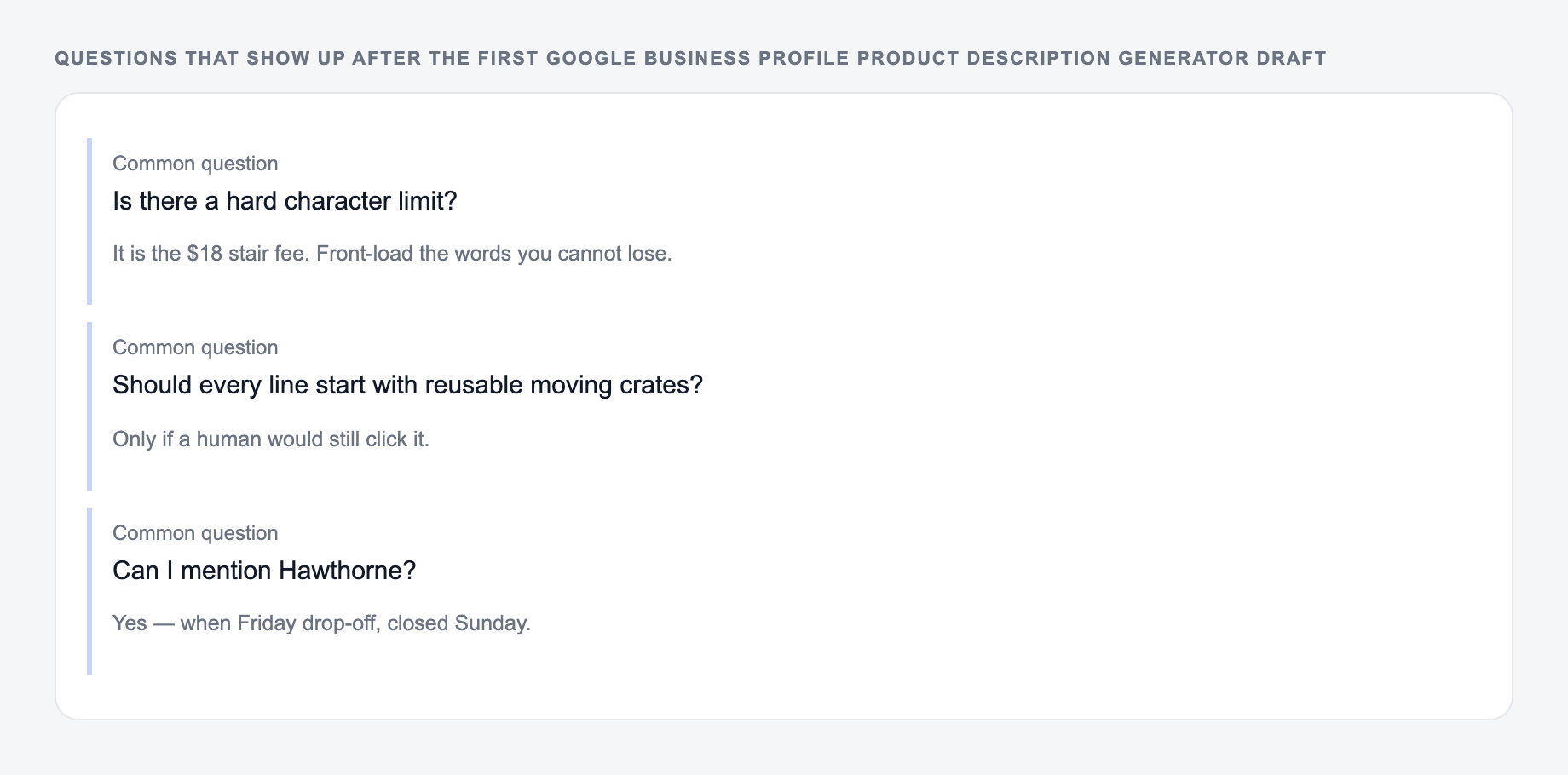
The same three questions show up after people generate once and then stall.
If you are building out multiple local pages, service descriptions, or trying to keep your marketing consistent, you will probably want more than a single generator. That is where an all-in-one writing assistant helps, especially for keeping tone and structure consistent across pages. You can check out the full toolkit on Junia AI and use it for everything from SEO content to rewrites to landing page copy.
Final tip before you publish
After you generate your description, do one quick pass:
- Replace any detail that might be inaccurate.
- Make the CTA match how you actually take bookings.
- Read it out loud once. If it sounds robotic, trim a sentence and simplify.
That little cleanup takes 30 seconds and usually makes the listing feel much more real.
Frequently Asked Questions
What is a Google Business Profile (Google My Business) product description?+
It’s the text that appears in your Google Business Profile product listings, explaining what the product or service is, who it’s for, key features/benefits, and how customers can buy, book, or contact you.
Will this help with local SEO?+
It can help improve local relevance and engagement by using clear language, natural keywords, and location/service-area context—without keyword stuffing. Rankings also depend on factors like proximity, reviews, categories, and overall profile quality.
How long should a GMB product description be?+
Short, scannable descriptions typically work best for Google Business Profile. Aim for around 80–180 words, focusing on the main benefit, key details, and a clear call-to-action.
Should I include my city or service area in the description?+
If it fits naturally, yes. Adding a location or service area can help users quickly confirm you serve them. Avoid repeating locations unnaturally or listing dozens of cities.
Can I use this for services instead of physical products?+
Yes. Many local businesses use Google Business Profile “products” to list service packages (e.g., installations, consultations, treatments, repairs). Add inclusions, turnaround time, and next steps to book.
Is it okay to mention price and promotions?+
Yes—price ranges (“from $X”) and simple promotions can improve conversions. Keep pricing accurate and avoid misleading claims. If pricing varies, say “from” or “contact for a quote.”