
Free Google My Business Post Generator
Generate Google Business Profile posts for updates, offers, events, and products. Add your topic, local keywords, CTA, goal, and offer details to create mobile-friendly GBP copy designed to drive calls, bookings, clicks, and direction requests.
Google Business Profile Post
Your Google Business Profile post will appear here...
How the Google Business Profile Post Generator Works
Get results in seconds with a simple workflow.
Choose Post Type and Add Your Topic
Select Update, Offer, Event, or Product—then describe what you want to promote. You can keep it simple (one sentence) and still get a strong post draft.
Add Optional Local Details and Keywords
Include your city/area, services, and any local SEO keywords you want referenced naturally. Add offer/event details if relevant (dates, eligibility, terms).
Generate, Publish, and Rotate Variations
Copy the result into your Google Business Profile post editor. Publish consistently and test different hooks/CTAs to find what drives the most calls, bookings, and visits.
See It in Action
Example of turning a basic announcement into a clear, conversion-focused Google Business Profile post with local context and a CTA.
We have Saturday appointments now. Contact us if you want to book.
Now offering Saturday appointments in Austin.
Need a cleaning without taking time off work? We’ve opened limited Saturday slots this month—perfect for busy families and professionals.
Call now to book your appointment.
Why Use Our Google Business Profile Post Generator?
Powered by the latest AI to deliver fast, accurate results.
Google Business Profile Post Templates (Update, Offer, Event, Product)
Generate the right kind of Google Business Profile post for your goal—announcements, promotions, events, or product/service spotlights—formatted for quick scanning and action.
Local SEO Keyword Integration (Natural, Not Spammy)
Optionally includes your service + city phrasing and related local search terms to support Google Maps visibility and “near me” intent—without keyword stuffing.
Conversion-Focused Calls-to-Action
Creates clear CTAs like Call Now, Book, Learn More, or Get Directions—helping turn profile views into leads, appointments, and store visits.
Offer & Event Copy That’s Clear and Compliant
Highlights eligibility, urgency, and key details while avoiding exaggerated claims—ideal for local businesses running promotions, seasonal specials, or limited-time events.
On-Brand Tone + Optional Emojis
Choose a tone and emoji level to match your brand voice—from professional and trustworthy to friendly and upbeat—while staying readable on mobile.
Pro Tips for Better Results
Get the most out of the Google Business Profile Post Generator with these expert tips.
Lead with the outcome in the first line
Many users skim in Search/Maps. Start with the main benefit (save money, book faster, limited availability, same-day service) before details.
Use one CTA per post
Avoid mixed signals. If you want calls, keep the CTA “Call now” and align the copy to phone inquiries. If you want bookings, emphasize scheduling and availability.
Add service + location once or twice—then stop
A natural mention like “HVAC tune-up in Phoenix” helps relevance. Repeating keywords can reduce readability and can feel spammy to customers.
Make offers specific and time-bound
Use a clear deadline, eligibility, and what’s included. Specificity increases trust and improves conversion rates compared to vague discounts.
Post consistently (weekly is a good baseline)
A steady cadence keeps your profile active and gives you more chances to match what people are searching for—especially for seasonal local intent.
Who Is This For?
Trusted by millions of students, writers, and professionals worldwide.
Generate Google Business Profile posts that get more clicks, calls, and directions
A Google Business Profile post is one of those simple levers that can quietly move the needle for local SEO. Not because a single post magically ranks you, but because consistent, relevant activity helps reinforce what you do, where you do it, and why a searcher should choose you right now.
And honestly, most GBP posts fail for boring reasons. They are vague. They forget the CTA. They never mention the service or area. Or they try to cram in keywords until it reads like a robot wrote it.
This Google Business Profile Post Generator is built to avoid that. You give it the essentials, choose the post type, add a goal, and get a post draft you can paste into your profile without spending 25 minutes rewriting the first sentence.
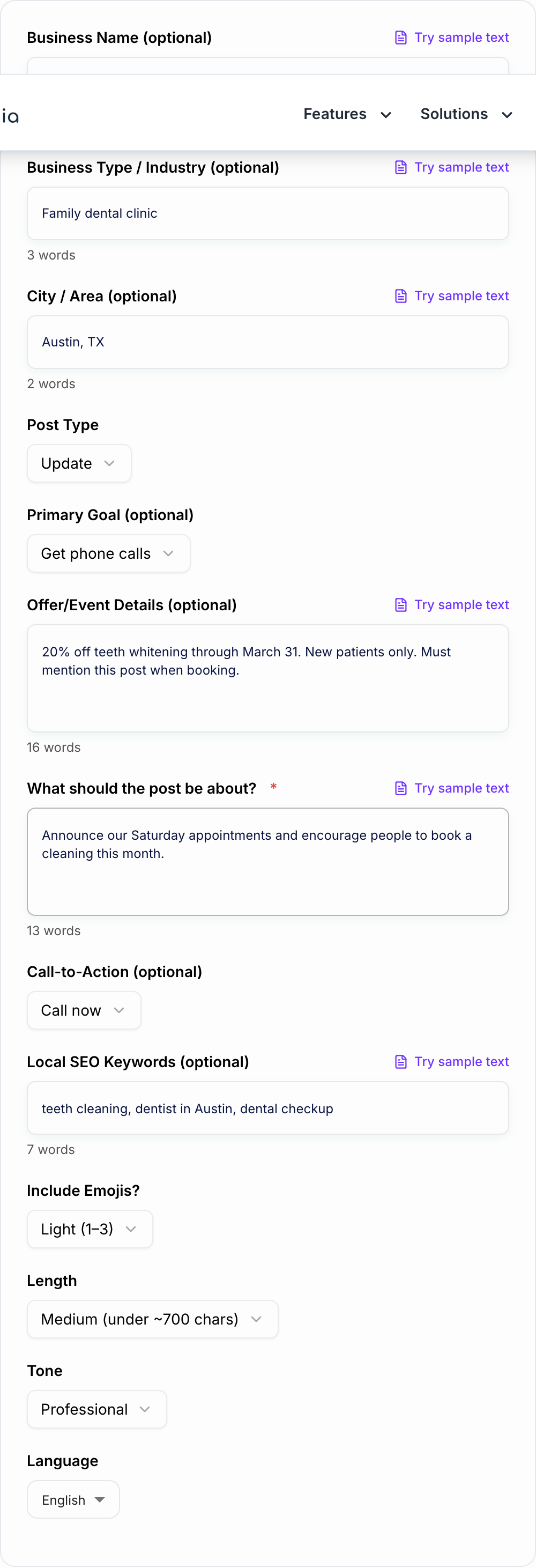
What to enter into the Google Business Profile Post Generator
Start with the topic: the announcement, offer, event, product, service, seasonal reminder, or quick tip you want to publish.
Then add the details that make the generated post usable:
- Business type so the copy understands the local context.
- City or area if location relevance matters to the searcher.
- Primary goal such as calls, bookings, direction requests, messages, or website clicks.
- Offer or event details including date, eligibility, deadline, or terms.
- CTA that matches the action you actually want.
- Local keywords only when they fit naturally.
- Emoji level based on brand tone, not habit.
The generator can write from a short prompt, but specific details keep the output from sounding like every other local business post.
What makes a generated GBP post actually work?
A good post is usually:
- Skimmable on mobile, since most people see it on a phone in Search or Maps.
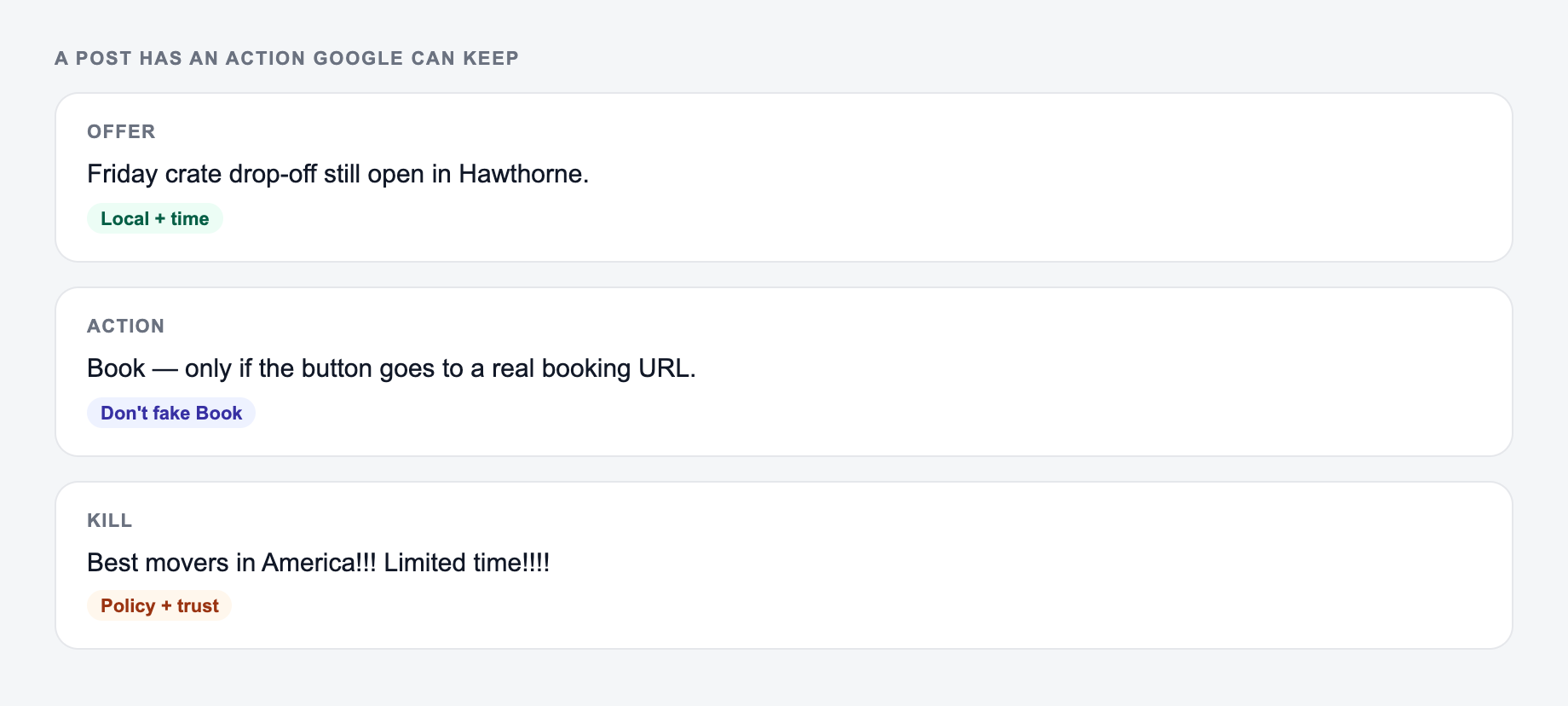
- Focused on one action, not five. Call, book, get directions, learn more. Pick one.
- Specific, especially for offers and events. Dates, terms, what someone gets.
- Locally relevant, without getting weird about it. A natural service + location mention is enough.
- Written like a person, not like an ad template.
If you want a quick gut check, read the generated first line. If it sounds like “We are excited to announce...” rewrite it around the customer benefit.
How to choose the right post type
Give the Google Business Profile Post Generator a real brief: who it is for, where it will appear, and one thing it is not allowed to invent. Different post types push readers to behave differently, so the structure matters.
Update posts
Use Updates for weekly visibility and light engagement. Think: reminders, tips, small announcements, seasonal service nudges, quick wins.
Best for: consistency and staying top of mind.
Offer posts
Offers need clarity and boundaries. What is the deal, who qualifies, when does it end, and what should they do next.
Best for: driving immediate calls, bookings, and store visits.
Event posts
Events need a reason to show up. Not just date and time, but what attendees walk away with. Also, don’t bury the RSVP or booking action.
Best for: workshops, open houses, demos, webinars, in store events.
Product posts
Product posts work when you describe outcomes, not just features. Who it’s for, what problem it solves, and the simplest next step.
Best for: highlighting a signature service, package, or bestselling item.
If the generator gives you a strong post in the wrong format, switch the post type and regenerate. An offer post and an update post can cover the same topic, but the details and CTA should not be identical.
Local SEO keywords in GBP posts, without keyword stuffing
You can include keywords and location naturally. The trick is to write for humans first, then tuck the local context into a place it feels normal.
Good:
- “Teeth cleaning in Austin”
- “Same day HVAC repair in Phoenix”
- “Haircut and beard trim near Downtown Nashville”
Not good:
- “Austin dentist teeth cleaning dentist in Austin best dentist Austin”
A simple pattern that works:
- Hook with the outcome
- Mention service + location once
- Add one proof point or detail
- One CTA
If you are building out more content with AI, a tool that helps you keep tone and structure consistent across pages and posts makes life easier. That’s basically what Junia AI is great for, especially when you want writing that doesn’t feel copy pasted.
Copy and paste templates to compare against the generated post
These are intentionally short. GBP posts perform better when the message is obvious fast.
Update template
[Benefit outcome] in [city/area].
[1 sentence detail that removes friction or adds value].
[CTA]
Example:
Now offering Saturday appointments in Austin.
Limited spots this month, perfect if weekdays are packed.
Call now to book.
Offer template
[Deal] ends [date].
Includes: [what’s included]. Eligible for: [who qualifies].
[CTA]
Event template
Join us for [event name] on [date/time].
You’ll get: [main takeaway]. Spots: [limited/unlimited].
[CTA]
Product template
Try [service/product] if you want [result].
Ideal for: [who it’s for].
[CTA]
How to review the generated post before publishing
Before you paste the generated copy into your profile, check four things:
Offer, date, and the action (call, book, directions) belong on the form before you generate.
Publish checklist for google business profile post generator output:
- Matches the live page, not the outline you meant to write
- Primary phrase is early, not stuffed twice
- Still makes sense if the last 12 characters are cut
- No rating, price, or city the page does not support
- Distinct from the other URLs in the same folder
A useful SERP-shaped check (not a live Google capture): title, URL path, and one line a searcher would believe after the click.
- The first line names the benefit, offer, event, or product clearly.
- The CTA matches the selected goal. Do not ask people to call and book online in the same short post.
- Local keywords appear naturally once, not repeatedly.
- Offer and event details are accurate, especially dates, restrictions, and eligibility.
For posts that mention regulated services, pricing, health claims, financing, or guarantees, do one extra compliance pass before publishing.
A simple posting cadence for local businesses
If you’re not posting at all, start with this:
- 1 Update per week (tip, reminder, seasonal service)
- 1 Offer per month (or whenever you have a real promotion)
- Events as needed (don’t force it)
- 1 Product post every 2 to 4 weeks (rotate your best sellers)
Consistency beats intensity. One solid post every week is better than five in a day and then silence for two months.
Common mistakes that quietly hurt conversions
Answer these before you generate a second batch. A reroll will not fix a vague brief.
- Writing three paragraphs before saying what the post is about.
- Including two or three CTAs. People freeze, then bounce.
- Skipping specifics on offers (no deadline, no terms, no value).
- Overusing emojis. A little helps. A lot becomes noise.
- Making it all about you. Make it about the customer’s problem and next step.
Final checklist before you publish your GBP post
- First line clearly states the benefit or offer.
- One service + location mention (optional, but useful).
- One clear CTA that matches your goal setting (calls, bookings, directions, clicks, messages).
- Read it out loud. If it sounds stiff, simplify.
That’s it. Generate a few variations, rotate hooks and CTAs, and keep the cadence steady. That is where the wins usually show up.
Frequently Asked Questions
Are Google My Business posts the same as Google Business Profile posts?+
Yes. Google My Business was renamed to Google Business Profile (GBP). Posts still appear on your business listing in Google Search and Maps and can help drive calls, clicks, and visits.
Do Google Business Profile posts help local SEO?+
They can support local SEO by keeping your profile fresh, increasing engagement, and reinforcing relevance with service and location language. They’re most effective when combined with an optimized profile, reviews, accurate categories, and consistent NAP details.
What should I post on my Google Business Profile?+
Common high-performing post ideas include limited-time offers, seasonal reminders, new services, before/after results, quick tips, event announcements, and FAQs that match what customers search for in your area.
How long should a Google Business Profile post be?+
Short-to-medium posts usually perform well because they’re easy to read on mobile. Use a strong first sentence, one clear benefit, and a single CTA. This tool lets you choose short, medium, or long length depending on your goal.
Should I use emojis in GBP posts?+
Emojis can improve scannability and draw attention, especially for offers and events. Use them lightly (1–3) for most businesses, and keep the message clear even without them.
Can I include my city and keywords without keyword stuffing?+
Yes. The best approach is to mention your service and location naturally (e.g., “teeth cleaning in Austin”) once or twice, then focus on benefits, proof, and the next step (call/book/get directions).