
Free LinkedIn Headline Generator
Generate LinkedIn headlines that make your profile easier to find and easier to understand. Add your role, target audience, skills, and goal to create recruiter-friendly, client-ready, or thought-leadership headlines with clean LinkedIn SEO positioning.
LinkedIn Headlines
Your LinkedIn headline options will appear here...
How the AI LinkedIn Headline Generator Works
Get results in seconds with a simple workflow.
Add Your Role, Niche, and Skills (Optional)
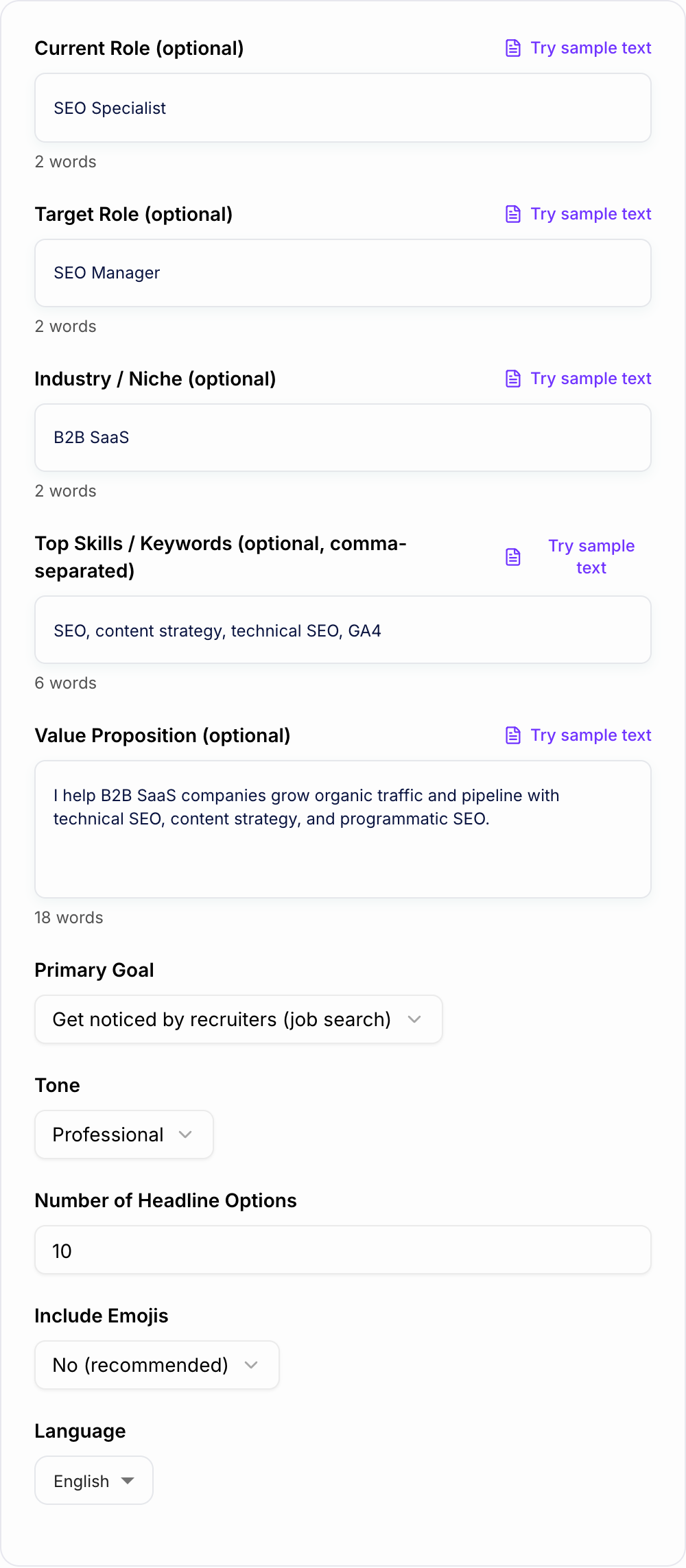
Enter your current or target role, industry, and a few key skills/keywords. The tool works even if you only provide one field.
Choose Your Goal and Tone
Select whether you want to attract recruiters, clients, or grow credibility. Pick a tone to match your personal brand and industry expectations.
Generate Headlines and Pick the Best Fit
Get multiple LinkedIn headline options. Choose one, then fine-tune with a specific niche, metric, or specialty to make it uniquely yours.
See It in Action
See how a generic headline becomes keyword-rich and outcome-driven for LinkedIn search and profile conversions.
Marketing professional | Open to work
SEO Manager (B2B SaaS) | Technical SEO + Content Strategy | Growing Organic Traffic & Qualified Pipeline
Why Use Our AI LinkedIn Headline Generator?
Powered by the latest AI to deliver fast, accurate results.
LinkedIn SEO Keyword Optimization
Generates keyword-rich LinkedIn headlines using role titles, skills, and niche terms that improve LinkedIn search visibility while staying natural and readable.
Recruiter- and Client-Friendly Positioning
Creates clear positioning that communicates what you do, who you help, and the outcomes you drive—ideal for job search, consulting, and personal branding.
Multiple Variations for A/B Testing
Produces multiple headline options so you can test different positioning angles (role-first, outcome-first, niche-first) to increase profile views and connection acceptance.
Outcome-Driven Value Propositions
Builds headlines that highlight measurable impact and credibility signals (specialties, differentiators, focus areas) without sounding inflated or gimmicky.
Tone + Format Control
Adjusts tone (professional, friendly, confident, concise) and formatting (separators, minimal emoji) to match your industry norms and target audience expectations.
Pro Tips for Better Results
Get the most out of the AI LinkedIn Headline Generator with these expert tips.
Lead with your target role keyword
If you want recruiter reach, place the target job title early (e.g., “SEO Manager” or “Product Marketing Manager”) to improve LinkedIn search relevance.
Add one clear outcome to increase clicks
Outcome-driven headlines often perform better than skill lists. Add a credible result like “driving organic growth,” “reducing churn,” or “improving pipeline quality.”
Use niche + scope to differentiate
Specificity wins. Pair your function with a niche (e.g., “B2B SaaS,” “Fintech,” “PLG”) and scope (technical SEO, lifecycle, GTM) to stand out.
Avoid empty buzzwords
Words like “hardworking,” “passionate,” or “innovative” don’t help search visibility or clarity. Replace them with role keywords, specialties, and outcomes.
Create 2–3 variants and rotate monthly
Test different headline angles (role-first vs outcome-first) and keep the best performer based on profile views, inbound messages, and connection quality.
Who Is This For?
Trusted by millions of students, writers, and professionals worldwide.
Generate a LinkedIn Headline That Gets the Right People to Stop
A strong LinkedIn headline has a small job with a big impact: it tells recruiters, clients, peers, and search results what you do and why you are relevant. The LinkedIn Headline Generator on this page is useful when your current headline is too broad, too stuffed with keywords, or too vague to explain your value quickly.
Use it to create a few strong directions, then choose the one that fits your real goal: job search, consulting, executive visibility, career switching, or personal brand growth.
What to Enter for Better Headline Options
You do not need to fill every field, but the generator improves quickly when you give it specific inputs.
Add:
- Your current role or target role
- Your industry or niche
- Three to seven relevant skills
- The audience you want to attract
- One sentence about the outcome you create
A weak input is: "marketing, content, growth." A stronger input is: "B2B SaaS content strategist helping product-led companies turn technical expertise into organic pipeline. Skills: SEO strategy, product content, customer research, GA4."
That extra context helps the generator avoid generic headlines and create options that sound like an actual professional profile.
How to Choose the Right Mode
Pick the mode based on who should react to your profile first.
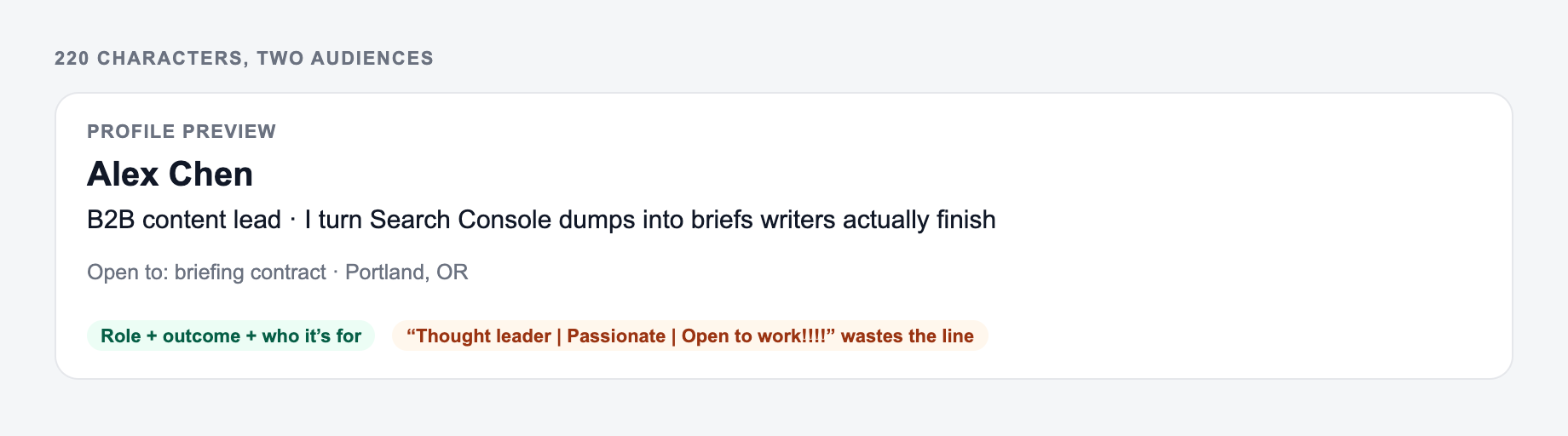
Use Job Search when recruiters need to match you to a role quickly. Lead with the target title and include skills that appear in job descriptions.
Use Freelancer / Consultant when the headline needs to sell a service. The best structure is audience plus service plus outcome.
Use Thought Leader when you post regularly and want the headline to support your content topics. Keep it credible. Authority does not need inflated language.
Use Career Switch when your past role does not match your target role. Include transferable strengths, projects, certifications, or portfolio proof.
Use Executive / Leadership when scope matters more than tools. Mention strategy, growth, operations, transformation, product, or GTM if those are true.
Use Keyword-Rich when discoverability is the main goal, but still delete any keyword that makes the headline feel spammy.
Review the Generated Headline Before Publishing
The best generated headline usually needs one human pass. Read the top options and ask four questions:
- Can someone understand my role in two seconds?
- Are the most important LinkedIn search keywords near the beginning?
- Does the headline include one niche, scope, or outcome?
- Would I be comfortable saying this sentence out loud?
If the headline has too many separators, remove one. If it lists too many skills, keep the three or four that match the opportunities you actually want. If it sounds inflated, replace the claim with something more concrete.
Example Input and Output
Input:
Target role: SEO Manager Industry: B2B SaaS Skills: technical SEO, content strategy, programmatic SEO, GA4 Goal: get noticed by recruiters Value proposition: I help SaaS companies grow organic traffic and qualified pipeline.
Generated direction:
SEO Manager for B2B SaaS | Technical SEO + Content Strategy | Growing Organic Traffic and Qualified Pipeline
This works because it leads with the target role, includes niche language, adds searchable skills, and ends with a business outcome.
Common Mistakes to Fix
Avoid publishing a headline that only says "Open to work." Add the role and field you want.
Avoid generic labels like "marketing professional," "business enthusiast," or "results-driven leader." They do not help people find or understand you.
Avoid stuffing every tool into the headline. LinkedIn search matters, but readability matters too.
Avoid using emoji or decorative separators in conservative industries unless you know they fit your audience.
Use the Headline With the Rest of Your Profile
A generated headline works best when the rest of the profile supports the same positioning. Your About section, Featured section, and recent experience should repeat the same role, niche, and proof without copying the headline word for word.
If you are refreshing more than your headline, the broader writing tools on Junia AI can help you keep your profile, posts, and outreach copy consistent instead of sounding like separate drafts from separate days.
Final LinkedIn Headline Checklist
Before you publish, check that the headline includes your target role, the right audience or niche, the most important keywords, one credible outcome, and wording that still sounds like you.
If it passes those checks, it is ready to test. Watch profile views, recruiter searches, connection quality, and inbound messages, then generate a second variation if the first one is not pulling the right attention.
Two Audiences, 220 Characters, One Outcome
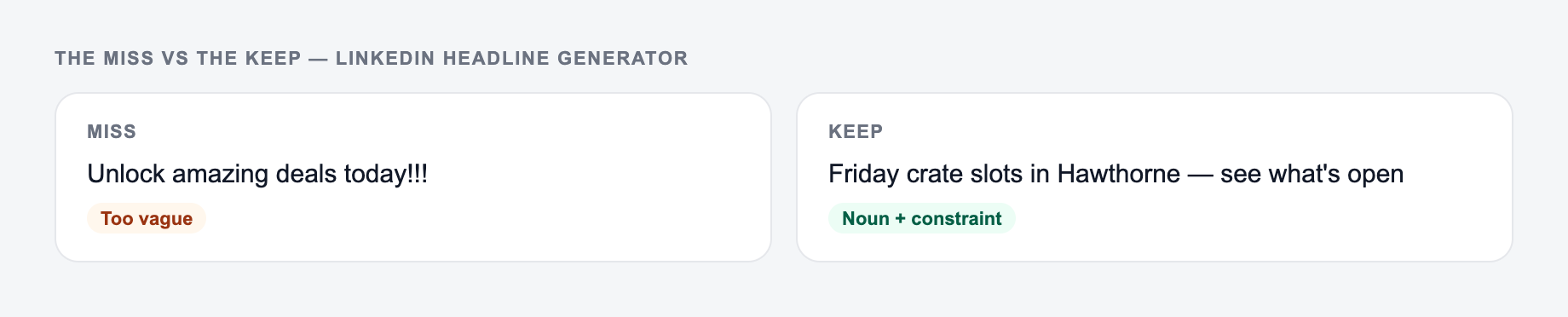
LinkedIn headlines are scanned by people hiring you and people buying from you. Those are different jobs. Generate both, then pick the primary audience.
Think about the two audiences reading your profile and the one outcome you can honestly claim.
Worked split for a freelance SEO who also wants inbound clients:
- Recruiter-facing: “SEO specialist | B2B SaaS content and technical audits”
- Buyer-facing: “I help B2B SaaS teams turn search traffic into demo-ready pages”
- Mixed and usually weaker: “SEO | Content | Growth | Helping brands win”
Check character count in the actual profile field, not in a doc. Lead with the role or outcome, then niche, then proof only if it is true (years, industries, or a named result you can stand behind). Do not stuff every keyword. Do not claim “top-ranked” or “10x pipeline” without evidence.
Frequently Asked Questions
What makes a good LinkedIn headline?+
A strong LinkedIn headline clearly states your role (or target role), niche/industry, and the value you deliver. The best headlines include relevant keywords for LinkedIn search, stay easy to scan, and avoid vague buzzwords.
How long should a LinkedIn headline be?+
Keep it concise and high-signal. LinkedIn allows a longer character count, but the best-performing headlines are readable at a glance and prioritize your most important keywords near the beginning.
Should I include keywords in my LinkedIn headline for SEO?+
Yes. LinkedIn search relies heavily on keywords. Including your target role, core skills, and niche terms can improve discoverability by recruiters and potential clients—without stuffing or spammy formatting.
Can this generate headlines for freelancers and consultants?+
Yes. Choose a client-focused goal and include your services, niche, and outcomes. You’ll get headline options that emphasize who you help, what you deliver, and your differentiators.
Is it okay to use emojis and separators in a LinkedIn headline?+
In many industries, minimal separators (like “|”) are common. Emojis can work when used sparingly and professionally, but they can reduce credibility in conservative fields. This tool can generate both clean and styled options.
What if I don’t know my exact target role yet?+
Enter your current role and a few skills, or leave fields blank and the generator will infer positioning from your inputs. You can also generate multiple variations and choose the direction that fits your career goals.