
Free AI Reworder & Rewriter
Rewrite text without losing the point. Paste a sentence, paragraph, email, or content draft and use the AI Reworder to improve clarity, tone, flow, and readability while preserving meaning, key terms, and intent.
Reworded Text
Your reworded text will appear here...
How the AI Reworder Works
Get results in seconds with a simple workflow.
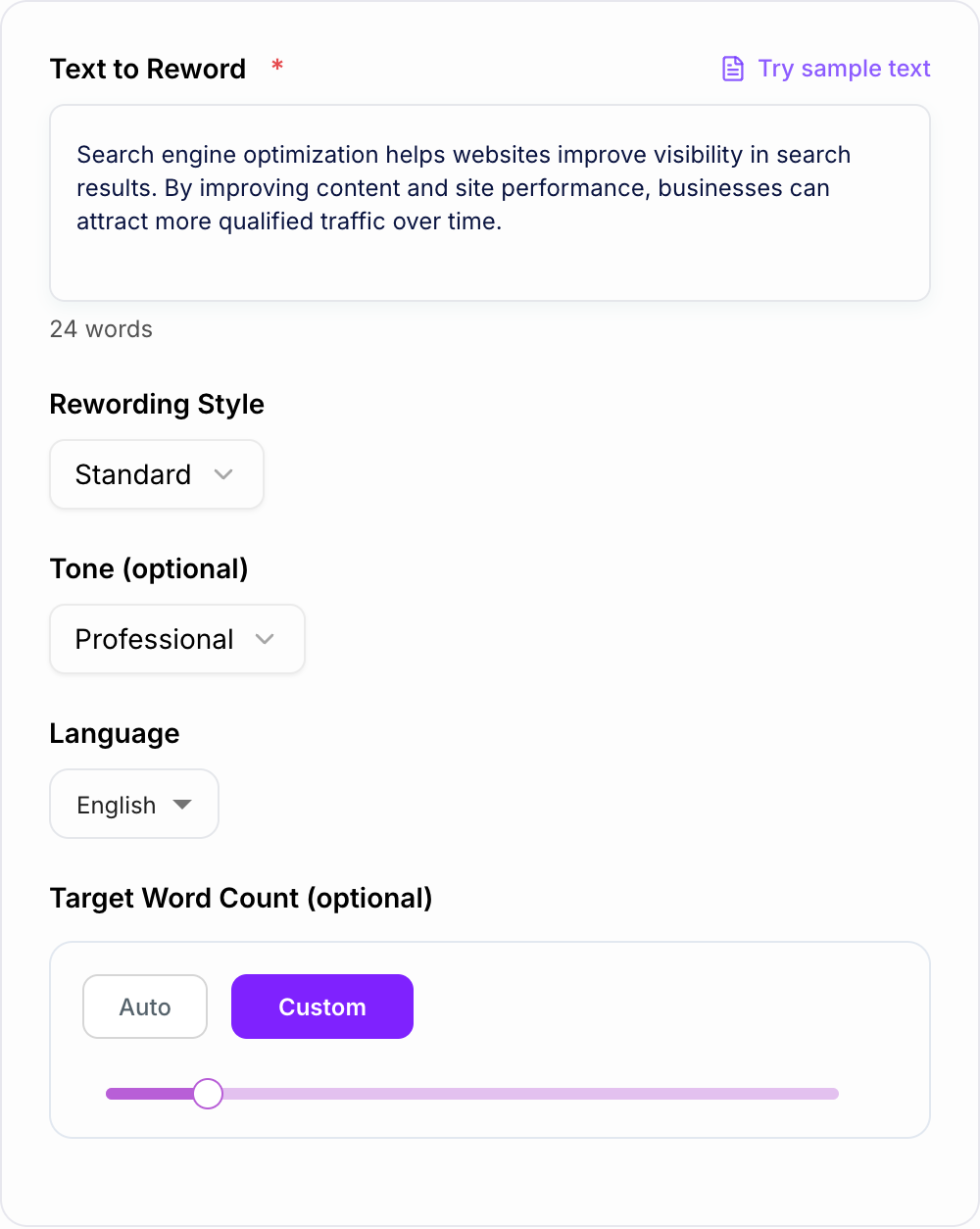
Paste Your Text
Add a sentence or paragraph you want to reword. Include enough context to keep meaning accurate—especially for technical or niche topics.
Choose a Style, Tone, and (Optional) Length
Pick a rewording style like Standard, Fluency, Formal, or Simplify. Optionally set tone and a target word count to match your brand voice and format needs.
Generate and Review
Generate your reworded text, then quickly review proper nouns, numbers, and key terminology. If needed, run another variation for a different phrasing option.
See It in Action
Example of rewording that improves clarity and flow while preserving meaning and SEO intent.
Search engine optimization helps websites improve visibility in search results. By improving content and site performance, businesses can attract more qualified traffic over time.
Search engine optimization (SEO) increases a website’s visibility in search results. When you improve content quality and site performance, you can attract more relevant visitors and grow qualified traffic over time.
Why Use Our AI Reworder?
Powered by the latest AI to deliver fast, accurate results.
Meaning-Preserving Rewording
Rephrases your text while keeping the original meaning, intent, and key details—ideal for rewriting sentences, paragraphs, and short sections without losing accuracy.
Multiple Rewording Styles (Fluency, Formal, Simple)
Choose a rewording style to match your audience and use case—polish business writing, simplify complex text, or make phrasing smoother and more natural.
SEO-Friendly Rephrasing for Content Refresh
Refresh existing content to improve originality and reduce repetition while preserving search intent—helpful for updating blog posts, landing pages, and on-page SEO copy.
Tone Control for Brand Voice Consistency
Adjust tone to fit your brand voice and context—professional, friendly, persuasive, neutral, or more direct—while keeping the message consistent.
Length Control (Shorten or Expand)
Make text more concise for readability and conversions, or expand it with helpful context—useful for rewriting intros, explanations, and marketing copy variations.
Pro Tips for Better Results
Get the most out of the AI Reworder with these expert tips.
Keep key terms consistent for accuracy
If your text includes product names, legal terms, or technical phrases, keep them as-is. Reword the surrounding sentence structure to improve clarity without changing meaning.
For SEO refreshes, protect search intent first
When rewriting SEO content, keep the intent and topic coverage intact. After rewording, add internal links, examples, and FAQs to improve usefulness and topical depth.
Use Fluency mode to remove awkward phrasing
If your draft sounds clunky, Fluency typically improves rhythm, transitions, and readability—especially for intros and key paragraphs.
Generate 2–3 variations for better messaging
Reword the same text a few times to compare alternatives. This helps you find the best version for conversions, clarity, or brand voice.
Always verify facts, numbers, and claims
Rewording should preserve meaning, but you should still double-check accuracy—especially for medical, legal, financial, or compliance-sensitive text.
Who Is This For?
Trusted by millions of students, writers, and professionals worldwide.
Reword Text Clearly with an AI Reworder
A reworder is useful when the meaning is right but the phrasing is not. Maybe the sentence sounds stiff. Maybe a paragraph repeats itself. Maybe an email needs to sound more professional without becoming cold.
This AI Reworder helps you rewrite sentences and paragraphs while keeping the original meaning intact. The goal is not to spin text into something unrecognizable. The goal is clearer wording, smoother flow, and a tone that fits where the text will be used.
If the draft needs deeper structure, argument, or editing decisions, start with an AI text editor. Use this reworder when the main job is sentence-level or paragraph-level phrasing.
What to paste into the reworder
Paste enough context for the tool to understand the point. A full paragraph usually works better than one isolated sentence because it shows the surrounding tone and terminology.
Good inputs include:
- A clunky sentence that needs smoother wording
- A paragraph that repeats the same phrase too often
- An email that should sound more formal or more friendly
- Landing page copy that needs a tighter version
- An explanation that should be simplified for a broader audience
- Existing SEO copy that needs a readability refresh
Before you generate, decide what should not change: names, product terms, numbers, claims, quotes, dates, or technical wording.
How to choose the right rewording mode
Different modes solve different writing problems.
Standard
Use Standard when the text is mostly fine and you want a cleaner alternative without changing much.
Fluency
Use Fluency when the sentence feels awkward, repetitive, or hard to read aloud. This is often the best mode for blog paragraphs, intros, and emails.
Formal
Use Formal for proposals, client emails, business updates, support replies, policy language, or any text that needs a more composed tone.
Simplify
Use Simplify when the audience may not know the jargon. This mode is useful for technical explanations, onboarding copy, and educational content.
Shorten
Use Shorten when the paragraph drags. It is especially helpful for landing pages, product descriptions, and social copy where every word has to earn its space.
Expand
Use Expand when the idea is too thin and needs more context. Review the output carefully so it does not add claims you did not mean to make.
Rewording vs paraphrasing vs rewriting
People use these terms loosely, but the difference matters when you choose a tool.
- Rewording keeps the same meaning and improves phrasing.
- Paraphrasing restates the idea and may simplify or change sentence structure more heavily.
- Rewriting can change structure, length, emphasis, and delivery.
The mode you choose determines how far the output moves from the original. For longer passages, the rewording text guide gives a more detailed editing workflow before you start changing whole sections.
How to review the reworded output
Always compare the output with the original before using it.
Check for:
- Changed numbers, dates, prices, or percentages
- Altered names, product terms, or technical terms
- Claims that became stronger than the original
- Tone that no longer fits the audience
- Missing examples or details
- Sentences that sound smoother but less precise
This matters most for legal, medical, financial, academic, and technical content. A small word change can change the meaning.
Using the reworder for SEO content refreshes
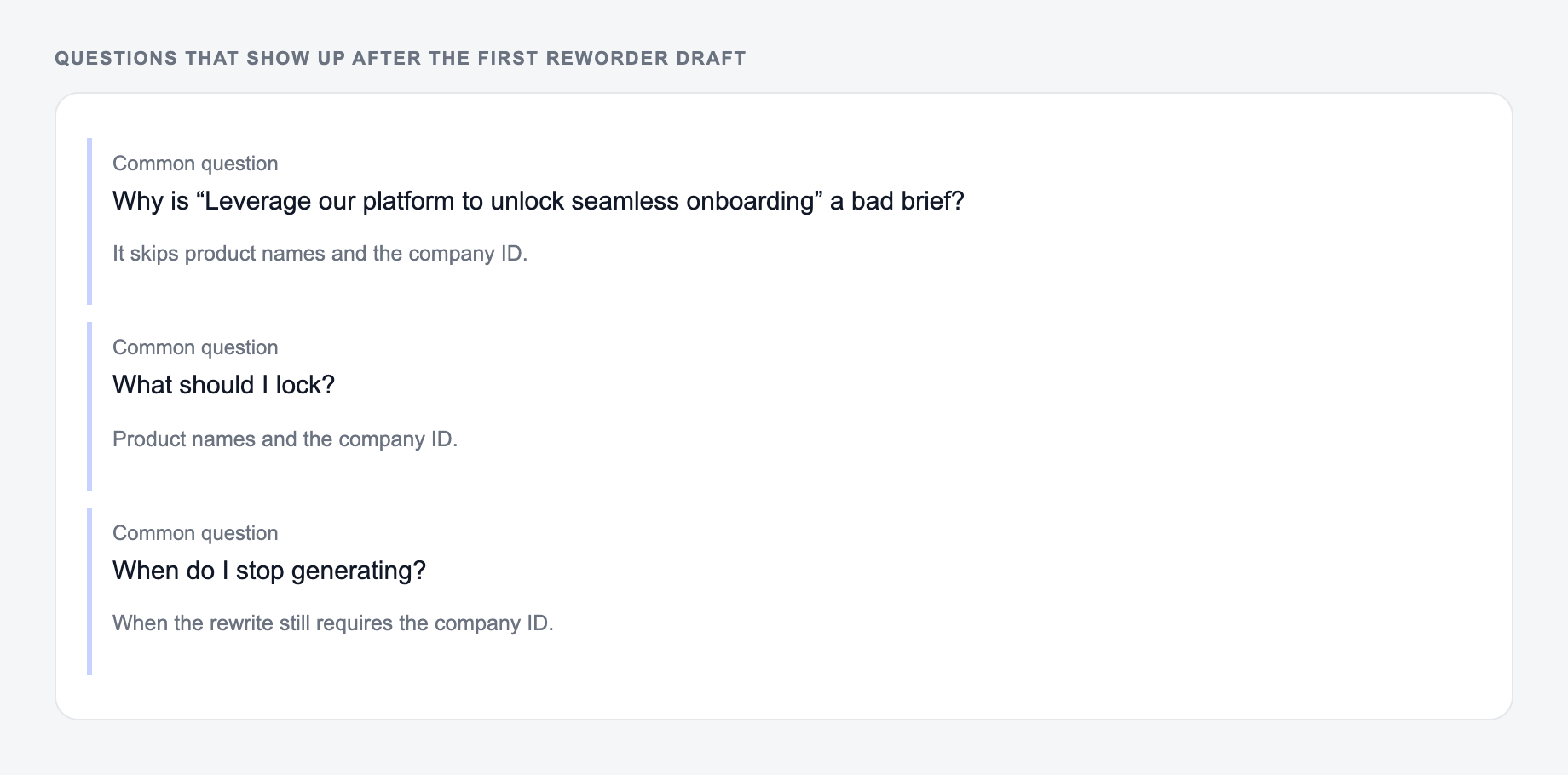
Rewording can help refresh old SEO copy, but it should not be the whole update.
Preserve:
- Search intent
- Core topic coverage
- Important keywords and entities
- Examples, definitions, and claims that still matter
- Internal links that help the reader continue naturally
Improve:
- Repetitive intros
- Thin transitions
- Overlong paragraphs
- Stiff definitions
- Copy that sounds too similar across pages
After rewording, add something useful: a current example, a clearer comparison, a better FAQ, or a more specific recommendation. That is what makes the page better, not just different.
For broader content workflows, Junia AI can help you generate, edit, and refine longer drafts while this reworder handles wording-level improvements.
When to use another tool instead
Use this reworder when you want a better version of existing text.
If the text sounds machine-like after several passes, a tool to humanize AI writing may be more useful because the issue is voice, not just wording. If you need brand-new copy from a prompt, use an AI text generator. If you want a looser restatement of a whole passage, a paraphrasing tool is closer to the job; the difference between an AI humanizer and a paraphrasing tool comes down to whether you are fixing voice or restating meaning.
Final checklist before copying the reworded text
- Does it still mean the same thing?
- Did all names, numbers, terms, and claims stay accurate?
- Does the tone fit the context?
- Is the new version easier to read out loud?
- Did the tool remove any detail you still need?
- Does the text sound clearer, not just different?
If those checks pass, the reworded version is ready to use.
Before, After, and a Meaning Contract
Create a short “meaning contract” before rewording: list the proposition, required terms, evidence strength, and tone boundary.
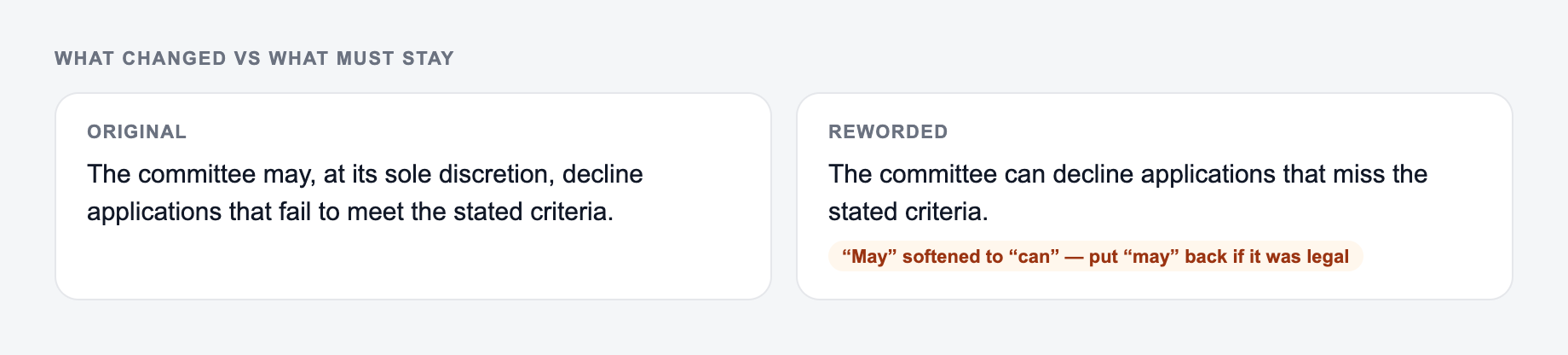
The meaning contract starts on this form: what may change, and what must stay.
- Compare to: “The committee can decline applications that miss the stated criteria.” — same facts, less drag.
Before: “Customers who enable automatic backups can usually restore a deleted workspace within 30 days, although account-level retention settings may differ.”
Risky rewrite: “Automatic backups let customers restore deleted workspaces for 30 days.”
Safer rewrite: “Customers with automatic backups can usually recover a deleted workspace within 30 days, but account retention settings may change that window.”
The risky version turns a qualified capability into a guarantee and loses the account-setting exception. The safer version changes phrasing and structure while retaining modality, time period, and dependency. During review, highlight negation, quantities, causal verbs, attribution, quoted wording, and defined terms. These are the places where a smooth rewrite most often changes substance.
Keep quotations verbatim unless you clearly convert them to paraphrase and preserve attribution. For sourced or academic material, new wording does not remove citation obligations. For contracts, policies, medical, financial, or technical instructions, use a subject-matter reviewer rather than relying on fluency.
Frequently Asked Questions
What is a reworder?+
A reworder (also called a rephraser) rewrites text using different wording and sentence structure while keeping the original meaning. It’s useful for improving clarity, tone, and originality.
Will the reworded text keep the same meaning?+
Yes. The tool is designed to preserve meaning and key details. For best results, provide the full sentence or paragraph and review the output—especially for names, numbers, or technical terms.
Can I use this reworder for SEO content updates?+
Yes. Rewording can help refresh existing content, reduce repetition, and improve readability while preserving search intent. After rewriting, add your unique insights and internal links for stronger SEO results.
Does rewording help avoid duplicate content?+
Rewording can help create more unique wording for similar pages (like product variants or location pages). However, real value also comes from adding unique information, examples, and page structure—not just changing wording.
Can I control tone and length?+
Yes. You can choose a tone and optionally set a target word count. You can also pick modes like Formal, Simplify, Shorten, or Expand to match your writing goal.
What languages are supported?+
You can reword text in many languages by selecting an output language. This is helpful for localization, multilingual SEO, and adapting content for international audiences.