
Free SCQA Framework Generator
Generate SCQA frameworks that turn loose ideas into clear Situation, Complication, Question, and Answer narratives. Use it to sharpen blog intros, landing pages, decks, PRDs, strategy docs, sales messaging, and executive summaries.
SCQA Framework
Your SCQA (Situation, Complication, Question, Answer) will appear here...
How the AI SCQA Framework Generator Works
Get results in seconds with a simple workflow.
Enter Your Topic (and Optional Context)
Add the topic you’re writing about. Optionally include context such as the format (blog post, landing page, pitch deck), constraints, and the action you want the reader to take.
Choose Goal, Intent, and Tone
Select your primary goal (educate, persuade, convert, align, pitch). If it’s for SEO, choose search intent so the framework aligns with what readers expect from the page.
Generate and Use as Your Narrative Backbone
Use the SCQA as the foundation for your outline, intro, messaging hierarchy, or executive summary. You can generate multiple variations to test angles and positioning.
See It in Action
Example of turning a vague idea into a clear SCQA narrative for SEO content and persuasive writing.
Topic: local SEO
I want to write something about local SEO for small businesses.
Situation: Many local service businesses rely on word-of-mouth, but more customers now start with Google Maps and local search results.
Complication: Without a clear local SEO foundation (reviews, pages, citations, and on-page signals), businesses get outranked by competitors—even when they offer better service—leading to fewer calls and higher ad spend.
Question: What are the highest-impact local SEO steps a small business can implement to rank in the map pack and get consistent leads without a huge budget?
Answer: Focus on the essentials first: optimize your Google Business Profile, build a review system, create location/service pages that match search intent, fix on-page basics, and establish consistent citations. Track rankings and calls, then expand with local content and backlinks once the foundation is stable.
Why Use Our AI SCQA Framework Generator?
Powered by the latest AI to deliver fast, accurate results.
Instant SCQA Structure (Situation → Complication → Question → Answer)
Generate a clear narrative arc that improves readability and persuasion—ideal for SCQA writing, problem framing, and message clarity in content and strategy documents.
SEO-Friendly Angle and Intent Alignment
Creates an SCQA that maps naturally to search intent (informational, commercial, transactional) so your blog post or landing page addresses what readers are truly looking for.
Audience-Aware Messaging
Adapts the complication and question to your target audience’s pain points, objections, and level of awareness—helpful for marketing copy, product pages, and sales enablement.
Stronger Hooks and Clearer Value Proposition
Turns vague topics into a compelling narrative with stakes, urgency, and a crisp answer—improving engagement and helping reduce bounce rates on SEO content.
Reusable for Content Briefs, Pitches, and Executive Summaries
Use the output as the foundation for an SEO brief, blog outline, pitch deck story, PRD narrative, or executive summary that’s easy to scan and hard to ignore.
Pro Tips for Better Results
Get the most out of the AI SCQA Framework Generator with these expert tips.
Make the Complication specific and measurable
A strong complication includes concrete friction (time, money, risk, missed opportunity). Specificity makes SEO intros stronger and landing pages more persuasive without sounding salesy.
Turn the Question into the reader’s real search query
For SEO, your SCQA question should mirror the user’s intent (e.g., “How do I rank locally without a big budget?”). This helps produce content that answers the query directly.
Keep the Situation neutral—save the tension for the Complication
A calm situation establishes context; the complication introduces urgency. This contrast improves storytelling and keeps readers engaged through the first 10 seconds.
In the Answer, include criteria and next steps
A good answer isn’t just a claim—it outlines what to do, what to prioritize, and what success looks like. This improves perceived expertise and content usefulness.
Generate 2–3 SCQAs and pick the best angle
Different complications create different narratives. Produce a few options to test positioning for SEO headlines, intros, ads, and product messaging.
Who Is This For?
Trusted by millions of students, writers, and professionals worldwide.
Generate Sharper Narratives with an AI SCQA Framework Generator
The AI SCQA Framework Generator turns a loose idea into a structured Situation, Complication, Question, and Answer. That matters because persuasive writing usually fails before the solution appears: the setup is vague, the problem has no tension, or the reader does not understand why the answer matters now.
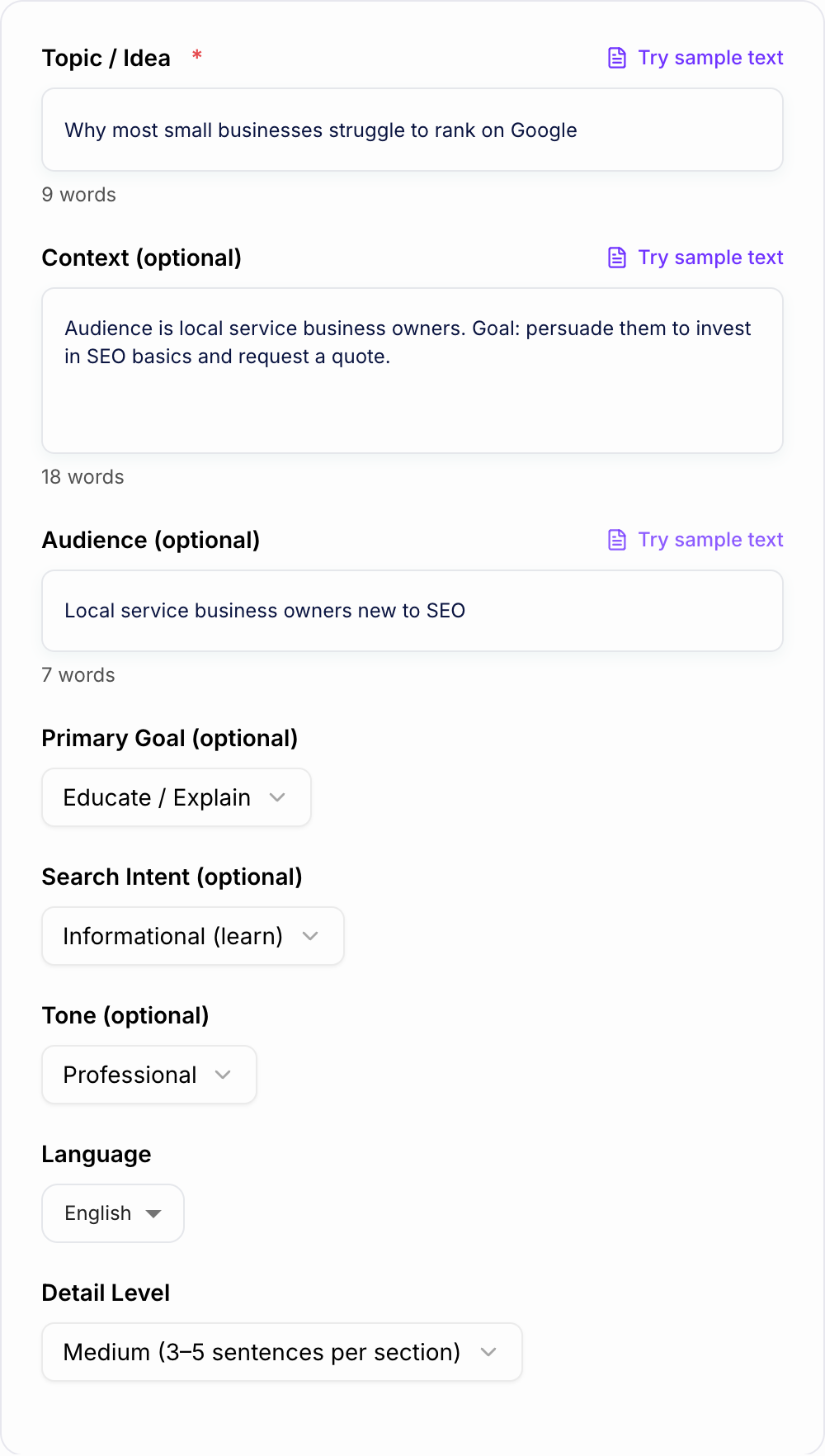
Use the generator for blog introductions, landing page framing, pitch decks, executive summaries, consulting-style memos, product narratives, PRDs, and sales messages. The output gives you a usable narrative spine before you draft the full piece.
What to Enter for a Better SCQA
Do not enter only a topic if you can avoid it. Add enough context for the generator to identify the real tension:
- Topic: the idea, offer, problem, product, or argument
- Audience: executives, buyers, students, users, investors, managers, or readers
- Format: blog post, landing page, deck, memo, email, case study, or proposal
- Current state: what is true right now
- Complication: what changed, what is broken, or what makes the topic urgent
- Desired action: what the reader should believe, choose, approve, or do next
- Tone: strategic, direct, persuasive, consultative, simple, or executive
Example input: "Create an SCQA for a landing page about AI reporting software for operations teams. Audience: COOs. Problem: weekly reports are slow because data lives in five tools. Goal: book a demo."
How to Use Each Part of the Generated SCQA
Situation
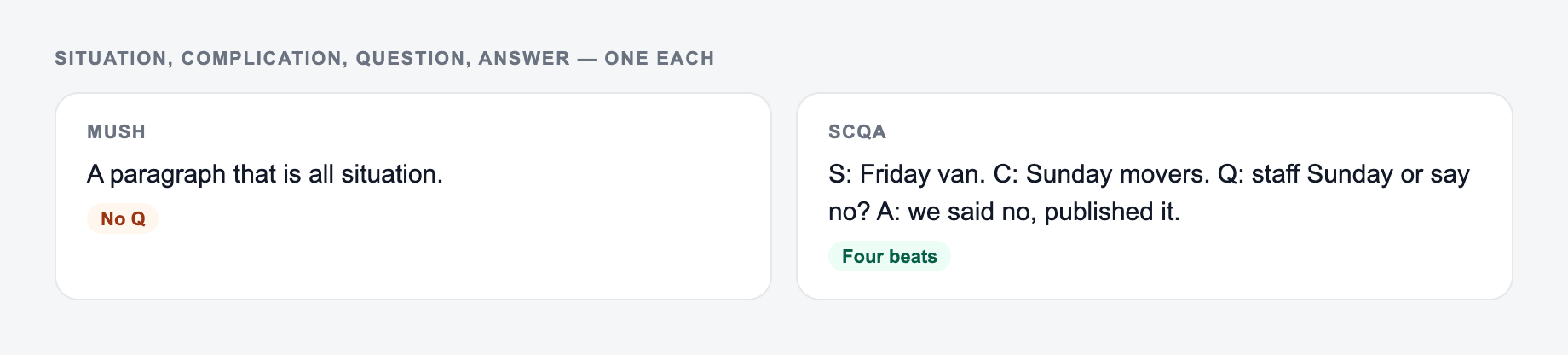
The Situation should be recognizable and neutral. It sets the scene without sounding dramatic.
Weak: "Businesses today face many challenges." Stronger: "Operations teams rely on weekly reports to spot delays, staffing gaps, and cost overruns."
Complication
The Complication should add friction. A good complication names the cost, risk, constraint, or change that makes the issue worth solving.
Weak: "Reporting is difficult." Stronger: "But data lives across spreadsheets, project tools, and finance systems, so every report takes hours to reconcile."
Question
The Question should contain the real decision. If it sounds like "What should we do?", make it more specific.
Stronger: "How can operations teams get reliable weekly reporting without adding another manual process?"
Answer
The Answer should be a path forward, not just a slogan. It can include priorities, steps, criteria, or a value proposition.
Example SCQA Output and How to Edit It
Generated direction:
Situation and the real complication belong on the form. Do not invent a crisis.
Campaign stub you can actually brief:
- One promise.
- Three assets (ad, email, on-site) that share the promise and change the ask.
- A kill list — offers you will not make this week.
If the AI SCQA Framework Generator output ignores the kill list, the brief never made it onto the form.
Situation: Small businesses rely on local search to reach nearby customers. Complication: Competitors with stronger Google Business Profiles, reviews, and location pages often appear first. Question: How can a small business improve local visibility without wasting time on broad SEO tactics? Answer: Focus on local intent pages, review generation, accurate listings, and consistent on-page signals before expanding into broader content.
Before publishing, make the Complication more specific to your audience. A dentist, plumber, SaaS company, or local retailer will each need different friction, proof, and next steps.
When to Generate Multiple SCQA Options
Generate two or three variations when the topic could be framed in different ways:
- A strategic version for leadership
- A sales version for landing pages
- An SEO version for search intent
- A product version for feature narratives
- A short version for emails or executive summaries
Pick the version where the Complication feels most concrete. That is usually the narrative with the strongest hook.
Common SCQA Mistakes to Fix
A synonym is not a test. If you change “unlock” to “discover,” you did not run a variant — you changed the mood of the same fog.
- The Situation is too long and delays the point.
- The Complication is vague or generic.
- The Question does not sound like a real reader problem.
- The Answer jumps straight into a pitch.
- The framework is used for content that only needs a simple checklist.
- The final draft keeps the labels instead of turning the SCQA into natural prose.
For content teams, SCQA works especially well as a planning step before drafting. When you want to turn the framework into a longer SEO article, landing page, or structured campaign asset, Junia AI can carry the same angle into the broader writing workflow.
SCQA vs PAS vs AIDA
Keep the line you could publish. Put facts back. Do not outsource the judgment call.
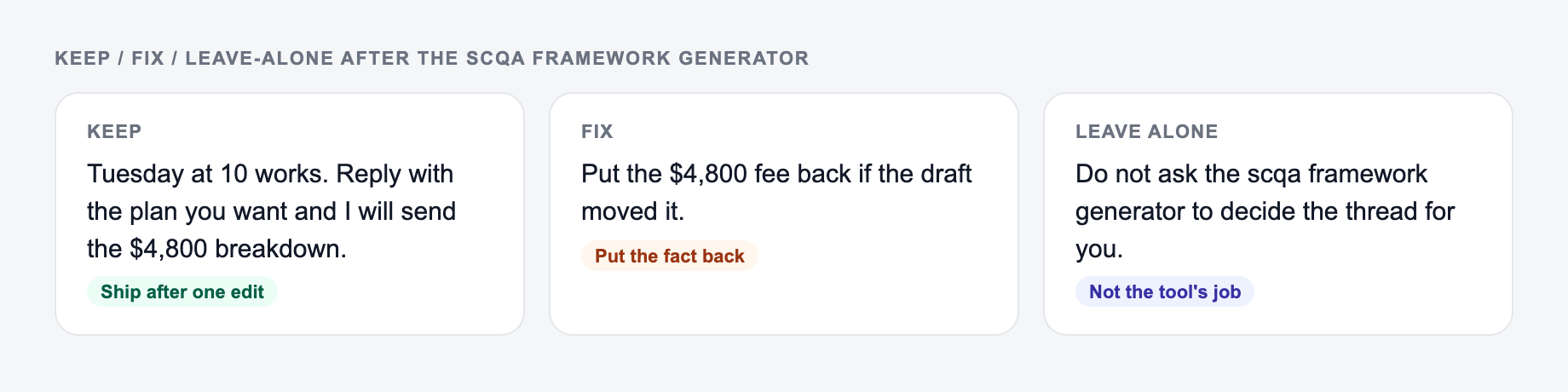
Use SCQA when the reader needs logic, context, and a credible path forward. It is strongest for strategy, executive communication, B2B content, and decision-making.
Use PAS when you want a sharper emotional arc: problem, agitation, solution.
Use AIDA when you are writing classic funnel copy: attention, interest, desire, action.
If the audience is skeptical, analytical, or busy, start with SCQA. It makes the argument feel organized before it tries to persuade.
Frequently Asked Questions
What is the SCQA framework?+
SCQA stands for Situation, Complication, Question, and Answer. It’s a narrative structure used in consulting, marketing, and content writing to frame a problem clearly, build urgency, ask the key question, and present a compelling solution.
How does SCQA help with SEO content writing?+
SCQA helps you match search intent by clarifying the reader’s situation, surfacing the real pain point (complication), and answering the exact question they came to Google for. This improves clarity, engagement, and the likelihood your content satisfies user intent.
Can I use SCQA for landing pages and sales copy?+
Yes. SCQA is excellent for conversion copy because it builds a logical case: establish the current state, highlight what’s not working, define the decision question, and present the solution and next steps.
What should I enter for the best SCQA output?+
Start with a clear topic and optionally add audience and context (what you’re writing and what action you want). If you include constraints (budget, timeline, market), the framework becomes more specific and realistic.
Will the generator create an outline or just SCQA?+
It primarily generates SCQA. In SEO mode, it can also suggest H2 section themes derived from the SCQA so you can turn the narrative into an SEO-friendly article structure.
Can I generate SCQA in different languages?+
Yes. Select your output language to generate an SCQA framework for multilingual content creation and international SEO.