
Free YouTube Video Ideas Generator
Generate YouTube video ideas built around your niche, audience, goals, and search intent. Get topic ideas, title angles, hooks, keywords, Shorts concepts, and series plans you can shortlist, validate, and turn into a publishing calendar.
YouTube Video Ideas
Your YouTube video ideas (titles, hooks, keywords, and angles) will appear here...
How the AI YouTube Video Ideas Generator Works
Get results in seconds with a simple workflow.
Enter Your Niche (and Optional Seed Topics)
Add your channel niche and optionally include keywords, questions, or topics you want to cover. This helps generate ideas that match your content direction and audience needs.
Choose Goal, Style, and Output Settings
Select whether you want more views, subscribers, watch time, or leads—then pick a content style (tutorial, review, list, etc.) and how many ideas to generate.
Get Titles, Hooks, and SEO Angles
Receive a list of video ideas with clickable titles, suggested hooks, keyword targets, and quick angle notes so you can script and film faster.
See It in Action
Turn a broad niche into specific, searchable YouTube video ideas with titles, hooks, and keyword angles.
Niche: personal finance
I need YouTube video ideas for my channel.
-
Title: How to Budget for the First Time (Simple 10-Minute Setup) Hook: If budgeting never sticks, it’s because your system is too complicated—here’s the easiest setup. Primary keyword: how to budget for beginners Angle: beginner-friendly, minimal steps
-
Title: Pay Off Debt Faster: The Snowball vs Avalanche Method (Which Wins?) Hook: Two popular strategies—one feels better, one saves more money. Here’s when each works. Primary keyword: snowball vs avalanche method Angle: comparison + decision framework
-
Title: 7 Money Mistakes to Avoid in Your 20s (That Cost You Years) Hook: These mistakes look small, but they compound fast—fix them now. Primary keyword: money mistakes in your 20s Angle: listicle + urgency
-
Title: Credit Score Explained: What Actually Increases It (and What Doesn’t) Hook: Many “tips” don’t move the needle—these actions do. Primary keyword: how to increase credit score Angle: myth-busting + actionable steps
-
Title: Investing for Beginners: What to Do With Your First $100 Hook: You don’t need thousands to start—here’s a simple first move. Primary keyword: investing for beginners Angle: small starting point + clear next steps
Why Use Our AI YouTube Video Ideas Generator?
Powered by the latest AI to deliver fast, accurate results.
SEO-Friendly YouTube Video Ideas (Search Intent-Aligned)
Generates video topics and clickable titles based on what viewers actively search for—aligned with informational, commercial, and problem-solving intent for better YouTube SEO.
Clickable Titles + Strong Hooks (Higher CTR & Retention)
Each idea includes a scroll-stopping hook and a clear promise so you can boost click-through rate and keep viewers watching past the first 30 seconds.
Keyword + Angle Suggestions (Avoid Generic Topics)
Adds supporting keywords, long-tail variations, and unique angles to help your videos stand out and cover a topic more completely without copying competitors.
Content Pillars and Series Ideas (Watch Time Growth)
Build repeatable content pillars and episode sequences that naturally increase session time, improve channel consistency, and encourage subscribers to binge your content.
Works for Any Niche (Creators, Brands, and Faceless Channels)
Adapt ideas to your channel type and style—tutorials, reviews, storytelling, lists, Shorts—while keeping topics relevant and discoverable.
Pro Tips for Better Results
Get the most out of the AI YouTube Video Ideas Generator with these expert tips.
Prioritize one clear promise per title
High-performing YouTube titles usually make one specific promise (result, transformation, or solution). If a title has two big promises, split it into two videos.
Use long-tail keywords to rank faster
For smaller channels, target specific queries first (e.g., “budget spreadsheet for beginners” vs “budgeting”). Ranking on long-tail builds momentum and authority.
Turn winners into a series
When a topic performs, create follow-ups: beginner → intermediate → advanced, mistakes, tools, examples, and case studies. Series content boosts watch time and returning viewers.
Validate with YouTube autocomplete in 60 seconds
Paste your main keyword into YouTube search and note autocomplete suggestions. If there are multiple relevant completions, demand is usually stronger.
Optimize the first 15 seconds for retention
Use the hook to confirm the problem, preview the payoff, and set expectations. Strong early retention improves distribution in suggested and browse.
Who Is This For?
Trusted by millions of students, writers, and professionals worldwide.
Generate YouTube Video Ideas You Can Actually Turn Into Uploads
Random video ideas are easy to generate. Useful YouTube video ideas need more structure: a clear audience, a search or browse angle, a title direction, a hook, and enough specificity that you can script the video without starting over.
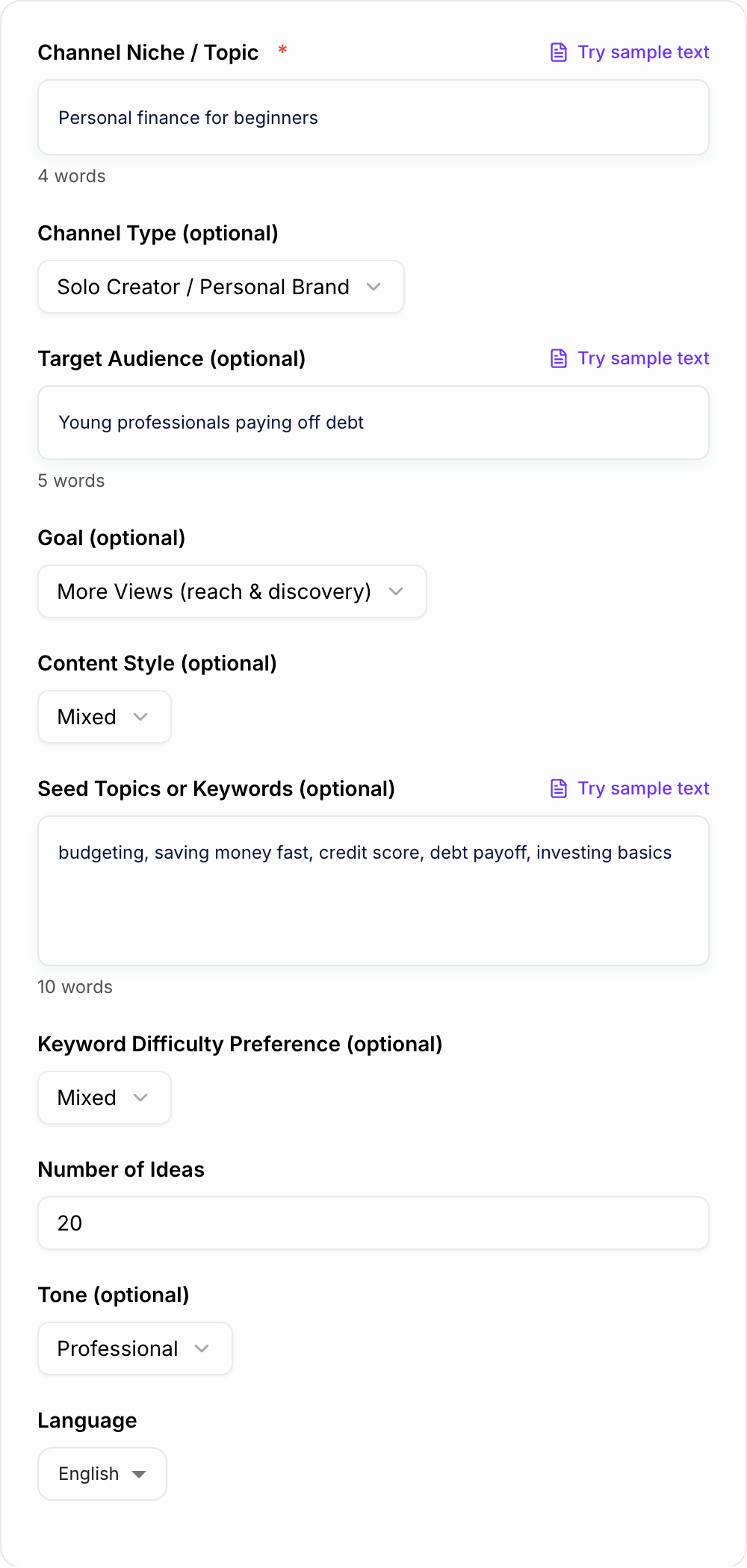
The YouTube Video Ideas Generator is built for that workflow. Enter your niche, audience, goal, content style, and seed topics, then generate ideas with titles, hooks, keywords, and angles you can turn into a real publishing plan.
What to Enter Into the YouTube Video Ideas Generator
Start with a niche that is specific enough to guide the output. "Fitness" is too broad. "Beginner strength training for busy parents" gives the generator a better audience, problem, and content lane.
Add any details that shape your channel:
- Channel type, such as solo creator, company channel, podcast, educational channel, or faceless channel
- Target audience and their current level
- Main goal, such as views, subscribers, watch time, leads, or authority
- Preferred style, such as tutorials, reviews, lists, stories, commentary, or mixed formats
- Seed topics, keywords, audience questions, product categories, or recurring problems
- Difficulty preference, especially if you want easier long-tail topics for a smaller channel
- Number of ideas you want in the batch
The goal is not to overload the form. The goal is to give the generator enough constraints that the ideas come back usable instead of broad.
How to Choose the Right Idea Mode
Use Search-Based Ideas when you want evergreen topics people already type into YouTube. This mode is best for how-to videos, explainers, tutorials, comparisons, and problem-solving topics.
Use Suggested/Browse Ideas when you need curiosity, opinion, novelty, or a stronger click angle. These ideas can produce bigger spikes, but they need tighter titles and stronger openings.
Use Series + Content Pillars when you want a month or quarter of content, not just one upload. This mode is useful for channels that need repeatable themes, episode progressions, or playlists.
Use YouTube Shorts Ideas when you want quick concepts with a hook and payoff. Shorts are useful for testing audience interest before investing in a full-length video.
Use Competitor-Inspired when you know the market but do not want to copy. The output should help you find a different angle, fresher example, narrower audience, or better format.
Turn a Broad Niche Into Better Prompt Inputs
Weak input:
Personal finance
Better input:
Personal finance for young professionals paying off debt. Focus on simple budgeting, credit score basics, debt payoff methods, and beginner investing. Goal: subscribers and authority. Style: tutorials and comparison videos. Difficulty: easier long-tail topics.
That better input helps the generator produce ideas like:
- "How to Budget for the First Time (Simple 10-Minute Setup)"
- "Debt Snowball vs Avalanche: Which Method Fits Your Personality?"
- "7 Money Mistakes in Your 20s That Cost You Years"
- "Credit Score Explained: What Actually Increases It?"
Each idea has a clearer viewer, promise, and title direction than "budgeting tips."
How to Evaluate the Generated Video Ideas
After you generate a batch, do not treat every idea equally. Sort the list before you plan scripts.
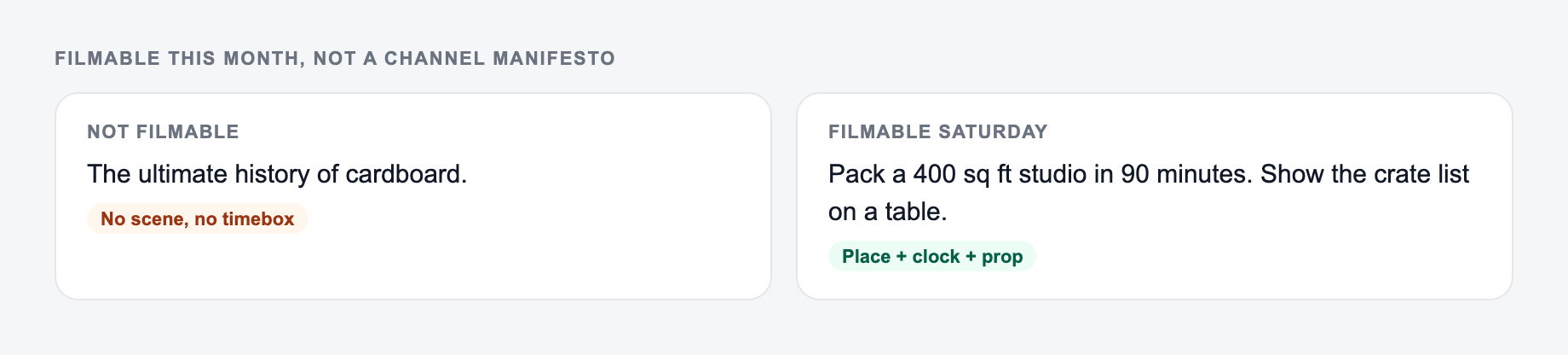
A niche plus the format you can film is a better brief than “viral video ideas.”
Keep ideas that have:
- One clear viewer problem
- One specific promise
- A title you can explain in three seconds
- A hook that starts fast
- A distinct angle from existing top videos
- A reason the idea fits your channel now
Cut or rewrite ideas that are too broad, too similar to each other, or impossible to deliver with your current footage, expertise, budget, or production style.
Build a Practical Content Plan From the Output
A good batch should become a publishing plan, not just a list.
For a monthly plan, generate 20 to 30 ideas and choose:
- 5 evergreen search-based videos
- 3 browse or suggested experiments
- 2 comparison, review, or authority-building videos
- 5 to 10 Shorts based on the strongest hooks
Group related ideas into pillars. If a topic performs, use the next generated ideas to create follow-ups: beginner version, mistakes, examples, tools, comparison, case study, and advanced version.
If you are planning across multiple formats, Junia AI can help keep the next steps connected: ideas become titles, titles become outlines, and outlines become scripts without losing the original angle.
Common Mistakes to Fix in Generated Ideas
The first mistake is choosing only the biggest topics. Broad ideas can work for established channels, but smaller channels often need long-tail search topics with clearer intent.
The second mistake is keeping ideas with vague titles. "Productivity tips" is not enough. "7 Productivity Habits That Save 5 Hours a Week" gives the viewer a reason to click.
The third mistake is mixing audiences. A video for total beginners should not also promise expert tactics unless the structure clearly separates them.
The fourth mistake is generating ideas but skipping validation. Before filming, check YouTube autocomplete, the top results, and whether your angle is clearer, newer, more specific, or more useful.
Final Checklist Before You Pick an Idea
Before committing to an idea, ask:
- Can the viewer understand the promise quickly?
- Does the title match one clear intent?
- Is the audience specific enough?
- Is there a hook for the first 15 seconds?
- Can you make the video different from current top results?
- Does the idea support a series, playlist, product, or channel pillar?
- Do you have the examples, footage, or expertise to deliver it?
If an idea passes those checks, it is ready to move into title testing, outlining, and production.
Frequently Asked Questions
Is this YouTube video ideas generator free?+
Yes. You can generate YouTube video ideas for free. Some advanced modes (like series planning or competitor-inspired positioning) may be marked as premium.
Are the ideas optimized for YouTube SEO?+
Yes. The tool focuses on search intent, long-tail keywords, and clear titles that match how people search on YouTube. It also suggests angles and supporting keywords to improve discoverability.
How many video ideas should I generate at once?+
A good workflow is 20–30 ideas per batch, then pick 5–10 to validate quickly by checking YouTube autocomplete, top results, and viewer demand. Use the rest as a backlog.
How do I choose between search-based and suggested/browse ideas?+
Search-based ideas work best for predictable, evergreen views driven by keywords. Suggested/browse ideas are stronger for novelty and high CTR. Many channels grow fastest using both.
Can this generate ideas for YouTube Shorts?+
Yes. Use the Shorts mode to get quick-hit topics with hooks and formats designed for short-form retention and shareability.
Will the tool copy competitors?+
No. If you use competitor-inspired mode, it creates original ideas and unique positioning without copying specific videos. You should still add your own experience, examples, and visuals to stay distinctive.