
Free YouTube Video Title Generator
Create YouTube video titles designed for search clarity, click-through, and real viewer intent. Enter your topic, keywords, audience, video type, and style to generate title variations you can compare, refine, and test.
YouTube Title Ideas
Your YouTube video title ideas will appear here...
How the AI YouTube Video Title Generator Works
Get results in seconds with a simple workflow.
Enter Your Topic (Optional Keywords)
Add your video topic and (optionally) target keywords. Keywords help align titles with YouTube search terms and viewer language.
Pick Video Type, Intent, and Style
Choose whether it’s a tutorial, review, comparison, or Shorts—then select viewer intent and title style (keyword-first, benefit-first, question, vs, mistakes).
Generate Titles and Test Variations
Get multiple YouTube title ideas. Pick 2–3 favorites to test across uploads (and refine thumbnails/first 15 seconds) to improve CTR and retention.
See It in Action
Example of improving a vague YouTube title into a more clickable, keyword-rich title that matches search intent.
iPhone Video Editing Tips
How to Edit YouTube Videos on iPhone (CapCut + iMovie Beginner Tutorial)
Why Use Our AI YouTube Video Title Generator?
Powered by the latest AI to deliver fast, accurate results.
YouTube SEO Title Ideas (Keyword-Aware)
Generates YouTube video titles that naturally include your primary topic and target keywords—improving relevance for YouTube search, Suggested Videos, and Browse discovery.
High-CTR Hooks Without Clickbait
Creates clickable titles using proven patterns (benefit, curiosity, mistakes, comparisons) while staying accurate—helping boost click-through rate without misleading viewers.
Intent-Matched Titles for Different Video Types
Adapts titles based on viewer intent (learn, compare, buy, entertain) and video type (tutorial, review, comparison, Shorts) so your titles match what people actually want to watch.
A/B Testing Variations for Faster Optimization
Outputs multiple title angles you can test across uploads, thumbnails, and metadata—ideal for improving retention, CTR, and overall YouTube channel growth.
Multilingual YouTube Title Generator
Generate titles in different languages for international audiences and localized YouTube SEO—useful for multi-region channels and translated content strategies.
Pro Tips for Better Results
Get the most out of the AI YouTube Video Title Generator with these expert tips.
Make the promise specific (outcome + context)
Titles perform better when they clearly state what viewers get and for whom (e.g., “Edit YouTube Videos on iPhone (Beginner CapCut Workflow)”). Specificity improves both YouTube SEO and CTR.
Use one primary keyword, then add a hook
Start with the main keyword phrase (if natural), then add a benefit or curiosity hook. This keeps the title searchable while making it more compelling than generic keyword-only titles.
Match title and thumbnail to avoid CTR drop-offs
If the thumbnail promises something different than the title—or the video doesn’t deliver—CTR and retention can suffer. Keep the hook aligned across title, thumbnail, and intro.
Create 3 title patterns for consistent growth
Rotate reliable patterns like “How to…”, “X Mistakes…”, and “X vs Y” for repeatable ideation. Consistency helps your audience understand what to expect and can improve click behavior.
Refresh underperforming titles with better clarity
If a video has impressions but low CTR, rewrite the title to be more specific, add a stronger benefit, or clarify who it’s for. Avoid changing multiple factors at once so you can measure impact.
Who Is This For?
Trusted by millions of students, writers, and professionals worldwide.
Generate YouTube Titles Built for Search, CTR, and Real Viewer Intent
A YouTube title has to do several jobs at once. It should tell YouTube what the video is about, make the promise clear to viewers, match the thumbnail and intro, and still sound interesting enough to click.
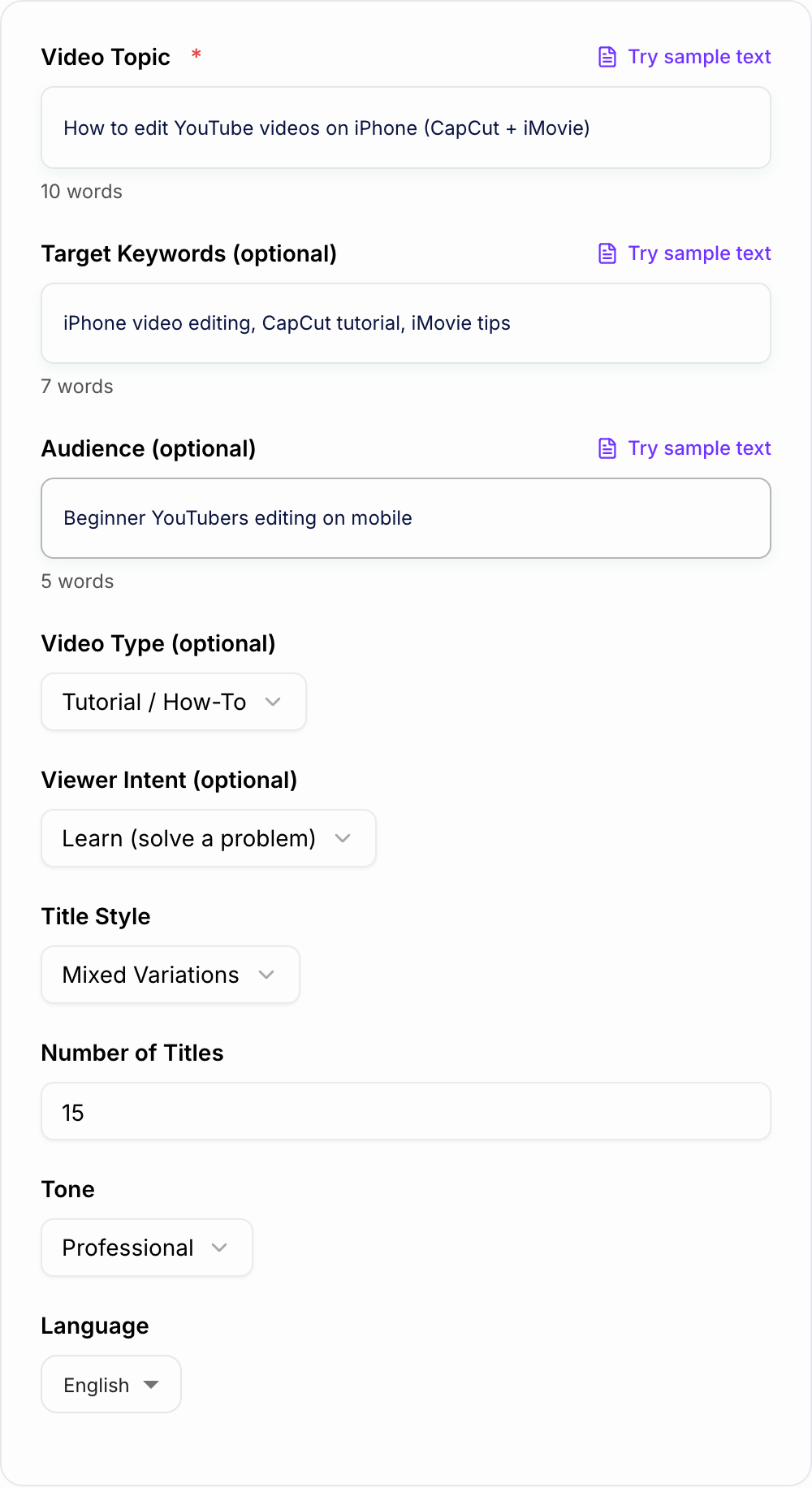
The YouTube Video Title Generator helps you create multiple title angles from one topic. Enter your topic, keywords, audience, video type, intent, and preferred style, then compare options instead of trying to force one perfect title from scratch.
What to Enter Into the YouTube Video Title Generator
Start with the actual video topic, not just a keyword. "CapCut tutorial" is usable, but "beginner tutorial for editing YouTube videos on iPhone with CapCut and iMovie" gives the generator much more to work with.
Add:
- The core topic or working title
- Target keywords if the video is meant to rank in search
- Audience, such as beginners, creators, buyers, students, or business owners
- Video type, such as tutorial, review, comparison, Shorts, podcast, or explainer
- Viewer intent, such as learn, compare, buy, or entertain
- Preferred title style, such as keyword-first, benefit-first, question, mistakes, or versus
- Number of title options you want
Better input gives you titles that vary by angle instead of repeating the same phrase with tiny word changes.
How to Choose the Best Title Mode
Use Balanced when you want titles that combine search clarity and click appeal. This is the safest default for most uploads.
Use YouTube SEO Focus when the topic is driven by a query, such as "how to edit YouTube videos on iPhone" or "CapCut export settings." This mode should keep the keyword near the front when it sounds natural.
Use Curiosity Hook when the video needs a stronger reason to click from Browse or Suggested. Use it carefully: curiosity should make the title more interesting, not misleading.
Use How-To / Tutorial for educational videos where the viewer wants a clear outcome and method.
Use List / Top X when the video is built around tips, mistakes, tools, examples, or ranked recommendations.
Use Short Titles for mobile-heavy topics, Shorts, and titles that need to stay punchy.
Use High-CTR Variations when you want several angles to compare before publishing or refreshing an older video.
How to Judge the Generated Title Options
After generating a batch, shortlist titles with a simple filter.
Keep titles that:
- Say what the video is actually about
- Make one clear promise
- Put the most important words early
- Match the viewer's intent
- Sound clickable without exaggerating
- Pair naturally with a thumbnail idea
- Still make sense if truncated on mobile
Remove titles that promise more than the video delivers, combine too many keywords, or hide the main value at the end.
Example Input and Better Title Variations
Input:
Topic: How to edit YouTube videos on iPhone using CapCut and iMovie Audience: Beginner YouTubers editing on mobile Keywords: iPhone video editing, CapCut tutorial, iMovie tips Video type: Tutorial Intent: Learn Style: Mixed variations
Useful generated titles might include:
- How to Edit YouTube Videos on iPhone (CapCut + iMovie)
- iPhone Video Editing for Beginners: Fast YouTube Workflow
- 7 iPhone Editing Mistakes That Make YouTube Videos Look Cheap
- CapCut vs iMovie for YouTube: Which Should Beginners Use?
- Edit Better YouTube Videos on iPhone in 20 Minutes
These titles are not just different lengths. They target different angles: search, beginner benefit, mistakes, comparison, and quick win.
How to Use Generated Titles for Testing
Pick two or three strong options, then choose the one that best matches the thumbnail and first 15 seconds of the video.
For a search-driven video, start with the clearest keyword-first title. For Browse or Suggested, test a stronger benefit or curiosity angle. For a comparison, make sure both options being compared appear clearly in the title.
When refreshing an older title, change one major element at a time. If you change the title, thumbnail, description, and intro together, you will not know which change affected CTR, impressions, or watch time.
Common Mistakes to Fix Before Publishing
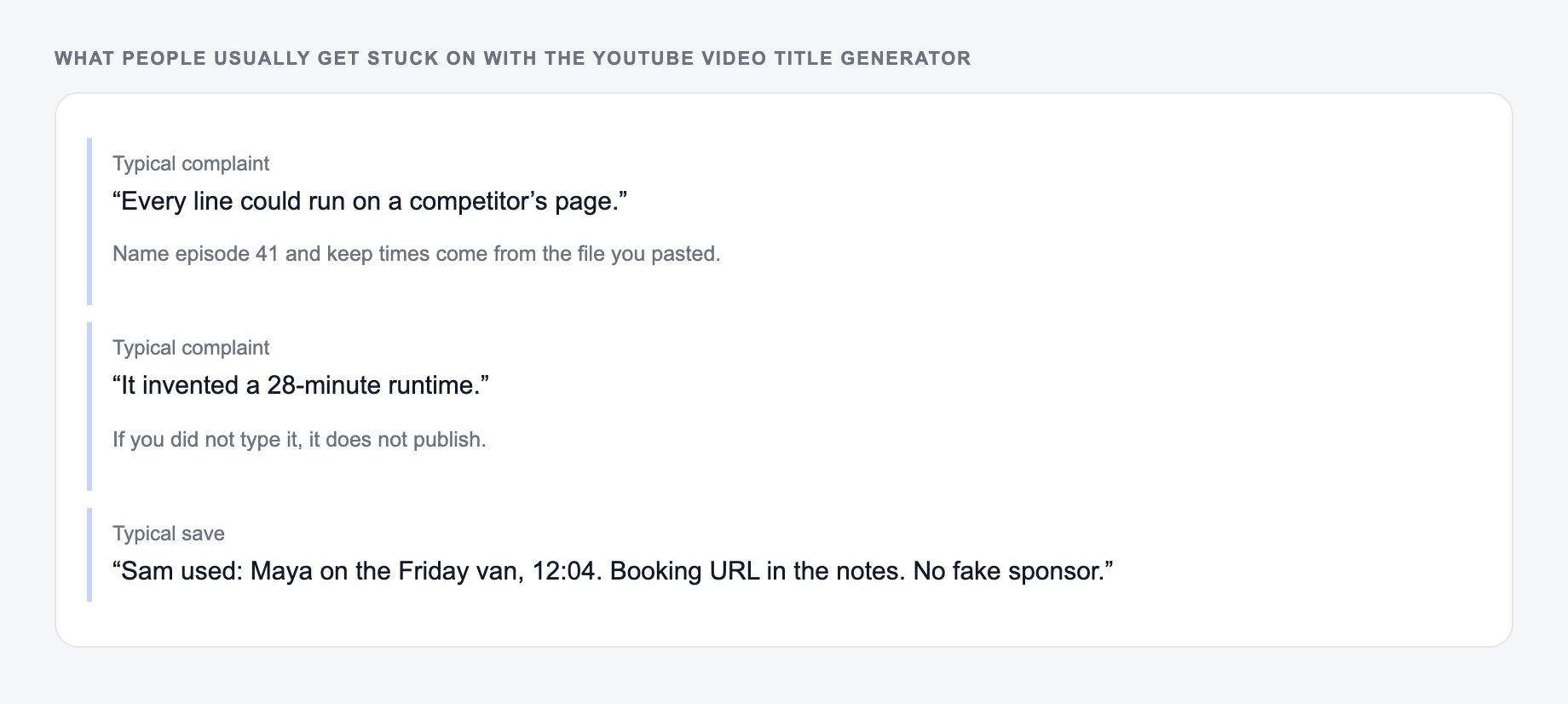
The first mistake is writing a title for everyone. A beginner title, buyer title, and expert title should not sound the same.
The second mistake is stuffing keywords. "CapCut tutorial iPhone video editing iMovie tips YouTube" is not a title; it is a pile of search terms.
The third mistake is using curiosity without payoff. "This Changed Everything" might get a click, but it will hurt trust if the video does not deliver something specific.
The fourth mistake is separating title and thumbnail strategy. The title should not repeat every word in the thumbnail. Let one carry the keyword and the other carry the visual hook.
For regular publishing, Junia AI helps keep title generation connected to the rest of the workflow: ideas, hooks, descriptions, outlines, and scripts can all follow the same channel strategy.
Final Checklist Before You Use a Generated Title
Before publishing, confirm:
- The title matches the actual video
- The primary topic or keyword appears clearly
- The hook is specific and truthful
- The title is not trying to serve two audiences at once
- The strongest words appear near the beginning
- The title works with the thumbnail instead of duplicating it
- You have a backup variation to test if CTR is weak
If the title passes those checks, it is ready to use or test against the next strongest generated variation.
Search Phrase, Thumbnail Job, Honest Payoff
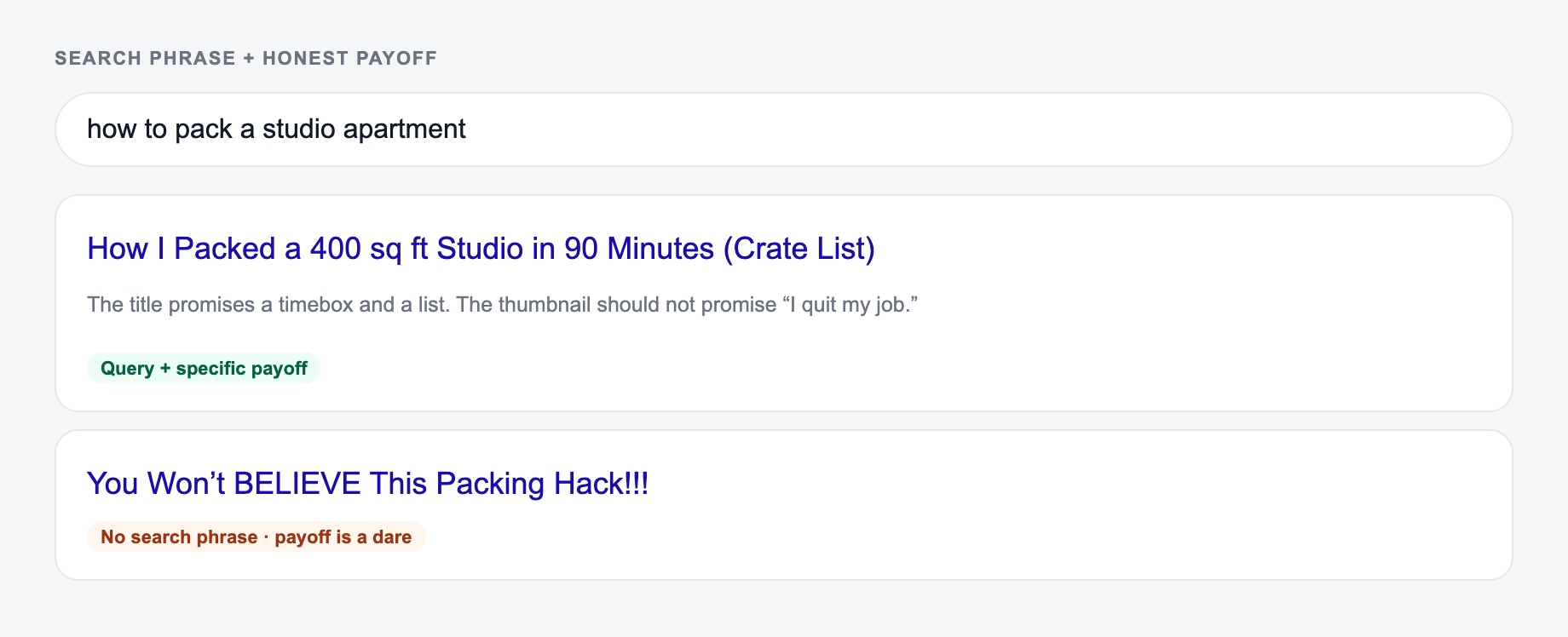
Titles that try to rank and to clickbait in the same 60 characters often do neither. Split the jobs: title carries the topic; thumbnail carries the emotion or the object.
Describe the video you actually made, not the click you wish it would get.
Worked video: a 12-minute screen recording of cleaning a Google Ads RSA.
- Search-led: “How to Write RSA Headlines That Don’t Duplicate”
- Curiosity-led, still true: “The RSA Mistake That Wastes Your 15 Headlines”
- Fail: “Agencies Hate This One Headline Trick” if no such trick appears
Put the topic words early. Do not pack two audiences (“for beginners and CMOs”). If you will test titles, change one idea, keep the thumbnail stable, and give the test enough impressions. Packaging that oversells the first 30 seconds trains people to click away.
Frequently Asked Questions
Is this YouTube video title generator free?+
Yes. You can generate YouTube title ideas for free. Some advanced modes (like short-title or high-CTR variation packs) may be marked as premium.
Do YouTube titles affect SEO and rankings?+
Yes. Your title helps YouTube understand the topic and match your video to searches. Strong titles also improve click-through rate (CTR), which can increase watch sessions and help your video get more impressions over time.
Where should I place keywords in a YouTube title?+
When it reads naturally, place the primary keyword near the beginning. Avoid stuffing multiple keywords. A clear, specific title that matches the content usually performs better than an overly optimized one.
What’s a good length for a YouTube title?+
Many creators aim for roughly 45–60 characters so titles don’t get cut off on mobile. The best length depends on clarity—prioritize readability, specificity, and an accurate promise over hitting an exact number.
How do I avoid clickbait while still getting more clicks?+
Use curiosity and specificity without exaggeration. Promise a real outcome, be clear about what’s inside the video, and avoid absolute claims (like “guaranteed”) unless you can truly deliver.
Should I change old YouTube video titles to get more views?+
Updating titles can improve CTR and discovery, especially if the original title is vague. Make one change at a time and monitor results in YouTube Analytics to see if impressions, CTR, and watch time improve.