
AI Blog Writing Prompts for Better First Drafts

Thu
AI SEO Specialist, Full Stack Developer

AI can write a blog post quickly. Getting a draft I would actually edit, rather than throw away, is the harder part.
Most weak AI drafts come from weak prompts. Last month I ran the same email-marketing topic two ways. Prompt A was "write a blog post about email marketing." Prompt B named the audience (B2B SaaS onboarding leads), the intent (informational, not a product pitch), the sections, and the phrases to avoid. Prompt A took an hour to salvage. Prompt B took about 20 minutes of editing. The difference was not length; it was specificity. Most strong prompt examples share the same ingredients: audience, intent, structure, and limits.
Better prompts do not need to be complicated. They just need to tell the AI what job the article should do.
You can use the prompts below with ChatGPT, Claude, or Junia's AI blog post generator. If you only need a tighter instruction before you draft, a blog prompt generator is enough. Save a full article writer for when the outline is already decided.
What Makes a Good AI Blog Writing Prompt?
A strong prompt gives the model enough direction to make useful decisions. The same rules as how to write better AI prompts apply here: name the reader, the job, and what to avoid.
At minimum, include:
- the topic
- the audience
- the search intent
- the desired format
- the tone
- the sections you want included
- anything the draft should avoid
Here is the simple formula:
Write a [format] about [topic] for [audience].
The reader wants to [goal].
Use a [tone] tone.
Cover [key sections].
Avoid [things to avoid].
End with [next step].
That is already much better than "write a blog post about email marketing."
| Vague prompt | Specific prompt | What changes in the draft |
|---|---|---|
| Write a blog post about email marketing. | Write a 1,200-word guide for B2B SaaS marketers who need onboarding emails that get opened. Search intent: informational. Tone: practical. Cover: subject-line tests, a 5-email sequence, and mistakes to avoid. Do not invent open-rate stats. | The draft has a reader, a job, and a stop-doing list instead of a history of email. |
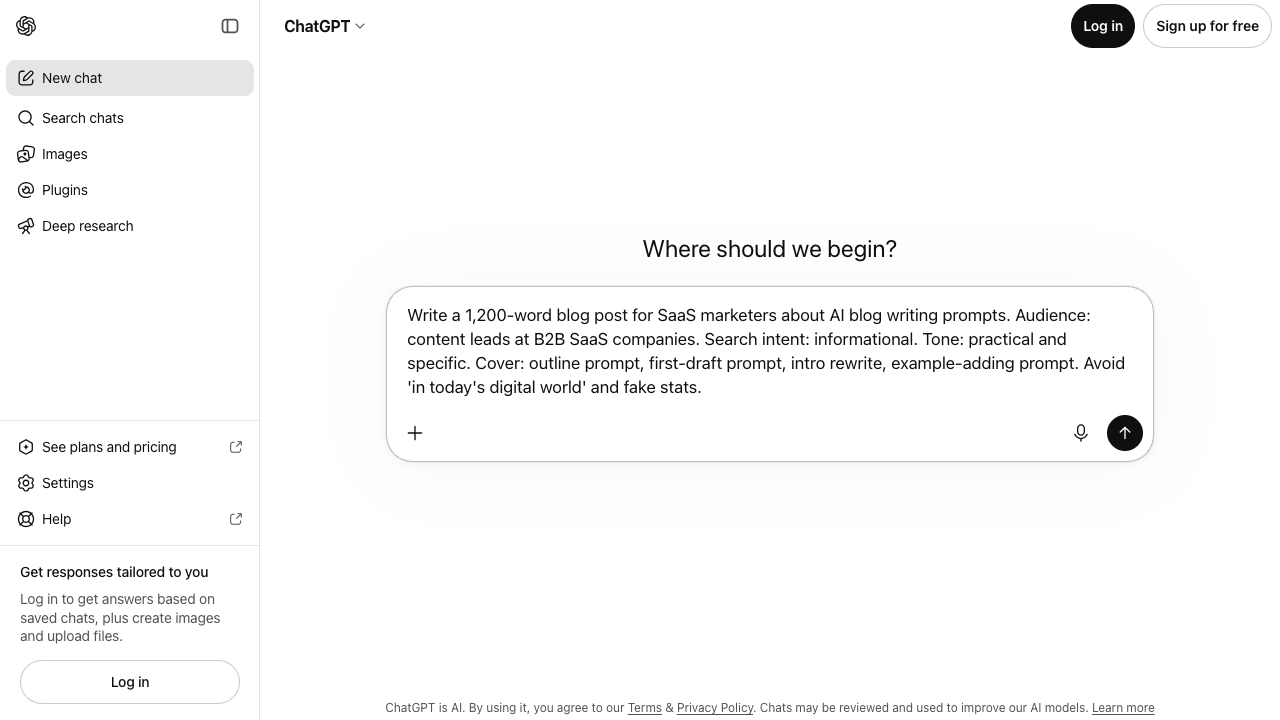
| Write SEO content about AI prompts. | Write an outline for content leads who already use ChatGPT but get generic blog drafts. Cover: outline prompt, first-draft prompt, intro rewrite, example-adding prompt. Avoid "in today's digital world." | You get a usable outline instead of a lecture on what AI is. |
If the left column is how you usually prompt, start there. I would not bother buying another writing tool until this gap is fixed. Most "bad model" complaints I hear are actually under-specified jobs.
If you do not have the structure yet, start with a blog post outline template. Prompts work better when the article has a clear path.
Jeff Su's prompt formula is a useful 8-minute primer if you want the same idea demonstrated, not just written down.
Master the Perfect ChatGPT Prompt Formula (in just 8 minutes) by Jeff Su
1. Prompt for a Blog Post Outline
Use this before asking AI to write the full article.
Create a detailed blog post outline for the topic: [topic].

Audience: [audience]
Search intent: [informational/commercial/transactional]
Primary keyword: [keyword]
Supporting keywords: [keywords]

The outline should include:
- a clear H1
- H2 and H3 sections in a logical order
- notes under each section explaining what to cover
- places where examples, screenshots, or templates would help
- a practical conclusion with a next step

Avoid repeating the same idea in multiple sections.
Why this works:
- It separates structure from drafting.
- It helps you catch gaps early.
- It makes the final post easier to edit.
2. Prompt for a First Draft
Use this after you already have an outline. If you are writing long-form SEO content and want more control over structure, Junia's AI article writer is a better fit than a chat window.
Write a complete blog post using the outline below.

Topic: [topic]
Audience: [audience]
Primary keyword: [keyword]
Tone: clear, practical, and conversational
Goal: help the reader [specific goal]

Requirements:
- Write short paragraphs.
- Use descriptive headings.
- Include practical examples where useful.
- Avoid generic filler and obvious statements.
- Do not overuse the primary keyword.
- Keep the introduction direct.
- End with a concise conclusion and next step.

Outline:
[paste outline]
This prompt gives the AI boundaries. It also tells it what good writing looks like for the page.
3. Prompt for a Better Introduction
Introductions are where many AI drafts go wrong. They start with vague lines like "In today's digital world..." and take too long to get to the point. If the first two sentences could sit on any marketing blog from 2019, I rewrite the intro before I touch the rest.
Use this instead:
Rewrite this blog introduction so it gets to the point faster.

The intro should:
- name the reader's problem in the first two sentences
- explain why the topic matters
- preview what the article will help them do
- avoid generic phrases like "in today's fast-paced world"
- sound natural, not promotional

Draft intro:
[paste intro]
If you want more variations, you can also use an introduction generator and then edit the best option.
4. Prompt for Stronger Examples
AI often explains the idea but forgets to show it.
Use this prompt to add examples:
Review this section and add practical examples that make the advice easier to understand.

Keep the original meaning, but improve usefulness by adding:
- one specific example
- one before-and-after comparison if relevant
- one short explanation of why the example works

Avoid adding fake statistics, fake case studies, or unsupported claims.

Section:
[paste section]
This works well for how-to posts, SEO guides, writing tutorials, and tool comparisons.
5. Prompt for SEO Optimization
Use this after the draft is written. Do not ask the AI to "SEO optimize" everything blindly.
Review this blog post for on-page SEO improvements.

Primary keyword: [keyword]
Supporting keywords: [keywords]
Search intent: [intent]

Check for:
- whether the title matches the intent
- missing subtopics the reader would expect
- headings that could be clearer
- keyword use that feels forced
- opportunities for internal links
- FAQ ideas based on likely reader questions
- meta title and meta description suggestions

Do not rewrite the full article. Give specific recommendations first.

Article:
[paste draft]
This prompt is useful because it asks for analysis before rewriting. That keeps the edit more controlled.
6. Prompt for Readability Editing
Use this when the draft is accurate but too dense.
Edit this section for readability.

Keep the meaning the same, but:
- shorten long sentences
- break up dense paragraphs
- remove filler
- make transitions smoother
- keep important terms intact
- use a natural, conversational tone

Do not oversimplify technical points.

Section:
[paste section]
For a faster pass, use Junia's readability improver, then review the result for accuracy.
7. Prompt for Metadata
Use this when the article is mostly finished.
Create 5 meta title options and 5 meta description options for this blog post.

Primary keyword: [keyword]
Audience: [audience]
Search intent: [intent]
Article summary: [summary]

Rules:
- Meta titles should be clear, specific, and under 60 characters when possible.
- Meta descriptions should be under 155 characters when possible.
- Avoid hype and keyword stuffing.
- Make the snippet match the actual article.
Metadata works best when it reflects the final article, not the original idea.
8. Prompt for Final Editing
Use this before publishing.
Act as a careful blog editor.

Review this article and identify:
- unclear sections
- repeated points
- weak transitions
- unsupported claims
- missing examples
- awkward internal link opportunities
- places where the tone sounds robotic

Then suggest precise edits. Do not rewrite the entire article unless a section truly needs it.

Article:
[paste article]
This is the prompt I would use when the draft is close, but not ready.
Common Prompting Mistakes
The mistake I see most often: people ask for a finished post before they have an outline, then blame the model when the draft rambles. I would avoid one-shot "write a complete blog post" prompts unless the brief is already specific enough to print.
The rest of the failure pattern is usually one of these:
- giving only a keyword and no audience
- asking for "SEO content" without defining search intent
- accepting the first draft without editing
- asking for statistics or sources without verifying them
- using the same prompt for a comparison, a tutorial, and a thought-leadership piece
AI is useful, but it still needs direction. The more specific the job, the better the draft. Reusable prompt engineering templates help once you know which of those mistakes you keep repeating.
This does not apply if you are brainstorming titles or dumping notes. Vague prompts are fine for exploration. They are a poor way to generate a page you plan to rank.
Final Thoughts
Good prompts do not magically replace editing. They just give you a stronger first draft, which is the only reason I still bother writing them carefully.
Start with the outline, define the reader and intent, ask for examples, then edit for clarity. If the article needs a brief before any of those prompts, write the brief first. A content brief for AI writers will save you from prompting the same missing constraints into every chat.
If you are new to the full drafting process, this guide on how to use an AI text generator shows how prompts, generation, review, and editing fit together.
Use the prompts above as starting points, then adjust them for your topic, audience, and publishing standards. The next action is simple: pick one live post, run the outline prompt, then the first-draft prompt. If the result still sounds generic, the prompt is missing a reader, a constraint, or an example. Fix that before you switch tools.