
AI Humanizer vs Paraphrasing Tool: What’s the Difference?

Thu
AI SEO Specialist, Full Stack Developer

If you have AI-generated text that feels stiff, the next question is usually not "should I rewrite this?" It is "what kind of rewrite do I actually need?"
That is where people get stuck. A humanizer and a paraphraser can both change the wording. They are not solving the same problem.
One is built to make robotic writing sound more natural. The other restates the same idea in different words while keeping the meaning intact. There is overlap, sure. If you pick the wrong tool, you usually end up doing an extra editing pass anyway.
This is the decision rule I use: humanize for voice, paraphrase for wording, and use a lighter rewrite when only a few sentences are off.
The short answer
Use an AI humanizer when the draft already says the right thing, but still sounds generic, flat, or obviously machine-written.
Use a paraphrasing tool when the wording is clunky, repetitive, or too close to a source and you want a cleaner rewrite without changing the core point.
That is the practical distinction:
- Humanizing is about tone, rhythm, and natural flow
- Paraphrasing is about restating the same idea in different language
What an AI humanizer actually does
A humanizer is focused on how the writing feels to read.
It usually fixes things like:
- repetitive sentence rhythm
- vague corporate phrasing
- awkward transitions
- intros and conclusions that sound templated
- wording that is technically fine but emotionally flat
In other words, it tries to remove the signals that make readers think, "this sounds AI-generated."
In practice, that looks like a two-pane editor: paste the stiff draft on the left, get a more natural version on the right. QuillBot's Humanize mode is a typical example of that layout:
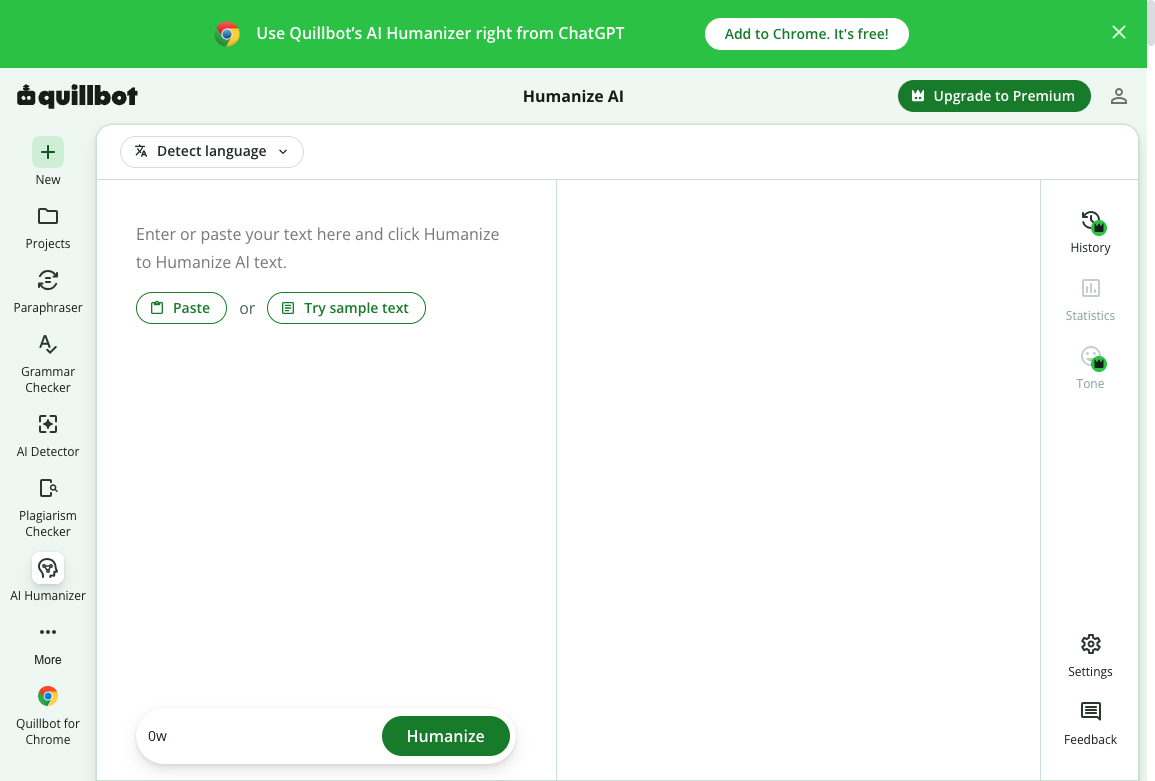
That is why an AI humanizer is usually the better choice for blog intros, landing page copy, LinkedIn posts, email outreach, and any draft that needs a more believable voice.
What a paraphrasing tool actually does
A paraphraser is more mechanical, in a good way.
Its job is to keep the meaning while changing the expression. That can mean:
- restructuring sentences
- simplifying clunky phrasing
- creating alternate versions of the same message
- refreshing older copy without starting from zero
That makes a paraphrasing tool useful when you want cleaner wording, multiple variations, or a safer rewrite that stays close to the source.
If you are editing content for clarity rather than personality, this is often the faster option. Scribbr's paraphrase walkthrough is a clean version of that job: keep the meaning, change the wording, and do not treat a synonym pass as original work.
How to Paraphrase in 5 Easy Steps
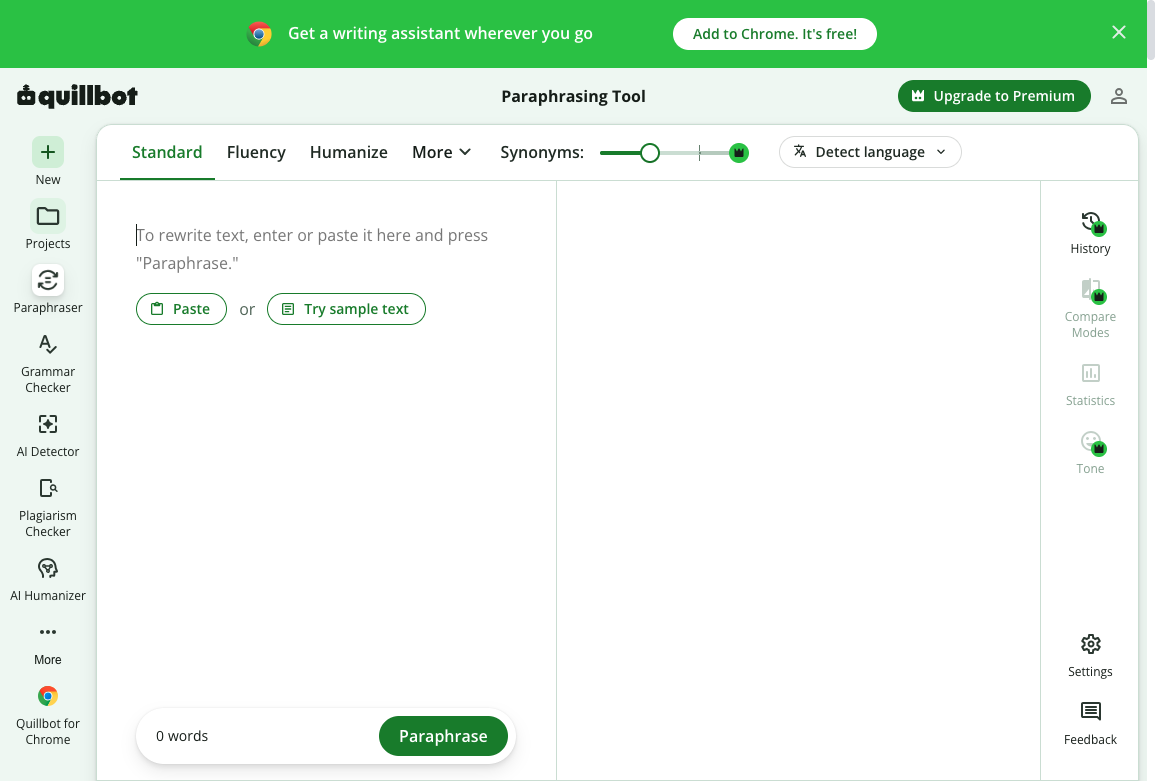
A paraphraser UI makes that job obvious. You get modes like Standard or Fluency, a synonym slider, and a Paraphrase button. The point is alternate wording, not a new voice:
AI humanizer vs paraphraser: the real difference
Here is the easiest way to think about it.
| Situation | Better tool | Why |
|---|---|---|
| The draft sounds robotic and formulaic | AI humanizer | You need more natural rhythm, tone, and flow |
| The draft is clear but too repetitive | Paraphrasing tool | You want different wording without changing meaning |
| The draft is too close to a source | Paraphrasing tool | You need a rewrite that stays on the same idea |
| The draft needs lighter sentence-level cleanup | AI reworder | A smaller rewrite is enough |
| The draft is fine but hard to scan | Readability improver | Clarity matters more than voice |
| The draft needs all of the above | Paraphrase or humanize first, then a readability pass | Each tool handles a different layer |
That middle ground matters. A lot of people use a heavy rewrite when a lighter one would have done the job.
A humanizer is not a detector bypass. If the goal is to sneak AI text past a school, publisher, or client checker, you are using the wrong tool for the wrong reason. Humanizing is for readability and voice. It does not make unoriginal work original, and it does not make a false claim true. I would not trust any "undetectable" marketing pitch as a quality standard.
When you should use a humanizer
An AI humanizer is usually the right pick when:
- the text feels polished but fake
- the intro sounds like every other AI article
- your CTA is too generic
- you want stronger voice without rewriting the entire piece
- you are turning AI-assisted research into publishable brand content
It is especially helpful for content teams trying to narrow the gap between "accurate enough" and "good enough to publish."
If that is your use case, pairing humanization with a final readability improver pass often gets better results than forcing everything through one rewrite mode.
When you should use a paraphraser
Use a paraphraser when:
- the source text is too close to another version
- a paragraph is too wordy but still directionally right
- you need alternate phrasings for ads, email subject lines, or product messaging
- you are refreshing SEO content and want to preserve the page's original intent
- you need a cleaner version of something you wrote quickly
This is also the better tool when meaning control matters more than personality.
Where an AI reworder fits in
Sometimes both tools are too broad.
If the issue is just one awkward paragraph, a few stiff sentences, or phrasing that needs to sound simpler, an AI reworder is often enough. It gives you a lighter touch than full paraphrasing and less stylistic change than a humanizer.
That makes it useful for:
- sentence cleanup
- small CTA rewrites
- simplifying jargon
- tightening repetitive sections
A simple workflow that works
If you are not sure which path to take, this sequence is reliable:
- Stiff or messy draft
- Paraphraser
- Humanizer
- Reworder
- Readability pass
- Human review for facts and voice
- Wording is clunky or too close to a source
- Meaning is fine but it sounds robotic
- Only a few sentences are off
View diagram source
flowchart LR
  A[Stiff or messy draft] --> B{What's wrong?}
  B -->|Wording is clunky or too close to a source| C[Paraphraser]
  B -->|Meaning is fine but it sounds robotic| D[Humanizer]
  B -->|Only a few sentences are off| E[Reworder]
  C --> F[Readability pass]
  D --> F
  E --> F
F --> G[Human review for facts and voice]- Use a paraphraser if the structure is fine but the wording is messy.
- Use a humanizer if the draft still feels robotic after the rewrite.
- Run a readability pass if the page is dense or hard to skim.
- Do one human review for facts, examples, and brand voice.
This layered approach usually beats trying to force one tool to solve every writing problem. The same split shows up in AI content humanization tools: voice work is a different pass from restating the idea.
Which tool is better for SEO content?
Neither tool helps just because it is "AI-powered." What matters is whether the final page is clearer, more specific, and more useful.
For SEO content:
- use paraphrasing when you want to refresh wording without changing intent
- use humanizing when the page sounds generic and weakens trust
- use readability edits when users are likely to skim the page
The strongest pages often combine all three ideas in different doses. If the vocabulary around these tools is still fuzzy, paraphrasing vs rewording vs summarizing is the cleaner distinction than treating every rewrite as the same job.
Final takeaway
An AI humanizer and a paraphrasing tool are close cousins, but they are not interchangeable.
Pick the humanizer when you need writing that sounds more like a person.
Pick the paraphraser when you need a cleaner version of the same message.
Pick a lighter tool when only a few sentences need work.
That is the simplest way to avoid over-editing, save time, and end up with copy that actually feels ready to publish. If you want the longer editing process, not just the tool split, start with how to add a human touch to AI drafts.