
ChatGPT Translation Alternatives: What Actually Beats It?

Thu
AI SEO Specialist, Full Stack Developer

ChatGPT is useful for translation, but I would not treat it as a complete translation workflow.
For a short email, a rough first pass, or a quick tone experiment, ChatGPT can be more flexible than many traditional machine translation tools. I like it most when I can explain the audience and ask for a few alternate phrasings. Once you need consistent terminology, formatting protection, bulk publishing, multilingual SEO, or review workflows, a dedicated translation tool usually wins.
That is the real question: not "Can ChatGPT translate?" It can. The better question is which alternative leaves you with less cleanup for the work you actually publish. Fluency demos are easy. Publishing-ready translation is where the differences show up.
Fluency is not localized SEO. A Spanish page can read smoothly and still miss the query people in that market type, keep English title tags, or skip
hreflang. I have seen grammatically clean translations lose to a shorter local page because the search layer was never localized.
TL;DR: the best ChatGPT translation alternatives
| Use case | Best alternative | Why it beats ChatGPT |
|---|---|---|
| Translating blog posts, landing pages, and SEO content in bulk | Junia AI | Built around content localization, bulk workflows, and SEO-aware publishing instead of one prompt at a time |
| Natural first-pass translations for common business languages | DeepL | Produces fluent output and supports glossaries, document translation, and more than 30 languages, according to DeepL's supported-language documentation |
| Quick everyday translation across the widest language range | Google Translate | Fast, free, familiar, and backed by very broad language coverage through Google's translation products |
| Microsoft Office, Teams, Azure, and enterprise workflows | Microsoft Translator | Fits into Microsoft-heavy environments and supports text, speech, image, and text-to-speech translation features listed on Microsoft's language page |
| Marketing copy adaptation inside a broader AI writing workflow | Copy.ai | Convenient if your team already uses it for copywriting, but weaker as a dedicated localization system |
| Product, app, or website localization at scale | A localization platform | You need translation memory, glossary enforcement, placeholder protection, QA checks, and collaboration, not just translated sentences |
My simple rule: use ChatGPT when the translation is small, low-risk, and easy to review. Use a dedicated tool when the translation will be published, repeated, updated, or tied to search performance. That line is stricter than many teams want it to be, but it prevents a lot of quiet rework later.
When ChatGPT is good enough for translation
Before replacing ChatGPT, it is worth being fair about what it does well. I still use it for the messy early part of translation work, where the goal is not perfection but options.
ChatGPT can be strong for one-off translation tasks because you can explain the audience, tone, formality level, and context in plain language. That makes it useful for:
- Translating a short message and asking for a more natural version
- Comparing formal and casual versions of the same sentence
- Adapting a marketing line for a different region
- Explaining why a translation sounds awkward
- Creating a first draft before a human review
That flexibility is why a general chatbot can still feel better than a rigid translation box. A well-written prompt can tell it, for example, to preserve product names, keep headings concise, avoid idioms, use Latin American Spanish instead of European Spanish, or explain uncertain terms. When I am testing a headline or campaign line, that back-and-forth is genuinely useful.
But this also reveals the weakness. ChatGPT depends heavily on the prompt, the context you remember to provide, and the review you do afterward. If you are translating ten pages, fifty product descriptions, or a whole website, that becomes a fragile process. One missed instruction can ripple across an entire batch.
ChatGPT still deserves a place in the stack, especially when you want to test tone, rewrite a translation, or ask why one version sounds better than another. The important thing is knowing where ChatGPT translation and localization stops being efficient and where a real translation workflow should take over.
Where ChatGPT starts to break down
The biggest translation problems are usually not single-sentence accuracy problems. They are workflow problems.
If you paste a clean paragraph into ChatGPT, the result may look fine. If you paste a real web page, product description, CMS export, translation string file, or WordPress block, more things can go wrong. I have found that the "looks fine" stage is often where teams underestimate the work, because the obvious sentence-level errors are not the costly ones.
| Problem | What happens in ChatGPT | Why a dedicated tool helps |
|---|---|---|
| Terminology drift | The same phrase may be translated differently across prompts | Glossaries and translation memory keep key terms consistent |
| Formatting risk | HTML, shortcodes, variables, and placeholders can be changed accidentally | Localization tools can protect tags, variables, and page structure |
| Manual copy-paste | Every page or field has to be moved in and out of chat | Bulk translation and CMS workflows reduce repetitive handling |
| Weak review trail | Decisions disappear into chat history | Translation platforms keep comments, approvals, versions, and edits together |
| SEO gaps | Titles, slugs, meta descriptions, and search intent may be translated too literally | SEO-focused localization checks whether the translated page still fits local search behavior |
| Data sensitivity | Consumer AI tools may not be appropriate for private material | Business translation workflows usually offer stronger admin, privacy, and data-control options |
OpenAI does provide ChatGPT data controls, which matters if privacy is part of your decision. Still, for confidential customer data, legal text, unreleased product copy, or internal documents, I would not rely on a casual chat workflow without checking the account, plan, and data-handling settings first. Translation is one of those tasks where people paste more sensitive material than they realize.
When ChatGPT breaks on multilingual SEO, the failure is often structural: titles, slugs, and language targeting. Google’s hreflang walkthrough is the right video for that section. It is not a translation-tool roundup:
Google Search Central on hreflang for multilingual pages
If you need a wider survey of engines and workflows, start with a dedicated look at AI translation tools rather than stuffing every option into one ChatGPT prompt.
1. Junia AI: best for SEO content and bulk translation
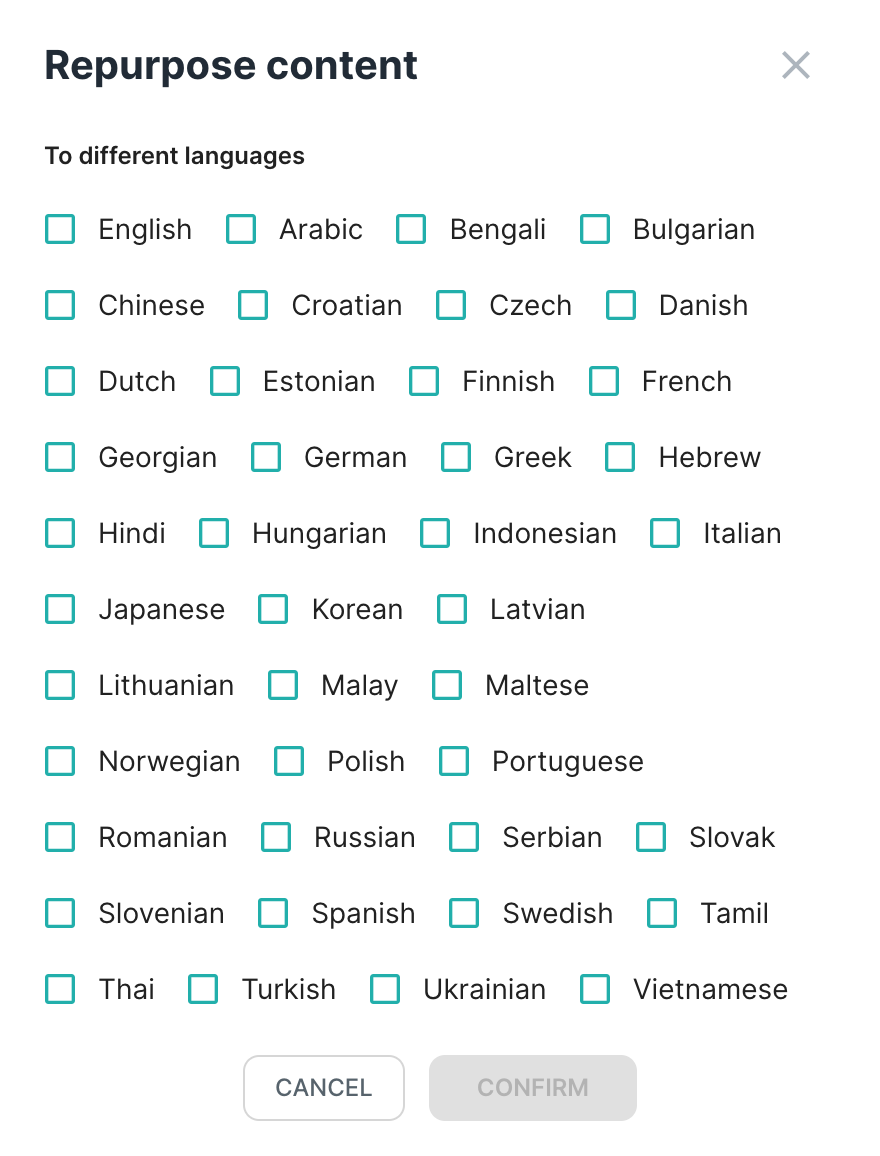
Junia AI is the strongest fit when translation is part of a content operation, not a one-time language task.
If you are translating blog posts, landing pages, or other SEO content, you are not just converting English sentences into another language. You are trying to keep the page useful, readable, structured, and competitive in a different market. That is where a prompt-only workflow becomes slow. Personally, this is the point where I stop caring which single output sounds nicest and start caring about whether the whole page survives the process.
Junia is better suited for:
- Translating many articles or pages in one workflow
- Keeping headings, sections, and page structure intact
- Localizing content for search visibility rather than literal word matching
- Scaling multilingual publishing without rebuilding every page manually
- Reviewing translated content before it goes live
This matters because translated content can rank, but it has to be genuinely useful for the target audience. Before publishing hundreds of localized pages, make sure the workflow matches how Google ranks translated content: useful local intent, readable language, clean indexing signals, and no thin auto-generated pages.
Junia's advantage is not that every translated sentence magically needs no review. No tool deserves that level of trust. The advantage is that the workflow is closer to how content teams actually publish: translate, preserve structure, check the result, and scale the process across many pages. That is less glamorous than a perfect-sounding demo paragraph, but much more useful when there is a backlog of content to localize.
Use Junia AI if: you are translating content for SEO, publishing multilingual blogs, or localizing a website where speed and structure both matter.
Skip it if: you only need a quick translation for a personal message or a single short document.
2. DeepL: best for fluent first-pass translations
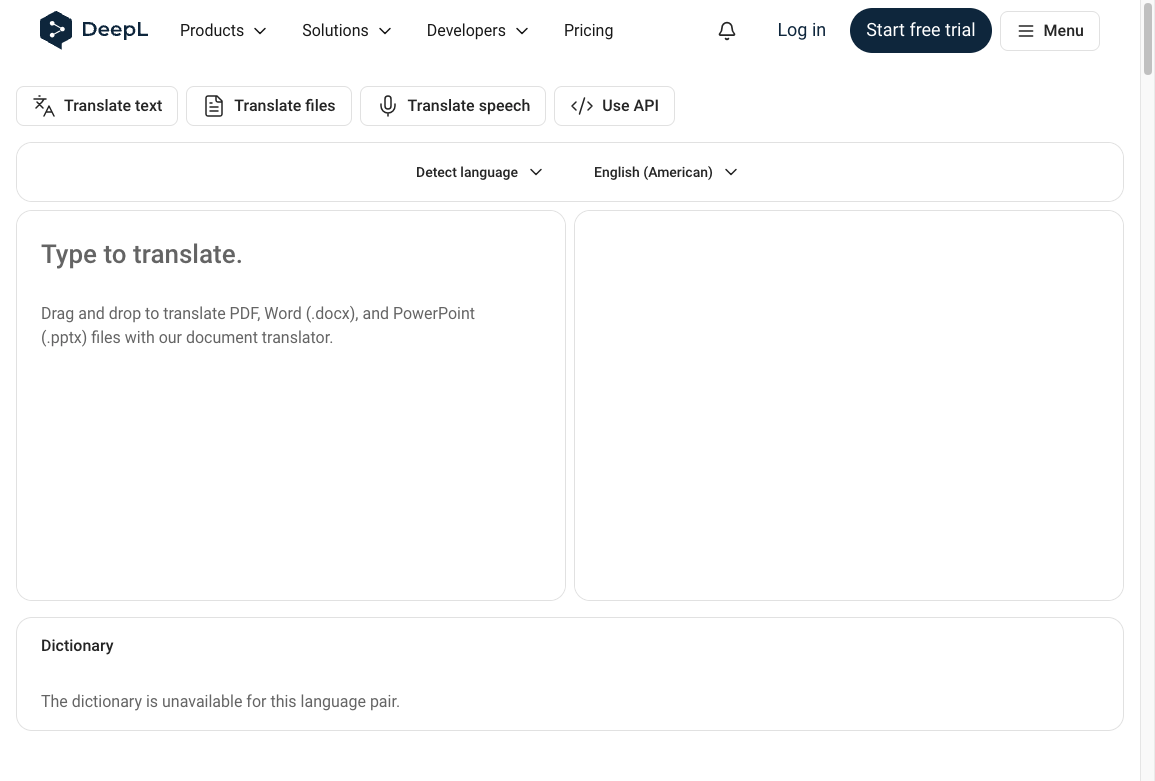
DeepL is often the tool I would test first when the main thing you care about is natural phrasing.
It is especially useful for common business languages where fluency matters: emails, documentation, sales pages, support responses, reports, and polished first drafts. DeepL also supports document translation and glossaries, which makes it more practical than a plain chat box for repeated professional work.
The tradeoff is coverage and workflow depth. DeepL is not trying to be a full multilingual SEO platform or a product localization management system. It is strongest as a high-quality translation engine. That is not a small thing; for many teams, a cleaner first draft is exactly the bottleneck.
That makes it a good ChatGPT alternative when you want:
- More consistent translation behavior without writing a long prompt
- Natural phrasing for supported language pairs
- Document translation with formatting preserved
- Glossary support for repeated terms
- Fast first drafts that a human can review
DeepL can still miss local search intent, brand nuance, legal nuance, or cultural subtext. I would not publish important pages without review. But for many professional translation tasks, it gives a cleaner starting point than ChatGPT because the interface is designed around translation from the beginning. When I compare drafts, DeepL often needs fewer prompt-style corrections and more normal editorial review, which is the better kind of work.
Use DeepL if: you want a fluent first draft and your target languages are well supported.
Skip it if: you need built-in multilingual publishing, SEO localization, or a full review and approval workflow.
3. Google Translate: best for fast everyday translation
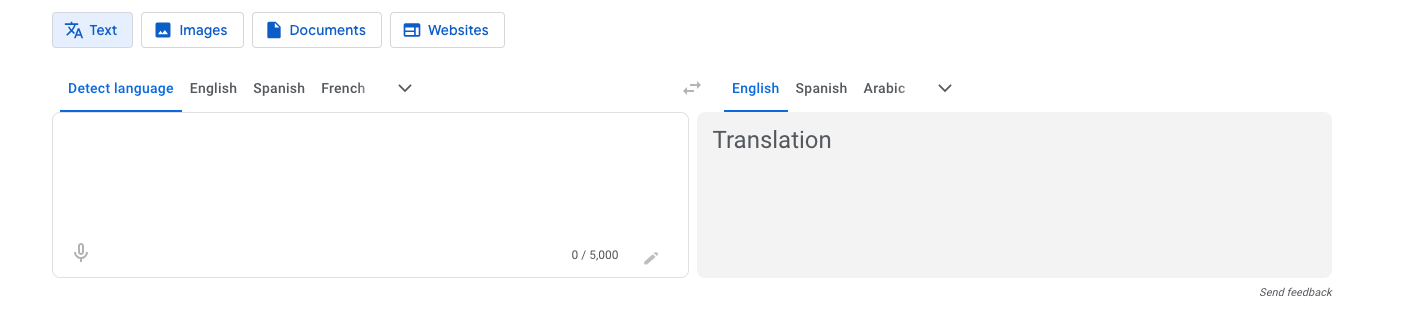
Google Translate is still hard to beat for speed and reach. I would not overthink it for low-stakes comprehension.
It is the tool most people already know, it works instantly, and it covers a very broad set of languages. Google also keeps expanding and improving its translation systems. For example, Google's Cloud Translation language support documentation lists current supported languages for its translation products, and Google's 2024 update added 110 more languages to Google Translate.
That makes Google Translate useful for:
- Understanding a page quickly
- Translating travel, chat, and everyday text
- Handling less common languages
- Getting the general meaning of a message
- Running a quick comparison against another translation tool
Where it struggles is the same place most broad machine translation tools struggle: nuance, brand voice, idioms, cultural context, and high-stakes copy. A translated sentence can be understandable but still sound flat, overly literal, or locally wrong. That is fine for figuring out what a message says. It is not fine when the translation has to persuade someone.
For SEO content, this is especially risky. A literal translation of a keyword or heading may not match what people actually search in the target country. That is why Google Translate vs AI localization for SEO is a meaningful comparison, not just a tool preference.
Use Google Translate if: you need quick, low-risk, broad-coverage translation.
Skip it if: the translated page needs to persuade, rank, convert, or represent your brand carefully.
4. Microsoft Translator: best for Microsoft-heavy workflows
Microsoft Translator is most compelling when your work already lives inside Microsoft's ecosystem.
For everyday users, it covers the expected basics: text translation, speech translation, image translation, and text-to-speech. For companies, the bigger reason to consider it is the surrounding Microsoft infrastructure, including Azure AI services and document or workplace integrations.
That makes it a reasonable ChatGPT alternative for:
- Internal business translation
- Microsoft Office workflows
- Customer support teams already using Microsoft tools
- Speech or image translation needs
- Developers who want translation through Azure services
In 2026, Microsoft also released an updated Azure Translator text translation API that lets developers choose between neural machine translation and generative AI language models for production use. I think that is the more realistic future of translation software: not one model replacing everything, but model choice inside a more controlled system.
The limitation is that Microsoft Translator is not usually the first choice for polished marketing localization or SEO content strategy. It is practical, integrated, and scalable, but the final content still needs editorial judgment.
Use Microsoft Translator if: your translation work is tied to Microsoft products, Azure, documents, or internal communication.
Skip it if: your main need is search-focused content localization or highly nuanced marketing copy.
5. Copy.ai: best when translation is part of marketing copy work
Copy.ai is not a pure translation tool. It is a general AI writing platform that can also handle translation-adjacent tasks.
That makes it useful in a narrow but real situation: your team already uses Copy.ai for campaign copy, emails, briefs, product descriptions, or content repurposing, and translation is just one step in that workflow.
Copy.ai can help you:
- Translate and rewrite marketing copy in the same workspace
- Create regional variants of a campaign message
- Adjust tone after translation
- Repurpose translated copy into ads, emails, or social posts
The downside is that it does not replace a proper localization workflow. You still need to check terminology, formatting, cultural fit, and consistency across pages. If you are translating a website or product, Copy.ai starts to feel like another prompt interface rather than a controlled translation system. I would use it for adaptation, not governance.
Use Copy.ai if: translation is part of a broader marketing-writing workflow.
Skip it if: translation quality, terminology consistency, and publishing control are the main requirements.
How to choose the right ChatGPT alternative
The best tool depends on what would hurt you most if the translation went wrong.
| Decision factor | What to ask | Best fit |
|---|---|---|
| Accuracy | Does the meaning need to be exact? | DeepL, human review, or a localization platform |
| Scale | Are you translating many pages or languages? | Junia AI or a bulk localization workflow |
| SEO | Does the translated page need to rank? | Junia AI plus multilingual SEO review |
| Formatting | Are there HTML tags, variables, shortcodes, or CMS fields? | A platform that protects structure |
| Language coverage | Do you need many languages, including less common ones? | Google Translate or Microsoft Translator |
| Workflow integration | Does the team already work in Microsoft, CMS, GitHub, or a TMS? | Microsoft Translator, Junia AI, or a localization platform |
| Brand voice | Does the copy need to sound native and persuasive? | DeepL plus editorial review, or a human translator |
| Privacy | Is the source text sensitive? | Business/enterprise translation workflows with clear data controls |
For SEO content, I would add one more test: translate the page title, then ask a native speaker or local SEO reviewer whether that is actually how someone would search. A literal translation can be grammatically correct and still fail as a search page. I have seen this happen most often with comparison pages, where the translated phrase is understandable but not the phrase buyers actually use.
That is why AI localization vs DeepL vs Weglot is often a better strategic comparison than simply asking which engine sounds best in one paragraph.
A practical workflow for replacing ChatGPT
If you are moving translation work away from ChatGPT, do it with a small benchmark first. Do not switch the whole workflow based on one impressive sample.
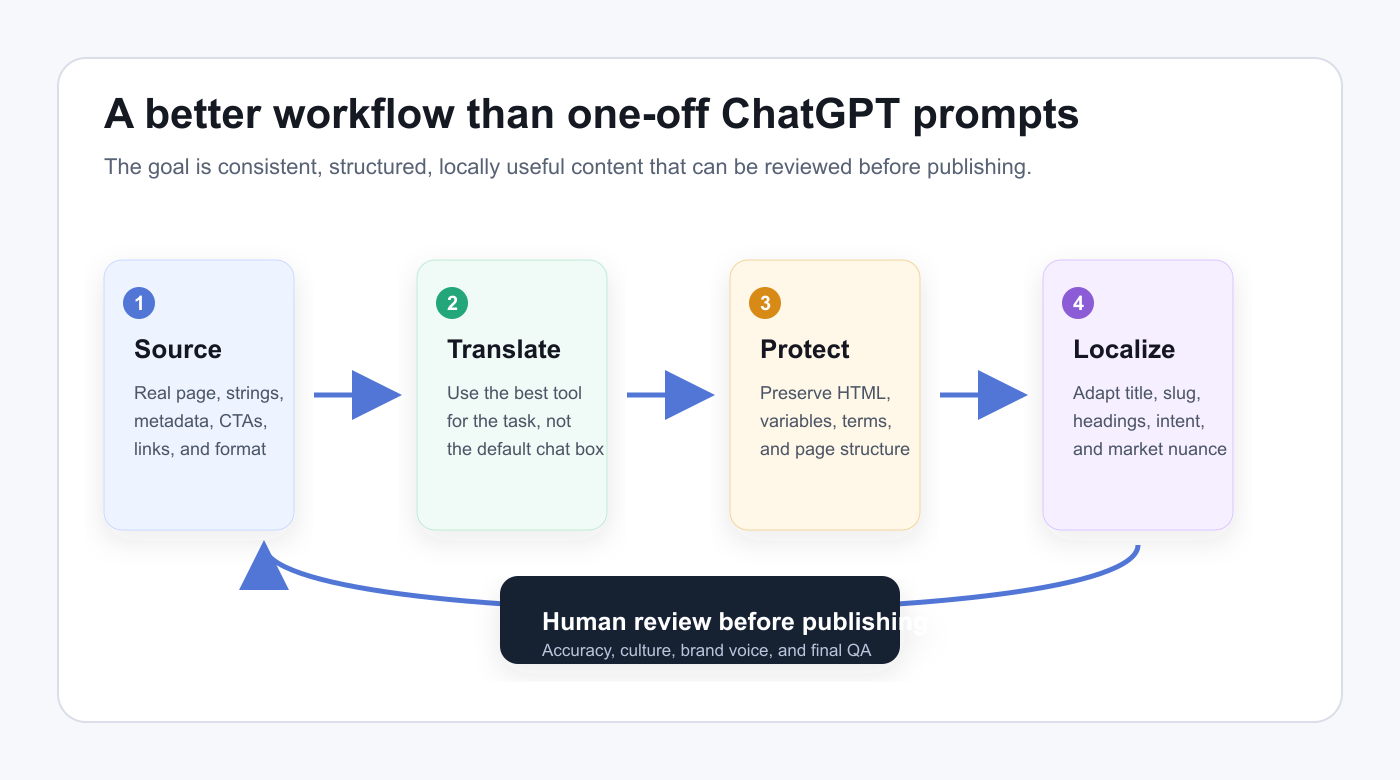
- Pick one real page, not a clean test paragraph. Use a page with headings, links, CTAs, product terms, and metadata.
- Translate it with ChatGPT and with your top alternative.
- Check terminology consistency, formatting, tone, and edit time.
- Review the title, meta description, slug, and headings separately for local search intent.
- Have a fluent reviewer mark what they would actually change before publishing.
- Estimate the cleanup time per page, then multiply that by the number of pages and languages you plan to publish.
That last step is where the decision usually becomes clear. A tool that looks cheaper per word can become expensive if every translated page needs heavy manual repair. I would rather pay for the workflow that prevents mistakes than save a little on the first pass and lose it in review.
For content-heavy sites, the workflow often becomes more important than the translation engine itself. A bulk blog translation process can save more time than chasing tiny differences between first-draft translations, especially when the site has dozens or hundreds of posts.
ChatGPT vs translation tools: quick verdict
ChatGPT is best when you want flexibility. Dedicated translation tools are better when you need repeatability. That is the distinction I keep coming back to.
If you are translating one message, ChatGPT is often enough. If you are translating a website, product, or content library, the work quickly becomes about structure, glossary control, review, and publishing. That is where specialized alternatives beat it.
Here is the shortest version:
- Use Junia AI for multilingual SEO content and bulk publishing.
- Use DeepL for fluent first drafts in supported languages.
- Use Google Translate for fast everyday translation and broad coverage.
- Use Microsoft Translator inside Microsoft and Azure workflows.
- Use Copy.ai when translation is part of marketing copy adaptation.
- Use human review whenever accuracy, culture, legal meaning, or brand trust matters.
Personally, I would not frame this as "AI translation vs human translation" anymore. The better workflow is usually AI for the first pass, structured tools for consistency, and humans for judgment. That balance is also the practical middle ground in AI website translation vs human translation for SEO.
Final recommendation
If you only need a casual translation, keep using ChatGPT or Google Translate. There is no need to overbuild the process, and in that situation I would not pay for a heavier platform.
If you need polished business translations, test DeepL against ChatGPT on your own copy. The winner is the one that leaves fewer boring fixes. That is the drain on a translation project, not the demo paragraph.
If you are translating SEO content at scale, use a workflow built for that job. Junia AI is the best fit in this list because it is designed around bulk content translation, structure preservation, and multilingual publishing rather than isolated chat prompts.
The real win is not a model that claims perfect translation. It is the process that still holds up after the first page: accurate, consistent, locally useful, and reviewed before it goes live.