
SaaS Technical SEO: The 60-Minute Audit Checklist

Yi
SEO Expert & AI Consultant

I think of SaaS technical SEO as the work that makes your product, feature, solution, integration, blog, and help pages easy for search engines to crawl, index, understand, and rank.
When I review SaaS sites, the fastest wins rarely come from exotic technical fixes. They usually come from basic cleanup: blocked pages, messy canonicals, duplicate URLs, slow templates, weak internal links, orphaned product pages, broken redirects, and unclear site architecture.
That matters because SaaS websites usually have more search surfaces than they appear to have at first glance. A simple marketing site can still include product pages, feature pages, pricing pages, comparison pages, integration pages, docs, templates, academy content, changelog pages, and hundreds of blog posts. If those pages are not connected cleanly, organic traffic gets trapped at the top of the funnel instead of helping buyers evaluate the product.
This guide gives you the 60-minute audit I would run before a deeper technical SEO project. It is built for SaaS sites where the goal is not traffic for its own sake, but qualified product discovery.
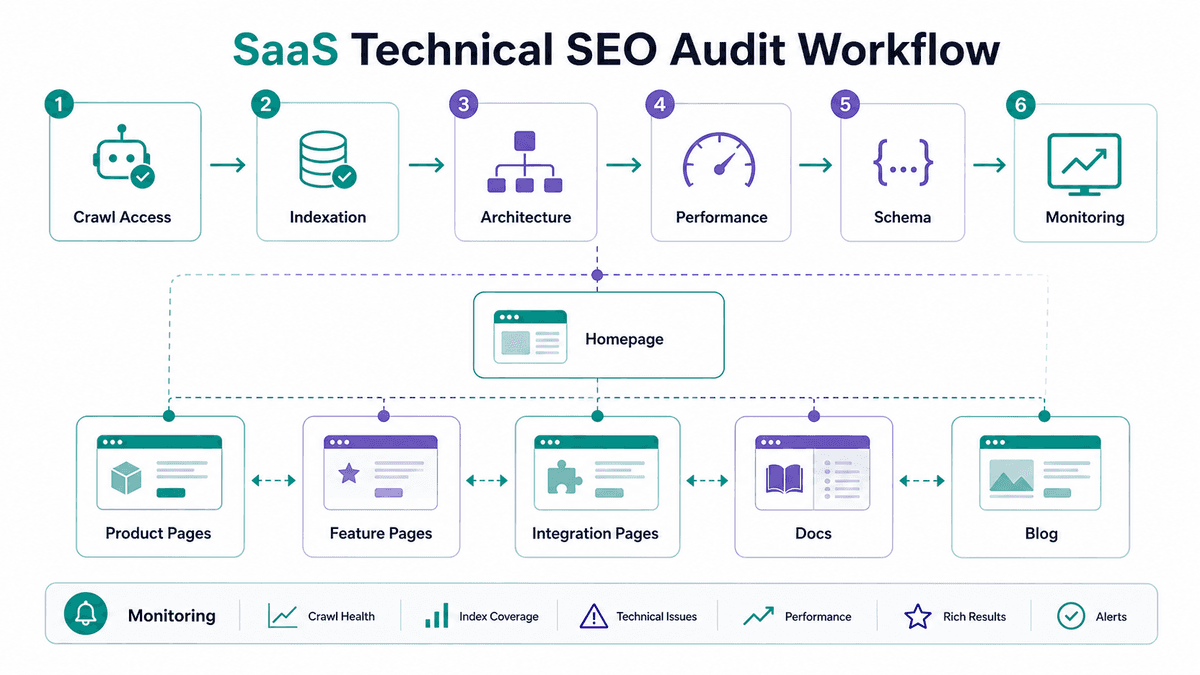
The 60-minute SaaS technical SEO audit
If you only have one hour, do the checks in this order:
| 60-minute block | Check |
|---|---|
| 0–15 | Indexation + canonicals on money templates |
| 15–30 | Architecture / orphan pages |
| 30–45 | Duplicates, parameters, faceted URLs |
| 45–60 | CWV templates + broken internals |
SaaS sites hide technical debt in app-like templates. Audit templates, not random blog URLs first.
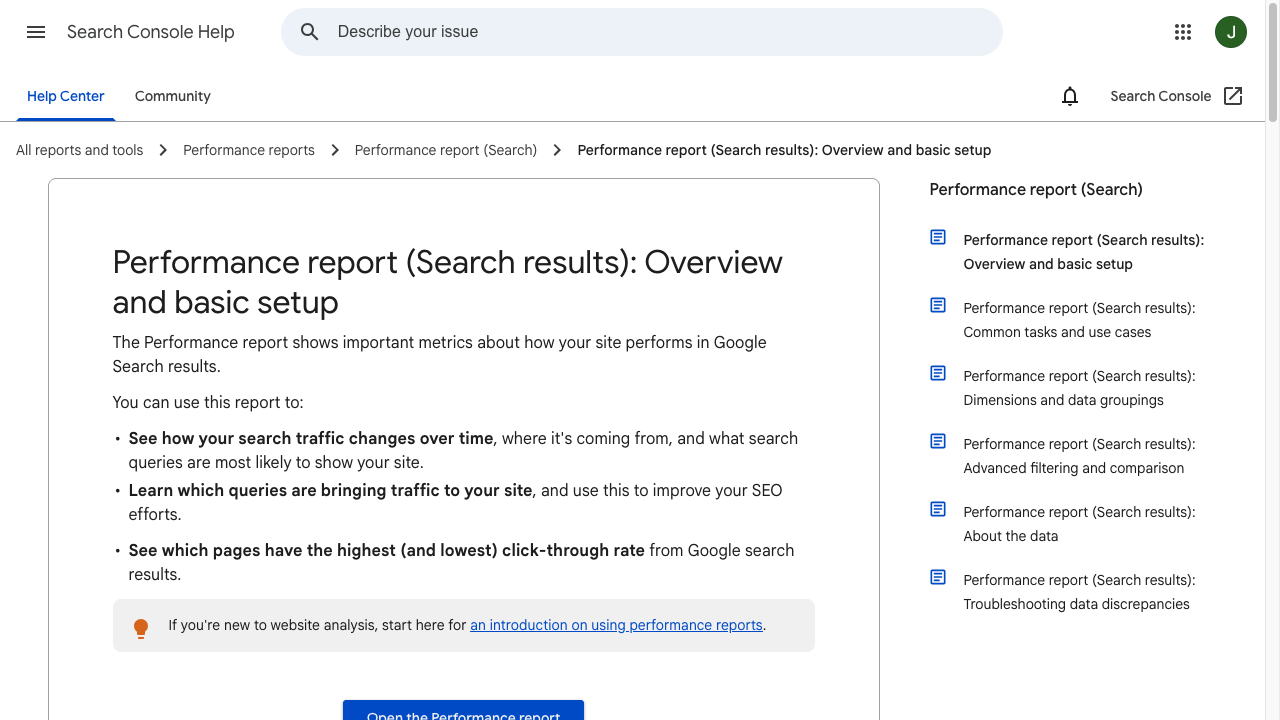
Performance reports in Search Console - Google Search Console Training
| Time | What to check | What you are looking for |
|---|---|---|
| 0-10 min | Crawl and indexation | Important pages blocked by robots rules, noindex, bad canonicals, sitemap gaps, or Google Search Console indexing issues |
| 10-20 min | Site architecture | Product, feature, solution, integration, and blog pages that are buried, orphaned, or disconnected from the buying journey |
| 20-30 min | Duplicate and competing pages | Similar URLs targeting the same keyword, intent, product use case, or integration query |
| 30-40 min | Core Web Vitals and mobile UX | Template-level issues with LCP, INP, CLS, heavy media, popups, layout shifts, and mobile navigation |
| 40-50 min | Structured data and SERP formatting | Missing Organization, SoftwareApplication, Product, Article, FAQ, or Breadcrumb markup where it genuinely fits |
| 50-60 min | Redirects, broken links, and monitoring | 404s, redirect chains, looped redirects, broken internal links, and missing recurring audit reports |
This is not a full enterprise crawl. It is a triage pass. I treat it as a decision-making pass: by the end, you should know which fixes need a developer, which fixes need SEO/content work, and which pages are most likely to gain visibility once the technical blockers are removed.
What makes SaaS technical SEO different?
Traditional technical SEO focuses on crawlability, indexation, rendering, site speed, structured data, and site health. SaaS technical SEO includes all of that, but the stakes are more specific.
A SaaS website has to explain a product. Search engines need to understand what the software does, who it is for, what problems it solves, how its features connect, and which pages should rank for evaluation-stage queries.
So the technical setup has to support product-led discovery:
- Feature pages should connect to relevant use cases.
- Solution pages should connect to proof, integrations, templates, and pricing where appropriate.
- Blog posts should not collect traffic in isolation; they should pass readers toward the next useful product or educational step.
- Integration and comparison pages should not become thin, duplicate, or orphaned pages.
- Docs and help pages should be indexable only when they answer search demand and do not create support-content clutter.
That is why a SaaS technical SEO audit should not separate machine access from buyer pathways. If Google can crawl the site but the structure does not make the product clear, the foundation is still weak.
1. Start with crawlability and indexation
The first question is simple: can search engines reach and index the pages that actually matter?
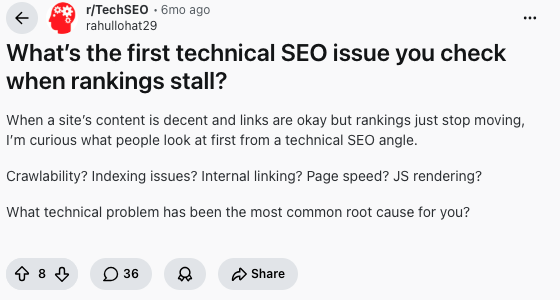
In public technical SEO discussions, the same triage pattern keeps coming up: start with crawlability and indexation, then move into internal links, speed, and rendering once the basics are visible. I agree with that order. This Reddit TechSEO thread on what to check when rankings stall is a useful reminder not to jump straight to narrow fixes before you know whether the right pages are even eligible to rank.
Open Google Search Console and check:
- Pages: look for important URLs under "Crawled - currently not indexed," "Discovered - currently not indexed," "Duplicate," "Alternate page with proper canonical tag," and "Blocked by robots.txt."
- Sitemaps: confirm that the submitted sitemap includes the URLs you want indexed and excludes junk URLs.
- URL Inspection: test a few high-value product, solution, integration, and blog pages manually.
- Crawl stats: look for spikes in server errors, unusual crawl drops, or repeated crawling of low-value URL patterns.
Then crawl the site with Screaming Frog, Sitebulb, Ahrefs, or another crawler. For SaaS sites, pay especially close attention to:
- Staging or preview URLs accidentally indexable.
- Docs pages that should be private, gated, or excluded.
- Parameter URLs from filters, search, sort options, or tracking links.
- App subdomains that should not be treated like public marketing pages.
- Old product pages still indexable after a positioning change.
Google's own robots.txt documentation is clear that robots.txt is mainly for managing crawler traffic, not for keeping sensitive information secure. If a page must not appear in search, use the right access control, authentication, or indexation directive instead of treating robots.txt as privacy protection.
The priority is not to index everything. Index the pages that can answer useful demand and help someone understand or buy the product, then keep everything else disciplined.
2. Fix the architecture before you chase tiny issues
SaaS technical SEO often looks like a crawling problem, but in my experience the deeper issue is usually architecture.
Here is the quick test: can a new visitor and a crawler both understand the product within a few clicks?
A healthy SaaS architecture usually has clear paths between:
| Page type | Technical SEO job |
|---|---|
| Homepage | Establish the brand, core product category, and primary solution paths |
| Product or platform page | Explain the product clearly and link to the main feature, solution, pricing, and proof pages |
| Feature pages | Target specific capability searches and connect to related use cases |
| Solution or industry pages | Map the product to buyer problems, teams, verticals, and workflows |
| Integration pages | Capture product-plus-tool demand without creating thin duplicate templates |
| Comparison pages | Help evaluation-stage buyers compare alternatives honestly |
| Blog and guide content | Build topical depth and route readers to relevant product-led next steps |
| Docs and help content | Answer support and implementation demand without polluting the index |
This is where internal linking becomes more than housekeeping. A blog post about a workflow should not be a dead end, and a feature page should not rely only on the navigation bar. A pricing page should not be detached from the use cases that create buying intent.
If your site already has a lot of content, use AI-driven content clustering to group related topics before changing links. Then choose the pages that deserve to act as hubs.
For a SaaS team building or cleaning this system at scale, Junia AI's SaaS SEO solution can help turn those clusters into a more coherent search structure.
3. Find duplicate and competing pages
SaaS sites create duplicate and competing pages very easily. I like to look for this early, because teams often do not notice the problem until rankings flatten.
It usually happens when teams publish similar pages for:
- Multiple feature names that solve the same problem.
- Integration pages built from one thin template.
- Comparison pages that overlap heavily.
- Blog posts that target nearly identical how-to queries.
- Old positioning pages that were never redirected after a product shift.
- Regional or industry pages with mostly swapped labels.
Keyword cannibalization is not an abstract SEO theory problem. It is a practical prioritization problem. If Google sees three pages trying to answer the same intent, it may rank the wrong one, split signals across them, or ignore all of them.
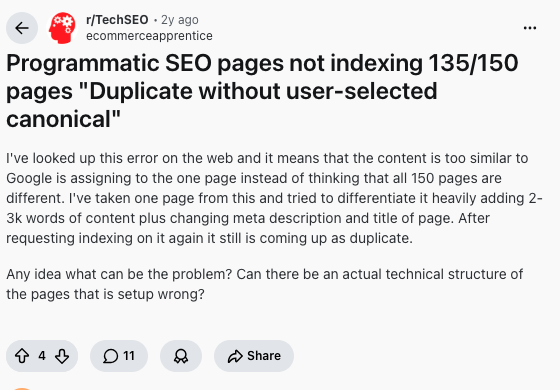
The issue shows up in real site work too. I have seen teams add more copy to page sets that still felt interchangeable because the template, intent, and internal links barely changed. A TechSEO discussion about programmatic pages being treated as duplicates captures the practical version of the problem: adding more copy to one URL does not always fix a page set that looks structurally too similar.
Use a crawl export and Search Console query data to find pages that overlap. Then choose one of three fixes:
| Situation | Best fix |
|---|---|
| Two pages answer the same intent and one is clearly stronger | Merge the useful material into the stronger page, then 301 redirect the weaker URL |
| Two pages are similar but should serve different intents | Reposition one page with a clearer title, headings, examples, and internal links |
| One page exists only because of an old campaign, feature name, or template | Redirect it or noindex it, depending on whether it has links, traffic, or user value |
Do not use canonical tags as a lazy substitute for cleaning up architecture. Google explains canonicalization as the process of choosing the representative URL from duplicate or similar pages, but redirects, internal links, sitemap signals, and on-page clarity all matter too. A simple rule of thumb: if the weaker URL should not exist anymore, a redirect is usually cleaner than leaving a confusing duplicate live and hoping Google chooses correctly.
4. Audit Core Web Vitals at the template level
Do not test one homepage score and assume the site is fine.
SaaS performance problems often live in templates:
- Blog posts with oversized hero images.
- Product pages with heavy animations.
- Integration pages generated from the same slow layout.
- Pricing pages with third-party scripts, chat widgets, and A/B testing tools.
- Docs pages with heavy search, code blocks, or embedded media.
Google's Core Web Vitals focus on loading performance, interactivity, and visual stability. In current Search Console reporting, the three field metrics are LCP, INP, and CLS.
| Metric | What it tells you | Common SaaS problem |
|---|---|---|
| LCP | How quickly the main visible content loads | Huge hero images, render-blocking scripts, slow server response |
| INP | How responsive the page feels after user interaction | Heavy JavaScript, chat widgets, complex menus, slow client-side rendering |
| CLS | Whether the page shifts while loading | Late-loading banners, fonts, embeds, cookie bars, images without dimensions |
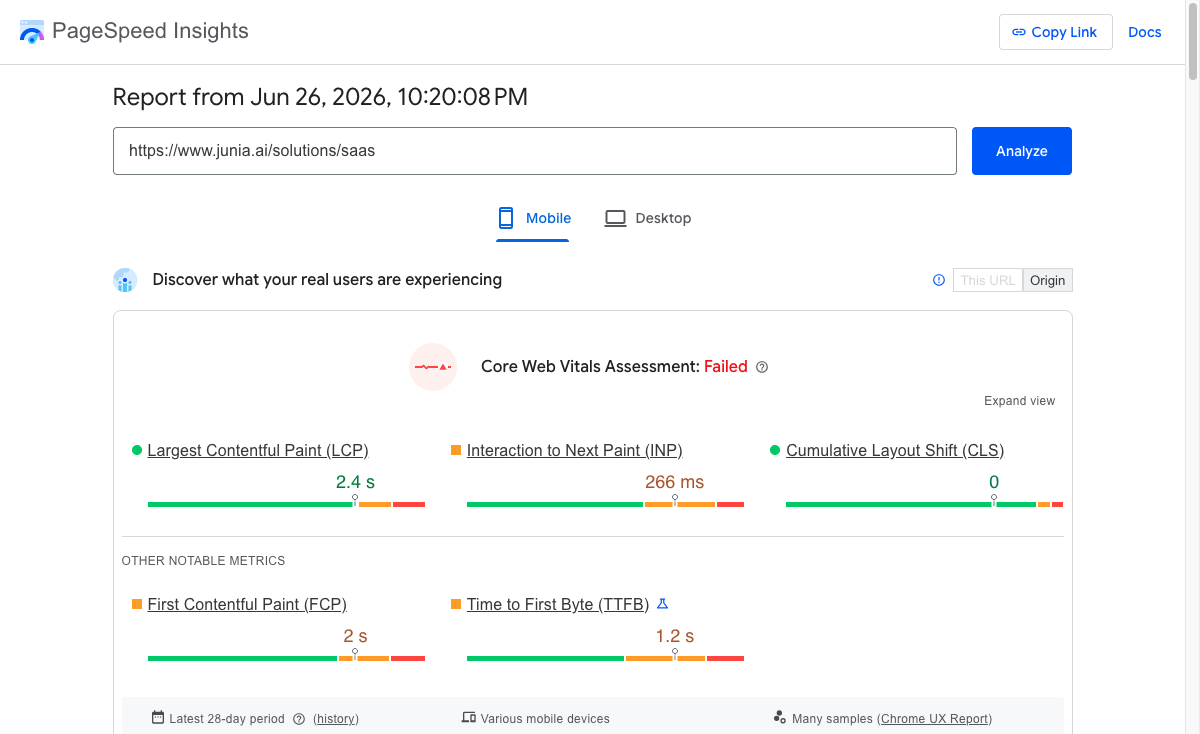
Look for URL groups in Search Console, then test representative URLs in PageSpeed Insights or WebPageTest. I would rather test one product page, one pricing page, one integration page, and one article than obsess over the homepage score. The template pattern matters more than one isolated URL, because that is where SaaS performance problems usually scale.
For example, a PageSpeed Insights run on Junia's SaaS solution page shows why template-level testing is more useful than checking the homepage alone: the report separates field Core Web Vitals from lab diagnostics, so the team can see whether the issue is LCP, INP, CLS, server response, JavaScript, or a specific page template.
The highest-return fixes are usually straightforward. They are also easy to postpone because they sit between SEO, design, and engineering. They still deserve room on the backlog:
- Compress and resize hero images.
- Add explicit width and height to media.
- Delay noncritical scripts.
- Remove unused JavaScript.
- Improve server response time.
- Cache static assets.
- Keep popups and banners from shifting the page.
Speed is not only a ranking concern. For SaaS, it affects the evaluation experience. A slow product page, demo page, or pricing page creates friction right when the visitor is comparing options.
5. Make mobile UX part of the technical audit
Mobile SEO is not only about responsive design. The better test is whether the page still helps someone complete the same task on a smaller screen. In my experience, this is where polished SaaS pages often become surprisingly clumsy.
Check the mobile version of your highest-value pages:
- Can users understand the product without pinching or fighting the layout?
- Are buttons large enough to tap?
- Does the navigation expose the most important product, pricing, and solution paths?
- Are comparison tables readable?
- Do screenshots, videos, and diagrams scale cleanly?
- Do popups hide the page or block the primary action?
SaaS teams often build product pages on large monitors and forget that many early research sessions happen on mobile. Even when final purchase decisions happen on desktop, mobile may be where the first impression is formed.
6. Use structured data where it clarifies the page
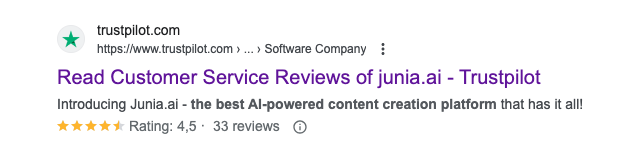
Structured data should not be sprinkled across the site because a plugin makes it easy. Schema should describe the page accurately and help search engines understand the entity, content type, and relationships on the page.
Google recommends using Search Central structured data documentation as the definitive reference for how structured data affects Google Search behavior. That matters because schema.org includes many types and properties that are valid schema, but not all of them produce Google Search features.
For SaaS sites, the most useful schema types are usually:
| Page | Useful structured data |
|---|---|
| Homepage | Organization, WebSite |
| Product/platform page | SoftwareApplication or Product where the page genuinely describes the software |
| Blog articles | Article, BreadcrumbList |
| FAQ or support pages | FAQPage when the visible page contains real FAQ content |
| Tutorial pages | HowTo when the page gives step-by-step instructions |
| Video pages | VideoObject when there is an embedded product demo or tutorial |
Structured data will not rescue a weak page. Treat it as confirmation, not decoration: it works best when the visible content, headings, internal links, and schema all tell the same story.
If your team uses AI to generate or validate schema, treat it as a helper, not a replacement for review. A guide to AI structured data for SEO is useful here because the output still needs to match the actual page content and Google's supported rich result requirements.
7. Format key sections for snippets and AI answers
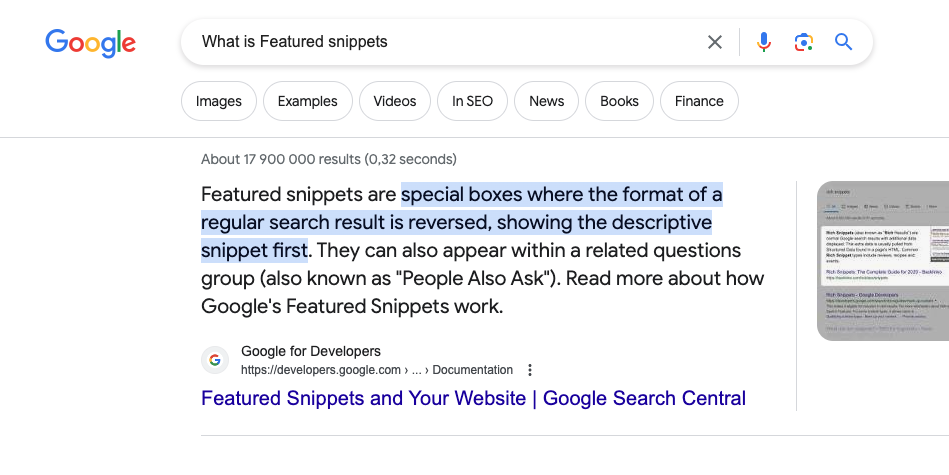
Technical SEO also affects how easy your content is to extract, summarize, and reuse in search features. This is one of the places where technical SEO and editorial quality overlap more than teams expect.
Google's featured snippet documentation describes snippets as excerpts from webpages that can be shown more prominently when they help answer the query. You cannot force a snippet, but you can make your page easier to parse.
For SaaS pages, this usually means:
- Put a direct answer below question-style headings.
- Use numbered steps for setup, migration, onboarding, and troubleshooting tasks.
- Use comparison tables for alternatives, plans, integrations, and implementation choices.
- Keep definitions short before adding nuance.
- Add examples from real SaaS page types instead of generic SEO advice.
- Avoid burying the answer under a long brand introduction.
This also helps with AI search surfaces. AI systems are more likely to summarize pages that make entities, relationships, steps, and evidence easy to identify. The goal is not to write for machines instead of people. The goal is to make the human answer clear enough that machines can follow it too.
8. Clean up redirects and broken internal links
Broken links are common after SaaS teams rename features, consolidate products, change docs platforms, or move from one CMS to another. Treat them as a product-history problem as much as an SEO problem.
During the audit, look for:
- Internal 404s.
- Redirect chains.
- Redirect loops.
- Old URLs linked from high-traffic pages.
- Canonical URLs that redirect.
- Sitemap URLs that redirect or return errors.
- Internal links pointing to HTTP versions of HTTPS pages.
The fix is usually simple but tedious: update internal links to point directly to the final URL, remove dead links, and keep only redirects that still serve a purpose. I would prioritize links from product, pricing, comparison, and high-traffic blog pages before chasing every low-value footer URL.
This is especially important for integration pages and docs. Those areas change often, and they are easy to forget because they may sit outside the main marketing CMS.
9. Monitor the right reports every month
Technical SEO is not a one-time cleanup. SaaS sites change too often for that, and audits that end in a spreadsheet nobody opens again usually do not change much.
At minimum, review these reports monthly:
| Report | What to watch |
|---|---|
| Google Search Console Pages | Indexing errors, duplicate URLs, crawled-not-indexed URLs, sitemap mismatches |
| Google Search Console Performance | Query growth, ranking drops, pages losing impressions, product-intent queries |
| Core Web Vitals | Poor URL groups, template-level speed issues, mobile performance |
| Crawl report | Broken links, redirects, canonical issues, orphan pages, duplicate titles |
| Analytics or product analytics | Organic signups, demo requests, assisted conversions, trial quality |
For SaaS, the best technical SEO reporting connects fixes to outcomes. Do not stop at "we fixed 43 errors." Show whether the affected pages gained impressions, clicks, signups, demo requests, or assisted pipeline after the fixes shipped. Otherwise, the audit becomes a maintenance ritual instead of a growth tool.
SaaS technical SEO maturity levels
One useful way to prioritize work is to treat technical SEO as a maturity model. I like this framing because it keeps teams from chasing advanced tactics while basic crawl and architecture issues are still unresolved.
| Stage | What it looks like | Main goal |
|---|---|---|
| 1. Foundation | Crawlability, indexation, canonicals, sitemaps, redirects, page speed basics | Make sure search engines can access and index the right pages |
| 2. Structure | Clear product, feature, solution, integration, and content architecture | Help search engines understand the product ecosystem |
| 3. Entity clarity | Consistent naming, schema, breadcrumbs, related pages, author and brand signals | Make the product, audience, use cases, and relationships easier to interpret |
| 4. Growth system | Technical SEO tied to content planning, CRO, product launches, and reporting | Turn organic visibility into predictable product discovery and conversions |
Most SaaS teams should not jump straight to advanced schema or AI-search optimization if the foundation is still messy. Fix crawl access, indexation, duplicates, performance, and architecture first. The advanced work compounds only when the basics are stable.
Best tools for a SaaS technical SEO audit
You do not need every tool on the market. A small stack that covers crawl access, performance, structured data, and search results is usually enough.
| Tool | Best use |
|---|---|
| Google Search Console | Indexing, sitemap status, Core Web Vitals groups, queries, clicks, impressions |
| Screaming Frog or Sitebulb | Full-site crawls, broken links, redirects, canonicals, duplicate titles, orphan analysis |
| PageSpeed Insights | Field and lab performance checks for representative URL templates |
| WebPageTest | Deeper waterfall testing, render delays, third-party script issues |
| Rich Results Test | Structured data validation for pages eligible for Google rich results |
| Ahrefs or Semrush | Cannibalization checks, organic page movement, competitor coverage, backlinks |
| Junia AI tools | Content clustering, internal linking, metadata review, and SEO workflow support |
For metadata cleanup, a meta title generator or meta description generator can speed up first drafts. Still, review every result manually. SaaS metadata needs to match the page's actual promise, not squeeze in a keyword at the expense of clarity.
Common SaaS technical SEO mistakes
The same problems show up again and again. Most are not dramatic; they are small decisions that accumulate across hundreds of URLs:
- Treating SEO as blog publishing only. Content can drive traffic, but product and solution pages need architecture, internal links, and technical clarity to turn that traffic into pipeline.
- Letting integration pages become thin templates. Integration pages can be strong acquisition assets, but only if they explain the use case, setup path, related features, and next step.
- Ignoring docs and help content. Support content can rank, but it needs indexation rules, canonical discipline, and a clear relationship to product pages.
- Using internal links only in navigation. Contextual links help search engines understand which pages support each other.
- Overusing noindex, robots.txt, and canonicals. These are useful controls, but they can also hide important pages when applied broadly.
- Fixing individual URLs instead of templates. If the same problem appears across 300 generated pages, fix the template.
- Measuring technical SEO only by error counts. The real question is whether high-value pages become easier to crawl, index, rank, and convert from.
The strongest opinion here is that technical SEO should make the rest of the site easier to trust. The cleaner your technical foundation is, the more your content, links, and product pages can do their job.
Conclusion
SaaS technical SEO works best when it is boring in the right way: repeatable audits, clean architecture, fast templates, strong internal links, accurate schema, and regular monitoring. Personally, I trust that kind of boring more than a clever technical fix that nobody maintains after launch.
Start with the 60-minute checklist. Fix crawl and indexation blockers first. Then clean up architecture, duplicates, Core Web Vitals, structured data, redirects, and monitoring.
After that, pair this audit process with a broader SaaS SEO checklist so technical cleanup supports the full organic growth system instead of sitting in a separate spreadsheet.