
10 AI Writing Tools for SEO: Best Picks by Workflow

Thu
AI SEO Specialist, Full Stack Developer

Most AI writing tools can generate a blog post. That is table stakes now, and it is not enough for SEO.
The real question is whether the tool helps you choose the right keyword, match search intent, build a useful outline, produce a draft that is not generic, and revise the article until it is worth publishing. I would rather use one tool that removes two hours of editing than five tools that create more cleanup work.
This guide compares AI writing tools for SEO by workflow, not just feature count. I care less about how many templates a tool advertises and more about where it actually reduces friction: briefs, drafts, optimization, rewriting, metadata, or final editing.
TL;DR: Best AI Writing Tools for SEO
| Workflow job | Tool type | Example in this list |
|---|---|---|
| Full SEO article | SEO writing platform | Junia AI |
| On-page score | SERP optimizer | Surfer-class |
| Research | LLM / research assistant | Claude / Perplexity-class |
| Rewrite polish | Sentence rewriter | Wordtune-class |
If you want the short version:
| Use case | Best pick | Why it fits |
|---|---|---|
| All-in-one SEO article workflow | Junia AI | Covers keyword research, briefs, drafting, optimization, metadata, and publishing in one workflow |
| On-page optimization | Surfer SEO | Strong for competitor-led term coverage and content scoring |
| SEO briefs and topic research | Frase | Useful for outline building, SERP research, and content gaps |
| Bulk ideation and repetitive copy | CopySmith | Better for batch content tasks than careful editorial writing |
| Real-time SEO guidance | SEMrush Writing Assistant | Works well when you already use the SEMrush ecosystem |
| Fast first drafts | WriteSonic | Good for speed, but needs editing and fact-checking |
| Brand voice and marketing templates | Jasper AI | Stronger for teams with repeatable campaign formats |
| Flexible drafting and rewriting | ChatGPT | Best when you bring strong prompts, examples, and review |
| Structured SEO writing workflow | Outranking | Useful for hands-on writers who want guided optimization |
| Lightweight drafting in a workspace | Notion AI | Convenient for notes, outlines, and simple rewrites |
My top recommendation for most SEO content teams is Junia AI because it handles the largest part of the workflow. If you already have a writing process and mainly need optimization, Surfer SEO or Frase may be enough. If you just need a flexible assistant, ChatGPT is still hard to beat, but it needs more manual SEO direction.
How I Evaluated the Tools
The strongest competitors for this topic all do one thing well: they explain how the tools were judged. I think that matters because SEO writing tools can look impressive in demos and still fail inside a real publishing workflow. I have seen plenty of drafts that looked polished at first glance but collapsed as soon as I checked intent, sources, and section depth.
Here is the framework I used for this final comparison:
| Evaluation factor | What I looked for |
|---|---|
| Search intent support | Can the tool help identify what the page should actually answer? |
| Brief and outline quality | Does it create a structure that matches the SERP, or just a generic blog outline? |
| Draft quality | Is the first draft usable, or does it need a full rewrite? |
| SEO optimization | Does it help with keywords, entities, headings, metadata, internal links, or content scoring? |
| Editorial control | Can you shape tone, examples, voice, and specificity without fighting the tool? |
| Fact-checking risk | Does the tool encourage source review, or does it hide shaky claims behind polished prose? |
| Workflow fit | Can the output move into WordPress, a CMS, Google Docs, or a content calendar without friction? |
That last point is easy to underrate. A tool that writes a decent paragraph but does not fit your publishing process will slow you down over time, especially once editors, CMS formatting, internal links, and approvals enter the picture.
Google's own guidance on generative AI content is also a useful reality check: AI can help with research and structure, but scaled content that adds little value can still create quality and spam risks. For AI Search, Google says the fundamentals still apply: create useful, non-commodity content and make it technically accessible for Search and AI features. That makes editing, examples, media, and clear structure more important than raw generation speed.
What Makes an AI Writing Tool Good for SEO?
Pick by workflow, not by “AI” branding. A rewriter, a SERP scorer, and a full article system solve different bottlenecks.
A good AI writing tool for SEO should help with at least one real job, not just produce fluent text:
- Finding or refining keyword opportunities before drafting.
- Turning search intent into a clean content brief.
- Creating a first draft with headings that make sense.
- Improving readability without flattening the voice.
- Suggesting missing topics, entities, or examples.
- Creating metadata that matches the actual page promise.
- Helping editors revise AI-generated sections before publication.
That does not mean one tool must do everything. In fact, some of the best SEO workflows I have used are focused stacks: one tool for research, one for drafting, one for optimization, and one final human review pass. When the problem goes beyond writing into audits, reporting, clustering, and technical work, a broader AI SEO tools stack makes more sense.
1. Junia AI
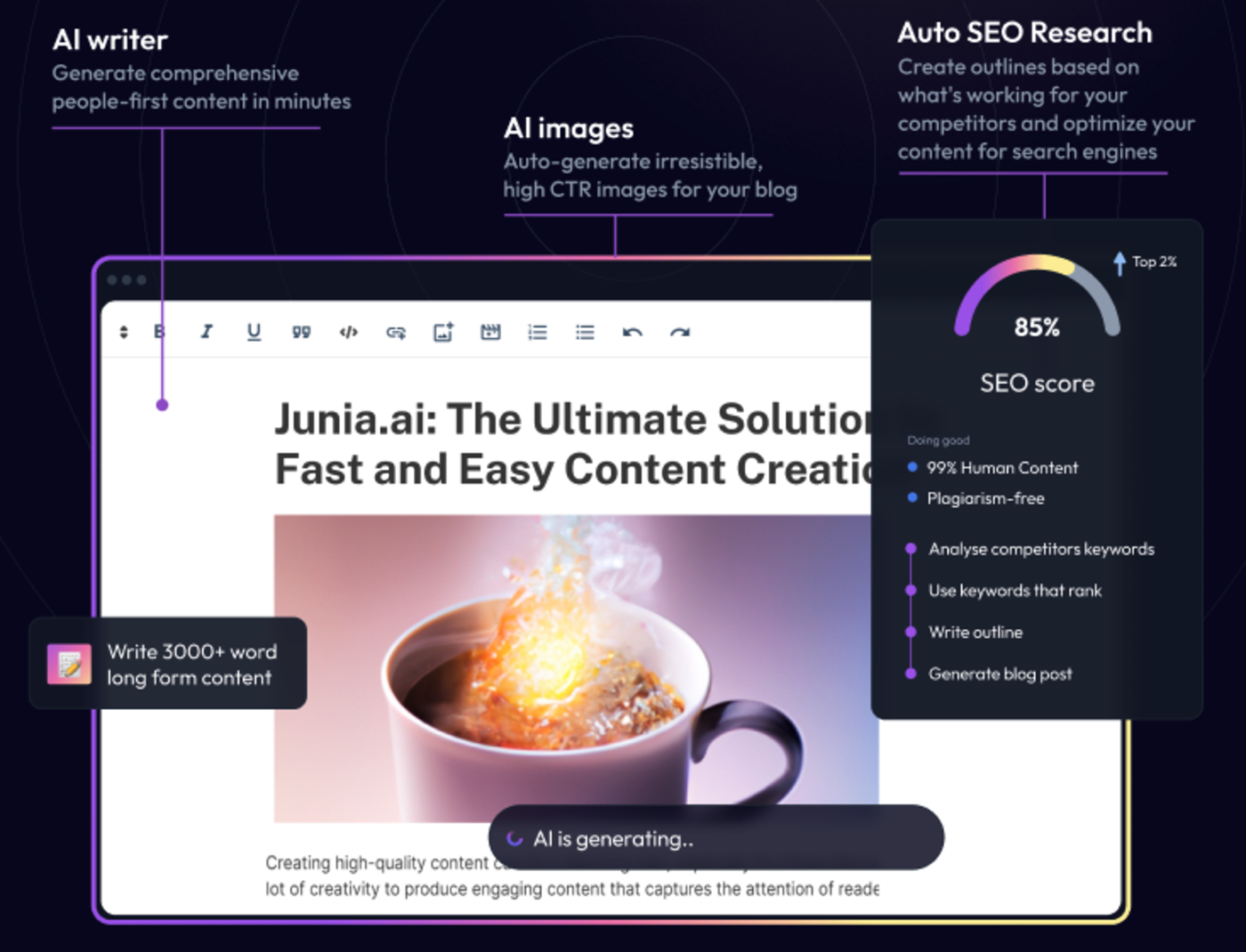
Junia AI is the best fit if you want one platform for the full SEO article workflow: keyword research, brief creation, long-form drafting, optimization, editing, metadata, and publishing support.
That matters because SEO writing usually breaks when teams stitch together too many disconnected steps. A keyword lives in one tool, the outline in another, the draft in another, and the final metadata gets written in a rush. Junia is built to reduce that handoff friction.
Best for
Junia AI is best for content teams, affiliate site owners, SaaS marketers, and agencies that need to publish SEO content regularly without rebuilding the workflow from scratch every time.
What stands out
The strongest part of Junia AI is its workflow coverage. Its AI article writer is not just a blank prompt box. It is designed around SEO articles, which means the draft can start closer to a publishable structure when the brief is good.
.webp?token=eyJhbGciOiJIUzI1NiIsInR5cCI6IkpXVCJ9.eyJ1cmwiOiJ1c2VyLWdlbmVyYXRlZC1pbWFnZXMvZjJmOThkNWUtNjNjNC00MTJiLTkyY2QtZjgyNDI5NTE3YWRkL3Nlby1tZXRhZGF0YSAoMykud2VicCIsImlhdCI6MTcwMjc2MDk4NSwiZXhwIjoyMDE4MTIwOTg1fQ.cOocEWwpCtVwDPYnE9b8YyOuC2Br4ho8S2MUUpchnk4)
The built-in metadata workflow is also practical. A meta title should not be a shorter version of the H1 by accident; it should make the search result easy to understand and click. A meta title generator can speed that up, but the final version still needs to match the page exactly.
I also like that Junia keeps SEO tasks close together. Keyword research, briefing, writing, optimization, and editing are all connected enough that you do not lose the thread halfway through the article.
.png?token=eyJhbGciOiJIUzI1NiIsInR5cCI6IkpXVCJ9.eyJ1cmwiOiJ1c2VyLWdlbmVyYXRlZC1pbWFnZXMvZjJmOThkNWUtNjNjNC00MTJiLTkyY2QtZjgyNDI5NTE3YWRkL0dyb3VwIDM5MiAoMykucG5nIiwiaWF0IjoxNjk4MjYxMjU3LCJleHAiOjE4NTU5NDEyNTd9.sow1Uzy5QNC3komGIzvJmXHC-cWn-XS2zSh9SwHKRxQ)
The publishing features are useful when distribution is part of the workflow. I would treat Parasite SEO as a tactical channel, not a substitute for building strong pages on your own site.
Pros
- Strong end-to-end SEO article workflow.
- Useful for long-form drafts, briefs, metadata, and optimization.
- Better fit for consistent publishing than single-purpose writing tools.
- Brand voice and editor features reduce repeated cleanup.
- Good internal fit for teams that want fewer handoffs.
Cons
- More platform than a casual user may need.
- Like every AI writer, it still needs source review and human editing.
- Foreign-language quality can vary depending on the content type and review process.
My take
Junia AI is the tool I would start with if the job is "publish SEO articles consistently," not just "write faster." In my experience, the biggest savings come from fewer handoffs, not from shaving a few minutes off the first draft. Junia covers enough of the process that the time savings compound across briefs, drafts, edits, metadata, and publishing.
2. Surfer SEO
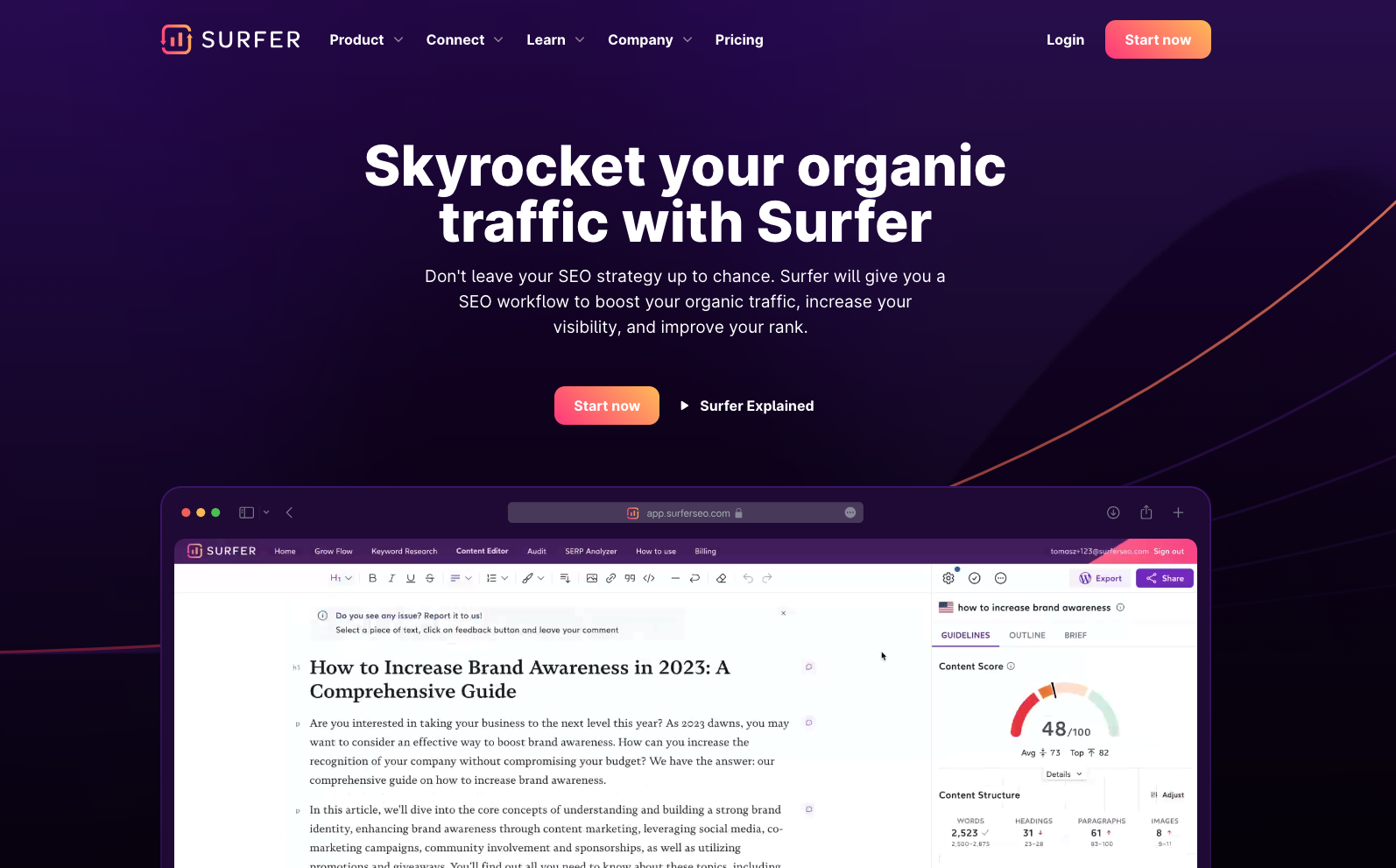
Surfer SEO is strongest when you already know the topic and need a better optimization pass. It analyzes competing pages, suggests terms and structure, and gives you a content editor that makes gaps easier to see.
Best for
Surfer is best for content refreshes, competitive briefs, and teams that want a clearer on-page target before writing or updating a page.
What stands out
Surfer is not the best pure writer on this list. Its value is in the SEO layer around the writing: terms to cover, content depth, structure, and scoring. That can help when a page is stuck just below page-one results or when a writer needs a stronger brief.
The risk is over-optimization. If you chase the score too literally, the article can start reading like it was assembled from keyword suggestions. I prefer using Surfer as a diagnostic tool, then running a separate editorial pass for flow and readability.
A simple readability improver can help after an optimization pass, especially when SEO edits made the draft sound stiff.
Pros
- Strong competitor-informed optimization.
- Useful for content refreshes and SERP gap analysis.
- Helps writers see missing topics before publication.
- Good fit for teams that already have writers.
Cons
- Less useful as a standalone AI writer.
- Scores can encourage unnatural term stuffing.
- Needs human judgment to decide which suggestions matter.
My take
Use Surfer when optimization is the bottleneck. I like it most after the angle is already clear. Do not use it as the only judge of quality.
3. Frase
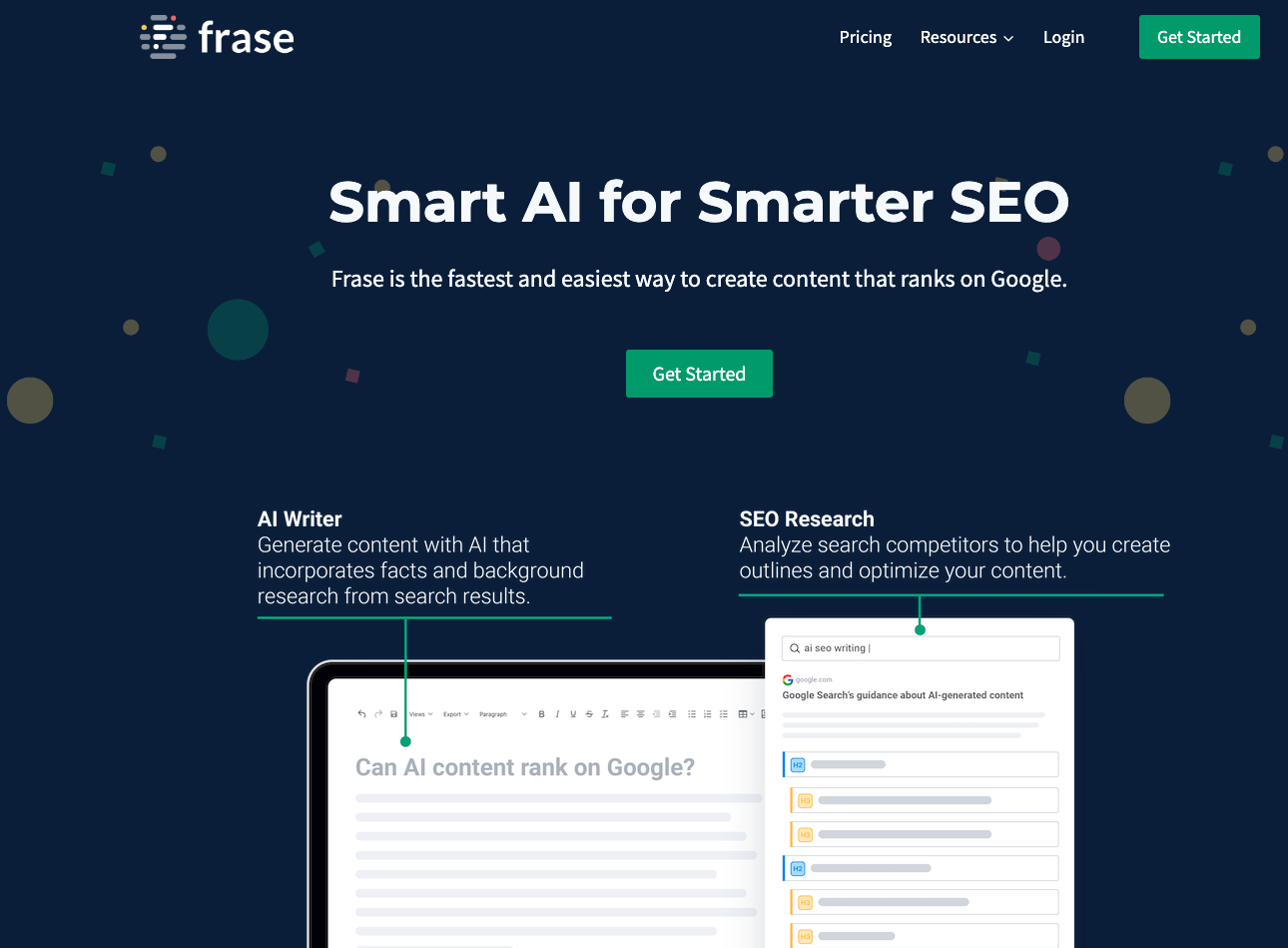
Frase is a strong choice for briefs, topic research, and content outlines. It is especially useful when you want to understand what ranking pages cover before you start drafting.
Best for
Frase is best for content strategists, freelance writers, and small teams that need better outlines and topic coverage without using a heavier SEO suite.
What stands out
Frase helps turn the SERP into a working brief. That is valuable because many AI drafts fail before the first paragraph is written: the outline is too broad, the sections are in the wrong order, or the page answers the wrong intent.
If your current process starts with a loose keyword and a blank document, a dedicated SEO content brief generator can make the planning step more consistent. Frase plays a similar role for teams that want SERP-led briefs and optimization suggestions.
Pros
- Strong brief and outline support.
- Helpful topic research.
- Good for finding content gaps.
- Easier to use than some heavier SEO suites.
Cons
- Not the most complete all-in-one workflow.
- Draft quality still needs human shaping.
- Optimization suggestions can become generic if the brief is weak.
My take
Frase is one of the better tools for the planning stage. I would use it before drafting, not only after a weak draft already exists. The earlier you fix the outline, the less heroic the edit has to be later.
4. CopySmith
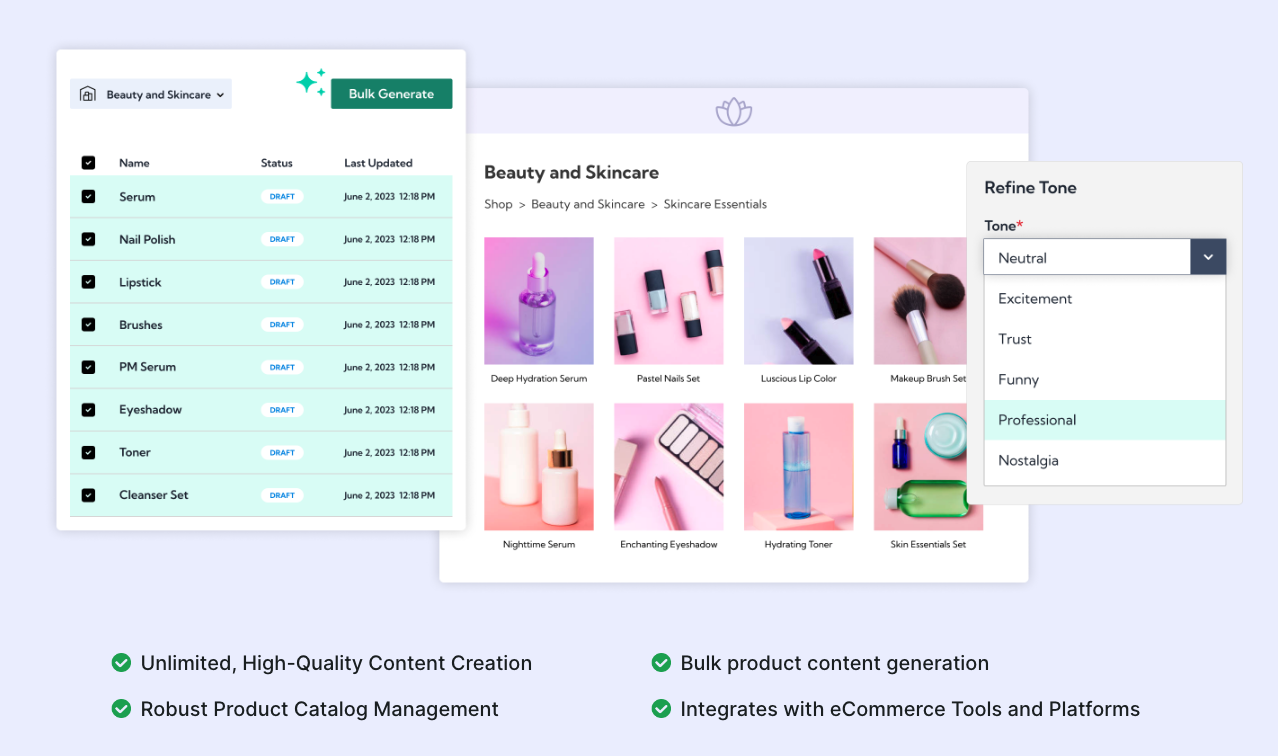
CopySmith is more useful for repetitive content tasks than for careful long-form SEO writing. Think product descriptions, campaign variants, short summaries, and idea generation.
Best for
CopySmith fits ecommerce teams, marketers, and operators who need volume and consistency across repeatable formats.
What stands out
Its bulk workflow is the main appeal. When you have dozens or hundreds of similar content assets, speed matters. The tradeoff is that high-volume generation increases the need for quality control.
That is where SEO teams need a hard publishing gate. Do not publish bulk AI copy just because it is finished. Check uniqueness, usefulness, product accuracy, and whether the page adds anything beyond a rewritten template.
Pros
- Good for batch ideation and repetitive copy.
- Helpful when throughput matters.
- Useful for short marketing assets and summaries.
Cons
- Not my first choice for nuanced long-form SEO content.
- Needs careful review for originality and accuracy.
- Can produce generic copy if the inputs are thin.
My take
CopySmith can save time, but only if the review process is strong. I would not use it as a hands-off SEO article machine. It is better for controlled repetition than for original editorial judgment.
5. SEMrush Writing Assistant
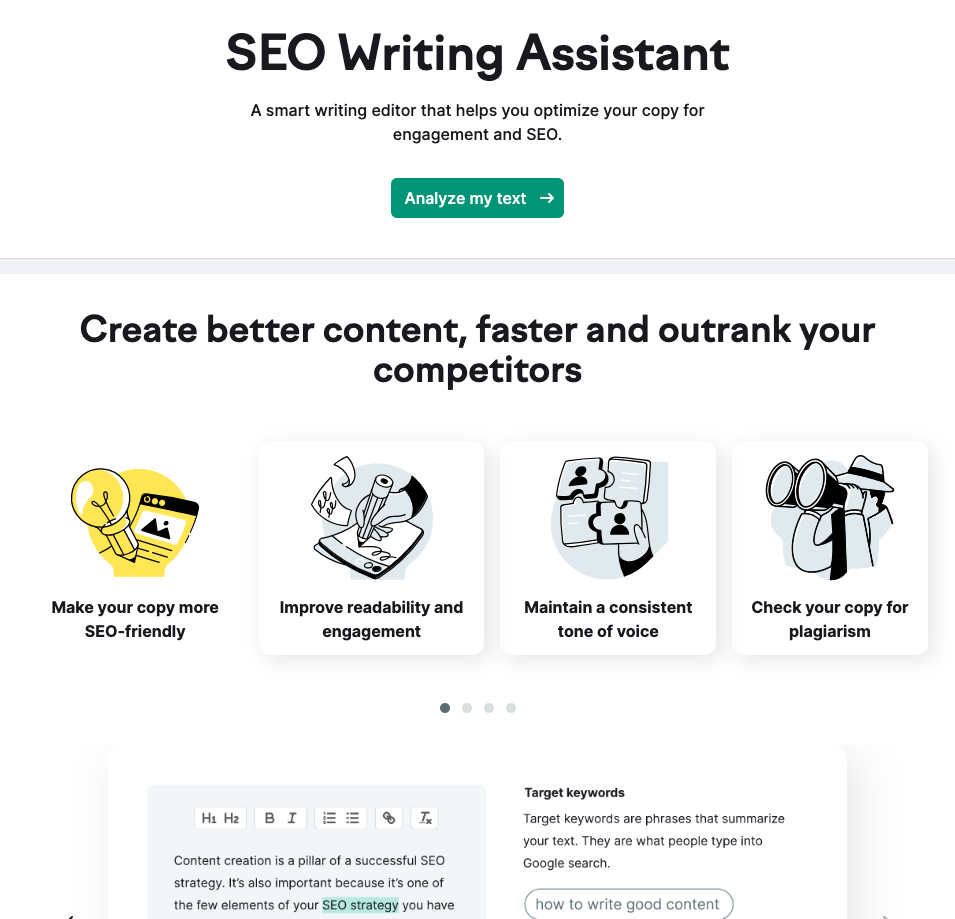
SEMrush Writing Assistant is useful when you want SEO feedback while writing, especially if your team already uses SEMrush for keyword research, competitor analysis, or reporting.
Best for
It is best for agencies, in-house teams, and marketers who already live inside SEMrush and want real-time checks on SEO, readability, tone, and originality.
What stands out
The main benefit is convenience. Instead of writing first and optimizing later, you can see recommendations while the draft is still taking shape. That can prevent obvious misses, such as weak keyword coverage, poor readability, or tone drift.
The limitation is that the assistant is better at guidance than deep rewriting. If the article has a weak angle or shallow examples, the tool can flag symptoms, but it cannot always fix the strategy.
Pros
- Real-time SEO and readability checks.
- Natural fit for SEMrush users.
- Helpful tone and originality feedback.
- Good for teams with established SEO workflows.
Cons
- Less compelling if you do not already use SEMrush.
- More optimization assistant than full writing platform.
- Higher-tier access may be needed depending on the setup.
My take
SEMrush Writing Assistant is a good add-on for teams already committed to SEMrush. For everyone else, I would compare the cost against more focused writing and optimization tools before adding another dashboard to the workflow.
6. WriteSonic
WriteSonic is a fast AI writing tool with templates for articles, ads, landing pages, and other marketing copy. It is useful when speed matters and you are comfortable editing the output.
Best for
WriteSonic is best for marketers who need first drafts quickly and already have someone available to shape the final piece.
What stands out
The tool is flexible and easy to start with. That makes it useful for brainstorming, short-form copy, and quick draft production. It can also fit into SEO workflows when paired with an optimization tool or a strong brief.
The problem is not speed. The problem is trust. Fast drafts still need fact-checking, examples, internal links, source review, and a human pass for voice. If you skip that, the article may look complete while adding very little original value.
Pros
- Fast draft generation.
- Broad template library.
- Useful for marketing copy and first-pass articles.
- Can pair with SEO optimization workflows.
Cons
- Drafts can need heavy editing.
- Fact-checking is still mandatory.
- Not as workflow-complete as dedicated SEO content platforms.
My take
WriteSonic is good for speed, but I would judge it by edit time, not word count. I have a low tolerance for drafts that are long, smooth, and empty. If the draft takes longer to fix than to write manually, it is not saving you much.
7. Jasper AI
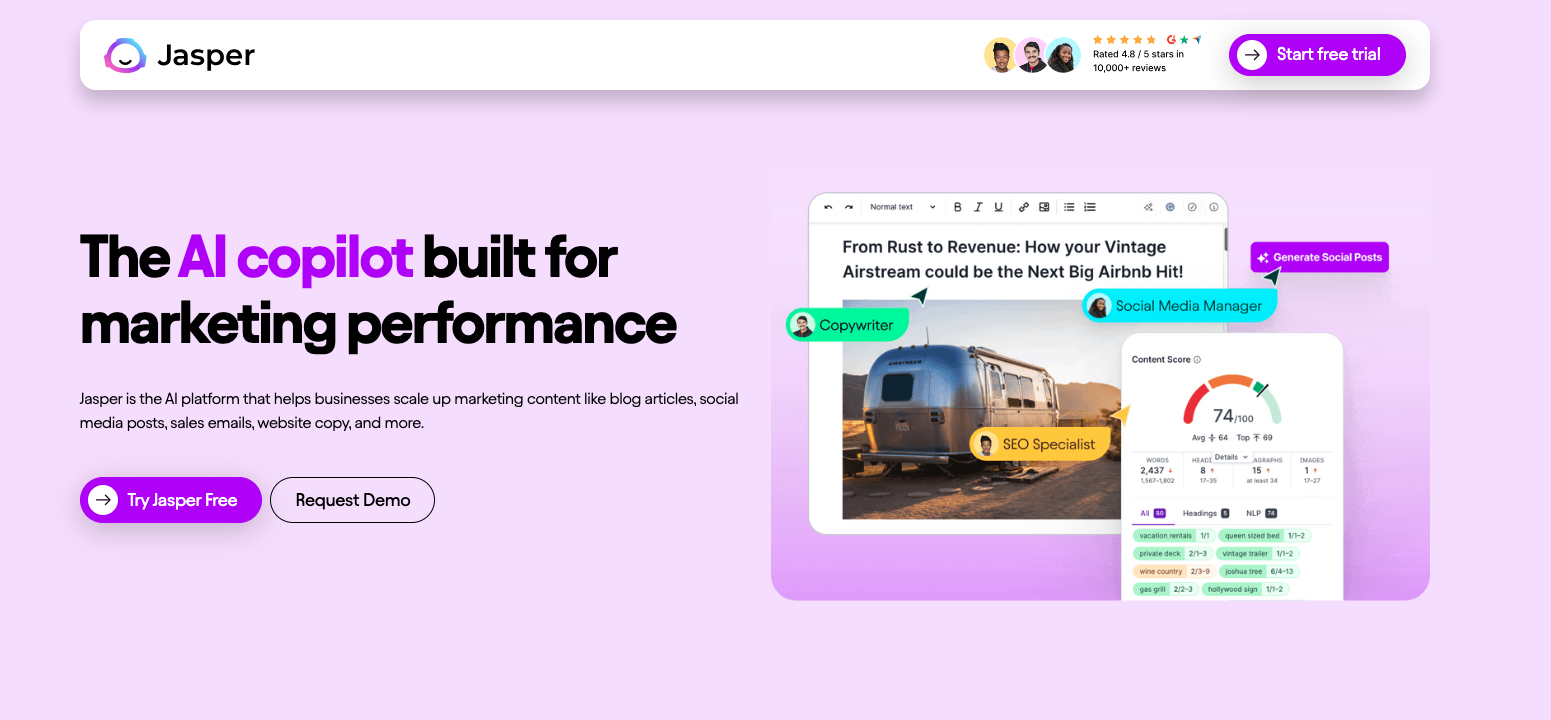
Jasper AI is strongest for marketing teams that need brand voice, templates, campaign copy, and repeatable content production.
Best for
Jasper fits teams that produce a lot of branded marketing content across channels, not just SEO blog posts.
What stands out
Jasper's template and brand voice features are useful when consistency matters. If several people are producing content, a tool that remembers tone and format can reduce review friction.
For SEO, I would still pair Jasper with a dedicated brief or optimization process. A strong brand voice does not automatically mean strong search intent coverage. The draft still needs the right structure, examples, headings, and evidence.
Pros
- Strong brand voice and template support.
- Useful for campaign and marketing workflows.
- Good collaboration fit for teams.
- Flexible across several content formats.
Cons
- Output quality depends heavily on instructions.
- SEO depth may require other tools.
- Can be more platform than solo writers need.
My take
Jasper is useful when brand consistency is the bottleneck. For SEO-specific work, I would not let the brand-voice layer do too much heavy lifting. It still needs a good brief and a real optimization pass.
8. ChatGPT
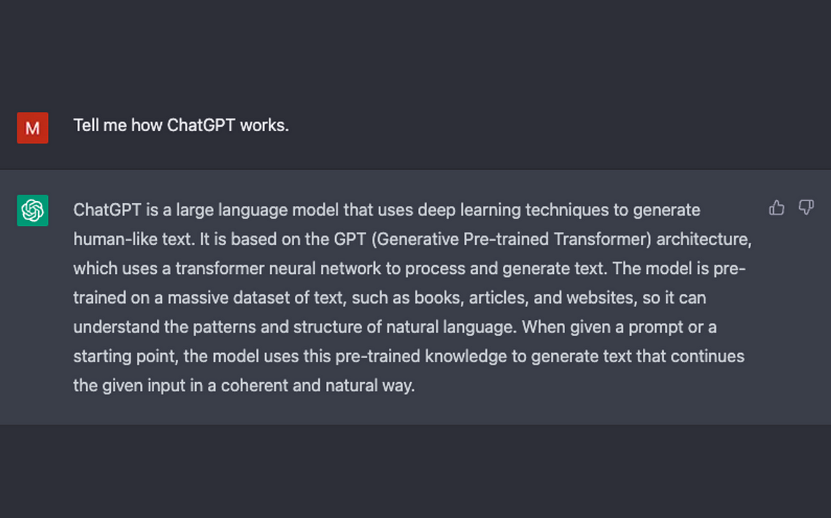
ChatGPT is still one of the most flexible writing assistants for SEO work, but it is not an SEO workflow by itself.
Best for
ChatGPT is best for ideation, rewriting, outlining, summarizing research, improving sections, generating examples, and pressure-testing angles.
What stands out
The advantage is flexibility. You can ask it to compare outlines, rewrite a stale intro, turn notes into a brief, generate title options, or critique a draft against search intent. When I use it well, I usually use it in short, controlled steps rather than asking for a complete article in one pass.
The limitation is that the quality depends on your input. A vague prompt gets a vague article. A strong prompt with audience, intent, sources, examples, tone, constraints, and output format can produce much better work.
When using ChatGPT for SEO, I would use a prompt like this:
You are helping me create an SEO article for [keyword]. The search intent is [intent]. The audience is [audience]. Use the following notes and sources only where relevant. Create a concise outline first, then identify missing examples, claims that need sources, internal link opportunities, and sections that may sound generic.
That kind of prompt keeps the model focused on the editorial job, not just text generation. It also makes the weaknesses easier to spot because the output is tied to explicit constraints.
Pros
- Very flexible for drafting and revision.
- Useful for outlines, examples, rewrites, and critique.
- Works well when guided by strong prompts.
- Good for quick support tasks around a larger workflow.
Cons
- Needs manual SEO direction.
- Can hallucinate or overstate facts.
- No built-in content scoring or SEO workflow unless paired with other tools.
My take
ChatGPT is excellent as an assistant. I would not treat it as the whole SEO process unless you are disciplined about briefs, sources, editing, and optimization. Used casually, it tends to produce plausible middle-of-the-road content; used deliberately, it can speed up real editorial work.
9. Outranking
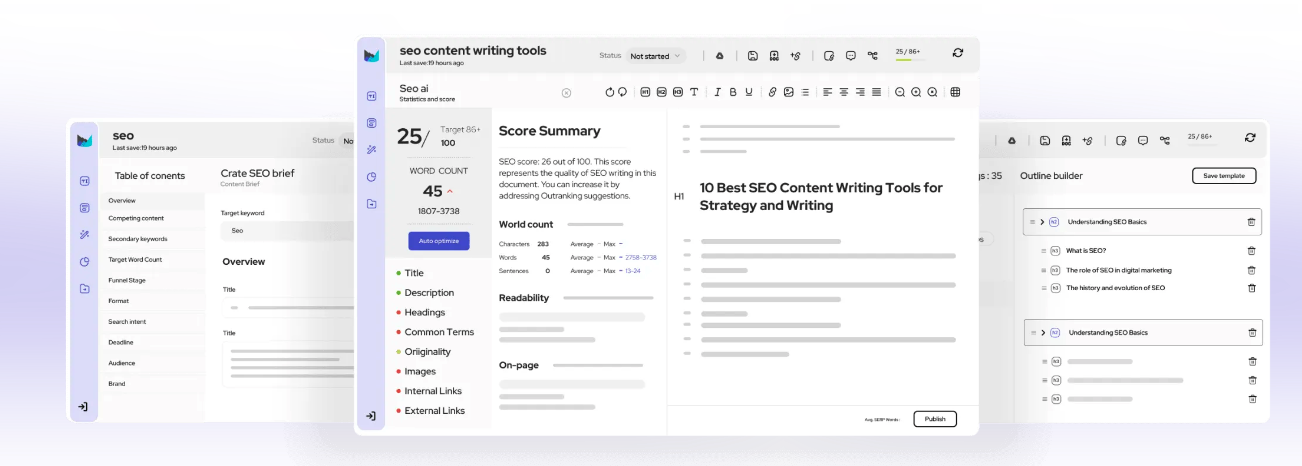
Outranking is built for structured SEO content workflows. It helps with planning, writing, and optimization, but it usually works best when the user is hands-on.
Best for
Outranking is best for SEO writers, agencies, and content managers who want a guided workflow and are willing to make decisions throughout the process.
What stands out
Outranking can help turn keyword and SERP data into a more structured article plan. That is useful when you want more than a blank AI writer, but you do not want to manage every brief manually.
The tradeoff is effort. Some users may find the workflow more involved than lighter tools. Personally, I do not mind that if the extra steps improve the final draft, but it is not ideal for someone who wants quick one-click generation.
Pros
- Helpful guided SEO workflow.
- Good for structured outlines and optimization.
- Better for hands-on content teams than casual drafting.
Cons
- Can require more manual input.
- May feel heavy for simple writing tasks.
- Output still needs editorial review.
My take
Outranking is a good fit when you want the tool to guide decisions, not just write. If you want speed above everything else, it may feel too involved.
10. Notion AI
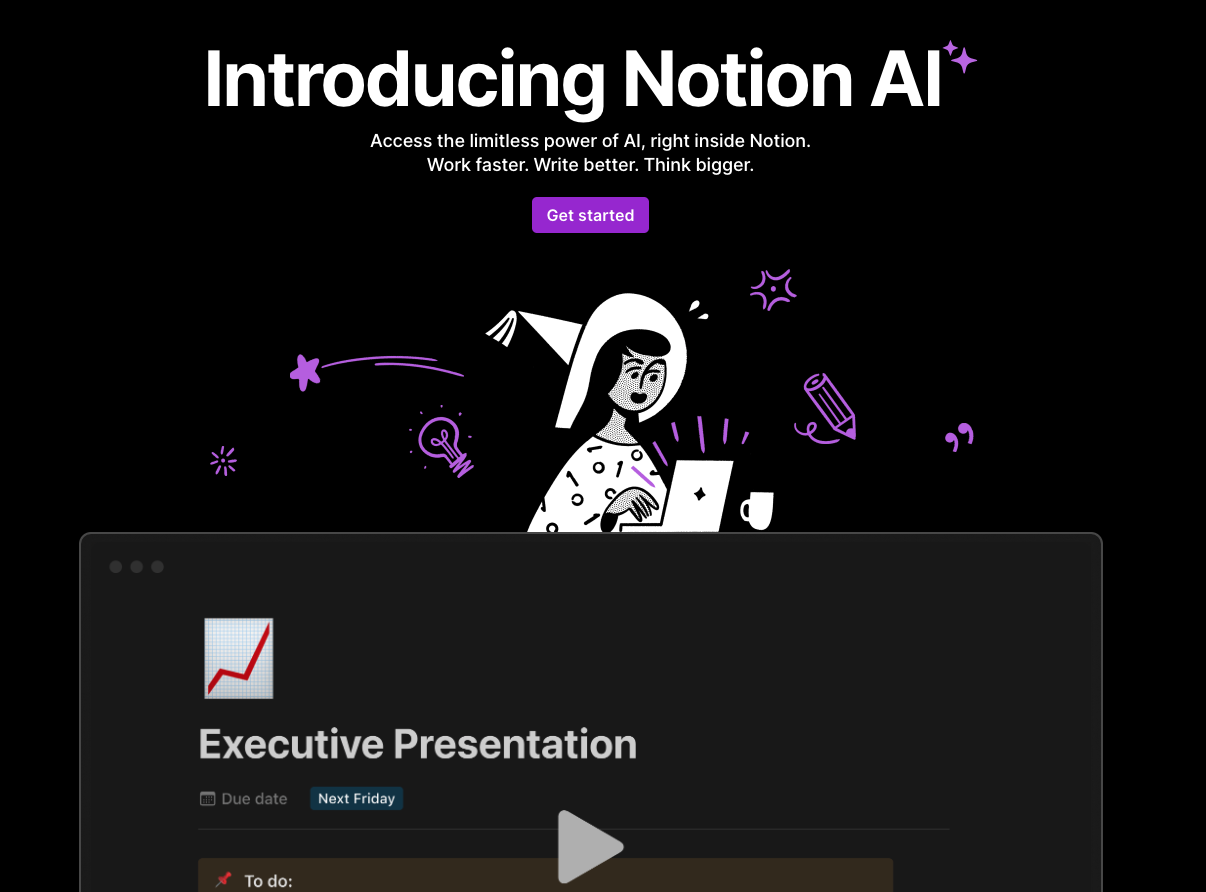
Notion AI is the lightest tool on this list. It is not a full SEO writing platform, but it is convenient if your notes, outlines, and content calendar already live in Notion.
Best for
Notion AI is best for quick outlines, notes, summaries, simple rewrites, and internal planning docs.
What stands out
The main benefit is proximity. If your research notes and briefs are already in Notion, the AI can help summarize, expand, rewrite, and organize without moving to another tool.
For SEO writing, I would use it as a supporting assistant rather than the primary writing system. It does not replace keyword research, SERP analysis, content scoring, or a full editorial process.
Pros
- Convenient inside Notion workspaces.
- Useful for notes, outlines, and simple rewrites.
- Easy for beginners.
- Good for lightweight planning tasks.
Cons
- Limited SEO depth.
- Not a complete article workflow.
- Needs external tools for serious optimization.
My take
Notion AI is helpful if your team already plans content in Notion. It is not the tool I would choose for a full SEO article workflow.
Which SEO Writing Tool Should You Choose?
The easiest way to choose is to name your bottleneck first.
| Your bottleneck | Choose this type of tool | Best option from this list |
|---|---|---|
| You need to publish complete SEO articles regularly | All-in-one SEO writing platform | Junia AI |
| Your drafts are decent but under-optimized | Content optimization tool | Surfer SEO |
| Your outlines are weak or too generic | Brief and SERP research tool | Frase |
| You need many repetitive copy assets | Bulk generation tool | CopySmith |
| You already work inside SEMrush | SEO writing assistant | SEMrush Writing Assistant |
| You need quick draft volume | Fast AI writer | WriteSonic |
| Your team needs brand voice consistency | Marketing AI platform | Jasper AI |
| You need a flexible thinking partner | General AI assistant | ChatGPT |
| You want guided SEO writing steps | Structured optimization workflow | Outranking |
| You need help inside content notes | Workspace AI assistant | Notion AI |
If you are unsure, run the same test across two or three tools. This is the quickest way I know to cut through feature-page noise:
- Give each tool the same keyword, audience, search intent, and outline constraints.
- Ask for a brief first, not a full article.
- Compare the outlines for missing sections and generic headings.
- Generate one section, then measure how much editing it needs.
- Check whether the tool helps with metadata, internal links, and sources.
The winner is not the tool with the longest output. It is the one that gets you closest to a useful, accurate, publishable page with the least cleanup.
How to Use AI Writing Tools Without Hurting SEO
AI writing tools are safest when they are part of an editorial workflow, not a replacement for one. The tool can draft, organize, and suggest. Someone still has to decide what deserves to be published.
Start with search intent
Before generating anything, define the page type. Is the reader comparing tools, learning a process, solving a technical issue, or trying to buy? A comparison query needs tables and tradeoffs. A how-to query needs steps. A product-led query needs proof and screenshots.
A tool can help with AI keyword research, but you still need to decide what the page should do for the reader.
Build the brief before the draft
The brief should include the primary keyword, search intent, audience, must-cover subtopics, competitors, internal links, examples, evidence, and the intended conversion path.
Skipping the brief is how teams end up with generic articles that sound fluent but answer nothing specific. I would rather spend 20 minutes improving the brief than two hours rescuing a shapeless draft.
Edit for information gain
Ask what the article adds that a reader could not get from a generic AI answer. That might be screenshots, firsthand notes, examples, pricing caveats, workflow templates, decision tables, or a clear opinion about which tool fits which situation.
If an AI draft sounds too smooth, slow down. Smooth writing can hide weak claims. This is usually where I start cutting, asking for proof, and adding the messy details that make a recommendation believable.
Keep the human review pass
Before publishing, check:
- Are the claims accurate?
- Are examples specific?
- Is the intro direct?
- Are the headings useful?
- Are internal links natural?
- Does the article have enough original judgment?
- Would a reader trust this page if the brand name were removed?
For AI-heavy drafts, I would also run a focused edit for repetition, vague claims, and robotic phrasing. Properly editing AI-generated text is a better next step than trying to hide the draft with superficial wording changes.
AI Search: What Matters for Visibility
AI Search does not change the core job of SEO writing. It makes clarity and usefulness more visible, which is uncomfortable for thin pages and helpful for genuinely well-structured ones.
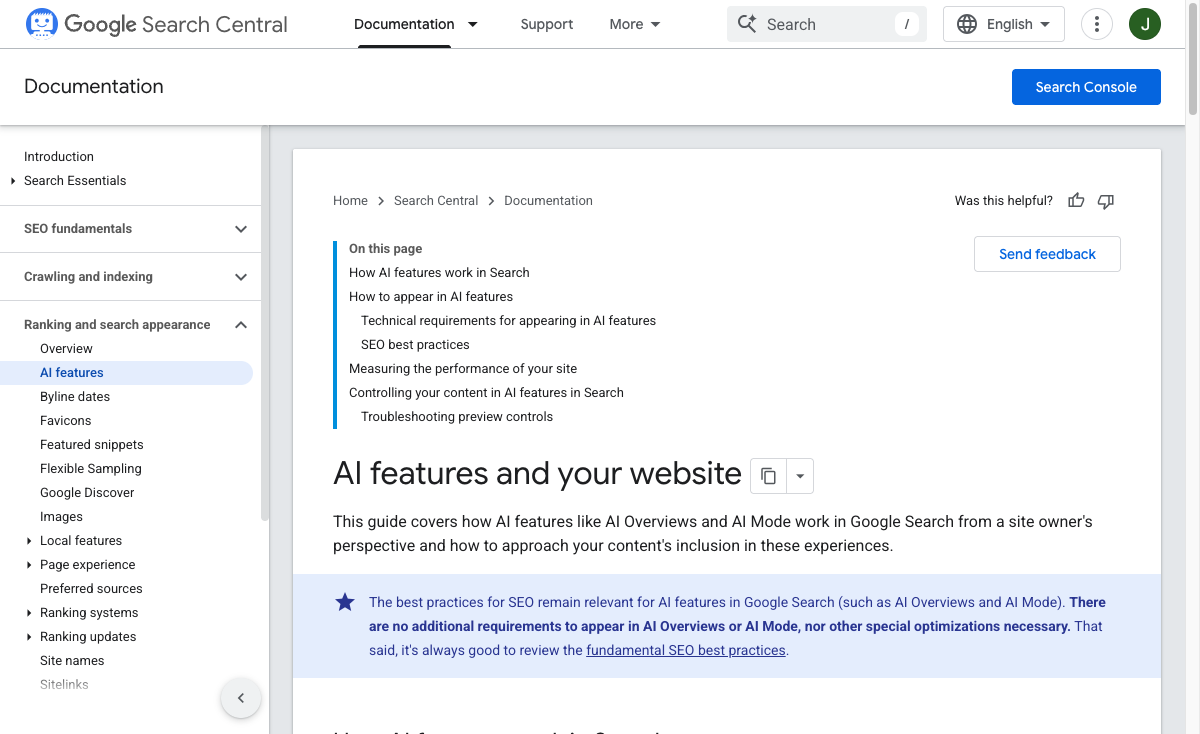
Google's guidance on AI features in Search says there are no special requirements for AI Overviews or AI Mode beyond being eligible for Google Search with snippets. Its generative AI optimization guide also emphasizes valuable, non-commodity content, clear technical structure, crawlability, and high-quality media when media helps the page.
For an article like this, that means:
- Give the answer early.
- Use tables where comparison matters.
- Make tool recommendations easy to extract.
- Add specific use cases, limits, and workflow advice.
- Support broad claims with sources or practical reasoning.
- Avoid writing only for keyword variations.
That is also why the TL;DR section matters. It gives readers and AI systems a clear summary of the page before the deeper reviews, and it forces the writer to make the recommendation plain.
Final Recommendation
If I had to pick one AI writing tool for SEO content production, I would start with Junia AI because it covers the most important parts of the workflow in one place.
If I already had writers and only needed stronger optimization, I would test Surfer SEO and Frase. If I needed a flexible assistant for outlining, rewriting, and critique, I would keep ChatGPT in the stack. For teams already using SEMrush, the Writing Assistant is a logical add-on.
The main thing is to avoid choosing based on demos alone. Test each tool with a real keyword, a real brief, and a real publishing standard. The best AI writing tool for SEO is the one that helps you publish a clearer, more useful, better-structured page with less cleanup. Everything else is secondary.