
Nonprofit SEO Guide (2026): Rank Higher Without a Big Budget

Yi
SEO Expert & AI Consultant

Nonprofit SEO is the work of making your website easier to find when people search for your cause, services, local programs, events, volunteer opportunities, or ways to help.
For a nonprofit, the goal is not "more traffic" in the abstract. The goal is more qualified visitors who can take a useful next step: donate, sign up, register, request help, attend an event, volunteer, join a newsletter, or share your work with someone who needs it.
That distinction matters. A food bank does not need to rank for every broad hunger-related keyword. It needs to rank for searches like "food pantry near me," "volunteer at food bank in Austin," "emergency groceries," "food donation pickup," and clear educational topics tied to its mission.
The strongest nonprofit SEO plan is usually simple:
- Choose the pages that matter most.
- Match each page to one real search intent.
- Improve the page so it answers that intent better than competing results.
- Fix technical and local visibility issues.
- Track whether organic search is producing useful actions, not just pageviews.
That is the playbook this guide covers.
Nonprofit SEO at a Glance
If you only have a few hours this month, start here.
| SEO task | What to do | Why it matters |
|---|---|---|
| Define priority audiences | List donors, volunteers, beneficiaries, partners, and local community members separately | Each group searches differently |
| Pick one primary keyword per page | Match every important page to one clear query or search intent | Prevents pages from competing with each other |
| Improve high-value pages first | Start with donation, program, service, event, and volunteer pages | These pages are closest to action |
| Build local visibility | Keep your location, service area, contact details, and Google Business Profile accurate | Helps people nearby find you |
| Publish useful content | Answer questions your audience already asks | Builds trust and gives search engines more relevant pages to show |
| Earn credible links | Get listed by partners, associations, local media, schools, government pages, and grant directories | Backlinks help validate authority |
| Measure actions | Track donation clicks, form starts, volunteer signups, event registrations, and newsletter joins | Traffic only matters if it supports the mission |
According to the 2025 M+R Benchmarks report, organic traffic remains one of the major ways people reach nonprofit websites. That makes SEO a practical channel for organizations that cannot rely on paid media every month.
Why SEO Matters for Nonprofits
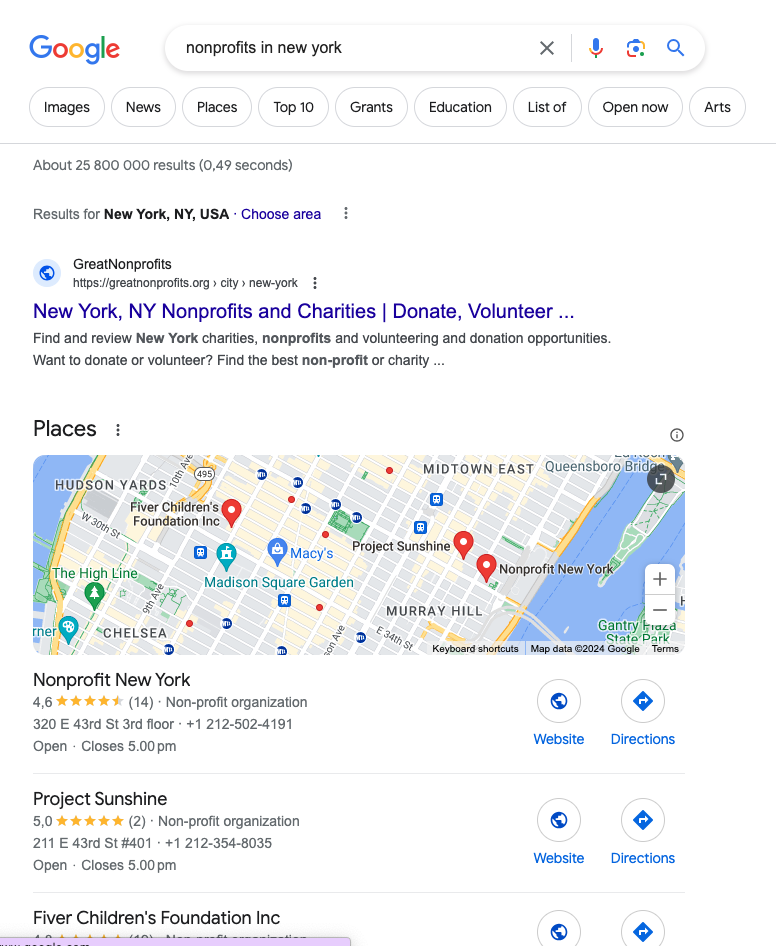
SEO helps nonprofits show up when intent is already there.
Someone searching "how to donate school supplies" is not casually browsing. Someone searching "domestic violence shelter near me" needs help. Someone searching "volunteer tutoring program Chicago" may be ready to sign up today.
That is why SEO can be valuable even when your team is small. You are not interrupting people with a campaign. You are meeting them at the moment they are looking.
The benefits usually show up in four places:
- More qualified visitors: Search brings people who already care about a topic, service, or cause.
- More trust before conversion: Clear, well-ranked pages make your organization easier to verify.
- More efficient outreach: A useful page can keep attracting visitors long after it is published.
- Better website discipline: SEO forces you to clarify page purpose, navigation, copy, and calls to action.
SEO will not replace fundraising relationships, email, events, social media, or paid campaigns. But it can make all of them work better because people have an easier path to discover and understand your organization.
Choose the Right SEO Goal
| Goal | Page type to prioritize | Success signal |
|---|---|---|
| Donations | Donate / impact pages | Organic visits to donate URL |
| Volunteers | Volunteer + location pages | Form starts / calls |
| Awareness | Question-led guides | Impressions on info queries |
| Programs | Service / program pages | Qualified inquiries |
One mistake nonprofits make is treating all SEO goals as equal.
They are not.
Ranking for "climate change" might sound impressive, but it is usually too broad to help a regional environmental nonprofit. Ranking for "tree planting volunteer program Denver" or "corporate sustainability workshop for schools" may be far more useful.
Use this table to decide where SEO should carry the most weight.
| Goal | Is SEO a good fit? | Best page types |
|---|---|---|
| Promote ongoing programs or services | Yes | Service pages, program pages, local landing pages, eligibility pages |
| Recruit volunteers | Yes | Volunteer opportunity pages, role pages, event signup pages |
| Build issue awareness | Yes | Educational guides, resource hubs, explainers, reports |
| Support annual events | Usually | Event pages, recap pages, speaker pages, location pages |
| Sell products or training | Yes | Product pages, course pages, comparison pages, case studies |
| Drive urgent fundraising | Sometimes | Donation pages can rank, but email, paid search, social, and direct outreach often work faster |
| Promote one-time campaigns | Usually not by itself | Use SEO for evergreen support pages, then promote campaigns through other channels |
The practical takeaway: use SEO for evergreen demand. Use campaign channels for urgency.
For broader strategy, Junia's guide on using SEO to reach your ideal customers is relevant even if your "customer" is a donor, member, volunteer, applicant, or community partner.
Build Your Nonprofit Keyword Map
Keyword research is where nonprofit SEO becomes concrete.
You are trying to find the phrases people actually use, then map those phrases to pages that can satisfy the search. Do not start by asking, "What do we want to say?" Start by asking, "What are people trying to find?"
Here is a simple keyword map you can build in a spreadsheet.
| Audience | Search examples | Best page to create or improve |
|---|---|---|
| Beneficiaries | "free legal aid for tenants," "food pantry near me," "mental health support for teens" | Program or service page |
| Donors | "best charities for clean water," "donate winter coats," "sponsor a classroom" | Donation or campaign page with proof of impact |
| Volunteers | "volunteer animal shelter near me," "tutoring volunteer opportunities" | Volunteer landing page or role page |
| Partners | "nonprofit workforce training partner," "community health outreach program" | Partnership page or case study |
| Journalists and researchers | "homelessness statistics in Seattle," "youth literacy report" | Research, report, or data page |
| Grantmakers | "[cause] nonprofit impact report," "[program] outcomes" | Impact page, annual report, program result page |
Use tools to validate demand instead of guessing. Junia's AI keyword research tool, Google Keyword Planner, Google Search Console, and even Google's autocomplete suggestions can all help you see how people phrase the topic.
Then assign one primary intent to each important page.
For example:
/volunteer/targets "volunteer opportunities with [cause] in [city]"/programs/free-tax-help/targets "free tax help for low income families"/donate/winter-coats/targets "donate winter coats [city]"/resources/how-to-apply-for-housing-assistance/targets "how to apply for housing assistance"
This keeps your site organized and prevents five thin pages from competing for the same query.
Optimize the Pages That Already Matter
Before publishing ten new blog posts, improve the pages that already connect searchers to action.
Start with:
- donation pages
- volunteer pages
- program and service pages
- event pages
- location pages
- resource pages that already get impressions
- reports or statistics pages that can earn links
For each page, check the basics:
| Page element | What to improve |
|---|---|
| Title tag | Put the main keyword and clear benefit near the front. Use Junia's meta title generator if you need fast options. |
| Meta description | Summarize who the page helps and what action they can take. Junia's meta description generator can speed up draft variants. |
| H1 | Make the page topic obvious. Avoid vague headings like "Our Work." |
| Intro | Answer the search intent in the first few lines. |
| Body content | Add eligibility details, locations, steps, examples, proof, deadlines, and next actions. |
| Internal links | Link to related programs, donation pages, volunteer pages, and educational guides. |
| Images | Use descriptive alt text. Avoid generic filenames when possible. |
| Call to action | Make the next step visible on mobile and desktop. |
Google's SEO Starter Guide is clear on the basics: make pages crawlable, use descriptive titles and snippets, organize content logically, and create helpful content for people first.
That may sound basic, but it is where many nonprofit sites leak opportunity.
Create Content Around Real Questions
Blog content is useful when it answers questions that naturally connect to your mission.
It is not useful when it becomes a publishing treadmill.
A nonprofit that helps refugees might publish:
- "How to apply for refugee cash assistance in [state]"
- "What documents do you need for an asylum legal consultation?"
- "Where to find English classes for adults in [city]"
- "How employers can support newly arrived refugees"
- "Volunteer interpreter requirements: what to know before signing up"
Each topic has a clear audience, clear intent, and a natural next step.
If you want to scale content without losing quality, build briefs first. A good SEO content brief should define:
- primary keyword
- search intent
- target reader
- required facts or sources
- internal links to include
- examples or local details
- CTA
- what the page should not cover
That last line matters. Good SEO content is often strong because it stays focused.
Use Local SEO if You Serve a Specific Area
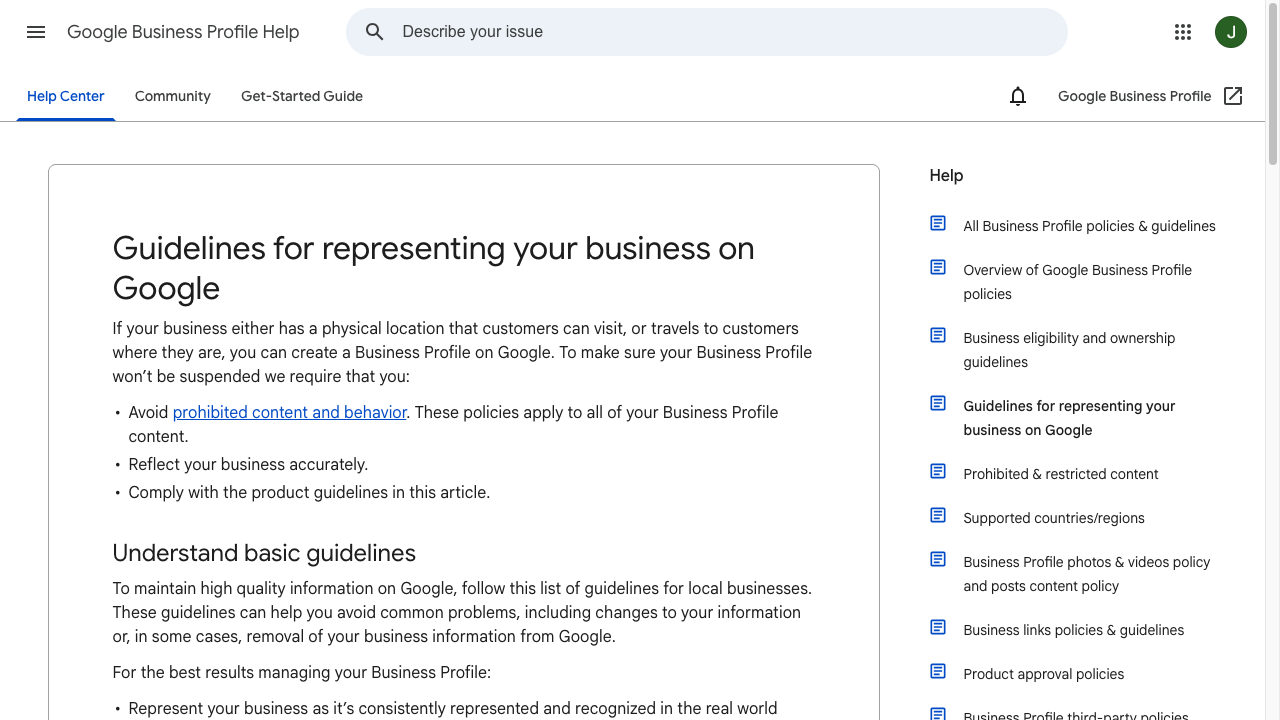
If you serve a city or region, GBP + donation/program pages usually beat another generic “what is our cause” blog.
Local SEO is critical for nonprofits that provide in-person services, operate facilities, host local events, or rely on nearby volunteers.
Start with your Google Business Profile. Keep your name, address, phone number, website, hours, categories, photos, and service area accurate.
Then make sure the same information appears consistently on your website and trusted directories.
For local nonprofit SEO, useful pages often include:
- "Food pantry in [city]"
- "Free youth mentoring in [neighborhood]"
- "Animal shelter adoption events in [city]"
- "Volunteer opportunities in [city]"
- "[service] for seniors in [county]"
If you serve multiple locations, avoid copying the same page and swapping the city name. Build genuinely useful local pages with:
- address or service area details
- eligibility information
- public transportation or parking notes
- local partner references
- local FAQs
- photos from the location or program
- a clear contact or signup path
Junia's guide to location pages for SEO goes deeper on how to create local pages without making them thin or repetitive.
Fix Technical SEO Problems That Block Growth
You do not need an enterprise SEO stack to improve technical health. You need to make sure search engines and people can use the site without friction.
Focus on these issues first:
| Technical issue | Why it matters | How to check |
|---|---|---|
| Important pages are not indexed | They cannot rank if Google cannot include them | Google Search Console URL Inspection |
| Slow mobile pages | Visitors leave before reading or donating | PageSpeed Insights |
| Broken links | They waste trust and crawl paths | Ahrefs Webmaster Tools, Screaming Frog, or your CMS |
| Weak internal linking | Search engines cannot understand page relationships | Crawl your site and review orphan pages |
| Duplicate or vague titles | Search results become less compelling | Title audit |
| Missing redirects | Old campaign links may lead to dead pages | Crawl reports and analytics |
| Poor mobile forms | Donation and signup flows lose people | Manual mobile testing |
For performance, Google's Core Web Vitals documentation is a useful reference because it focuses on loading speed, responsiveness, and visual stability.
For most nonprofit teams, the highest-return fixes are usually straightforward: compress oversized images, remove unused plugins, simplify forms, fix broken links, and make key pages easier to reach from the main navigation.
Build Trust Signals Into Every Important Page
Nonprofit SEO is not just about keywords. It is also about trust.
People are deciding whether to donate money, request help, share personal information, volunteer time, or refer someone vulnerable. Your pages need to reduce uncertainty.
Add trust signals where they naturally help:
- mission and service area
- staff or leadership names
- partner logos or references
- program eligibility details
- impact numbers with dates
- annual reports
- charity profiles or registration details
- privacy and donation security information
- testimonials or short stories with permission
- clear contact information
Google's Search Quality Rater Guidelines discuss experience, expertise, authoritativeness, and trust as signals human raters use when evaluating quality. You do not need to overthink the acronym. Make the page clearly useful, accurate, transparent, and easy to verify.
For nonprofit content, that often means replacing generic claims with specifics:
| Weak copy | Stronger copy |
|---|---|
| "We help families in need." | "In 2025, our pantry served 3,200 households across Travis County." |
| "Donate today to make an impact." | "$25 funds a week of after-school meals for one student." |
| "We offer legal support." | "Our tenant hotline helps renters understand eviction notices, repair requests, and court deadlines." |
| "Volunteers are welcome." | "Volunteer shifts run Tuesday and Thursday from 5-8 p.m.; no prior tutoring experience required." |
Specificity helps readers. It also gives other websites, journalists, and AI systems clearer information to cite or summarize.
Earn Links Without Spammy Outreach
Backlinks still matter, but nonprofits have an advantage many businesses do not: real relationships.
You probably already have link opportunities through:
- grantmakers
- partner nonprofits
- schools and universities
- city or county resource pages
- local news coverage
- chambers of commerce
- event sponsors
- community directories
- research reports
- board member organizations
- vendors and platforms
Start by claiming obvious links. If a partner lists your program but does not link to your site, ask for the link. If your organization is mentioned in a news story, make sure the story links to the most relevant page.
Then create pages worth citing:
- annual impact reports
- local statistics pages
- program outcome summaries
- resource directories
- original surveys
- downloadable guides
- event recap pages with photos and results
This is a better long-term link strategy than sending generic guest post pitches. It also supports the broader SEO best practices that consistently improve site authority over time.
Use AI Carefully in Nonprofit SEO
AI can help a nonprofit team move faster, but it should not replace judgment, lived expertise, or fact-checking.
Use AI for:
- keyword brainstorming
- content briefs
- title and meta description drafts
- outlines
- rewriting dense program copy
- turning staff notes into first drafts
- internal linking suggestions
- repurposing reports into shorter explainers
Do not use AI to invent statistics, impact claims, quotes, eligibility rules, legal advice, medical advice, or grant information.
Junia AI can help with drafting and optimization, especially when paired with your organization's real details. You can also use Junia's SEO improver to tighten existing pages, then have a staff member verify facts, tone, and compliance before publishing.
If your organization already publishes long-form content, this guide on how long-form content helps with SEO is useful for deciding when a deeper guide is worth the effort.
Measure What Actually Matters
Nonprofit SEO reporting can get noisy fast.
Rankings, impressions, and traffic are useful leading indicators. But they are not the final goal.
Track metrics that connect to the mission:
| Metric | What it tells you |
|---|---|
| Organic landing pages | Which pages searchers find first |
| Search queries | How people describe your cause, services, and programs |
| Donation page visits from organic search | Whether SEO supports fundraising paths |
| Volunteer signup clicks | Whether volunteer content attracts action |
| Form starts and completions | Whether program pages help people access services |
| Event registrations | Whether local and event SEO are working |
| Newsletter signups | Whether educational content builds an audience |
| Backlinks and referring domains | Whether other sites trust and cite your content |
| Assisted conversions | Whether SEO supports later donations or signups through other channels |
Use Google Search Console for queries and indexing, Google Analytics for behavior and conversions, and your CRM or donation platform for downstream results.
The most useful monthly SEO report for a nonprofit is usually one page:
- top organic landing pages
- biggest query gains and losses
- pages that need updates
- conversions from organic traffic
- technical issues to fix
- next month's content priorities
That is enough to keep the work moving without turning SEO into a reporting exercise.
A 30-Day Nonprofit SEO Plan
If you are starting from scratch, do not try to fix everything at once.
Use this 30-day plan.
| Week | Focus | Actions |
|---|---|---|
| Week 1 | Audit | Set up Search Console, list top pages, identify broken links, check mobile donation and signup flows |
| Week 2 | Keyword map | Choose priority audiences, map one keyword or intent to each key page, find missing program or local pages |
| Week 3 | Page improvements | Rewrite titles, meta descriptions, intros, CTAs, and internal links on the 5-10 most important pages |
| Week 4 | Content and links | Create one high-value resource, request partner links, build next month's content calendar |
If you need a publishing rhythm, use a content calendar generator to organize ideas by audience, season, campaign, and search intent.
For example:
- January: tax help, annual giving recap, volunteer onboarding
- March: spring events, grant deadlines, local resource updates
- August: back-to-school donations, youth programs, school partnerships
- November: Giving Tuesday, impact stories, holiday volunteer opportunities
Seasonality matters in nonprofit SEO. Update pages before demand peaks, not after.
Recommended Tools for Nonprofit SEO
You do not need every SEO tool. Start with a small stack your team will actually use.
| Tool | Best use |
|---|---|
| Google Search Console | Indexing, queries, clicks, impressions, technical search issues |
| Google Analytics | Website behavior, conversions, traffic sources |
| Google Business Profile | Local visibility, contact details, reviews, maps presence |
| PageSpeed Insights | Mobile speed and Core Web Vitals diagnostics |
| Google Keyword Planner | Keyword ideas and search volume ranges |
| Google Ad Grants | Paid search support for eligible nonprofits alongside SEO |
| Ahrefs Webmaster Tools | Site audits, backlinks, organic keyword checks |
| Junia AI | SEO content briefs, drafting, rewriting, keyword research, metadata |
If your organization qualifies, Google Ad Grants can support paid search while your organic rankings build. Just treat grants and SEO as separate channels: grants can create faster visibility, while SEO builds pages that keep working over time.
Common Nonprofit SEO Mistakes
The biggest nonprofit SEO mistakes are usually not technical. They are strategic.
Avoid these:
- Targeting only broad cause keywords: "Poverty" or "climate change" is too broad for most organizations. Target practical, specific searches.
- Publishing blogs with no next step: Every article should naturally point to a program, donation page, signup, report, or related resource.
- Ignoring local intent: If people need services nearby, your city, county, neighborhood, and service area details matter.
- Using internal language: Searchers may not know your program names. Use the words they use.
- Letting old pages decay: Stale events, expired campaigns, outdated hours, and broken links weaken trust.
- Writing for search engines first: Keyword stuffing makes nonprofit pages less credible.
- Measuring only traffic: A smaller number of qualified visitors can be more valuable than broad traffic that never acts.
SEO works best when it makes the website more helpful for real people first.
Conclusion
Nonprofit SEO is not a trick for getting more clicks. It is a practical way to help the right people find your work when they are already searching.
Start with the pages closest to your mission and your next actions. Make those pages clearer, more specific, easier to trust, and easier to use. Then build supporting content around the real questions donors, volunteers, beneficiaries, partners, and local communities ask.
You do not need a huge budget to do this well. You need a focused keyword map, a useful content plan, clean technical basics, credible proof, and the discipline to keep improving what already matters.