
Free Job Description Generator
Write structured job descriptions that clearly outline role expectations, qualifications, responsibilities, and skills. Generate hiring-ready copy for recruiters, HR teams, startups, and hiring managers while improving readability and ATS compatibility.
Job Description
Your job description will appear here...
How the AI Job Description Generator Works
Get results in seconds with a simple workflow.
Enter the Job Title (and Optional Context)
Add the job title and optionally include company name, location, seniority, team, and reporting line to tailor the role scope and wording.
Add Responsibilities, Requirements, and Skills (Optional)
Provide bullet points or keywords for duties, qualifications, tools, and must-have skills. If you leave fields blank, the tool will generate role-appropriate defaults.
Generate, Review, and Publish
Generate the job description, then quickly review for accuracy, compliance needs, and role-specific details (salary, benefits, work authorization, and application steps).
See It in Action
Example of turning a vague job post into a clear, ATS-friendly job description with scannable structure and role-specific details.
We are looking for an SEO person to help with rankings. You will do SEO tasks, work with content, and help marketing. Must know SEO well and be a team player.
Job Title: SEO Specialist
Role Summary: We’re seeking an SEO Specialist to improve organic visibility and qualified traffic through technical SEO, content optimization, and performance analysis.
Key Responsibilities:
- Conduct technical SEO audits and partner with engineering to prioritize fixes
- Build content briefs and optimize on-page elements (titles, headings, internal links)
- Track performance in GA4 and Google Search Console; report insights and recommendations
Requirements:
- 2+ years of hands-on SEO experience (technical and on-page)
- Experience with GA4, Google Search Console, and common SEO tools
- Strong communication skills and ability to collaborate cross-functionally
Why Use Our AI Job Description Generator?
Powered by the latest AI to deliver fast, accurate results.
ATS-Friendly Job Descriptions (Scannable + Structured)
Creates clean formatting with clear sections (summary, responsibilities, requirements, benefits) and keyword-rich phrasing that works well for ATS parsing and job board posting.
Role-Specific Responsibilities and Requirements
Generates realistic, role-aligned bullet points for duties, qualifications, and success expectations—helping you attract qualified candidates and reduce irrelevant applicants.
Customizable Tone, Seniority, and Company Context
Adjust tone (formal, friendly, direct), seniority level, and basic company context (industry, team, reporting line) to match your hiring brand and role scope.
Inclusive Language Options (Bias-Reduced Hiring Copy)
Optional inclusive language mode helps reduce biased wording and keeps requirements focused on what truly matters—supporting broader, more diverse candidate pools.
Optional Benefits, Salary Range, and EEO Sections
Add benefits and compensation context for stronger conversion on job boards, plus an EEO statement and “How to apply” section for complete, publish-ready postings.
Pro Tips for Better Results
Get the most out of the AI Job Description Generator with these expert tips.
Use outcome-based responsibilities
Strong job descriptions focus on outcomes (what success looks like) rather than only tasks. This improves candidate fit and reduces mismatched applications.
Keep requirements realistic to increase qualified applicants
Avoid excessive must-haves. Separate true requirements from nice-to-haves to improve application volume and candidate diversity without lowering standards.
Include the tools and keywords candidates actually search
Add core tools/skills (e.g., GA4, Jira, React, Salesforce) to improve discoverability on job boards and help ATS matching.
Add salary range and benefits when possible
Including compensation and benefits often improves conversion and reduces time-to-hire by setting clear expectations up front.
Write for clarity first, brand voice second
A job post is primarily an information document. Keep it scannable and specific; then apply your tone (friendly, formal, direct) for brand consistency.
Who Is This For?
Trusted by millions of students, writers, and professionals worldwide.
How to Write a Job Description That Attracts Qualified Candidates (Without Sounding Generic)
A job description is more than a list of tasks—it’s a filter and a conversion page.
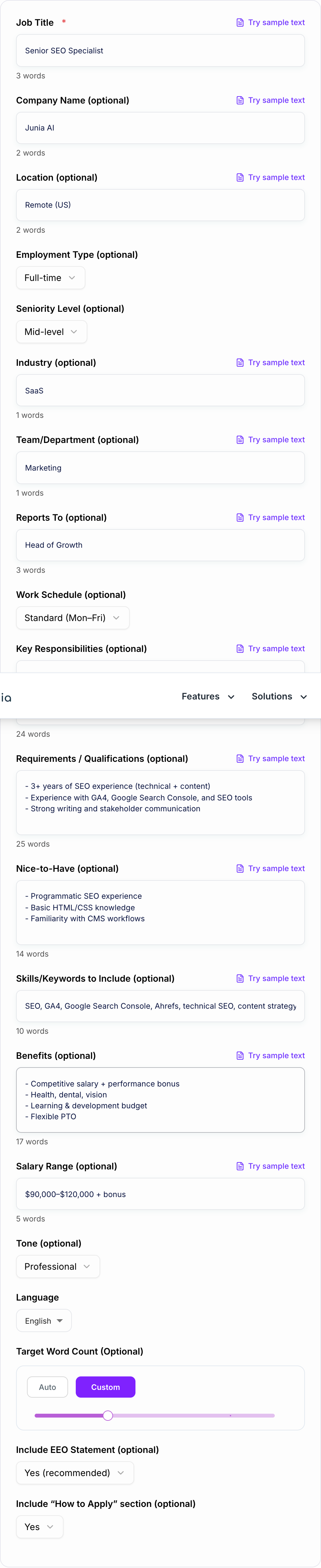
If it’s too vague, you’ll get unqualified applicants. If it’s too rigid, you’ll miss great candidates. And if it’s poorly structured, ATS systems and job boards may not parse it cleanly.
This Job Description Generator helps you create an ATS-friendly, keyword-rich, role-specific job post with clear sections like Role Summary, Responsibilities, Requirements, and Benefits—so you can publish faster and hire better.
What Makes a Job Description ATS-Friendly?
ATS-friendly job descriptions are easy for both humans and systems to scan. Good structure usually includes:
- A clear job title (avoid internal-only titles)
- A short role summary with the purpose and impact of the role
- Bullet-point responsibilities and outcomes
- Bullet-point qualifications (separate must-haves from nice-to-haves)
- Skills and tools candidates search for (keywords)
- Optional benefits and compensation details
Avoid dense paragraphs, inconsistent headings, and overly creative formatting that can confuse parsers.
Responsibilities vs Requirements (The Mistake That Creates Bad Applicants)
Many job descriptions blur responsibilities and requirements.
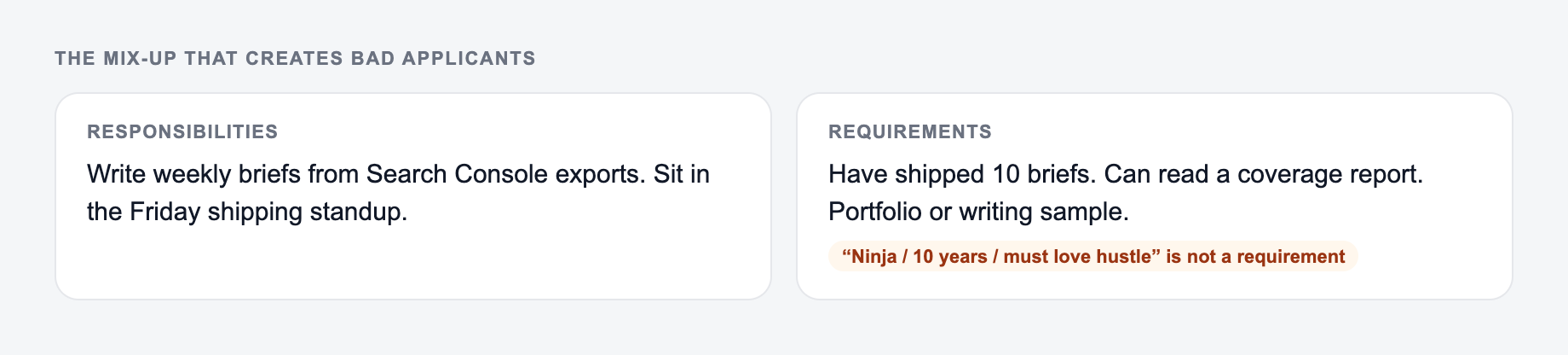
Separate must-haves from a wish list on the form before you generate.
Framework: write the uncomfortable sentence first (fee, last day, exclusion, jurisdiction). Then generate. If the AI Job Description Generator output buries that sentence, put it back in the first screen.
This is a draft aid, not legal, medical, or financial advice.
- Responsibilities describe what the person will do and deliver.
- Requirements describe what the person needs to succeed.
Keeping these separate improves candidate quality and reduces back-and-forth during screening.
Inclusive Job Descriptions: Practical Improvements That Work
Inclusive job descriptions don’t lower standards—they remove unnecessary barriers.
Practical improvements include:
- Avoiding gendered or exclusionary language
- Removing unnecessary degree requirements when experience is sufficient
- Separating must-haves from nice-to-haves
- Focusing on outcomes and job-relevant skills
If your goal is broader reach and better candidate diversity, inclusive language is a measurable upgrade.
Add Keywords Naturally (For Job Boards and ATS Matching)
Candidates search for roles by tools, skills, and titles:
- Tools (GA4, Salesforce, Figma, Kubernetes)
- Skills (technical SEO, SQL, customer success)
- Certifications (PMP, AWS, CPA)
Including these keywords naturally in responsibilities and requirements can improve visibility on job boards and support better ATS matching—without keyword stuffing.
A Simple Checklist Before You Post
Walk the Job Description Generator like a template, not a finished filing. Names, dates, and amounts have to be ones you can prove.
Answer these before you generate a second batch. A reroll will not fix a vague brief.
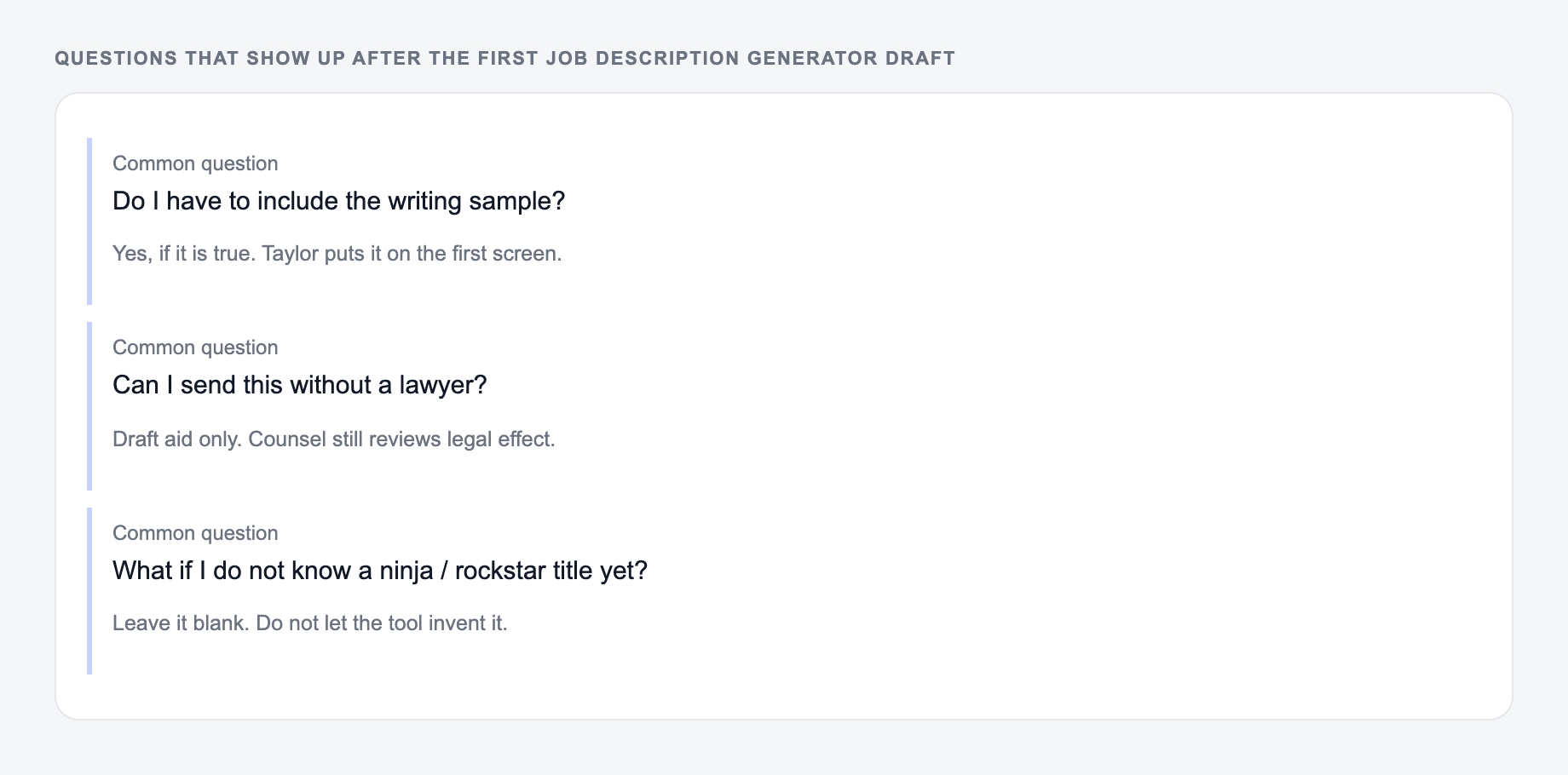
- Does the title match what candidates actually search?
- Is the summary clear about impact and scope?
- Are responsibilities outcome-based and scannable?
- Are must-haves realistic for the seniority level?
- Are nice-to-haves clearly separated?
- Are benefits/comp included (when possible)?
- Is the language inclusive and job-relevant?
Use the generator to create a strong first draft, then do a quick review to align it with your company policies and role specifics.
Frequently Asked Questions
What is a job description generator?+
A job description generator is a tool that helps you create a complete job posting (role summary, responsibilities, requirements, skills, and benefits) based on a few inputs like job title, seniority, and team context.
Are the generated job descriptions ATS-friendly?+
Yes. The output is structured with clear headings and scannable bullet points, which typically works well with applicant tracking systems (ATS) and job boards.
Can I include specific skills and keywords for the role?+
Yes. Add skills/keywords (e.g., tools, certifications, frameworks) and the generator will incorporate them naturally throughout the job description without keyword stuffing.
Can this tool create inclusive job descriptions?+
Yes. Use the Inclusive Language mode to reduce biased phrasing, avoid unnecessary gatekeeping requirements, and keep the job post welcoming while remaining specific about expectations.
Will it invent company details or benefits I didn’t provide?+
No. The tool is designed to avoid inventing facts. If you don’t provide company-specific info (like benefits, salary range, or policies), it will either omit those sections or keep them generic and clearly optional.
Can I generate job descriptions in other languages?+
Yes. Choose your output language to generate a localized job description while preserving the same structure and role requirements.