
Free AI Ghostwriter
Transform rough ideas, outlines, or messy drafts into polished writing that matches your tone and communication style. Use the AI Ghostwriter for blogs, newsletters, LinkedIn posts, emails, scripts, essays, and creator content.
Ghostwritten Draft
Your ghostwritten content will appear here...
How the AI Ghostwriter Works
Get results in seconds with a simple workflow.
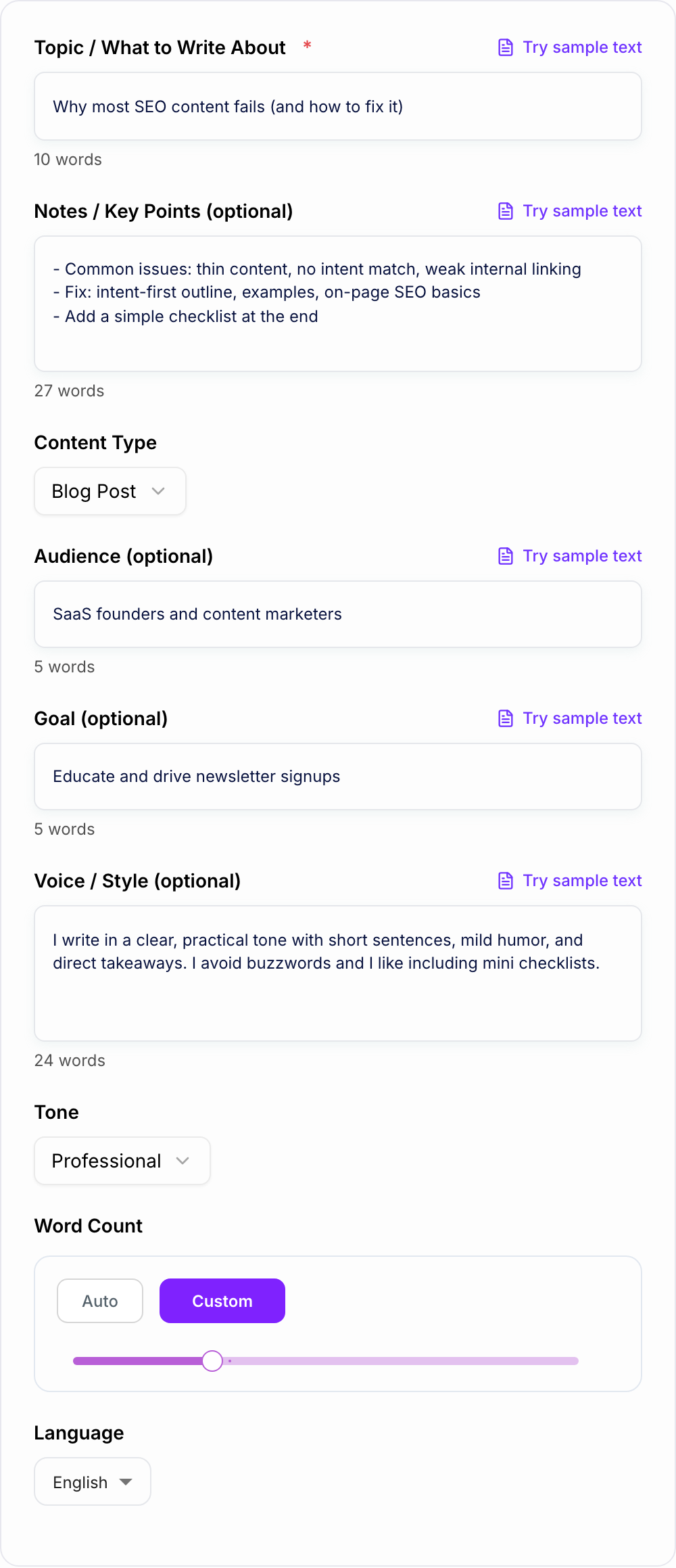
Add a Topic (and Optional Notes)
Enter what you want to write about. Paste bullet points, rough thoughts, or a messy draft to guide structure, examples, and accuracy.
Choose a Content Type and Voice
Pick the format (blog, LinkedIn, newsletter, email, etc.). Optionally add an audience, goal, and a writing sample to match your voice and brand style.
Generate, Review, and Personalize
Get a polished draft. Then quickly improve it with specific proof points, internal links, your own experience, and final edits before publishing.
See It in Action
Example of turning a rough idea into a structured, on-brand ghostwritten draft.
I want to write something about why SEO content doesn’t work. Mention intent and internal links. Make it helpful. Also ask people to join my newsletter.
Title: Why Most SEO Content Fails (And the Simple Fix Most Teams Skip)
Most SEO content doesn’t fail because people can’t write. It fails because the page doesn’t match what the searcher actually wants.
H2: The Real Problem: Intent Mismatch If someone searches “keyword research for a new site,” they want a process they can follow—not a vague definition.
H2: The 3 Most Common SEO Content Mistakes
- Writing for keywords instead of questions
- Thin sections with no examples
- No internal links (so Google—and readers—can’t discover the rest)
H2: The Fix: Intent-First Outlines + Internal Linking Start by mapping: query → intent → structure → examples. Then link to 2–5 relevant supporting pages so the topic cluster actually connects.
H2: A Quick Checklist Before You Publish
- Does the intro promise the outcome the searcher wants?
- Does every H2 answer a real sub-question?
- Did you add examples, steps, or templates?
- Did you add internal links to related pages?
If you want more practical SEO writing playbooks like this, reply “checklist” and I’ll send you my weekly notes (or join the newsletter).
Why Use Our AI Ghostwriter?
Powered by the latest AI to deliver fast, accurate results.
Write in Your Voice (Style Matching)
Mimics your tone, pacing, and phrasing using your voice notes or writing sample—ideal for consistent brand voice across blog posts, newsletters, and social content.
From Rough Notes to Polished Draft
Turn bullet points, messy drafts, meeting notes, or outlines into coherent, publish-ready writing with clear flow, transitions, and structure.
Multi-Format Ghostwriting
Generate the right format for the channel: blog posts, LinkedIn posts, newsletters, professional emails, scripts, and landing page copy (mode-dependent).
Audience + Goal Alignment
Adapts messaging to your audience and intent—educational, persuasive, or action-oriented—so the draft fits your marketing, SEO, or communication objective.
Clarity, Readability, and Originality
Produces clean, readable writing with minimal fluff. Great for content creation workflows where you want a strong first draft you can quickly refine and publish.
Pro Tips for Better Results
Get the most out of the AI Ghostwriter with these expert tips.
Paste your best 5–10 sentences to lock in your voice
A short writing sample teaches the ghostwriter your rhythm, formatting preferences, and tone—making outputs feel less generic and more authentically you.
Provide 3–7 bullet points to prevent “content drift”
Bullet points act like guardrails for accuracy and relevance. Include examples, steps, objections, or key arguments you want covered.
Use one clear goal per draft
Decide whether the piece should educate, persuade, or drive action (signup, reply, book a call). A single goal improves clarity and conversion-focused writing.
Add proof placeholders you can fill later
If you don’t have data ready, ask for placeholders like “(Insert stat from Search Console)” or “(Add customer quote)” so you can ship faster without inventing facts.
Repurpose strategically
Generate a blog draft first, then reuse the same notes to create a newsletter and LinkedIn post. This keeps your message consistent while saving time.
Who Is This For?
Trusted by millions of students, writers, and professionals worldwide.
Create Publishable Drafts with an AI Ghostwriter
A good AI ghostwriter is a fast first-draft machine that still feels like you wrote it. The point is not just to "generate content." It is to take your messy notes, half-formed ideas, bullet points, voice sample, and audience notes, then turn them into something you can publish after a focused edit.
That matters because most of the time, writing is not hard because you “can’t write”. It’s hard because starting is annoying. Structuring is annoying. And rewriting the same sentence 12 times is… yeah.
With this AI Ghostwriter, you can:
- go from notes to a clean draft with an actual beginning, middle, and end
- keep a consistent voice across blog posts, emails, and social posts
- match the format to the channel, instead of forcing one generic style everywhere
- get something you can edit quickly, instead of staring at a blank doc
What to Enter Into the AI Ghostwriter
This tool shines when you already have the raw material, even if it’s ugly.
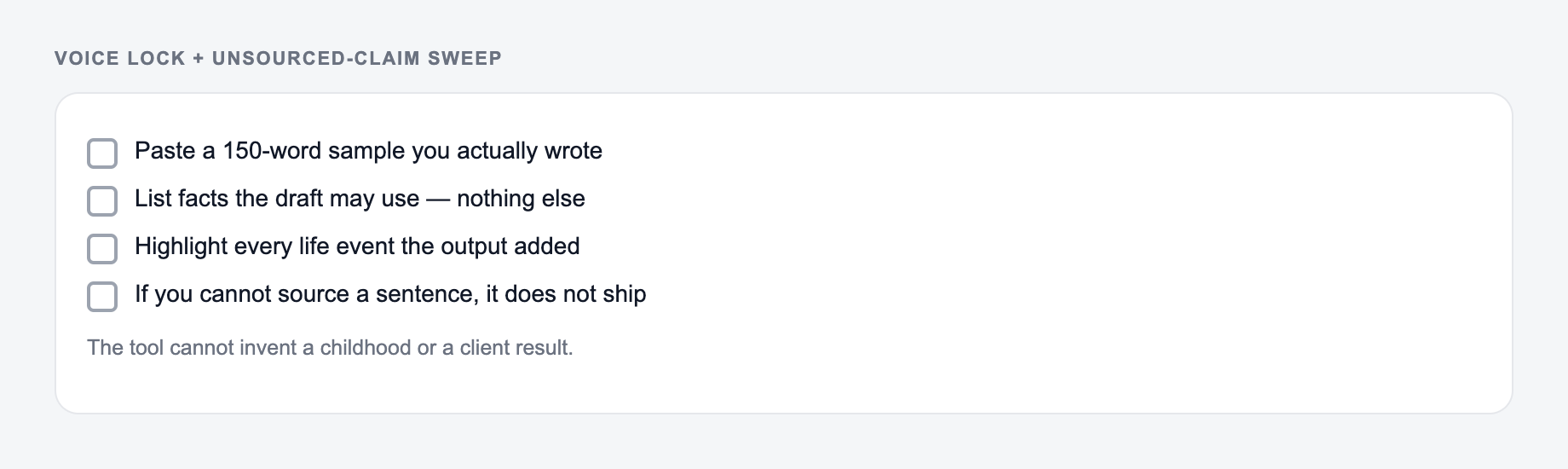
Works best if you have:
- a clear topic and one angle you want to push
- 3 to 7 bullet points with examples, steps, or opinions
- a real audience in mind (beginners, founders, buyers, etc.)
- a goal (teach, persuade, get replies, drive signups)
It’s less effective if you give it:
- “write a blog post about marketing” with no notes
- vague prompts with no point of view
- requests for stats you do not provide (because good tools should not invent them)
If you want the ghostwritten output to feel human, feed it human inputs. Specifics. Slight bias. A little personality. Add facts and examples in the notes field so the tool does not have to guess.
How to Make the Draft Match Your Voice
The “Voice / Style” box is where most people either do too much… or nothing.
You do not need a 2 page brand voice doc. Just paste one of these:
- 5 to 10 sentences you wrote recently (newsletter, LinkedIn post, intro paragraph)
- a quick description like: “Short sentences. No hype. Mild humor. Lots of practical takeaways.”
- formatting preferences: “Use subheadings. Use bullets. Keep paragraphs under 3 lines.”
Even a small sample helps the model pick up your pacing. The little quirks. The way you transition. That’s the difference between “AI content” and “oh, that sounds like you”.
A Simple Input Formula That Stops Generic Output
How to stop after a usable pass with the Ghostwriter:
- State the job in one sentence (who + outcome).
- Add one fact you already have.
- Generate more options than you need, then delete anything a competitor could paste.
- Read the finalist out loud.
If your drafts come out bland, it’s usually because the input is bland.
Try filling your notes like this:
- Position: what you believe (your take)
- Proof: 1 example, story, or mini case study
- Steps: 3 to 5 actionable points
- Objections: what someone might disagree with
- CTA: what you want the reader to do next
Even if you only do the first three, you will notice the output gets sharper immediately.
Use the AI Ghostwriter for SEO Without Publishing Fluff
Yes, an AI ghostwriter can help with SEO content. Especially first drafts. But SEO content fails when it’s written for keywords instead of intent. So give the tool the intent.
In your notes, include:
- what the searcher is trying to accomplish
- what a “good outcome” looks like
- what to avoid (common mistakes you see in other posts)
- internal links you want to include later as placeholders
Then after generation, do the real finishing touches:
- add your firsthand experience (a quick story is enough)
- add internal links and sources
- replace any placeholders with verified data
If ghostwriting is one step in a larger content workflow, Junia AI can help connect the draft with briefs, optimization, and publishing instead of leaving you with a one-off document to manage manually.
Real Outputs to Generate Beyond Blog Posts
Most people think “ghostwriter” equals blog. But the real value is multi format output, same voice, same message.
A few high leverage ways to use it:
- LinkedIn thought leadership from a blog outline
- Newsletter edition from webinar notes or a meeting recap
- Client email that is clear and not awkward
- Cold outreach that sounds human and direct
- Repurposing: one idea turned into blog, email, and social post without starting from scratch
It’s basically content reuse, but faster. And less draining.
Final Review Checklist Before You Publish
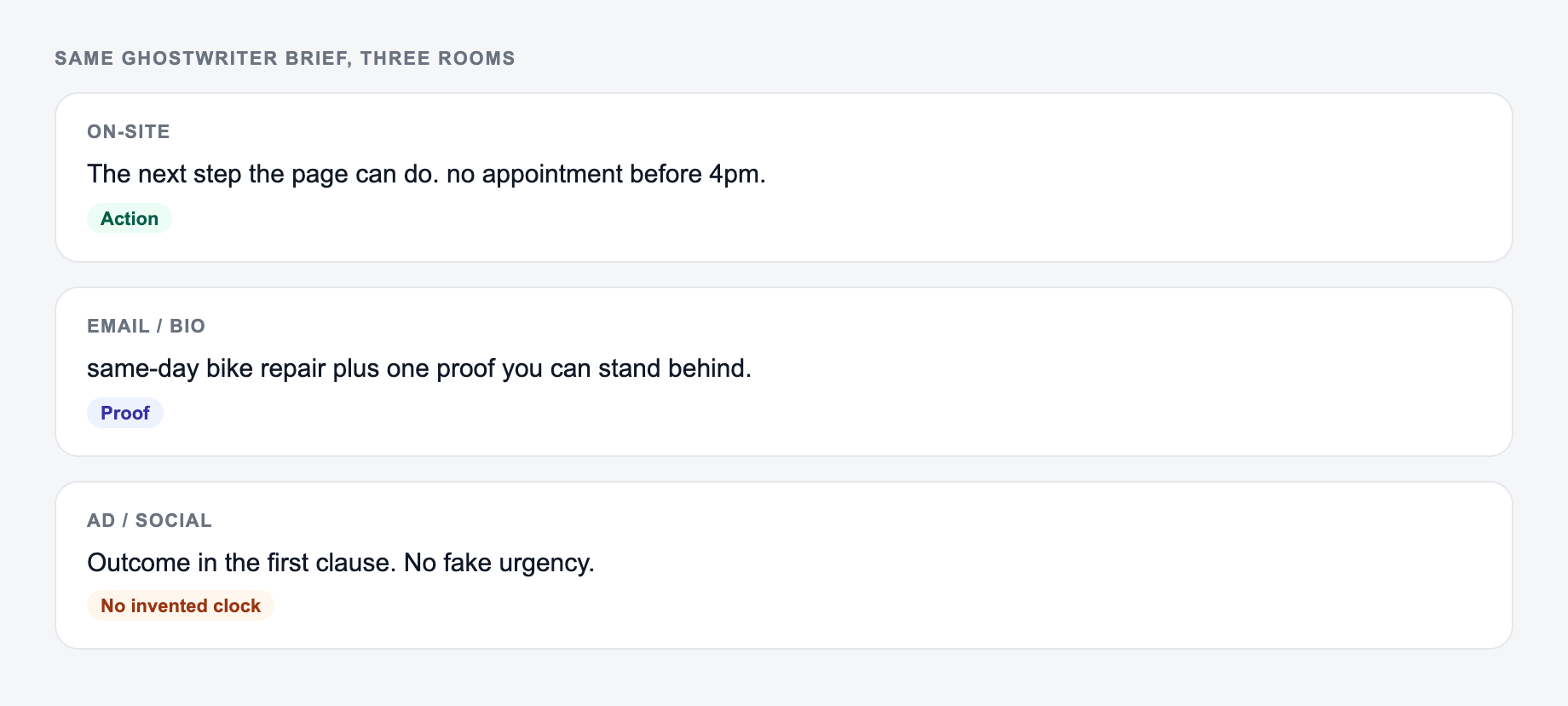
The output should change when the room changes. Synonyms across cards are a failed brief.
Use the tool to get to 80 percent. Then run this quick check:
- Does the intro promise a specific outcome?
- Does each section answer a real question someone has?
- Are there any vague claims that need an example?
- Is the voice consistent, or does it drift into generic phrasing?
- Is the CTA clear (reply, click, sign up, share, book a call)?
Do that, and the draft stops being “AI generated content”. It turns into your content. Just… written faster.
Voice Lock and Unsourced Claim Sweep
Ghostwritten drafts fail in public for two reasons: they do not sound like the named author, and they invent a life the author did not live. Run both sweeps before the piece carries someone’s name.
The form should include facts you can stand behind and a voice sample. It should not invent a life.
How to get a usable shortlist from the AI Ghostwriter:
- State the job in one sentence (who + outcome).
- Add one fact you already have — a number, a place, a constraint.
- Generate more options than you need, then delete anything you could paste on a competitor’s site.
- Read the finalist out loud. If you have to explain it, it is not ready.
Voice lock: paste 150–300 words of the author’s real writing and forbid biography the source notes do not contain. Then highlight every sentence that implies firsthand experience, customer quotes, or statistics. Keep only what the notes support.
Worked pass on a LinkedIn post about hiring:
- Generated: “After scaling three teams, I always hire for curiosity first.”
- If the author has not scaled three teams, rewrite to the true scope: “When I hired two contractors last year, curiosity was the filter that saved us from a bad skills-match.”
- SEO drafts need the same sweep: do not add “studies show” without a source you will cite.
Authorship and disclosure policies still apply. The tool can draft; the named writer remains responsible for the claims.
Frequently Asked Questions
What is an AI ghostwriter?+
An AI ghostwriter helps you write content under your name by turning your topic and notes into a polished draft. It aims to match your tone and style so the writing sounds like you while staying clear and original.
Can it write in my brand voice or personal writing style?+
Yes. Add a short “Voice / Style” description or paste a small writing sample. The tool will mimic your sentence length, tone, and formatting preferences to keep your content consistent across channels.
What types of content can I ghostwrite with this tool?+
You can generate blog posts, LinkedIn posts, newsletters, and professional emails. Premium modes can also help with video/podcast scripts and landing/sales pages depending on your selection.
Is this AI ghostwriter good for SEO content?+
It’s great for SEO-friendly first drafts—especially when you provide clear intent, audience, and key points. For best results, add unique experience, internal links, and any real data or references you want included before publishing.
How do I avoid generic AI-sounding writing?+
Provide specific notes, a clear point of view, and at least 3–7 bullet points with examples, opinions, or steps. Adding a short writing sample is the fastest way to make the output feel human and on-brand.
Will it invent facts or statistics?+
It’s instructed not to invent statistics. If you need numbers, include them in your notes or ask for clearly labeled placeholders you can replace with verified data.