
Free Book Outline Generator
Generate structured book outlines tailored to your genre, audience, and writing goals. Create chapter summaries, story beats, subtopics, examples, and takeaways before drafting your manuscript.
Book Outline
Your complete book outline will appear here...
How the AI Book Outline Generator Works
Get results in seconds with a simple workflow.
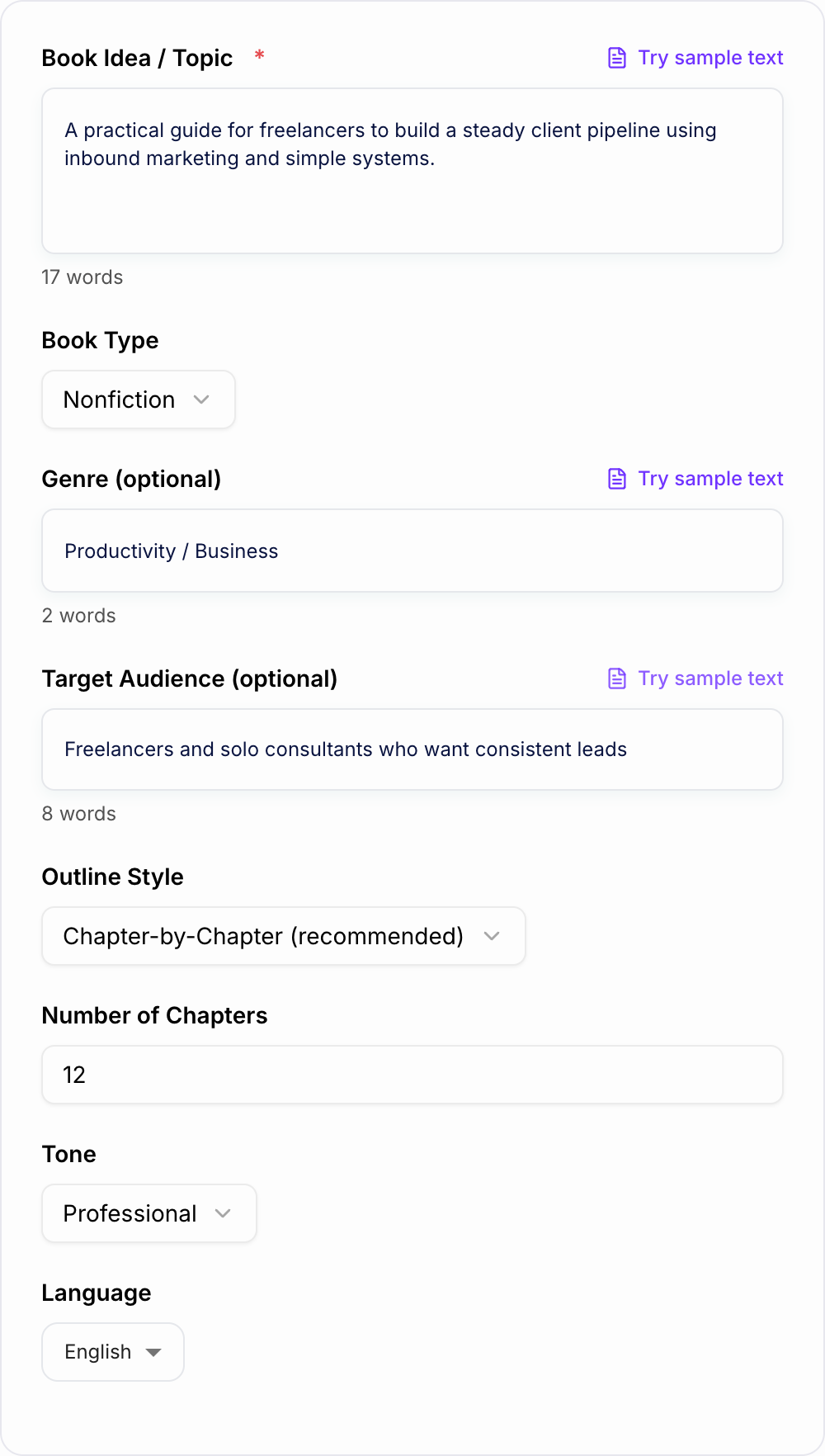
Describe Your Book Idea
Enter your book concept or topic. Add optional genre and audience details to shape the angle, depth, and terminology.
Pick Type, Style, and Chapter Count
Choose fiction vs nonfiction, an outline style (chapter-by-chapter, parts, or beat sheet), and your preferred number of chapters for the right pacing.
Generate and Refine Into a Draft Plan
Get a complete outline with chapter goals and key points. Adjust titles, reorder chapters, and expand chapters into scenes (fiction) or sections (nonfiction).
See It in Action
Example of turning a rough book idea into a structured chapter outline with clear progression and chapter goals.
Book idea: I want to write a book about getting more clients as a freelancer. I’m not sure what chapters to include or how to organize it.
Working Title: The Consistent Client System: A Simple Inbound Playbook for Freelancers
Positioning / Promise: Help freelancers build a steady pipeline using a repeatable inbound system (offer, content, distribution, follow-up) without relying on cold outreach.
H2: Table of Contents (12 Chapters)
- The Real Reason Freelancers Struggle with Leads (and the Fix)
- Define the pipeline problem and common myths
- Outcome: reader understands the system approach
- Choose a Profitable Niche Without Getting Stuck
- Niche criteria, fastest validation methods
- Exercise: niche scorecard
- Craft an Offer People Can Say Yes To
- Clear deliverables, scope, pricing anchors
- Template: one-sentence offer
- Build Your Authority Assets (Portfolio, Proof, Positioning)
- Case studies, social proof, credibility signals
- Content That Attracts Qualified Clients (Not Random Traffic)
- Topic selection, search intent, pain points
- Framework: Problem → Process → Proof
- Simple SEO for Freelancers: Pages That Rank and Convert
- Service pages, blog strategy, internal linking
- Distribution: Turn One Post into 10 Touchpoints
- Email, communities, social, partnerships
- The Lead Capture System (Landing Page + Lead Magnet)
- CTA strategy, lead magnet ideas
- The Follow-Up Engine (Email Sequences + Scheduling)
- 7-day and 30-day sequences
- Sales Calls That Feel Natural
- Discovery questions, objection handling
- Delivery That Creates Referrals
- Onboarding, communication, results reporting
- Scale Without Burnout
- Productized services, retainers, capacity planning
FAQ / Resources Appendix (optional)
- Templates, checklists, and a 30-day implementation plan
Why Use Our AI Book Outline Generator?
Powered by the latest AI to deliver fast, accurate results.
Chapter-by-Chapter Book Outline with Clear Throughline
Generates a structured book outline with a logical progression from hook to conclusion, including chapter goals and a cohesive narrative or learning arc.
Fiction Plot Beats + Character Arc Support
Creates key story beats, turning points, and escalating stakes, with character motivations and internal/external conflict to strengthen pacing and payoff.
Nonfiction Subtopics, Takeaways, and Exercises
Builds a nonfiction chapter outline with subtopics, key takeaways, examples, and optional exercises—ideal for how-to books, self-help, and business books.
Market-Aware Structure for Better Readability
Produces scannable, reader-friendly structure (parts, chapters, and sections) that improves clarity, keeps readers engaged, and supports self-publishing workflows.
Author-Friendly Planning for Faster Drafting
Turns a rough idea into a ready-to-write blueprint, reducing writer’s block and speeding up first drafts, revisions, and collaboration with editors or ghostwriters.
Pro Tips for Better Results
Get the most out of the AI Book Outline Generator with these expert tips.
Anchor your outline to a single promise
For nonfiction, define what the reader will achieve by the end. Make every chapter a step toward that outcome to improve clarity and reader retention.
Validate chapter flow with a one-sentence test
Write one sentence per chapter describing the transformation or plot movement. If any chapter doesn’t move the story/argument forward, merge or cut it.
Use recurring patterns to reduce reader friction
In nonfiction, keep a consistent chapter pattern (problem → principles → steps → example → takeaway). In fiction, track stakes, obstacles, and consequence.
Add specificity placeholders to prevent generic drafts
Include slots for real examples, data sources, scenes, locations, character secrets, or case studies. This makes drafting faster and more original.
Outline at two zoom levels
First, nail the high-level arc (parts/acts). Then expand each chapter into bullets or scenes. This improves pacing, coherence, and revision speed.
Who Is This For?
Trusted by millions of students, writers, and professionals worldwide.
Generate a Book Outline You Can Actually Draft From
The AI Book Outline Generator is most useful when you treat it as a planning partner, not a final table of contents. Give it the book's premise, reader, genre, and desired structure, then use the generated outline to test whether the book has a clear sequence.
A good generated outline should answer three questions quickly:
- What does each chapter do?
- Why does this chapter belong in this order?
- What examples, scenes, exercises, or takeaways need to be added before drafting?
If the outline only gives you broad chapter names like "Mindset" or "The Journey," add sharper inputs and generate again.
What to Enter Into the Book Outline Generator
Start with the book's central promise or engine.
For nonfiction, include:
- the target reader
- the problem they want solved
- the outcome the book promises
- the method, framework, or point of view you want to use
- any examples, case studies, exercises, or chapters that must appear
For fiction, include:
- the protagonist and what they want
- the central obstacle or antagonist
- the stakes if they fail
- the genre and tone
- the emotional change or reveal that should shape the ending
Specific input keeps the generator from producing a safe, generic structure.
How to Choose the Right Outline Mode
Use Chapter-by-Chapter when you want a fast roadmap with chapter titles, summaries, and key takeaways.
Use Nonfiction Roadmap when the book needs a clear reader transformation. This mode works well for business, self-help, education, and practical guides because it organizes ideas into a progression.
Use Fiction Beat Sheet when pacing matters. It should show goals, obstacles, turns, consequences, and stakes instead of just listing events.
Use Proposal Outline when the outline needs to sell the book idea. The output should include positioning, target reader notes, and chapter summaries written as outcomes.
How to Review the Generated Outline
How to stop after a usable pass with the Book Outline Generator:
- State the job in one sentence (who + outcome).
- Add one fact you already have.
- Generate more options than you need, then delete anything a competitor could paste.
- Read the finalist out loud.
Once the tool gives you an outline, check every chapter for a job. A strong chapter should move the reader, argument, or story forward.
For nonfiction, look for:
- a clear chapter promise
- subtopics that build toward that promise
- proof, examples, or exercises
- a takeaway or action step
For fiction, look for:
- a scene or chapter goal
- an obstacle
- a consequence
- a reveal, turn, or escalation
Weak chapters usually need to be merged, moved, renamed, or replaced with something more specific.
Add Specificity Before You Start Drafting
The fastest way to improve an AI-generated book outline is to add placeholders for real material:
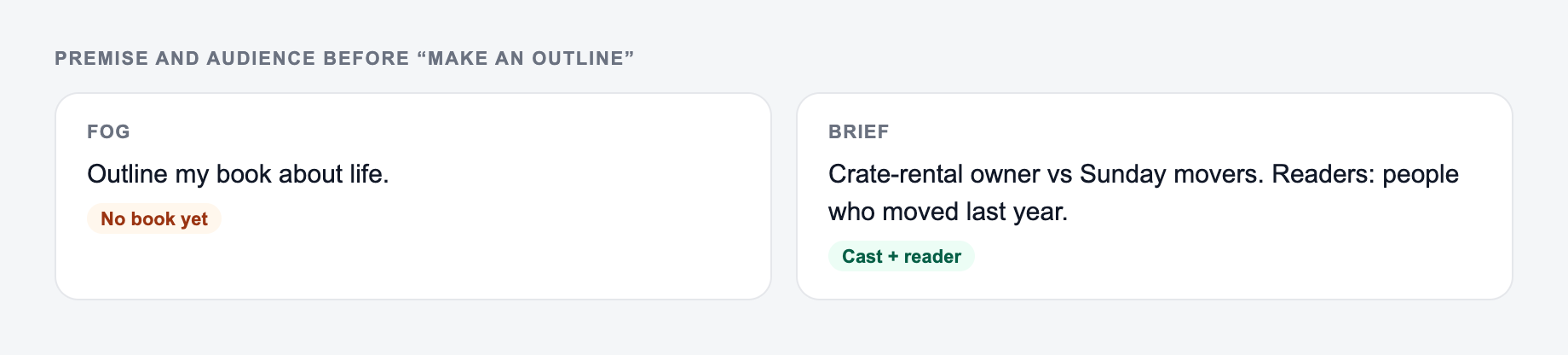
Premise and audience on the form beat “make an outline for my book.”
How to get a usable shortlist from the AI Book Outline Generator:
- State the job in one sentence (who + outcome).
- Add one fact you already have — a number, a place, a constraint.
- Generate more options than you need, then delete anything you could paste on a competitor’s site.
- Read the finalist out loud. If you have to explain it, it is not ready.
- "Insert founder interview about failed launch"
- "Add data point about churn from source"
- "Scene: the mentor refuses to help"
- "Exercise: audit the reader's current workflow"
- "Case study: before, after, measurable result"
These notes stop the draft from becoming abstract. They also show you where research, memories, interviews, examples, or scenes still need to be collected.
Turn the Outline Into a Writing Workflow
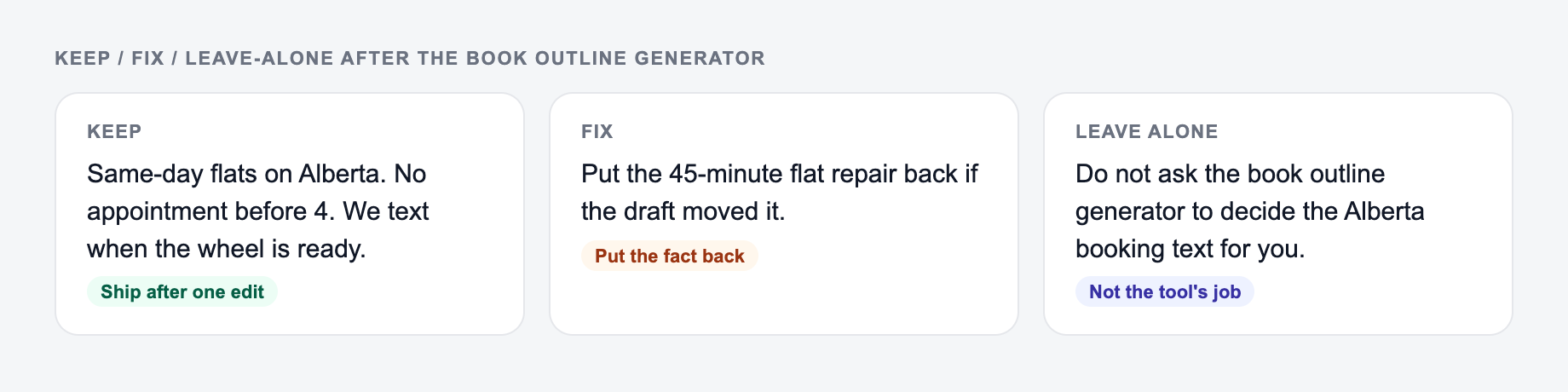
Keep the line you could publish. Put facts back. Do not outsource the judgment call.
After you choose the strongest generated structure, do one cleanup pass:
- Rename chapters so they sound like reader outcomes or story turns.
- Add one sentence under each chapter: "This chapter exists to..."
- Mark repeated chapters or beats.
- Add missing examples, exercises, scenes, or proof points.
- Decide which three chapters are the heart of the book and strengthen the buildup toward them.
That gives you a working plan instead of a decorative outline. If you want to keep planning, drafting, and expanding chapters in one place, the Junia AI writing platform can help you move from outline to manuscript without rebuilding the workflow each time.
Final Checklist Before Drafting
Before you start writing from the outline, make sure it has:
- a clear reader promise or story conflict
- chapter order that builds instead of wanders
- enough specificity to avoid bland drafts
- room for examples, research, exercises, or scenes
- a strong ending that pays off the book's promise
Generate again if the outline feels generic. The best version usually comes from comparing two or three structures and keeping the strongest parts.
Frequently Asked Questions
Is this book outline generator free to use?+
Yes. You can generate a book outline for free. Some advanced modes (like business positioning or course-style structure) may be marked as premium.
Can it generate outlines for both fiction and nonfiction?+
Yes. Choose a book type (fiction, nonfiction, memoir, business, or how-to) and the outline will adapt—plot beats and character arcs for fiction, or chapter subtopics and takeaways for nonfiction.
How detailed is the outline?+
The outline includes a structured table of contents plus chapter-by-chapter summaries. Depending on your selections, it can include sections within each chapter, key beats, examples, exercises, and a clear end goal for the reader.
How many chapters should my book have?+
Common ranges are 8–15 chapters for many nonfiction books and 20–35 chapters for many novels, but it varies by genre and pacing. Start with 10–14 chapters for a practical nonfiction book and adjust after reviewing flow and scope.
Will the outline be original?+
The tool generates an original outline based on your input. For best results, add your unique angle, experience, examples, and terminology to make the structure distinctly yours.
Can I use the outline for a book proposal or pitch?+
Yes. The outline is useful for a proposal-ready table of contents and chapter summaries. You can refine wording, add market context, and align chapters with your promise and target audience.