
Free Follow-Up Email Generator
Generate polite, professional follow-up emails for sales outreach, interviews, job applications, recruiters, proposals, invoices, support tickets, networking, and partnership conversations. Add context, tone, urgency, and a clear CTA to create a reply-friendly message fast.
Follow-Up Email
Your follow-up email will appear here...
How the AI Follow-Up Email Generator Works
Get results in seconds with a simple workflow.
Choose Your Follow-Up Scenario
Select the situation—sales, proposal, interview, networking, invoice, support, or partnership—so the email structure and wording match the context.
Add Context (or Paste the Previous Email)
Provide a short summary or paste the thread so the AI can reference the right details, maintain continuity, and keep the follow-up clear and relevant.
Generate and Send (Then Personalize)
Get a ready-to-send follow-up email with a clear CTA. Quickly personalize names, specifics, and time slots for the best reply rate.
See It in Action
Turn an awkward “checking in” message into a clear, professional follow-up email with context and a simple next step.
Hi, just following up on my last email. Let me know. Thanks.
Subject: Quick follow-up on our SEO content call
Hi Sarah,
Wanted to quickly follow up on my note from last Tuesday about a 15-minute call to discuss SEO content support for your blog.
If it’s helpful, I’m available Wed 2:00–3:30pm or Thu 10:00–11:30am. Would either of those work, or is there a better person to coordinate with?
Thanks, [Your Name]
Why Use Our AI Follow-Up Email Generator?
Powered by the latest AI to deliver fast, accurate results.
Scenario-Specific Follow-Up Email Templates (Generated by AI)
Generate targeted follow-up emails for sales leads, proposals, job applications, interviews, networking, invoices, partnerships, and customer support—each with the right structure and phrasing for higher reply rates.
Polite, Professional Tone Control
Choose a tone that matches your relationship and goal—friendly, assertive, formal, or neutral—so your follow-up email sounds human, respectful, and on-brand.
Clear CTA and Next-Step Options
Automatically includes a concise call-to-action (CTA) and simple next steps (confirm, book a call, share an update, approve a proposal) to reduce friction and make replying easy.
Built for Deliverability and Readability
Produces scannable follow-up emails with short paragraphs and clean phrasing to improve readability on mobile and reduce the chance your message feels spammy or overly aggressive.
Optional Value-Add Follow-Ups to Increase Responses
Create follow-ups that add helpful context—recaps, resources, relevant proof points, or time slots—so you’re not just “checking in,” which often improves response rates.
Pro Tips for Better Results
Get the most out of the AI Follow-Up Email Generator with these expert tips.
Make the reply easy with a single, clear CTA
Ask for one next step: confirm a call, approve a proposal, share an update, or point you to the right person. Too many questions reduces replies.
Use a value-add follow-up to boost response rates
Instead of “just checking in,” add something useful: a 2-line recap, a relevant resource, a quick option comparison, or two suggested time slots.
Keep paragraphs short for mobile readability
Most follow-up emails are read on phones. Use 1–2 sentence paragraphs and avoid long blocks of text to improve engagement.
Match urgency to context (especially for invoices)
Payment reminders can be direct but polite. Use a clear date, invoice reference, and a simple next step (pay link, confirmation, or questions).
Close the loop gracefully with a breakup email
If there’s no reply after multiple attempts, a polite final email often gets a response and protects your professional relationship.
Who Is This For?
Trusted by millions of students, writers, and professionals worldwide.
Generate Follow-Up Emails That Are Clear, Polite, and Easy to Answer
A follow-up email should not make the recipient work to remember the conversation. It should quickly explain what you are following up on, why it matters, and what reply would help.
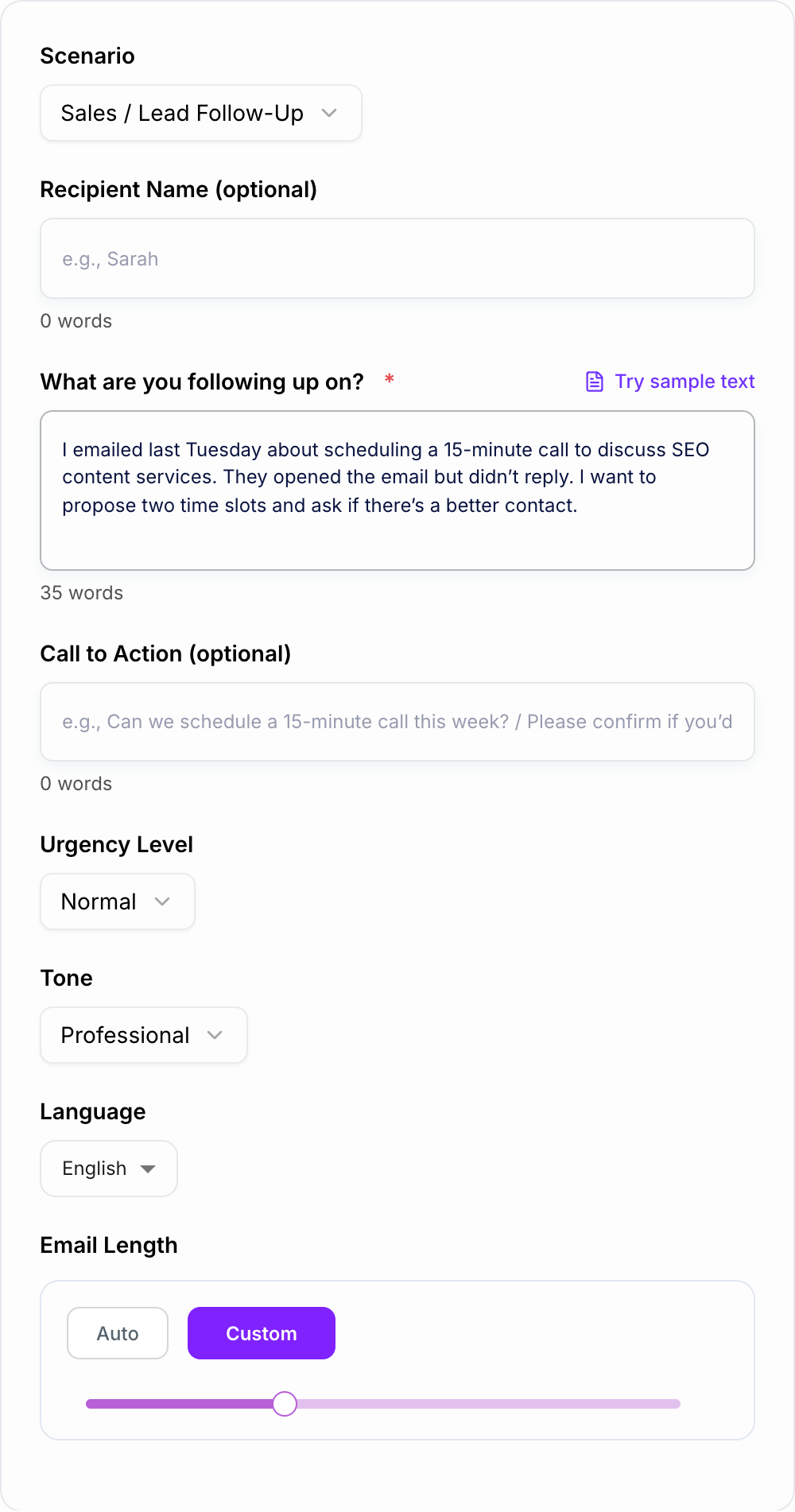
This Follow-Up Email Generator turns your context, scenario, tone, urgency, and CTA into a message you can personalize and send. It works for sales, recruiters, job applications, interviews, proposals, invoices, support tickets, networking, and partnerships.
What to enter into the Follow-Up Email Generator
The generator can draft a follow-up from a short note, but the best emails come from specific context.
Include:
- Scenario: sales, proposal, job application, interview, invoice, support, networking, partnership, or breakup email
- Recipient: client, prospect, recruiter, hiring manager, vendor, support team, teammate, or partner
- Original context: what you sent, discussed, requested, or agreed on
- Timing: when you last reached out or when the event happened
- CTA: what you want them to do next
- Tone: friendly, formal, gentle, assertive, neutral, or warm
- Urgency: low, normal, or high
- Details: proposal name, role title, invoice number, ticket ID, time slots, or relevant link
Weak input:
Follow up with a client about my proposal.
Stronger input:
Scenario: proposal follow-up. Recipient: marketing director. Context: sent SEO content proposal last Tuesday for 12 articles and keyword map. CTA: ask whether she wants a shorter version with scope and pricing or whether I should check back next week. Tone: friendly, low pressure. Length: about 100 words.
Choose the right follow-up scenario
Different follow-ups need different pressure levels and structure.
Sales follow-up
Use a clear reminder, one value line, and one low-friction ask. Avoid turning the second email into a full pitch.
Proposal or quote follow-up
Reference the proposal name, date, scope, and decision needed. Offer to clarify, revise, or send a shorter summary.
Job application or recruiter follow-up
Keep it brief and respectful. Mention the role, application or interview date, continued interest, and ask about timeline or next steps.
Post-interview follow-up
Use a warmer tone. Mention one specific conversation point and reinforce fit without repeating your whole resume.
Invoice follow-up
Be direct but professional. Include the invoice number, due date, payment status, and the action you need: payment confirmation, updated timing, or questions.
Support ticket follow-up
Include the ticket ID, short issue summary, and what update would help. Offer logs or screenshots if relevant.
Breakup email
Use this after several unanswered follow-ups. Lower the pressure, close the loop, and leave the door open.
Example input and generated email
Input:
- Scenario: proposal follow-up
- Recipient: Sarah
- Context: SEO content proposal sent last Tuesday
- CTA: ask whether to send a shorter version or follow up next week
- Tone: friendly and low pressure
Generated email:
Subject: Quick follow-up on the content proposal
Hi Sarah,
I wanted to follow up on the SEO content proposal I sent last Tuesday. The plan covers the first 12 articles we discussed, including the keyword map and publishing timeline.
Would it be helpful if I sent a shorter version with just the scope and pricing, or should I check back next week?
Thanks, [Your Name]
The email works because it gives context, reminds the recipient why the message exists, and makes the reply simple.
How to review and edit the generated follow-up before sending
Before sending, personalize the parts the generator cannot know perfectly.
Check:
- Subject line: Does it match the thread or situation?
- Context: Can the recipient understand the email without searching?
- CTA: Is there one clear next step?
- Tone: Does it fit the relationship and stakes?
- Specific details: Names, dates, role titles, invoice numbers, links, and time slots should be accurate.
- Length: Most follow-ups should be short enough to read on a phone.
If the draft feels pushy, lower the urgency and add an easy out. If it feels too soft, ask the generator for a more direct CTA.
Follow-up timing by scenario
Use these as starting points, not hard rules:
- Sales outreach: 2 to 3 business days after the first email, then every 3 to 5 days if appropriate
- Proposal: 2 to 5 business days after sending, depending on the decision timeline
- Job application: 5 to 7 business days after applying, then one more light follow-up later
- Post-interview: within 24 hours, then after the stated timeline passes
- Invoice: before the due date, on the due date, then 3 to 7 days after depending on terms
- Support ticket: after the expected response window or when new information is available
If you have followed up several times with no reply, generate a polite breakup email instead of sending another reminder that says the same thing.
Keep follow-ups connected to your broader writing workflow
Filled shape to imitate
The ask, the date, the deliverable, and the thing you will not promise — in that order. If the draft buries the uncomfortable sentence, put it back on the first screen.
Follow-ups often sit beside other business writing: outreach emails, proposal summaries, reminder messages, meeting recaps, and thank-you notes. When those assets share the same context and tone, the conversation feels more professional. A writing workspace like Junia AI can help keep those related messages consistent instead of rebuilding the context every time.
Final checklist before you send
Tick these before the output leaves your machine. A fluent miss is still a miss.
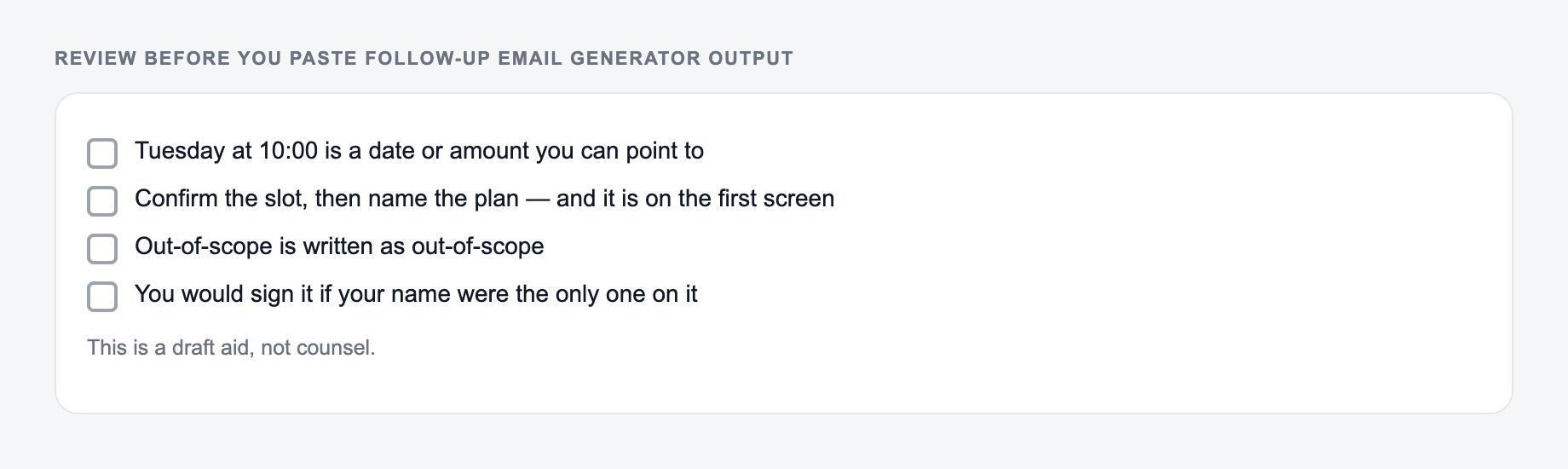
Before using the generated follow-up, confirm:
- The email names what you are following up on
- The next step is easy to answer
- There is no guilt, sarcasm, or fake urgency
- The tone matches the relationship
- Dates, names, links, invoices, and role titles are correct
- The email is short enough to read quickly on mobile
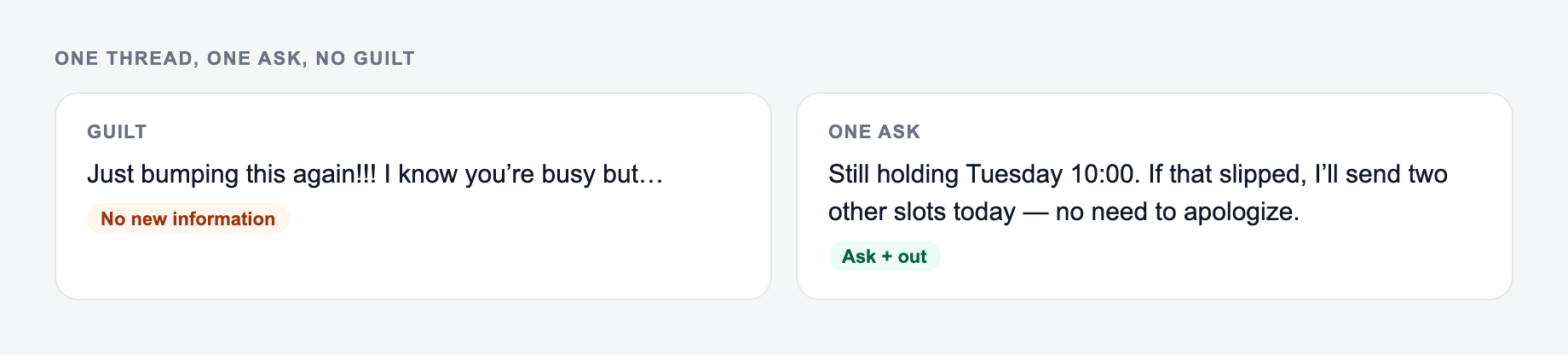
One Thread, One Ask, No Guilt
A follow-up should answer: what this is about, what you already sent, and what a yes/no/date reply would be. Everything else is optional.
Context plus one ask belongs on the form. Guilt and fake urgency do not.
Section order that readers actually scan:
- The ask or the decision.
- The facts that make it true.
- What is out of scope.
- The date they must answer.
This is a draft aid, not legal, HR, or career advice.
Worked sales follow-up after a demo on 3 March:
- Subject: Next step on the March 3 demo
- Body: “You wanted to see HubSpot field mapping. I sent the 4-minute clip on March 4. If useful, can we book 20 minutes this week, or should I close the thread?”
- Not: “Just circling back,” “bumping this,” or “I know you’re busy.”
Timing depends on context: a same-week proposal follow-up is different from a cold bump. Do not stack three asks (call, intro, case study). Confirm names, dates, and attachments. This is not a collections or legal notice generator; overdue invoices and disputes need the real facts and appropriate review.
Frequently Asked Questions
Is this follow-up email generator free?+
Yes. You can generate follow-up emails for common scenarios for free. Some advanced options—like a multi-email follow-up sequence or breakup email variants—may be marked as premium.
What should I include to get the best follow-up email?+
Include what you’re following up on, when you last reached out, and the next step you want (your CTA). If possible, add relevant details like the proposal name, role title, invoice number, or 1–2 time slots.
How long should a follow-up email be?+
Most effective follow-up emails are 60–140 words: short, clear, and easy to reply to. If the situation is complex (proposal recap or support case), a slightly longer email can work—just keep paragraphs short and the CTA obvious.
How many times should I follow up before stopping?+
It depends on the context. Sales and partnerships often use 2–4 follow-ups over 1–3 weeks; job applications may use 1–2 follow-ups; invoices may require a clearer schedule. If you’ve followed up multiple times, consider a polite breakup email to close the loop.
Can this generate a follow-up email that doesn’t sound pushy?+
Yes. Choose a gentle tone and low urgency, and add a value-first angle (a quick recap, helpful link, or alternative next steps). The tool is designed to be polite, clear, and professional.
Can I use this tool for cold email follow-ups?+
Yes. It can generate follow-ups for cold outreach by keeping the message short, referencing the original email, adding value, and offering a low-friction CTA (like a quick question or two time slots).