
Free Hypothesis Generator
Generate clear, testable hypotheses for academic research, product experiments, UX studies, marketing tests, and A/B testing. Turn a rough question into variables, H0/H1 statements, if-then hypotheses, metrics, success criteria, and measurement notes.
Hypothesis
Your hypothesis (and supporting measurement plan) will appear here...
How the AI Hypothesis Generator Works
Get results in seconds with a simple workflow.
Enter Your Topic or Research Question
Describe what you want to test or understand. A clear question helps define the variables, population, and what “success” looks like.
Add Context (Optional) and Choose Hypothesis Type
Optionally include your audience, channel, baseline, constraints, and desired outcome. Select Research (H0/H1) or Experiment (If/Then), or let the tool choose automatically.
Generate and Refine for Measurement
Get a polished hypothesis with variables and a measurement plan. Adjust the metric, segment, and success threshold to match your data availability and decision-making needs.
See It in Action
Turn a vague idea into a clear, measurable hypothesis with variables and success criteria.
I think adding testimonials to our pricing page will help conversions.
If we add a testimonial/social proof section above the pricing table on the pricing page, then the trial sign-up conversion rate for new visitors will increase (directional) because reduced perceived risk increases trust. Primary metric: trial sign-up rate. Secondary metrics: CTA click rate, time on page. Success criteria: ≥10% relative lift over 2 weeks with consistent traffic sources and device mix.
Why Use Our AI Hypothesis Generator?
Powered by the latest AI to deliver fast, accurate results.
Testable Hypotheses With Clear Variables
Generates measurable, falsifiable hypotheses with independent and dependent variables, defined populations/segments, and realistic outcomes—ideal for research design and experimentation.
Research-Ready H0 and H1 (Null + Alternative)
Creates formal null and alternative hypotheses for academic research, surveys, and quantitative studies, including guidance on variable operationalization and analysis approach.
A/B Test Hypotheses With Metrics and Decision Rules
Outputs experiment-friendly if/then hypotheses that specify a primary KPI, success threshold, timeframe, and what to do if results are inconclusive—great for CRO and product experimentation.
Improved Clarity and Reduced Ambiguity
Transforms vague ideas into precise hypotheses by tightening definitions, narrowing scope, and removing untestable language—helpful for proposals, theses, and stakeholder alignment.
Works for Marketing, Product, UX, and Education
Supports common hypothesis formats for growth marketing, user research, UX changes, classroom experiments, and business analytics—adapted to your topic and constraints.
Pro Tips for Better Results
Get the most out of the AI Hypothesis Generator with these expert tips.
Define one primary metric (KPI) to avoid ambiguous results
A strong hypothesis ties to a single primary metric (e.g., conversion rate, CTR, average score). Use secondary metrics only for diagnostics so the experiment has a clear decision rule.
Make your independent variable a single, controllable change
If the “treatment” changes multiple things at once, you won’t know what caused the effect. Keep the hypothesis focused on one main intervention per test.
Add a segment when behavior differs by audience
Specify a population (new vs returning users, mobile vs desktop, beginners vs advanced learners). Segmentation improves interpretability and can reduce noise in results.
State the expected direction and magnitude when possible
Directional hypotheses (increase/decrease) are easier to evaluate. If you can, include an estimated lift or practical significance threshold (e.g., +10% relative).
Write a decision rule before you run the study
Define what result counts as success, failure, or “inconclusive,” and what action you’ll take. This prevents biased interpretation after seeing the data.
Who Is This For?
Trusted by millions of students, writers, and professionals worldwide.
Generate Testable Hypotheses With Clear Variables and Metrics
The hypothesis generator turns a rough research question or experiment idea into a testable statement with variables, metrics, and a measurement plan.
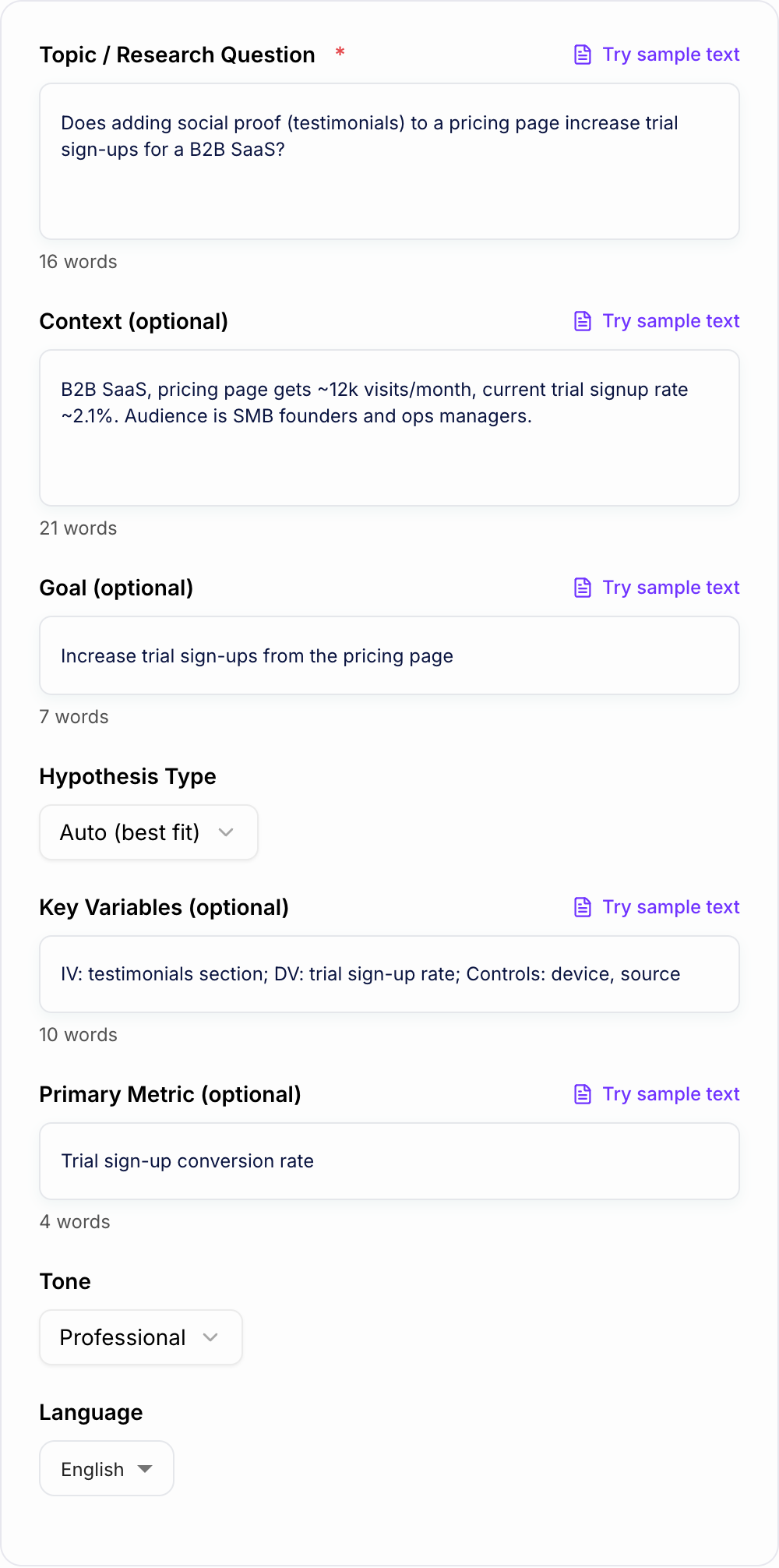
Use it when you have an idea like "testimonials might improve conversions" or "study time might affect exam scores," but need clearer wording before you write a proposal, run an A/B test, design a survey, or present the experiment to a team.
The tool is useful for:
- academic research hypotheses
- null and alternative hypotheses
- product experiments
- CRO and A/B testing
- UX research
- marketing tests
- education research
- business analytics questions
It does not replace study design or statistical review. It gives you a structured starting point so the question is easier to test, discuss, and refine.
What to Enter Into the Hypothesis Generator
Start with the question or idea you want to test.
Weak input:
Testimonials help conversions.
Better input:
Does adding a testimonial section above the pricing table increase trial sign-ups for new visitors on a B2B SaaS pricing page?
The second input gives the generator a change, location, audience, outcome, and context. That makes the hypothesis more measurable.
When you can, include:
- the topic or research question
- the audience, population, or segment
- the independent variable, or what changes
- the dependent variable, or what you measure
- the primary metric
- baseline performance
- timeframe
- constraints, such as sample size or available data
- the goal or decision you need to make
If you do not know the variables yet, enter the research question and let the tool infer likely options. Then review them carefully.
How to Choose the Right Hypothesis Format
Use Research mode when you need formal null and alternative hypotheses for a paper, thesis, dissertation, proposal, survey, or quantitative study.
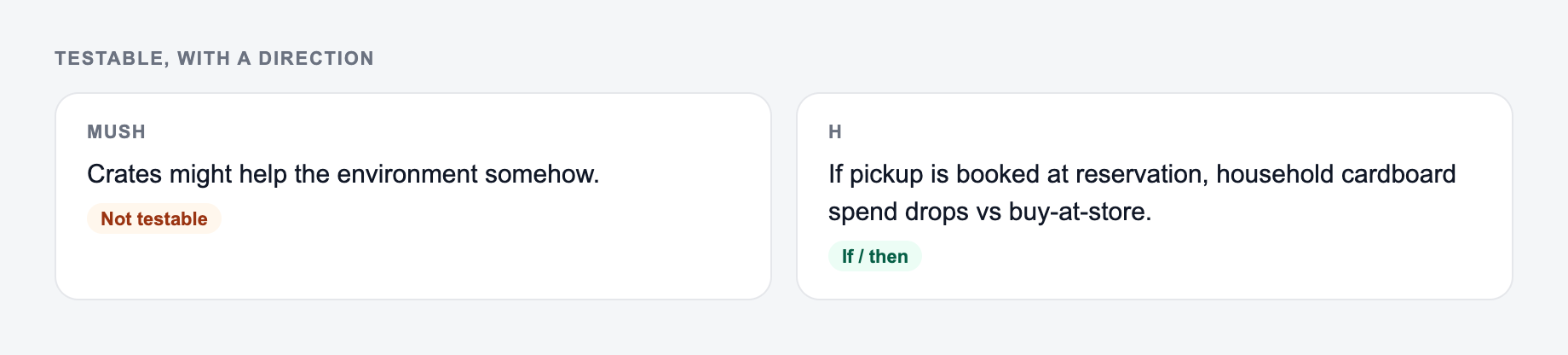
Use Experiment / A/B Test mode when you need an if-then statement for marketing, product, UX, or conversion testing.
Use Multiple Options when you are still brainstorming and want several possible hypotheses ranked by clarity, testability, and expected impact.
Use Causal mode when the mechanism matters. This is helpful when you need to explain why an effect may happen and what confounders should be controlled.
Choose Directional when you expect an increase or decrease. Choose Non-Directional when you only want to test whether a difference exists.
Example Input and Generated Output
Input:
Pin down the independent variable, the metric you will measure, and who is in the test.
Does adding social proof to a pricing page increase trial sign-ups for a B2B SaaS?
Context:
Pricing page receives about 12,000 visits per month. Current trial sign-up rate is 2.1%. Audience is SMB founders and operations managers.
Generated hypothesis:
If we add a testimonial section above the pricing table for new visitors, then trial sign-up conversion rate will increase by at least 10% relative over two weeks because social proof reduces perceived risk.
Measurement notes:
- Independent variable: testimonial section placement
- Dependent variable: trial sign-up conversion rate
- Segment: new pricing-page visitors
- Primary metric: trial sign-up conversion rate
- Secondary metrics: CTA click rate, scroll depth, qualified trial starts
- Decision rule: ship if the primary metric reaches the threshold without reducing lead quality
This output is stronger than the original idea because it tells you what changes, what gets measured, who is included, and what result matters.
How to Review the Generated Hypothesis
Before using the output, check whether it is testable.
Ask:
- Is there one main independent variable?
- Is the dependent variable measurable?
- Is the audience or population defined?
- Is the expected direction clear?
- Is the timeframe realistic?
- Is there a primary metric?
- Is the decision rule written before results arrive?
- Are likely confounders or controls noted?
If the generated hypothesis changes several things at once, narrow it. If the metric is vague, define how it will be measured. If the segment is too broad, specify the population.
Research Hypotheses vs A/B Test Hypotheses
Academic and business hypotheses often need different wording.
A research hypothesis may look like this:
H0: There is no difference in final exam scores between students who use daily retrieval practice and students who use rereading.
H1: Students who use daily retrieval practice will have higher final exam scores than students who use rereading.
An A/B test hypothesis may look like this:
If we change the email CTA from "Learn more" to "Start free trial" for trial-intent leads, then click-through rate will increase because the CTA better matches the reader's intent.
Both are testable, but they serve different workflows. The generator helps you pick the format that matches the study or experiment you are actually running.
Common Hypothesis Generator Mistakes
The first mistake is giving the tool a vague idea without context. Add the audience, change, metric, and goal when possible.
The second mistake is accepting inferred variables without review. The generator can suggest likely IVs and DVs, but your actual study design decides what is valid.
The third mistake is using too many metrics. A hypothesis needs one primary metric. Secondary metrics can explain the result, but they should not redefine success after the test.
The fourth mistake is skipping the decision rule. Without one, teams often argue about what the result means after seeing the data.
The fifth mistake is treating the generated wording as final methodology. A hypothesis is one piece of a larger study design, not the whole experiment.
Final Checklist Before You Run the Study
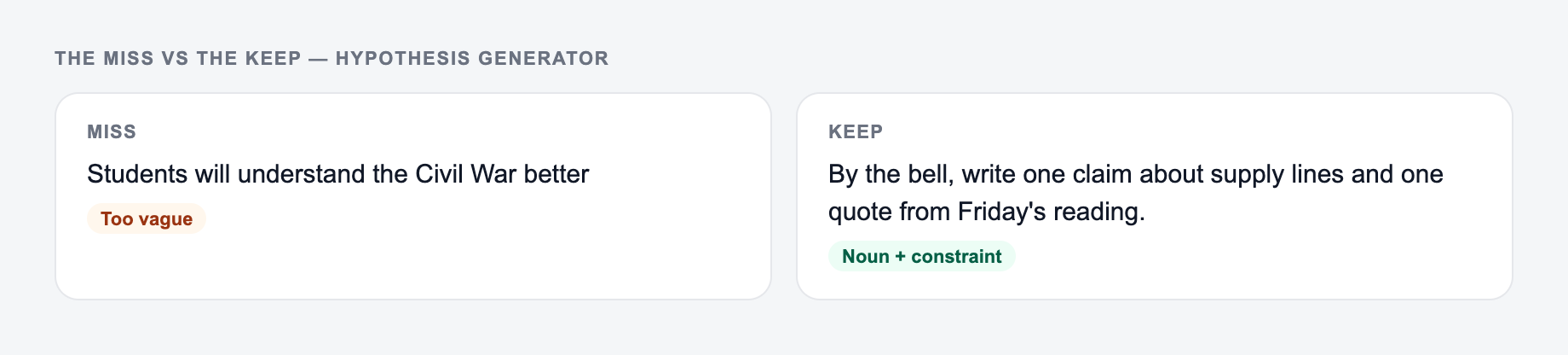
Before you use the generated hypothesis in a paper, proposal, experiment brief, or test plan, confirm that:
- the independent variable is clear
- the dependent variable is measurable
- the population or segment is defined
- the expected direction is appropriate
- the primary metric is available
- the comparison group or baseline is clear
- the timeframe is realistic
- success, failure, and inconclusive outcomes are defined
If you are building repeatable research or writing workflows, the hypothesis generator can sit alongside the broader AI tools on Junia AI to move from rough idea to structured draft faster. The final study design still needs your judgment.
Frequently Asked Questions
What is a hypothesis and why does it matter?+
A hypothesis is a specific, testable statement that predicts a relationship or effect (e.g., between an intervention and an outcome). Strong hypotheses make research and experiments easier to design, measure, and evaluate because they define variables, scope, and success criteria.
Does this tool generate null and alternative hypotheses (H0 and H1)?+
Yes. Choose the Research mode (or set Hypothesis Type to Research) to generate both H0 (no effect/relationship) and H1 (effect/relationship), plus suggested variables and measurement notes.
Can I use this hypothesis generator for A/B tests and conversion rate optimization (CRO)?+
Yes. Use Experiment / A/B Test mode to get an if/then hypothesis that includes the primary KPI (like conversion rate or CTR), the expected direction of change, a segment/population, and a decision rule so the test is actionable.
What makes a hypothesis “testable”?+
A testable hypothesis is specific and measurable: it defines the independent variable (what changes), the dependent variable (what you measure), the population/segment, and a way to observe results (metric, timeframe, and comparison). It also avoids vague terms like “better” without defining how “better” is measured.
Will the tool suggest metrics and variables if I don’t provide them?+
Yes. If you only enter a topic/research question, the generator will infer likely independent/dependent variables and propose appropriate primary metrics based on your context and goal.
Can I generate hypotheses in different languages?+
Yes. Select an output language to generate hypotheses and measurement plans in many languages, useful for international research teams and multilingual documentation.