
Free Legal Memo Generator
Generate a structured legal memorandum from raw facts, jurisdiction, and a legal question. Use the AI legal memo generator to organize issues, rules, fact-based analysis, counterarguments, open questions, and conclusions in IRAC or CREAC format.
Legal Memorandum
Your legal memo draft will appear here...
How the AI Legal Memo Generator Works
Get results in seconds with a simple workflow.
Paste the Facts
Add a clear fact pattern (parties, timeline, key documents). Optional: include the exact legal question to focus the memo.
Set Jurisdiction and Memo Style
Choose IRAC or CREAC and specify jurisdiction/practice area to keep the structure and terminology aligned with your needs.
Generate, Verify, and Finalize
Get a structured memo draft with issues, rules, analysis, counterarguments, and conclusions—then verify authorities, add citations, and tailor for your audience.
See It in Action
Turn raw intake facts into a structured legal memorandum draft with issues, rules, analysis, counterarguments, and a clear conclusion.
Client says a customer is threatening a lawsuit because a subscription renewed. Checkout had a pre-checked box. Customer wants a refund and filed a chargeback.
Title: Legal Memorandum — Automatic Renewal Dispute (California)
Question Presented: Whether a pre-checked box at checkout provides valid consent for subscription renewal under California automatic renewal requirements, and what defenses or mitigation steps are available.
Brief Answer: Likely risk of noncompliance if consent was not obtained through clear and conspicuous disclosures and affirmative consent. Defenses may exist depending on disclosures, confirmation notice, cancellation method, and the customer’s usage/benefit.
Facts:
- Jan 5: Customer purchased via online checkout; subscription terms presented with pre-checked box
- Feb 5: Renewal charge processed
- Feb 7: Customer disputes charge and files chargeback; demands refund
Analysis (IRAC): Issue 1: Whether consent was affirmative and disclosures were clear and conspicuous Rule: Automatic renewal frameworks generally require clear terms disclosure and affirmative consent; negative-option features often require specific notice and easy cancellation Application: A pre-checked box may be challenged as not affirmative consent; adequacy depends on placement, wording, font, proximity to payment button, and post-purchase confirmation Counterarguments: If disclosures were prominent and the customer had an easy cancellation method, the business may argue effective notice and voluntary enrollment Conclusion: Moderate-to-high risk; confirm disclosure layout and records; consider refund/chargeback strategy and compliance updates
Open Questions:
- Was a confirmation email with renewal terms sent?
- How easy was cancellation (steps, friction, timing)?
- What records exist proving the customer’s consent?
Recommended Next Steps:
- Preserve checkout screenshots and logs
- Review renewal policy compliance; remove pre-checked box
- Prepare chargeback response with evidence of disclosures and consent
Why Use Our AI Legal Memo Generator?
Powered by the latest AI to deliver fast, accurate results.
IRAC/CREAC Legal Memo Structure
Generates a clear legal memorandum format with issue statements, rule sections, fact-based analysis, and concise conclusions—ideal for legal writing and case analysis.
Fact-Driven Analysis (Not Generic)
Ties each conclusion to the facts you provide, highlighting which details matter legally and where more information is needed for a stronger memo.
Jurisdiction- and Practice-Area Aware Drafting
Adapts the memo’s framing to your jurisdiction and practice area (contract, employment, privacy, consumer protection, and more) to improve relevance and research direction.
Counterarguments and Risk Notes
Includes likely counterarguments, weaknesses, and open questions so the memo reads like real legal research—useful for litigation strategy and compliance decisions.
Research-Ready Output (Authorities Placeholders)
Uses citation placeholders and prompts for authorities to verify (statutes, regulations, cases), helping you quickly convert the draft into a fully cited memorandum.
Pro Tips for Better Results
Get the most out of the AI Legal Memo Generator with these expert tips.
Write facts like a timeline
Use dates, actors, and actions. Clean timelines improve issue spotting and reduce analysis drift in legal research memos.
Add the “trigger” legal question
One sentence like “Is X enforceable under Y law?” helps the memo stay focused and makes the conclusion more usable.
Include key contract language verbatim
For contract disputes, paste the relevant clause(s). Small wording differences can change the governing rule and outcome.
Use placeholders as a research checklist
Treat the memo’s “Authorities to verify” items as a to-do list for Westlaw/Lexis/Google Scholar and jurisdiction-specific statutes.
Ask for open questions and missing facts
A strong memo flags what’s unknown (damages, notice, consent, reliance). Add those facts and regenerate for a tighter analysis.
Who Is This For?
Trusted by millions of students, writers, and professionals worldwide.
Generate a Legal Memo Draft from Facts, Issues, and Jurisdiction
A legal memo generator is most useful when it turns messy intake notes into organized legal thinking. The goal is not to skip research or judgment. The goal is to get a structured draft with the likely issues, governing-rule placeholders, fact-based analysis, counterarguments, open questions, and a conclusion you can verify.
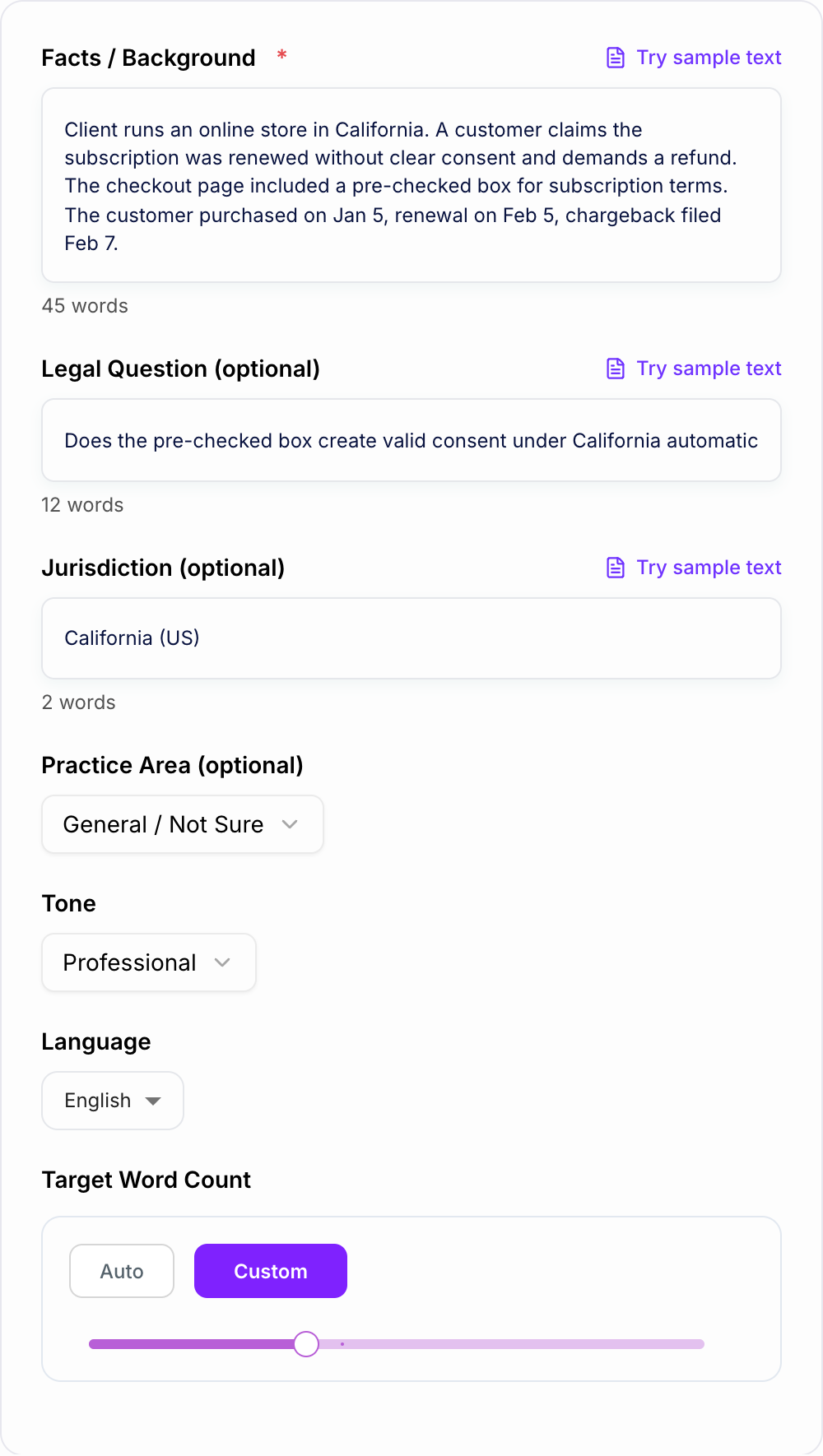
Use this Legal Memo Generator as a drafting assistant for IRAC, CREAC, issue-spotting, or litigation-risk memos. Give it the facts and constraints, then review the output like a legal writer: check the authority, test the assumptions, and tighten the reasoning.
What to Enter Into the Legal Memo Generator
The quality of the memo depends heavily on the facts you paste. A vague prompt produces a vague analysis, even when the formatting looks professional.
Include:
- Parties and roles: who did what, who was affected, and why they matter
- Timeline: dates, deadlines, notices, renewals, filings, payments, or incidents
- Exact language: contract clauses, policies, emails, notices, statutes, or assignment prompts
- Jurisdiction: state, country, court, agency, or governing-law clause if known
- Practice area: contract, employment, privacy, consumer protection, tort, IP, real estate, or general
- Desired audience: supervising attorney, law professor, client team, business stakeholder, or internal reviewer
- Unknowns: missing facts the memo should flag instead of assuming
For legal analysis, specificity beats length. A clean timeline with exact clause text usually helps more than a long paragraph of background.
Choosing IRAC, CREAC, or Risk Memo Mode
The mode should match how the memo will be read.
IRAC works well for law school assignments, single-issue memos, and drafts where you want the reasoning to unfold step by step: issue, rule, application, conclusion.
CREAC works better when the reader needs the answer first. It is useful for supervising attorneys and business readers because the conclusion appears before the detailed rule explanation and application.
Issue Spotter is best when the facts are ambiguous and you are not sure which legal questions matter yet. Use it to surface possible claims, defenses, missing facts, and research paths.
Litigation Risk Memo is strongest for business decisions. It should explain likelihood, impact, exposure, mitigation options, and practical next steps.
If you are unsure, choose CREAC for readability and ask the generator to list alternative issues separately.
Example Input and What the Draft Should Produce
Filled shape to imitate
The ask, the date, the deliverable, and the thing you will not promise — in that order. If the draft buries the uncomfortable sentence, put it back on the first screen.
A strong input can be short:
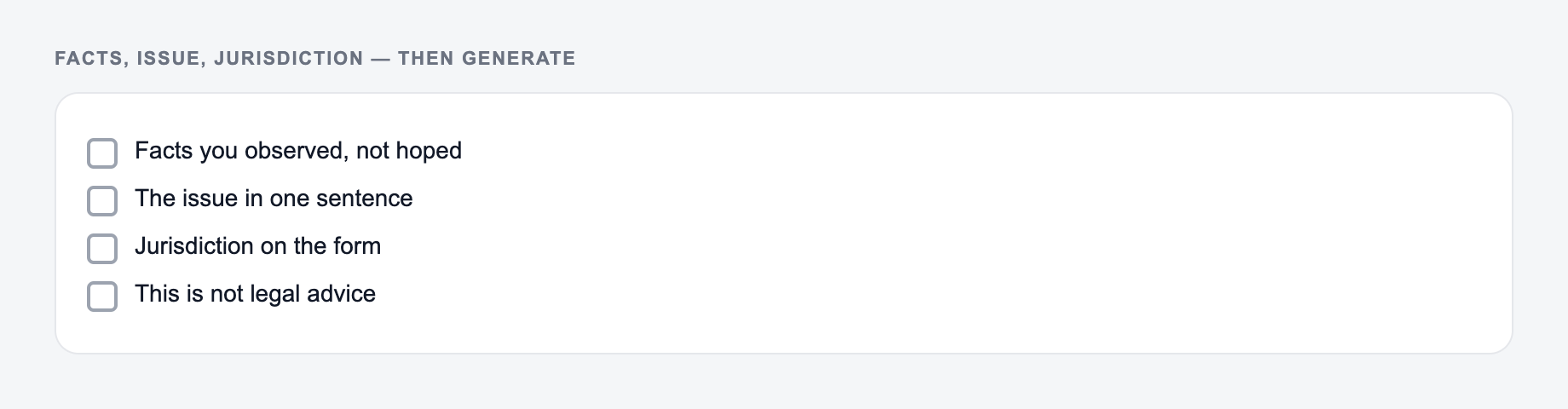
Facts, issue, and jurisdiction belong on the form. This is not legal advice.
Decision criteria before you send anything the AI Legal Memo Generator drafted:
- Can you point to the number in a spreadsheet or a contract?
- Would you sign it if your name were the only one on it?
- What happens if the optimistic date slips?
This is a draft aid, not legal, medical, or financial advice.
California online store. Customer purchased a monthly subscription on Jan. 5. Checkout page included a pre-checked box for subscription terms. Renewal charged Feb. 5. Customer filed chargeback Feb. 7 and says they never consented to auto-renewal. Question: Does the pre-checked box create valid consent under California automatic renewal requirements?
A useful generated memo should give you more than a polished paragraph. Look for:
- a focused question presented
- a brief answer with cautious probability language
- relevant issue sections
- rule placeholders or authority-to-verify notes
- application tied to the checkout facts
- counterarguments for both sides
- missing facts such as confirmation notice, cancellation flow, screenshots, and records
- recommended next steps
If the output makes confident claims without showing what facts support them, regenerate with clearer instructions.
How to Review the Generated Legal Memo
Never treat the first draft as final legal work. Use a review pass before sending, filing, submitting, or relying on it.
Check these items:
- Does every conclusion connect to a fact you provided?
- Are assumptions labeled instead of stated as facts?
- Are jurisdiction and governing law correct?
- Are citations real, current, and controlling?
- Does the memo distinguish law, fact, risk, and recommendation?
- Are counterarguments presented fairly?
- Are deadlines, procedural rules, and forum requirements missing?
- Does the tone match the audience?
Generated legal writing can sound more certain than the facts allow. Replace overconfident phrases with careful terms such as "likely," "may," "risk," "depends," or "requires further verification" when appropriate.
Prompt Tweaks That Improve Legal Memo Output
Add these instructions to the facts field when you need a more useful draft:
- "Do not invent citations. Use placeholders and list authorities to research."
- "Flag missing facts that could change the conclusion."
- "Separate plaintiff arguments, defendant arguments, and neutral risk analysis."
- "Use CREAC and lead each issue with a short conclusion."
- "Include a short risk table with likelihood, impact, and next step."
- "Write for a supervising attorney, not a client-facing final opinion."
These prompts help the tool produce a draft you can work from instead of a memo that only looks complete.
When to Use the Tool Instead of Starting From Scratch
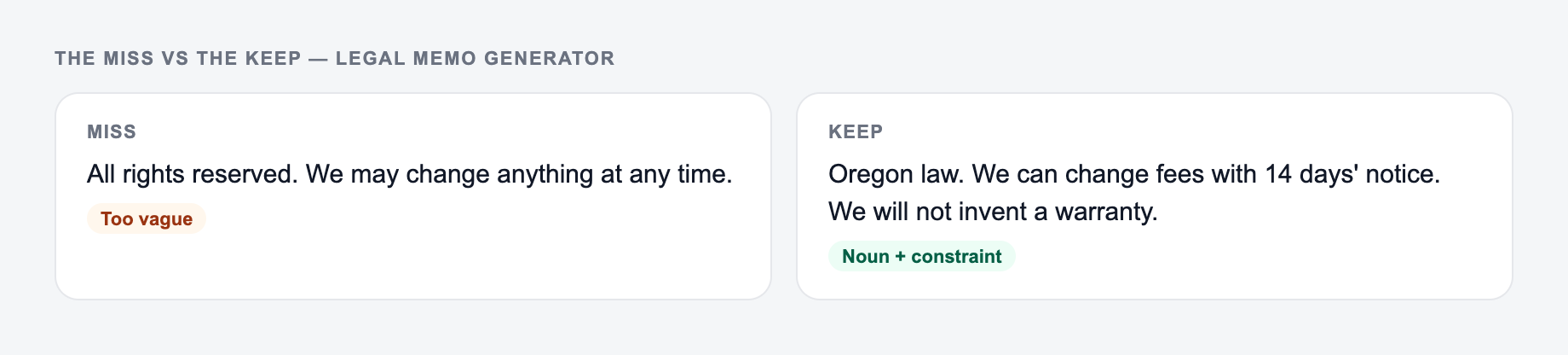
If your input looks like the miss, do not judge the tool yet — add the noun and the constraint first.
Use the generator when you need structure fast: intake notes, law school fact patterns, internal research memos, early case assessments, compliance questions, or business risk summaries.
Do not use it as a substitute for legal advice, jurisdiction-specific research, citation checking, or professional judgment. The generator can organize and accelerate the draft, but you still need to verify authority and make the legal call.
For broader drafting workflows, the same approach works across other Junia AI writing tools: generate the structured first pass, then apply human review where accuracy, judgment, and context matter most.
Final Checklist Before Using the Memo
Before you share the memo, confirm that it has:
- one clear legal question or issue list
- a clean facts section with no invented details
- IRAC or CREAC structure applied consistently
- verified authorities or explicit placeholders
- analysis that ties rules to facts
- counterarguments and weaknesses
- missing facts and research tasks
- a conclusion that matches the level of certainty the facts support
Frequently Asked Questions
Is this legal memo generator a substitute for a lawyer?+
No. This tool generates a draft legal memorandum for research and writing support. It does not provide legal advice. Always verify authorities, confirm jurisdiction-specific rules, and consult qualified counsel for legal decisions.
Does the memo include real case citations?+
By default, it avoids inventing citations. Instead, it uses research prompts and placeholders for cases/statutes you should verify. If you provide specific authorities, the memo can incorporate them more directly.
What information should I include in the facts section?+
Include parties, timeline, key events, relevant contract terms or policies, communications, amounts/damages, and what outcome is being sought. The more precise the facts, the more accurate the legal issue spotting and analysis.
What’s the difference between IRAC and CREAC memos?+
IRAC presents Issue–Rule–Application–Conclusion. CREAC starts with a Conclusion and tends to read more persuasive and organized for multi-rule analysis: Conclusion–Rule–Explanation–Application–Conclusion.
Can I use this for different practice areas (employment, contracts, privacy, etc.)?+
Yes. Select a practice area to guide the memo’s framing and terminology. You should still validate the controlling law and add jurisdiction-specific authority.
How do I make the memo more accurate?+
Add the jurisdiction, the exact legal question, and any known statutes/cases. After generating, replace placeholders with verified citations and refine the analysis based on controlling authority and local procedure.