
Free Comprehensive Performance Review Generator
Turn rough accomplishments, metrics, strengths, improvement areas, competencies, and goals into a balanced performance review. Generate manager reviews, self-assessments, peer feedback, 360 summaries, and development plans with specific examples and ready-to-paste HR wording.
Performance Review
Your comprehensive performance review will appear here...
How the AI Performance Review Generator Works
Get results in seconds with a simple workflow.
Choose a Review Type
Select Manager Review, Self-Review, Peer Feedback, or a development-focused mode to match your performance review template and HR process.
Add Quick Context (Optional)
Enter the role, review period, accomplishments, strengths, and improvement areas. The more specifics you add, the more tailored and evidence-based the review becomes.
Generate and Edit for Accuracy
Copy the review into your HR system or document. Verify names, metrics, and examples, then adjust wording to match your company’s performance review guidelines.
See It in Action
Example of turning rough notes into a polished, comprehensive performance review with strengths, impact, and goals.
Jordan did a good job this year. Worked on onboarding and helped customers. Needs to communicate better and prioritize.
Performance Summary: Jordan delivered strong results this review period by improving customer onboarding and consistently supporting account outcomes. They demonstrated ownership, customer empathy, and steady execution across key initiatives.
Strengths & Impact:
- Execution and ownership: Led onboarding improvements that reduced time-to-value by ~18%, improving early product adoption and reducing escalations.
- Customer focus: Proactively identified risk signals and implemented follow-up workflows that improved overall customer experience.
- Collaboration: Partnered effectively with Sales and Product to align expectations, unblock renewals, and resolve implementation issues.
Areas for Improvement:
- Prioritization under competing deadlines: Continue strengthening weekly planning and trade-off communication to ensure high-impact work stays on track.
- Proactive stakeholder updates: Provide earlier risk flags and concise status updates to reduce surprises and speed decision-making.
Goals & Development Plan (Next Period):
- Improve renewal rate by 3–5% by launching an at-risk account playbook and tracking leading indicators weekly.
- Increase proactive stakeholder communication by sending bi-weekly account health summaries for top accounts.
- Build product depth by completing advanced certification and documenting common implementation patterns.
Overall: Jordan is a valuable contributor with clear impact. With improved prioritization and proactive communication, they are well-positioned to take on larger initiatives and expanded ownership next period.
Why Use Our AI Performance Review Generator?
Powered by the latest AI to deliver fast, accurate results.
Comprehensive Performance Review Structure
Generates a complete, well-organized performance review with summary, strengths, measurable impact, areas for improvement, and next steps—ideal for manager reviews, self-assessments, and HR documentation.
Role-Specific, Competency-Based Language
Adapts wording to your role and chosen competencies (communication, execution, leadership, collaboration, technical skills) to produce professional, job-relevant review narratives.
Balanced Feedback (Strengths + Growth Areas)
Creates constructive, fair feedback that recognizes achievements while identifying improvement opportunities with clear behavioral examples and practical recommendations.
SMART Goals and Development Plan Suggestions
Adds actionable, measurable goals and a development plan (milestones, skills, support) so the review leads to performance improvement—not just evaluation.
Ready-to-Paste Review Text for HR Systems
Outputs clean, copy-ready text that fits common performance review templates and HR tools—saving time while improving clarity and consistency.
Pro Tips for Better Results
Get the most out of the AI Performance Review Generator with these expert tips.
Use metrics to strengthen performance review impact
Include measurable outcomes like revenue influenced, cycle time reduced, tickets closed, retention improved, NPS/CSAT changes, or project delivery dates to make the review credible and actionable.
Tie feedback to competencies and behaviors
If your company uses competency frameworks, list 3–6 competencies so the review maps cleanly to expectations (e.g., collaboration, execution, leadership, communication).
Write improvement areas as ‘opportunity + plan’
Strong reviews pair growth areas with specific actions: what to change, how to practice, and what success looks like in the next review cycle.
Add 1–2 examples to reduce ambiguity
Even short examples (a project, a stakeholder situation, a customer outcome) makes feedback clearer and easier to act on than generic praise or critique.
Keep tone consistent with your culture
Pick a tone that matches your organization (direct, supportive, formal). Consistent tone improves fairness and helps the review feel professional and trustworthy.
Who Is This For?
Trusted by millions of students, writers, and professionals worldwide.
Generate Performance Reviews That Sound Specific and Useful
The Performance Review Generator turns rough bullets, accomplishments, strengths, improvement areas, competencies, and goals into a structured review you can paste into most HR systems.
It supports manager reviews, self-reviews, peer feedback, 360 summaries, and development plans. The goal is not to create flattering filler. The goal is to produce clear review language that explains what happened, why it mattered, what should improve, and what comes next.
Use the tool when you have the facts but need help shaping them into professional, balanced feedback.
What to Enter for a Stronger Review
The generator can work with a few notes, but specific inputs produce better reviews.
Add:
- role or job title
- review period
- review type, such as manager, self, peer, or 360
- 2 to 5 accomplishments
- metrics or proof points
- strengths to highlight
- improvement areas
- next-period goals
- competencies your company uses
- preferred tone and length
Weak input:
Did a good job, helped customers, needs better communication.
Better input:
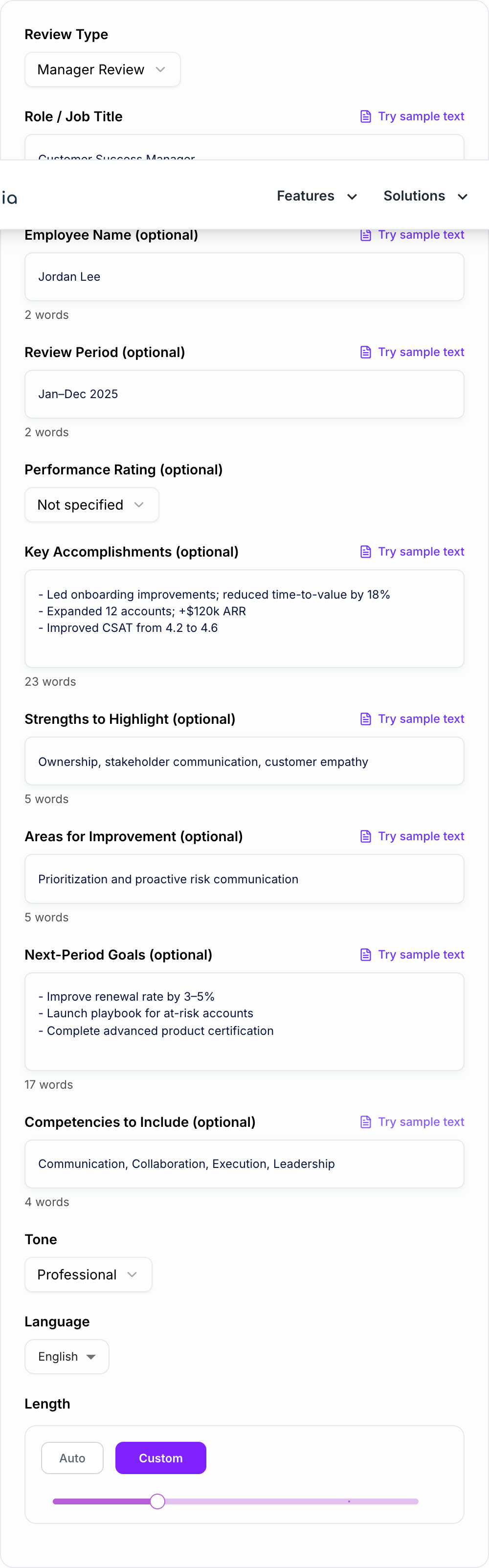
Customer Success Manager, Jan-Dec review. Improved onboarding time-to-value by 18%, expanded 12 accounts for $120k ARR, raised CSAT from 4.2 to 4.6. Strengths: ownership, customer empathy, stakeholder management. Improvement area: earlier risk communication. Goal: launch at-risk account playbook next quarter.
The second input gives the tool enough evidence to write a review that feels real.
How to Choose the Right Review Type
Use Manager Review for a third-person evaluation with impact, strengths, development areas, and goals. This is the best option for annual reviews and mid-year check-ins.
Use Self-Review when the employee is writing in first person. The output should emphasize ownership, results, lessons learned, and thoughtful next steps without sounding inflated.
Use Peer Feedback for shorter, constructive feedback focused on collaboration, communication, reliability, and team impact.
Use 360 Review when you need to summarize feedback themes from multiple sources. Review the output carefully so it reflects the actual feedback, not invented consensus.
Use Development Plan when the review should end with milestones, skills to build, resources, and success metrics.
Example Input and Generated Review Section
Input:
Paste observed notes from the period. The form cannot invent examples you did not write down.
Review type: Manager Review Role: Customer Success Manager Accomplishments: reduced time-to-value by 18%, expanded 12 accounts, improved CSAT from 4.2 to 4.6 Strengths: ownership, customer empathy, stakeholder alignment Improvement area: proactive risk communication Goals: at-risk account playbook, bi-weekly account health summaries
Generated section:
Jordan showed strong ownership this review period, especially in improving onboarding workflows and supporting expansion opportunities. Their work reduced time-to-value by 18% and contributed to $120k in account expansion. They also improved customer experience, with CSAT rising from 4.2 to 4.6. Next period, Jordan should focus on earlier risk communication by sending bi-weekly account health summaries and escalating blockers before renewal conversations become urgent.
The output is useful because it connects behavior, evidence, and next steps.
How to Edit the Generated Review
Start by checking every name, metric, date, project, and result. Performance reviews affect compensation, promotion, documentation, and trust, so accuracy matters.
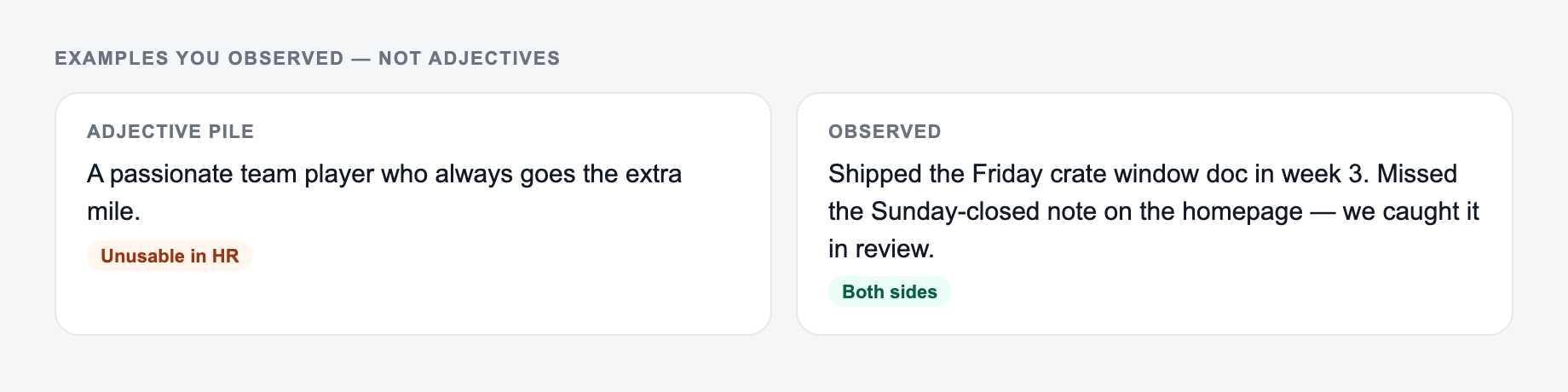
Then remove generic praise. Phrases like "great team player" should become a specific example: who they helped, what changed, and why it mattered.
Make improvement areas actionable. "Needs better communication" is too vague. "Share risk updates by Wednesday each week when a project has a blocked dependency" gives the person something to do.
Match your company's tone. Some review cultures are direct; others are more coaching-oriented. The generator can adapt tone, but the final version should sound like your organization.
Common Performance Review Generator Mistakes
Do not leave the accomplishments field empty if you want a specific review. The tool can suggest structure, but it cannot know the employee's real impact without details.
Do not use metrics you cannot verify. If a number will appear in the review, it should come from a reliable source.
Do not make feedback overly soft. Constructive reviews should be respectful, but they should still say what needs to change.
Do not paste the output into an HR system without editing. The generated review should be a strong draft, not the final record.
If you manage several review documents at once, the broader AI writing toolkit at Junia AI can help polish related self-review notes, feedback summaries, and development-plan language after the core review is drafted.
Final Review Checklist
Before submitting the generated performance review, confirm:
- it includes at least two concrete examples
- metrics are accurate and sourced
- strengths are tied to impact
- improvement areas include next actions
- goals are measurable and time-bound
- the tone is fair and company-appropriate
- the final text sounds like a human manager, employee, or peer actually wrote it
Frequently Asked Questions
Is this performance review generator free to use?+
Yes. You can generate comprehensive performance reviews for free. Some advanced modes (like 360 summaries or full development plans) may be marked as premium.
Can it generate both manager reviews and self-assessments?+
Yes. Choose the review type (Manager Review or Self-Review) and the generator will produce the appropriate perspective, tone, and structure.
How do I make the review more specific and less generic?+
Add a few accomplishments, metrics, and project names (e.g., revenue impact, cycle time reduction, CSAT, bugs fixed, launches). Even 2–4 bullets helps the tool generate more concrete examples and outcomes.
Will it include areas for improvement without sounding harsh?+
Yes. The tool aims for constructive, professional feedback—focusing on behaviors, impact, and clear next steps rather than vague criticism.
Can I generate performance goals for the next period?+
Yes. Add your own goals or leave the goals field blank and the tool will propose SMART goals aligned to the role, competencies, and review content.
Does it work for different roles and industries?+
Yes. Provide the role title and any competencies you want emphasized. The language and examples will adapt for roles across engineering, sales, customer success, marketing, operations, and more.