
Free Poem Title Generator
Create memorable poem titles for free verse, haiku, sonnets, spoken word, chapbooks, and poetry collections. Enter a theme, tone, keywords, and style to generate title ideas that fit your poem’s voice and imagery.
Poem Titles
Your poem title ideas will appear here...
How the AI Poem Title Generator Works
Get results in seconds with a simple workflow.
Add a Theme (Optional) and Keywords
Enter your poem’s subject, emotion, or imagery (like heartbreak, winter, the sea). Add keywords or motifs you want reflected in the title for better alignment.
Choose Style, Tone, and Language
Pick a poem style (free verse, haiku, spoken word) and a tone (romantic, dark, hopeful, whimsical). Select your output language if needed.
Generate Titles and Refine
Get a list of poem title ideas. If you want more precision, add a detail (setting, symbol, perspective) or try a different mode like Minimalist or Literary.
See It in Action
Turn a simple poem idea into multiple compelling, on-theme title options you can use immediately or refine.
Theme: heartbreak Keyword: ocean
Title idea: “Sad Love”
Title ideas:
- The Ocean Kept Your Name
- Blue Hour After Goodbye
- Tides That Don’t Return
- Salt on the Last Letter
- What the Waves Refused to Hold
- Afterglow, Unanswered
- A Map of Missing
Why Use Our AI Poem Title Generator?
Powered by the latest AI to deliver fast, accurate results.
Unique Poem Title Ideas by Theme, Mood, and Style
Generate poem titles tailored to your theme (love, grief, nature, identity) and style (free verse, haiku, spoken word) for quick inspiration and stronger creative direction.
Tone-Controlled Titles (Romantic, Dark, Whimsical, Minimal)
Choose a tone to shape word choice and imagery—helpful for matching your poem’s voice, emotional arc, and genre expectations.
Keyword-Friendly Titles Without Sounding Forced
Optionally include keywords, motifs, or symbols (e.g., “tide,” “afterglow,” “ash”) to keep titles aligned with your poem’s imagery and recurring themes.
Multiple Naming Patterns (Minimalist, Literary, Series Sets)
Generate short titles, sophisticated literary titles, or cohesive title series for chapbooks, collections, classroom assignments, and writing challenges.
Multilingual Poem Title Generator
Create poem titles in different languages to support multilingual writing, translation projects, and global poetry publishing.
Pro Tips for Better Results
Get the most out of the AI Poem Title Generator with these expert tips.
Use a concrete image + emotion for stronger titles
Instead of only “sadness,” add an image like “rain on glass” or “blue hour.” Titles that blend imagery with feeling are often more memorable and publish-ready.
Avoid summarizing the poem in the title
Great poem titles usually hint and invite curiosity. Let the poem deliver the full meaning—use the title to frame the experience.
Try a naming pattern for collections
If you’re building a chapbook or series, use a consistent structure like “On ___,” “Notes from ___,” or “Letters to ___” to create cohesion across pieces.
Test titles by reading them aloud
If you write spoken word, a title should feel rhythmic and intentional. Read it aloud to check cadence, impact, and memorability.
Generate more than you need—then shortlist
Create 20–50 options, pick the top 5, and refine. Small edits (a single stronger verb or image) can turn a good title into a great one.
Who Is This For?
Trusted by millions of students, writers, and professionals worldwide.
Generate Stronger Poem Titles with an AI Poem Title Generator
A poem title has to do more than label the piece. It sets the first mood, gives the reader a frame, and creates enough curiosity to make the poem feel worth entering. That is why a poem title generator is useful: it gives you a wide set of title directions before you commit to one.
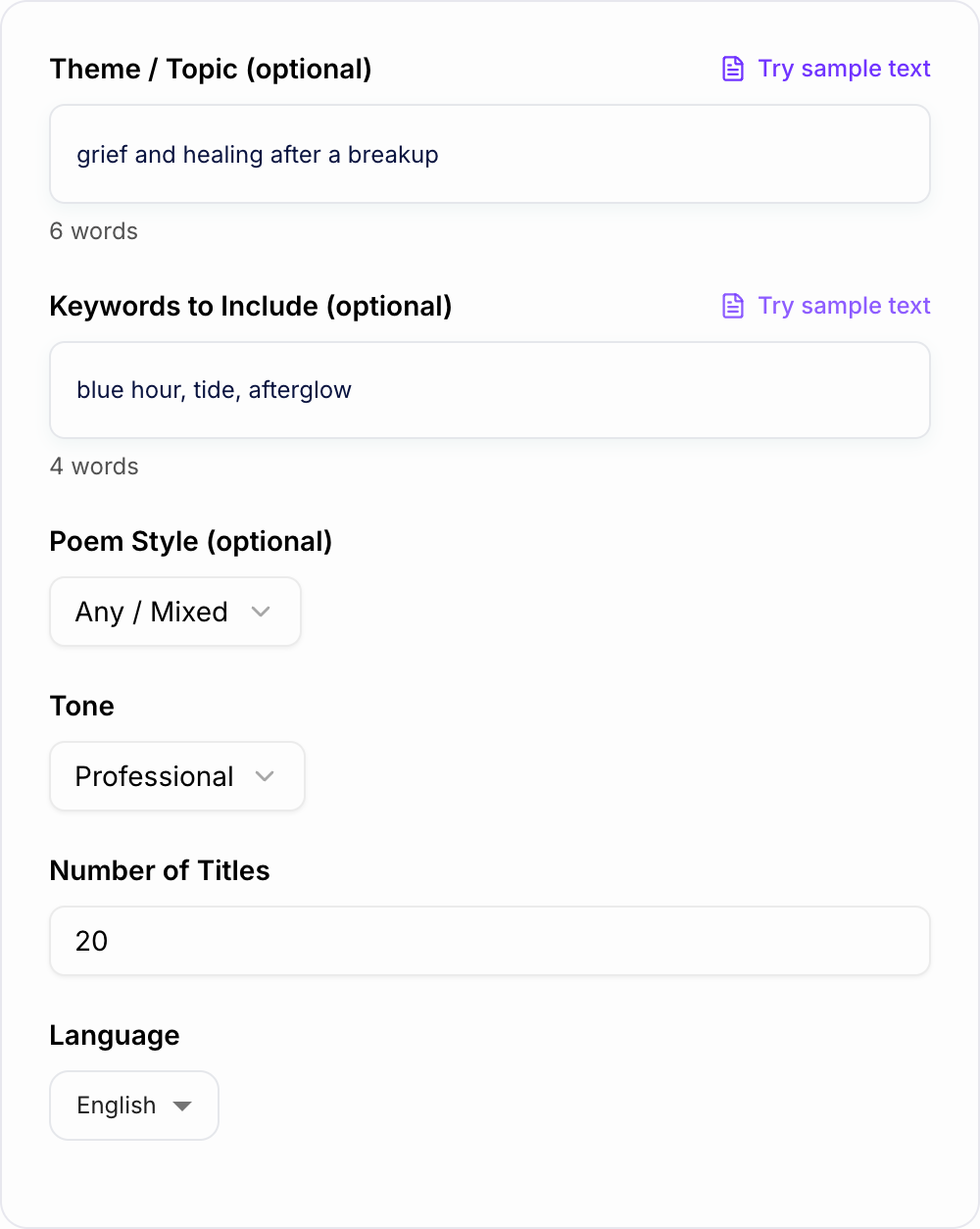
Naming the subject and mood keeps the titles from sounding like stock phrases.
Use this tool when the poem is already written, partly drafted, or still only an idea. The best results come from giving the generator the poem's theme, tone, style, and one or two recurring images.
What to enter into the title generator
You can generate titles with almost no input, but specific details make the output much stronger. Start with the poem's emotional center, then add images or motifs that appear in the poem.
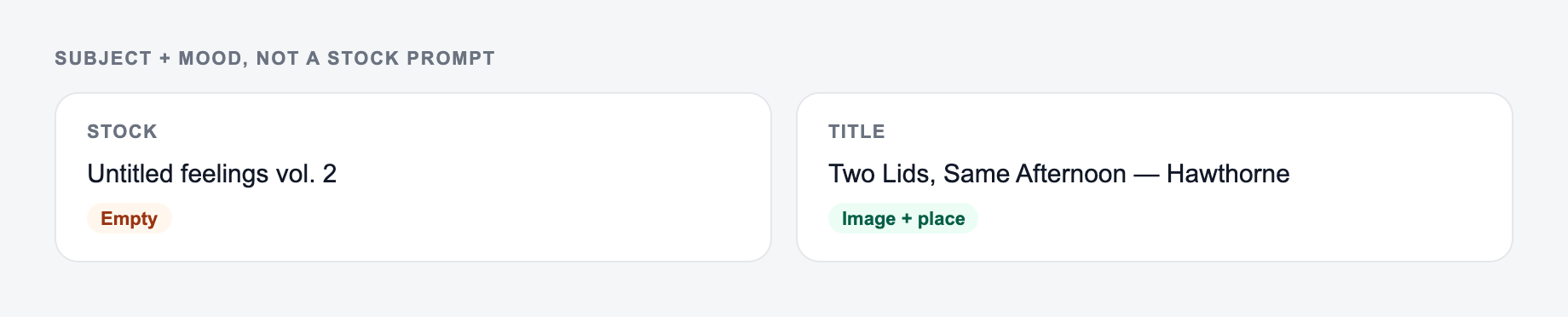
Useful inputs include:
- Theme: grief, first love, identity, homesickness, forgiveness, autumn
- Images: tide, ash, blue hour, kitchen light, train platform, cracked mirror
- Style: haiku, free verse, spoken word, sonnet, gothic, nature poem
- Tone: minimalist, romantic, dark, hopeful, surreal, reflective
- Language: the language you want the final title to use
If your poem is about heartbreak and the ocean, "heartbreak, ocean" will work. "breakup after moving away, salt air, blue hour, unanswered messages" will give the generator more texture and better title options.
How to choose the right title mode
Use Evocative when you want image-rich titles with emotional pull. This is the best default for free verse, romantic poems, grief poems, and reflective work.
Use Minimalist when the poem is short, restrained, or already emotionally heavy. A simple title can keep the poem from feeling over-explained.
Use Literary when you want subtle, layered titles for workshop pieces, journals, chapbooks, or more serious poetry collections.
Use Spoken Word when the title needs to sound strong aloud. These titles can be punchier, more direct, and more rhythmic.
Use Haiku / Short Form for seasonal, nature-led, or moment-based poems. Short titles usually work best here.
Use Series Titles when you are naming a chapbook, a sequence, or multiple poems that need to feel connected without sounding identical.
What makes a generated poem title good
After the tool gives you a list, do not pick the prettiest title automatically. Pick the one that gives the poem the right doorway.
A strong poem title usually does at least one of these:
- creates a concrete image
- hints at the poem's emotional tension
- frames the speaker's point of view
- adds a second layer without summarizing the poem
- sounds natural when read aloud
- feels memorable after a few seconds
Avoid titles that explain the whole poem before the first line. "My Sad Breakup at the Beach" tells too much. "What the Tide Kept" leaves room for the poem to work.
Example title-generation workflow
Try this input:
Theme: grief and healing after a breakup Keywords: blue hour, tide, afterglow Style: free verse Tone: reflective and literary Count: 20
Then shortlist titles in groups:
- titles with a strong image
- titles that match the poem's voice
- titles that create curiosity
- titles that are too obvious but close enough to revise
You might turn "The Ocean Kept Your Name" into "The Tide Kept Your Name" if tide appears in the poem. That small edit makes the title feel tied to the actual draft instead of floating above it.
How to use keywords without forcing them
Keywords work best when they are motifs, not decorations. If you ask the generator to include "ocean," it may give you direct options. If those feel too obvious, regenerate with related words: tide, salt, harbor, undertow, blue hour, shoreline, drift.
For stronger titles, pair an image with a human action:
- "What the Waves Refused to Hold"
- "I Left My Name in Saltwater"
- "After the Harbor Went Quiet"
- "Blue Hour with No Reply"
That kind of title gives the reader a mood and a movement, not just a topic.
Naming a chapbook, collection, or series
For multiple poems, consistency matters. Use the Series Titles mode when you want a pattern across several pieces.
Reliable series patterns include:
- "On ___"
- "Letters to ___"
- "Notes from ___"
- "After ___"
- "The ___ of ___"
- one repeated anchor word in different settings
Generate more titles than you need, then keep the pattern but adjust individual titles by hand. A collection should feel unified, not mechanical.
Final title checklist
Before you choose the final title, read the poem and title together. Ask:
- Does the title match the poem's emotional temperature?
- Does it sound like the same speaker wrote it?
- Does it invite curiosity without hiding too much?
- Is any keyword there because it belongs, not because you forced it?
- Would the title still work if read aloud before the poem?
If you are drafting the poem itself after choosing a title, Junia's broader creative writing tools on Junia AI can help you move from title idea to poem draft while keeping the same theme and tone.
Frequently Asked Questions
How does the AI Poem Title Generator work?+
You enter a theme, optional keywords, and a preferred style or tone. The tool generates a list of poem title ideas that fit the mood and imagery—ranging from minimalist to literary and spoken-word friendly.
Are the poem titles unique and original?+
The generator creates original title suggestions based on your inputs. Since language can overlap across common themes, you should review and select (or lightly edit) the title that best fits your poem’s specific imagery and message.
Can I generate titles without providing a theme?+
Yes. You can leave the theme blank and still generate a variety of poetic titles. Adding even one detail (a feeling, image, or keyword) usually produces more targeted results.
Can the tool include specific words in the title?+
Yes. Add keywords you want included (like a motif or symbol). The generator will try to incorporate them naturally without making the title feel forced.
What makes a good poem title?+
Strong poem titles usually do one of three things: evoke an image, suggest a tension or question, or frame the poem’s emotional center. The best titles hint at meaning without summarizing the entire poem.
Can I use these titles for books, collections, or chapbooks?+
Yes. You can generate titles for individual poems or cohesive sets for collections. For publishing, it’s smart to search your final title to avoid confusion with existing famous works.