
Free Report Card Comments Generator
Generate professional report card comments for any grade level, subject, or student need. Add strengths, skills, standards, and growth areas to create balanced, parent-friendly comments with clear next steps you can review, personalize, and paste into reports.
Report Card Comments
Your report card comments will appear here...
How the AI Report Card Comments Generator Works
Get results in seconds with a simple workflow.
Choose Grade, Subject, and Comment Focus
Select the grade band and subject (optional) and pick whether you want positive, needs-improvement, or balanced report card comments.
Add Skills, Strengths, and Growth Areas (Optional)
Paste skills/standards, a few strengths, and one or two growth areas. The more specific the inputs, the more personalized and accurate the comments will be.
Generate Multiple Comment Variations
Pick comment length and how many comments you need. Copy the best option, then quickly tweak details to match your classroom evidence.
See It in Action
Example of turning quick notes into a polished, standards-based report card comment with strengths and next steps.
Good student. Needs to focus more in math and check work.
Jordan demonstrates strong effort and participates consistently during math lessons. Jordan can solve grade-level problems accurately when taking time to show steps and explain reasoning. A next step is to slow down on multi-step questions, double-check calculations, and use a quick self-check routine (estimate, compute, verify) to improve accuracy and confidence.
Why Use Our AI Report Card Comments Generator?
Powered by the latest AI to deliver fast, accurate results.
Standards-Based Report Card Comments (Skills + Next Steps)
Generate standards-aligned teacher comments that reference key skills (e.g., comprehension, number sense, problem solving, writing conventions) and include clear next steps for growth.
Positive, Constructive, and Balanced Comment Options
Create strengths-based comments, needs-improvement comments, or balanced report card comments that include progress, specific feedback, and actionable goals.
Subject- and Grade-Appropriate Language
Automatically adapts vocabulary, expectations, and tone to the grade band and subject area so comments sound realistic and professional for elementary, middle, or high school.
Professional, Parent-Friendly Wording
Produces clear, respectful language that families understand—ideal for conferences, progress reports, and end-of-term report cards.
Fast Comment Bank for Teachers
Generate multiple unique comment variations at once to build a reusable report card comment bank, reduce repetitive writing, and save hours during grading periods.
Pro Tips for Better Results
Get the most out of the AI Report Card Comments Generator with these expert tips.
Use skill-based wording for clearer, standards-aligned feedback
Instead of broad phrases, include skills like “supports answers with evidence,” “uses place value to solve problems,” or “revises writing for clarity” to make comments more meaningful and defensible.
Pair every growth area with a next step
Strong report card comments include a pathway forward. Add one strategy (e.g., graphic organizer, math fact practice routine, conferencing) to keep feedback actionable.
Keep language family-friendly and specific
Avoid jargon when possible. Aim for clear descriptions of what the student can do now and what they’re working toward next.
Generate 4–6 variations to avoid repetition across students
Use multiple outputs as a mini comment bank. Mix sentence structure and examples so comments don’t sound copied while staying consistent and professional.
Review for policy, privacy, and accuracy
Avoid sensitive details and ensure comments reflect classroom evidence, assessment results, and your school or district reporting expectations.
Who Is This For?
Trusted by millions of students, writers, and professionals worldwide.
Generate Report Card Comments From Teacher Notes
The Report Card Comments Generator turns short teacher notes into polished, parent-friendly comments. It is built for the part of reporting that takes the most time: saying something accurate, supportive, specific, and useful without rewriting the same sentence for every student.
Use it to draft strengths-based comments, growth-focused comments, or balanced comments with strengths, growth areas, and next steps. The teacher still decides what is true; the tool helps shape the wording.
What to Enter Into the Report Card Comments Generator
The best comments come from evidence-based notes. You do not need long paragraphs. Short bullets are enough.
Add:
- grade level or grade band
- subject or general classroom area
- comment focus: positive, needs improvement, or balanced
- skills or standards
- student strengths
- one or two growth areas
- next-step strategies if you already know them
- preferred tone and length
- number of comment variations you want
Weak input:
Good student, needs to focus more.
Better input:
Grade 4 math. Strengths: participates, explains thinking, strong multiplication facts. Growth area: rushes multi-step problems and skips checking. Next step: use estimate, solve, check routine.
That gives the generator enough detail to write a comment that sounds specific and fair.
How to Choose the Right Comment Focus
The Report Card Comments Generator drafts structure. You still own the claim. If you cannot explain a sentence without looking it up, do not leave it in.
Use Positive / Strengths when the student is meeting expectations and the goal is to highlight progress, habits, confidence, participation, or skill growth.
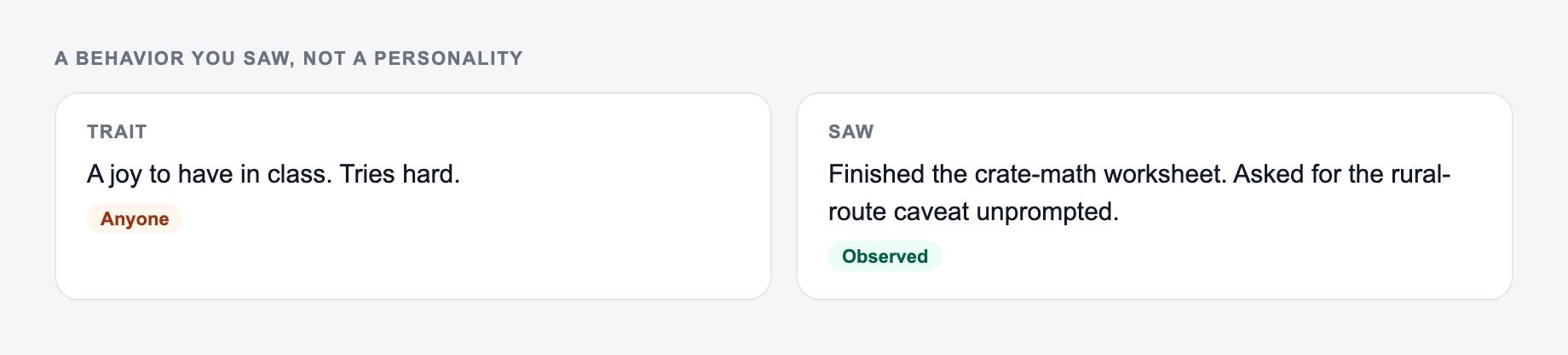
Use Needs Improvement / Growth Areas when the comment needs to address a concern. Keep the input focused on one priority so the output does not sound overwhelming.
Use Balanced when you need the most complete report card comment: a strength, a growth area, and a next step.
For many teachers, balanced mode is the safest default because it gives families both recognition and direction.
Example Input and Generated Direction
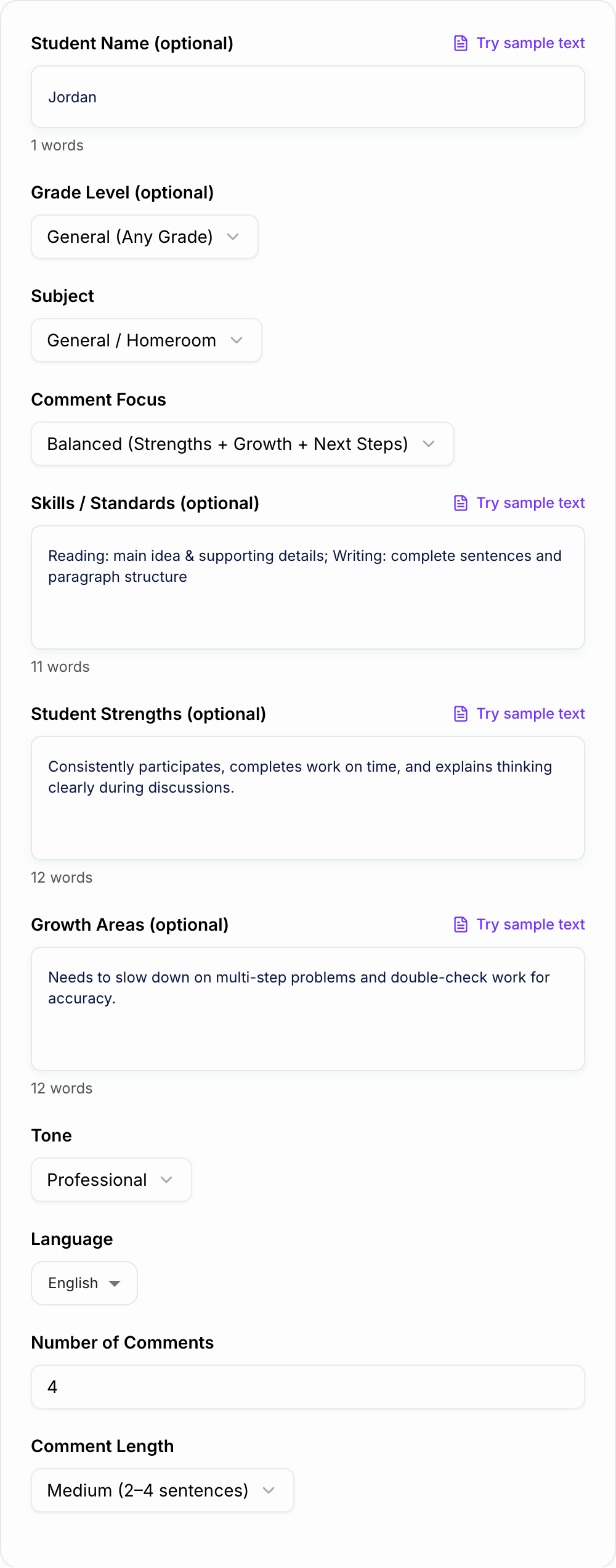
Input:
Paste observed notes. The form cannot invent a student’s progress.
Worked example
Input: A one-line request like “run the report comments” with no audience, channel, or constraint.
Direction to keep: A brief the AI Report Card Comments Generator can use: who it is for, where the output will appear, and what must stay true.
Then verify: highlight every name, date, citation, load, or measurement the AI Report Card Comments Generator added. If you cannot source it, it does not ship.
If the task is graded, cited, or used with students, the named writer still owns the claims.
Student: Jordan
Grade: 4
Subject: Math
Focus: Balanced
Skills: multi-step word problems, explaining reasoning
Strengths: participates, knows multiplication facts, explains strategies aloud
Growth area: rushes and makes small calculation errors
Tone: professional and supportive
Generated comment direction:
Jordan participates actively in math lessons and explains problem-solving strategies clearly during class discussions. Jordan shows strong recall of multiplication facts and is continuing to build accuracy on multi-step word problems. A helpful next step is to slow down, show each step, and use a quick estimate-solve-check routine before submitting work.
That comment works because it names a strength, describes the growth area without sounding harsh, and gives a practical next step.
How to Make Comments More Standards-Based
Standards-based comments do not have to sound like copied rubric language. Add the skill target in plain English and let the generator turn it into parent-friendly wording.
Useful inputs include:
- identifies main idea and supporting details
- uses text evidence to support answers
- organizes writing with a clear beginning, middle, and end
- revises for capitalization, punctuation, and clarity
- explains math reasoning and shows work
- applies place value strategies
- collaborates respectfully with peers
- follows multi-step directions
If your school requires specific standards language, paste the relevant wording into the skills field and review the output carefully before using it.
How to Review Generated Report Card Comments
Do a quick teacher pass before pasting any generated comment into a report card system.
Check:
- Is the comment accurate for this student?
- Does it reflect classroom evidence or assessment data?
- Is the growth area specific but not overly negative?
- Does the next step feel realistic for the family or student?
- Is the wording appropriate for the grade level?
- Does it avoid sensitive details, labels, or unsupported claims?
- Does it follow school or district reporting guidelines?
The generator can improve phrasing, but it cannot verify your classroom evidence.
Building a Reusable Comment Bank
You can also use the generator to build a practical comment bank. Generate several variations for the same skill pattern, then save the strongest versions for later.
For example, create reusable comment sets for:
- strong reading comprehension
- developing reading stamina
- clear paragraph organization
- math accuracy and checking work
- participation and collaboration
- organization and work completion
- behavior and self-regulation
If your workflow includes lesson plans, parent emails, progress notes, and reports, keeping writing tasks in an AI writing workspace like Junia AI can help you reuse consistent wording while still personalizing each final comment.
Common Mistakes to Avoid
The first mistake is entering vague notes. "Great attitude" gives the generator very little to work with. "Participates respectfully and asks clarifying questions during group work" is much stronger.
The second mistake is listing too many concerns. Report card comments are more useful when they focus on the one growth area that matters most right now.
The third mistake is forgetting the next step. Families need to know what improvement looks like, not just what the problem is.
The fourth mistake is using sensitive or private details. Keep the input appropriate for formal reporting and remove anything that should not appear in a report card.
Final Checklist Before Pasting the Comment
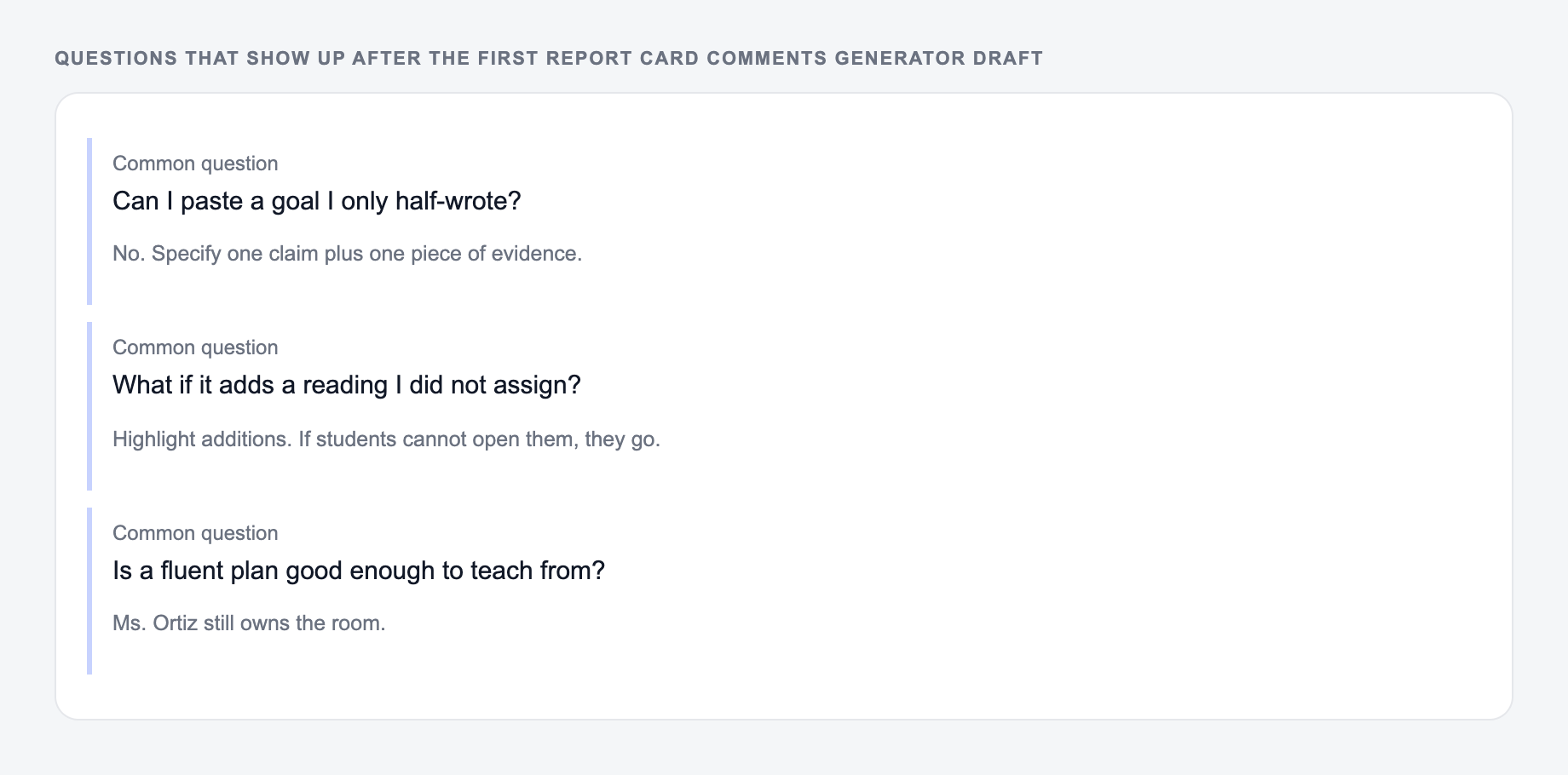
The same three questions show up after people generate once and then stall.
- Grade and subject are correct.
- Strength is specific.
- Growth area is focused.
- Next step is practical.
- Tone is supportive and professional.
- Comment matches real evidence.
- Sensitive details are removed.
- School reporting rules are followed.
Frequently Asked Questions
How does the report card comments generator work?+
Enter optional details like grade level, subject, skills/standards, strengths, and growth areas. The tool generates professional teacher comments with clear language, specific feedback, and practical next steps.
Can I generate positive comments and needs-improvement comments?+
Yes. Choose Positive/Strengths, Needs Improvement/Growth Areas, or Balanced to get the type of report card comment you need for each student.
Will the comments be standards-based?+
They can be. If you add skills or standards (such as comprehension, place value, claim-evidence reasoning, writing conventions), the comments will reference them naturally and include actionable next steps tied to those targets.
Can I generate multiple report card comments at once?+
Yes. Set the number of comments to generate several unique variations quickly—useful for building a comment bank or writing comments for multiple students.
Can I include a student name?+
Yes. Adding a student name is optional. If you include it, the generator will weave it in naturally; if not, it will write name-free comments that still read well.
Does this tool replace teacher judgment?+
No. It’s a drafting tool to save time and reduce writer’s block. Always review, personalize, and ensure the comment accurately reflects student progress, classroom evidence, and school reporting guidelines.