
Free AI Slug Generator
Generate clean SEO-friendly URL slugs from titles, topics, keywords, and page types. Create short, lowercase, hyphenated slug ideas for blog posts, landing pages, product pages, category pages, and documentation while following your site style guide.
SEO-Friendly Slugs
Your URL slug ideas will appear here (clean, lowercase, hyphen-separated)...
How the AI Slug Generator Works
Get results in seconds with a simple workflow.
Enter Your Title or Topic
Paste a page title, blog headline, or topic. This becomes the source for generating readable, descriptive URL slug ideas.
Optionally Add a Primary Keyword and Preferences
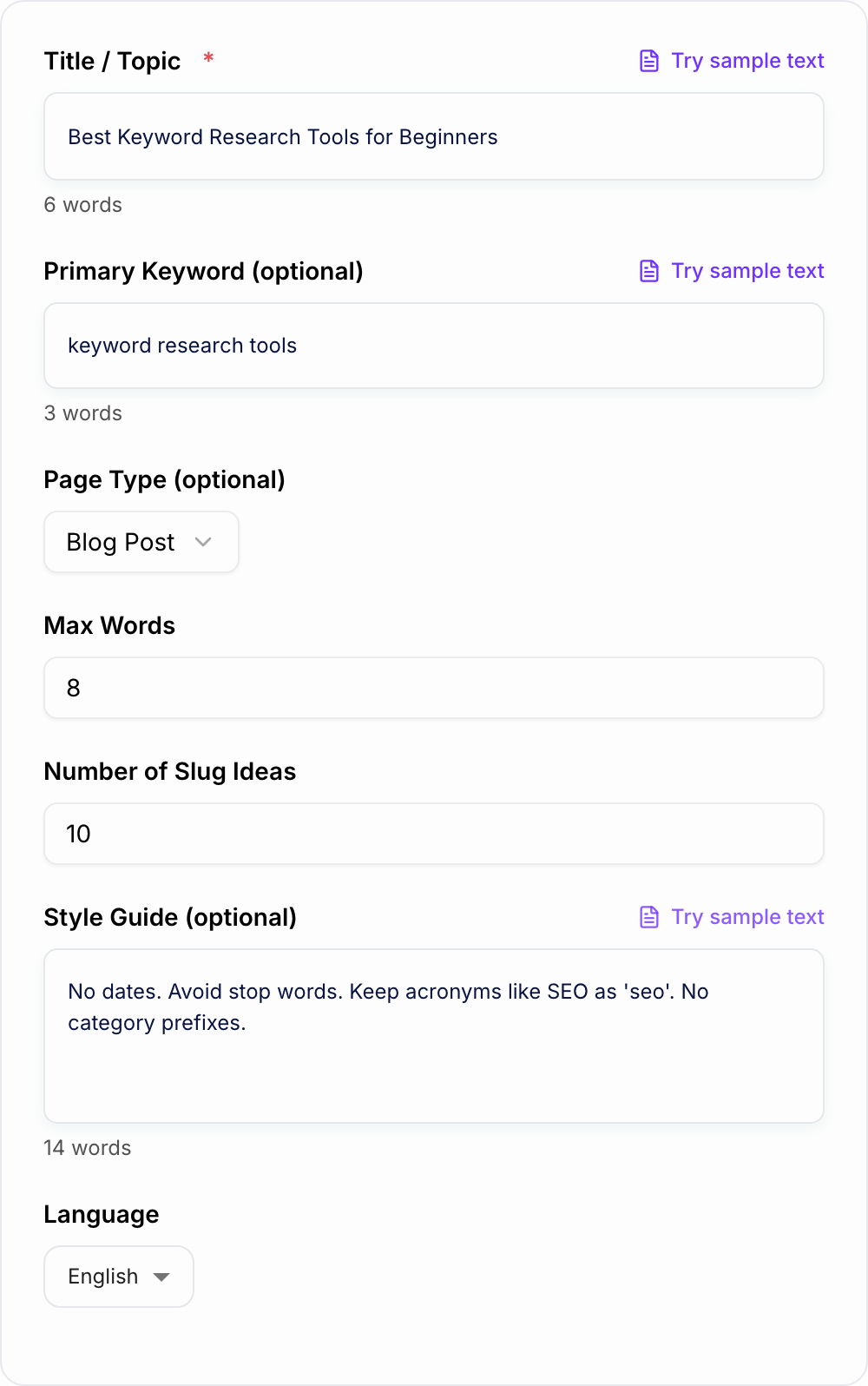
Add a primary keyword, choose page type (blog/landing/product), set max words and number of ideas, and include any URL style guide rules.
Generate, Pick the Best Slug, and Publish
Choose the slug that best matches your intent and editorial style. If you’re updating an existing URL, set a 301 redirect and update internal links.
See It in Action
Example of turning a long, messy URL into a clean, SEO-friendly slug while preserving meaning and keyword relevance.
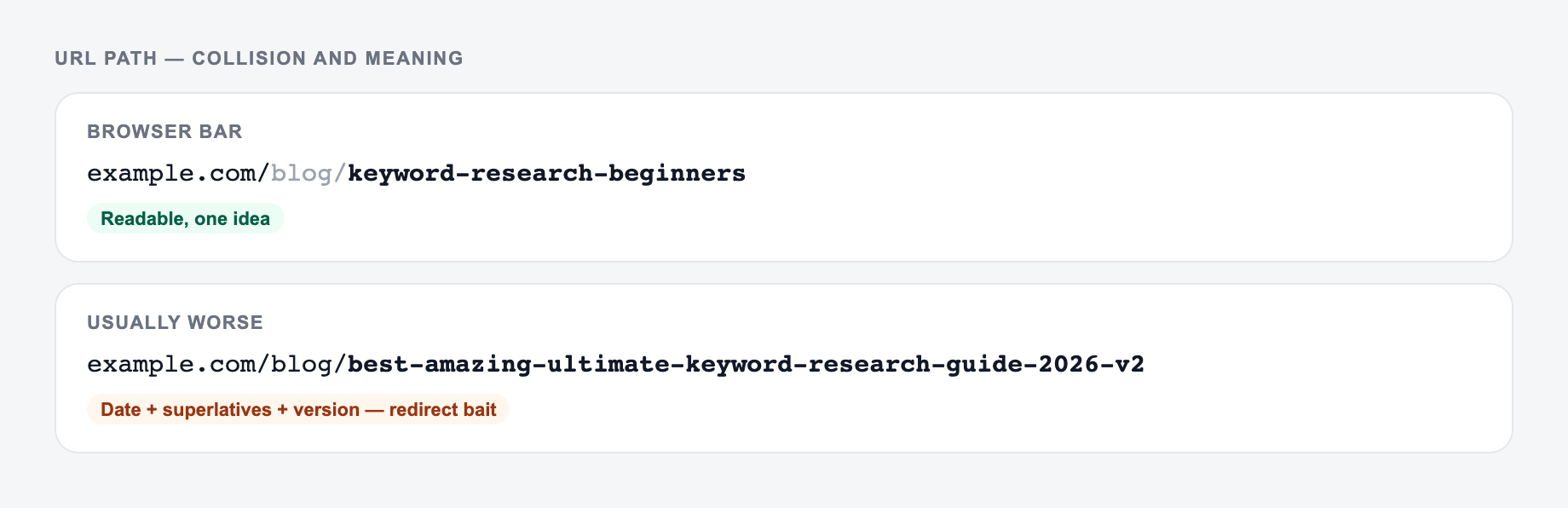
Title: Best Keyword Research Tools for Beginners (Free + Paid Options in 2026!) Slug: /blog/the-best-keyword-research-tools-for-beginners-free-and-paid-options-in-2026
Title: Best Keyword Research Tools for Beginners Slug ideas:
- /best-keyword-research-tools
- /keyword-research-tools-beginners
- /best-keyword-tools
Why Use Our AI Slug Generator?
Powered by the latest AI to deliver fast, accurate results.
SEO-Friendly URL Slugs (Clean + Readable)
Generates lowercase, hyphen-separated URL slugs that are easy to scan, easy to share, and aligned with common SEO URL best practices.
Keyword-Aligned Slug Variations
Creates multiple slug options that keep your primary topic front-and-center without awkward keyword stuffing—useful for on-page SEO consistency.
Removes Stop Words and Clutter
Automatically trims filler words and unnecessary modifiers to produce shorter, cleaner permalinks that still communicate meaning.
Works for Blogs, Landing Pages, and Product URLs
Adapts slug suggestions based on page type (blog post, landing page, product, category, docs) to match typical URL patterns.
Optional Style Guide Support
Add a lightweight URL style guide (e.g., no dates, keep acronyms, include category prefix) so slugs match your site’s conventions.
Pro Tips for Better Results
Get the most out of the AI Slug Generator with these expert tips.
Keep slugs short, but not vague
Aim for a slug that clearly signals the topic in a glance. Remove filler, but keep the core noun phrase (often your primary keyword).
Avoid dates unless your content truly needs them
Date-based slugs can make evergreen content look outdated and may increase the need for URL changes later. Prefer timeless slugs for evergreen posts.
Match the slug to the page’s search intent
For comparisons, include words like “best” or “vs” if they reflect intent. For how-to content, consider “how-to” only if it improves clarity.
Be consistent across your site
Use one convention for pluralization, acronyms, and capitalization (lowercase). Consistency helps editorial workflows and reduces duplicate URL patterns.
If you change a slug, always redirect
Use a 301 redirect from the old URL to the new URL, then update internal links, canonicals, and your XML sitemap to prevent traffic loss.
Who Is This For?
Trusted by millions of students, writers, and professionals worldwide.
Generate Clean SEO Slugs From Titles, Keywords, and Page Types
The AI Slug Generator turns a page title, topic, or primary keyword into short, lowercase, hyphenated URL slug ideas. It is useful when you need readable URLs for blog posts, landing pages, product pages, category pages, help articles, and content templates.
A good slug is not a magic ranking trick. It is a small clarity signal for users, editors, analytics, internal links, and search engines. The generator helps you create consistent options without manually trimming every title.
What to Enter Into the Slug Generator
Start with the title or topic exactly as the page is currently named:
Best Keyword Research Tools for BeginnersHow to Do an SEO Audit for Ecommerce StoresPricing Page Copy That Converts: 19 Real ExamplesBlue Running Shoes for Marathon Training
If you already know the primary keyword, add it. This helps the generator preserve the most important phrase while removing filler.
Use the page type setting to guide the shape of the slug. Blog posts, landing pages, product pages, category pages, and documentation pages usually follow different conventions.
Add a style guide if your site has rules such as:
- no dates in evergreen URLs
- keep acronyms like SEO, CRM, and SaaS lowercase
- avoid category prefixes
- use singular product names
- keep slugs under six words
How to Choose the Right Slug Mode
Different modes solve different URL problems.
Balanced
Use Balanced for most pages. It keeps the slug readable, keyword-aware, and not too long.
Example:
Best Keyword Research Tools for Beginners -> /best-keyword-research-tools
Short
Use Short when the title is long or the URL needs to be easy to share. This is useful for landing pages, campaigns, and evergreen resources.
Example:
How to Create a Content Calendar for Social Media -> /content-calendar
Exact Keyword
Use Exact Keyword when the primary keyword matters and still reads naturally. Do not force an exact phrase if it makes the URL awkward.
Brand/Style Guide
Use this when your site has strict URL conventions. It is especially helpful for larger content libraries where inconsistent slugs create messy reporting and avoidable redirects.
How to Review Generated Slug Ideas
Pick the slug that is clear, stable, and easy to maintain.
Check for:
- lowercase words
- hyphens instead of underscores
- no unnecessary dates
- no repeated keywords
- no filler words that add length without meaning
- a primary topic that still makes sense out of context
- consistency with nearby pages on your site
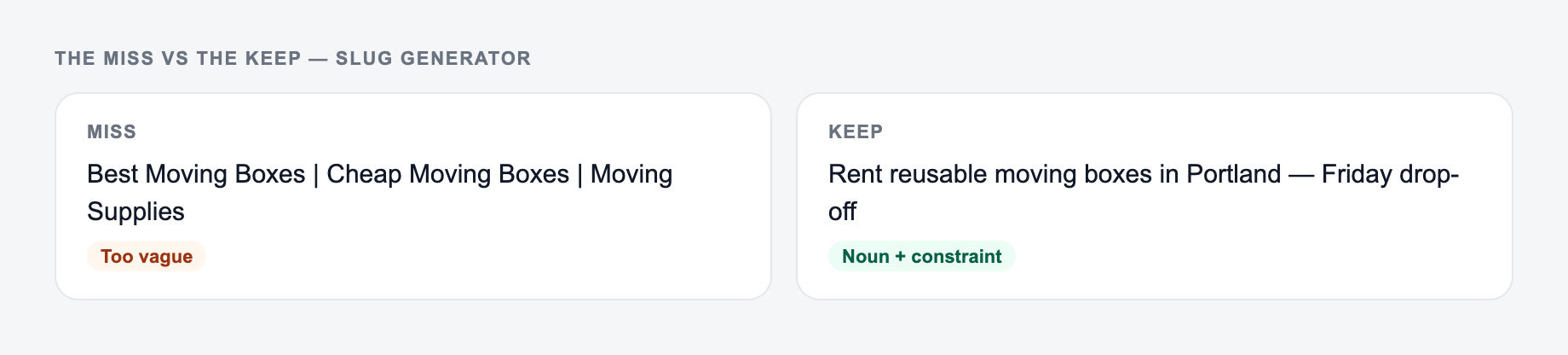
Short is good, but vague is not. /seo-tools may be too broad for an article about keyword research tools. /best-keyword-research-tools is usually clearer.
Blog, Landing Page, Product, and Category Slugs
Use the generated options differently depending on page type.
Blog Posts
Blog slugs usually mirror the search intent:
/best-keyword-research-tools/on-page-seo-checklist/how-to-write-meta-descriptions
Landing Pages
Landing page slugs are often shorter and more direct:
/seo-audit/ai-writer/email-copywriting
Product Pages
Product slugs should match naming conventions and avoid clever wording:
/blue-running-shoes/wireless-earbuds/crm-for-small-business
Category or Collection Pages
Category slugs should be broad, stable, and hard to outgrow:
/running-shoes/keyword-research/help-center
What to Do Before Changing an Existing Slug
Changing a slug is sometimes worth it, but only if you handle the redirect properly.
Before changing a live URL:
- set a 301 redirect from the old URL to the new one
- update internal links in menus, posts, related tools, and templates
- update the canonical tag
- refresh the XML sitemap
- monitor 404s and traffic changes in Search Console
For larger publishing workflows, an all-in-one writing workspace like Junia AI can help keep briefs, page copy, on-page structure, and URL conventions aligned across many pages.
Common Slug Mistakes to Avoid
The first mistake is copying the full title into the URL. Titles can be long, emotional, or timely. Slugs should be cleaner and more stable.
The second mistake is deleting too much. A slug like /tools or /guide tells readers almost nothing.
The third mistake is stuffing the keyword. Repeating the same phrase makes the URL look spammy and harder to trust.
The fourth mistake is changing old slugs without redirects. That can break internal links, backlinks, bookmarks, analytics, and search visibility.
Final Checklist Before Publishing the Slug
Before you use a generated slug, confirm:
- it is lowercase
- it uses hyphens
- it keeps the core topic or keyword
- it avoids dates unless the date is essential
- it follows your site-wide URL convention
- it is not too vague
- it does not repeat the same keyword
- it will still make sense after the page is refreshed later
If the slug passes those checks, it is ready to publish. If the page already exists, set the redirect before the new URL goes live.
Collision and Redirect Worksheet
A clean slug can still be a bad publishing decision. Check collisions and history before you lock it.
Describe the page as it is live today. Changing an old slug is a redirect job, not a copy tweak.
Publish checklist for slug generator output:
| Candidate | Problem to catch | Safer move |
|---|---|---|
/best-seo-tools-2024 | Date ages the URL | /seo-tools if the page is maintained |
/ai | Too vague; likely collision | /ai-writing-workflow |
/free-ai-ai-writer-tool | Keyword stutter | /ai-writer |
Changing /pricing to /plans | Breaks backlinks | Keep /pricing or 301 with updated canonical |
Worked title: “How to Write a Content Brief for Freelancers.” Useful slug: content-brief-for-freelancers. Reject how-to-write-a-content-brief-for-freelancers-in-2026 unless the year is part of the content contract. If the page already ranks, changing the slug is an operations task (redirects, internal links, sitemaps), not a copy tweak.
Frequently Asked Questions
What is a URL slug in SEO?+
A URL slug is the part of the URL that identifies a specific page (usually after the domain). SEO-friendly slugs are typically short, descriptive, lowercase, and use hyphens to separate words.
Should my slug include the primary keyword?+
Often, yes. Including the primary keyword (naturally) can improve clarity and topical alignment. The slug should remain readable and not feel stuffed or overly long.
How long should a slug be?+
Shorter is usually better as long as it remains descriptive. A common best practice is 2–8 words. This tool lets you set a max word count to keep URLs clean and consistent.
Should I remove stop words like “the” and “and”?+
In many cases, yes—removing stop words can make slugs shorter and cleaner. However, keep them if removing them harms readability or changes meaning. A good slug is both clear and concise.
Are hyphens or underscores better for slugs?+
Hyphens are generally preferred for readability and are the most common convention for SEO-friendly URLs. This tool outputs hyphen-separated slugs by default.
Can I change an existing slug without hurting SEO?+
You can, but you should implement a proper 301 redirect from the old URL to the new one to preserve traffic and link equity. Also update internal links and sitemaps where applicable.