
Free Team Building Activity Ideas Generator
Generate team-building activity ideas that fit your team size, format, time limit, budget, and goal. Create remote icebreakers, hybrid workshops, onboarding activities, offsite games, and facilitator-ready debriefs without digging through generic lists.
Team Building Activity Ideas
Your tailored team building activity ideas will appear here...
How the Team Building Activity Ideas Generator Works
Get results in seconds with a simple workflow.
Choose Format, Goal, and Time
Select remote, in-person, or hybrid, then pick a primary outcome like communication, trust, onboarding, collaboration, or morale—plus the time you have available.
Add Team Size, Budget, and Constraints (Optional)
Optionally include team size, budget, tools (Zoom/Miro/Slack), and constraints like camera-off, accessibility needs, or avoiding competitive games.
Generate Activities with Steps and Debriefs
Get tailored team building activity ideas with simple instructions, materials, timing, and debrief questions to turn the activity into real team improvement.
See It in Action
Turn vague planning into a concrete, goal-based team building plan with timing, materials, and debrief prompts.
We need some team building ideas for our remote team. Something fun, but not awkward.
Team Format: Remote Goal: Communication Time: 30–45 minutes Energy: Medium Budget: No-cost
- Activity: Two Truths and a Workflow (10 min)
- Steps: Each person shares 2 true facts + 1 current work habit (e.g., how they plan tasks). Team guesses which is the habit.
- Debrief: What habits help us collaborate? What should we make visible?
- Activity: “Assumptions vs. Facts” Mini Retro (20 min)
- Steps: In chat or a shared doc, list 5 assumptions the team often makes. Convert each into a verifiable fact or a question.
- Debrief: Where do assumptions create friction? What’s one new question we’ll ask next week?
- Activity: Working Agreements Refresh (10–15 min)
- Steps: Vote on 3 norms (response times, meeting etiquette, handoffs). Write final agreements.
- Debrief: What will we try for 2 weeks? How will we measure improvement?
Why Use Our Team Building Activity Ideas Generator?
Powered by the latest AI to deliver fast, accurate results.
Remote, Hybrid, and In-Person Team Building Ideas
Generates team building activities designed for distributed teams, office teams, and hybrid schedules—so the ideas fit your real setup, not a generic list.
Goal-Based Activities (Trust, Communication, Collaboration)
Aligns activities to outcomes like psychological safety, better communication, stronger collaboration, onboarding, morale, and problem solving—so sessions feel purposeful and measurable.
Time-Boxed Options for Any Meeting Length
Get ideas that fit 5-minute icebreakers, 30-minute team rituals, 60–90 minute workshops, and half-day or full-day offsites with clear timing guidance.
Budget-Aware and Low-Prep Suggestions
Includes free and low-cost team building activities plus optional upgrades—great for managers who need meaningful engagement without complicated planning.
Facilitation Steps and Debrief Questions
Adds instructions, prompts, and reflection questions to drive real learning—helping teams convert fun activities into improved teamwork and communication.
Pro Tips for Better Results
Get the most out of the Team Building Activity Ideas Generator with these expert tips.
Pick one measurable outcome per session
Instead of “team bonding,” choose one goal (communication, trust, collaboration). You’ll get more relevant activities—and better buy-in from the team.
Always include a 3–5 minute debrief
Debriefs turn fun into usefulness. Ask: What did we notice? What would we repeat? What will we do differently in our work this week?
Optimize for inclusion in remote and hybrid settings
Use structured turn-taking, chat participation, and small breakouts. Avoid formats that reward speed or loudness—especially for cross-cultural and mixed-seniority teams.
Use time boxes to prevent awkwardness
Set clear timers for each step and keep instructions short. Predictable structure makes team building feel safe and efficient.
Rotate facilitators to build ownership
Ask different team members to facilitate occasionally. It increases engagement, reduces manager pressure, and strengthens leadership skills.
Who Is This For?
Trusted by millions of students, writers, and professionals worldwide.
Generate Team-Building Activity Ideas That Fit the Room
A team-building activity only works when it matches the team in front of you. A remote engineering team with camera fatigue needs a different activity than a new sales team at an offsite. A tense team needs structure. A brand-new team needs easy entry points. A confident team can handle more open discussion.
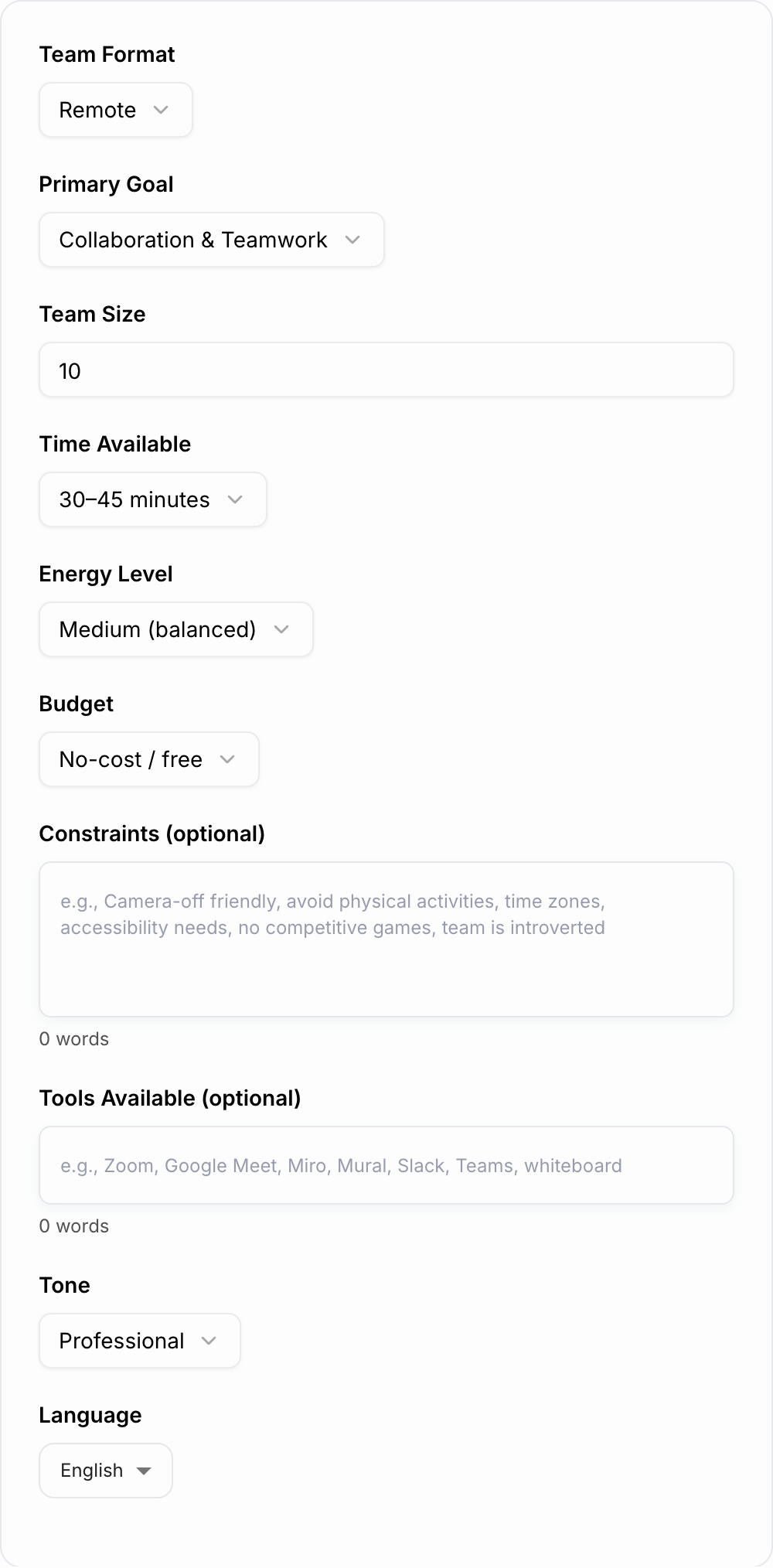
That is the job of this Team Building Activity Ideas Generator: turn the messy context around your meeting into activity ideas you can actually run. Instead of picking from a generic list, give the tool your team size, format, goal, time limit, budget, and constraints. The output can include activity names, setup notes, steps, materials, timing, and debrief questions.
What to Enter Into the Generator
The best results come from concrete planning details. You do not need a perfect brief, but you should give the generator enough context to avoid ideas that feel random or awkward.
Useful inputs include:
- Format: remote, hybrid, in-person, async, offsite, workshop, recurring meeting
- Team size: 4 people, 12 people, 60-person department, mixed breakout groups
- Goal: trust, communication, onboarding, morale, collaboration, creativity, problem solving
- Time limit: 5 minutes, 15 minutes, 45 minutes, 90 minutes, half day
- Budget: no-cost, low-cost, paid materials, venue-friendly, food included
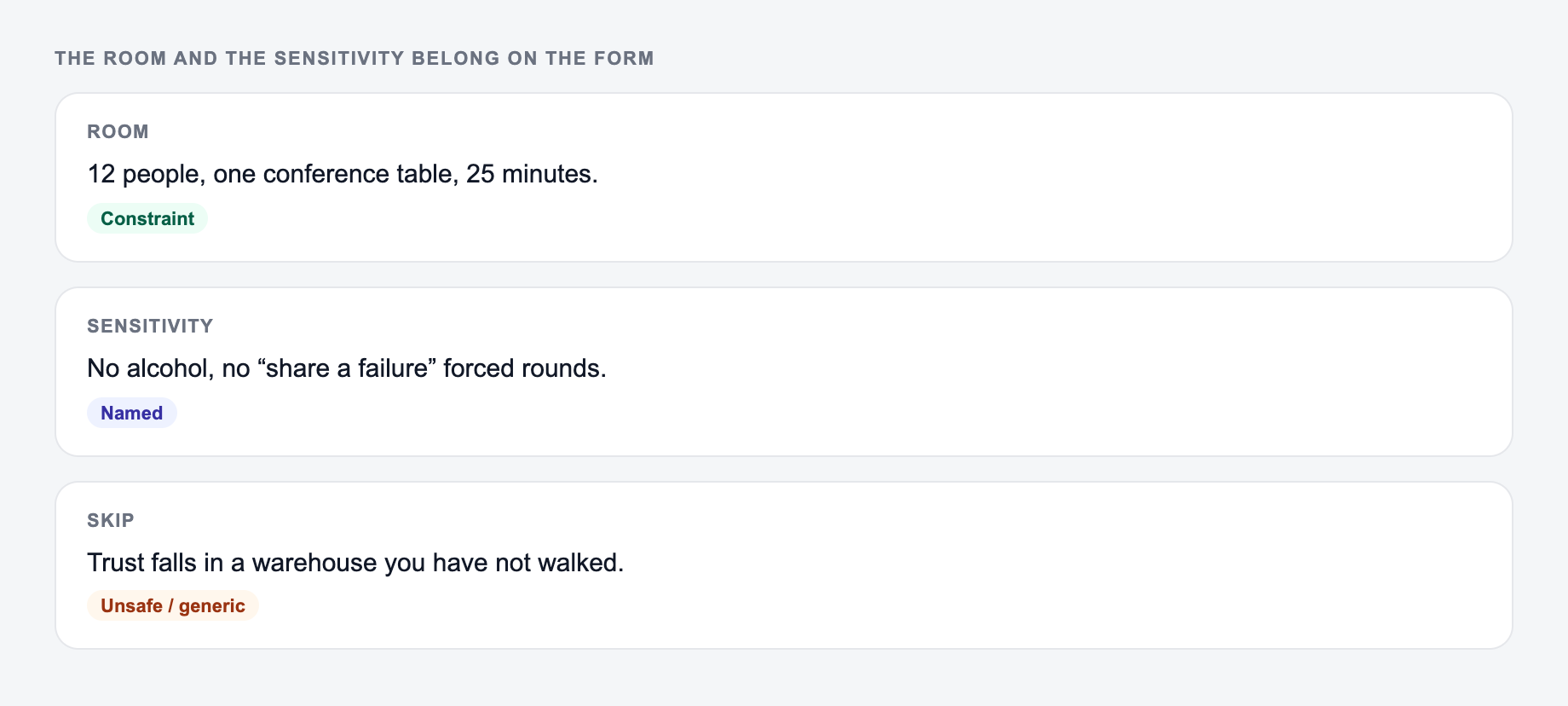
- Constraints: camera-off, introvert-friendly, accessibility-aware, no competitive games, no forced personal sharing
A weak input is:
Give me some team-building ideas.
A stronger input is:
Remote product team, 14 people, 30 minutes, goal is improving handoffs, camera-off friendly, no competitive games, include a short debrief.
That second prompt gives the generator enough to produce a session plan instead of a party-game list.
Choose the Right Mode for the Session
Use a quick idea mode when you need a shortlist for a regular meeting. Ask for 5 to 10 options and scan for the one that fits the team's current energy.
Use a facilitator-ready mode when someone actually has to run the activity. Ask for instructions, timing, materials, prompts, and debrief questions. This matters for hybrid sessions, larger groups, and workshops where unclear instructions waste time fast.
Use an agenda-style output for offsites or half-day sessions. A good agenda usually mixes one light opener, one deeper activity, one reflection block, and one practical commitment the team can carry back into work.
Match Activities to the Real Team Goal
Common misses with the Team Building Activity Ideas Generator:
- Describing the file instead of pasting it.
- Running one setting across mixed formats.
- Pasting live customer or student data “to see what happens.”
Different goals need different formats:
- Icebreakers: new groups, low familiarity, short meetings
- Trust: new managers, reorgs, tension, recently merged teams
- Communication: unclear handoffs, repeated misunderstandings, too many assumptions
- Collaboration: cross-functional projects, dependency issues, shared ownership problems
- Morale: long projects, burnout risk, heavy change, stressful quarters
- Problem solving: retros, planning cycles, stalled execution
- Onboarding: new hires, new pods, team resets
Do not ask one activity to solve everything. If the main problem is communication, tell the generator that directly and ask for a debrief that connects the exercise to daily work.
Remote, Hybrid, and In-Person Inputs
Remote team building works best when participation is structured. Ask for chat-friendly prompts, silent writing, small breakouts, optional sharing, and clear time boxes.
Hybrid team building needs extra care. Ask the generator to design remote-first participation, even if some people are in the room. Shared docs, digital boards, and equal turn-taking prevent the in-room group from dominating.
In-person team building gives you more energy, but it can become awkward faster. Ask for short instructions, low-pressure entry points, and activities that end with a useful reflection rather than just a laugh.
Example Input and Generated Output
Try this input:
Size, setting, and the real goal belong on the form. “Fun icebreaker” is not enough.
In: A one-line request like “run the team building ideas” with no audience, channel, or constraint.
Out you can keep: A brief the Team Building Activity Ideas Generator can use: who it is for, where the output will appear, and what must stay true.
If the Team Building Activity Ideas Generator invents a column, a timestamp, or a rule you did not state, treat that as a miss.
Hybrid marketing team, 18 people, goal is better campaign handoffs, 45 minutes, low budget, include remote-first participation and debrief questions.
A useful generated plan should look something like this:
Activity: Handoff Map Reset Time: 45 minutes Materials: Shared doc or whiteboard Steps: Everyone lists one handoff that often creates confusion. Group similar issues, then choose the top three. For each one, define the owner, required information, deadline, and confirmation step. Debrief: What information do we usually assume? What should be visible earlier? What handoff rule should we test for the next two weeks?
The exact activity can change, but the structure should be clear enough that a facilitator can run it without inventing the session from scratch.
Review the Output Before You Run It
Before adding an activity to a meeting invite, check four things:
- Does the activity match the stated goal? A fun prompt is not enough if the real goal is trust or communication.
- Can everyone participate comfortably? Watch for forced sharing, speed-based games, or tools not everyone can access.
- Is the timing realistic? A 20-person discussion will not fit into 10 minutes unless it uses writing or breakouts.
- Is there a debrief? End with one work behavior the team can try afterward.
If the first output is close but not right, regenerate with the problem included: “make it less personal,” “adapt for a camera-off remote team,” “make it suitable for senior leaders,” or “turn this into a 60-minute workshop agenda.”
Useful Constraint Templates
Answer these before you generate a second batch. A reroll will not fix a vague brief.
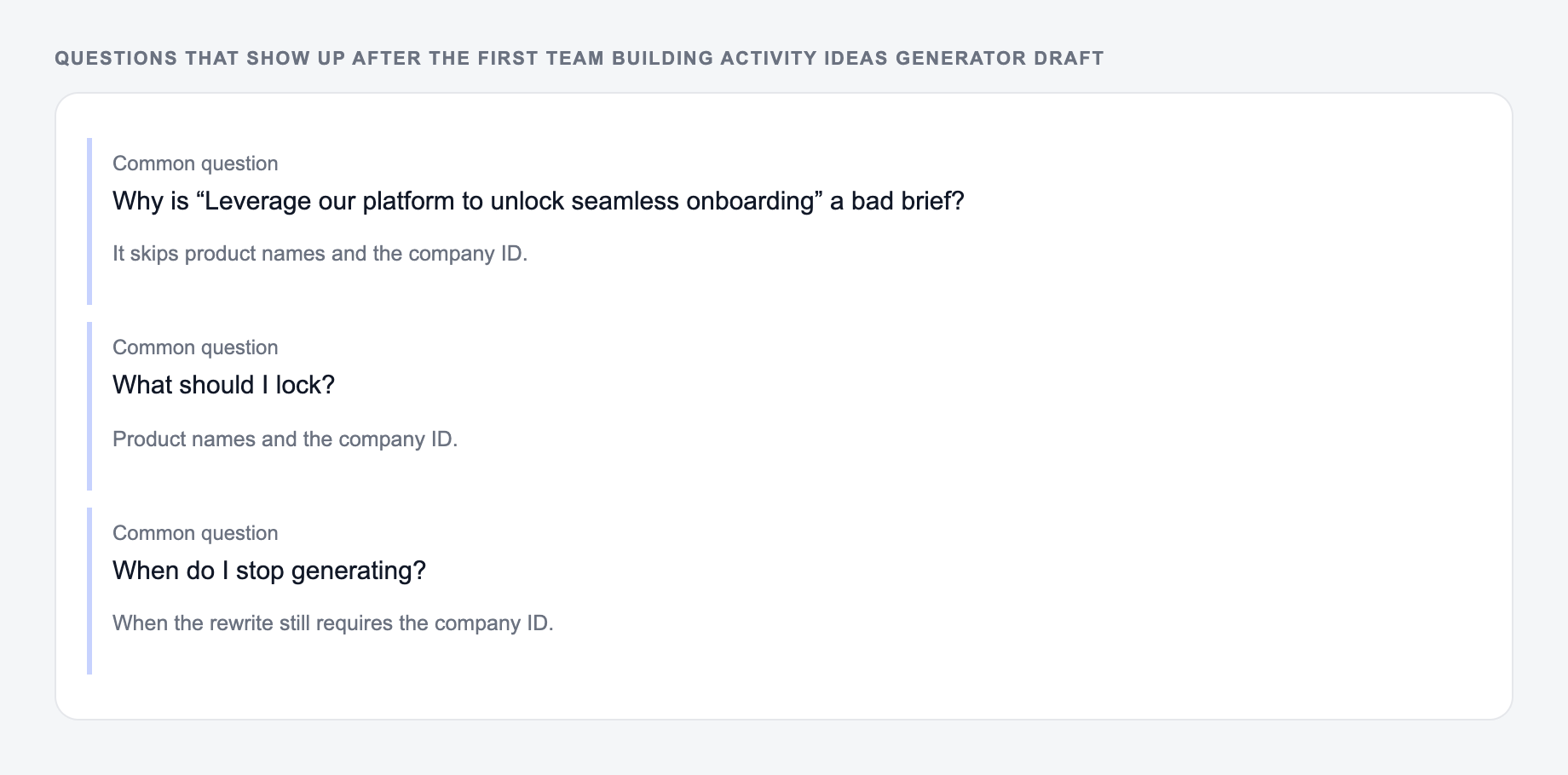
Copy one of these into the constraints field when you want tighter results:
Camera-off remote team: Camera-off friendly, chat participation allowed, no forced personal stories, include a written reflection step.
Introvert-friendly team: Low-pressure, optional sharing, more writing than talking, small groups, clear prompts, no rapid-fire games.
Hybrid workshop: Remote-first participation, shared digital board, no side conversations in the room, structured turn-taking, include facilitator notes.
New team onboarding: Light but purposeful, helps people learn working preferences, avoids private questions, includes a short debrief about collaboration norms.
Tense team reset: Supportive and non-competitive, focused on communication and assumptions, no blame, include a practical next-step agreement.
Turn the Activity Into Follow-Through
The activity is only the first half. The follow-through is what makes it useful. After the session, write down the team's one takeaway, one behavior to test, and one date to revisit it.
For example: “For the next two weeks, campaign handoffs must include owner, deadline, required assets, and one risk.” That is more valuable than simply saying the team had fun.
If you use Junia as a broader AI writing and productivity toolkit, you can pair the generated activity with meeting invites, offsite agendas, follow-up notes, and internal updates so the session does not disappear after the call ends.
Frequently Asked Questions
Is this team building activity ideas generator free?+
Yes. You can generate team building activity ideas for remote, hybrid, or in-person teams for free. Some advanced modes (like facilitator-ready plans) may be marked as premium.
What makes a team building activity actually effective at work?+
Effective team building matches a clear goal (trust, communication, collaboration), fits the team’s context (remote vs in-person, time zones, seniority), and includes a short debrief so people connect the activity to daily work.
Can I get team building ideas for remote teams that don’t require cameras?+
Yes. Add “camera-off friendly” in the constraints field. The generator can suggest inclusive, low-pressure virtual activities that work in chat, audio-only, or asynchronous formats.
How do I choose the right duration for a team building activity?+
For recurring meetings, 5–10 minute icebreakers work well. For deeper outcomes like trust and communication, choose 30–90 minutes and include a structured debrief. For offsites, combine multiple short activities into a half-day agenda.
Are the activities suitable for introverted or cross-cultural teams?+
They can be. Use the constraints field to request low-pressure formats, optional sharing, small-group breakouts, and clear prompts—helpful for introverted participants and diverse teams.
How many activities should I run in one session?+
For short meetings, run one focused activity. For workshops, 2–4 activities is usually enough: an opener, one core exercise, and a wrap-up reflection—keeping plenty of time for discussion.