
Best Multilingual SEO Tools Compared: Choose the Right Stack

Thu
AI SEO Specialist, Full Stack Developer

The best multilingual SEO tool is rarely the one with the longest feature list. In practice, I care much more about whether it fixes the part of the international workflow that is currently breaking.
For some teams, that means translating a large blog library without losing structure, metadata, and internal links. For others, it means getting WordPress hreflang right, giving editors a visual translation workflow, or rolling out language versions quickly without rebuilding the site.
I would choose the tool based on the bottleneck first, then the CMS. That sounds obvious, but it prevents the mistake I see most often in multilingual SEO planning: buying a translation plugin when the real problem is localized keyword research, SEO review, or post-launch measurement.
TL;DR: Best Multilingual SEO Tools by Use Case
| Use case | Best first choice | Why it fits |
|---|---|---|
| Scaling multilingual blog content | Junia AI | Strongest fit for translating and localizing content-heavy SEO assets with review before publishing |
| WordPress sites that need deep control | WPML | Mature multilingual WordPress workflow with SEO plugin compatibility and strong translation management |
| Fast multilingual site launch | Weglot | Quick setup, hosted translation workflow, automatic language URLs, and built-in hreflang handling |
| Visual front-end editing in WordPress | TranslatePress | Lets editors translate pages in context instead of working only in the backend |
| Centralized translation management | Localize | Better fit for SaaS and larger websites that need continuous translation workflows and team review |
| Budget-conscious WordPress setup | Polylang | Good manual control with a useful free version, but less automation than hosted tools |
| Fast machine translation coverage | GTranslate | Useful for speed and broad language coverage, but needs review for serious SEO pages |
| SEO layer after translation is solved | AIOSEO | Helps optimize metadata, schema, sitemaps, and WordPress SEO elements across language versions |
If I had to simplify the decision: use Junia AI when multilingual content production is the bottleneck, WPML or TranslatePress when WordPress editorial control matters most, Weglot when speed matters most, and Localize when you need a managed translation workflow across a larger site.
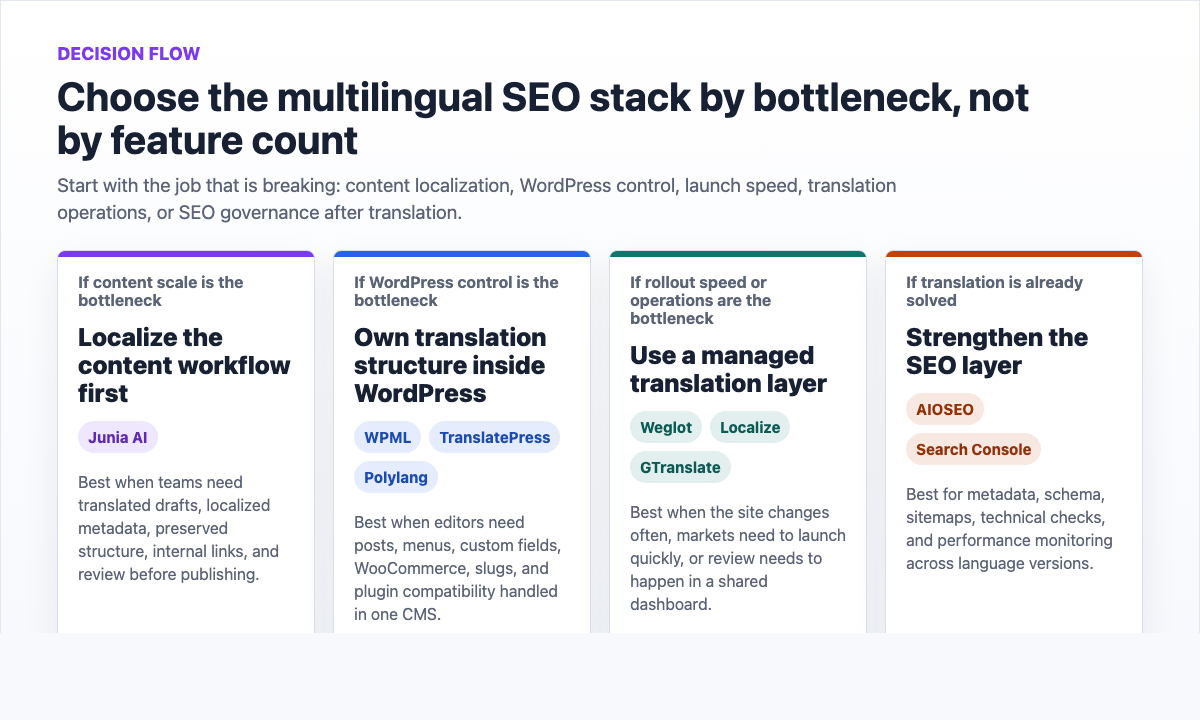
What Multilingual SEO Software Actually Has to Solve
Multilingual SEO is not just website translation. A translated page can still fail if the title tag is awkward, the URL structure is unclear, the hreflang tags are wrong, the internal links point to the wrong language, or the page targets a phrase nobody uses locally.
At minimum, a serious multilingual SEO stack should help with:
- Local keyword research, not just direct keyword translation
- Dedicated URLs for each language or region
- Hreflang tags that connect equivalent language versions correctly
- Translated title tags, meta descriptions, image alt text, and slugs
- One-language-per-page publishing, including navigation, footers, and popups
- Internal links that point to the correct language version where possible
- Human review for high-value pages
- Reporting by country, language, page type, and conversion goal
Google's own guidance is useful here because it keeps the requirements grounded. I like using it as a reality check when a tool's marketing makes multilingual SEO sound too automatic. Google recommends using different URLs for localized versions and documenting language or regional alternates with hreflang when needed. Its international SEO docs also warn against relying on automatic redirects alone because crawlers and users still need crawlable, discoverable language URLs. Google's localized versions documentation and multi-regional site guidance are worth keeping open when you evaluate any tool.
The tool is there to make those basics repeatable. It should not make you ignore them.
Quick Comparison of the Best Multilingual SEO Tools
| Tool | Best for | Strength | Watch-out |
|---|---|---|---|
| Junia AI | Content-heavy multilingual SEO teams | SEO-aware article translation, localization, and content workflow support | Important pages still need expert review |
| WPML | WordPress and WooCommerce sites | Deep WordPress translation control and SEO plugin integration | More setup and governance than lighter plugins |
| TranslatePress | Editors who want visual translation | Front-end editing with automatic and manual translation options | Advanced SEO and language controls require paid plans |
| Weglot | Fast deployment across many CMSs | Quick setup, hosted translations, hreflang, and SEO-friendly URLs | Pricing can rise with word count and language count |
| Localize | SaaS sites and larger teams | Centralized translation workflow, automation, and review controls | More operational than a simple blog or small WordPress site needs |
| Polylang | Manual WordPress multilingual setups | Flexible control and a strong free starting point | Less turnkey automation and fewer built-in workflow controls |
| GTranslate | Broad machine translation coverage | Fast launch across many languages | Machine output can be thin without review and SEO cleanup |
| AIOSEO | WordPress SEO optimization after translation | Metadata, schema, sitemap, and SEO analysis controls | Not a translation management system by itself |
1. Junia AI: Best for Multilingual Content SEO Workflows
Junia AI is the best fit when the work is not just "make this page available in Spanish." I would put it highest for teams that need to turn existing blog posts, guides, and content libraries into localized, SEO-ready drafts.
That distinction matters. A language switcher can make a site multilingual, but a content team still needs localized titles, search-intent checks, internal links, formatting, and review. Junia's bulk blog translation workflow is useful when you want to translate many approved articles without rebuilding every post manually. The blog post translator is better when one article deserves closer attention.
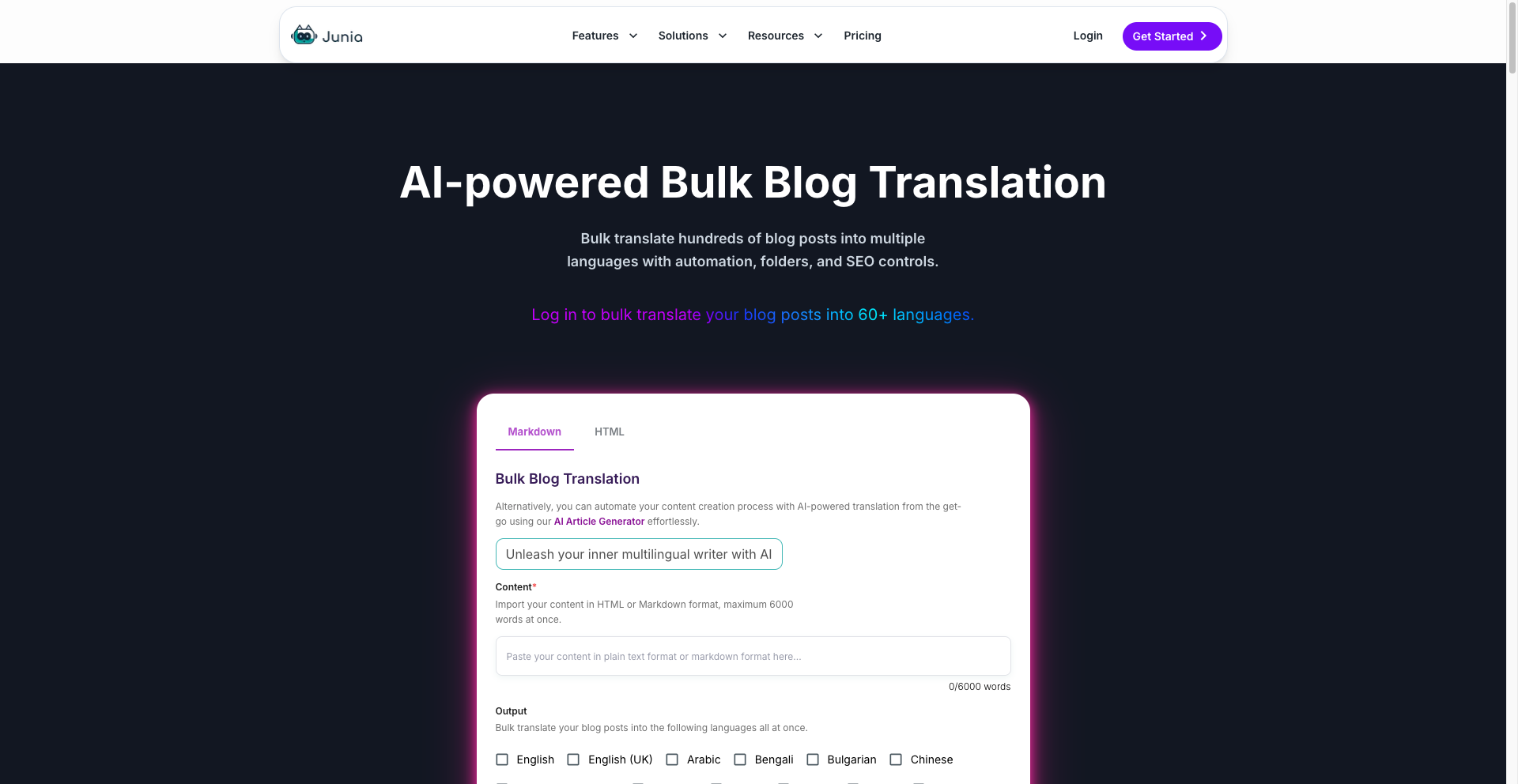
I would use Junia AI when:
- You already have English articles that perform and want to localize them into several markets
- You need translated drafts that preserve headings, structure, and SEO fields
- Your team wants to review and improve content before it goes live
- You care about multilingual blog growth, not just interface translation
- You are building a repeatable AI multilingual SEO workflow around keywords, metadata, internal links, and post-publish measurement
The watch-out is quality control. AI can accelerate localization, but I would not let it be the final editor for revenue pages, legal pages, medical content, pricing pages, or anything where local nuance changes the meaning. For those pages, use AI for the first pass and bring in a native reviewer before publishing.
2. WPML: Best for Deep WordPress Multilingual Control
WPML is one of the safest choices for WordPress sites that need control inside the WordPress ecosystem. It can handle posts, pages, custom post types, taxonomies, menus, theme text, WooCommerce content, and translation management.
The big advantage is depth. If your site is complex, has many content types, or depends heavily on WordPress plugins, WPML gives you a mature workflow for translating the site without treating multilingual SEO as a separate side project. Personally, I think that matters more than a slick setup screen once the site has WooCommerce, custom fields, and several editors involved.
WPML is strongest when you need:
- WordPress-native translation management
- WooCommerce multilingual support
- Translation for theme and plugin strings
- Compatibility with SEO plugins such as Yoast SEO or Rank Math
- Control over language URL structures
- Hreflang handling across translated pages
The tradeoff is setup. WPML is powerful, but it requires more configuration and editorial discipline than a lightweight tool. I would choose it for serious WordPress sites, not for a tiny site that only needs one translated landing page.
3. TranslatePress: Best for Visual WordPress Translation
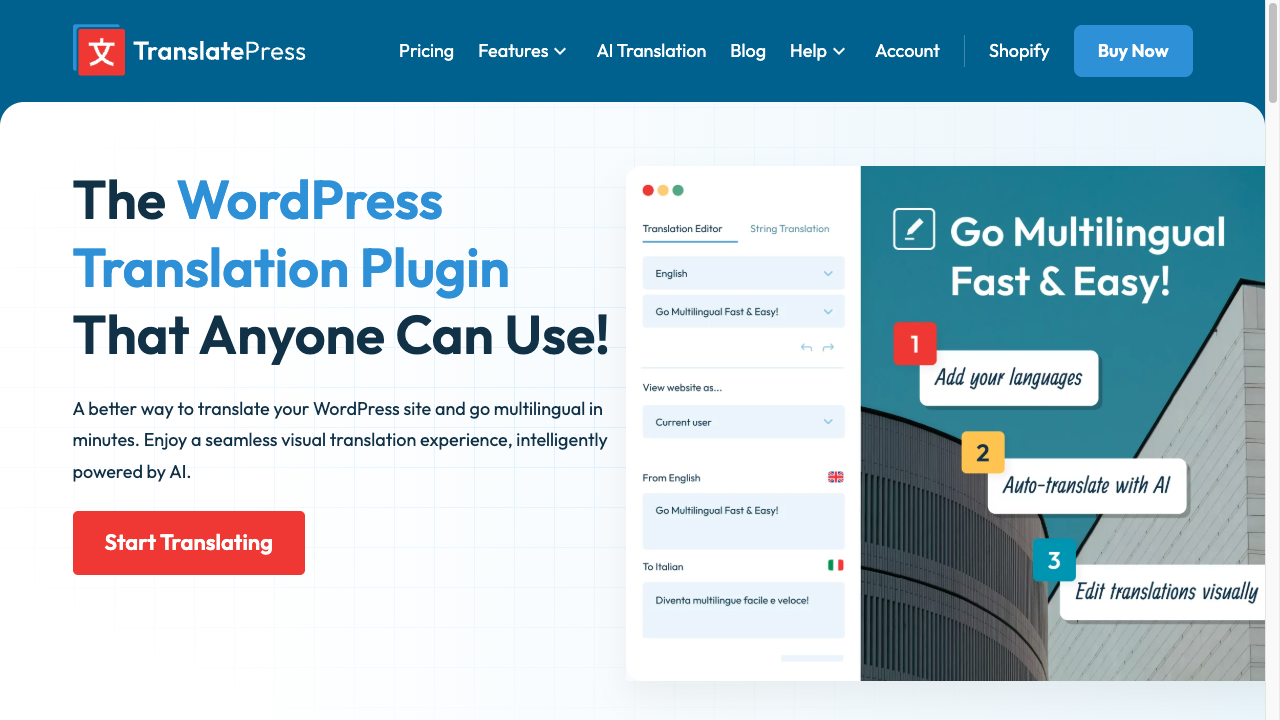
TranslatePress is useful when editors need to translate pages while seeing the page itself. That front-end workflow makes a real difference for pages where layout, button text, navigation labels, and short sections need to feel natural in context. I especially like this style of editing for landing pages, where a technically correct translation can still feel awkward once it sits inside the actual design.
It supports manual translation and automatic translation through engines such as Google Translate or DeepL, depending on the setup. That makes it a practical hybrid option: start with automation, then edit the parts that sound stiff or do not fit the layout.
TranslatePress is a good fit when:
- Editors want visual, in-context translation
- The site is WordPress-based
- You want to combine machine translation with manual cleanup
- You need to handle content, menus, WooCommerce pages, and SEO fields
- You prefer a simpler editing experience than a heavy translation dashboard
The limitation is that more advanced multilingual SEO controls live in paid tiers. For a serious organic search project, check the exact plan requirements before assuming the free version covers the full SEO workflow.
4. Weglot: Best for Fast Multilingual Deployment
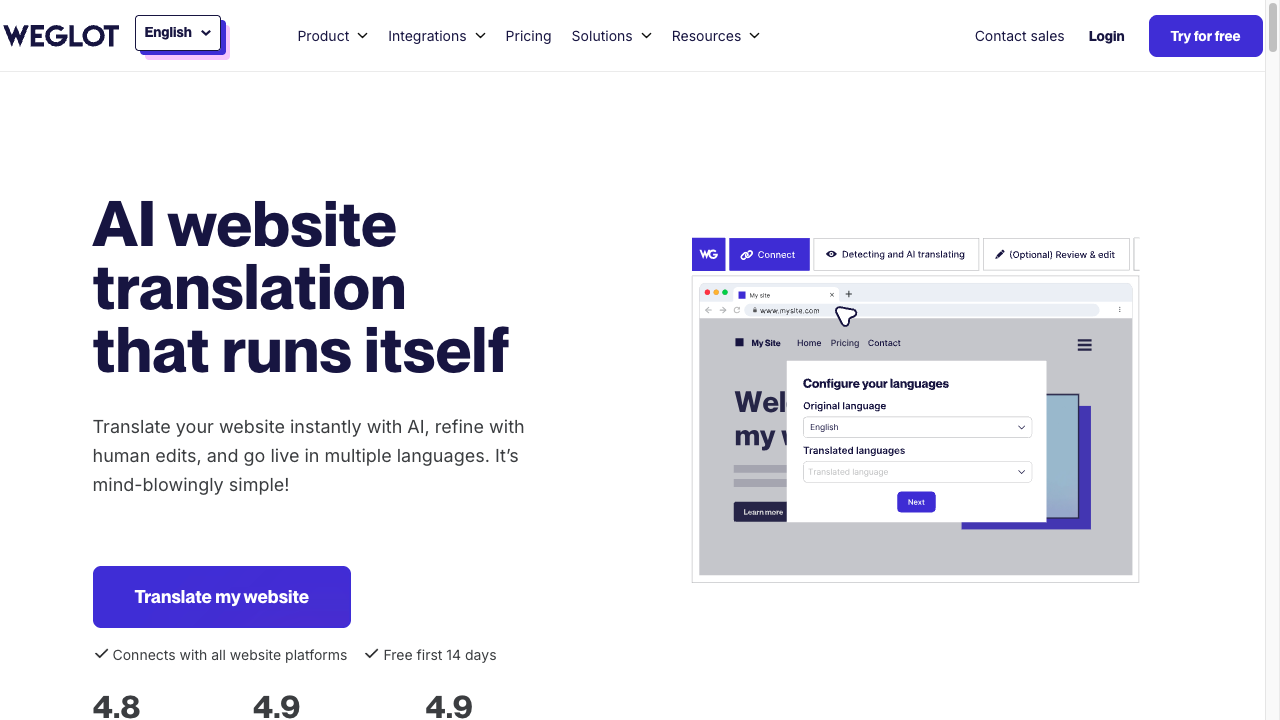
Weglot is built for speed. It connects to a site, detects content, creates translated versions, and handles key SEO plumbing such as language URLs and hreflang tags. If the priority is getting a credible first version live without a long build, it is often the easiest tool to justify.
That makes Weglot especially attractive for marketing teams that do not want a long development project before testing a new language market.
Weglot is strongest when:
- You need fast setup across WordPress, Shopify, Webflow, or another CMS
- Your team wants a hosted translation dashboard
- You need automatic content detection as pages change
- You want SEO-friendly language URLs and hreflang handled by the platform
- You prefer to edit translations after launch instead of managing every file manually
The watch-out is cost and control. Hosted translation platforms can become expensive as word count and language count grow. My bias is to use Weglot for speed, then quickly identify which pages deserve human cleanup instead of pretending every translated URL deserves the same review budget. Fast machine translation still needs review on pages where trust, conversions, or brand voice matter.
5. Localize: Best for Translation Management at Scale
Localize is better thought of as a translation management system than a simple SEO plugin. It is useful for larger websites, SaaS products, and teams that need a centralized place to manage translation workflows over time.
Its value comes from automation and governance. New content can be detected, routed into a translation process, reviewed, edited, and published without every update becoming a developer ticket.
Localize is a good fit when:
- Your site or app changes often
- You need a team translation workflow with approval steps
- You want machine translation plus human review controls
- You need to manage translated metadata and language URLs
- Your team cares about operational consistency across many pages
For a small content site, Localize may be more system than you need. For a SaaS site with changing UI copy, support pages, landing pages, and product messaging, that structure can save a lot of cleanup later. This is one of those cases where the heavier tool is not overkill if it prevents messy, half-updated language versions six months later.
6. Polylang: Best Budget-Friendly WordPress Option
Polylang is a strong option when you want multilingual WordPress control without starting with a heavier paid workflow. It lets you create translated posts, pages, categories, menus, and other WordPress content, with flexible language URL options.
Its appeal is manual control. You decide how each language version should look and how much automation to add. That works well for smaller sites with a manageable number of pages or teams that prefer human-edited translation from the start.
Choose Polylang when:
- You are on WordPress
- You want a cost-conscious setup
- You are comfortable managing translations manually
- You do not need a large translation operations dashboard
- Your site has a small or moderate number of pages
The drawback is scaling. Manual control is nice until the site grows. Once you add many languages, product pages, or frequent updates, a more automated workflow may become easier to maintain. I would treat Polylang as a deliberate manual setup, not as a cheap substitute for a translation operations system.
7. GTranslate: Best for Fast Machine Translation Coverage
GTranslate is one of the fastest ways to add machine-translated versions of a site in many languages. It can be useful for testing demand, serving a broad audience quickly, or giving visitors a basic translated experience.
For SEO, the important distinction is between showing translated text to users and publishing indexable, optimized language pages. If organic search is the goal, you need dedicated URLs, translated metadata, hreflang, and review.
GTranslate can make sense when:
- Speed matters more than full editorial control
- You want broad language coverage quickly
- You are testing whether translated pages attract demand
- You have a plan to review and improve the pages that start performing
I would not rely on raw machine translation for your most important SEO pages. Use it as a starting point, then improve pages that have search potential. The better play is to let machine translation reveal where demand exists, then spend editorial time on the pages that prove they can earn impressions.
8. AIOSEO: Best SEO Layer When Translation Is Already Covered
AIOSEO is not the tool I would choose to translate a website. It is better as the SEO layer for WordPress sites that already have a translation workflow through WPML, TranslatePress, Polylang, Weglot, or another system.
It can help manage technical and on-page SEO elements across language versions, including metadata, schema, XML sitemaps, and SEO analysis.
AIOSEO is useful when:
- Translation is already handled elsewhere
- You want stronger WordPress SEO controls
- You need localized titles, descriptions, and schema support
- You want XML sitemap and SEO analysis features
- Your multilingual setup needs cleaner technical SEO governance
Think of it as a supporting tool, not the main multilingual engine.
Feature Checklist Before You Buy
Before choosing a multilingual SEO tool, I would score each option against this checklist. It is a simple filter, but it exposes weak tools quickly.
| Feature | Why it matters |
|---|---|
| Dedicated language URLs | Search engines need crawlable URLs for each language version |
| Hreflang management | Helps Google understand equivalent language or regional pages |
| Metadata localization | Titles and descriptions need to match local search behavior |
| Slug translation | Localized URLs can improve clarity for users and search engines |
| Internal link handling | Links should ideally point to the matching language version |
| Glossary or terminology control | Brand names, product terms, and technical phrases need consistency |
| Human review workflow | Machine translation needs quality control on important pages |
| Local keyword research support | Direct translations often miss the phrases people actually search |
| XML sitemap support | Large multilingual sites need clean discovery paths for translated URLs |
| Analytics by language or region | You need to know which markets are working after launch |
A translator plugin is not a keyword-localization strategy. WPML or Weglot can give you language URLs. They will not tell you that Spanish searchers use a different phrase than your English title. Do the keyword work first, then translate.
Google's hreflang walkthrough is the technical half of that checklist. It is not a competing tools roundup:
Google Search Central on hreflang for multilingual pages
This is also where many teams realize they need more than one tool. For example, a WordPress site might use WPML for translation structure, AIOSEO for SEO controls, Google Search Console for monitoring, and Junia AI for localizing blog content at scale. I do not see that as tool sprawl if each product has a clear job; the problems start when two tools are both trying to own the same language URLs, metadata, or editorial workflow.
How to Choose the Right Multilingual SEO Tool
Start with the question your team is actually trying to answer.
If you need multilingual blog growth
Choose a content workflow first. Blog libraries need translation, localization, metadata, internal links, and publishing quality checks. Junia AI is the strongest first stop here, especially if you are translating many existing articles or building a repeatable bulk article translation process. My opinion: if the content library is the growth engine, content localization should not be treated as a side feature of a website translation plugin.
For large content sites, also think about automation early. A manual workflow may work for 20 articles, but it will become painful at 500. If the long-term plan is to publish across many languages, build the process around scalable review, not just translation speed. That is where guides on programmatic SEO across languages become useful.
If you are on WordPress
Choose based on how much control you need. WPML is usually better for complex sites and WooCommerce. TranslatePress is easier for editors who want visual translation. Polylang works well when budget and manual control matter. AIOSEO can support whichever translation system you choose.
The key is to avoid splitting responsibilities in a confusing way. One tool should own translation structure. One tool can own SEO optimization. Your team should know where titles, descriptions, slugs, and hreflang are managed. When that ownership is vague, multilingual SEO problems become hard to debug because nobody knows which system created the final page.
If launch speed matters most
Weglot or GTranslate will usually get you moving faster than a fully manual setup. That can be useful when you want to validate a market before investing heavily.
Just do not confuse fast launch with finished SEO. After the first rollout, check whether the translated pages are indexable, whether metadata reads naturally, and whether the pages target local intent. I would rather launch 30 reviewed pages than 300 raw translations that need cleanup later. A fast launch followed by a careful review is much safer than publishing hundreds of raw translations and hoping they rank.
If your website changes constantly
Localize is worth considering when content changes are frequent. SaaS websites, product-led sites, and apps often need translation workflows that keep up with UI updates, landing page edits, support docs, and release changes.
In that situation, operational consistency matters more than a single perfect translation. You need a system that detects changes, routes them for review, and keeps every language version from drifting out of sync.
The Multilingual SEO Workflow I Recommend
Tools help, but the workflow decides whether the translated pages are worth ranking. This is the process I would use before scaling beyond the first market.
- Pick one or two target markets first.
- Research local keywords instead of translating English keywords directly.
- Choose the URL structure before publishing translated pages.
- Translate the page, metadata, slug, image alt text, and navigation elements.
- Review important pages with a native speaker or local expert.
- Check hreflang, canonicals, sitemaps, and indexability.
- Update internal links so translated pages point to the right language versions where possible.
- Track impressions, clicks, rankings, engagement, and conversions by language.
- Improve pages that get impressions but weak clicks or conversions.
- Scale only after the first market shows the workflow can be maintained.
For blog-heavy teams, the biggest gains often come from improving existing content before translating it. A weak English article usually becomes a weak Spanish, French, or German article. Tighten the source article first, then localize. I would rather fix the source once than repeat the same thin structure across five languages. Once the source library is clean, automating multilingual blogging becomes a workflow question: which pages get translated first, who reviews them, how metadata is approved, and how performance is checked after launch.
Multilingual SEO for AI Search
AI search does not replace multilingual SEO basics. It makes clarity more important.
If an AI answer engine is trying to summarize your page, it needs clear definitions, direct comparisons, specific recommendations, and source-backed technical claims. That matters even more across languages because vague translated content becomes harder to cite or summarize.
For AI Search, each localized page should:
- Answer the main question early
- Use simple, extractable definitions and comparison tables
- Explain who each tool or workflow is best for
- Include concrete decision rules rather than broad claims
- Support technical implementation advice with reliable documentation
- Keep one language per page so systems can understand the content cleanly
Google's documentation for AI features and your website does not introduce a separate magic optimization path. That is the right takeaway, in my view. It reinforces the same practical direction: make content crawlable, helpful, technically accessible, and easy to understand.
Common Mistakes to Avoid
The first mistake is translating keywords directly. Search behavior changes by country, culture, and intent. A phrase that works in English may have a completely different common expression in French, Spanish, or Japanese. This is the fastest way to produce pages that are translated correctly but optimized for nobody.
The second mistake is publishing mixed-language pages. If the main article is translated but the menu, footer, popup, and internal links remain in English, the page feels unfinished and sends weak signals to users and search engines.
The third mistake is ignoring metadata. Searchers see the title tag and meta description before they see the page. If those fields sound translated, generic, or too long for the language, the page can lose clicks even when it ranks.
The fourth mistake is treating hreflang as optional. It is not needed for every small site, but when you have equivalent pages for different languages or regions, it helps Google understand which version belongs to which audience.
The fifth mistake is scaling too early. Translate a small group of important pages first, measure the results, fix the workflow, then expand. Multilingual SEO gets expensive when teams multiply mistakes across every language at once. I would rather see a team learn from one market than proudly ship the same broken process to ten.
Final Verdict
For most content-led SEO teams, I would start with Junia AI because the hard part is not merely translating text. It is creating localized content that still has structure, intent, metadata, internal links, and enough editorial quality to compete.
For WordPress, WPML is the strongest deep-control option, TranslatePress is the easiest visual editing option, and Polylang is the practical budget option. For fast launch, Weglot is usually the cleaner choice. For larger SaaS or product sites, Localize gives you stronger translation operations. For SEO controls after translation is already handled, AIOSEO makes sense.
The best stack is the one your team can maintain after launch. Multilingual SEO is not finished when the pages go live. It works when translated pages are researched, reviewed, technically clean, internally linked, measured, and improved market by market. That is the standard I would use to judge the stack: not how impressive it looks during setup, but whether it still produces clean localized pages after the first few months.