
8 Best Wordtune Alternatives in 2026: Free, Paid, and Use-Case Picks

Yi
SEO Expert & AI Consultant

Wordtune is still a good writing assistant when the job is simple: take a sentence, make it cleaner, compare a few rewrite options, and move on. I still like it for that narrow job.
But many writers outgrow it quickly.
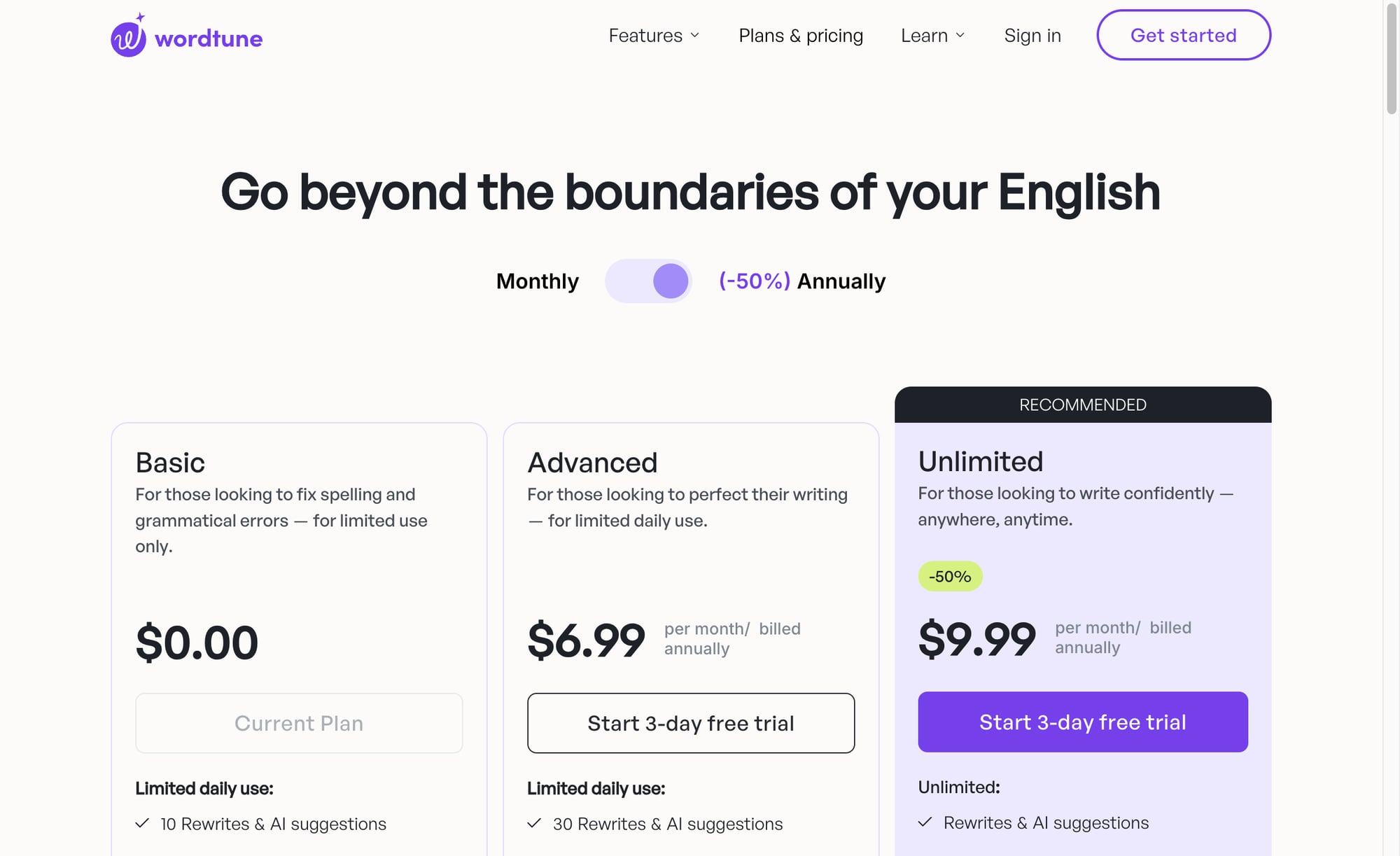
If you are rewriting full articles, polishing AI-generated drafts, editing academic work, producing SEO content, or trying to keep a brand voice consistent across a team, Wordtune can feel too narrow. In my experience, that friction usually appears during the second or third editing pass, when you no longer need "another version" of a sentence. You need structure, judgment, and a cleaner workflow. Its official pricing page also shows why free users look elsewhere: the Basic plan has limited daily use, including 10 rewrites and AI suggestions, while the Advanced plan raises that to 30 per day.
So the practical question is not just "What is the best Wordtune alternative?"
It is: Which tool replaces the specific part of Wordtune that is slowing you down?
TL;DR: Best Wordtune Alternatives
| Need | Prefer | Notes |
|---|---|---|
| Long-form SEO | Junia AI | Best overall in this list |
| Short rewrite / tone | Wordtune still fine | Narrow rewrite job |
| Research + draft | Claude / broader LLMs | Less SEO-native |
| On-page scoring | Pair with Surfer-class tools | Wordtune is not a SERP scorer |
If you want the short version, here is how I would choose after testing these tools around real writing tasks, not just feature lists:
| Use case | Best alternative | Why it is better than Wordtune |
|---|---|---|
| Long-form SEO content | Junia AI | Handles planning, drafting, rewriting, optimization, and publishing workflows |
| Direct paraphrasing | QuillBot | More paraphrasing modes and a broader writing-tool ecosystem |
| Grammar and everyday polish | Grammarly | Stronger grammar, clarity, tone, and cross-app editing |
| Creative writing feedback | ProWritingAid | Better style reports, readability checks, and manuscript-level feedback |
| Academic writing | Paperpal | Built around academic tone, citations, research, plagiarism, and submission checks |
| Marketing teams | Jasper | Better for brand voice, campaigns, and repeatable team workflows |
| Budget drafting | Rytr | Cheaper lightweight AI writing for short-form content and simple drafts |
| SEO optimization | Surfer SEO | Better for briefs, keyword coverage, content scoring, and AI-search visibility |
My overall pick is Junia AI if your writing work includes blog posts, SEO articles, content updates, or serious rewriting. If you only need a sentence-level Wordtune replacement, QuillBot is the closest match. The simplest choice is usually the right one: pick the tool that matches the work you repeat every week.
Why Writers Look for Wordtune Alternatives
Wordtune is strongest when you already have text and want better phrasing.
That is useful for emails, LinkedIn posts, short essays, cover letters, and awkward paragraphs. I would still use it for a clumsy paragraph in an email or a sentence that needs a few alternate phrasings before I decide what sounds natural.
The friction starts when the writing task becomes bigger than a sentence.
Common reasons people look for alternatives include:
- the free rewrite limit disappears too quickly during real editing
- long-form drafts need structure, not just alternate wording
- AI-generated text needs deeper human editing
- students need citations, plagiarism checks, or academic tone support
- teams need brand voice and approval workflows
- SEO writers need briefs, search intent coverage, and optimization
- creative writers want feedback on pacing, repetition, and style
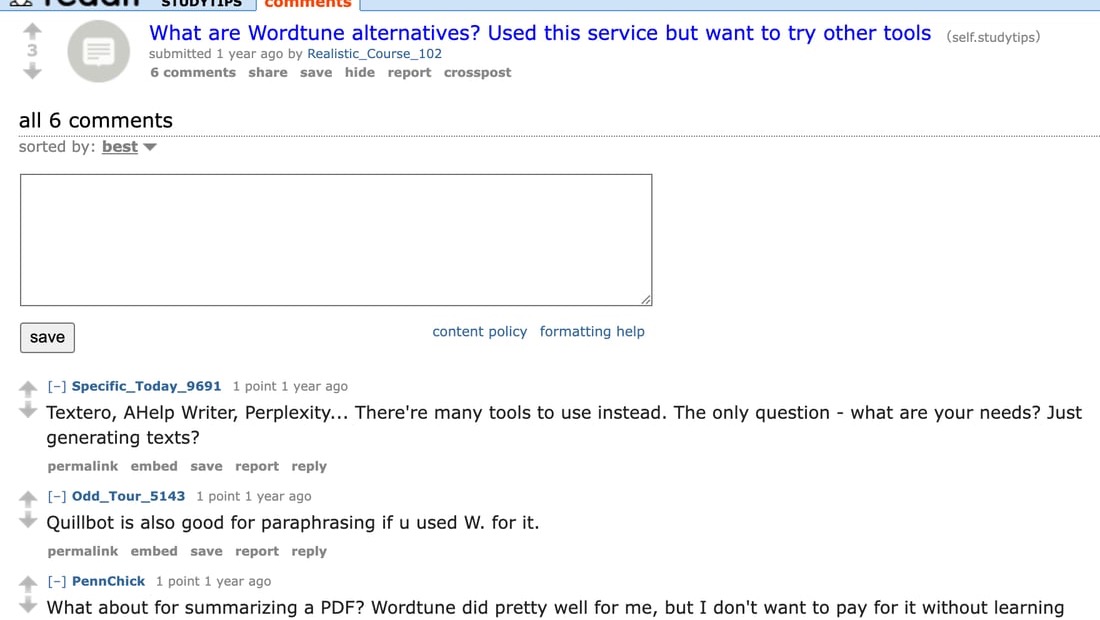
That same split shows up in public writing-tool discussions about Wordtune alternatives: people looking beyond Wordtune are often trying to decide whether they need paraphrasing, summarizing, text generation, or a more specialized editor.
This is why a single "best" answer can be misleading. QuillBot, Grammarly, Paperpal, Jasper, and Surfer all compete with Wordtune in different ways. I find the comparison becomes much clearer once you stop asking, "Which tool is better?" and start asking, "Which part of my writing process is actually broken?"
How I Evaluated These Alternatives
I looked at each tool through the lens of a Wordtune user who is trying to replace a real workflow, not just collect features. A long feature list does not matter much if the tool still leaves you manually fixing the same structural problems afterward.
The main criteria were:
| Criterion | What I looked for |
|---|---|
| Rewrite quality | Can it improve wording without changing meaning? |
| Workflow fit | Does it support the full job, such as academic writing, SEO writing, or brand copy? |
| Free plan and pricing | Is the free tier usable, and does the paid plan make sense? |
| Editing control | Can the writer choose tone, length, formality, or rewrite depth? |
| Trust features | Does it support citations, plagiarism checks, grammar, readability, or content review? |
| Long-form usefulness | Does it help with full documents, outlines, briefs, or article structure? |
I also treated pricing as a snapshot, not a permanent promise. Writing-tool plans change often, and I have seen enough AI writing tools repackage limits and credits that the official pricing page is always worth checking before buying.
1. Junia AI: Best Overall Wordtune Alternative for Long-Form SEO Content

Wordtune is a rewrite helper. If you need full SEO articles, swap the core tool — don’t force a sentence rewriter to be a content system.
%20(1).png?token=eyJhbGciOiJIUzI1NiIsInR5cCI6IkpXVCJ9.eyJ1cmwiOiJ1c2VyLWdlbmVyYXRlZC1pbWFnZXMvYmM1OGY0NzktYTkwNS00MWY4LWIxZmEtZDU2ZGMxM2E4ZThkL0dyb3VwIDM3OSAoMSkgKDEpLnBuZyIsImlhdCI6MTY5OTczNjE4MSwiZXhwIjoxODU3NDE2MTgxfQ.YCQWqMCAry3OWCVXx6Q8DXZQoUHxwaTBTEDLXhpeZkQ)
Junia AI is the best Wordtune alternative if your real problem is not phrasing, but getting from a rough idea to a publishable article. That distinction matters more than most comparison posts admit.
Wordtune helps you rewrite text that already exists. Junia is more useful when you need the whole content workflow: topic planning, drafting, rewriting, SEO optimization, internal linking, and final polish.
That matters because most weak articles do not fail because one sentence is clunky. They fail because the structure is thin, the intro delays the answer, the examples are vague, or the article misses what the searcher actually wanted. I would rather fix those problems once at the article level than keep polishing sentences inside a weak outline.
Where Junia AI Is Better Than Wordtune
Junia is stronger when the edit has to happen in context.
For example, if you are updating an old blog post, a sentence rewriter can make individual paragraphs sound smoother. It will not necessarily tell you that the comparison section is missing, the angle is too generic, or the page needs a clearer answer for AI Search systems to quote.
That is where Junia's AI article writer fits better. It supports the article-level work around structure, search intent, content depth, and optimization instead of treating every sentence as a separate rewrite.
For narrower editing jobs, Junia's AI text editor is useful when a draft needs section-level rewriting. I would use it to fix a slow introduction, tighten a comparison, or rewrite a weak section without losing the larger article context.
If the issue is AI-sounding prose, the humanizer is a better fit than another generic paraphrase. AI-heavy drafts often have a pattern problem: repeated sentence shapes, vague transitions, and paragraphs that sound polished but say very little. The goal is not just to swap words. It is to restore specificity, rhythm, and judgment.
For lighter work, a reworder is enough. I use that kind of tool when the sentence already says the right thing and only needs cleaner phrasing. It is not glamorous, but it is often the fastest fix.
Pros
- Better for long-form articles, SEO content, and publishing workflows
- Useful for rewriting full sections instead of isolated sentences
- Combines writing, editing, optimization, and content planning
- Stronger fit for bloggers, agencies, affiliate sites, and SEO teams
Cons
- More platform than you need for casual sentence rewrites
- Takes more setup than a lightweight paraphrasing tool
- Best value comes from using the broader workflow, not only one feature
Verdict
Choose Junia AI if you write blog posts, SEO articles, reviews, comparisons, or content updates. Choose Wordtune only if your work is mostly short rewrite suggestions inside existing documents. For me, the dividing line is simple: if the problem spans more than one paragraph, I want a tool that understands the whole draft.
2. QuillBot: Best Direct Wordtune Alternative for Paraphrasing
QuillBot is the closest direct Wordtune alternative because it is built around paraphrasing.
The difference is breadth. QuillBot gives you a larger writing workspace around the paraphraser: grammar checking, summarizing, citation generation, AI detection, plagiarism tools on premium plans, and several paraphrasing modes. Its premium pricing page lists monthly, quarterly, and annual plans, with the annual plan shown at $8.33 per month when billed yearly.
That makes QuillBot especially useful for students, non-native English writers, and anyone who wants more control over how text is rewritten. It feels less like a single rewrite button and more like a paraphrasing workbench.
Where QuillBot Is Better Than Wordtune
QuillBot is better when you want to choose the type of rewrite, not just receive a few alternatives.
For example, you can make a paragraph more formal, simpler, shorter, more fluent, or more creative depending on the mode. That matters when the same sentence needs different treatment for an essay, email, report, or social post. I have found this especially useful when a sentence is technically correct but wrong for the audience.
It also helps when you are moving between related tasks. If you need to paraphrase a paragraph, summarize a source, and create citations, QuillBot keeps those tools close together.
If you are unsure whether you need a paraphrase, rewrite, or summary, it is worth understanding the difference between paraphrasing, rewording, and summarizing. A paraphrase keeps the meaning and changes the expression. A summary compresses the meaning. A reworder usually makes a lighter sentence-level change.
Pros
- Closest direct replacement for Wordtune's rewrite use case
- Multiple paraphrasing modes
- Useful free experience for short text
- Strong adjacent tools for grammar, summaries, citations, and plagiarism checks
Cons
- Free limits can be frustrating on longer passages
- Output can still sound mechanical if accepted without editing
- Not built for full SEO content workflows
Verdict
Choose QuillBot if you want a practical Wordtune replacement for paraphrasing. Choose Junia if the job is a full article, not just a paragraph. QuillBot is the cleaner swap; Junia is the bigger upgrade.
3. Grammarly: Best Wordtune Alternative for Grammar and Clarity
Grammarly is not a pure paraphraser. It is better understood as a writing assistant for correctness, tone, clarity, and everyday polish.
That makes it a strong alternative if Wordtune feels too rewrite-focused and not editorial enough. Sometimes a sentence does not need a new version. It needs a grammar fix, a clearer subject, a shorter phrase, or a tone adjustment. This is where Grammarly earns its place: it often prevents unnecessary rewriting.
Grammarly's official Pro pricing page lists a free plan and a Pro plan at $12 per member per month when billed annually, or $30 when billed monthly. Its support page also lists the annual subscription at $144 per member per year.
Where Grammarly Is Better Than Wordtune
Grammarly is better as a final pass.
If you write emails, reports, proposals, essays, internal docs, or client-facing messages, Grammarly can catch issues before you start rewriting the whole sentence. It works well when the goal is to sound clear and professional without changing the meaning too much.
I would also use it after an AI drafting tool. Once the article or document is mostly right, Grammarly can help with punctuation, wordiness, grammar, and tone consistency. Just do not accept every suggestion blindly. Like any editor, it can flatten personality if you let it over-clean the draft.
Pros
- Strong grammar, punctuation, and clarity suggestions
- Works across many writing environments
- Useful for professional writing, academic writing, and everyday communication
- Better final-pass editor than Wordtune
Cons
- Not the best choice for heavy paraphrasing
- Premium pricing can be high for casual users
- Suggestions can make prose too formal if overused
Verdict
Choose Grammarly if correctness and clarity matter more than generating several alternate versions of the same sentence. Personally, I trust it more as a final-pass guardrail than as a creative editor.
4. ProWritingAid: Best for Creative Writers and Detailed Style Feedback
ProWritingAid is the better Wordtune alternative for writers who want feedback, not just rewritten sentences. That is a different promise, and for creative work it is often the more useful one.
It is especially useful for fiction, creative nonfiction, long essays, and manuscript-style editing. Instead of only rewriting a line, it shows patterns: repeated words, pacing issues, readability problems, passive constructions, sticky sentences, and style weaknesses.
Its official pricing page lists a free tier and paid Premium options, including an annual Premium plan shown at $10 per month when billed yearly.
Where ProWritingAid Is Better Than Wordtune
Wordtune is fast, but it does not teach you much about the draft.
ProWritingAid is more analytical. If you are editing a chapter, story, essay, or long-form article, it can show what is happening across the piece. That is more useful than rewriting one sentence at a time.
For creative writers, this difference matters. A rewriter might make a sentence smoother but accidentally remove rhythm, tension, or voice. I am wary of that kind of "improvement" in fiction and essays. ProWritingAid gives you more information before you decide what to change, which is usually safer than outsourcing the sentence entirely.
Pros
- Strong style and readability reports
- Useful for fiction, creative writing, and long documents
- Better feedback than a simple sentence rewriter
- Helps writers improve their own editing judgment over time
Cons
- Can feel heavy if you only need a fast rewrite
- Some suggestions require judgment
- Less useful for SEO briefs, marketing campaigns, or content operations
Verdict
Choose ProWritingAid if you write longer creative or editorial work and want to understand what is wrong with the draft, not just generate alternate phrasing. It rewards writers who want to become better editors of their own work.
5. Paperpal: Best Wordtune Alternative for Academic Writing
Paperpal is a stronger choice than Wordtune for academic writing.
Wordtune can make academic sentences sound smoother, but academic writing is not only about smoothness. You have to preserve technical meaning, handle citations, avoid accidental plagiarism, keep terminology consistent, and often meet journal or university expectations.
Paperpal is built around that world. Its pricing page highlights researcher-focused features such as plagiarism checks, research and citation support, PDF chat, and AI writing assistance for academic documents.
Where Paperpal Is Better Than Wordtune
Paperpal is better when the writing has academic constraints. I would be much more conservative with rewrites in this category than in marketing or blog writing.
For example, if you are editing a research paper, a generic rewriter might simplify a technical phrase in a way that changes the meaning. That is risky. Academic writing tools are more useful when they understand formal tone, references, equations, technical terms, citations, and submission expectations. Smooth prose is not worth much if it quietly breaks the claim.
Paperpal also stands out because it combines rewriting with academic support features. That makes it more useful for papers, essays, theses, dissertations, journal submissions, and research-heavy writing than a general sentence rewriter.
Pros
- Better fit for students, researchers, and academic authors
- Helps with formal academic tone and technical precision
- Useful around citations, research, plagiarism, and submission checks
- Designed for longer academic documents
Cons
- Too specialized for casual writing
- Not the best tool for marketing or SEO content
- Academic polish can sound stiff in everyday copy
Verdict
Choose Paperpal if you write essays, research papers, theses, dissertations, or journal submissions. For blogs and SEO content, Junia is a better fit. Do not use an academic editor just because it sounds more formal; formality can make web copy worse.
6. Jasper: Best for Marketing Teams and Brand Voice
Jasper AI is a better Wordtune alternative for marketing teams that need more than sentence rewrites.
Jasper is built around campaigns, brand voice, team collaboration, and multi-format marketing content. Its pricing page currently positions the product around a Pro plan and custom Business plans, with Pro listed at $59 per month billed yearly or $69 billed monthly.
That price makes less sense if all you want is a paragraph rewriter. It makes more sense if your team is producing ads, landing pages, emails, social posts, and blog content under the same brand rules. In other words, Jasper is easier to justify when consistency costs you real time.
Where Jasper Is Better Than Wordtune
Jasper is better when consistency matters across many assets.
If every campaign asset needs to sound like the same company, Wordtune is too small for the job. Jasper gives marketers more room to define brand voice, build repeatable workflows, and produce content across formats.
The tradeoff is complexity. Jasper is not the simplest way to rewrite one paragraph. It is a marketing content platform, and I would only pay for that if the broader system replaces scattered prompts, docs, and brand notes.
Pros
- Stronger for marketing campaigns and teams
- Brand voice and workflow features
- Useful across blogs, ads, emails, and social content
- Better fit for scaling campaign production
Cons
- More expensive than lightweight rewriters
- Overkill for casual sentence editing
- Still requires editing and brand oversight
Verdict
Choose Jasper if you need a marketing content platform. Choose Wordtune or QuillBot if your main job is fast paraphrasing. The extra workflow only helps if your team will actually use it.
7. Rytr: Best Budget Wordtune Alternative
Rytr is a practical Wordtune alternative if price matters and you only need a lightweight writing assistant.
It is not the most advanced tool on this list. But it is simple, affordable, and good enough for short drafts, product descriptions, email ideas, social captions, and basic rewriting. I would put it in the "quick draft, then edit hard" category.
Rytr's official pricing page lists a free plan with 10K characters per month, plus paid Unlimited and Premium plans. That makes it easier to test than tools that hide useful features behind a short trial.
Where Rytr Is Better Than Wordtune
Rytr is better when you want low-cost drafting, not only rewriting.
For example, if you need quick blog ideas, captions, email copy, or product descriptions, Rytr gives you templates and generation features that Wordtune does not focus on.
It is weaker for serious editing. Expect to revise the output manually, especially for long-form content. I would not use Rytr as the main system for SEO articles or detailed brand content, but it can be useful when speed and price matter more than depth. That is a fair tradeoff for some users, as long as they know what they are buying.
Pros
- Budget-friendly
- Simple interface
- Useful templates for short-form writing
- Free plan is easy to test
Cons
- Long-form output can feel generic
- Not as strong for SEO strategy or deep editing
- Still needs manual review
Verdict
Choose Rytr if you want a cheap and simple drafting assistant. Do not choose it if you need advanced rewriting, SEO workflows, or detailed editorial feedback.
8. Surfer SEO: Best for SEO Optimization
Surfer SEO is not a direct Wordtune replacement. It belongs here because many people searching for Wordtune alternatives are not really looking for a better sentence rewriter. They are trying to make content perform better in search.
If that is your goal, a rewrite tool is not enough. Better phrasing cannot rescue a page that misses search intent.
Surfer helps with briefs, keyword coverage, content scoring, and optimization. Its pricing page now frames the platform around AI search visibility as well as SEO workflows, with the Standard plan listed at $99 per month when billed yearly.
Where Surfer SEO Is Better Than Wordtune
Surfer is better when the article needs to compete in search results.
For example, if you are updating a blog post, you need to know what subtopics competitors cover, what terms are missing, and whether the structure matches search intent. Wordtune cannot answer those questions. Surfer is closer to an SEO content editor than a writing assistant.
That said, Surfer is not the best tool for pure rewriting. After optimization, you may still need a grammar checker, rewriter, or human editor to make the draft read naturally. I have seen optimization tools push writers toward overstuffed, checklist-like copy, which is why human judgment still matters.
Pros
- Strong for SEO briefs and content optimization
- Helps compare pages against ranking competitors
- Useful for agencies and content teams
- More relevant than Wordtune for ranking-focused updates
Cons
- Not built mainly for paraphrasing
- Expensive for casual writers
- Optimization scores still need human judgment
Verdict
Choose Surfer SEO if search performance is the main goal. Choose Junia if you want writing, rewriting, and SEO support in one content workflow.
Best Free Wordtune Alternatives
If your main frustration is Wordtune's free limit, start with tools that let you rewrite more before paying.
| Free alternative | Best for | Main tradeoff |
|---|---|---|
| QuillBot | Paraphrasing, grammar, citations, summaries | Free word/request limits still matter |
| Grammarly | Grammar, tone, and everyday writing polish | Rewriting is more limited on free plans |
| Rytr | Short-form drafting and idea generation | Free character allowance is limited |
| Paperpal | Academic writing support | Best features are academic, not general-purpose |
| Paraphraser-style tools | Quick no-friction rewrites | Quality and privacy standards vary widely |
I would be careful with "unlimited free" rewriters. Some are useful for low-stakes rewrites, but you should not paste private business documents, unpublished research, client work, or sensitive academic material into a tool unless you trust its privacy policy. Free is not a bargain if the tool makes you careless with private text.
Wordtune vs Alternatives: Which One Should You Pick?
Here is the simplest decision path:
- Choose Wordtune if you like its interface and mostly rewrite short passages.
- Choose Junia AI if you write long-form SEO content and need a complete workflow.
- Choose QuillBot if you want the closest paraphrasing alternative.
- Choose Grammarly if you care most about grammar, clarity, and final polish.
- Choose ProWritingAid if you want deeper style feedback for creative or long-form writing.
- Choose Paperpal if you write academic content.
- Choose Jasper if you run marketing campaigns with brand voice requirements.
- Choose Rytr if you want a low-cost drafting assistant.
- Choose Surfer SEO if optimization and AI-search visibility matter more than rewriting.
The mistake is treating all of these tools as if they do the same job. They do not. Choose slower and more deliberately here rather than bouncing between five tools that all solve the wrong problem.
Other Wordtune Alternatives Worth Considering
Not every tool needs a full section, but a few are worth keeping on your comparison list.
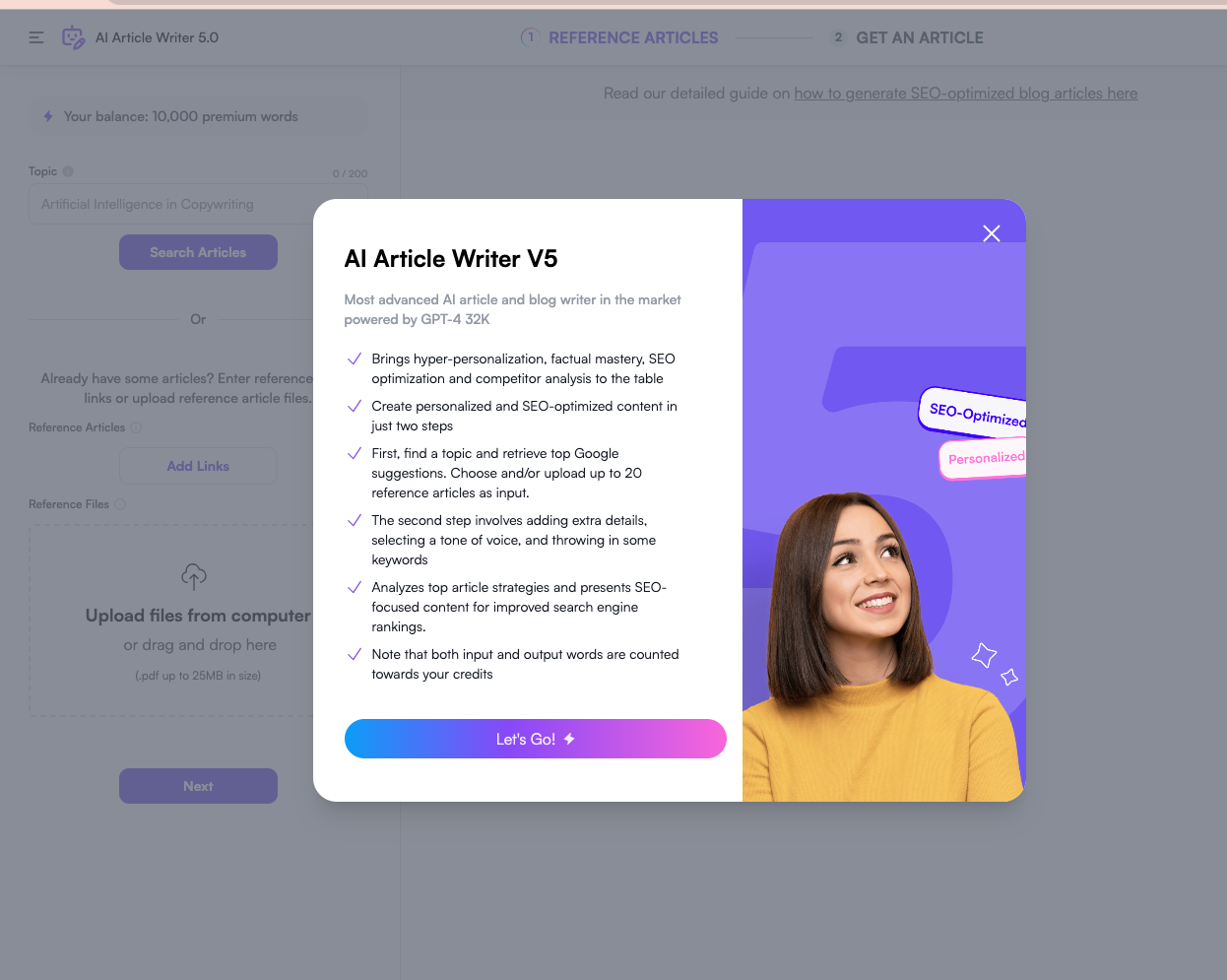
Writesonic can be useful if you want AI writing and content generation across many formats. It has moved heavily toward marketing and AI search workflows, so I would compare its current positioning carefully before choosing it as a simple Wordtune replacement. For a basic paraphrasing need, it may be more tool than necessary.
Copy.ai is better for go-to-market workflows and sales or marketing automation than pure paraphrasing. It may be too much if all you want is cleaner sentences.
Frase is another SEO-focused option. Like Surfer, it makes more sense when briefs, competitive analysis, and content optimization matter more than sentence rewriting.
Smodin and Paraphraser.io are also worth testing for quick rewrites, especially if you want a lower-friction free tool. I would not treat them as full editorial systems.
Final Verdict
Wordtune is still worth using if you mainly rewrite emails, short paragraphs, and everyday documents. Its interface is easy to understand, and the multi-suggestion rewrite experience is still useful. I would not replace it just for the sake of switching.
But if you are replacing Wordtune because it feels too limited, choose based on the missing workflow.
For long-form SEO content, Junia AI is the strongest overall choice because it handles the article-level work Wordtune does not. For direct paraphrasing, QuillBot is the closest replacement. For grammar and polish, Grammarly is safer. For academic writing, Paperpal is more focused. For SEO optimization, Surfer is more specialized.
The best Wordtune alternative is not the tool with the longest feature list. It is the one that fixes the part of writing Wordtune does not handle for you. That is the filter I would use before paying for any of them.