
8 Best AI Tools for Academic Research and Writing in 2026

Yi
SEO Expert & AI Consultant

AI can make academic work faster, but only if you use the right tool for the right part of the research process.
The mistake I see most often is treating one chatbot as a full research system. That usually creates more checking work, not less.
A good academic AI workflow is more practical: use one tool to find papers, another to evaluate evidence, another to summarize or organize sources, and another to polish the final draft. Convenience only helps if you can still audit the evidence later.
This guide covers literature search, citation mapping, evidence extraction, source checking, note synthesis, citation formatting, and academic writing support.
TL;DR: The Best AI Academic Writing Tools
| Tool | Best for | Use it when | Watch out for |
|---|---|---|---|
| Junia AI | Citation formatting and research drafting | You need clean citations, outlines, summaries, or a first academic draft | Still verify every source against the original |
| Google Scholar | Broad scholarly discovery | You need a wide starting list of papers, books, theses, and citations | Search results are broad and need filtering |
| Semantic Scholar | AI-assisted paper discovery | You want quick paper summaries, citation signals, and related work | Do not rely on TLDRs instead of reading key papers |
| Consensus | Evidence-backed question answering | You need a fast read on what peer-reviewed studies say | Works best with focused research questions |
| Elicit | Literature review and extraction | You need to compare methods, outcomes, variables, or findings across papers | Extraction still needs manual checking |
| Scite | Citation validation | You need to see whether later papers support, mention, or challenge a source | Citation labels are helpful, not final judgment |
| Research Rabbit | Citation mapping | You have a few seed papers and want to discover connected work | Visual maps can become noisy if your seed set is weak |
| NotebookLM | Source-grounded note synthesis | You want to ask questions about your own uploaded sources | It only knows what you give it |
If you only remember one thing, remember this: academic AI tools are safest when they shorten the path to evidence, not when they replace evidence.
How to Choose an AI Tool for Academic Research
Before picking a tool, decide which research problem you are actually trying to solve.
Most academic work has five separate jobs:
- Discovery: finding relevant papers and authors.
- Screening: deciding which sources deserve close reading.
- Mapping: seeing how papers, authors, and subtopics connect.
- Synthesis: comparing evidence across studies.
- Writing: turning research notes into a clear argument with accurate citations.
A tool that is excellent at one job may be weak at another. ChatGPT can help you outline an argument, but it is not a scholarly index. Google Scholar can surface a huge number of sources, but it will not tell you whether later research supports or disputes a claim. Elicit can extract study details, but you still need to compare those extracted fields against the paper.
When I test academic AI tools, I pay less attention to how polished the answer sounds and more attention to whether I can reconstruct the path from question to source to claim. That is usually where weak research workflows break.
University library guides make the same point in plainer language: do not rely on one AI tool for an entire literature review. Breadth still comes from Scholar, library databases, and subject indexes. AI tools help after you know which job you are hiring them for. In practice, AI fits after you have collected and read your sources: a literature review generator can group them into themes and point out gaps, but it cannot tell you which studies are missing.
For most students and researchers, the strongest setup is a small stack:
| Research stage | Recommended tool type | Practical choice |
|---|---|---|
| Find papers | Scholarly search engine | Google Scholar or Semantic Scholar |
| Understand the field | Citation mapping | Research Rabbit |
| Test a claim | Evidence search | Consensus |
| Compare studies | Literature review extraction | Elicit |
| Check citation context | Smart citation index | Scite |
| Work with your own PDFs | Source-grounded assistant | NotebookLM or a dedicated PDF AI workflow |
| Draft and cite | Academic writing assistant | Junia AI |
Choose the next tool by the bottleneck, not by the marketing page:
| If you need to... | Choose this | Not this |
|---|---|---|
| Build a first reading list | Google Scholar or Semantic Scholar | A chatbot with no paper database |
| See how a field is connected | Research Rabbit | Another keyword search |
| Test a yes/no claim against studies | Consensus | A generic web answer |
| Compare methods and findings across papers | Elicit | Copying abstracts into a doc by hand, then stopping there |
| Check whether later papers support a source | Scite | Citation count alone |
| Ask questions about PDFs you already have | NotebookLM | Uploading unpublished data into a random chatbot |
| Format citations and structure a draft | Junia AI | Asking one model to invent the bibliography |
That stack looks less exciting than asking one AI tool to "write my literature review," but it is much safer.
It is also easier to defend. If a professor, reviewer, or supervisor asks where a claim came from, a tool stack with separate discovery, extraction, and validation steps gives you a cleaner answer.
1. Junia AI
Junia AI is useful at the writing and citation stage of academic work. I would not use it as the only source-discovery tool, but I would use it when I already have sources and need help turning notes into a structured draft, citation list, summary, or outline.
The most relevant academic feature is Junia's citation generator, which can help format references in common styles such as APA, MLA, and Chicago. Citation formatting is not intellectually difficult, but it is easy to get wrong when you are moving quickly across journal articles, books, websites, reports, and PDFs.
Junia also has a research paper generator that can help create an early draft structure. The important word is "early." For academic work, a generated draft should be treated as scaffolding: useful for organization, never a substitute for reading, analysis, and source checking.
I like Junia most when the thinking is already mine and the draft simply needs order. Used that way, it can reduce the boring friction around structure and citations without taking over the argument.
Where Junia Fits Best
Use Junia when you need to:
- turn rough notes into an outline
- format citations more consistently
- summarize source material into a working brief
- draft an abstract, introduction, or conclusion
- rewrite dense paragraphs for clarity
- build a first pass at a research-paper structure
For example, after reading five papers, you might use a research summary generator to turn your notes into a cleaner comparison. Then you can use that summary to decide what belongs in the final paper and what still needs verification.
Best Academic Use Case
Junia is strongest when you already know your sources and need help with organization. It is especially helpful for students and writers who struggle with the transition from scattered notes to a clean draft.
I would use it like this:
- Build your source list in Google Scholar, Semantic Scholar, Elicit, or your library database.
- Read the key sources yourself.
- Use Junia to create summaries, outlines, thesis options, and citation formats.
- Compare every generated claim against the original source.
- Edit the final draft manually.
That workflow keeps the human researcher in control while still removing a lot of formatting and drafting friction.
2. Google Scholar
Google Scholar is still one of the best starting points for academic research because of its breadth. It is not the newest or flashiest tool on this list, but it remains useful because it helps you find journal articles, books, conference papers, theses, patents, and citation trails in one place.
Use Google Scholar when you need to build a first reading list quickly.
Personally, I still start here more often than with newer tools. It is messy, but that mess is useful at the beginning because it shows how broad the field really is.
What It Does Well
Google Scholar is good for:
- broad topic searches
- finding highly cited papers
- tracing "Cited by" links
- checking author profiles
- finding different versions of the same paper
- exporting citations to reference managers
The "Cited by" link is especially useful. If you find one strong paper, you can move forward through later work that cited it. That often reveals newer studies, critiques, replications, and adjacent research questions.
Where It Falls Short
Google Scholar gives you breadth, not a finished literature review. Search results can include old papers, duplicates, weakly relevant papers, and sources you cannot access. It also does not explain whether a paper is being cited positively, neutrally, or critically.
So I would use Google Scholar as the first door into the literature, then move important sources into a tool like Scite, Research Rabbit, or Elicit for deeper analysis.
3. Semantic Scholar
Semantic Scholar is a strong AI-assisted discovery tool for researchers who want faster paper triage. It uses AI to help users discover relevant scientific literature, and its product pages describe features such as paper summaries, citation signals, recommendations, and related-paper discovery.
The biggest practical benefit is speed. When you are scanning a new field, one-sentence summaries and citation cues can help you decide which papers deserve closer reading.
The trick is to treat that speed as triage, not understanding. I find Semantic Scholar most useful in the first hour of research, when the main question is still, "What should I read first?"
What It Does Well
Semantic Scholar is useful for:
- finding papers by topic, author, or keyword
- scanning short AI-generated paper summaries
- seeing citation and reference relationships
- discovering related papers
- saving papers into a reading library
- tracking recommendations in a field
This makes it a good middle ground between Google Scholar and more specialized tools. Google Scholar is broader. Semantic Scholar is often faster for AI-assisted screening.
Best Academic Use Case
Use Semantic Scholar when you are still building a reading list and want to narrow a large search space. It is especially useful when your topic has several related terms and you are not sure which vocabulary the field uses.
The caution is simple: do not cite the summary. Cite the paper. TLDR-style summaries are useful for triage, but serious claims still need to come from the original article.
4. Consensus
Consensus is built for evidence-backed research questions. Instead of giving a generic web answer, it searches scholarly literature and summarizes what studies say about a focused question.
This makes it useful when you want to test a claim before investing hours in reading.
For example, a weak prompt would be:
Tell me about sleep and memory.
A stronger Consensus-style question would be:
Does sleep deprivation reduce working memory performance in adults?
That second version is focused enough for evidence scanning.
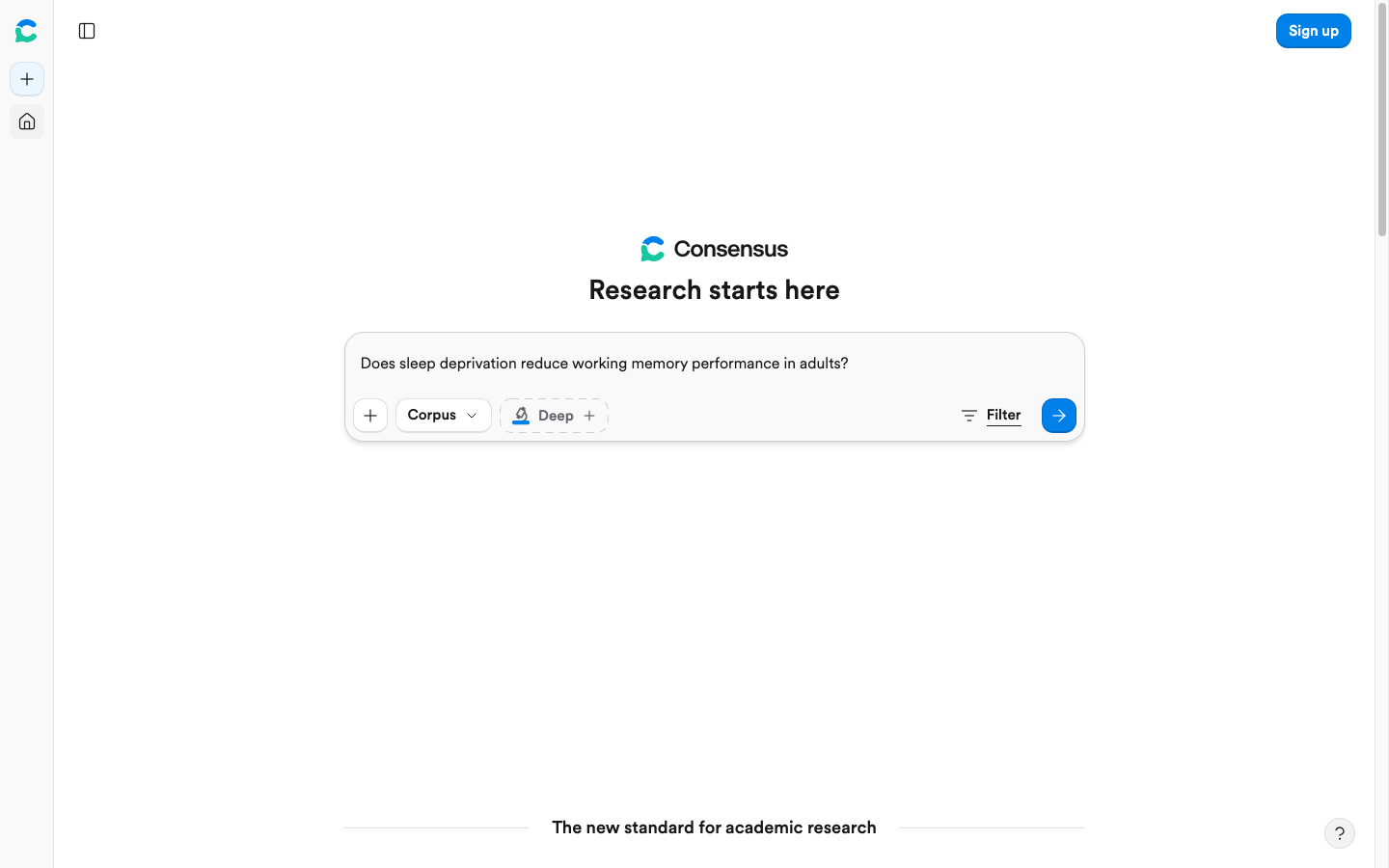
If the question is still a topic ("sleep and memory"), Consensus will give you a tour. If the question is a claim, it can show you whether the literature actually agrees.
What It Does Well
Consensus is useful for:
- checking whether research supports a specific claim
- getting a quick overview of peer-reviewed findings
- finding papers tied to a yes/no or directional question
- comparing evidence before deeper reading
- spotting whether a topic has mixed results
Consensus says it draws on a large research-paper database, which makes it much more appropriate for academic exploration than a general web chatbot.
Best Academic Use Case
Use Consensus when your research question is already fairly specific. It is less useful for vague exploration and more useful for claim checking.
I would use it before writing a claim like "X improves Y." If Consensus shows mixed evidence, that is a signal to write more carefully:
Some studies suggest X may improve Y under specific conditions, but the evidence is mixed.
That kind of phrasing is more academically honest than forcing a confident conclusion.
That restraint matters. In my experience, the best academic paragraphs often sound less dramatic after proper evidence checking, but they become much harder to challenge.
5. Elicit
Elicit is one of the strongest tools for literature review workflows. Its official pages describe search across more than 138 million academic papers, research reports, paper chat, summaries, and extraction workflows.
The difference between Elicit and a basic search engine is structure. Elicit is useful when you need to compare studies across repeated fields such as population, intervention, outcome, method, sample size, limitation, or finding.
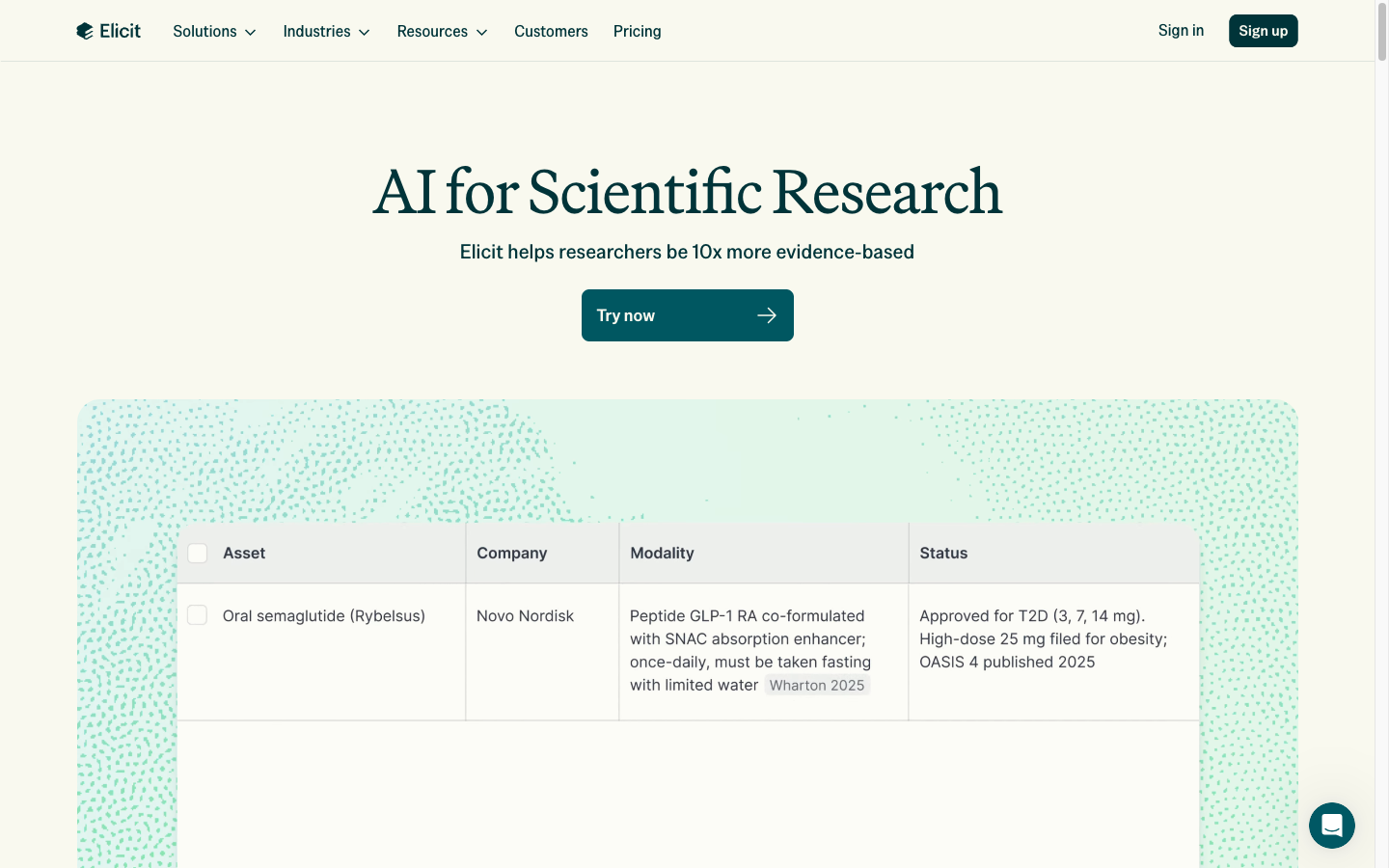
That table look is the point. I would rather correct a few extracted fields than start from a pile of open tabs and a half-remembered methods section.
What It Does Well
Elicit can help with:
- finding relevant papers through semantic search
- extracting details from studies
- building comparison tables
- summarizing findings across papers
- generating research reports
- refining a literature review question
This is especially useful for evidence-heavy topics where the same question appears across many studies.
I would not trust any extraction table blindly, but I do like what Elicit does to the workflow: it turns vague reading into a set of fields you can inspect, correct, and compare.
Best Academic Use Case
Use Elicit when your bottleneck is not finding one paper, but comparing many papers.
For example, if you are reviewing studies on AI tutoring systems, you might use Elicit to extract:
| Field | Why it matters |
|---|---|
| Study population | Undergraduate students, K-12 students, adult learners, etc. |
| Intervention | Chatbot tutor, adaptive platform, writing assistant, feedback system |
| Outcome measured | Test scores, retention, writing quality, engagement |
| Method | Experiment, survey, observational study, meta-analysis |
| Main finding | What the study actually concluded |
| Limitation | What should make you cautious |
That table will not write the literature review for you, but it gives you a clearer evidence base to write from.
For me, this is where Elicit earns its place. The output is not the final prose; it is a better desk to work on.
6. Scite
Scite is valuable because it looks beyond citation count. A paper can have hundreds of citations and still be disputed, misused, or cited only in passing. Scite's Smart Citations show citation context and classify citations as supporting, mentioning, or contrasting.
That matters for academic writing because citation count alone is a blunt metric.
What It Does Well
Scite is useful for:
- checking how a paper is cited by later research
- identifying supporting and contrasting evidence
- finding citation statements in context
- stress-testing a source before relying on it
- improving the credibility of a literature review
If you are building an argument around a key study, Scite can help you see whether later research has reinforced or challenged that study.
I am fairly strict about this for cornerstone sources. If one paper carries a major paragraph, I want to know whether later researchers treated it as solid evidence, background context, or a problem to correct.
Best Academic Use Case
Use Scite before you lean heavily on a paper.
This is especially important for claims that sound strong in isolation:
A 2018 study found a major effect.
That sentence is not enough. A better academic question is:
Have later studies supported, complicated, or contradicted the 2018 finding?
Scite helps you answer that question faster.
Skipping this step is tempting when a deadline is close. It is also how weak citations sneak into otherwise careful writing.
7. Research Rabbit
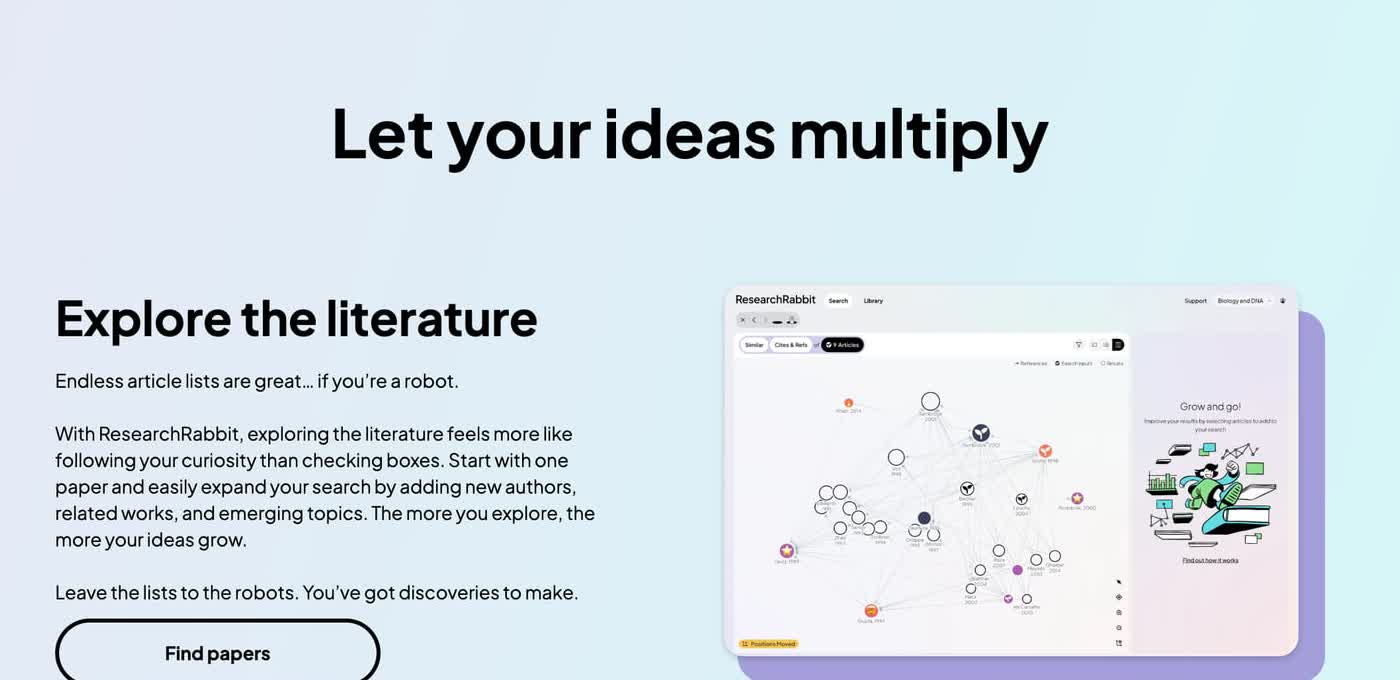
Research Rabbit is a literature mapping tool. It is useful when you already have a few good papers and want to discover related work through citation networks, author relationships, and paper recommendations.
This is where AI can be genuinely helpful in a literature review. Keyword search depends on knowing the right terms. Citation mapping helps you discover papers that are connected even when they use different language.
I especially like mapping tools for unfamiliar topics because they reveal the shape of a field before you have mastered its vocabulary.
What It Does Well
Research Rabbit is useful for:
- building citation maps
- finding related papers from seed papers
- discovering author networks
- tracking research clusters
- spotting adjacent subfields
- expanding a literature review beyond keyword search
For ongoing research projects, this can save a lot of time. Instead of restarting your search every week, you can build collections and follow related work as the field changes.
Best Academic Use Case
Use Research Rabbit after you have found three to five strong seed papers. If your seed papers are weak, the map will be weak too.
That seed-paper rule is not a minor detail. I have seen citation maps become impressive-looking distractions when the starting papers were only loosely related to the actual research question.
A good workflow looks like this:
- Find seed papers through Google Scholar, Semantic Scholar, or your library database.
- Add them to Research Rabbit.
- Review connected papers and author clusters.
- Save promising sources.
- Read the abstracts and methods before adding them to your final review.
The tool is excellent for discovery, but your final judgment still comes from reading.
8. NotebookLM
NotebookLM is useful because it is grounded in your own sources. Instead of asking a general chatbot to answer from memory, you upload documents, notes, or sources and ask questions about that material.
That makes it especially helpful for students and researchers working through large reading piles.
What It Does Well
NotebookLM can help with:
- summarizing uploaded papers or notes
- asking questions across a source set
- comparing themes in your documents
- creating study aids from research material
- turning scattered notes into a cleaner brief
It is not a replacement for a reference manager or a formal literature review tool, but it is useful for comprehension. If you have a folder of assigned readings, lecture notes, and PDFs, NotebookLM can help you ask better questions about that specific material.
I would use it for "help me understand these sources," not "tell me what the field says." That distinction keeps the tool inside its strongest lane.
Best Academic Use Case
Use NotebookLM when you already have sources and need to understand them more efficiently.
For example, you can ask:
- Which papers in this notebook discuss the same limitation?
- What are the main disagreements across these sources?
- Which source gives the strongest evidence for this claim?
- Where do these papers define the core concept differently?
Those are much better academic questions than "write my paper."
Other Useful AI Tools for Academic Writing
The eight tools above cover the core workflow, but a few supporting tools may still be useful.
| Tool | Best use |
|---|---|
| Trinka | Academic grammar, clarity, and formal tone |
| Claude | Long-document reasoning and brainstorming |
| ChatGPT | Outlining, Socratic questioning, rewriting, and research planning |
| SciSpace | Chatting with papers and exploring scholarly explanations |
| Connected Papers | Quick field overviews from one seed paper |
| Litmaps | Timeline-style citation mapping |
| Inciteful | Fast citation-network exploration |
Access changes often. Georgetown's library guide is useful here: Semantic Scholar and Research Rabbit are currently free, Consensus and Elicit have free tiers with paid upgrades, and Scite is a paid product. Check current pricing and whether your university already licenses the tool before you build a workflow around a paywall.
General chatbots are best for thinking support, not source authority. If you use ChatGPT, Claude, Gemini, or Perplexity in an academic workflow, ask them to help you reason, outline, summarize your own notes, or generate questions to investigate. Do not let them invent citations.
My personal rule is simple: a chatbot can help me think, but it does not get to become the bibliography.
That is also why source-grounded tools and reference managers keep appearing in real research workflows: they reduce app-switching, but they do not remove the need to verify claims yourself.
When a general chatbot is too loose for academic work, specialized ChatGPT alternatives for research can give you more controlled discovery, summarization, and evidence-checking workflows.
A Safe Academic AI Workflow
Here is the workflow I would recommend for most students, researchers, and academic writers.
If you are new to Elicit-style literature review, this beginner walkthrough is a practical companion before you trust the extraction table:
How to use Elicit AI for literature reviews
Step 1: Start With a Real Research Question
Do not begin with "find sources about AI in education." That is too broad.
Use a sharper version:
How do AI writing assistants affect undergraduate students' revision quality?
That kind of question makes every tool work better because it narrows the search space.
I would spend more time on this step than most students expect. A clear research question saves more time than a clever prompt because it improves every search, summary, and citation decision that follows.
If you are still shaping the argument, a thesis statement generator can help you test several versions of the claim before you commit to one.
Step 2: Build a Source List
Use Google Scholar, Semantic Scholar, your university library database, or subject-specific indexes to find papers. At this stage, do not worry about perfect synthesis. You are building a candidate pool.
This stage should feel slightly overinclusive. I would rather cut a few weak sources later than miss the vocabulary or landmark paper that unlocks the topic.
Save:
- title
- author
- year
- publication venue
- DOI or URL
- abstract
- why the source might matter
Step 3: Map the Field
Once you have a few strong papers, move into Research Rabbit, Connected Papers, Litmaps, or a similar mapping tool.
At this point, the work changes from searching to pattern recognition. You are no longer just collecting papers; you are trying to understand which papers talk to each other.
Look for:
- repeated authors
- highly connected papers
- older foundational studies
- newer studies that challenge the field
- clusters that represent different methods or schools of thought
This step helps you avoid the classic student mistake of citing the first five papers that looked relevant.
Step 4: Extract Evidence
Use Elicit, NotebookLM, or your own spreadsheet to compare studies.
At minimum, track:
| Evidence field | Why it matters |
|---|---|
| Research question | Keeps the paper's purpose clear |
| Method | Helps you avoid comparing unlike studies too loosely |
| Sample | Shows who the evidence actually applies to |
| Main finding | Captures the claim you may cite |
| Limitation | Prevents overclaiming |
| Quote or page note | Makes verification easier later |
This is also where a text summarizer can help compress your own notes into a usable brief. Just make sure the summary keeps page numbers, source names, and claim boundaries intact.
Step 5: Validate Important Claims
Before you write, run key sources through Scite or a similar citation-context tool. You are looking for support, dispute, and nuance.
A claim that survives this check is usually safer to include. A claim with mixed support can still be useful, but you need to phrase it carefully.
This is one of the places where AI can make writing more honest instead of less honest, as long as you use the conflicting evidence instead of hiding it.
Step 6: Draft, Then Edit Hard
Only after the source trail is clear should you move into drafting. At this point, Junia, ChatGPT, Claude, or another writing assistant can help with structure, transitions, and clarity.
I would not draft too early. AI makes early drafting feel productive, but if the evidence is still vague, the result is usually a smooth paragraph that has to be dismantled later.
A tool like an essay outline generator can help organize the paper before you write full paragraphs.
For final polishing, test cleaner wording by hand first. A paraphraser can help you compare sentence options, but it should not hide copied language or blur attribution.
What AI Tools Should Not Do in Academic Writing
AI tools are useful, but academic work has lines you should not cross.
Do not use AI to:
- invent citations
- write a paper you do not understand
- summarize papers you never intend to read
- paraphrase copied passages without attribution
- upload sensitive research data into tools your institution has not approved
- treat a generated answer as a peer-reviewed source
- ignore course, journal, supervisor, or institutional AI policies
The privacy point matters. Many academic projects include unpublished data, participant information, proprietary datasets, confidential interviews, or restricted course materials.
If you are not sure you can upload it, do not upload it. Check the course, journal, supervisor, and institutional AI policy first. A faster draft is not worth a data or integrity problem.
You should also assume that AI summaries can be wrong. Even when a tool cites real papers, it can still misstate what those papers found. The only safe habit is to verify important claims against the original source.
This may sound cautious, but I think caution is the right default here. Academic writing rewards traceability more than speed.
Quick Checklist Before You Trust an AI Research Output
Use this before adding any AI-assisted claim to an academic draft.
| Question | Why it matters |
|---|---|
| Can I open the original source? | Prevents fake or inaccessible citations |
| Did I read the relevant abstract, method, and finding? | Prevents shallow citation |
| Does the AI summary match the paper? | Catches misrepresentation |
| Is the source peer-reviewed or otherwise credible? | Protects source quality |
| Is the claim too broad for the evidence? | Prevents overclaiming |
| Are there later papers that dispute it? | Adds necessary nuance |
| Did I format the citation correctly? | Avoids careless academic errors |
| Does my institution allow this use of AI? | Keeps the workflow compliant |
If the answer to any of these is no, the output is not ready to cite.
Best Tool by Academic Task
| Academic task | Best tool |
|---|---|
| Find a broad range of sources | Google Scholar |
| Get AI-assisted paper summaries | Semantic Scholar |
| Check what studies say about a focused claim | Consensus |
| Extract study details for a literature review | Elicit |
| See whether later papers support a source | Scite |
| Discover related papers and author clusters | Research Rabbit |
| Ask questions about your own PDFs and notes | NotebookLM |
| Format citations and draft structured academic sections | Junia AI |
| Polish formal academic language | Trinka |
This is why I do not think there is one "best" AI tool for academic writing. There is a best tool for each job.
That is the opinion I keep coming back to after testing these workflows: the best setup is not the most automated one. It is the one that makes your judgment easier to apply.
Final Takeaway
The best AI academic writing tools do not make research automatic. They make the research process easier to manage.
Use Google Scholar or Semantic Scholar to find papers. Use Research Rabbit to map the field. Use Consensus to test claims. Use Elicit to compare studies. Use Scite to check citation context. Use NotebookLM to work with your own sources. Use Junia AI to organize, cite, and draft more cleanly.
That gives you the real advantage of AI in academic work: less time lost to repetitive tasks, more time spent reading carefully, thinking clearly, and writing an argument you can defend.
If I were choosing just one habit to keep, it would be this: never let an AI-assisted sentence outrun the source behind it.