
7 Hreflang Mistakes That Make Google Ignore Your Tags (And How to Fix Them)

Thu
AI SEO Specialist, Full Stack Developer

Hreflang is one of those technical SEO details that looks simple until one small mismatch makes the whole setup unreliable.
The tag itself only says: this URL is an alternate version of this page for a specific language or region. But Google expects every page in the set to agree with every other page. If your English page points to the Spanish page, the Spanish page needs to point back. If your French page is canonicalized to English, Google may decide the French page is not the version it should index. If your code says en-uk instead of en-gb, the signal can be ignored.
That is why hreflang mistakes often show up as frustrating symptoms:
- Google ranks the wrong language page.
- A US page appears in UK results.
- Localized pages are crawled but not selected as canonical.
- Search Console or audit tools report missing return tags.
- A country selector works for users, but search still prefers the global page.
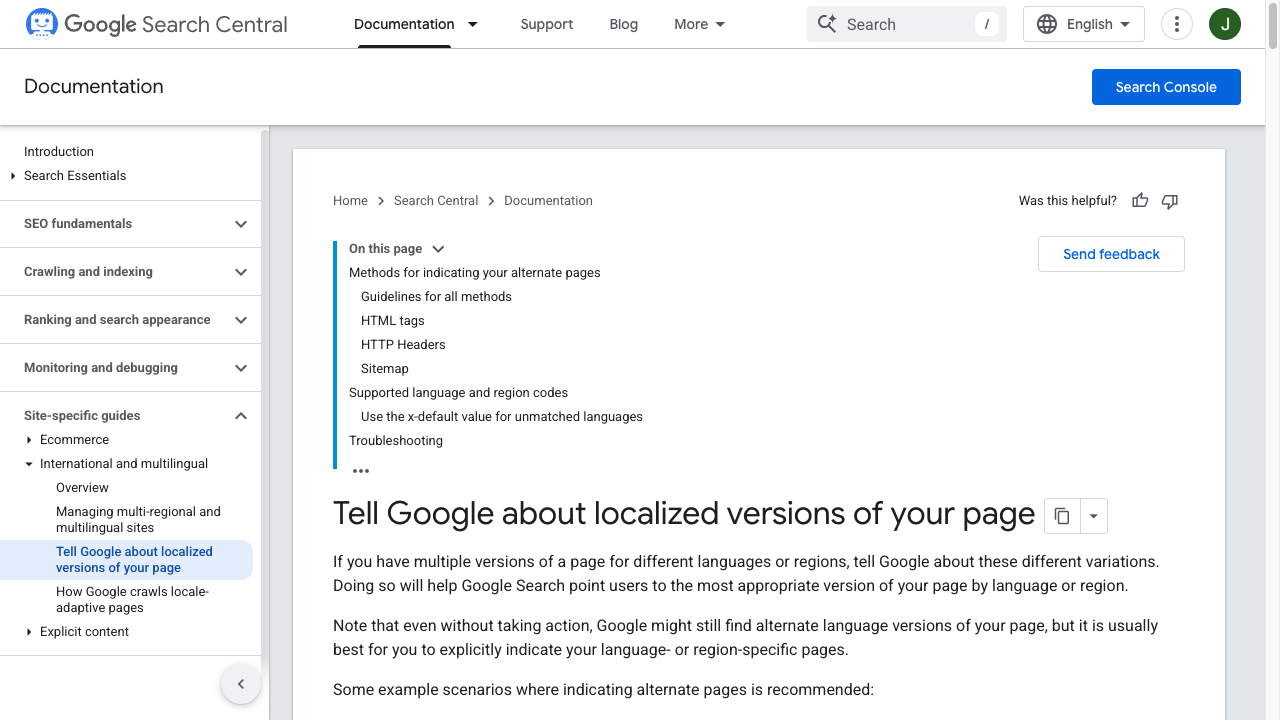
Google's own documentation says hreflang can be implemented in the HTML head, HTTP headers, or XML sitemaps, and that each language version must list itself and all alternates. It also calls out missing return links as a common reason annotations may be ignored (Google Search Central).
So the goal is not to add more tags. The goal is to build a clean, crawlable, internally consistent hreflang cluster.
Before you touch content strategy or platform buying decisions, fix the technical signals first. A clean hreflang setup gives your broader SaaS SEO expansion planning work a stable base, and it gives any platform-level multilingual SEO QA a clear checklist to enforce.
Quick Hreflang Fix Checklist
Before digging into individual mistakes, check these first:
| Check | What good looks like |
|---|---|
| Return links | Every URL in the cluster links back to every other URL in the same cluster. |
| Self-reference | Each page includes its own hreflang URL. |
| Canonical | Each localized page canonicalizes to itself, not to the default language page. |
| Status code | Every hreflang URL returns a clean 200 indexable page. |
| Codes | Language codes use ISO 639-1, and optional region codes use ISO 3166-1 Alpha-2. |
| URLs | Hreflang values use full absolute URLs, preferably HTTPS. |
| Fallback | x-default points to a sensible global page, language selector, or default version. |
| Consistency | HTML, sitemap, and canonical signals do not contradict each other. |
If you only have time for one audit, export a few representative URL clusters and compare them line by line. Most serious hreflang problems become obvious when one page has five alternates and another page in the same set has four.
What Hreflang Actually Does
Hreflang does not translate a page. It does not make weak localization rank. And it is not a country-targeting shortcut for pages that do not have real alternate versions.
It helps search engines understand relationships between localized pages.
For example:
<link rel="alternate" hreflang="en-us" href="https://example.com/us/product/" />
<link rel="alternate" hreflang="en-gb" href="https://example.com/uk/product/" />
<link rel="alternate" hreflang="fr-fr" href="https://example.com/fr/produit/" />
<link rel="alternate" hreflang="x-default" href="https://example.com/product/" />
This tells Google that those URLs are alternate versions of the same core page for different audiences.
That matters when the pages are similar. A US English page and a UK English page may only differ by spelling, currency, delivery terms, and legal language. Without strong canonical and hreflang signals, Google may consolidate those pages or show the version it considers most useful. With correct hreflang, you make the relationship clearer.
If you are building a larger technical multilingual SEO with AI program, this is where translation quality and technical implementation meet. For SaaS teams scaling several markets at once, pair this with the workflow for SaaS multilingual automation playbook. Hreflang can point Google to the right localized URL, but the page still needs to deserve the local click.
Mistake 1: Missing Return Links
This is the classic hreflang failure.
| Mistake | What Google often does | Fast check |
|---|---|---|
| Missing return links | Ignores the annotation | Reciprocal pair exists both ways |
| Canonical fights hreflang | Prefers the canonical target | Canonical stays self-referencing per locale |
| Soft 404 / noindex targets | Drops the signal | Every hreflang URL is 200 + indexable |
Hreflang is plumbing. It helps Google serve the right version — it does not make thin localized pages rank.
How serving works, hreflang, and more!
If page A lists page B as an alternate, page B must also list page A. Google uses this reciprocal relationship to confirm that both pages agree they are alternates. Without it, the annotation may be ignored.
Let's say you have three versions:
https://example.com/us/pricing/https://example.com/uk/pricing/https://example.com/fr/tarifs/
Each page should list the full set:
<link rel="alternate" hreflang="en-us" href="https://example.com/us/pricing/" />
<link rel="alternate" hreflang="en-gb" href="https://example.com/uk/pricing/" />
<link rel="alternate" hreflang="fr-fr" href="https://example.com/fr/tarifs/" />
<link rel="alternate" hreflang="x-default" href="https://example.com/pricing/" />
The US page, UK page, and French page should all carry the same alternate set, adjusted only if a page genuinely does not have a matching equivalent.
How to fix it:
- Crawl a sample of localized pages.
- Export the hreflang annotations for each URL.
- Group URLs by page equivalent, not by language directory.
- Confirm every page links to itself and to all other alternates.
- Confirm every alternate URL returns a
200status and is indexable.
This is also where automation helps. If every localized page is generated from a central content model, your template can output the full hreflang cluster consistently. If each page is maintained manually, missing return tags usually come back as soon as a new locale is added.
Mistake 2: Using the Wrong Language or Region Codes
Hreflang codes are strict.
The language goes first. The optional region goes second. You can use a language without a region, but you cannot use a country code by itself.
| Wrong | Right | Why |
|---|---|---|
en-uk | en-gb | The UK region code is GB, not UK. |
us | en-us | A country code alone is not a valid hreflang value. |
sp | es | Spanish uses the language code es. |
fr_ca | fr-ca | Use a hyphen, not an underscore. |
de-DE | de-de | Google examples commonly use lowercase; consistency matters in audits. |
Use ISO 639-1 for language codes and ISO 3166-1 Alpha-2 for region codes. This sounds like a small formatting issue, but the impact is large: if the code is invalid, the tag cannot reliably tell Google who the page is for.
How to fix it:
- Create a language/region map before implementation.
- Validate every code before pushing tags live.
- Avoid guessing country codes from names.
GB, notUK, is the common trap. - Use broad language codes such as
esonly when the page is meant to serve Spanish speakers generally. - Use region-specific values such as
es-mxores-esonly when the content is actually localized for that market.
This also affects content planning. If you are translating a site into many languages with an post-by-post translation tool or translated blog batches, decide whether each output is language-only or market-specific before you generate the page structure.
Mistake 3: Canonical Tags Fight the Hreflang Tags
Canonical and hreflang signals need to support each other.
The common mistake is this:
<!-- On the French page -->
<link rel="canonical" href="https://example.com/us/product/" />
<link rel="alternate" hreflang="fr-fr" href="https://example.com/fr/produit/" />
<link rel="alternate" hreflang="en-us" href="https://example.com/us/product/" />
The hreflang tag says the French URL is a real alternate version. The canonical tag says the US URL is the preferred version. Those two messages conflict.
For localized pages you want indexed, use self-referencing canonicals:
<!-- On the French page -->
<link rel="canonical" href="https://example.com/fr/produit/" />
<link rel="alternate" hreflang="fr-fr" href="https://example.com/fr/produit/" />
<link rel="alternate" hreflang="en-us" href="https://example.com/us/product/" />
Google's canonical guidance also warns against putting HTTP URLs in sitemaps or hreflang annotations when HTTPS is preferred, and notes that canonical annotations with alternate attributes are not used for canonicalization (Google Search Central).
How to fix it:
- Check the canonical on every URL included in hreflang.
- Make sure each indexable localized page canonicalizes to itself.
- Do not canonicalize all translated pages to the English page.
- Do not include non-canonical URLs in hreflang clusters.
- Keep sitemap URLs, canonical URLs, and hreflang URLs aligned.
This is one of the most important checks for sites asking why translated pages are crawled but not ranking. If the canonical points elsewhere, hreflang cannot fully solve the problem.
Mistake 4: Pointing Hreflang at Redirected, Broken, Blocked, or Noindexed Pages
Hreflang should point to pages Google can crawl, index, and serve.
That means the target URL should not:
- Return a
404,410, or5xxstatus. - Redirect to another URL.
- Be blocked in
robots.txt. - Have a
noindexdirective. - Canonicalize to a different URL.
- Require cookies, geolocation, or session state to show the right content.
Redirects are especially common after international migrations. A team changes /uk/ to /gb/, updates the visible navigation, but leaves old hreflang URLs in templates or sitemaps. Google then sees alternate annotations that point through redirects instead of directly to the final canonical URLs.
How to fix it:
- Crawl all hreflang
hrefvalues, not just the pages where tags appear. - Replace redirected URLs with final destination URLs.
- Remove URLs that are noindexed or blocked.
- Check that every alternate URL can be fetched without a forced country redirect.
- Keep an audit after every migration, CMS restructure, or market launch.
If you use an indexing workflow, pair it with technical checks. A Google indexing tool can help submit important URLs, but it cannot make a blocked or conflicting hreflang cluster valid.
Mistake 5: Forgetting Self-Referencing Hreflang
Every page in a hreflang set should include itself.
This feels redundant at first. If you are already on the US page, why list the US page? Because the self-reference confirms that the current URL belongs in the cluster and is the intended version for that language or region.
For a US product page, the set should include:
<link rel="alternate" hreflang="en-us" href="https://example.com/us/product/" />
<link rel="alternate" hreflang="en-gb" href="https://example.com/uk/product/" />
<link rel="alternate" hreflang="fr-fr" href="https://example.com/fr/produit/" />
<link rel="alternate" hreflang="x-default" href="https://example.com/product/" />
Then the UK page should include the same equivalent set, including the UK URL itself. The French page should do the same.
How to fix it:
- Treat self-reference as part of the required cluster, not an optional extra.
- Generate hreflang from a single source of truth whenever possible.
- Test each language version, not just the default language page.
- Confirm self-referencing canonical and self-referencing hreflang both exist.
This is a small detail, but it makes the entire setup easier to validate.
Mistake 6: Using x-default Poorly or Not at All
x-default is the fallback URL for users whose language or region does not match your listed alternates. Google recommends it for fallback pages, and its 2023 Search Central blog specifically argued that x-default is underused on sites that already use hreflang (Google Search Central Blog).
Good x-default choices include:
- A global homepage.
- A country or language selector.
- A default English page when that is genuinely your global fallback.
- A neutral product page that lets users choose region or currency.
Weak x-default choices include:
- A random regional page.
- A page that redirects users before they can choose.
- A URL that is blocked, noindexed, or canonicalized elsewhere.
- Different fallback URLs across pages in the same hreflang cluster.
x-default is not mandatory for every site, but it is useful when your audience includes people outside your explicitly targeted markets. It also makes country-selector pages easier for search engines to understand.
How to fix it:
- Decide what should happen when no language or region matches.
- Use the same fallback logic across equivalent pages.
- Keep the fallback page crawlable and indexable if you want Google to use it.
- Do not use
x-defaultas a substitute for missing localized pages.
For global SaaS, ecommerce, travel, education, and publisher sites, x-default is usually worth including because visitors often arrive from markets you have not fully localized yet.
Mistake 7: Creating Localized Pages That Are Too Thin or Too Similar
Hreflang is not a magic duplicate-content shield.
It can clarify that similar pages are alternate versions, but it does not make thin regional pages useful. If your US, UK, Canada, and Australia pages are almost identical except for a currency symbol, Google may still choose one version as canonical or prefer the broader page.
Before creating a new regional URL, ask what actually changes for the reader:
| Page type | Localization that usually matters |
|---|---|
| Ecommerce category | Currency, shipping, returns, taxes, availability, units, local terms. |
| SaaS pricing | Currency, tax handling, compliance language, supported payment methods. |
| Legal or healthcare content | Local rules, disclaimers, terminology, governing bodies. |
| Travel content | Local names, visa rules, transport options, seasonal details. |
| Blog content | Search intent, examples, spelling, statistics, screenshots, local competitors. |
If the answer is "nothing meaningful," you may not need a separate regional page. A language-only version can be cleaner than several shallow country variants.
If you do create region-specific content, make it real. Use localized examples, screenshots, product availability, pricing, search intent, and internal links. Junia's guidance on how Google ranks translated content is useful here because translation quality and local usefulness matter alongside technical tags.
HTML Head vs XML Sitemap vs HTTP Header
Google supports three hreflang implementation methods:
| Method | Best for | Watch out for |
|---|---|---|
| HTML head | Standard web pages where you control templates. | Tags must be in the <head> and present on every equivalent page. |
| XML sitemap | Large sites with many language variants. | Sitemap annotations must stay synchronized with canonical URLs. |
| HTTP header | Non-HTML files such as PDFs. | Headers can be harder to inspect and maintain. |
You do not need to use every method. In fact, mixing methods can make maintenance harder if your sitemap and HTML head drift apart.
For most sites, choose one primary method and build a QA process around it:
- Smaller site with template control: HTML head is simple.
- Large catalog or publisher site: XML sitemap may be easier to scale.
- PDFs or non-HTML assets: HTTP headers are the right option.
If you are using AI and CMS automation to scale international publishing, connect hreflang generation to the same workflow that creates the translated pages. For example, when you are turning one blog post into multiple languages, the system should know the source URL, translated URL, language code, canonical URL, and publication status before it outputs tags.
A Clean Hreflang Template You Can Copy
Here is a practical HTML head example for three equivalent pages:
<link rel="canonical" href="https://example.com/us/seo-tools/" />

<link rel="alternate" hreflang="en-us" href="https://example.com/us/seo-tools/" />
<link rel="alternate" hreflang="en-gb" href="https://example.com/uk/seo-tools/" />
<link rel="alternate" hreflang="fr-fr" href="https://example.com/fr/outils-seo/" />
<link rel="alternate" hreflang="x-default" href="https://example.com/seo-tools/" />
On the UK page, only the canonical changes to the UK URL:
<link rel="canonical" href="https://example.com/uk/seo-tools/" />

<link rel="alternate" hreflang="en-us" href="https://example.com/us/seo-tools/" />
<link rel="alternate" hreflang="en-gb" href="https://example.com/uk/seo-tools/" />
<link rel="alternate" hreflang="fr-fr" href="https://example.com/fr/outils-seo/" />
<link rel="alternate" hreflang="x-default" href="https://example.com/seo-tools/" />
On the French page, the canonical changes to the French URL:
<link rel="canonical" href="https://example.com/fr/outils-seo/" />

<link rel="alternate" hreflang="en-us" href="https://example.com/us/seo-tools/" />
<link rel="alternate" hreflang="en-gb" href="https://example.com/uk/seo-tools/" />
<link rel="alternate" hreflang="fr-fr" href="https://example.com/fr/outils-seo/" />
<link rel="alternate" hreflang="x-default" href="https://example.com/seo-tools/" />
That pattern is the foundation: self-canonical, self-referencing hreflang, reciprocal alternates, absolute URLs, and one consistent fallback.
How to Audit Hreflang Without Getting Lost
For a small site, you can audit manually. For a large site, use a crawler or export from your SEO platform. Either way, the process is the same.
- Pick one page type, such as product pages, pricing pages, or blog posts.
- Choose a representative URL in the default language.
- Export every hreflang URL listed on that page.
- Fetch each alternate URL.
- Confirm every alternate lists the same equivalent set.
- Check status codes, canonicals, noindex, robots rules, and final URLs.
- Validate language and region codes.
- Repeat for another page type and another market.
For content-heavy sites, do this before you scale translation. Fixing 20 pages is annoying. Fixing 20,000 translated pages after publication is a much bigger problem.
This is also where internal linking matters. Hreflang helps search engines understand alternates, but users still need clear paths between markets and languages. A consistent selector, natural links between localized sections, and tools like AI internal link suggestions can support the larger international SEO structure without replacing hreflang.
Beyond Hreflang: What Still Affects International SEO
Hreflang only solves one problem: helping search engines choose between alternate language or regional versions.
It does not replace:
- Local keyword research.
- Proper translation and localization.
- Region-specific internal linking.
- Local currency, pricing, shipping, or legal information.
- Fast pages in target markets.
- Crawlable navigation between language versions.
- Strong canonical and indexing signals.
If you are expanding a content program, build the workflow in this order:
- Decide which markets actually need separate pages.
- Translate and localize the content with human review where quality matters.
- Publish clean canonical URLs for every version.
- Generate reciprocal hreflang clusters.
- Add localized internal links and navigation.
- Submit and monitor key URLs.
- Audit after launch and after every major template or URL change.
For a deeper strategy layer, see Junia's guides on local SEO versus international SEO, ranking blog posts in foreign countries, and human review in SEO translation.
Final Takeaway
Most hreflang problems are not caused by a lack of effort. They are caused by inconsistency.
One page is missing a return link. One URL redirects. One canonical points to the English version. One region code is invalid. One market was added to the CMS but not to the sitemap. Any of those can weaken the whole cluster.
The fix is to treat hreflang as a technical system, not a page-level decoration. Every localized URL should be indexable, canonical to itself, listed with the right language-region code, and connected reciprocally to the rest of its equivalent set.
Do that, and hreflang becomes much less mysterious. It becomes a repeatable QA process for showing the right page to the right searcher, while the broader multilingual SEO strategy can live in separate content, workflow, and tooling guides.