
SaaS Multilingual SEO Workflow: Scale to 10+ Languages Without More Headcount

Thu
AI SEO Specialist, Full Stack Developer

Scaling SaaS SEO into 10 or more languages is not mainly a translation problem.
The hard part is operational. Every product update creates new title tags, pricing-page copy, feature descriptions, help docs, blog posts, screenshots, internal links, hreflang annotations, and analytics segments. If each locale depends on manual copy-paste work, the content system eventually breaks.
The practical answer is multilingual SEO automation: a repeatable workflow that turns one source page into localized, searchable, reviewed, and measurable versions across markets.
Before you automate, use global SEO planning for SaaS to decide where expansion makes sense. Then choose the right automation platform checklist for the technical layer and use AI SEO for multilingual sites for research, translation, localization, and QA decisions.
That does not mean fully automated publishing with no human review. For SaaS, the winning setup is usually:
- Prioritize the markets that already show demand.
- Build a structured source content library.
- Use AI and translation workflows for the first draft.
- Add native review where trust, conversion, or compliance matters.
- Automate technical SEO, internal linking, and QA checks.
- Measure performance by locale, not only by total traffic.
This is how SaaS teams can grow beyond English without hiring a full editorial team for every language.
The Short Version: What to Automate First
If you already have an English SaaS site with product pages, blog posts, and support content, do not start by translating everything.
Start with the pages closest to revenue and search demand:
| Priority | Content type | Why it matters | Automation level |
|---|---|---|---|
| 1 | Homepage, product pages, solution pages | Explains the product and captures commercial demand | AI draft + native review |
| 2 | Pricing, checkout, trial/signup flows | Directly affects conversion and trust | Human review required |
| 3 | Help center and onboarding docs | Reduces support load for new markets | AI draft + technical review |
| 4 | SEO blog clusters | Builds organic reach in each language | AI-assisted workflow |
| 5 | Case studies, webinars, comparisons | Supports sales and buying committees | Localize selectively |
For most SaaS teams, the fastest route is not "translate the whole site." It is "localize the paths that help people discover, understand, trust, and buy the product."
That matters because language affects buying behavior. CSA Research's well-known "Can't Read, Won't Buy" survey found that 76% of online shoppers prefer buying products with information in their own language. SaaS buyers are still people. They may tolerate English documentation during research, but they are far less patient when pricing, setup, security, or support is unclear.
Multilingual SEO vs International SEO for SaaS
Before building the workflow, get the targeting right.
Multilingual SEO means you are optimizing content for more than one language. A Spanish-language page may serve users in Spain, Mexico, Colombia, and the United States.
International SEO means you are optimizing for countries or regions. You may need separate English pages for the United States, United Kingdom, Australia, and Canada if pricing, compliance, terminology, or buying intent differs.
SaaS often needs both.
For example, a project management tool might create:
/es/gestion-de-proyectos/for Spanish-speaking users broadly./es-mx/gestion-de-proyectos/if Mexico has unique pricing, testimonials, integrations, or regulatory details./en-gb/project-management-software/if UK users search differently and need UK-specific proof.
The distinction matters because it changes everything downstream: keyword research, URL structure, hreflang, pricing, payment methods, case studies, support expectations, and reporting.
If this is a new channel for your team, treat multilingual expansion as part of your wider international SEO strategy, not as a translation side project.
Step 1: Pick Markets With Data, Not Wishful Thinking
The common mistake is choosing languages by population size.
That is too broad for SaaS. You are not trying to reach "everyone who speaks Spanish" on day one. You are trying to find markets where search demand, product fit, ability to pay, and sales/support readiness overlap.
Use a simple scoring model before you translate anything:
| Market signal | What to check |
|---|---|
| Existing demand | Organic traffic, demo requests, trials, product signups, support tickets, CRM geography |
| Search opportunity | Local keyword volume, SERP quality, competitor localization, low-competition long-tail queries |
| Product fit | Integrations, compliance, industry use cases, local workflows |
| Revenue fit | Pricing tolerance, payment methods, sales cycle, churn risk |
| Support readiness | Language coverage, help docs, onboarding capacity, time zones |
This prevents the "10 languages, zero traction" problem.
A SaaS team with strong English content might discover that Germany, Brazil, France, and Mexico already send trial users even without localized pages. That is a much better starting point than blindly launching 20 locales because a translation tool makes it easy.
Step 2: Build a Source Content System
Multilingual automation only works if the source content is clean.
If your English pages are inconsistent, outdated, duplicated, or hard-coded across your CMS, automation will multiply the mess. So before you scale, organize your content into reusable page types.
At minimum, define templates for:
- Product pages
- Feature pages
- Industry solution pages
- Competitor comparison pages
- Blog articles
- Help center articles
- Glossary pages
- Case studies
Each template should have fields that can be translated and fields that should stay global.
For example:
| Field | Localize? | Notes |
|---|---|---|
| H1 | Yes | Should match local search intent, not direct translation only |
| URL slug | Yes | Local-language slugs are easier to understand and can improve relevance |
| Meta title/description | Yes | Rewrite for local CTR and character length |
| Product screenshots | Sometimes | Localized UI screenshots are stronger for product-led pages |
| Pricing | Often | Currency and plan packaging may need market-specific treatment |
| Security claims | Carefully | Keep factual claims consistent across languages |
| Internal links | Yes | Link to same-language pages wherever possible |
| Schema | Yes | Use correct inLanguage and localized page data |
This is where a structured CMS or programmatic workflow helps. If you are creating hundreds of localized pages from repeatable templates, a governed bulk content workflow is usually cleaner than managing one-off pages by hand.
Step 3: Create a Translation Pipeline That Has Quality Gates
| Automate first | Keep human review |
|---|---|
| Hreflang + sitemap generation | Tone and legal claims |
| Keyword localization lists | Market prioritization |
| Canonical + URL pattern checks | Product positioning per locale |
| Internal link templates | Cultural examples and proof |
Quality-gate checklist before you open a new language
- Source page already ranks or converts in the primary market
- Localized keyword map (not literal translation)
- Native review for CTA and pricing language
- Hreflang bidirectional pairs verified in staging
For SaaS SEO, the best translation workflow is not "AI writes, publish immediately."
A safer pipeline looks like this:
- Source page is approved in the primary language.
- Local keyword research is added to the brief.
- AI or a translation system creates the first localized draft.
- Glossary and brand-voice rules are applied.
- Native reviewer checks nuance, product accuracy, and search intent.
- SEO checks run for title, headings, slug, internal links, and hreflang.
- Page is staged, visually checked, and published.
- Performance is monitored by locale.
This sounds slower than full automation, but it is much faster than translating every page from scratch. The human reviewer spends time on judgment, not repetitive setup.
You can also tier the review level:
| Page risk | Examples | Review level |
|---|---|---|
| High | Pricing, legal, security, homepage, core product pages | Native + product/legal review |
| Medium | Feature pages, comparison pages, onboarding docs | Native or expert review |
| Low | Top-of-funnel blog posts, glossary pages, simple support articles | AI draft + editorial QA |
That tiered model is how you scale without pretending every page deserves the same level of manual attention.
For content-heavy teams, Junia's bulk article translation workflow can help turn approved source content into multiple localized drafts, while broader bulk content production workflows can support repeatable article or landing-page production. If the immediate need is one approved blog post in several languages, the narrower WPML and AI blog localization workflow is a better fit.
Step 4: Localize Keywords Instead of Translating Keywords
Direct keyword translation is one of the easiest ways to waste multilingual SEO budget.
The English phrase "project management software" may not map neatly to the highest-intent phrase in German, French, Spanish, or Japanese. Local users may search by job-to-be-done, product category, competitor name, industry phrase, or a completely different phrasing pattern.
A strong local keyword brief should include:
- Primary keyword in the target language.
- Search intent notes.
- Local SERP competitors.
- Related questions.
- Product category terms.
- Local objections or compliance terms.
- Preferred terminology from the product glossary.
- Terms to avoid because they sound unnatural or carry the wrong meaning.
For SaaS, I would also add "sales vocabulary" to the brief. If local buyers use a specific phrase for "demo," "trial," "implementation," "workspace," "seat," "data residency," or "single sign-on," that language should appear naturally on the page.
This is one reason multilingual SEO should sit close to product marketing, not only content ops.
Step 5: Automate Hreflang, Canonicals, and Sitemaps
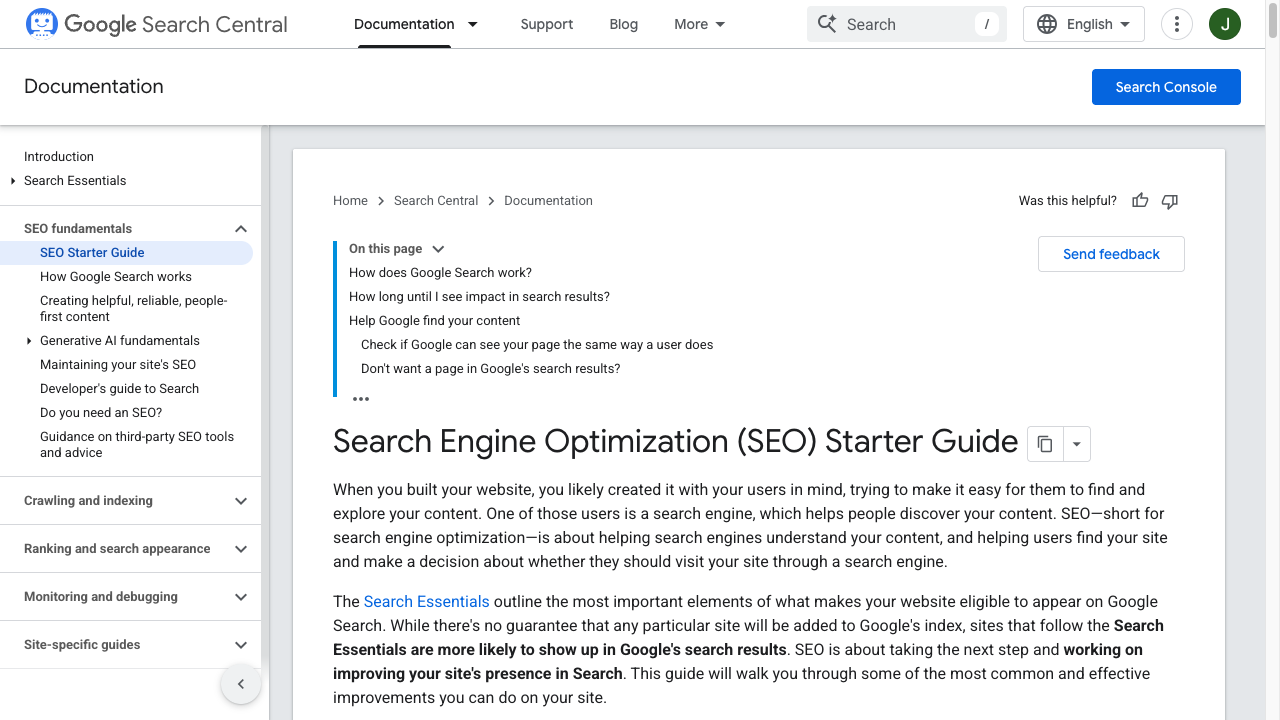
Editor note: Automate hreflang, canonicals, and sitemaps only after the source language page is stable. Broken English pages multiply into broken locales.
Once you have more than a few locales, technical SEO cannot live in spreadsheets.
Google's documentation on managing multilingual and multi-regional sites recommends using different URLs for different language versions and using hreflang annotations to help Google serve the right version. Google also explains that localized versions can be declared through HTML tags, HTTP headers, or sitemaps.
For SaaS teams, the practical setup usually includes:
- A dedicated URL for every localized page.
- Self-referencing canonicals on each localized version.
- Hreflang annotations that point to every alternate version, including itself.
- An
x-defaultURL for language selectors or global fallback pages. - XML sitemaps that include localized URLs.
- Same-language internal links wherever a localized destination exists.
Here is the simple rule: if a page exists in 10 languages, your system should know the full cluster of 10 URLs and keep that cluster in sync.
Do not hand-build those relationships. Add them to your CMS, localization platform, or deployment workflow so every new page automatically gets the correct alternates. If you are comparing tools for that job, the buying criteria belong in the separate platform guide; this page focuses on how the SaaS team should run the workflow.
Step 6: Choose the Right URL Structure
Most SaaS companies should use subfolders unless they have a strong reason not to.
| Structure | Example | Best for | Watch out for |
|---|---|---|---|
| Subfolders | example.com/de/ | Centralized authority, easier tracking, simpler operations | Needs clean CMS routing |
| Subdomains | de.example.com | Separate regional teams or app instances | Can fragment reporting and authority |
| ccTLDs | example.de | Strong country-specific brands | Expensive and operationally heavy |
| Parameters | example.com?lang=de | Rarely ideal for SEO | Weak UX and harder indexing signals |
Subfolders are usually the best default for SaaS marketing sites because they keep everything under one domain and make cross-locale governance easier.
But the URL structure is less important than consistency. Changing it later across thousands of localized URLs is painful, so decide before you scale.
Step 7: Localize the SaaS Buying Journey
SEO brings users in. Localization determines whether they trust you enough to sign up.
For SaaS, that means localized content should go beyond blog posts and landing pages.
You may need to adapt:
- Pricing pages and currencies.
- Plan names and packaging.
- Payment methods.
- Checkout language.
- Trial onboarding.
- Product screenshots.
- Demo CTAs.
- Security and compliance pages.
- Case studies from nearby or similar markets.
- Support hours and help center content.
Payment methods are especially easy to overlook. Stripe's guide to payment methods notes that businesses expanding globally need to consider local customer preferences and business model fit, including SaaS and subscription businesses. In practice, that means a card-only checkout may be fine in one market and weak in another.
The same applies to proof. A German buyer may care more about data residency and procurement detail. A Brazilian buyer may care more about local payment options. A Japanese buyer may expect more detailed product documentation before talking to sales.
This is why multilingual content marketing for SaaS works best when it is tied to the full customer journey, not just translated blog traffic.
Step 8: Use AI Where It Helps, Keep Humans Where It Matters
AI is useful in multilingual SEO because it removes repetitive work from the system.
It can help with:
- First-draft translation.
- Localized meta titles and descriptions.
- Content briefs for each locale.
- Summaries of product docs.
- Glossary enforcement.
- Internal link suggestions.
- Translation QA checks.
- Identifying pages where source and localized versions are out of sync.
But AI should not be the only reviewer for pages where accuracy affects trust or revenue.
I would not ship AI-only translations for:
- Pricing and billing pages.
- Legal or compliance pages.
- Security pages.
- Enterprise product pages.
- Migration guides.
- High-intent comparison pages.
- Pages that use technical claims or regulated terminology.
The better model is human-in-the-loop automation. AI produces the first draft and checks consistency. Humans review the parts where nuance, accuracy, and market understanding matter.
If your team is comparing different ways to do this, this guide on AI vs human translation for SEO is a useful next step.
Step 9: Automate Internal Links by Locale
Internal linking gets messy fast in multilingual SEO.
An English blog post should not keep sending Spanish readers to English product pages if Spanish versions exist. At scale, that creates a broken-feeling user journey and weakens the topical cluster in the target language.
Build a same-language linking rule:
- Spanish page to Spanish product page.
- German article to German comparison page.
- French help doc to French onboarding page.
- Fallback to English only when no localized destination exists.
For SaaS, internal links should connect:
- Blog posts to solution pages.
- Solution pages to feature pages.
- Feature pages to pricing or demo pages.
- Help docs to product pages.
- Comparison pages to migration or alternative pages.
- Localized clusters to the same-language hub page.
Automation can suggest these links, but editorial judgment still matters. Do not turn every localized page into a link farm. Use links where they help the reader move to the next logical step.
For example, a page about scaling translated content can naturally point to a guide on how to translate a blog into 60 languages automatically, while a technical page about local SERPs can point to a market-specific ranking guide.
Step 10: Track Performance by Language and Page Type
Do not judge multilingual SEO by total traffic.
You need to know which language, market, and page type is working.
Track:
| Metric | Why it matters |
|---|---|
| Organic clicks by locale | Shows whether pages are gaining search visibility |
| Indexed pages by locale | Catches crawl/indexation gaps |
| Rankings for local keywords | Measures actual local intent match |
| Trial/demo conversion by locale | Separates traffic from revenue |
| Activation and retention by locale | Shows whether localized users succeed after signup |
| Support tickets by language | Reveals documentation or onboarding gaps |
| Refresh backlog by locale | Prevents old translations from drifting from source content |
In GA4 or another analytics platform, segment traffic by URL folder, language code, country, product line, and page type. In Search Console, use URL filters or separate properties where useful so each locale has visible query and indexing data.
The key is to make decisions at the locale level.
If French blog traffic is growing but demo conversions are weak, the issue may be product proof or pricing. If German product pages rank but help docs are missing, onboarding may suffer. If Spanish pages are indexed slowly, the problem may be internal linking, crawl paths, or hreflang clusters.
Automation Stack by SaaS Stage
The right setup depends on scale.
| SaaS stage | Languages | Practical setup |
|---|---|---|
| Early startup | 1-3 | Manual localization for core pages, AI-assisted blog translation, native review for high-intent pages |
| Growth stage | 4-10 | CMS localization, translation memory, glossary, same-language internal linking, automated hreflang |
| Scale-up | 10-25 | Translation management system, API workflows, staged QA, locale analytics dashboards |
| Enterprise | 25+ | Dedicated localization ops, regional content owners, automated QA, legal/compliance review paths |
The mistake is buying enterprise localization software before the workflow is clear.
Start by proving that localized content can acquire and convert users. Then automate the repeated steps that slow the team down.
For SaaS teams and agencies already managing repeatable multilingual production, Junia's guide to scaling content with multilingual automation and the step-by-step approach to template-led multilingual SEO process both go deeper into the operational side. If your immediate question is which platform features to require, use an international SEO automation platform checklist instead.
Common Mistakes That Break Multilingual SaaS SEO
The failures are usually predictable.
Translating keywords instead of researching them. This creates pages that read fine but miss search demand.
Publishing every language at once. It looks efficient, but it spreads QA too thin and makes performance hard to learn from.
Using one global CTA everywhere. "Book a demo" may work in one market, while "Start free" or "See pricing" works better in another.
Linking localized articles back to English pages. This weakens user experience and same-language topical authority.
Forgetting screenshots and product UI. A localized page with English-only screenshots feels unfinished.
Using canonicals incorrectly. Localized pages should usually have self-referencing canonicals, with hreflang connecting alternate versions.
Letting translations drift. Product pages change often. If localized versions are not flagged for updates, they become stale fast.
Measuring traffic but not revenue. A language can bring clicks without signups, or lower traffic with stronger buying intent.
A 30-Day Rollout Plan
If I were setting this up for a SaaS team from scratch, I would not start with 10 languages.
I would use this 30-day rollout:
| Week | Work |
|---|---|
| 1 | Pick 2-3 markets using search, revenue, CRM, and support data. Choose 10-20 priority pages. |
| 2 | Create local keyword briefs, glossary rules, URL structure, and content templates. |
| 3 | Generate localized drafts, review high-intent pages, add same-language internal links, and stage pages. |
| 4 | Validate hreflang, canonicals, metadata, sitemaps, layout, forms, pricing, and analytics. Publish in batches. |
After launch, review performance every two weeks for the first 60 days. Look for indexing problems, pages with impressions but low CTR, pages with traffic but no conversions, and locales where users need more support content.
Then expand. Add more pages in the markets that show traction before adding more languages.
Pre-Publish Checklist for Every Locale
Before a localized SaaS page goes live, run this checklist:
- The primary keyword is researched locally, not directly translated.
- The URL slug is localized and readable.
- The meta title and description are written for local search intent.
- H1 and headings match the target query.
- Pricing, currency, dates, measurements, and examples make sense locally.
- Product screenshots are localized or still understandable.
- Internal links point to same-language pages where possible.
- Hreflang alternates include every version in the cluster.
- Canonical is self-referencing unless there is a specific reason otherwise.
- Sitemap includes the localized URL.
- Forms, signup, checkout, and demo CTAs work in the target language.
- Analytics can separate performance by locale.
- High-risk pages have human review.
This is the boring part of multilingual SEO, but it is also where most ranking and conversion problems are prevented.
Final Takeaway
SaaS teams do not scale multilingual SEO by translating more pages faster.
They scale it by building a system: source content, local keyword research, AI-assisted translation, human review, technical automation, same-language internal links, and locale-level analytics.
Automation should remove repetitive work. It should not remove judgment.
Start with the markets already showing demand, localize the pages that affect discovery and conversion, and build the workflow so every new language is easier than the last.