
Write More Content in Less Time: A Simple AI Workflow

Thu
AI SEO Specialist, Full Stack Developer

Writing more content in less time is not about typing faster. In practice, it is about separating the work that requires judgment from the work that only requires a system.
The fastest content teams I have seen do not ask AI to "write a complete article" and hope for the best. They plan topics in batches, turn each topic into a clear brief, use AI for the first draft or specific sections, then spend their real attention on examples, accuracy, voice, links, and final editing. That split matters more than the tool choice.
That is the workflow this guide covers.
TL;DR: the faster content workflow
If you want the short version, use this sequence:
| Step | What to do | Tool support |
|---|---|---|
| 1. Batch topics | Group 5-10 related ideas before drafting | Content calendar generator |
| 2. Build briefs | Define search intent, angle, audience, sources, and internal links | SEO content brief generator |
| 3. Outline first | Decide the section order before writing | AI article writer |
| 4. Draft with AI | Generate a usable first pass, not a final article | Blog post generator |
| 5. Edit manually | Add examples, verify claims, improve flow, and cut filler | Readability improver |
| 6. Repurpose | Turn the finished piece into posts, emails, or video scripts | Content repurposing ideas generator |
My practical rule: use AI to remove blank-page friction, not editorial responsibility. If the article still has no point of view, no examples, no sources, and no useful structure after AI touches it, it is not faster content. It is just faster clutter.
Why most people are still slow even with AI
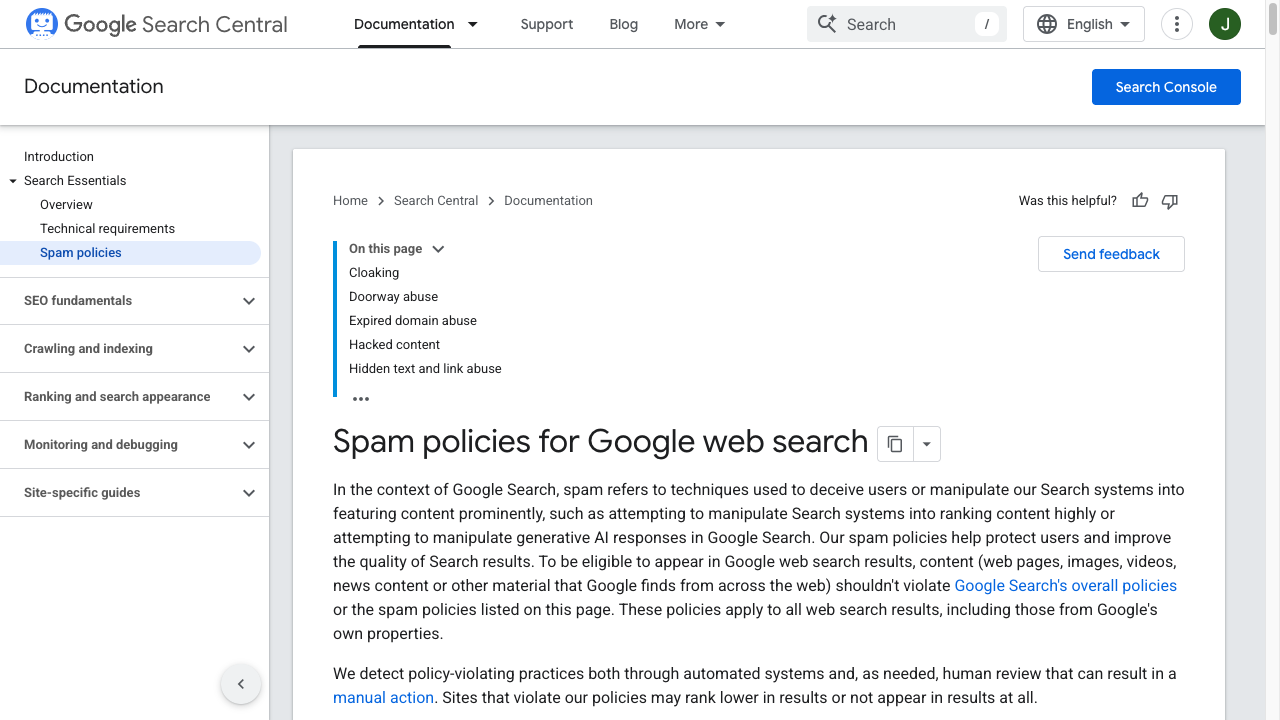
Faster publishing only helps if pages stay useful. Speed plus interchangeable drafts is how teams trip scaled-content risk.
AI can write quickly, but content production still slows down when every article starts from scratch.
The usual bottlenecks are not typing speed. They are:
- deciding what to write next
- choosing the angle
- gathering examples and sources
- building the outline
- avoiding repetition across related articles
- editing AI output until it sounds human
- adding internal links without making the article feel stuffed
- preparing titles, descriptions, and social posts after the article is done
If you try to solve all of that inside one prompt, the draft usually comes back broad, generic, and hard to trust. I have found that the cleanup often takes longer than a slower, better-briefed draft would have taken in the first place. Google also makes the same basic point in its guidance on using generative AI content: AI can help with research and structure, but scaled pages without added value can become a quality problem.
So the goal is not to automate the whole article. The goal is to design a content workflow where AI handles the repeatable parts and you handle the judgment.
The 6-step system for writing more content in less time
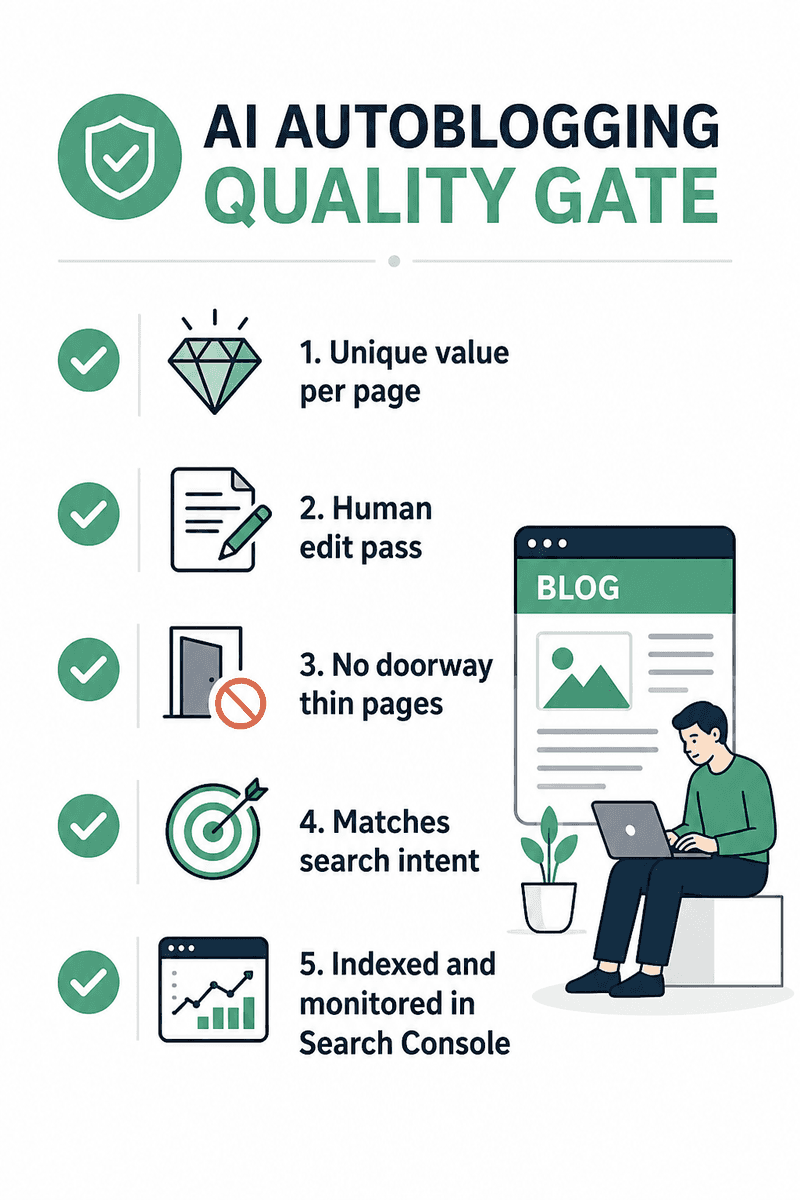
| Step | Time-saver | Don’t skip |
|---|---|---|
| Batch ideas | One list session | Random daily topics |
| Brief | Stops blank-page stall | Keyword-only briefs |
| Outline | Controls AI rambling | Drafting without jobs |
| AI first draft | Speed | Final judgment |
| Edit pass | Human voice + proof | Publish raw |
Here is the workflow I would use for a solo writer, small marketing team, or founder who needs to publish consistently without turning every article into a full-day project.
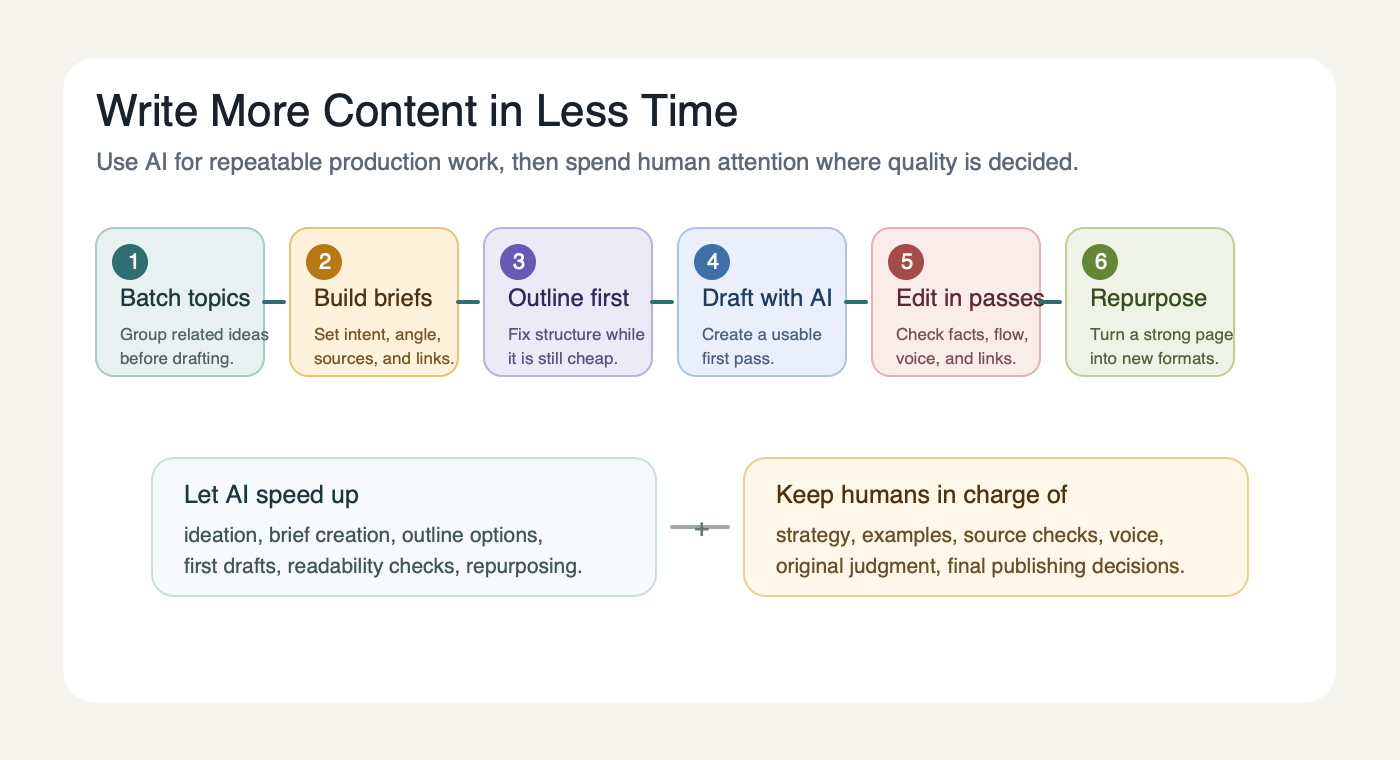
1. Batch your ideas before you open a blank document
Planning one article at a time feels flexible, but it creates more decisions than you need.
Instead, batch ideas around one topic cluster. If your site covers AI writing, for example, you might plan articles on outlining, drafting, editing, rewriting, repurposing, and AI content quality in one sitting. That lets you spot overlap before you write and decide which article should answer which question.
For each topic, write down:
- the primary search intent
- the audience
- the promise of the article
- the angle that makes it different
- the internal pages it should naturally support
- one or two examples you can add from experience
This is where a content calendar generator is useful. Not because it magically knows your strategy, but because it gives you a structured starting list that you can accept, reject, combine, or reshape. Personally, I treat the first list as raw material, not a plan.
2. Create a brief before creating a draft
A content brief saves time because it makes the article's job clear before any sentences are written. This is the step I would be most reluctant to skip, even when the deadline is tight.
At minimum, your brief should include:
| Brief element | Why it matters |
|---|---|
| Search intent | Keeps the article from drifting into background information |
| Reader problem | Makes the intro and headings more direct |
| Required sections | Prevents missing obvious subtopics |
| Examples or data | Gives the article substance beyond AI phrasing |
| Internal links | Helps you connect related pages naturally |
| Tone notes | Reduces rewriting later |
This is one of the biggest lessons from the stronger competitor articles I reviewed: they do not just say "AI saves time." They show a personal workflow, explain where AI fits, and make clear where human editing still matters. That is what makes the advice feel earned instead of assembled.
If you are producing SEO content, a content brief for AI writers is especially useful because the brief becomes the control layer. It tells the AI what to cover, what to avoid, what sources matter, and where the article needs a stronger point of view.
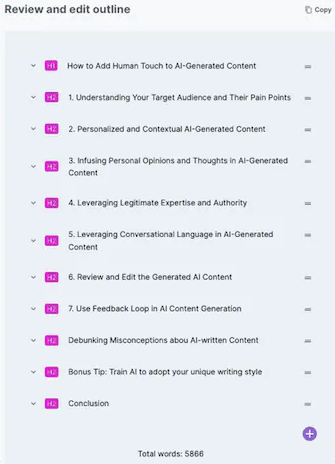
3. Outline the article before drafting
An outline is not busywork. It is the cheapest time to fix a weak article.
If the outline is vague, the draft will be vague. If the outline repeats the same idea under different headings, the draft will repeat itself too. I usually want the outline to answer one question: would a reader understand the article's path just from the headings?
For this topic, a weak outline would look like this:
- What is content creation?
- Why content matters
- Benefits of AI
- Best tools
- Conclusion
A stronger outline is more specific:
- TL;DR workflow for faster content production
- Why AI alone does not fix slow publishing
- How to batch topics
- How to create briefs and outlines
- How to draft with AI without publishing generic copy
- How to edit for quality, originality, and AI Search
- How to repurpose finished content
That second structure answers the real query: "How do I actually produce more usable content in less time?"
4. Use AI for the first draft, not the final judgment
This is where tools like Junia AI, ChatGPT, Claude, Gemini, and Jasper can save a serious amount of time.
The mistake is asking for a finished article too early. I would rather ask for a rough but well-shaped draft than a supposedly polished article that hides weak claims under smooth phrasing. A better prompt gives the AI a narrow job:
Draft the first version of this article from the brief below. Follow the outline exactly. Use short paragraphs. Avoid generic claims. Add placeholders where a real example, screenshot, source, or internal link is needed. Do not invent statistics.
That prompt does two important things. It gives the draft structure, and it tells the AI not to fake authority.
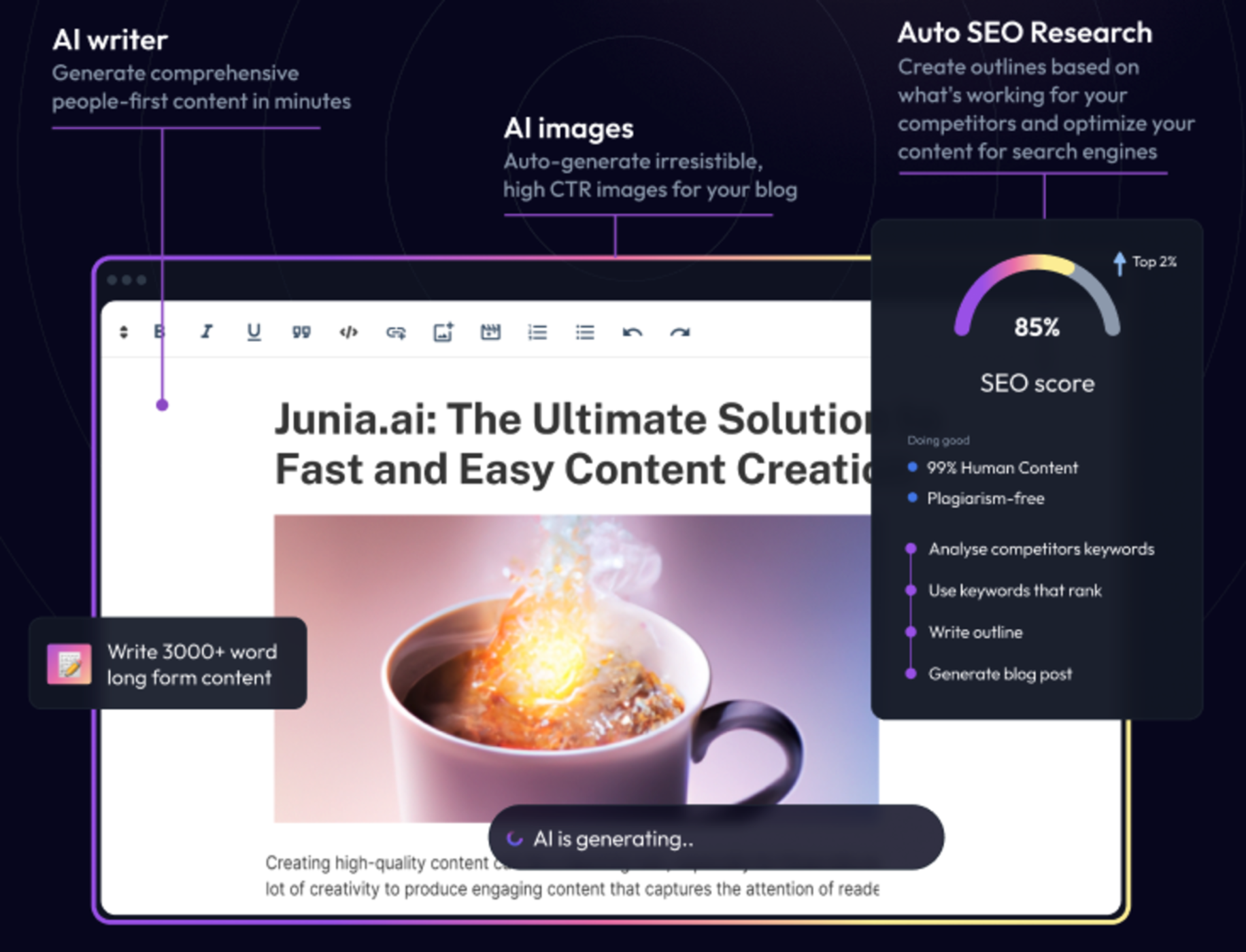
If your main bottleneck is blank-page drafting, Junia's AI blog post generator can produce a faster first pass. If you are writing a longer SEO article with headings, links, optimization, and structure, the AI article writer is a better fit. Either way, I would judge the output by how editable it is, not by how finished it looks on first read.
5. Edit in passes instead of fixing everything at once
Editing gets slow when you try to improve facts, flow, voice, grammar, links, examples, and formatting at the same time. I have made that mistake enough times to know it usually creates more rereading, not better editing.
I prefer a pass-based edit:
| Pass | What to check |
|---|---|
| Structure | Does every section have a clear reason to exist? |
| Specificity | Are there examples, tools, steps, and decision rules? |
| Accuracy | Are claims supported or phrased carefully? |
| Voice | Does the writing sound like a person with judgment? |
| Links | Do internal links support the reader instead of interrupting them? |
| Readability | Are paragraphs, headings, and tables easy to scan? |
This is also where AI can act like a second editor. One competitor used a useful "pseudo-peer review" step: ask a different AI model to read the finished draft as the target reader and identify what it understands, what it questions, and where the logic feels thin. I like that approach because it treats AI as a reviewer, not just a writer.
Then do the final read yourself. AI can miss invented facts, awkward transitions, stale examples, and sentences that technically make sense but do not sound like you.
If the draft feels stiff, a humanizer can help with tone, but it should not replace the manual pass where you add examples and cut weak claims.
6. Repurpose only after the article is strong
Repurposing saves time, but only if the source article is worth repurposing. A thin article becomes thin social posts, thin emails, and thin video scripts.
Once the article is edited, you can turn it into:
- LinkedIn posts
- X threads
- email newsletters
- short video scripts
- YouTube descriptions
- lead magnet outlines
- social captions
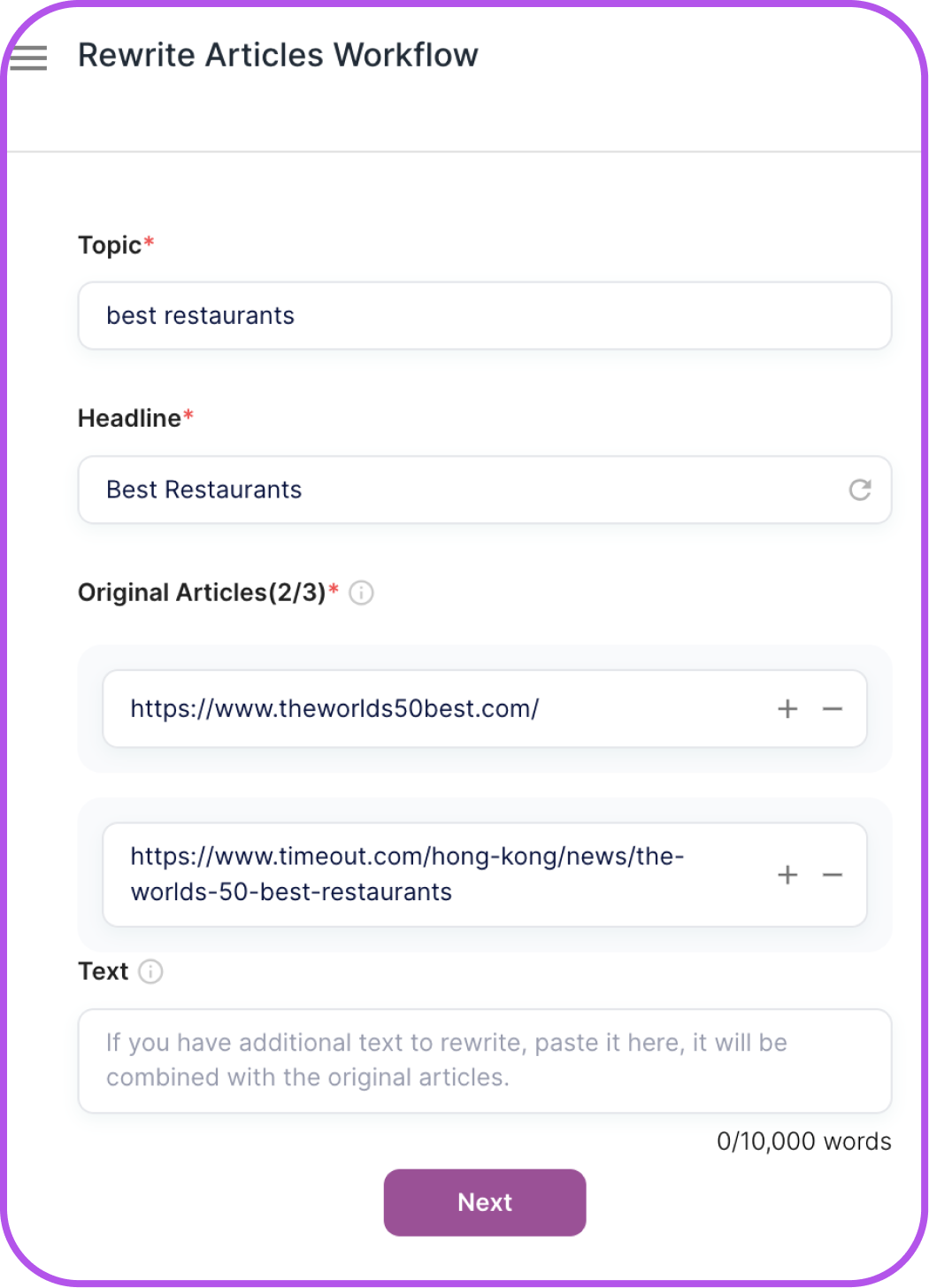
This is where finished long-form content becomes an asset instead of a one-time post. A YouTube to blog tool can help when the source starts as video, while a URL to article workflow is useful when you need to refresh or expand existing material into a stronger page.
A simple weekly schedule for faster content production
If you publish one to three articles per week, do not spread every task across every day. Batch the work.
| Day | Main task | Output |
|---|---|---|
| Monday | Pick topics and build briefs | 3-5 approved briefs |
| Tuesday | Outline and source | article outlines, examples, links |
| Wednesday | Draft with AI | first drafts |
| Thursday | Edit and improve | polished articles |
| Friday | Publish and repurpose | live article, social posts, email snippets |
This does not need to be rigid. I would bend the days before I would abandon the batching principle. The point is to stop switching constantly between strategy, drafting, editing, and publishing.
What to automate and what to keep human
Not every part of content creation deserves the same level of automation. The work that feels repetitive is often safe to systematize; the work that shapes the argument usually is not.
| Content task | Good AI use | Keep human |
|---|---|---|
| Topic ideation | Generate angles and variations | Decide what your audience actually needs |
| Keyword research | Cluster ideas and draft briefs | Choose intent and priority |
| Outlining | Suggest structure | Remove filler sections and sharpen the promise |
| Drafting | Create first drafts quickly | Add judgment, examples, and source checks |
| Editing | Flag repetition and readability issues | Decide voice, nuance, and final claims |
| Metadata | Draft title and description options | Pick the version that best matches the page |
| Repurposing | Create social/email variants | Keep the message aligned with the original idea |
This distinction matters. Google's people-first content guidance is still built around usefulness, reliability, and content made for people. AI does not remove that standard. It just changes how quickly a weak draft can be produced, which is why faster workflows need stronger editorial gates, not weaker ones.
How to make faster content work for AI Search
AI Search does not reward content just because it was produced quickly. It needs content that is easy to understand, quote, summarize, and trust.
Google's 2026 guide to optimizing for generative AI features is clear that traditional SEO fundamentals still matter because AI features are rooted in Google's broader Search systems. In practical terms, that means your article still needs a clear answer, crawlable content, strong structure, useful context, and real value.
For this specific workflow, I would focus on:
- Answer-first sections: Put the useful workflow near the top instead of hiding it after a long introduction.
- Tables and checklists: Make the process easy for AI systems and readers to extract.
- Specific examples: Explain how the workflow changes for blog posts, LinkedIn content, video repurposing, or SEO articles.
- Clear source links: Support claims about Google, AI content, and search with reputable sources.
- Natural internal links: Connect related workflows where they help the reader continue, not where they pad the page.
- Final human review: Make sure the article has original judgment and does not read like a generic AI summary.
That is why this article includes a TL;DR, process tables, tool roles, and a checklist. These elements help readers move faster and make the page easier to reference.
Common mistakes that slow content teams down
The first mistake is drafting before deciding the article's job. If the article's purpose is unclear, AI will usually fill the space with generic explanations.
The second mistake is asking AI for too much at once. A single prompt cannot reliably replace strategy, research, drafting, editing, SEO, and brand voice. Break the workflow into smaller tasks.
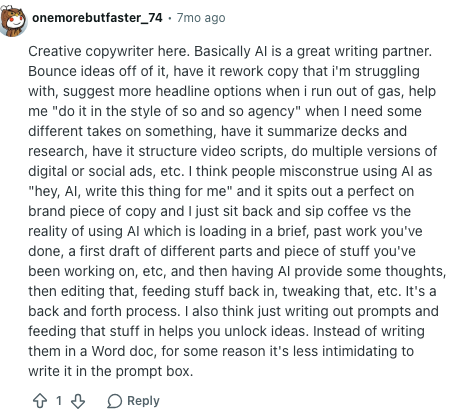
The useful pattern is interactive: feed in a brief, a partial draft, or a stuck section, then edit the response instead of treating it as publish-ready copy. In my experience, the best AI writing sessions feel less like delegation and more like a fast back-and-forth with a junior drafter.
The third mistake is skipping examples. AI output often sounds polished before it is useful. Add screenshots, mini examples, customer language, personal observations, or actual tool steps where they make the article more credible. One concrete example can do more for trust than three extra paragraphs of explanation.
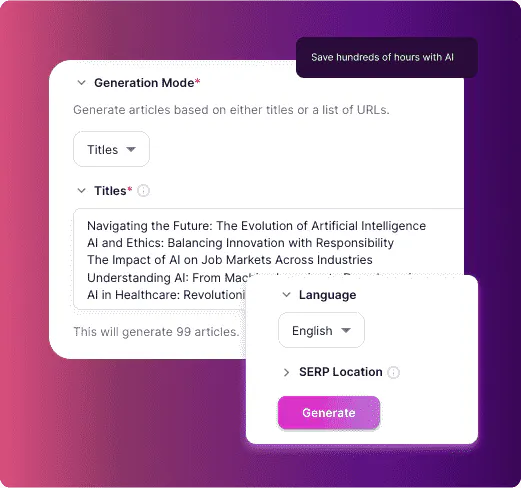
The fourth mistake is treating internal links like a checklist. A link should support a sentence that already helps the reader. For example, if you are explaining how to produce many articles from one set of briefs, bulk AI content generation is relevant because the reader is already thinking about scale. Dropping that link into the intro would feel forced.
The fifth mistake is publishing without a manual read. I know it sounds obvious, but a full read catches the things tools miss: repeated points, claims that need evidence, bland section endings, and sentences that sound like they were written for search engines instead of humans.
A reusable prompt for faster article drafting
Use this after you have a brief and outline:
You are helping me draft a practical article for [audience].

Topic: [topic]
Search intent: [what the reader wants]
Main promise: [what the article should help them do]
Tone: clear, practical, human, specific

Use this outline:
[paste outline]

Requirements:
- Start with a direct answer or TL;DR.
- Use short paragraphs.
- Add examples where the reader may need clarity.
- Mark any claim that needs verification with [SOURCE NEEDED].
- Do not invent statistics.
- Do not add a visible FAQ section.
- Suggest natural internal link opportunities, but do not force them.
The most important line is "mark any claim that needs verification." It stops the draft from sounding more certain than it should. I would rather see an ugly [SOURCE NEEDED] marker in a draft than publish a confident claim that nobody checked.
Final checklist before publishing
Before you publish, run the article through this checklist:
- Does the article answer the reader's main question in the first few sections?
- Is the workflow clear enough to repeat?
- Are examples and tables used where they save explanation?
- Are AI-generated claims checked against real sources?
- Does the draft sound like your brand, not a generic model?
- Are internal links placed where they support the surrounding idea?
- Are images, screenshots, or diagrams useful rather than decorative?
- Is the meta title specific and clickable?
- Can the finished article be repurposed into at least two other formats?
Writing more content in less time is realistic when you stop treating every article like a fresh improvisation. Plan in batches, brief before drafting, use AI for the repeatable work, and reserve human attention for the parts that make the content worth publishing.
That is the real productivity gain. Not simply producing more words, but producing more useful pages with less wasted effort. That is the version of "faster content" I trust.