
Free Compliment Generator
The AI Compliment Generator helps you write sincere compliments that feel personal instead of generic. Generate kind, funny, professional, or romantic messages for coworkers, partners, customers, friends, recognition posts, or everyday conversations.
Compliments
Your compliments will appear here...
How the AI Compliment Generator Works
Get results in seconds with a simple workflow.
Add a Little Context (Optional)
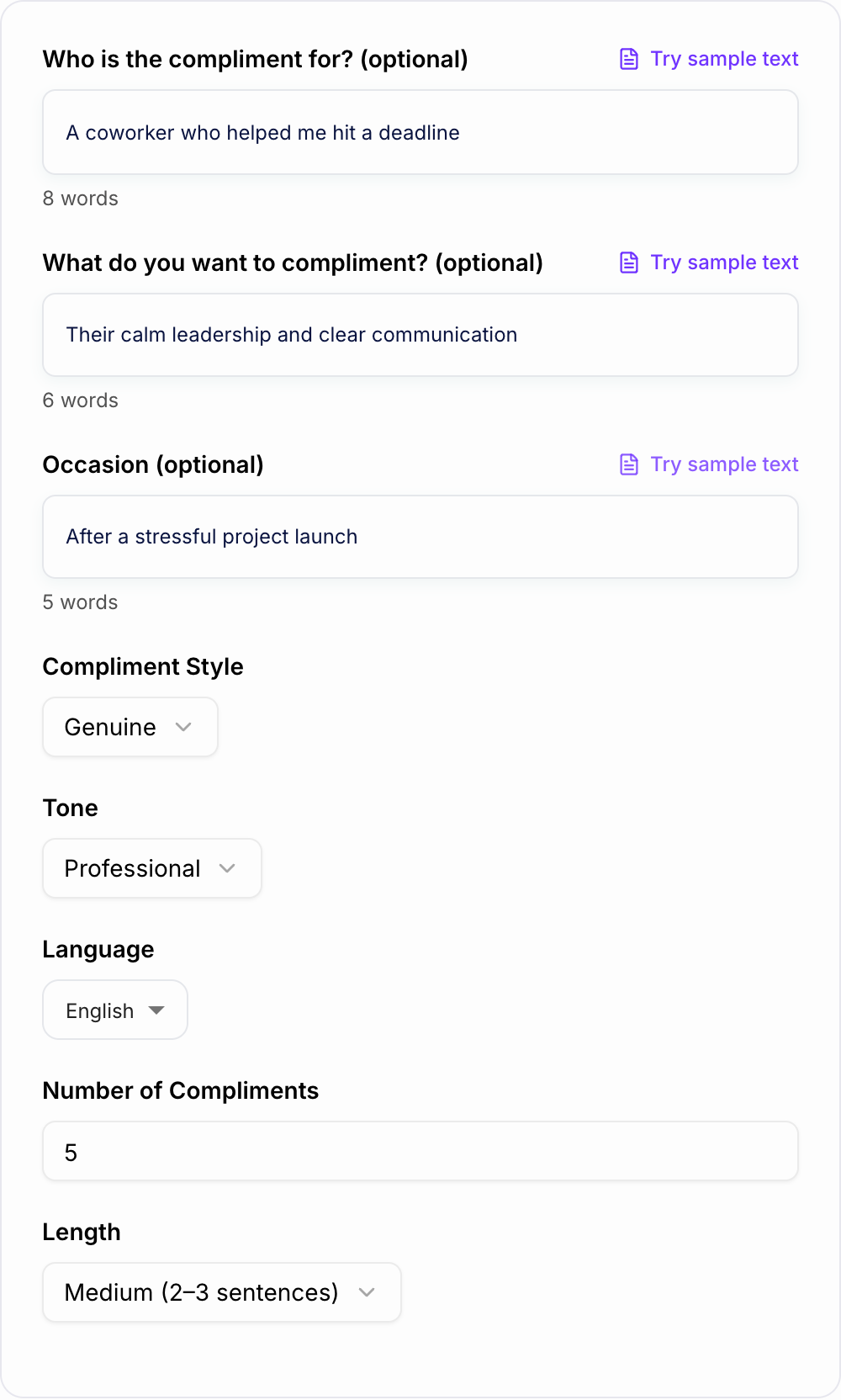
Enter who the compliment is for, what you want to praise, and the occasion. Even one detail helps the AI create more specific, meaningful compliments.
Choose Style, Tone, and Length
Pick a compliment style (genuine, professional, playful, etc.), set the tone, and choose how long you want the message to be.
Generate and Send
Get multiple compliment options. Copy your favorite, personalize a word or two, and send it as a text, card note, comment, or workplace recognition message.
See It in Action
Turn a generic compliment into a specific, meaningful message that feels personal and natural.
You’re awesome and I really appreciate you.
I really appreciate how you stayed calm and organized during the deadline crunch. Your clear updates and quick decisions made everything feel manageable—thank you for showing up like that.
Why Use Our AI Compliment Generator?
Powered by the latest AI to deliver fast, accurate results.
Personalized Compliments That Sound Human
Generate authentic compliments tailored to the person, relationship, and context—ideal for sincere messages that don’t feel generic, awkward, or AI-written.
Multiple Styles: Professional, Sweet, Funny, Romantic
Choose a compliment style for any situation: workplace recognition, friend appreciation, customer thank-you notes, or romantic messages—without crossing boundaries.
Specific, Non-Backhanded Wording
Creates positive, respectful compliments that avoid negs, comparisons, and passive-aggressive phrasing—helpful for healthy communication and inclusive messaging.
Great for Cards, Texts, Captions, and Reviews
Use compliments for birthday cards, appreciation texts, LinkedIn praise, customer support replies, social media captions, and testimonial requests.
Multilingual Compliment Generator
Generate compliments in many languages for international friends, global teams, and localized marketing—while keeping tone and intent consistent.
Pro Tips for Better Results
Get the most out of the AI Compliment Generator with these expert tips.
Compliment effort + impact for maximum authenticity
The most memorable compliments mention what someone did and why it mattered (for example: “Your organization kept the project on track and lowered stress for everyone”).
Keep workplace compliments skills-focused
For professional settings, focus on communication, ownership, reliability, leadership, creativity, or problem-solving—avoid comments about appearance or overly personal traits.
Use concrete details to avoid sounding generic
Add one specific example: a recent win, a habit you admire, or a moment they showed kindness. One detail can make a compliment feel truly personal.
Avoid comparisons to other people
Comparisons can sound backhanded. Instead, highlight the person’s strengths and the positive effect they create.
Generate 5–10 options and pick the best fit
Different phrasing works for different relationships. Generate multiple variations, then choose the one that matches your voice and the recipient’s preferences.
Who Is This For?
Trusted by millions of students, writers, and professionals worldwide.
Generate Genuine Compliments with an AI Compliment Generator
A strong compliment is specific enough to feel true and simple enough to sound natural. This AI Compliment Generator helps you turn a person, moment, trait, or achievement into a message that feels kind without getting awkward.
The best results come from three details: who the compliment is for, what you noticed, and the tone you want. A workplace note, a romantic text, and a customer thank-you message should not sound the same.
What to enter into the Compliment Generator
Start with the relationship and the real reason for the compliment. Instead of entering "my coworker," give the generator a moment to work with:
- "my coworker who stayed calm during a messy launch"
- "my partner who always notices small things when I am stressed"
- "a customer who gave clear feedback and helped us improve the product"
- "a friend who makes people feel included at group events"
Then add the output setting: short, medium, or detailed. Short works for comments and captions. Medium works for cards, texts, and Slack messages. Detailed works when you want a warmer note with context.
How to choose the right tone
Use professional mode when the compliment is for work. Keep the focus on skill, effort, clarity, ownership, reliability, collaboration, or results. That keeps the message respectful and useful.
Use genuine mode when you want a warm everyday compliment. Use playful mode only when the relationship already supports humor. Use romantic mode when the person expects that level of warmth from you.
If you are unsure, generate a few options and choose the least intense version. A calm, specific compliment usually lands better than a dramatic one.
Review the generated compliment before sending
Before you use the generated line, check it for four things:
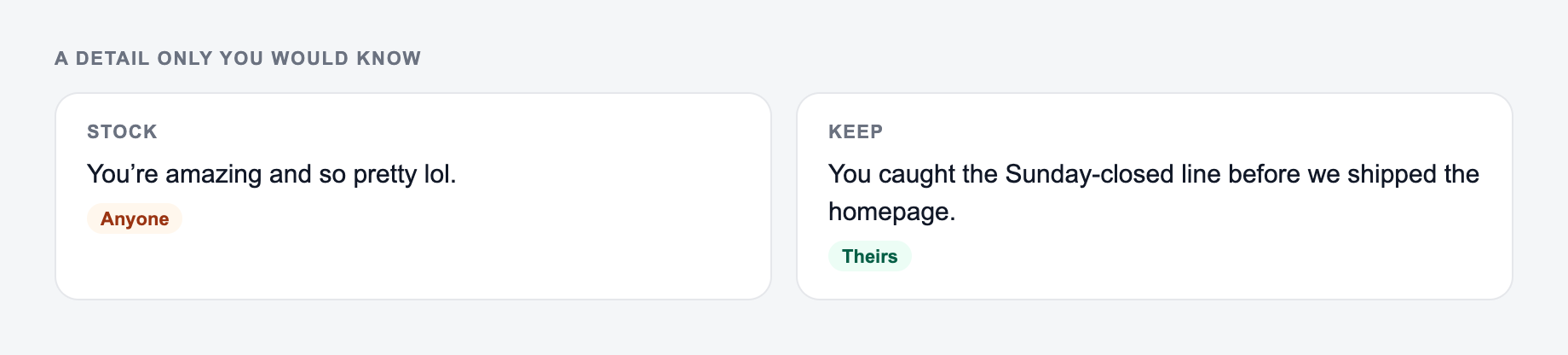
One specific detail is what keeps a compliment from sounding stock.
- Is it specific to this person?
- Does it match your actual relationship?
- Could any phrase sound backhanded or too personal?
- Does it sound like something you would say?
Edit one phrase into your own voice. Even a tiny change, like swapping "excellent" for "really clear," can make the compliment feel more human.
Common compliment mistakes to avoid
Avoid hidden comparisons such as "you are not like other people" or "I did not expect you to do so well." Those lines sound positive at first, but they carry a negative assumption.
Also avoid compliments that evaluate appearance when the situation calls for effort, character, or results. In professional settings, focus on what the person did and how it helped.
If you use Junia for other writing tasks, the broader AI writing platform can help you turn the same message into an email, card note, caption, or recognition post without starting from scratch.
Final checklist for a better compliment
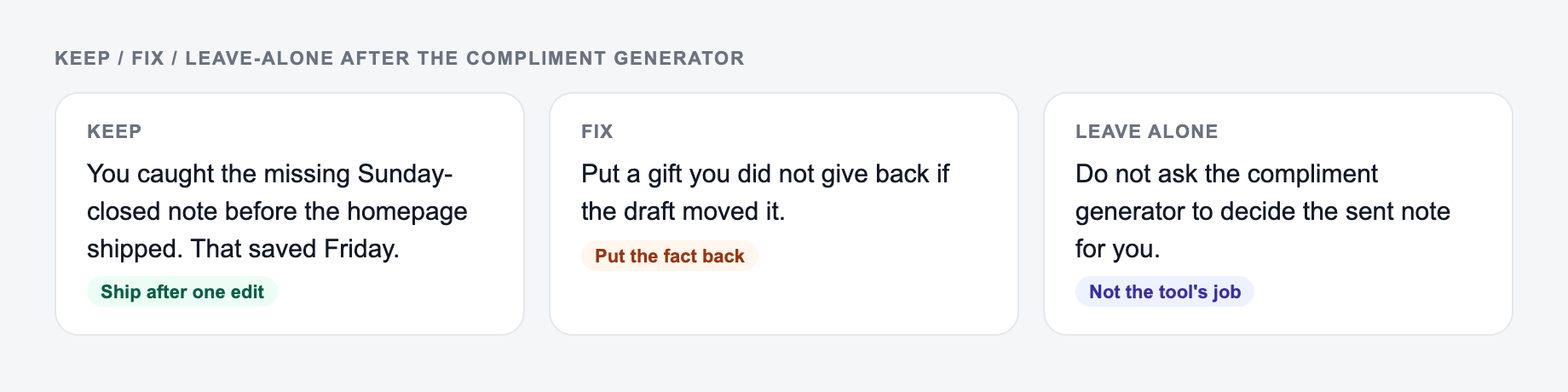
A generated compliment is ready when it names a real strength, includes one concrete detail, and feels appropriate for the relationship. If it could be sent to anyone, add more context. If it feels too intense, make it shorter and more grounded.
Frequently Asked Questions
Is this compliment generator free to use?+
Yes. You can generate compliments for free. Some styles or modes (like romantic or funny) may be marked as premium depending on your plan.
How do I make the compliment feel more personal?+
Add a small detail: what they did, a personality trait, or the impact it had on you (for example: “your calm communication made the meeting easier”). Specificity makes compliments feel genuine and memorable.
Can I generate professional compliments for work?+
Yes. Choose a professional style or mode to generate workplace-appropriate compliments that focus on skills, results, teamwork, reliability, and leadership—without being too personal.
Will the compliment avoid cringe or clichés?+
The tool is designed to produce natural, specific compliments and avoid overused lines. If you want, add context (occasion + what you admire) to get even more original phrasing.
Can I generate compliments in different languages?+
Yes. Select your output language to generate compliments for multilingual messaging, international teams, and localized content.
Can I generate multiple options at once?+
Yes. Increase the number of compliments to get several variations, then choose the one that fits your relationship and situation best.